


BOSGAME E2 Mini PC with Ryzen 5 3500U — 16GB RAM, 512GB NVMe, 4K Triple Display
Product description
Introduction
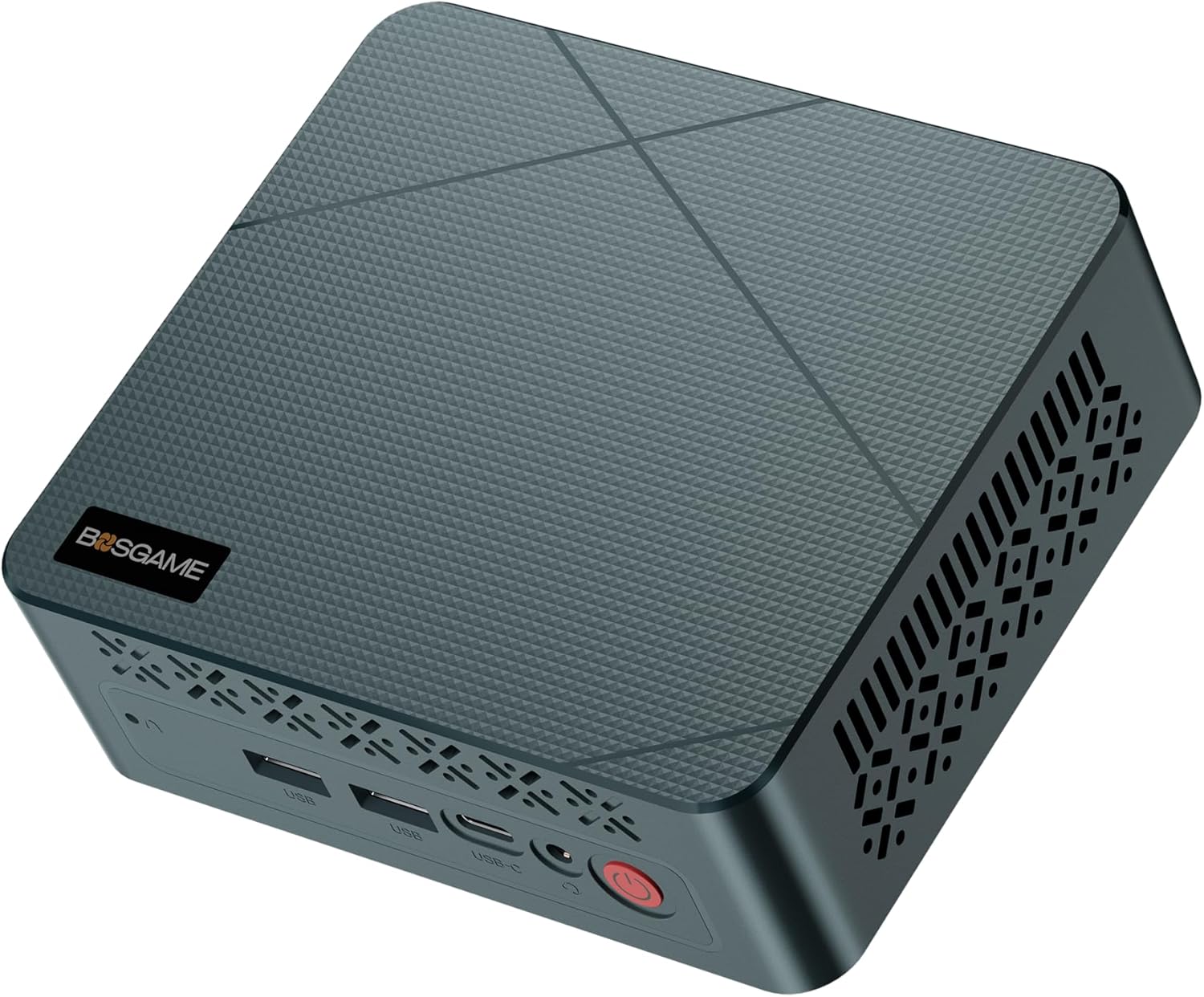
The BOSGAME E2 Mini PC is a compact desktop solution designed for office productivity, light multimedia work, and multi-monitor workflows. Powered by the AMD Ryzen 5 3500U and Radeon Vega 8 graphics, it aims to balance everyday efficiency with enough headroom for multi-tasking. The small form factor makes it a plausible option for desk spaces that don’t tolerate clutter, while still offering a capable set of features for professional use.
What it does well
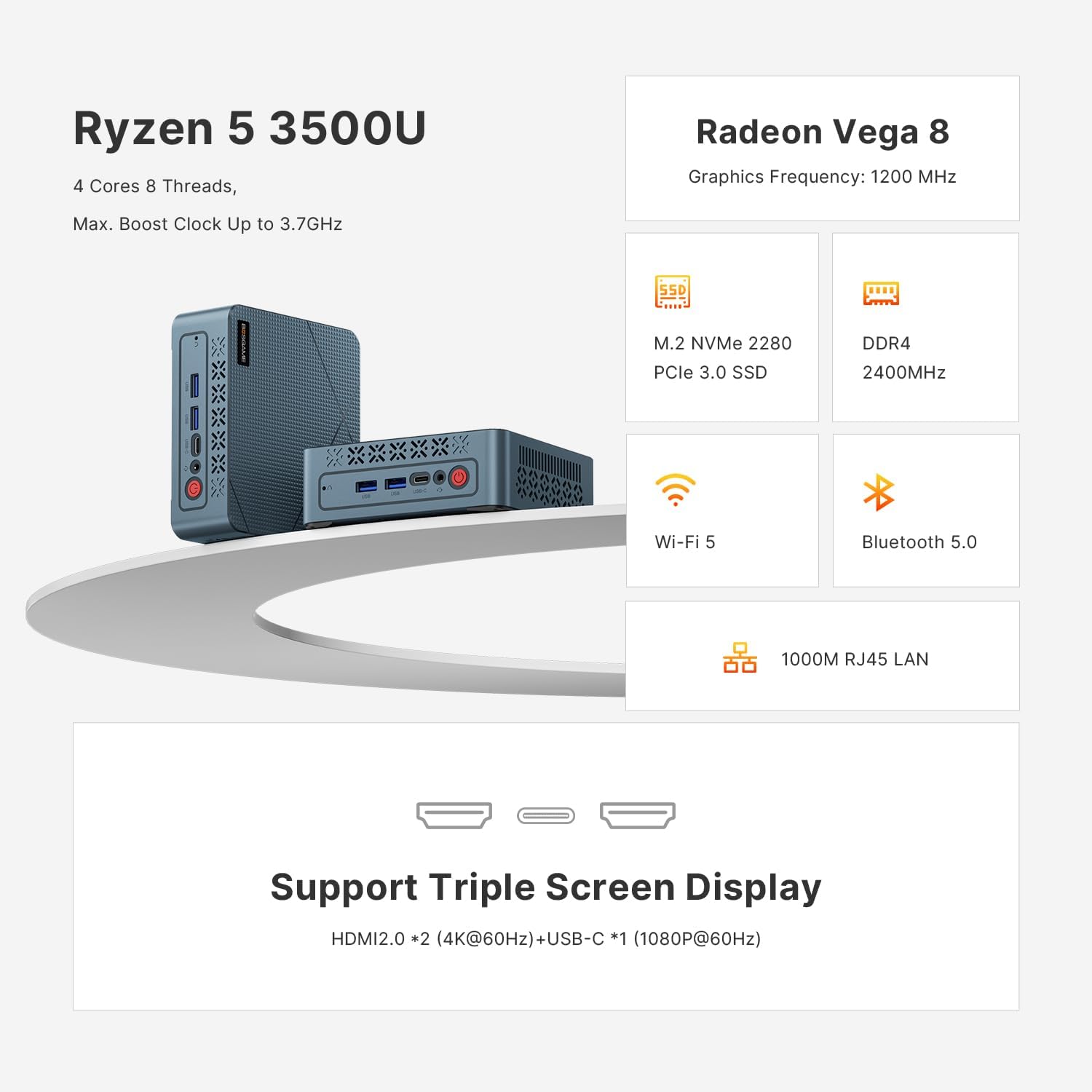
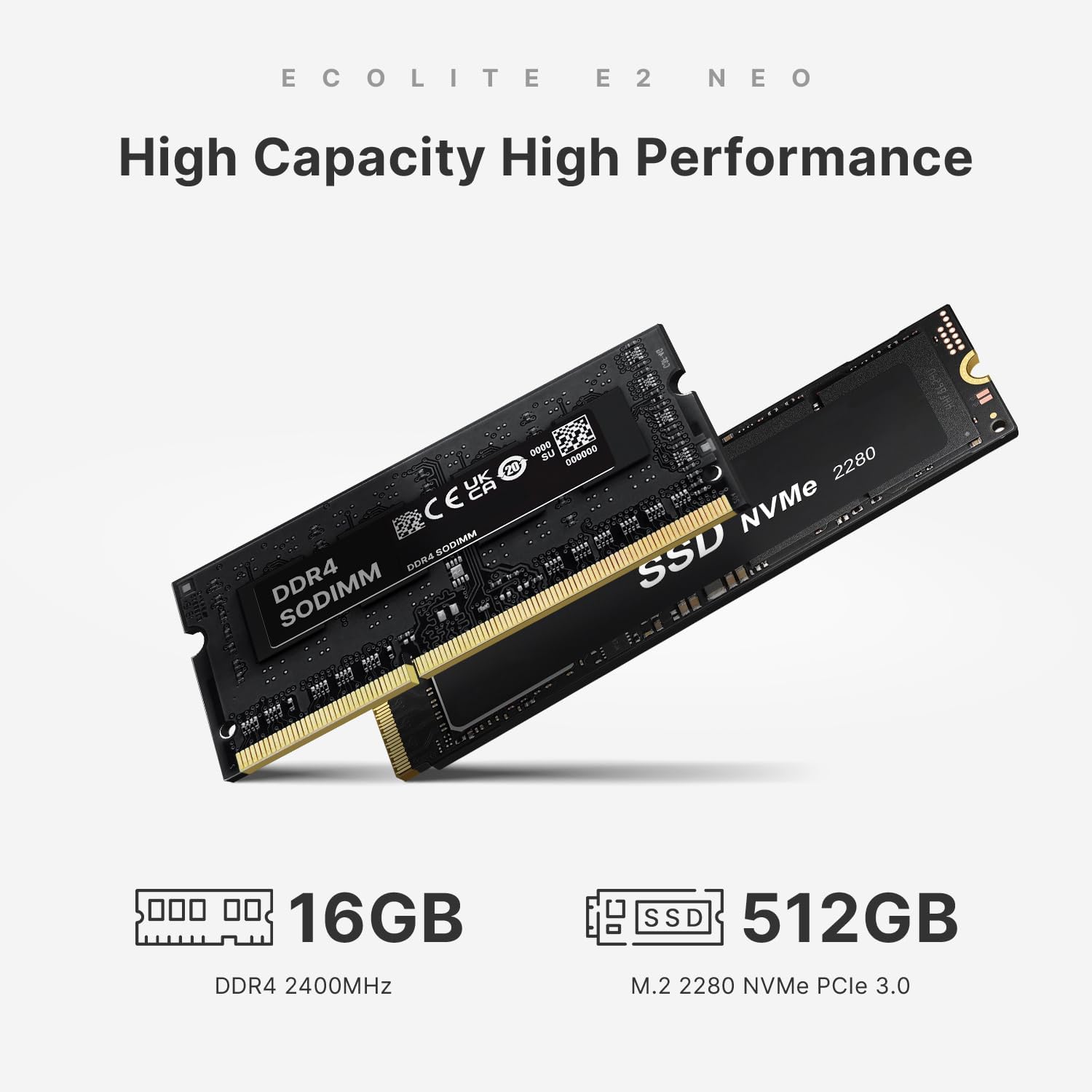
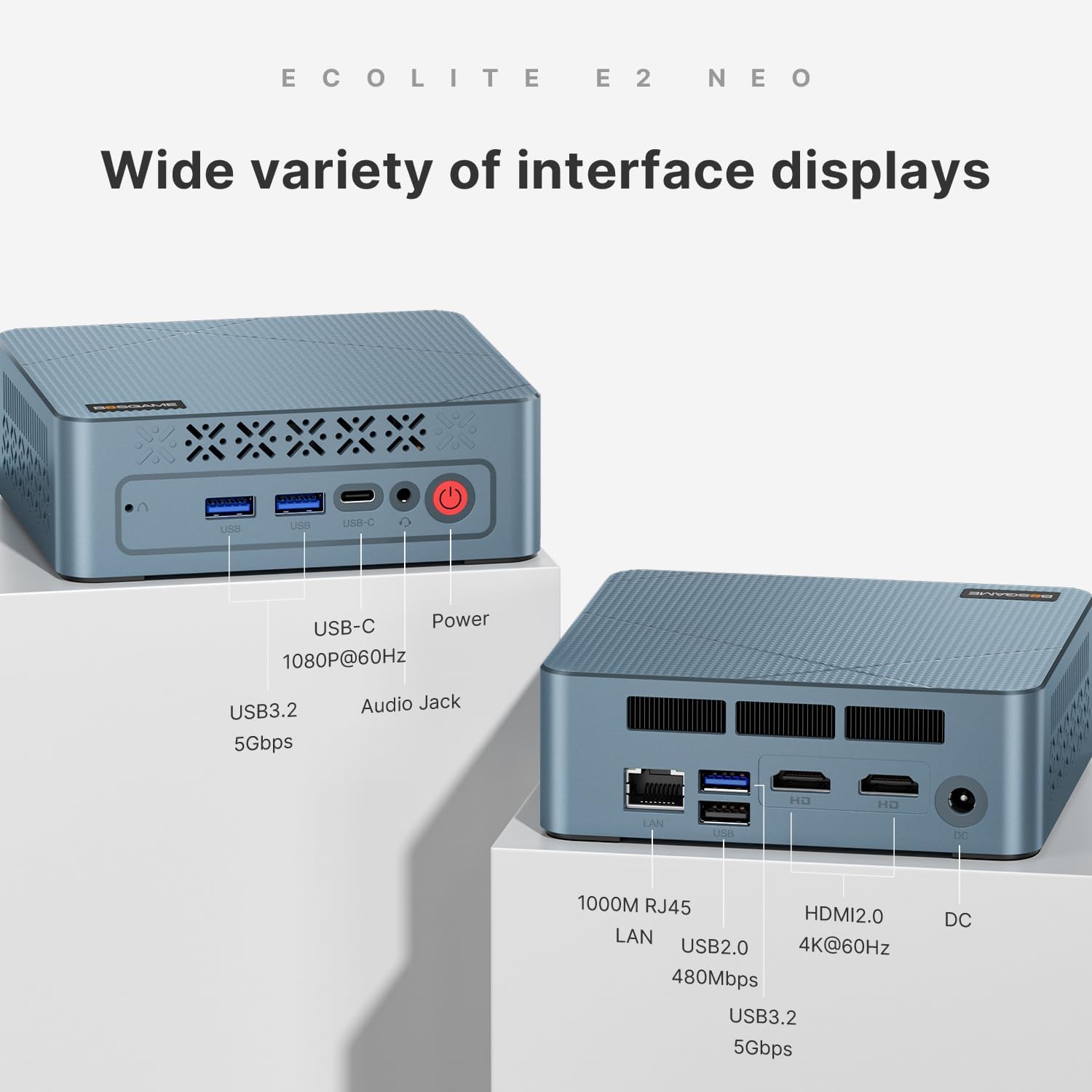
On the paper, the 16GB DDR4 RAM paired with a 512GB NVMe SSD delivers snappy boot times and responsive app launches. The dual HDMI 2.0 outputs plus a USB-C port make it easy to drive three 4K displays simultaneously, which can be a real productivity boost for activities like stock monitoring, data analysis, or creative work where screen real estate matters. The cooling system is highlighted as quiet and stable, which can translate to a smoother experience during peak workloads.
Limitations and caveats
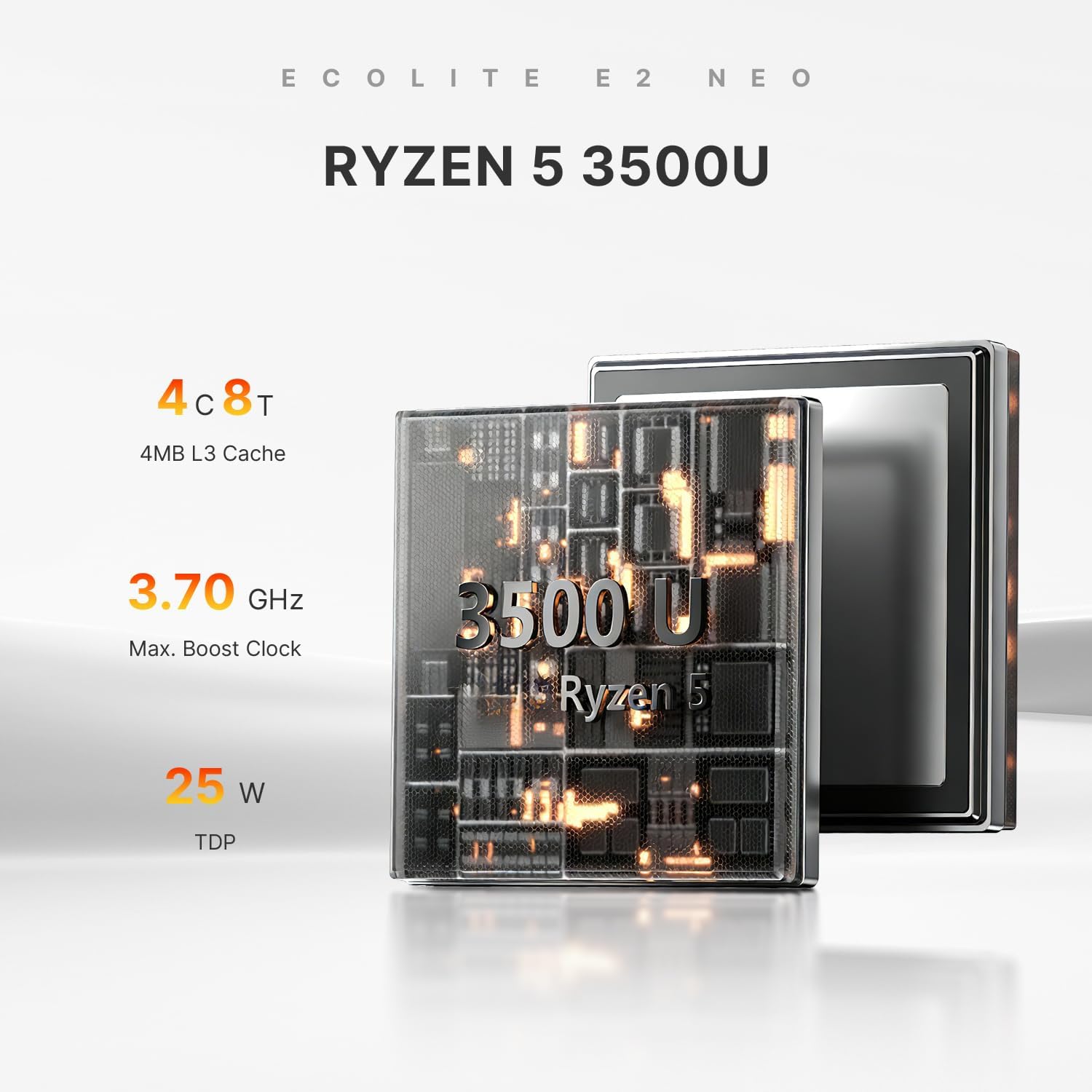
The CPU is a Ryzen 5 3500U, a capable mid-range option for office software and light multitasking, but it isn’t a high-end gaming or resource-heavy workstation processor. Expect best results with standard business apps, web workloads, and media streaming rather than heavy 3D rendering or modern AAA gaming at max settings. Memory is upgradable up to 32GB, which gives you a path to grow if your workload expands, but out-of-the-box you’ll be working with 16GB.
Who it’s for
This mini PC targets professionals who want a compact, quiet, and expandable desktop solution with ample display connectivity. It suits remote workers, small offices, or home offices that rely on multiple monitors for productivity, trading dashboards, or design tasks that don’t require desktop-class GPU power. It’s also a potential fit for developers or tech enthusiasts who value Linux/Ubuntu compatibility and a serviceable warranty.
Who it isn’t for
If your work hinges on heavy creative software suites, 3D rendering, or modern AAA gaming at high settings, this machine may feel limited by the CPU/GPU pairing. enthusiasts who prioritize top-tier performance over compact size might prefer higher-end options with stronger GPUs or more cores. If you need built-in higher-speed Wi-Fi standards or more aggressive VR capabilities, you might want to compare alternatives.
When it makes sense to buy
Consider the BOSGAME E2 when you need a space-saving desktop that can drive three 4K displays, keeps noise down, and offers straightforward upgradeability (RAM up to 32GB). The Linux/Ubuntu support is a plus for developers or open-source users who want flexibility beyond Windows. The 1-year warranty and technical support add a layer of peace of mind for a small business or remote worker.
When to pass
If your priority is raw rendering power, gaming performance, or future-proof PCIe storage beyond standard NVMe scaling, this model may fall short. Also, if you require WiFi 6 or Bluetooth 5.2, this device’s WiFi is listed as WiFi 5, which could be a drawback in some fast-network environments.
What to check before buying
- Verify the display setup you plan to run and ensure your cables/devices support 4K@60Hz across the intended monitors.
- Consider your RAM needs, upgrading to 32GB can improve heavy multitasking but confirm the exact RAM layout and costs.
- Ensure Linux/Ubuntu compatibility aligns with your software stack, especially if you rely on specific drivers or enterprise apps.
- Review the connectivity list to confirm peripheral needs (USB devices, Ethernet, printers, storage).
Practical usage example
Imagine a trader with three monitors: one showing market data, one with charts, and a third for email and reference material. The E2 can handle this setup without forcing you to juggle windows. With fast storage, opening multiple spreadsheet-heavy files and web apps stays reasonably quick, and the quiet cooling helps during long trading sessions.
Quick comparison of buying approaches
If you want a compact, affordable multi-monitor workstation for light professional tasks, the E2 hits a good balance between size, price, and capability. If you need more CPU/GPU headroom for design work or heavy data processing, you might look at larger desktops or configurations that emphasize higher-end processors and graphics.
What stands out
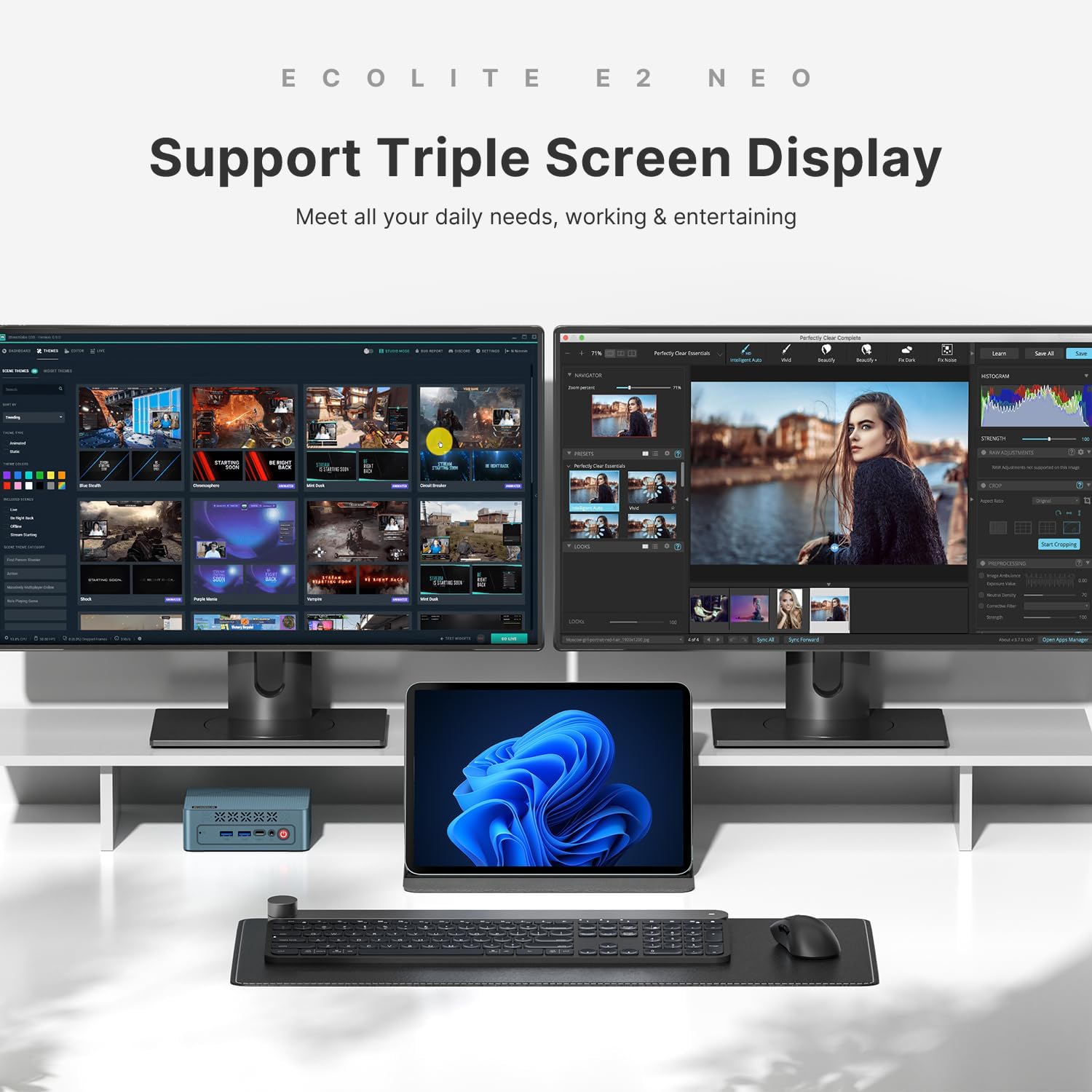
- Triple 4K display support with two HDMI 2.0 ports and a USB-C port.
- Upgradable RAM up to 32GB, offering a path to grow with your needs.
- Linux/Ubuntu ready, appealing to developers and advanced users.
- Quiet operation and a practical cooling solution for continuous workloads.
Pros and Cons
- Pros: compact footprint, strong multi-monitor capability, upgrade path for RAM, Linux compatibility, reliable warranty.
- Cons: Ryzen 5 3500U is mid-range for demanding workloads, WiFi 5 instead of newer standards, not specialized for high-end graphics tasks.
Final verdict
Is it worth it? If you need a small, quiet, flexible workstation that can drive three 4K displays and offers Linux versatility, the BOSGAME E2 presents a sensible, option-forward choice for office and light professional use. It’s not the top pick for power users seeking extreme performance, but for a compact business-class PC with room to grow, it earns serious consideration.
FAQ (brief)
- Q: Can I run three 4K monitors at once? A: Yes, via 2 HDMI 2.0 ports and a USB-C connection.
- Q: Is RAM upgradeable? A: Yes, up to 32GB total with dual-channel SO-DIMM slots.
- Q: Is Linux supported? A: Yes, Linux/Ubuntu compatibility is listed.
- Q: What about warranty? A: It includes a 1-year limited warranty with lifetime professional technical support.
Is it worth it?
A solid pick if you prioritize desk space, multi-monitor productivity, Linux flexibility, and a reasonable price for a business-oriented compact PC.