

GEEKOM A5 Pro Premium Mini PC: A compact, scalable workstation for office, education, and IT tasks
Product description
What it is and what it solves
The GEEKOM A5 Pro Premium Mini PC is a compact desktop solution designed for office productivity, home IT, coding, and education. It runs genuine Windows 11 Pro out of the box and pairs a capable AMD Ryzen 5 7430U processor with up to 96GB of RAM and a 512GB SSD (expandable). The goal is to deliver multitasking performance, enterprise-ready security, and flexible expandability in a small form factor, so you can deploy it on desks, in classrooms, or in server-like home setups without sacrificing reliability.
How it feels on paper
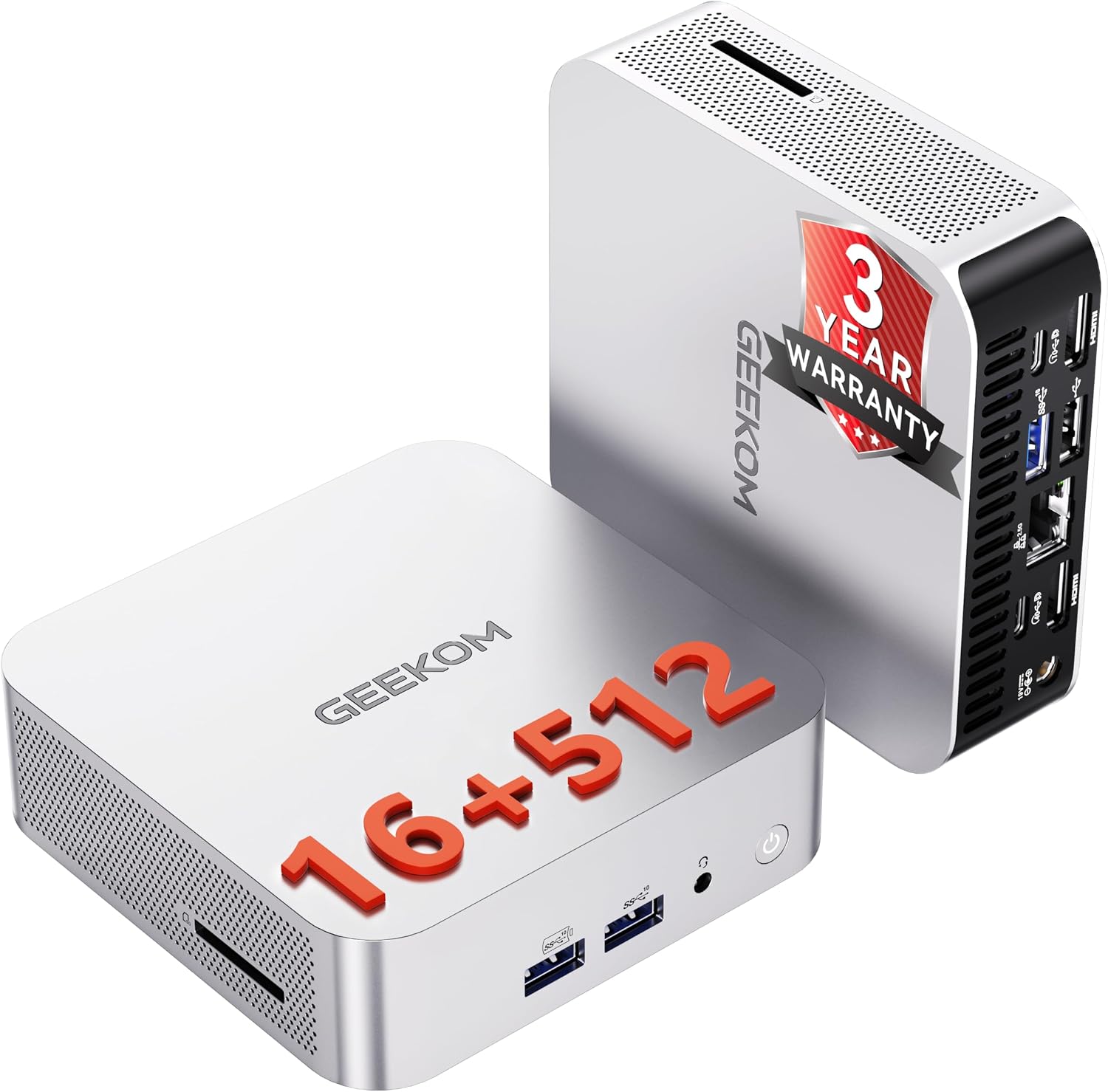
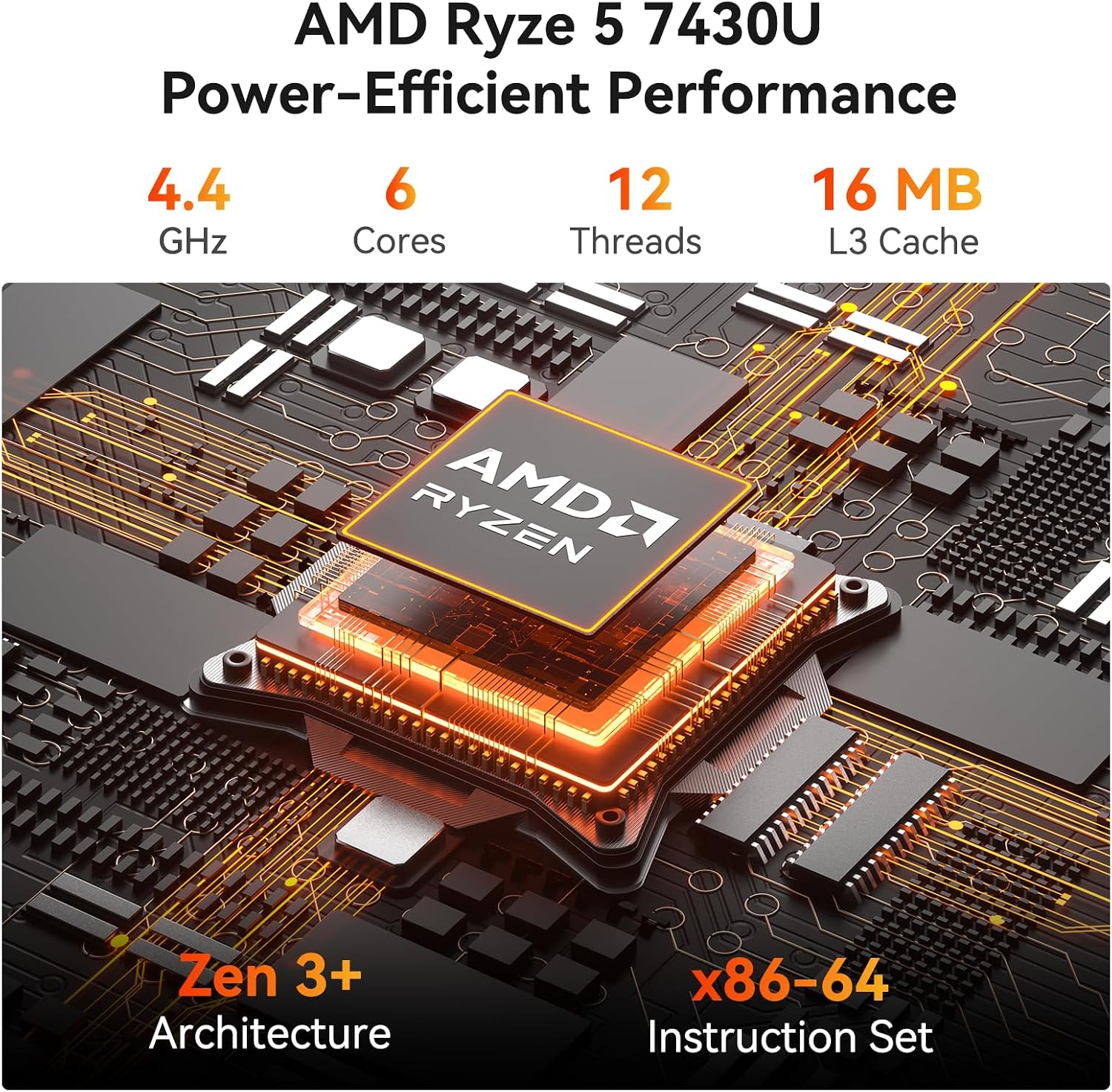
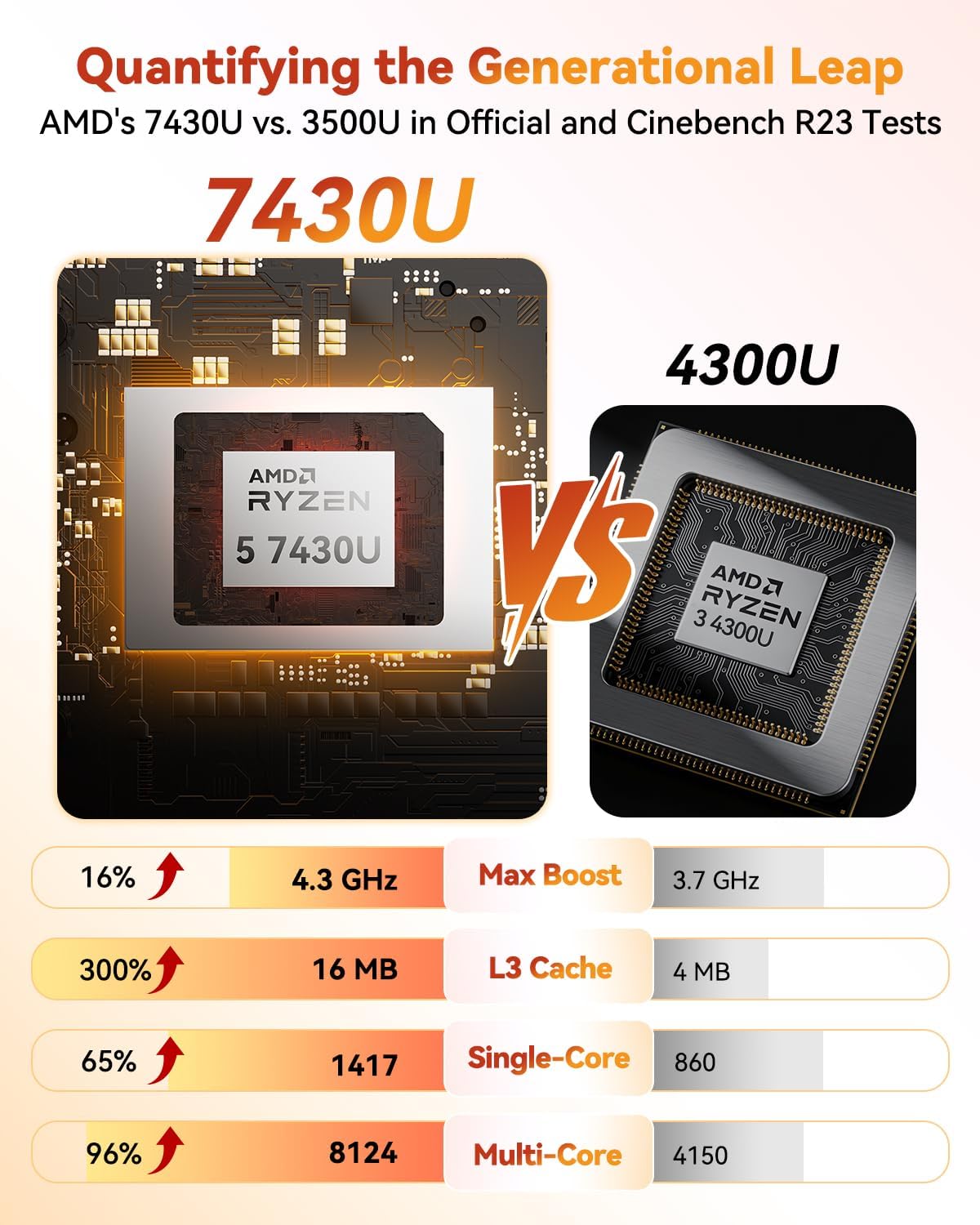
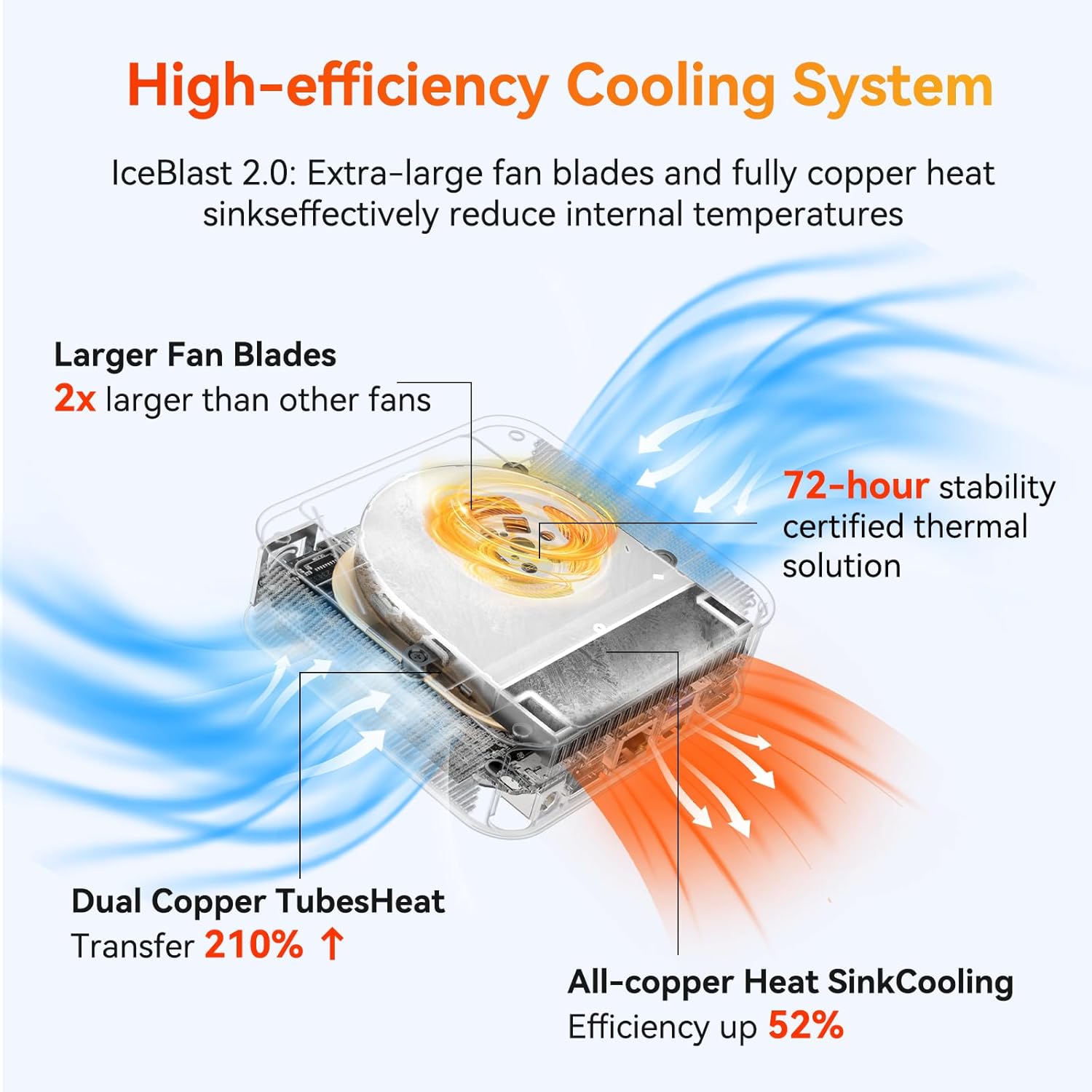
On paper, this mini PC emphasizes efficiency and stability: a Ryzen 5 7430U with 6 cores and 12 threads, up to 4.3GHz, plus expandable memory and storage. It’s built with a unibody metal chassis and IceBlast 2.0 cooling, designed to keep noise and heat in check while supporting continuous operation. Its I/O setup is generous for a compact unit: 2 HDMI 2.0 outputs, SD card slot, multiple USB ports, Wi‑Fi 6, and Bluetooth 5.2, along with two ethernet-capable display outputs and multi-display support up to 8K. The emphasis is on everyday office tasks, light design work, and education use where reliability matters more than raw gaming horsepower.
What stands out in daily use
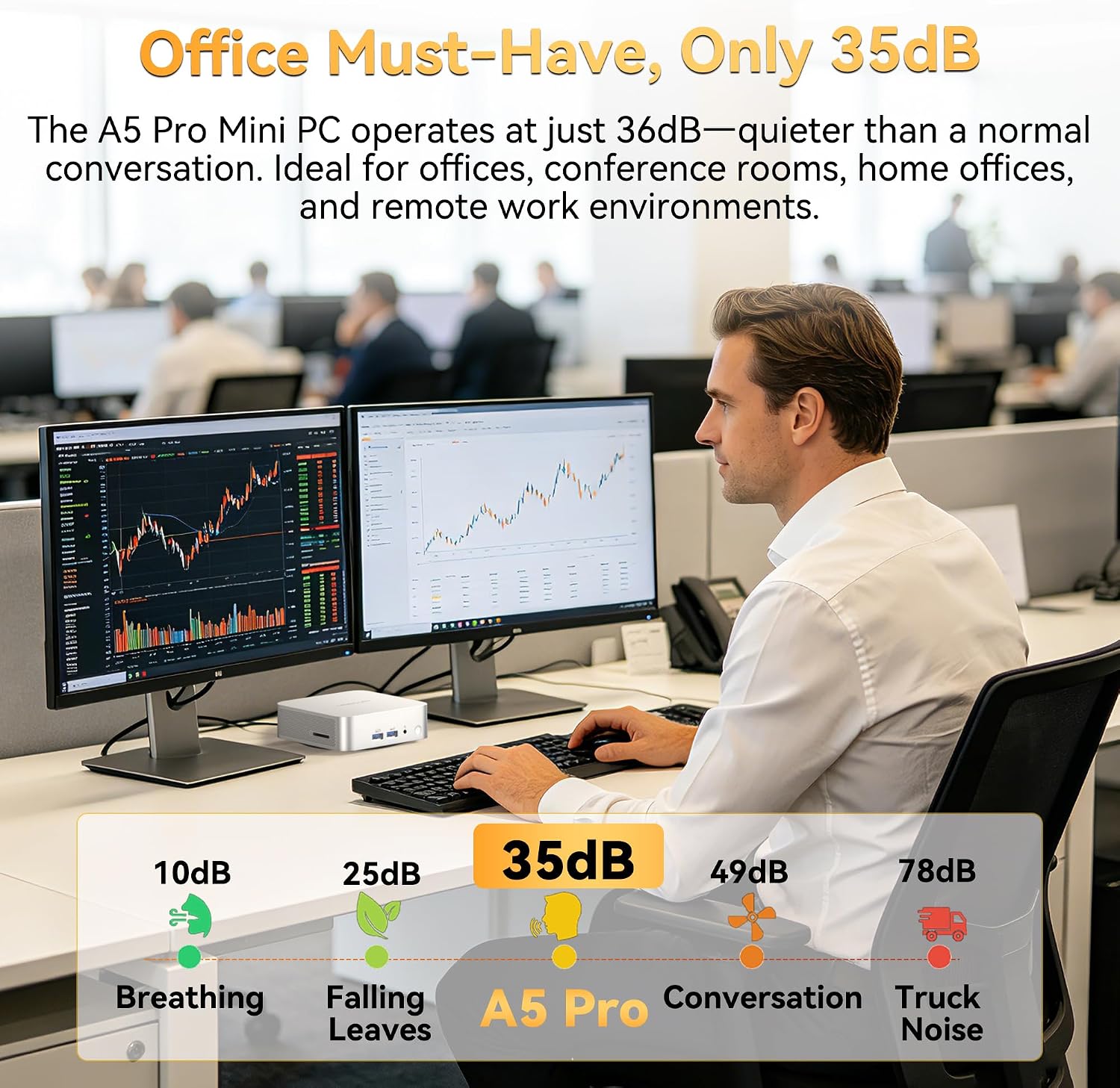
If you’re aiming for a small, quiet, energy-efficient machine that can run multiple apps, video calls, and document workflows side by side, the A5 Pro offers a compelling balance. The cooling system and metal chassis are designed to keep vibrations and noise low—an important factor in classrooms or open-plan offices. The ability to scale memory up to 96GB and storage up to 4TB (via expansions) helps it grow with your needs without replacing the whole unit.
Pros and cons in real-world use
Pros: solid build with a premium-looking chassis, robust upgrade paths for memory and storage, capable multi-display support including 8K output, and enterprise-oriented features like Windows 11 Pro preinstalled plus a 3-year warranty. The cooling system is described as more efficient, which may translate to quieter operation under load. Cons: it is a mini PC, so top-tier gaming performance isn’t the focus, and the efficiency benefits depend on workload, if you push it with heavy, GPU-intensive tasks or extremely large datasets, you may not achieve desktop-class performance for those particular use cases.
Who it’s for
This machine is a fit for SMBs, IT departments, educators, and home offices that want a compact, quiet, and scalable PC with Windows 11 Pro. It’s well suited for tasks like spreadsheets, video conferencing, code editing, light design work, and server-like duties in a small footprint. If your setup relies on multiple displays for productivity or you need room to upgrade memory and storage over time, the A5 Pro aligns with that approach.
Who might want to skip it
If your priority is extreme gaming with high-end GPU requirements, or if you need a machine with soldered RAM for ultra-compact minimum footprints, this unit may not be the best fit. Also, if you require a more affordable, bare-bones system with minimal upgrade potential, there are simpler paths to consider.
When it makes sense to buy
Consider the A5 Pro when you need a quiet, energy-saving mini PC that can handle daily office software, conferencing, light creative work, and classroom or lab deployments. Its expandability means it can stay relevant as workloads grow, without frequent hardware turnover.
What to check before buying
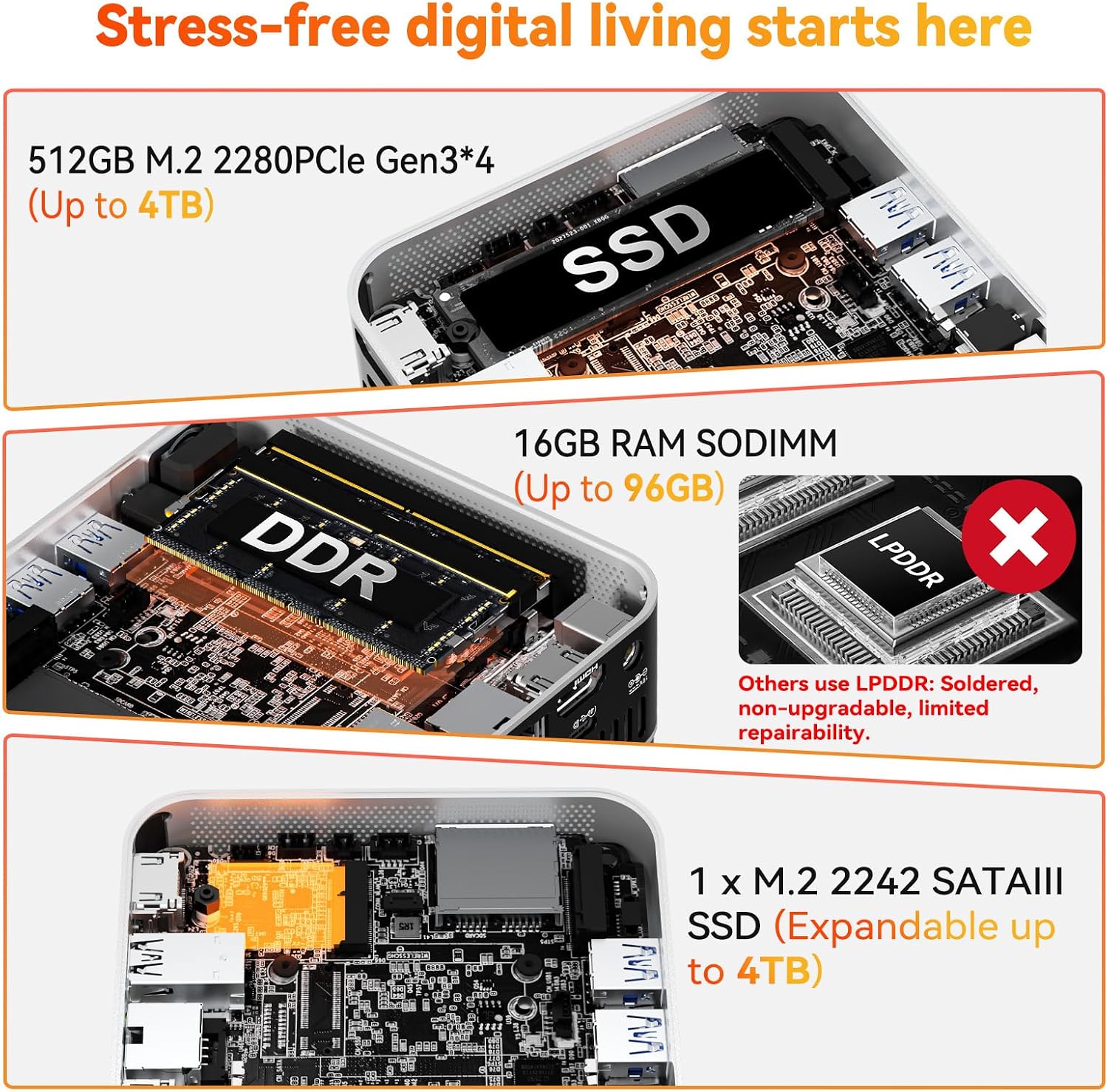
Verify that your expected workload fits within a multi-display setup and that the expansion path (RAM up to 96GB, SSD up to 4TB) matches your long-term needs. Confirm compatibility with your peripherals and ensure your network and storage plans align with the integrated options (Wi‑Fi 6, BT 5.2, SD Slot, USB and HDMI availability).
How it compares to common alternatives
For a small form-factor, it sits between entry-level mini PCs and higher-end compact workstations. If you value a compact footprint with enterprise-oriented software and upgradability, it’s a practical middle ground. If your priority is the lowest possible price or ultra-portable laptop-like ergonomics, you may find more cost-effective or lighter options elsewhere. If you want raw GPU punch for design tasks, you might weigh this against other systems that emphasize discrete GPU capabilities.
Practical usage example
Imagine a designer who needs to run a design app, handle calls via video conferencing, and keep multiple browser tabs open while syncing data to an on-site server. The A5 Pro can manage these tasks with room to spare, thanks to its 16GB RAM baseline and upgradeable memory, plus 8K output support for precise display clarity on external monitors.
Final decision
Is it worth it? If you prioritize reliability, upgradeability, and a quiet, compact design for office, home IT, or education use, the GEEKOM A5 Pro Premium Mini PC offers a well-rounded package that aligns with those needs. It isn’t a gaming rig, but its performance, expandability, and enterprise-conscious details make it a sensible pick for productivity-focused environments.
FAQ (quick answers)
- How much RAM can I install? Up to 96GB.
- How many displays can I run? Up to four displays with the available ports.
- What operating system is included? Windows 11 Pro preinstalled.
- Is it suitable for 24/7 operation? Yes, designed for continuous use with cooling designed to keep noise low during heavy workloads.