

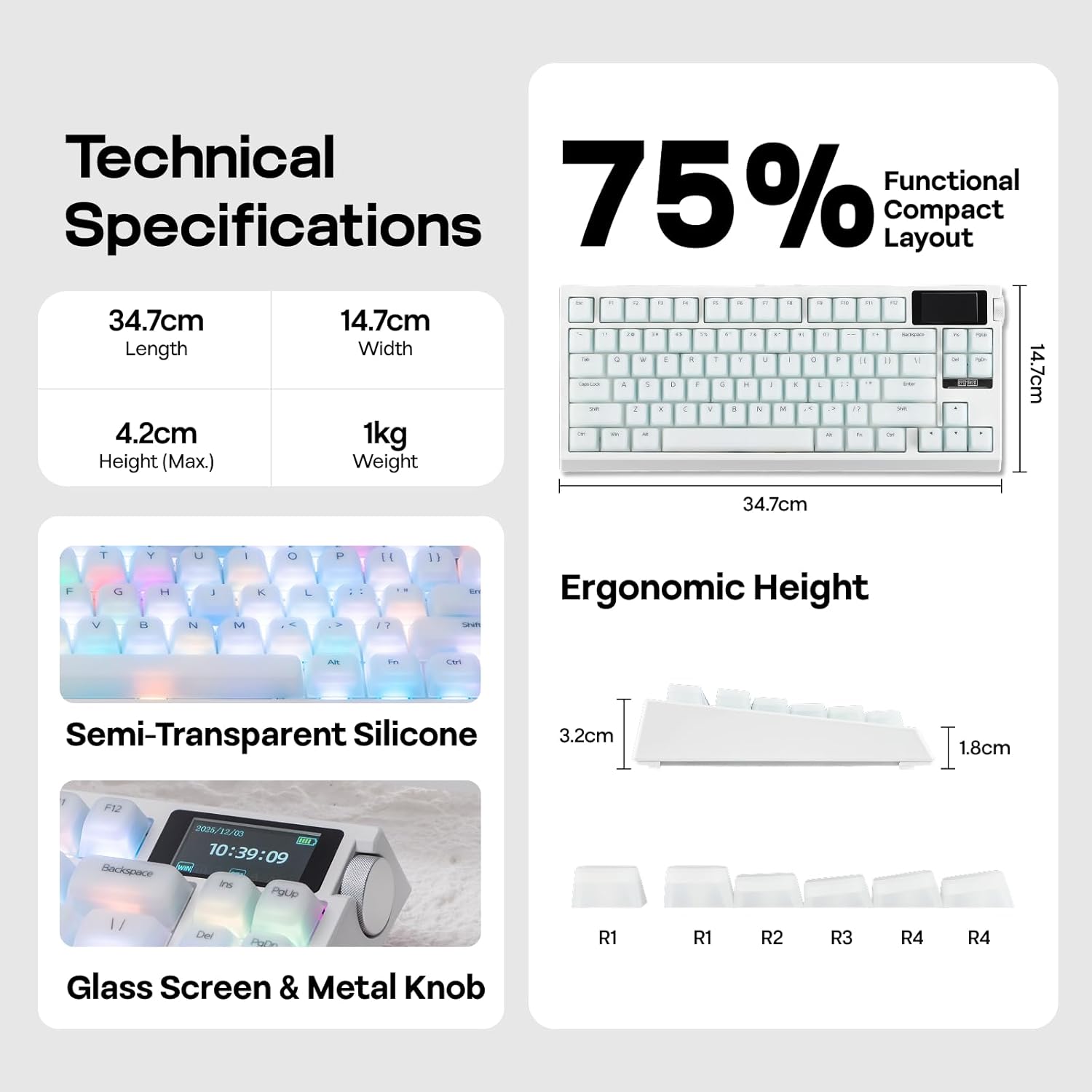
EPOMAKER G84 PRO Wireless Keyboard with Screen & Knob (Creamy Jade Switch)
Product description
What it is
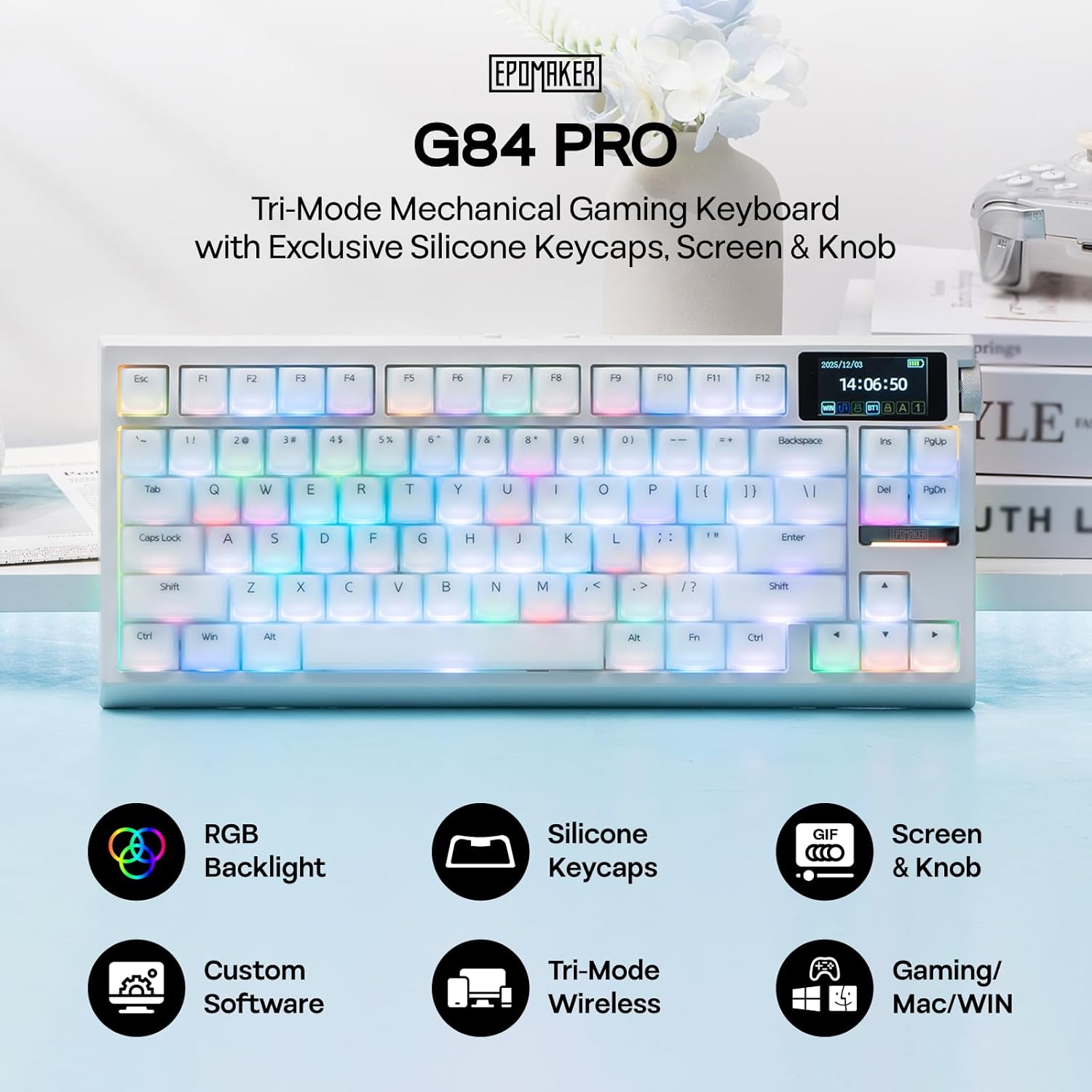
The EPOMAKER G84 PRO is a 75% wireless mechanical keyboard designed for gamers and productive work alike. It combines a compact footprint with a host of features intended to enhance comfort and customization, including silicone keycaps for a softer touch, a screen for quick glance info, and a customizable volume knob. On paper, it aims to offer a balance between gaming performance and office usability without tethering you to a desk corded setup.
How it feels and sounds
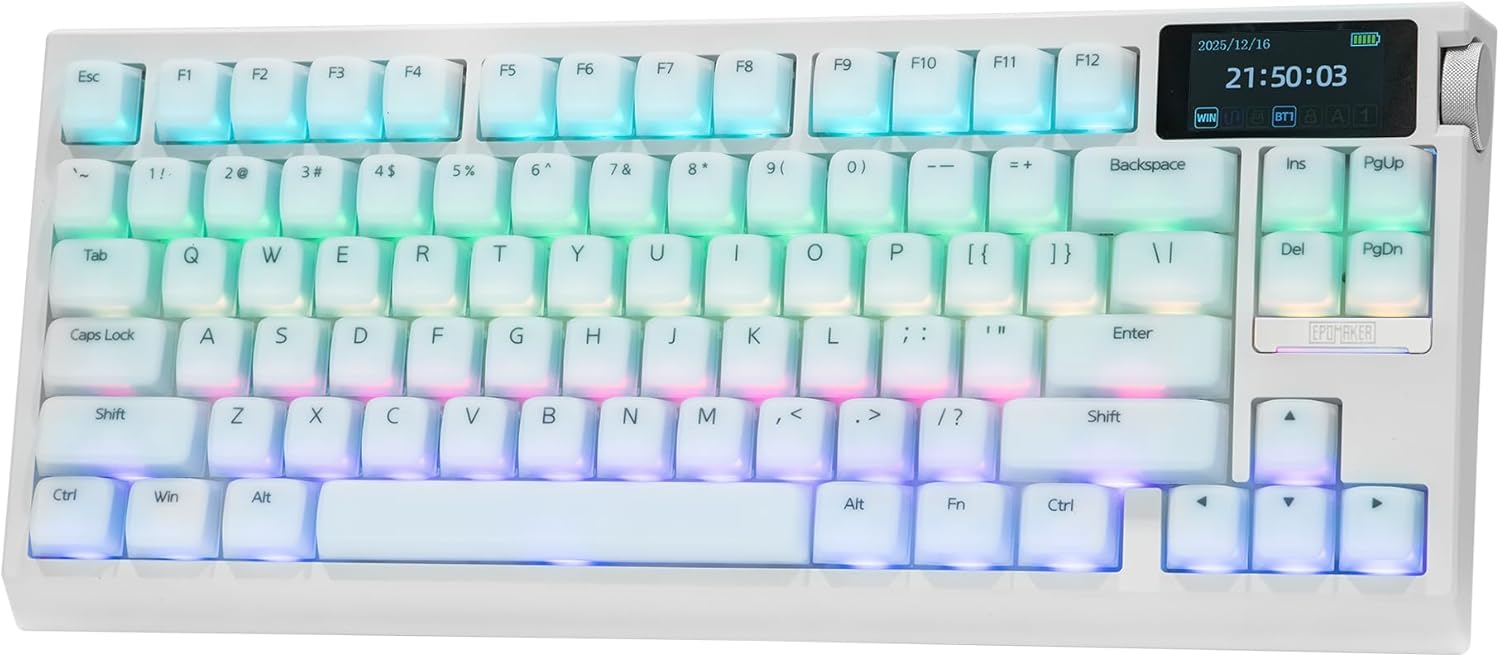
The silicone keycaps are described as velvety to the touch, which can dampen key travel and reduce harsh vibrations. The keyboard uses a gasket-mount with multiple foam layers, a setup that EPOMAKER says helps deliver a smoother, creamier thock sound. If you value a quieter, more cushioned typing experience, this approach can be appealing. That said, the actual feel will depend on switch choice, since this model supports hot-swapping for different tactile profiles.
Connectivity and power
Battery life is a standout here with an 8000mAh pack, which, in combination with a low-power backlight, promises weeks of use between charges in typical scenarios. It supports three connection modes: 2.4G for low-latency wireless gaming, BT5.0 for multi-device pairing, and USB-C wired mode for critical tasks or when you need the most reliable input. The 1k polling rate in wireless modes is positioned to keep input response snappy during fast-paced play or rapid typing.
Screen, knobs, and control surface
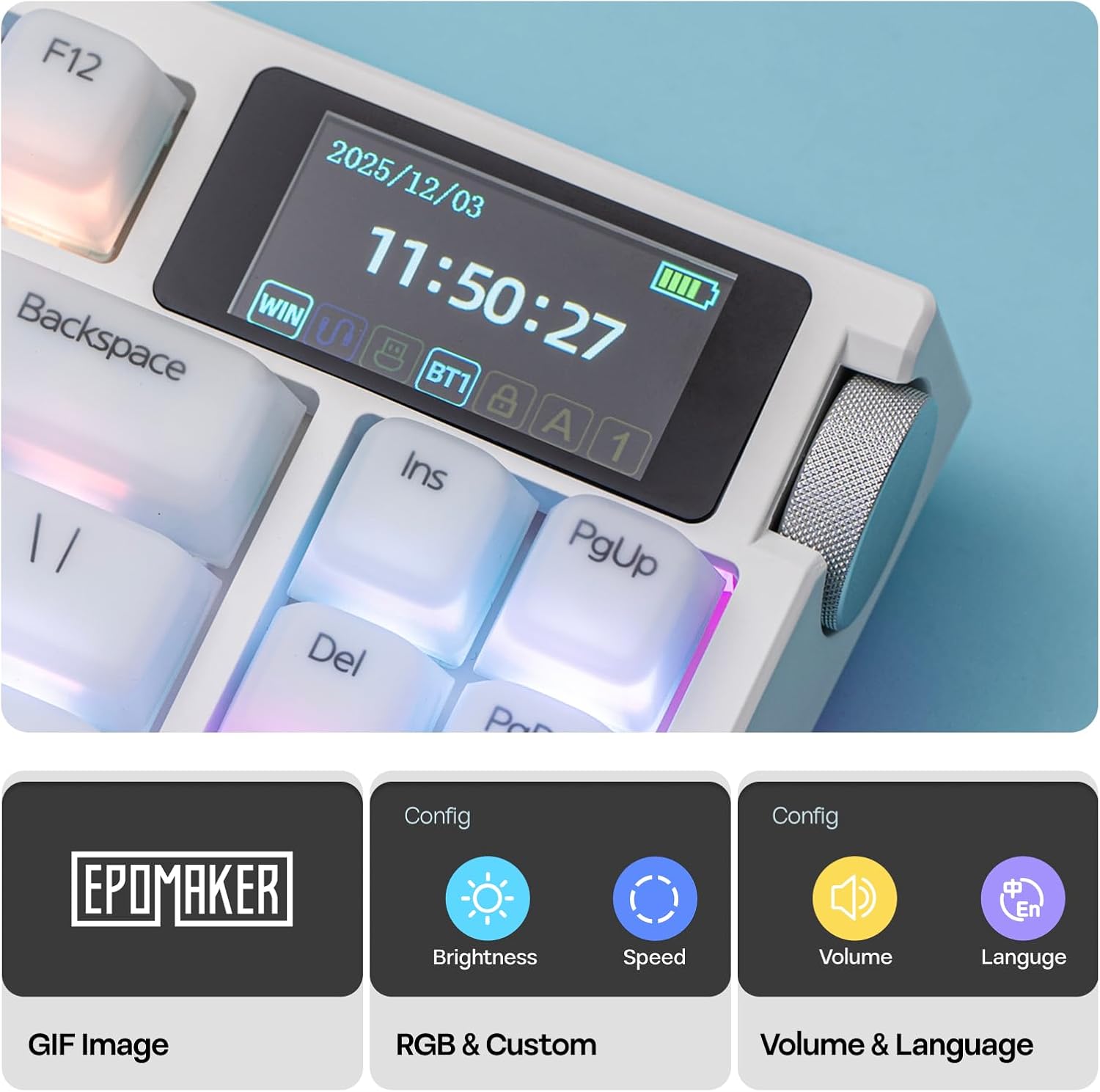
The built-in glass screen and metal knob add a distinctive control surface to the desk setup. The screen can show battery status, time, and keyboard activity, with a dedicated GIF page for simple animations. The knob doubles as a volume control and can be used to navigate the screen, providing a tactile element that some users will find convenient for on-the-fly adjustments. This is not a basic, add-on gimmick—it’s meant to act as a real control hub for RGB setup and quick status checks.
Customization and software
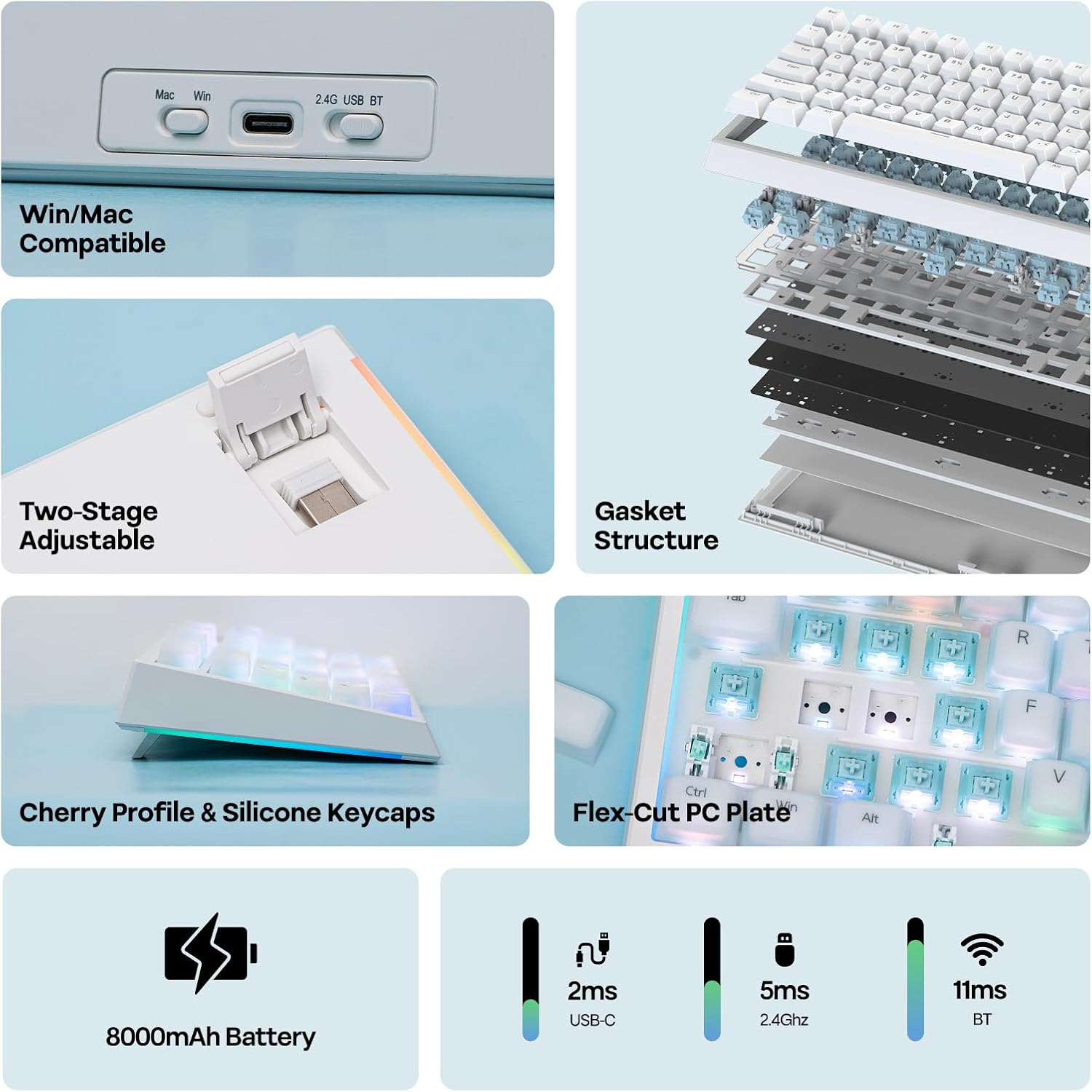
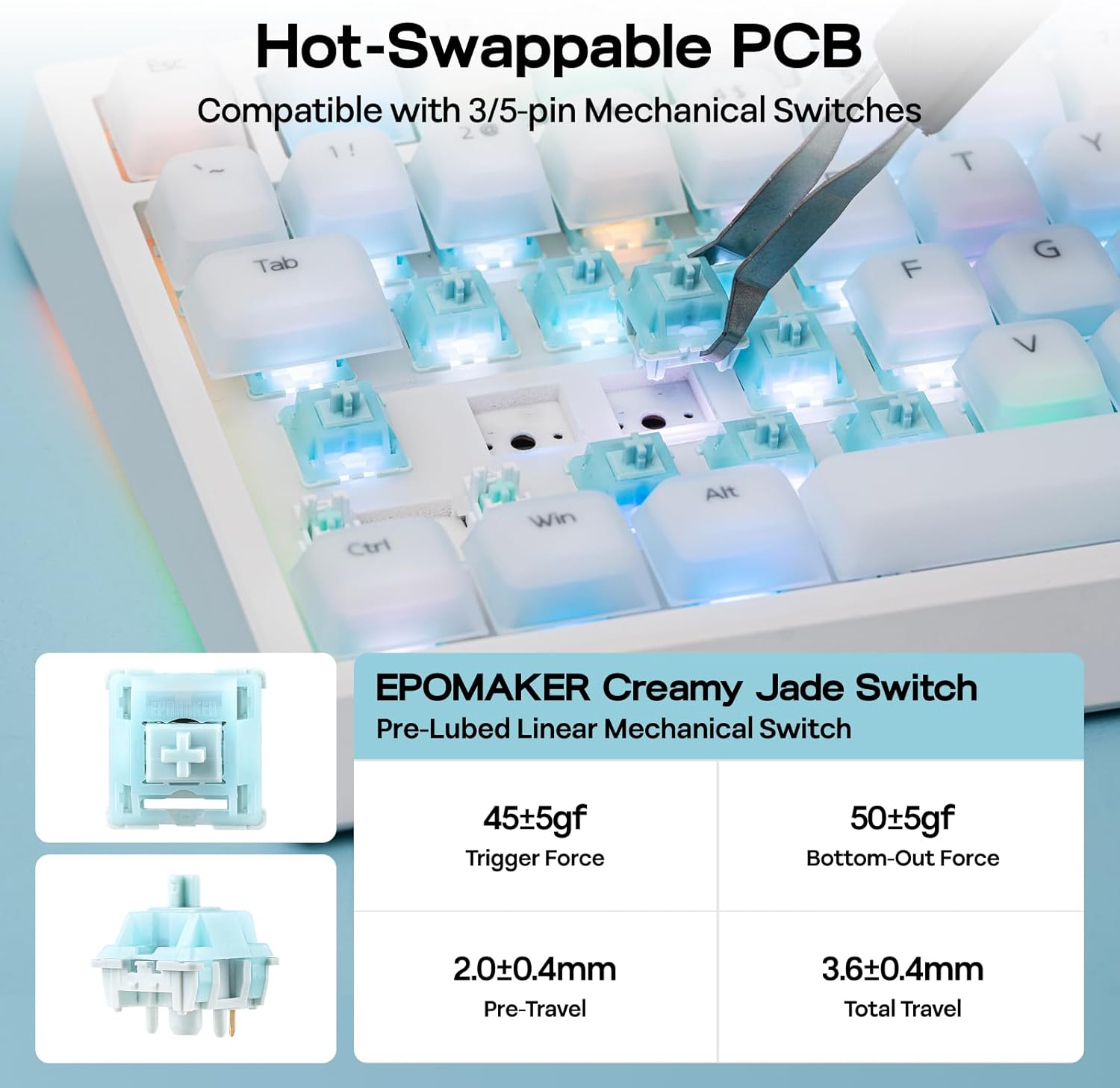
Hot-swappability means you can swap switches without soldering, enabling experimentation with silent linear options or more tactile feedback depending on the task. The keyboard ships with the Creamy Jade and Sea Salt Silent switches from EPOMAKER, but the PCB allows alternative switches if you want to tailor the feel. The accompanying web-based software for Windows and Mac lets you remap keys, craft macros, and adjust layouts, making it possible to tailor workflows for coding, gaming, or mixed-use scenarios.
Who it’s for and potential caveats
If you prize a compact form factor without sacrificing features, and you like the idea of a tactile, adjustable typing experience with a built-in screen and a multifunction knob, this keyboard could fit well. It may appeal to mixed-use users who game at times and type for long sessions. However, if you’re strictly after an ultra-light gaming keyboard with minimal distractions, the screen and knob could feel extra or non-essential. Likewise, if you rely on the most rigid, standard key feel, the silicone caps and dampened board might not be perfect for everyone. Consider whether you value a “creamy” sound and softer keystrokes over a more clinical, high-velocity input.
What to check before buying
- Confirm your preferred switch family, since the hot-swap option enables swapping to different tactile profiles.
- Decide if the screen and knob add real daily value for your setup or if they’re more of a novelty.
- Ensure you’re comfortable with the 75% layout and how it fits your workflow, especially if you rely on a full-size number pad.
- Check compatibility with your ecosystem: Windows and Mac support via web-based software, plus multi-device BT pairing.
Practical use case
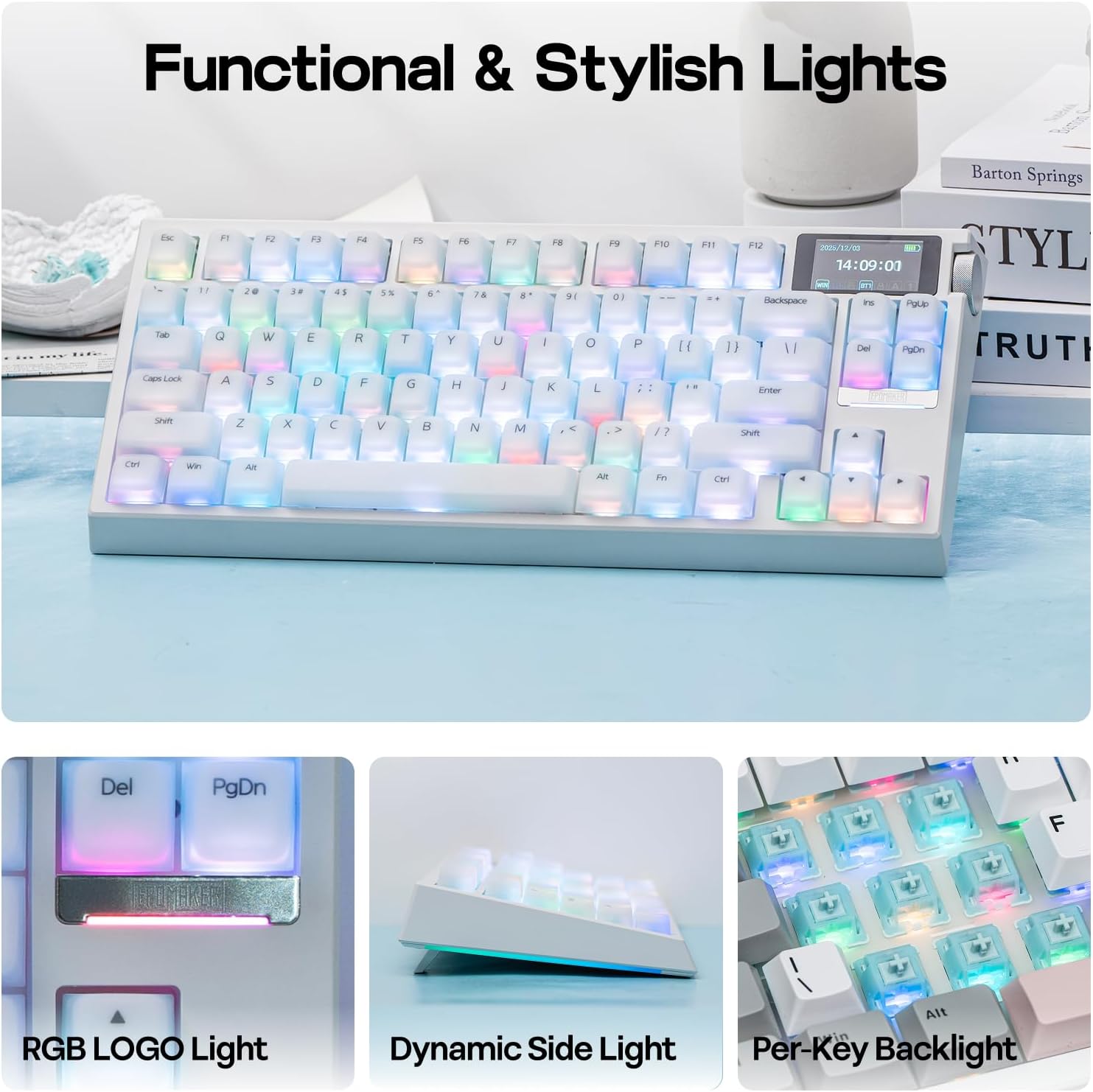
Picture a late-night coding sprint: you type for hours, and the silicone keycaps reduce fatigue and keyboard noise, letting you stay focused without disturbing others. During a gaming session, the 2.4G connection keeps latency down, while you quickly adjust on-screen status or RGB via the knob. If you switch between devices for work and play, the multi-channel BT5.0 support helps keep everything accessible without swapping cables.
Final thoughts
Is it worth it? It depends on how much you value a creamy typing experience, offline software customization, and the convenience of an integrated screen and knob. The G84 PRO isn’t just a compact board, it’s a mini command center that may streamline your workflow if you can leverage its multitool nature. If your priority is a minimalist desk footprint with a straight-ahead gaming aura, you might find it a touch overbuilt. Still, for users who want a programmable, battery-powered keyboard with flexible connectivity and a distinctive desk presence, this model offers compelling trade-offs.
FAQ
- How many devices can it connect to via BT? Up to 3 devices simultaneously.
- Can I customize the keycaps and switches? Yes, it supports hot-swapping and includes a 2-in-1 keycap-and-switch puller for easy swaps.
- Does the screen always require software to operate? The screen features can be accessed and customized through the web-based software, with some functions available on-board.