

Apple Magic Mouse (White) with Multi-Touch Surface — Buyer's Guide
Reviews
Price
Product description
What it is and what it’s for
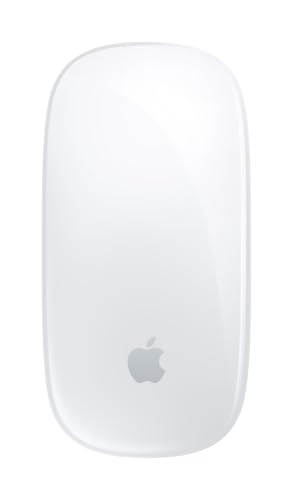
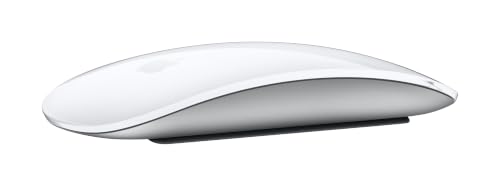
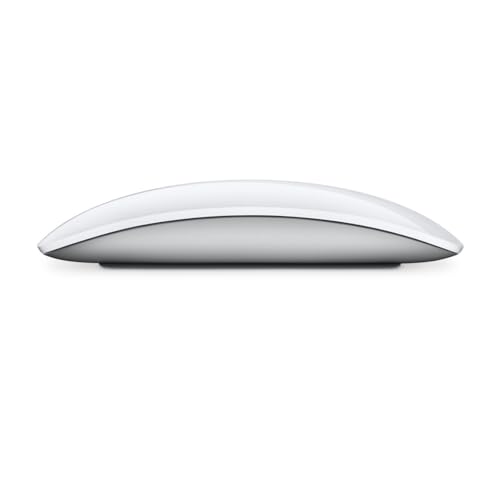
The Apple Magic Mouse in white is a wireless, rechargeable mouse designed to pair seamlessly with your Mac. It emphasizes simplicity and a clean, minimal setup, so you can get to work without wrestling with cables or complex drivers. The mouse features an optimized foot design intended to glide smoothly across your desk, reducing friction and offering a more responsive feel when moving across surfaces. If you’re looking for a pointing device that doubles as a creative controller for basic gestures, this model aligns with that goal.
How the Multi-Touch surface changes daily use
The standout feature is the Multi-Touch surface. It supports simple gestures like swiping between web pages and scrolling through documents, which can streamline routine navigation. This isn’t a full tablet-like surface, but the gesture support can cut down on repetitive clicking and improve flow when you’re browsing, editing, or reading long documents. If you’ve used a traditional mouse and rely on keyboard shortcuts, you might notice the gestures offering a smoother workflow, especially for everyday tasks.
Battery life and charging expectations
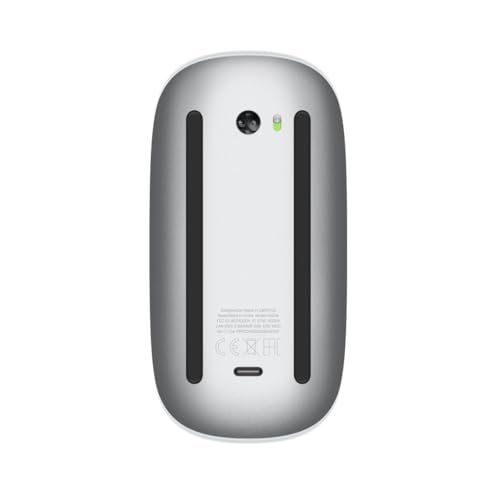
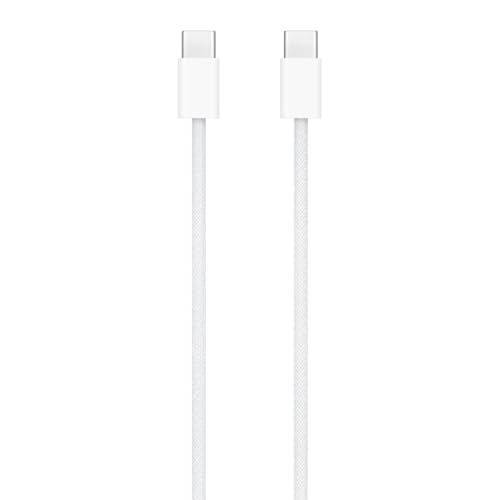
The built-in rechargeable battery is designed to power typical use for about a month or more between charges. Real-world longevity varies with factors like how often you use gestures, the device’s brightness (where applicable), and how often you engage the touch surface. If you tend to forget to recharge, you’ll want to factor in the monthly charging cadence to avoid unexpected downtime. The included woven USB-C Charge Cable lets you pair and charge by plugging into a USB-C port on your Mac, which keeps things simple for Mac-only setups.
Setup, pairing, and daily reliability
Out of the box, the Magic Mouse is ready to go and pairs automatically with Macs in the vicinity. The automatic pairing helps reduce setup friction, making it a sensible choice for users who want plug-and-play convenience. If you often switch between multiple Apple devices, you’ll want to confirm which device currently handles the cursor control in your workspace, as switching can depend on how your ecosystem is configured.
Strengths you’ll notice in use
On paper, the biggest benefits are simplicity, wireless freedom, and gesture-based navigation that can speed up common actions. For many, the smooth gliding feel from the optimized foot design translates to fewer micro-adjustments and more fluid cursor movement across the desk. The rechargeable nature eliminates frequent battery swaps, which is a practical improvement for daily use. The product is also compact enough to live on a standard desk without crowding the workspace.
Limitations and trade-offs to consider
This model leans into convenience and gestures rather than a tactile button emphasis or high-precision, programmable controls. If you rely on extensive macro programming or gaming-specific inputs, the Magic Mouse might feel limited. Some users find the single-button metaphor and multi-gesture surface less intuitive than a traditional mouse or a dedicated trackpad for certain tasks. Also, battery life is generally good, but real-world longevity depends on how intensively you use gestures and scrolling.
Who it’s for (and who it isn’t a perfect fit)
It’s a reasonable choice for Mac users who want a one-device feel, minimal setup, and gesture-enabled navigation for everyday tasks. If your workflow centers around precise click timing, heavy gaming, or specialized CAD work, you may prefer devices that offer more granular controls or more aggressive haptics. It can be a good fit for readers, writers, developers, and general productivity users who benefit from a sleek, low-profile mouse with simple gestures.
What to review before buying
Consider how you work day-to-day: if you frequently need to swipe or scroll as part of your routine, the Multi-Touch surface could be a time-saver. Check your desk space and whether a low-friction mouse surface aligns with your preferred movement. If you already own a Mac accessory ecosystem, verify compatibility and whether automatic pairing meets your setup expectations. Also reflect on how often you’ll recharge and whether the one-month expectation holds up given your usage patterns.
How this approach compares to alternatives
If you’re deciding between a traditional mouse and a trackpad, this Magic Mouse provides a middle ground with a familiar pointing feel and gesture-based navigation. For tasks that demand precision and programmable inputs, a dedicated mouse or a trackpad with alternative gestures might be preferable. For those who value clean aesthetics and a reduced cable footprint, this option stands out as a stylish, user-friendly choice that aligns with macOS workflows.
What you’ll get in practical terms
Use case example: you’re compiling a long document and flip between sources, the swiping gestures help you move between tabs or pages, while the smooth glide reduces hand fatigue during long sessions. The rechargeable battery means fewer trips to replace batteries, and the bundled USB-C charging cable keeps charging straightforward for Mac users.
Final thoughts before you decide
If prioritizing a seamless Mac experience with gesture-enabled navigation and a clean, cable-free desk setup matters to you, the Apple Magic Mouse in white offers a practical blend of ease, aesthetics, and everyday utility. It may not be the best option if you need advanced programmability or high-precision input for specialized tasks, but for general productivity and light creative work, it delivers a straightforward, device-friendly approach.
FAQ (quick clarifications)
- Does it truly pair automatically with Mac out of the box? Yes, it’s designed for automatic pairing with Macs.
- How often will I need to recharge? Expect roughly a month or more between charges, depending on usage patterns.
- Are gestures useful for reading or editing long documents? Gestures can streamline navigation, especially for browser tabs and document flow, but their usefulness varies by task and user.