

SOLAKAKA A99 Pro Mechanical Keyboard with LCD Screen, Metal Knob, and Wireless Connectivity (BT5.0/2.4GHz/USB-C)
Product description
Quick overview
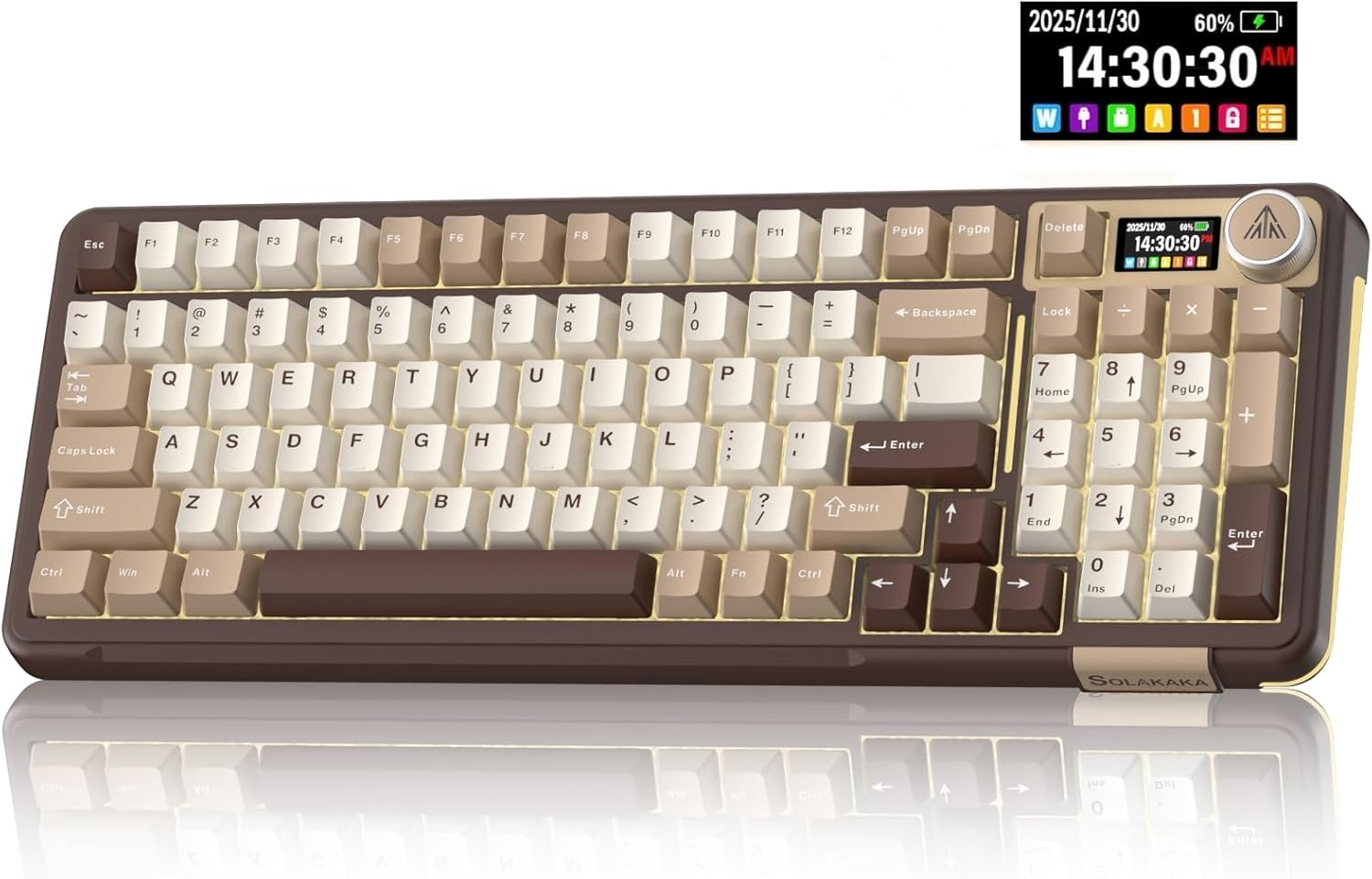
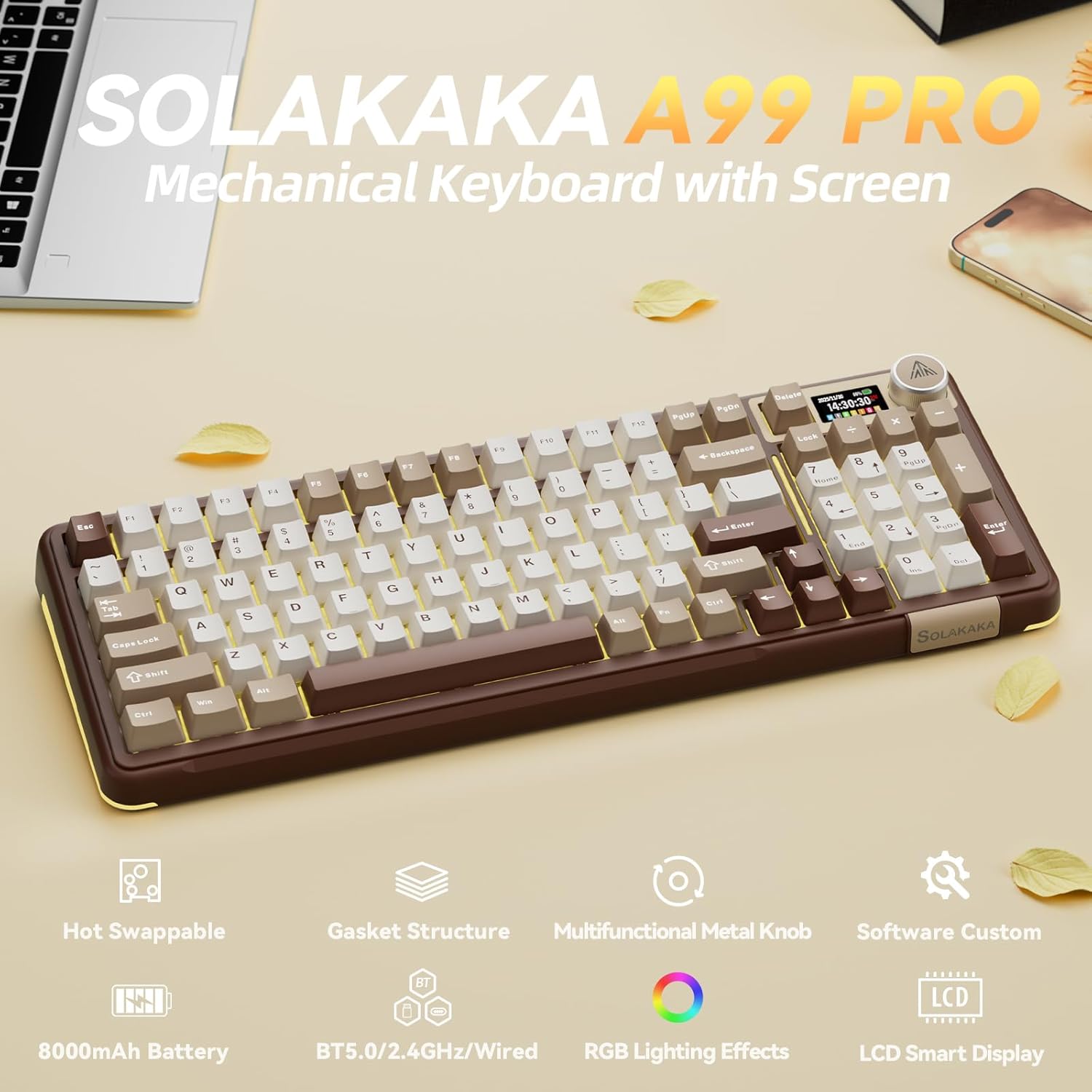
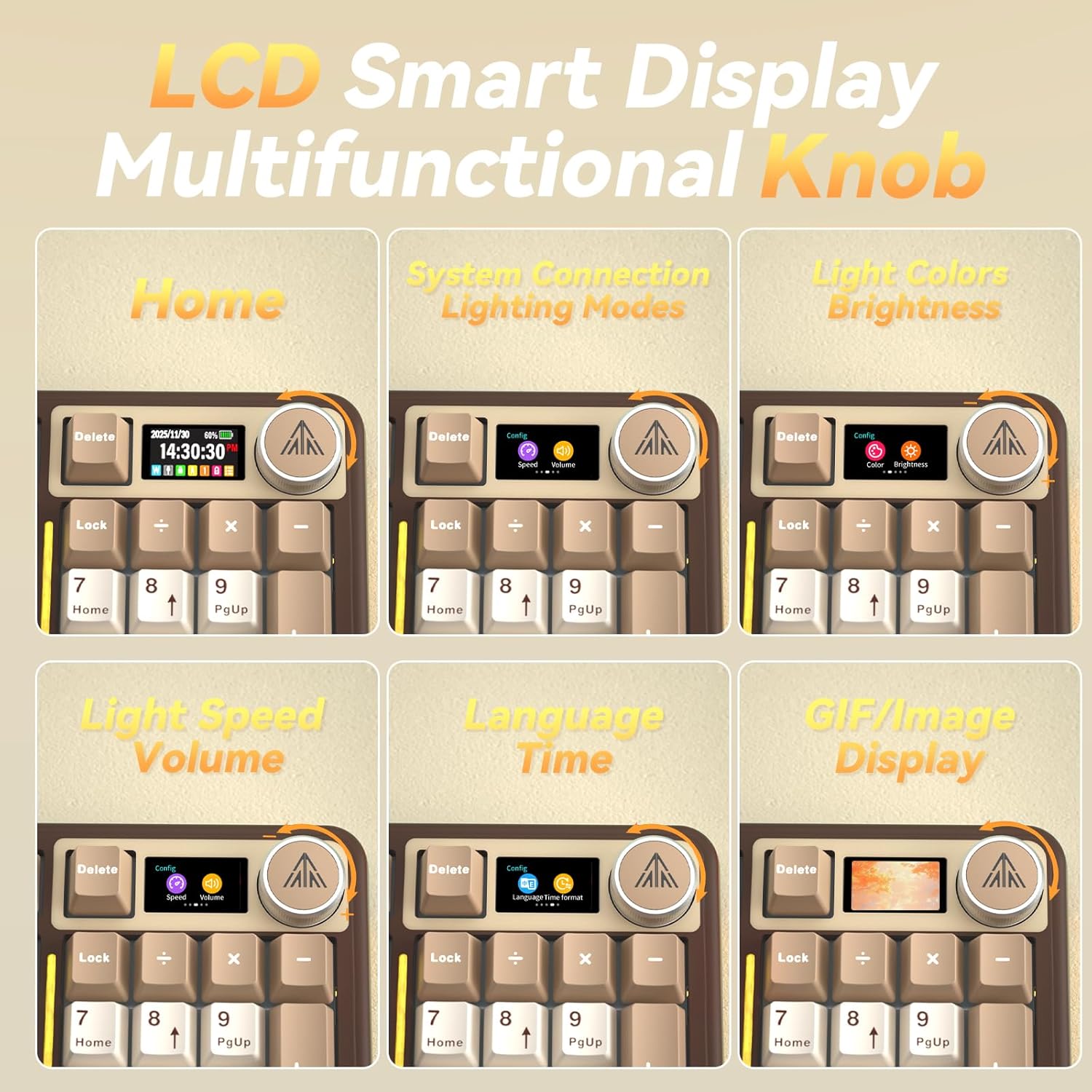
The SOLAKAKA A99 Pro is a mechanical keyboard that leans into “control at your fingertips.” Instead of burying everything in software, it brings an LCD screen for at-a-glance info (like date, time, battery level, and which system/mode you’re using) plus a metal multifunction knob for quick adjustments. You also get wireless gaming connectivity in three ways—BT5.0, 2.4GHz, and USB-C—plus hot-swappable switches for easier customization.
It’s not a plug-and-play minimalist board. On paper, it’s more of an enthusiast-leaning, feature-rich option for people who want a mechanical feel, RGB lighting, and real-time control without constantly diving into menus.
What to know before you buy
The two biggest “wow” elements here are the LCD screen and the metal knob. The screen is meant to make key status information more intuitive, so you’re not guessing whether you’re on the right device, what connection mode you’re using, or how much battery you have. The knob is positioned for adjustments like changing systems, switching lighting modes/colors, controlling brightness, and even volume via rotation or presses.
That said, the LCD-and-knob approach is very specific. If you prefer a cleaner, quieter look with fewer moving parts and you don’t care about on-board controls, this may feel like overkill. Also, the product description mentions multiple compatibility targets (including Windows and Mac, plus others), but it doesn’t spell out the exact behavior across every device—so it’s worth checking your exact setup if you’re swapping between unusual configurations.
Key features that affect daily use
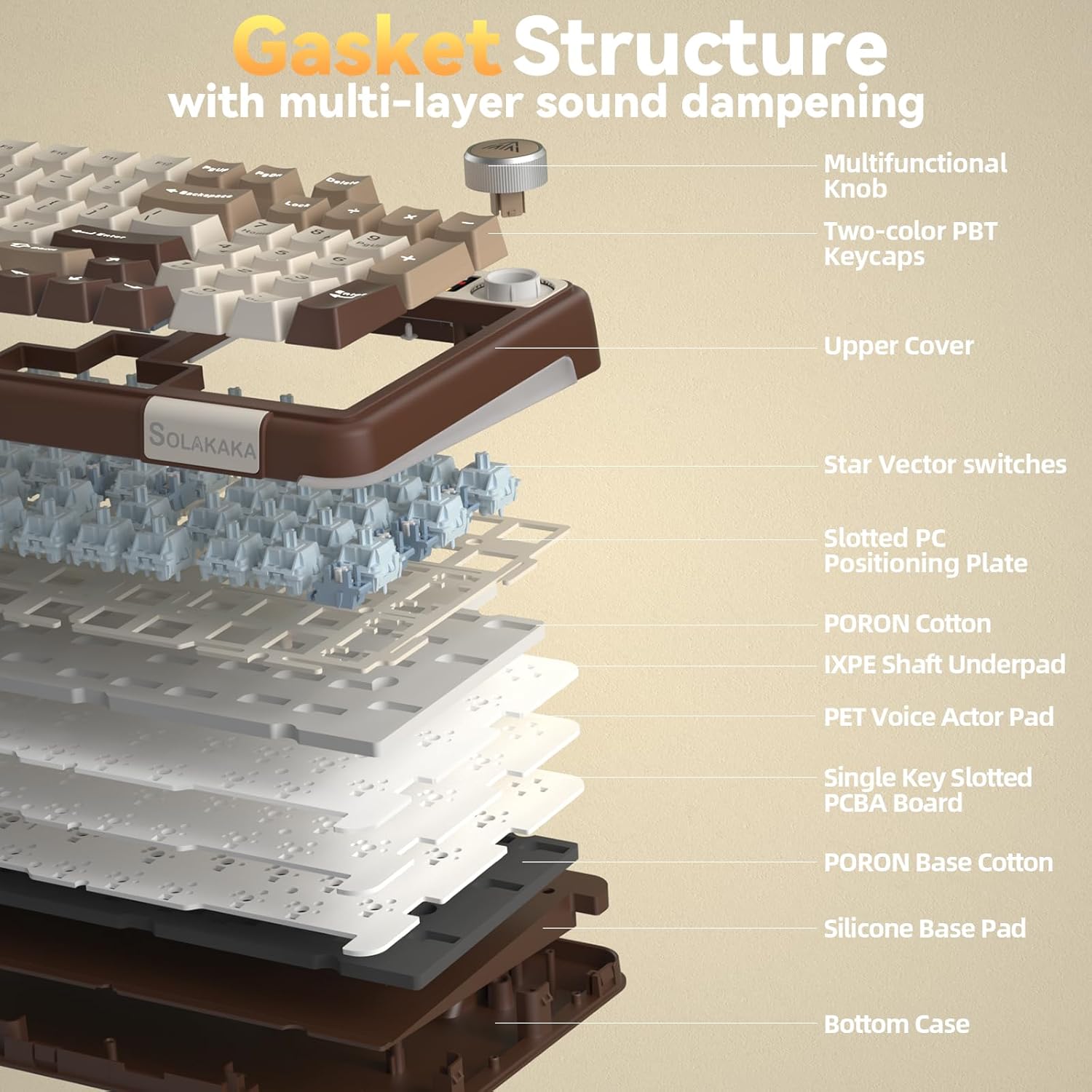
This keyboard is built around a “gasket structure” concept and a multi-layer damping approach (five layers of cushioning pads and cotton damping inserts are mentioned). The goal is a softer, smoother, “creamy” typing feel with reduced noise from internal cavity sound and interference.
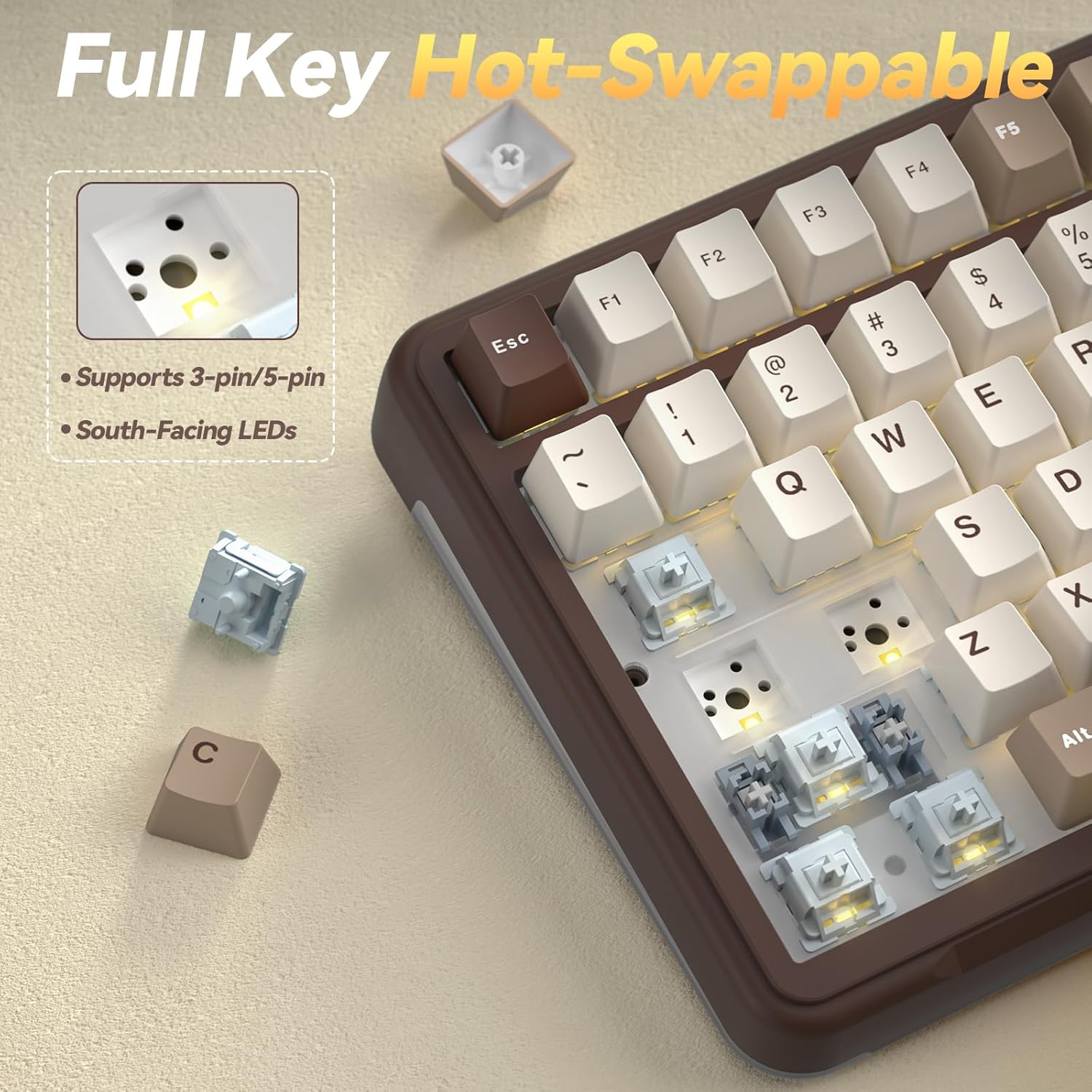
For switch customization, it’s fully hot swappable and supports 3/5-pin switches. A keycap puller is included, which should make basic swap work easier even if you’re not soldering-ready.
For gaming, it supports full N-key rollover and includes a WIN key lock feature, which is useful when you’re deep in a session and want to avoid accidental key presses.
Wireless, multi-device setup, and connection modes
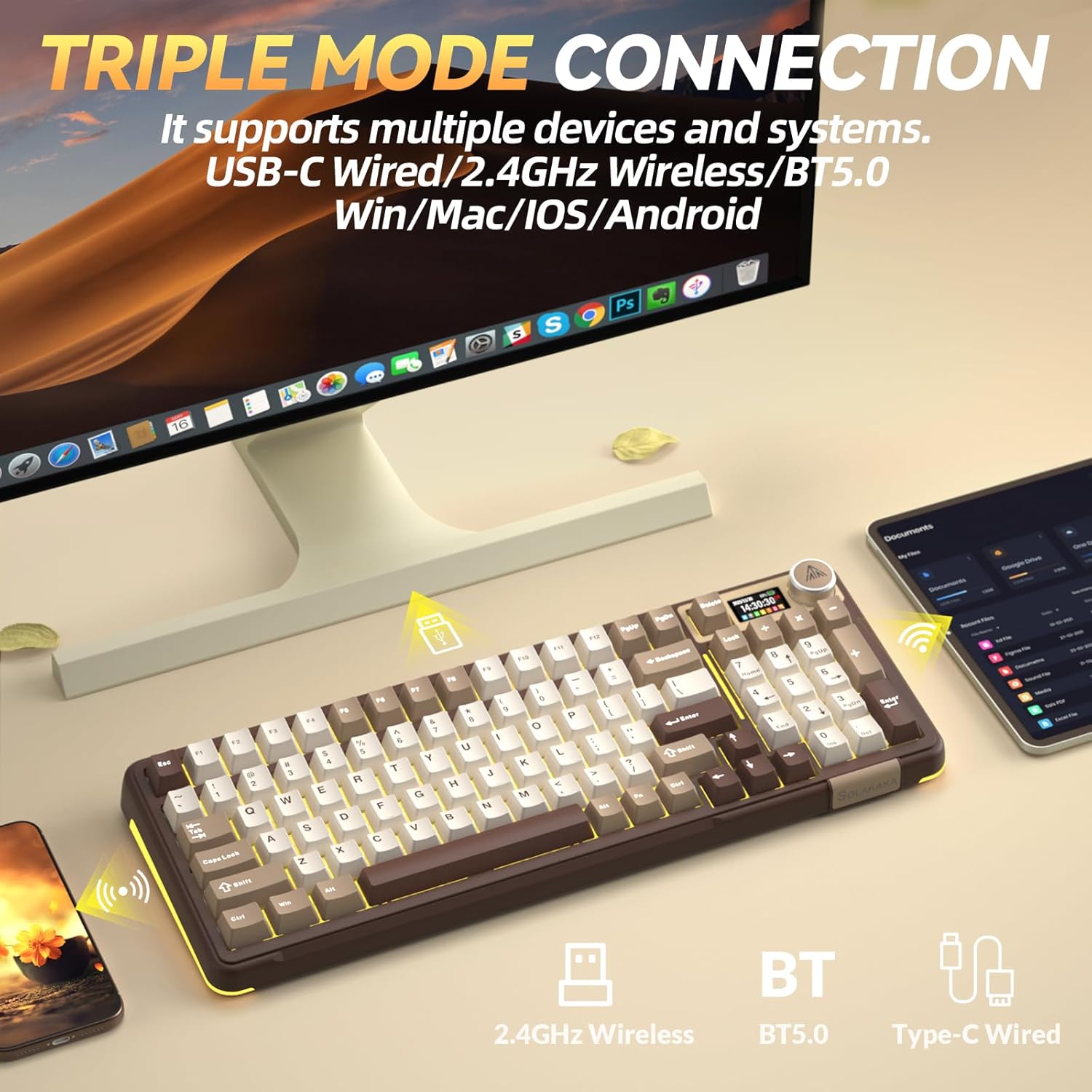
If you regularly switch between devices, the A99 Pro’s multi-mode setup is central to its pitch. It supports BT5.0, 2.4GHz wireless, and wired USB-C. It also claims it can save up to 5 devices simultaneously, aiming to make swapping smoother instead of re-pairing constantly.
One practical scenario: imagine you’re working on a laptop in the morning, then jump to a desktop for gaming later. With the LCD showing system and connection mode, plus a knob that’s described as able to change systems and modes, you should be able to move between setups with fewer button-hunts.
Technical details (worth checking)
Tech specs
- Type: Mechanical keyboard
- Connectivity: BT5.0, 2.4GHz wireless, and USB-C (wired)
- Hot swap: Fully hot-swappable switches, supports 3/5-pin
- LCD: Displays info such as date, time, battery level, connected system, and connection mode
- Control: Metal multifunction knob for adjustments (time/system/mode, lighting, brightness, volume)
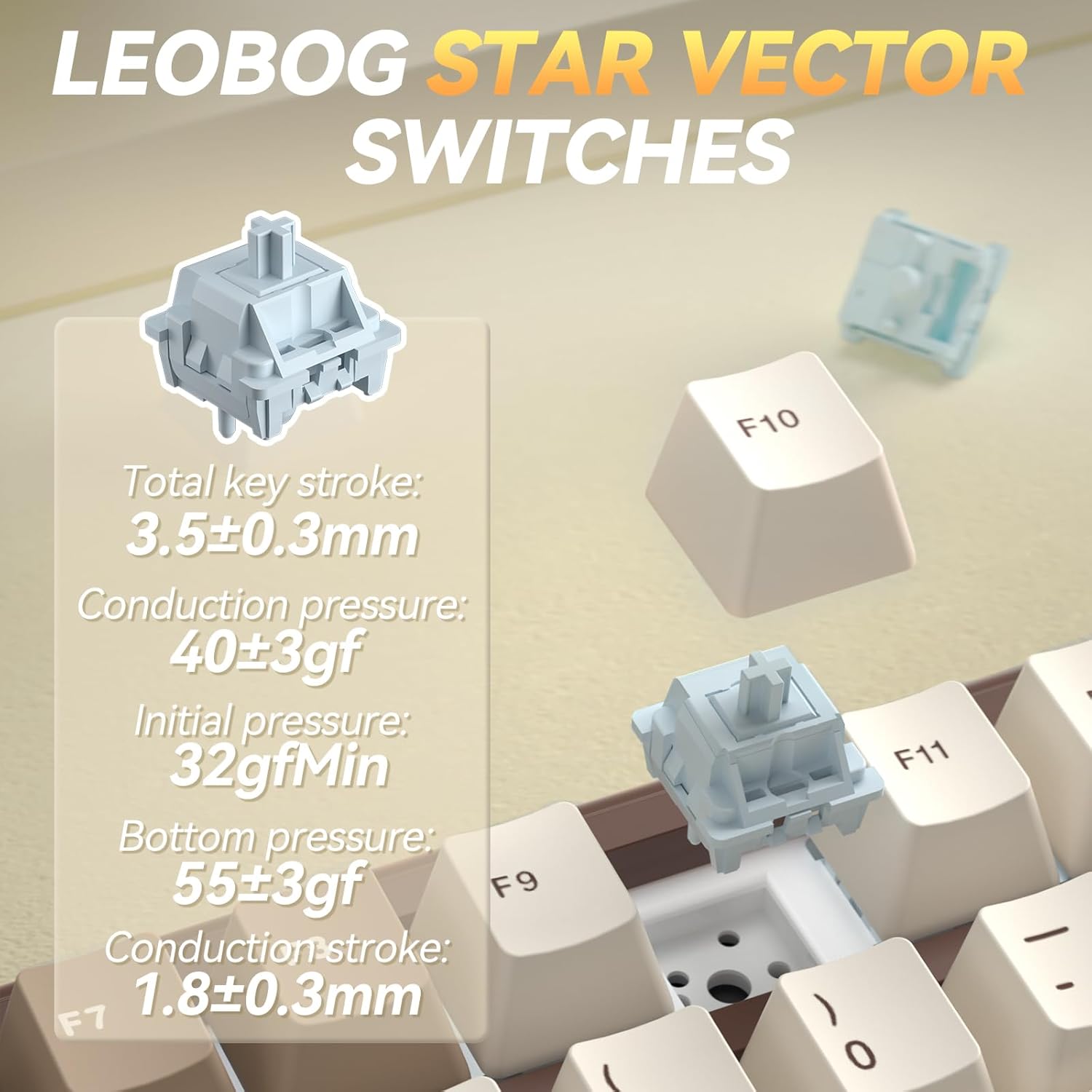
- Switch/stabilizers (as stated): Pre-lubed stabilizers and vector switches (LEOBOG Star)
- Audio/feel approach (as stated): Gasket structure with five layers of damping pads and cotton noise-damping between pads and plate positioning
- Lighting: RGB backlit with 16 lighting modes plus side lights with 5 modes
- Gaming input behavior (as stated): WIN key lock and full N-key rollover
- Multi-device storage: Up to 5 devices saved simultaneously
Where it shines—and where it may not
Where it shines is the “hands-on control” side: LCD visibility plus knob-driven adjustments can make it easier to manage battery, connection mode, and lighting without jumping into a settings page. The gasket-style, multi-layer damping approach is also aimed at a comfortable typing experience and a softer sound.
It may not be the best match if you’re after a straightforward gaming board with no screen, no knob, and minimal distractions. This is also more complex than basic mechanical keyboards because it’s designed around customization (hot swap) and multiple connection workflows—if you want the simplest possible routine, you might end up spending more time learning than you expected.
Compatibility and requirements
The listing says it’s compatible with Windows, iOS, Mac, and Android, and it’s also described for Win/Mac use. Still, since the information provided doesn’t specify deeper requirements (like which features work the same way in every OS), it’s smart to confirm your device mix—especially if you depend on consistent behavior while switching between systems.
Final verdict
Is it worth it?
Buy the SOLAKAKA A99 Pro if you like mechanical keyboards and you want more than basic RGB—specifically, an LCD for status info and a metal knob for fast adjustments across connection and lighting controls. It’s a strong “feature-driven” pick for people who switch devices often and appreciate hot-swappable switches for customization.
Skip it if you’d rather keep your keyboard experience simple, minimal, and screen-free. Also consider passing if you’re not interested in learning its multi-mode workflow (BT5.0 vs 2.4GHz vs USB-C) or if the LCD/knob features don’t matter to your day-to-day.
Mini FAQ
Does the LCD show connection mode and battery?
Yes. The description says the LCD can show date, time, battery level, the connected system, and the connection mode.
Can I swap switches without soldering?
Yes, it’s described as fully hot swappable and supports 3/5-pin switches.
What connection options does it support?
It supports BT5.0, 2.4GHz wireless, and wired USB-C.
Is there a way to reduce accidental inputs during gaming?
The listing mentions a WIN key lock feature and full N-key rollover.
How is the keyboard designed for sound and feel?
On paper, the gasket structure and multi-layer damping/cotton noise-damping are intended to reduce internal cavity noise and interference while giving a smoother, “creamy” typing experience.