

Faadar Wireless Keyboard and Mouse Combo (2.4G Full Size Wave Keys + Wrist Rest, Phone Holder) with Silent 3-Level DPI Mouse
Product description
The essentials
If you spend hours at a laptop or home office desk, a keyboard-and-mouse combo can make your setup feel way more “locked in.” This Faadar wireless bundle pairs a full-size ergonomic wave keyboard (with a built-in wrist rest) with a silent, curved 2.4G mouse. It’s the kind of setup that aims to reduce strain during long sessions, while still keeping everyday features like function keys, arrow keys, and a number pad.
On paper, the appeal is pretty clear: a stable 2.4G connection (with an integrated USB receiver), an ergonomic feel for wrist comfort, and a mouse designed for quieter clicks. It also includes a practical phone/tablet holder in the keyboard, which is honestly the sort of small add-on that makes a difference when you’re working and reading at the same time. The one limitation to keep in mind: the keyboard and mouse run on AA batteries (not included), so you’ll want to budget for that.
Key points
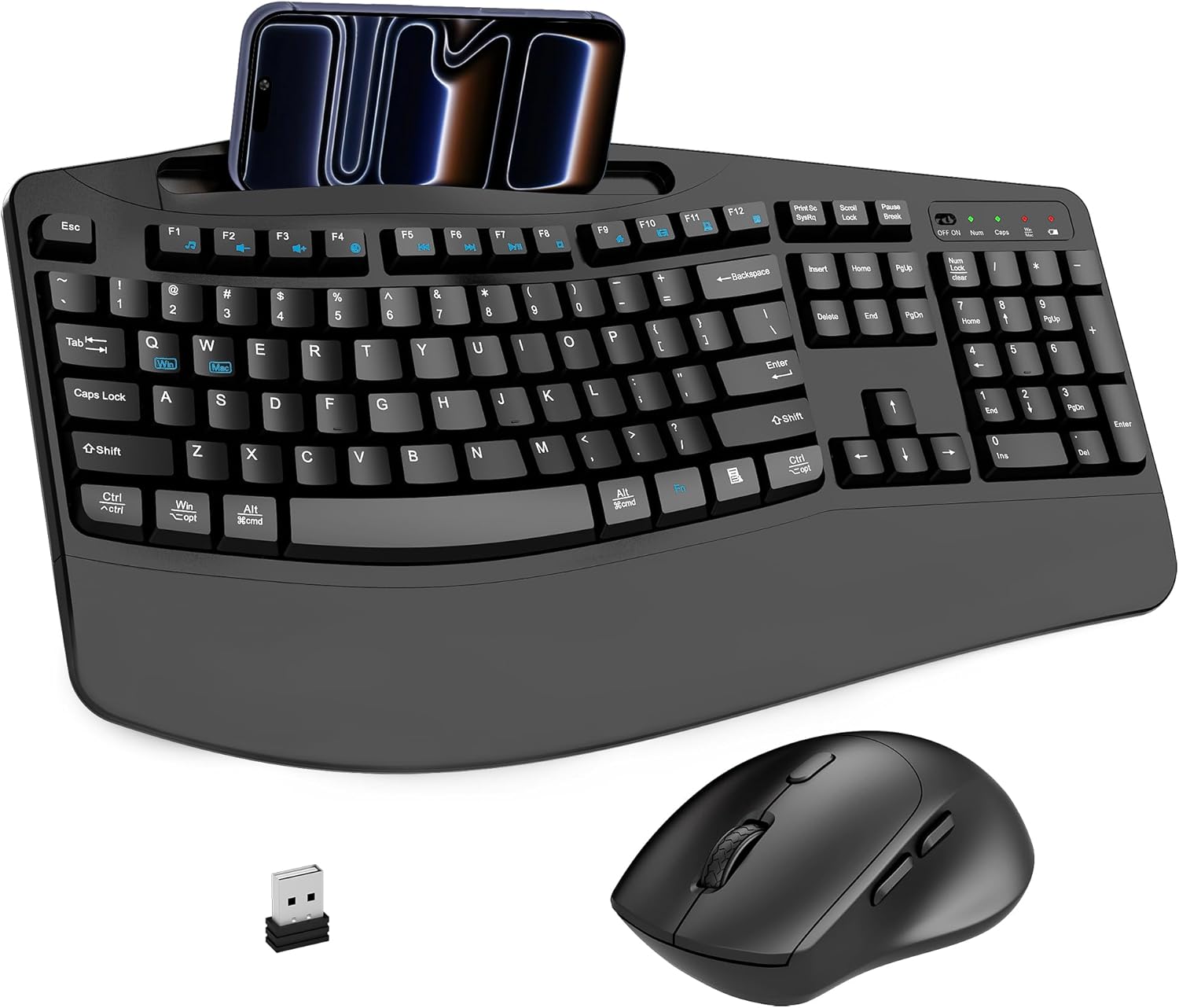
This combo is built around comfort and control. The keyboard uses a wave-style ergonomic layout and includes a 2.8-inch wrist rest, aiming to keep your hand position more natural. The mouse is curved with an angled grip designed to reduce wrist fatigue during prolonged use.
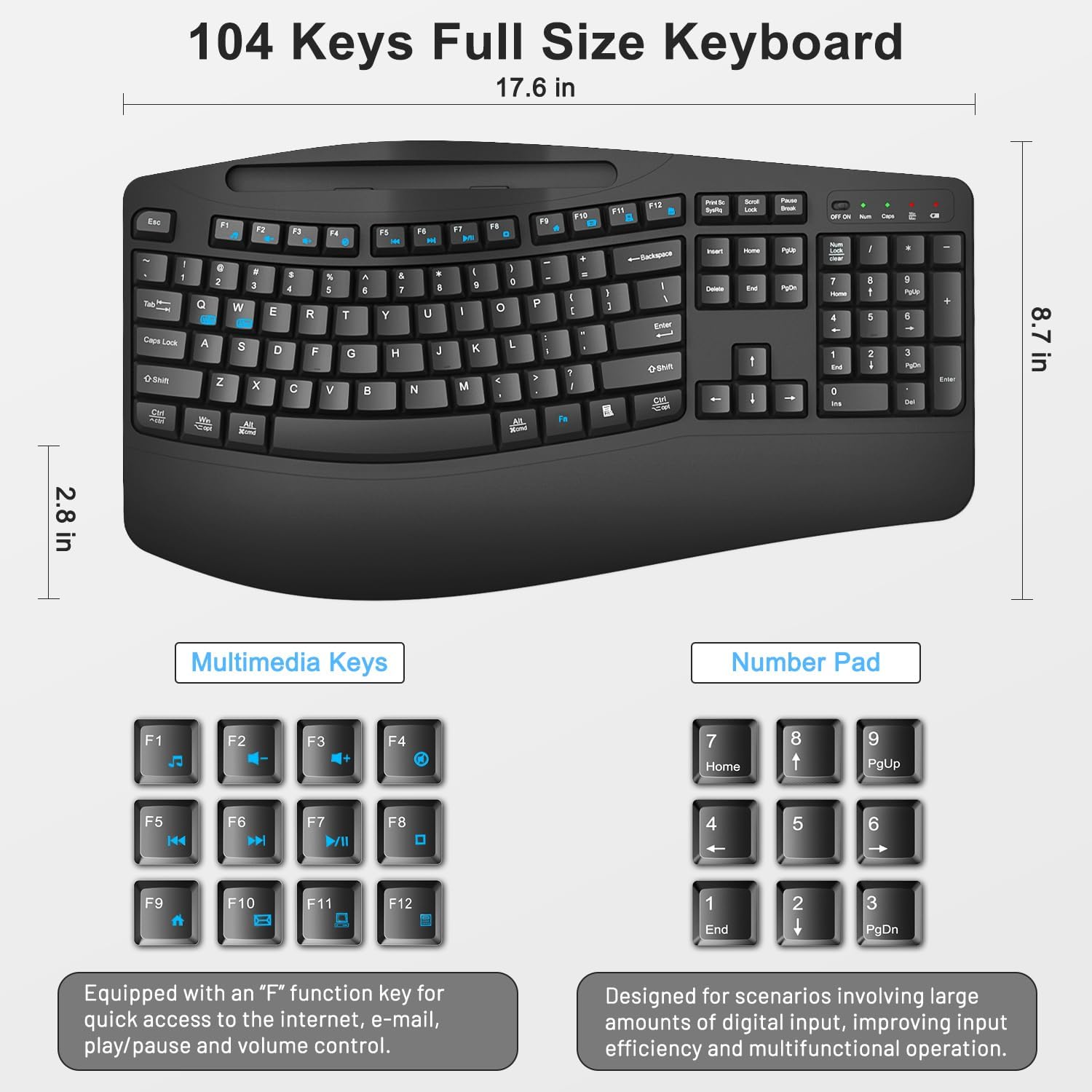
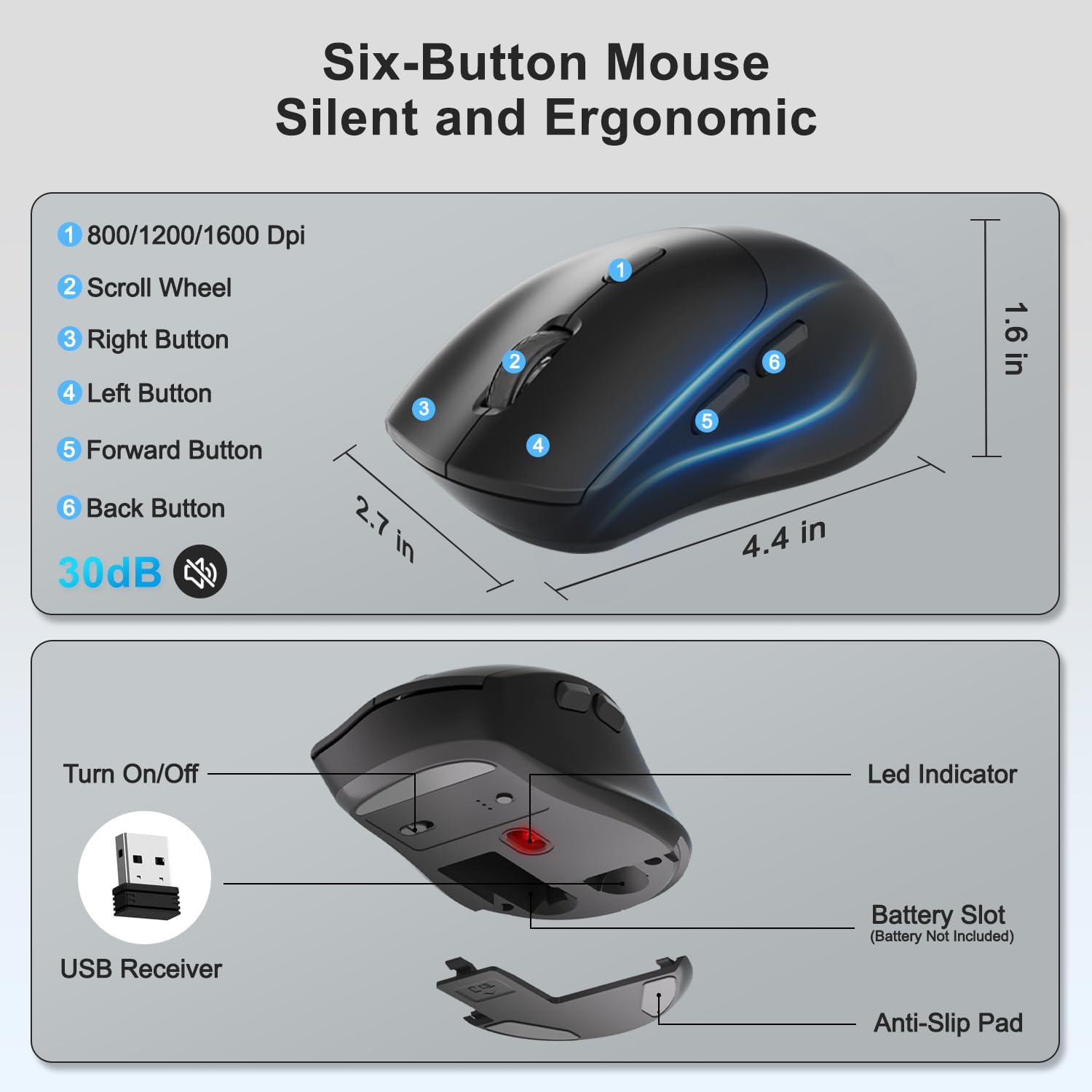
For day-to-day navigation, the keyboard is a full-size 104-key layout with a standard key arrangement and dedicated function keys, arrow keys, plus a number pad for faster entry (and easier control of common tasks like playback/volume, based on what’s mentioned). The mouse supports adjustable DPI in three levels (800/1200/1600), so you can switch sensitivity based on whether you’re scrolling through pages, working on documents, or moving around on screen.
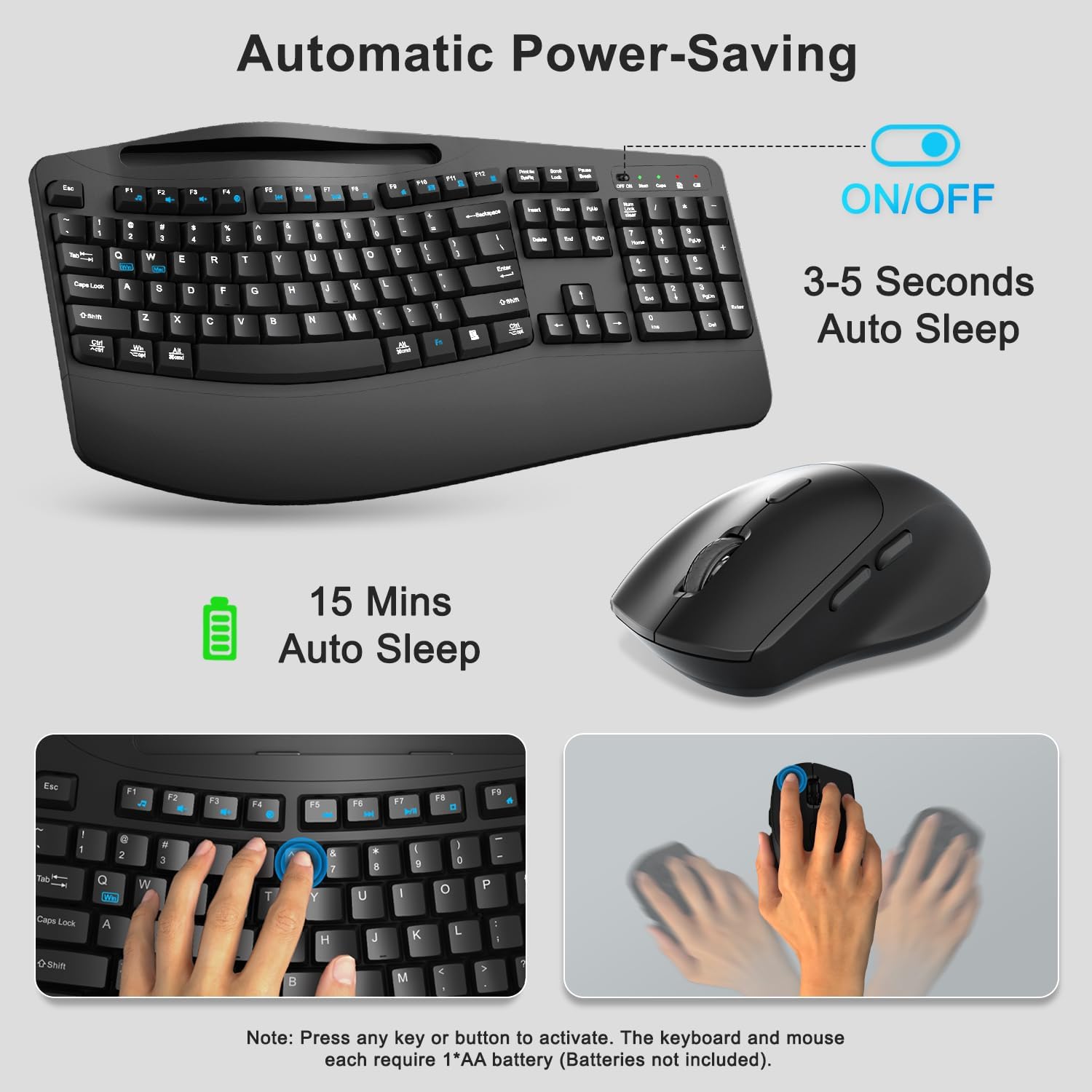
There’s also power-saving behavior: the keyboard goes to sleep after 3–5 seconds of inactivity, and the mouse sleeps after 15 minutes. You can wake both by clicking a key, which is nice when you’re switching between work and breaks.
And yes, it’s meant to be quiet. The mouse is described as using ultra-silent buttons designed to reduce noise by up to 95%, which can be a big deal in shared spaces.
What stands out in everyday use
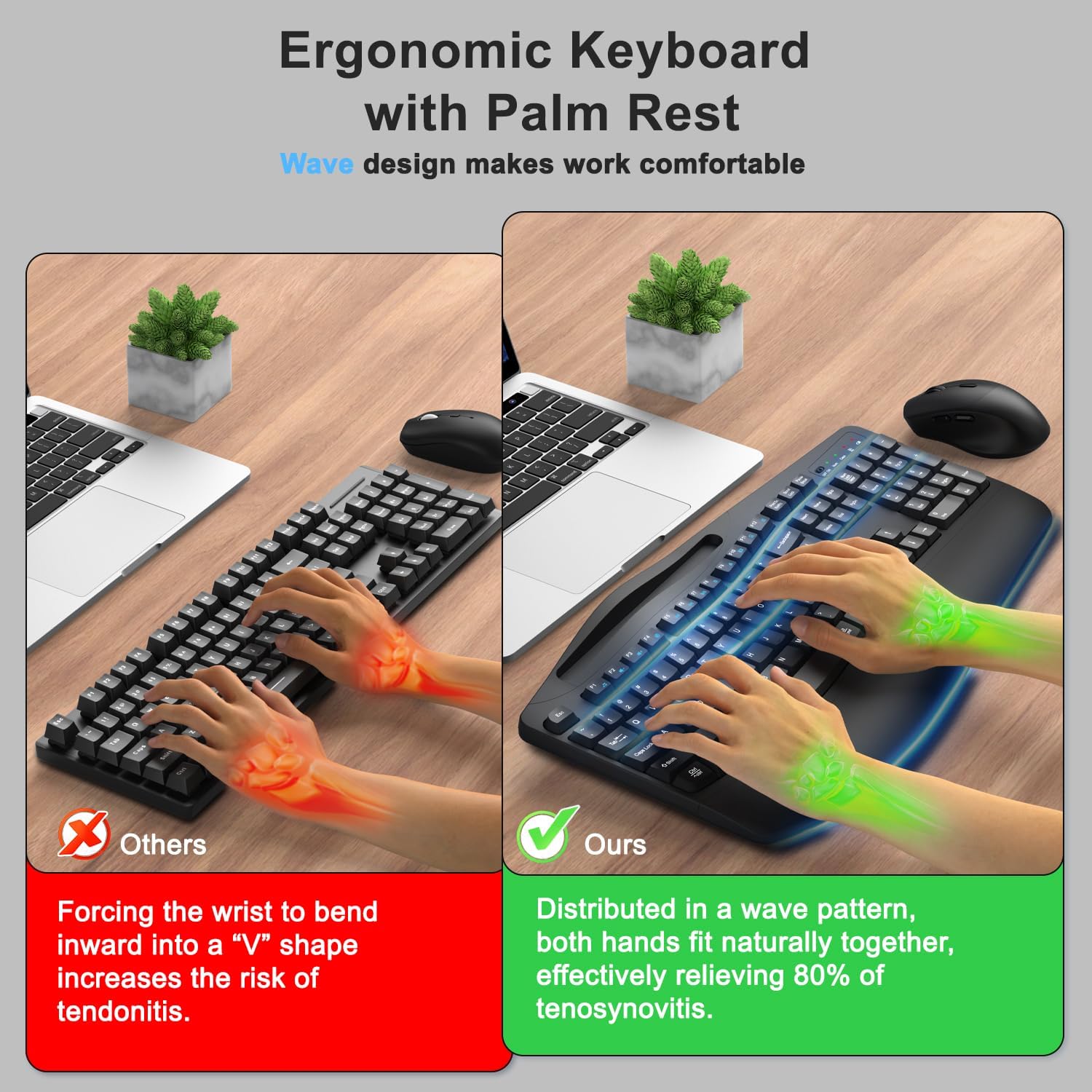
The “wave keys” keyboard design plus the wrist rest is what you’ll notice first. Instead of feeling like your hands are slightly floating above the desk, this setup is meant to support a more comfortable typing angle—especially if you type for long stretches.
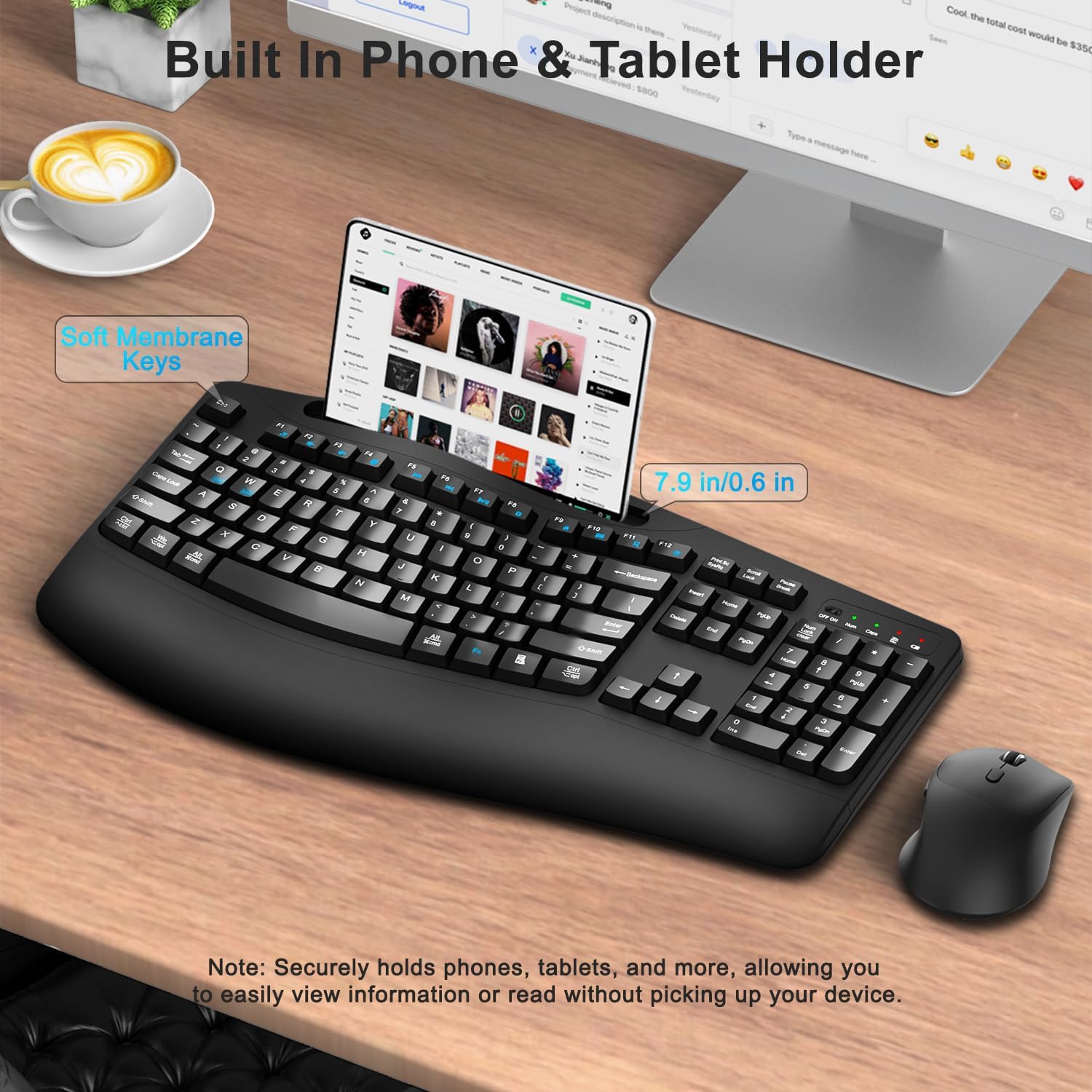
Then there’s the phone/tablet holder. You can rest a cell phone or tablet in the integrated gap on the keyboard, making it easier to follow a video, check messages, or reference notes without shifting your workspace constantly. A realistic workflow example: you’re typing a document on the monitor, and your phone sits in the holder for quick calls or instructions—no more stacking devices on random corners.
For the mouse, the combination of a curved shape and adjustable DPI makes it feel more usable across different tasks. If you find your cursor movement too jumpy, you can drop DPI to match slower, controlled work, if you need faster movement, you can switch up.
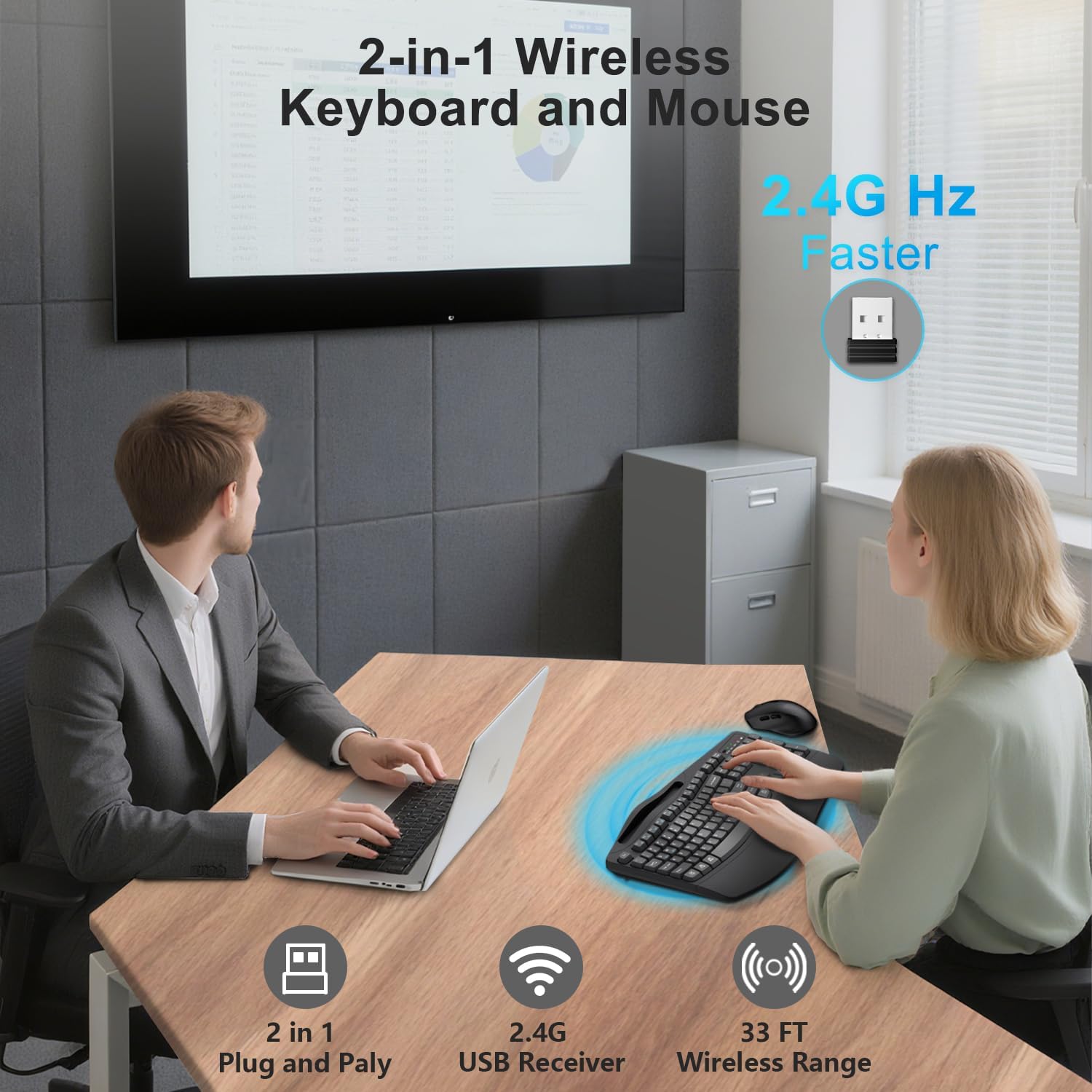
Worth noting: wireless reliability is tied to the 2.4G USB receiver and a stated effective range of up to 33 feet, so in typical home office layouts it should be fine as long as the receiver placement is reasonable.
Tech specs
- Connection: 2.4G wireless with integrated USB receiver
- Effective range: up to 33 feet
- Keyboard: full-size 104 keys
- Ergonomics: wave-style key design with a 2.8-inch wrist rest
- Keyboard includes: built-in phone/tablet holder
- Mouse: optical USB wireless with curved grip design
- Mouse buttons: 6 buttons
- DPI settings: 3 levels (800/1200/1600)
- Wireless motion/navigation: forward and backward navigation mentioned
- Power saving: keyboard sleeps after 3–5 seconds of inactivity, mouse sleeps after 15 minutes of inactivity
- Battery requirements: keyboard requires 1 AA, mouse requires 1 AA (batteries not included)
- Silent claims: mouse buttons designed to reduce noise by up to 95%
- Compatibility: Windows, macOS, Chromebook, laptops/desktops
- Switching for Windows vs macOS: FN+Q or FN+W
Who it’s for (and who should skip it)
This is a solid pick if you want a comfortable typing-and-clicking setup for everyday work and home use—especially if you like having a full-size keyboard with a number pad and you’d benefit from a wrist rest.
It may not be the best match if you’re very sensitive to battery-powered peripherals or if you prefer to avoid buying batteries right away. Also, because this is positioned as a practical combo rather than something explicitly described as premium mechanical, it can feel more like a mid-range ergonomics solution than a “type-anywhere” enthusiast upgrade.
It’s not for you if your priority is advanced customization (the details provided focus more on comfort, silent clicks, and DPI switching than deep software control). And if you need professional-grade macro software or specialized gaming responsiveness, you may find this leaves you wanting more.
Should you buy it?
This Faadar wireless keyboard and mouse combo makes sense when comfort features matter—wave keys, a dedicated wrist rest, a curved mouse meant to reduce fatigue, and a phone/tablet holder to keep your workspace organized. The 2.4G USB receiver setup is straightforward, the mouse offers 3 DPI levels, and the silent-click claim is a notable plus if you share your space.
But don’t rush if you strongly dislike battery-powered devices, since both the keyboard and mouse require AA batteries (not included). And if you’re aiming for the most advanced customization or enthusiast-level performance, this one looks more like a practical, ergonomic daily driver than a top-tier specialty tool.
Mini FAQ
Compatibility: Will it work with Windows and Mac?
Yes. It’s described as compatible with Windows, macOS, Chromebook, and laptops/desktops. There are shortcuts noted for switching between Windows and macOS using FN+Q or FN+W.
How does the wireless connection work?
It uses a 2.4G wireless connection with an integrated USB receiver. Plug the receiver into your computer for instant connection, with an effective range stated up to 33 feet.
Does it include batteries?
No. The keyboard requires 1 AA battery and the mouse requires 1 AA battery, batteries are not included.
Is the mouse actually quiet?
The mouse is described as having ultra-silent buttons designed to reduce noise by up to 95%. While that’s a claim on the listing, it’s clearly intended for quieter use.
Does the keyboard have a place for a phone?
Yes. The keyboard includes an integrated gap/holder for a phone and tablet so you can reference content without taking up other space.