


Adobe Lightroom 1TB | AI-assisted photo editor for PC/Mac with 12-month auto-renewal
Product description
What it is and who it’s for
Adobe Lightroom 1TB is a cloud-based photo editing suite designed for photographers who want a cohesive workflow across desktop, mobile, and web. It combines Lightroom Classic on desktop with Lightroom’s modern interface, plus generous cloud storage and AI-powered tools. If you value a centralized hub for organizing, editing, and sharing photos across devices, this subscription aims to keep your library synced and accessible wherever you work. It’s a solid option for enthusiasts and professionals who prefer a connected, cross-device workflow and are invested in an all-in-one editing and storage solution.
How it helps you in practice

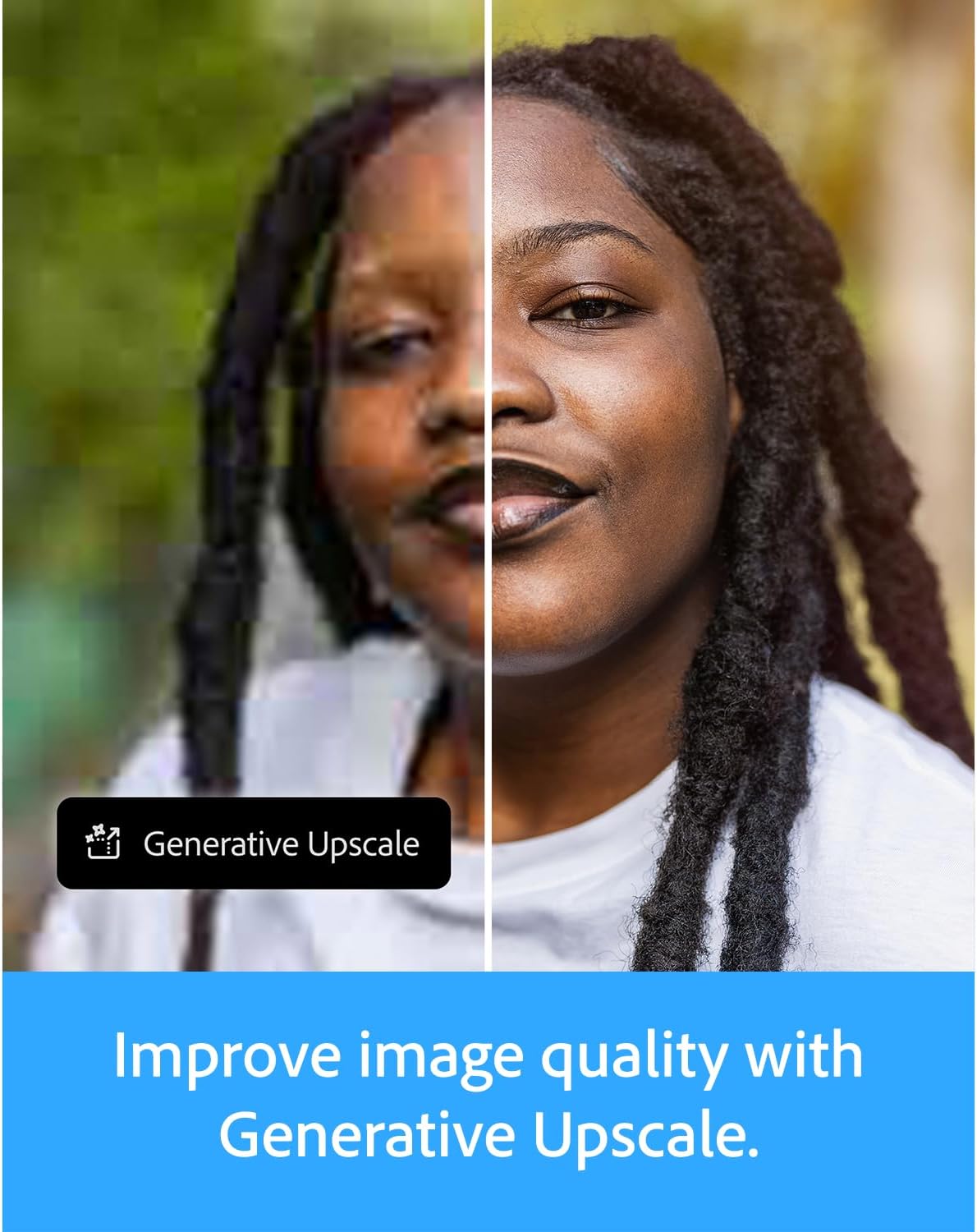
On the surface, Lightroom offers familiar controls for light, color, crop, and presets. The real-time advantage comes from AI-assisted features like Generative Remove to eliminate distractions with a click, and the ability to apply text prompts to create or adapt visual ideas. You can also extend editing power by using AI-driven prompts to generate adjustments or new looks, then apply changes across an image or targeted areas. For those who want to push quality, there’s generative upscale to improve image resolution, though you’ll want to use it judiciously on large edits. The workflow is designed to be fast: presets can focus on a subject, with lens blur and other effects to separate foreground from background. And with automatic synchronization, edits and assets stay aligned across devices as you move between desktop, mobile, and the web.
What stands out (on paper)

- Cross-device editing: edits sync automatically, so you can switch from PC to Mac to mobile without missing a beat.
- Generative tools: remove distractions quickly, and shape images with AI prompts, which can help you try ideas without deep manual work.
- 1TB cloud storage: a sizable amount for many portfolios, projects, and backups, reducing the need for constant local exports.
- Integrated workflow: combines Lightroom environments with Lightroom Classic to cover both modern and traditional editing preferences.
What may not feel compelling
This solution leans into AI-assisted editing and cloud syncing. If you don’t frequently leverage AI prompts or rely mostly on manual adjustments, some features may feel as optional enhancements rather than essential. The value of 1TB storage depends on your current photo volume and whether you routinely export high-resolution originals. Also, auto-renewal can be a pro or a con depending on how you manage subscriptions, if you prefer exact, month-to-month control, the fixed 12-month term might feel constraining.
How to decide if it fits you
- You value a unified ecosystem: if you already shoot across devices and want seamless syncing, this can streamline your workflow.
- You’re curious about AI-assisted editing: Generative Remove and prompt-based edits offer new ways to experiment, which can save time for quick-turnaround projects.
- You need substantial cloud storage: 1TB is helpful for larger libraries and ongoing projects, reducing dependency on external drives.
- You’re mindful of long-term costs: the 12-month subscription with auto-renewal means budget planning over a year, consider renewal terms and whether the features align with your growing needs.
When it might be better to look elsewhere
If your editing needs are basic and you don’t need cross-device syncing, a lighter or purely desktop-based workflow could be more cost-efficient. If you rarely rely on AI features or prefer straight manual control, the AI-driven tools may not justify the price. For some users, a different storage plan or a workflow focused on standalone Lightroom Classic without the cloud components could be a better fit.
What to check before buying
- Storage usage: estimate how many RAWs or high-res files you’ll store and whether 1TB will cover your project load.
- Device usage pattern: confirm that your primary devices (PC/Mac, mobile) align with the cross-device sync features.
- AI feature dependency: assess how much you’ll actually use Generative Remove, prompts, and Upscale, since usage may affect the value proposition.
- Renewal implications: understand the auto-renewal terms and what happens at the end of the 12-month period.
Comparison of approaches you could take


- Traditional desktop-only editing: more control and potentially lower ongoing cost, but requires manual file management and lacks cloud sync.
- Pure cloud-based editing with limited AI: may simplify workflow but offer less depth in local editing compared with desktop applications.
- A combined Lightroom ecosystem with Classic for advanced edits and modern Lightroom for speed and AI features: this is the ecosystem approach if you want both traditional and AI-assisted capabilities in one package.
Practical usage example
Imagine you’re preparing a travel portfolio: you start on desktop to quickly adjust exposure and color, then use Presets to try a few looks focused on your subject. You later crop and refine in mobile while commuting, using AI prompts to generate alternative lighting ideas. When a shot needs retouching, Generative Remove can clean up distractions in a click, and you can upscale a hero image for a larger print or social banner. All edits stay synced as you move between devices, so the latest version is always ready for client review or sharing.
FAQ (quick answers based on available information)
- Does it work on PC and Mac? Yes, it supports PC and Mac, as well as mobile and web.
- How much storage do I get? 1TB of cloud storage is included.
- Can I cancel or change the plan later? The plan is a 12-month subscription with auto-renewal, review renewal terms in your account settings to adjust or cancel.
Decision: Is it worth it?
If you’re seeking a connected editing and storage solution across devices with AI-assisted features to experiment quickly, this could be worth considering. It makes sense if you value cross-device syncing, want access to Generative Remove and AI prompts, and anticipate using a substantial amount of cloud storage over the coming year. Not the best fit if you prefer a strictly manual workflow, have limited need for cloud storage, or want month-to-month flexibility without auto-renewal commitments.