

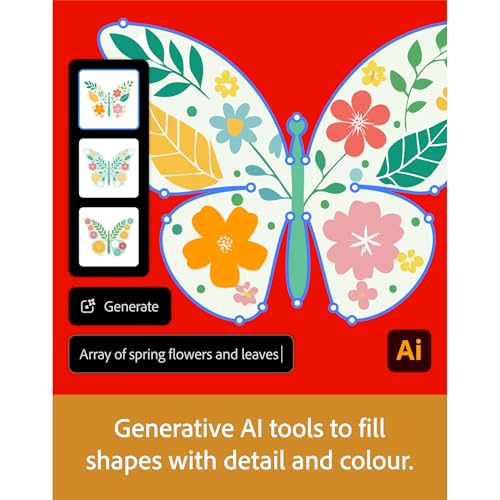

Adobe Creative Cloud Pro | 20+ Apps, 100GB Storage, 12-Month Auto-Renewal
Product description
What it is
Adobe Creative Cloud Pro is a 12-month subscription that bundles 20+ industry-leading apps for photography, design, video, and more, plus free creative essentials like fonts and stock assets. It’s tailored for creative workflows that require a wide toolkit in one plan, including access to Adobe Firefly AI and generous generative credits. The plan is designed to work on PC or Mac and to keep your projects moving with cloud storage and seamless integrations across apps.
What matters most
On the surface, this is a comprehensive, all-in-one creative suite. The power comes from the breadth of apps (think Photoshop, Illustrator, Premiere Pro, Acrobat Pro, and more) plus a solid AI layer intended to speed up common tasks. It’s about reducing friction: you don’t need to shop for add-ons or licenses separately. If your work spans multiple disciplines, the consolidation can save time and cognitive load.
Tech specs

- Name: Adobe Creative Cloud Pro
- Type: 12-month subscription with auto-renewal
- Storage: 100GB
- Platform coverage: PC and Mac
- Included apps and services: 20+ apps including Photoshop, Illustrator, Premiere Pro, Acrobat Pro, plus Adobe Firefly AI, standard AI image and vector features, and 4,000 monthly generative credits for premium AI video and audio features
- Extras: Adobe Express Premium templates, fonts, stock assets, and access to tutorials and livestreams
What stands out
If you prioritize breadth over depth, this plan consolidates a wide range of tools under one license. The AI features and a sizable pool of generative credits can help you experiment with visual content and audio-visual work without constant license management. Having 100GB of cloud storage per account can ease collaboration when you’re moving assets between apps. The inclusion of templates and stock resources provides a quick start for projects and reduces time spent on assets.
Where it shines
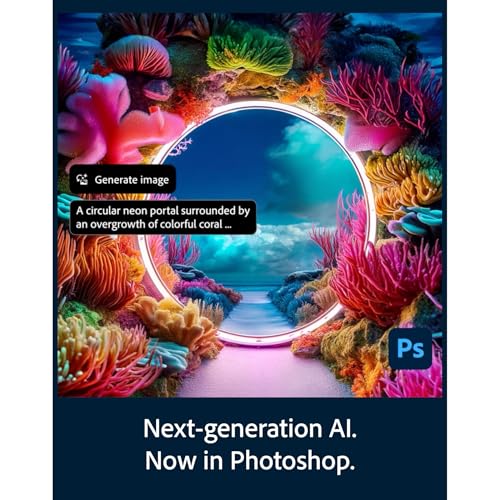
This option tends to suit creative professionals and teams who juggle multiple disciplines—photo editing, vector design, video editing, and document management—in a single workflow. It can be ideal for freelance creators who want a single, predictable bill and for studios that value cross-app compatibility without juggling separate subscriptions. It may also appeal to learners who want broad exposure to industry-standard tools and tutorials.

Limitations and considerations
- You’re committing to a 12-month cycle with auto-renewal, which may not fit if you only need sporadic access. If your workload drops, the ongoing cost could feel excessive.
- The value hinges on usage across several apps. If your work is narrowly focused on a single tool, a more targeted plan might be more economical.
- While 100GB of cloud storage is helpful, large video projects can outgrow this quickly unless you rely on external storage or leverage additional Creative Cloud storage options.
- Creativity AI, including Firefly and generative credits, depends on current features and credits availability, if you don’t use AI-driven features often, the credits may not yield full value.
Before you buy: what to check
- Your current and planned app mix: do you genuinely need 20+ apps, or would a smaller bundle cover your core needs?
- Workflow alignment: are your typical projects spanning photo, vector, video, and PDFs, justifying a cross-disciplinary toolkit?
- Storage needs: will 100GB cover active projects, or will you rely on external drives or larger cloud plans?
- Collaboration needs: does your team benefit from shared assets, templates, and stock resources included in the plan?
Practical use example

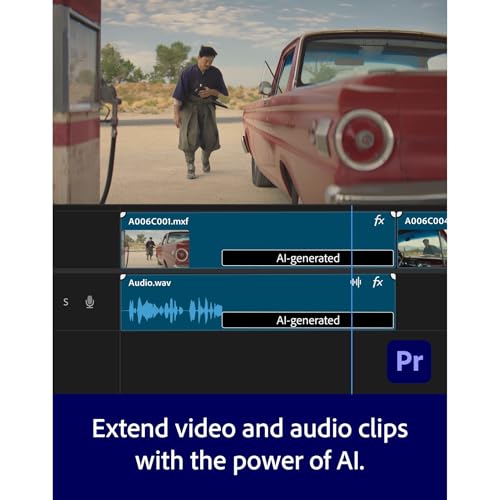
Imagine a designer who starts a social video campaign: they craft thumbnails in Photoshop, build motion graphics in After Effects (or similar apps in the suite), stitch video sequences in Premiere Pro, and polish PDFs for client approval in Acrobat Pro. Having all tools under one subscription means assets can be moved between programs without license gaps, and the AI features can accelerate rough edits and asset generation. It’s not a magic wand, but the integrated ecosystem can shave hours off a typical project.
Comparison in context
If you only need one or two Adobe apps, a single-app or smaller bundle may be a better fit. For users who want to experiment with AI-assisted features and leverage a wide toolkit for multi-disciplinary work, this plan offers a more cohesive upgrade path than juggling separate licenses. If you’re still evaluating alternatives, think about whether you prefer a broad playground of tools with a unified subscription versus picking specific apps a la carte.
Should you buy it?
Should you buy it?
Yes, if you work across multiple creative disciplines and value an all-in-one ecosystem with AI features, templates, and stock resources. It makes sense if a single plan helps you streamline workflows and reduce subscription overhead. Not ideal if your needs are limited to a single app or if you’re price-sensitive and can’t justify a year-long commitment.
FAQ
- Do I really get 20+ apps? Yes, the plan includes 20+ industry-leading apps, plus Firefly AI and related features.
- What about storage? The plan includes 100GB of cloud storage to support cross-app work and collaboration.
- Is it suitable for beginners? It can be useful for learners who want broad exposure to the Adobe ecosystem, but beginners should be prepared for a learning curve across multiple apps.
- Can I cancel anytime? The listing indicates a 12-month subscription with auto-renewal, specifics about cancellation terms aren’t provided here.
- What if my needs are seasonal? If you’re unsure about ongoing demand, evaluate usage for a few weeks or compare with lighter bundles before committing.