

MOKiN USB C docking station 12-in-1
Reviews
Price
Product description
Turning a single laptop port into a full desk setup is easier with the MOKiN USB C Docking Station 3 HDMI, a 12-in-1 docking station designed to support triple HDMI displays, wired networking, and fast peripheral connections. It helps you keep your workspace tidy while supporting workday tasks like multi screen viewing, video calls, and file transfers from SD cards 😌.
With three HDMI 2.0 outputs and USB connectivity built in, this model is a practical choice when you want more screen real estate for spreadsheets, documents, and side by side research. You can also run it as a power pass through dock, so fewer chargers clutter your desk.
The essentials
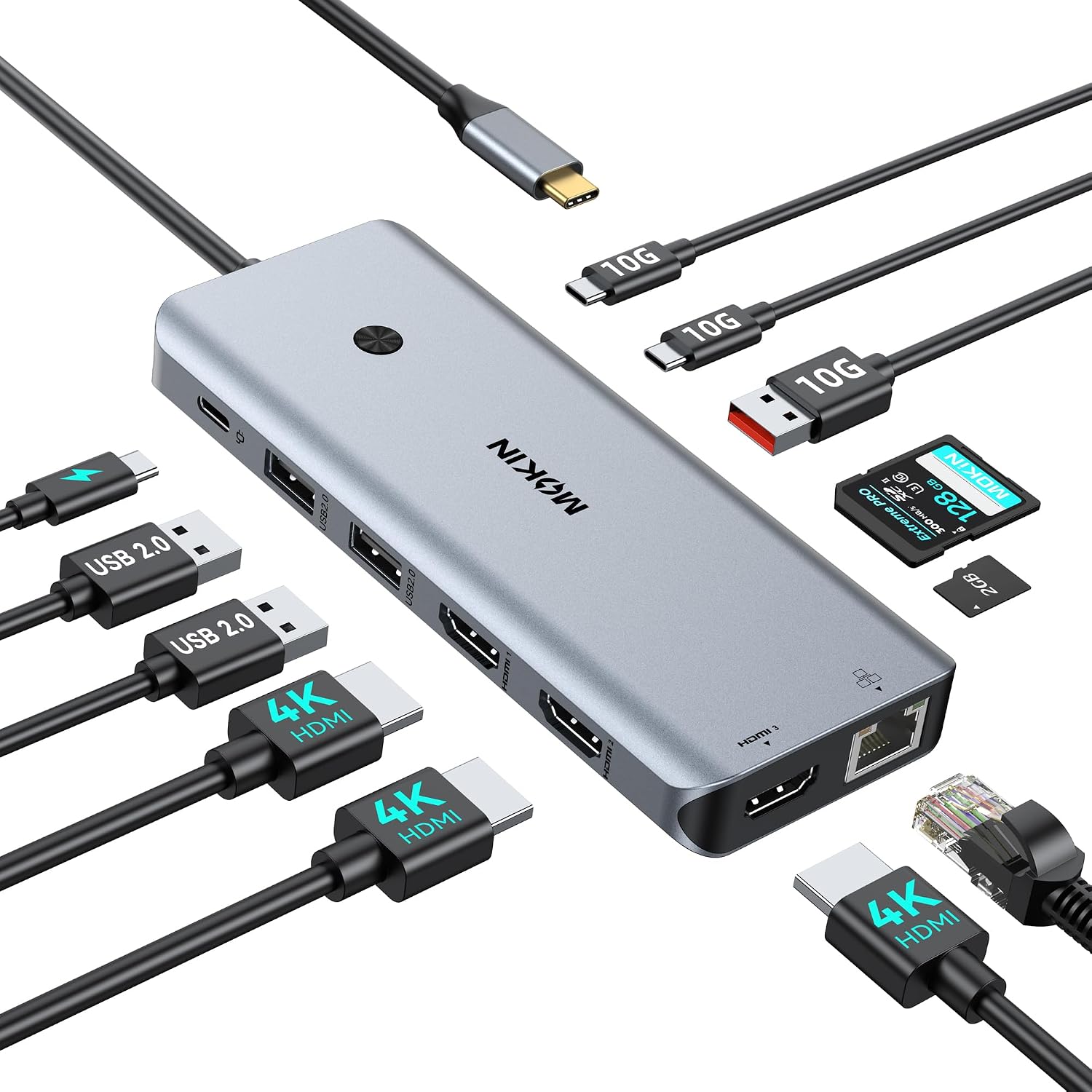
The MOKiN docking station focuses on day to day usability, giving you more ports from one USB C connection. It includes three HDMI 2.0 outputs for up to 4K at 60Hz per HDMI, so you can extend your desktop across multiple screens or mirror content depending on what your laptop supports. For many people, that means less switching windows and fewer compromises when working across apps.
It is also built around plug and play convenience. According to the manufacturer, it requires no drivers, which reduces setup friction when you move between home, office, or meetings. Ethernet is included via a Gigabit Ethernet port, giving you a stable wired connection that can help during video calls and larger downloads.
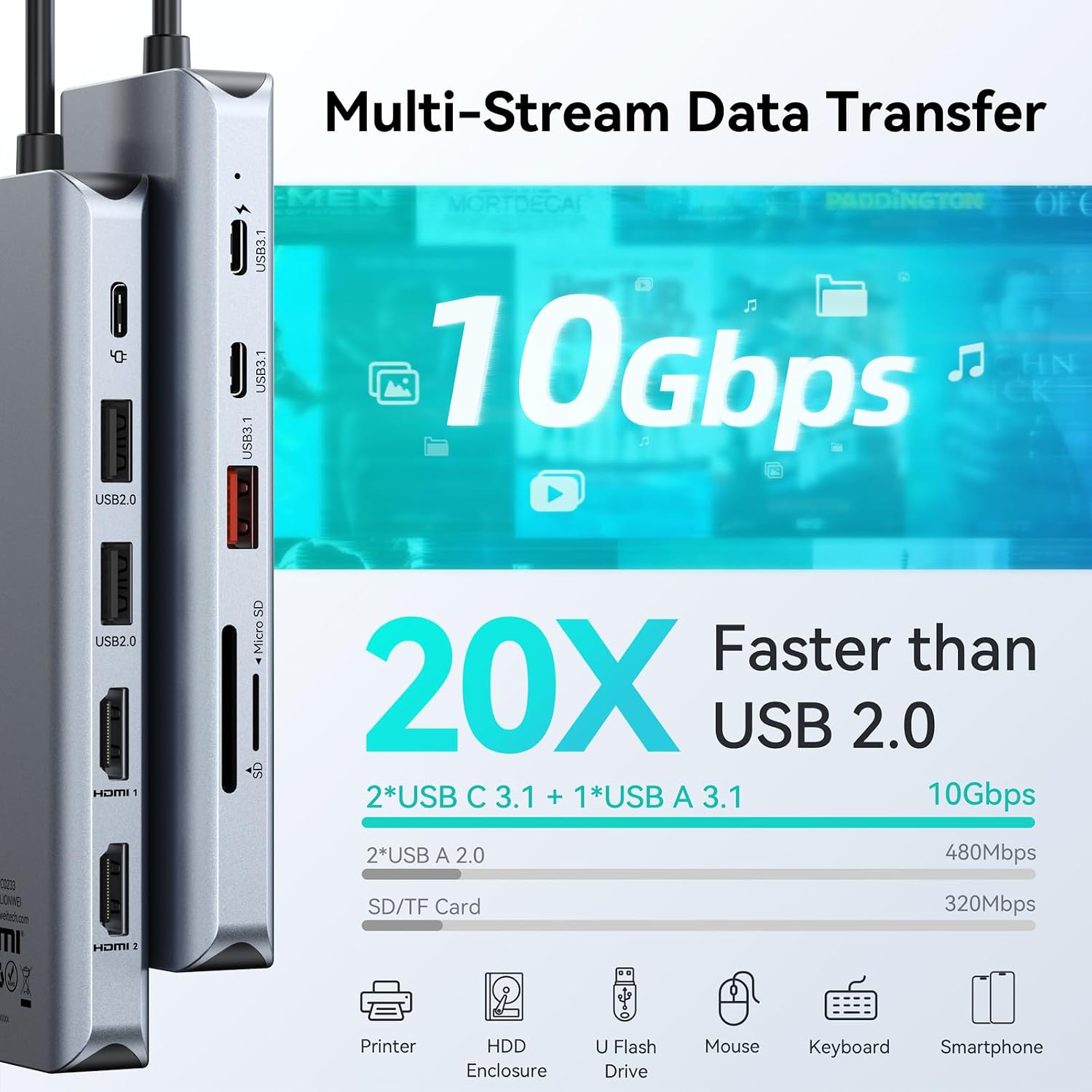
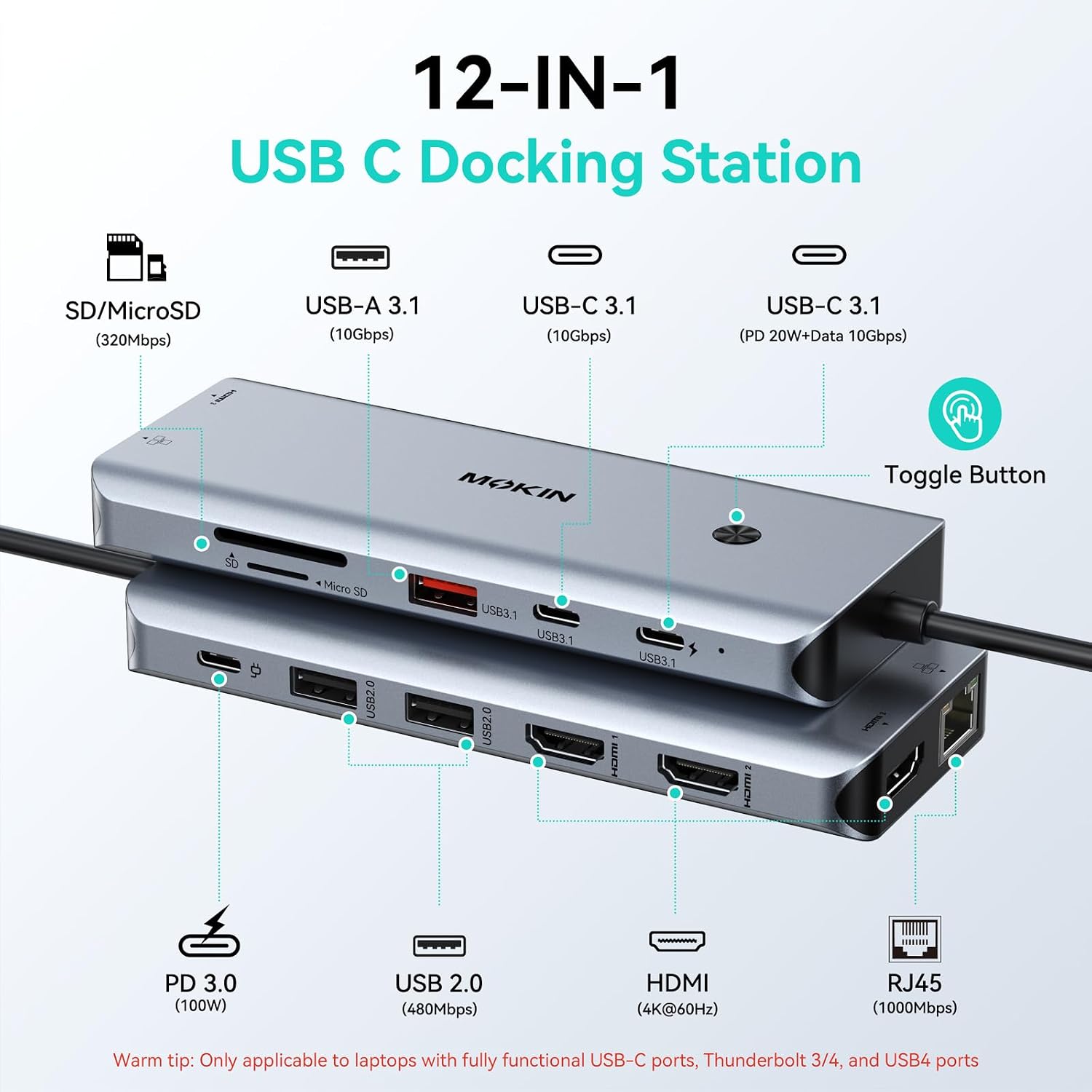
On the connectivity side, the dock offers a mix of faster USB 3.1 Type A and USB 3.1 Type C for data, plus USB 2.0 ports for everyday peripherals. There is an SD and microSD card reader with UHS I support for offloading photos and videos at speed. 🎥
Key features
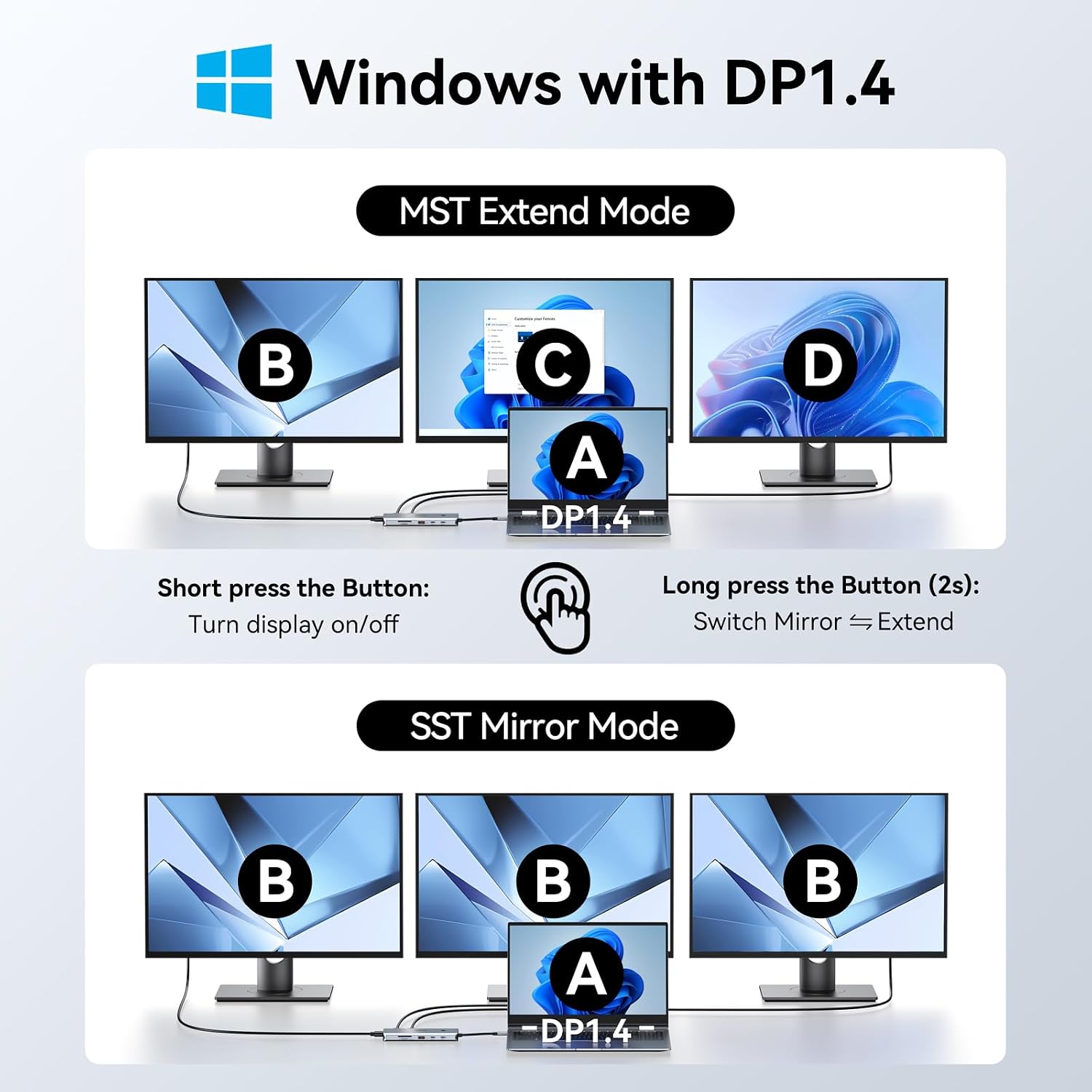
One of the standout features is the triple display setup. On Windows systems with MST support, you can extend your desktop across HDMI 1, HDMI 2, and HDMI 3, or mirror the same content across the screens. On macOS, the dock works in SST mode, with support that depends on the Mac model and its DP capability, including single extended display plus two mirrored displays on supported configurations.
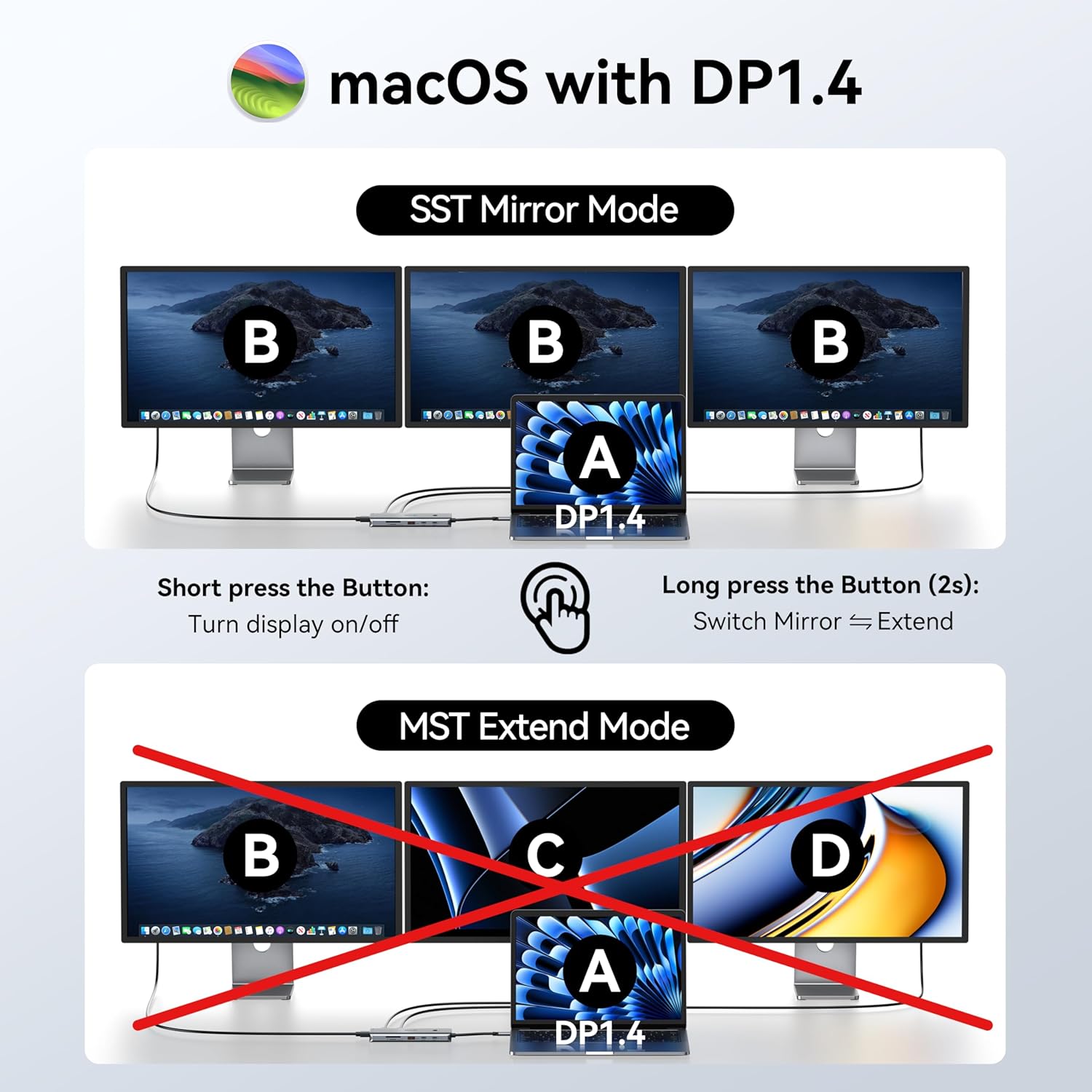
If you use USB C for your laptop already, the dock is designed to match the typical DP Alt Mode or Thunderbolt 3 and 4 requirement. The manufacturer lists broad compatibility across popular laptop ranges such as MacBook Pro and Air, Dell XPS models, HP EliteBook, Lenovo ThinkPad, and Microsoft Surface series, provided your USB C port supports the necessary display capability.
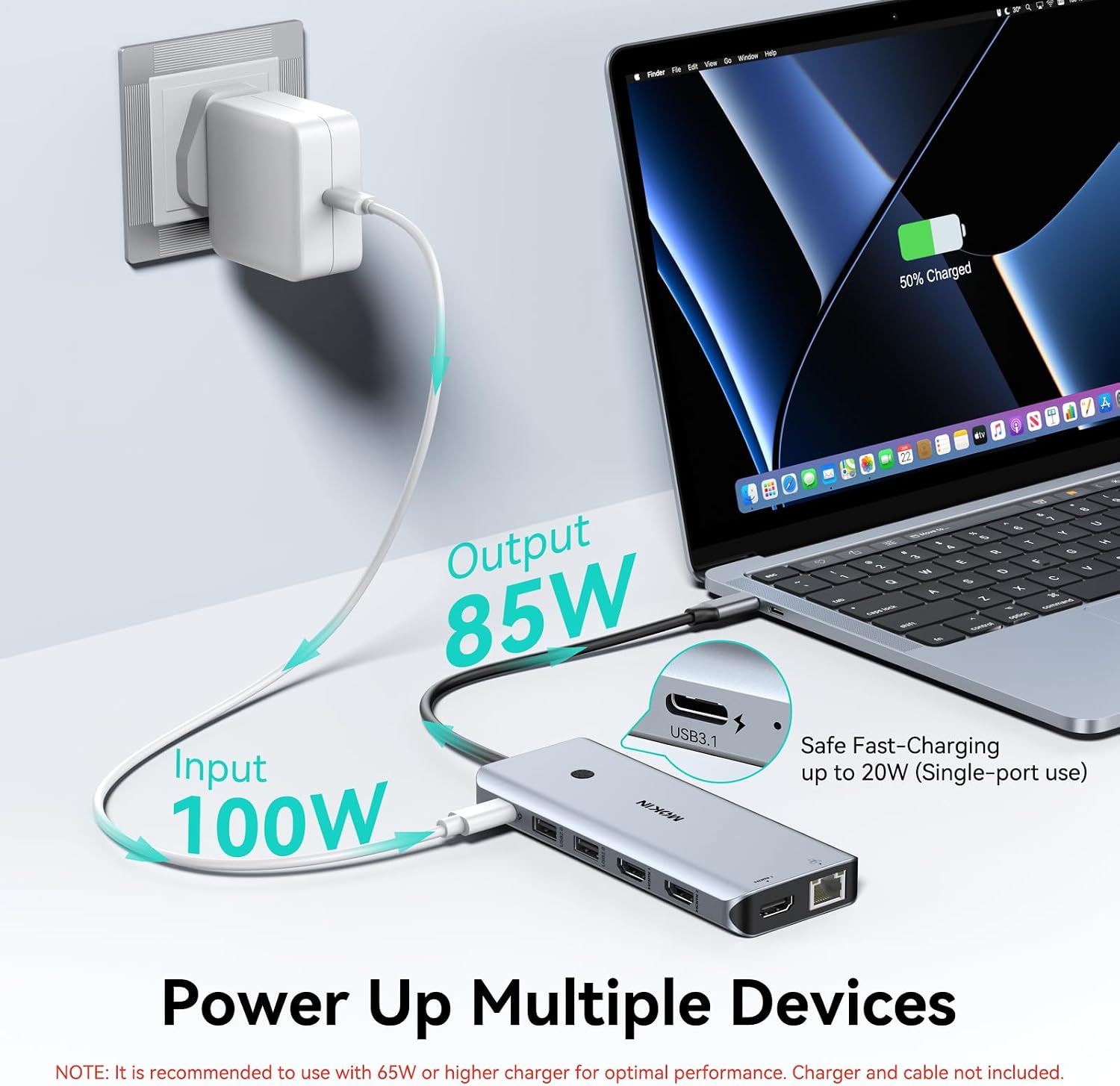
Power pass through is included, with a maximum 100W input and up to 85W safe output to your laptop when using the 100W power adapter. For charging your phone, there is also a USB 3.1 Type C port with PD 20W mentioned for phone charging. Take note that the charger and cable are not included, so you will need to use the appropriate power supply for your setup 🔌.
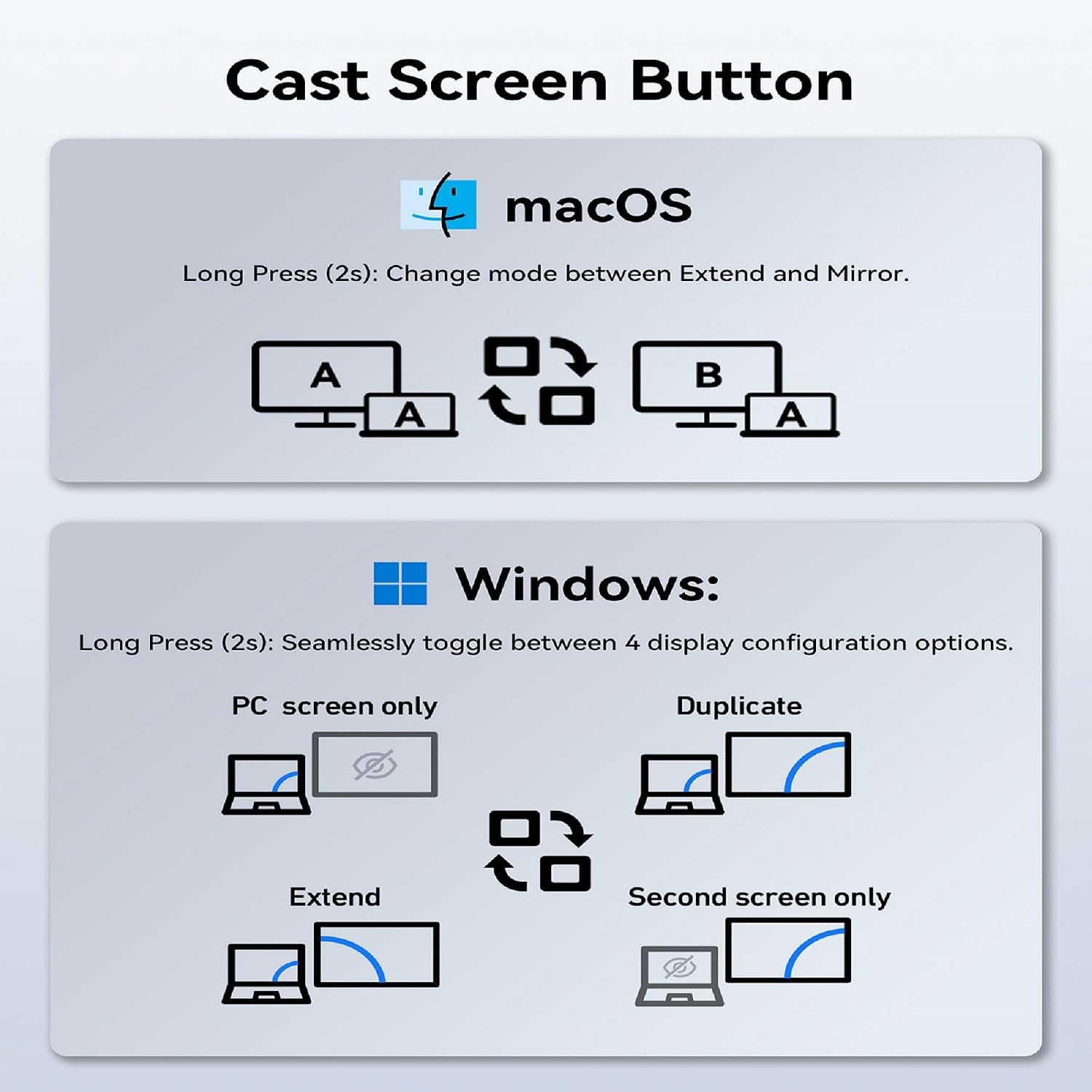
Practical convenience is covered too, with a smart function button for monitor control. A short press turns monitors on or off, while a long press for around 2 seconds switches display modes. This can be handy in shared workspaces where you want quick control without repeatedly changing settings in the OS.
The card reader offers UHS I operation with a stated 320Mbps, and it does not support simultaneous read and write. That is worth bearing in mind if your workflow relies on writing and reading at the same time. Still, for offloading content from cameras and memory cards into your laptop for editing, it is a straightforward feature to have on the desk.
Tech specs
- Type: USB C docking station for triple HDMI display output
- HDMI: 3x HDMI 2.0 outputs, up to 4K at 60Hz per HDMI
- USB: 1x USB 3.1-C and 1x USB 3.1-A ports, both up to 10Gbps
- Networking: Gigabit Ethernet for wired, low latency connectivity
- Card reader: SD and microSD, UHS-I up to 320Mbps, does not support simultaneous read and write
- Charging: 100W PD charging input, up to 85W safe output to laptop with 100W adapter
- Compatibility: USB C port must support DP Alt Mode or Thunderbolt 3 or 4
What to know before buying
It’s a good match if your laptop connects via USB C and that port supports DP Alt Mode or Thunderbolt 3 or 4, because the dock relies on that for video output. Worth considering if you want three HDMI screens for an extended desktop, or you need predictable wired Ethernet for calls and downloads.
It makes sense if you also appreciate having a mix of USB ports for accessories, such as keyboard and mouse on USB 2.0, plus faster USB 3.1 ports for transfers. You may want to skip it if you are planning to use card reader read and write simultaneously, because the manufacturer states that capability is not supported. For charging, it will help to check your laptop supports USB C Power Delivery, and to use a power adapter rated at 65W or higher for optimal charging.
The dock can also help reduce desk clutter by combining connections into one hub, which is especially useful in hybrid work setups 😊. If you are moving frequently between devices, the plug and play design can make switching environments less time consuming.