

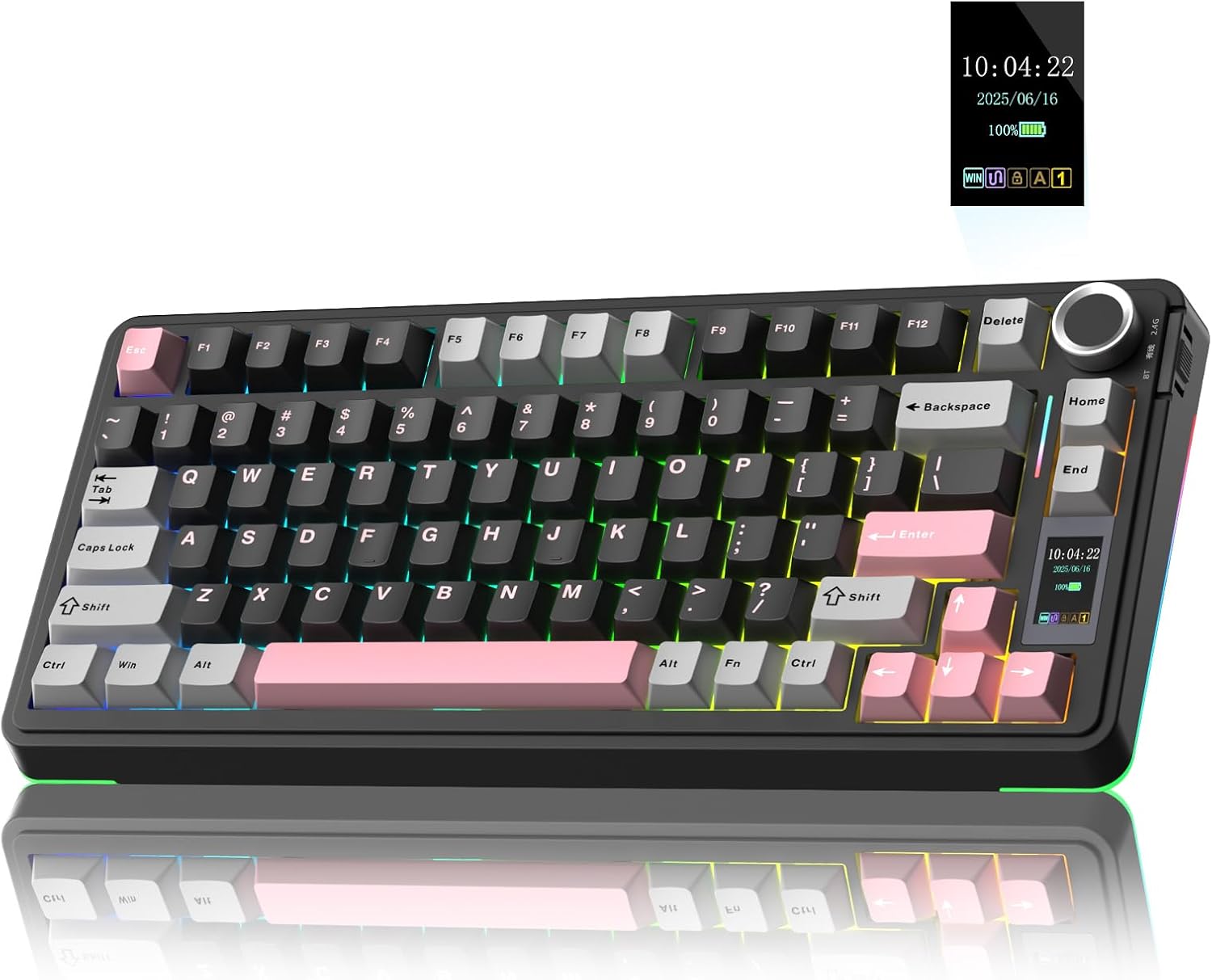
AULA S75Pro Wireless Gaming Keyboard (75%) with TFT Screen, Multi-function Knob, Hot-swap & RGB
Product description
What it is and why people buy it
The AULA S75Pro is a 75 percent wireless mechanical gaming keyboard that aims to cut desktop clutter while keeping full-on customisation within reach. What makes it stand out from the more basic “just plug it in” boards is the mix of triple-mode connectivity (BT 5.0, 2.4G wireless, and wired USB-C), plus an onboard TFT display and a multi-function knob for quick adjustments.
On paper, that combination is built for the kind of setup where you bounce between tasks and devices. Maybe you want one keyboard for gaming on a PC, another for work, and you don’t fancy swapping hardware every time. It also suits anyone who prefers a compact layout but still wants features that feel “more than a toy”, like programmable macros, key remapping and custom RGB behaviour.
Still, it’s not perfect for everyone. If you only care about simple typing and zero software tweaking, the extra controls and features can feel like more effort than payoff.
Triple-mode wireless: BT 5.0, 2.4G, and USB-C
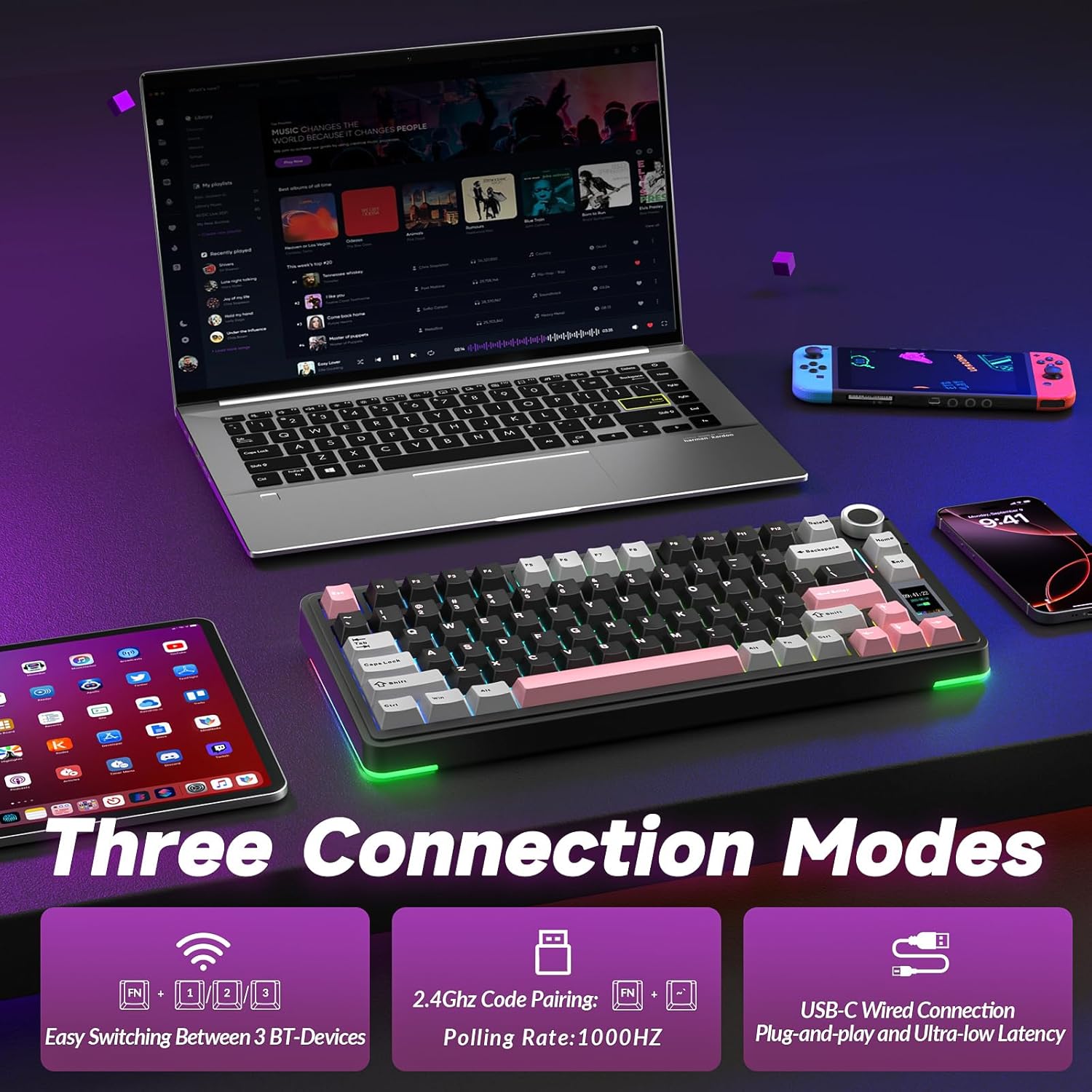
A big practical win here is connectivity flexibility. The S75Pro supports: - BT 5.0 for straightforward low-fuss pairing - ultra-low-latency 2.4G wireless for a more responsive feel in games - wired USB-C when you want a consistent connection
In real-life terms, this helps if you share one desk between a workstation and a second device. For example, you could keep the keyboard connected via 2.4G while gaming, then switch to BT for everyday use without getting cables tangled in the middle of a session.
Worth noting: the “best” mode depends on what you prioritise. If you’re gaming competitively, you’ll likely lean on 2.4G. If desk simplicity matters most, BT can be the better choice.
LCD/TFT screen and multi-function knob
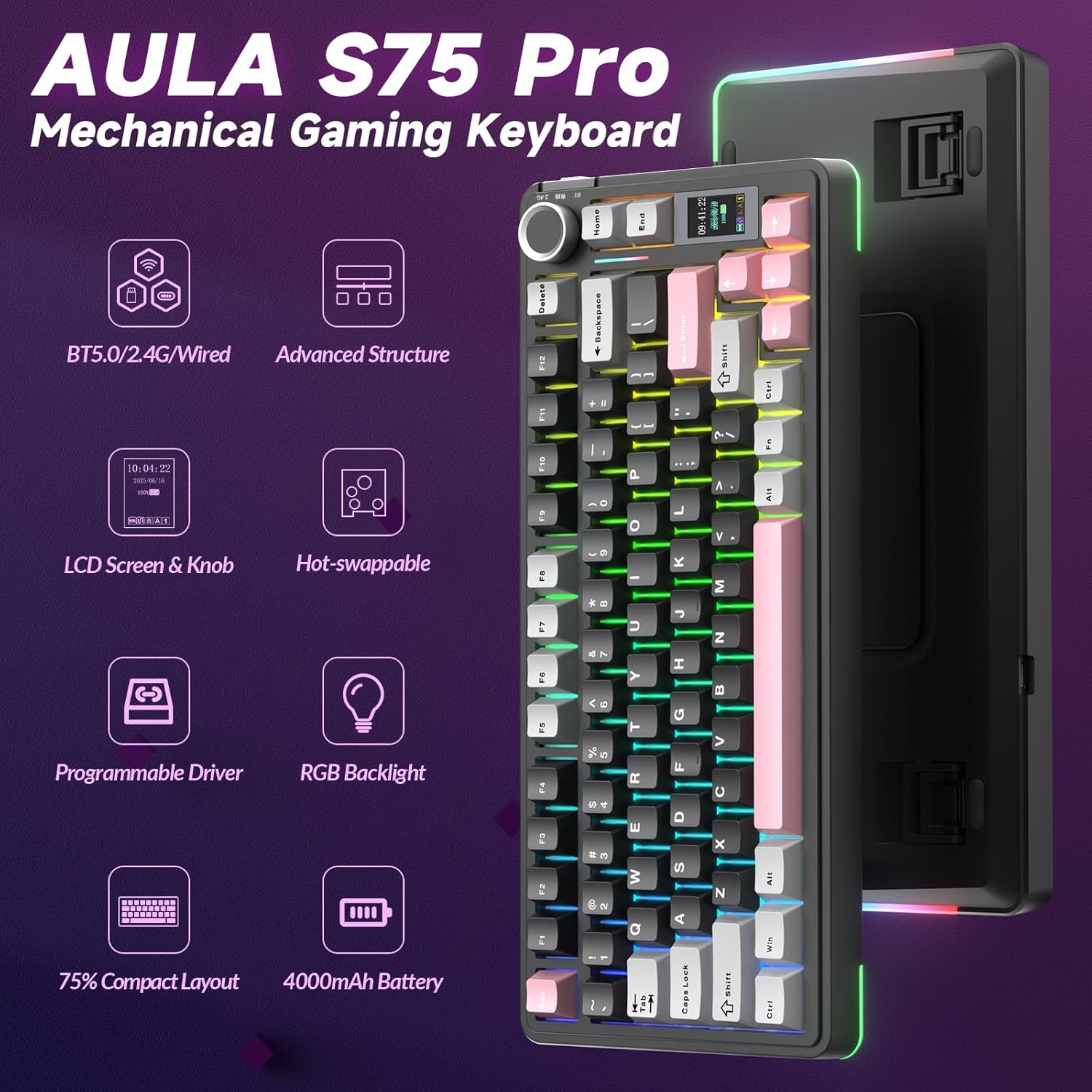
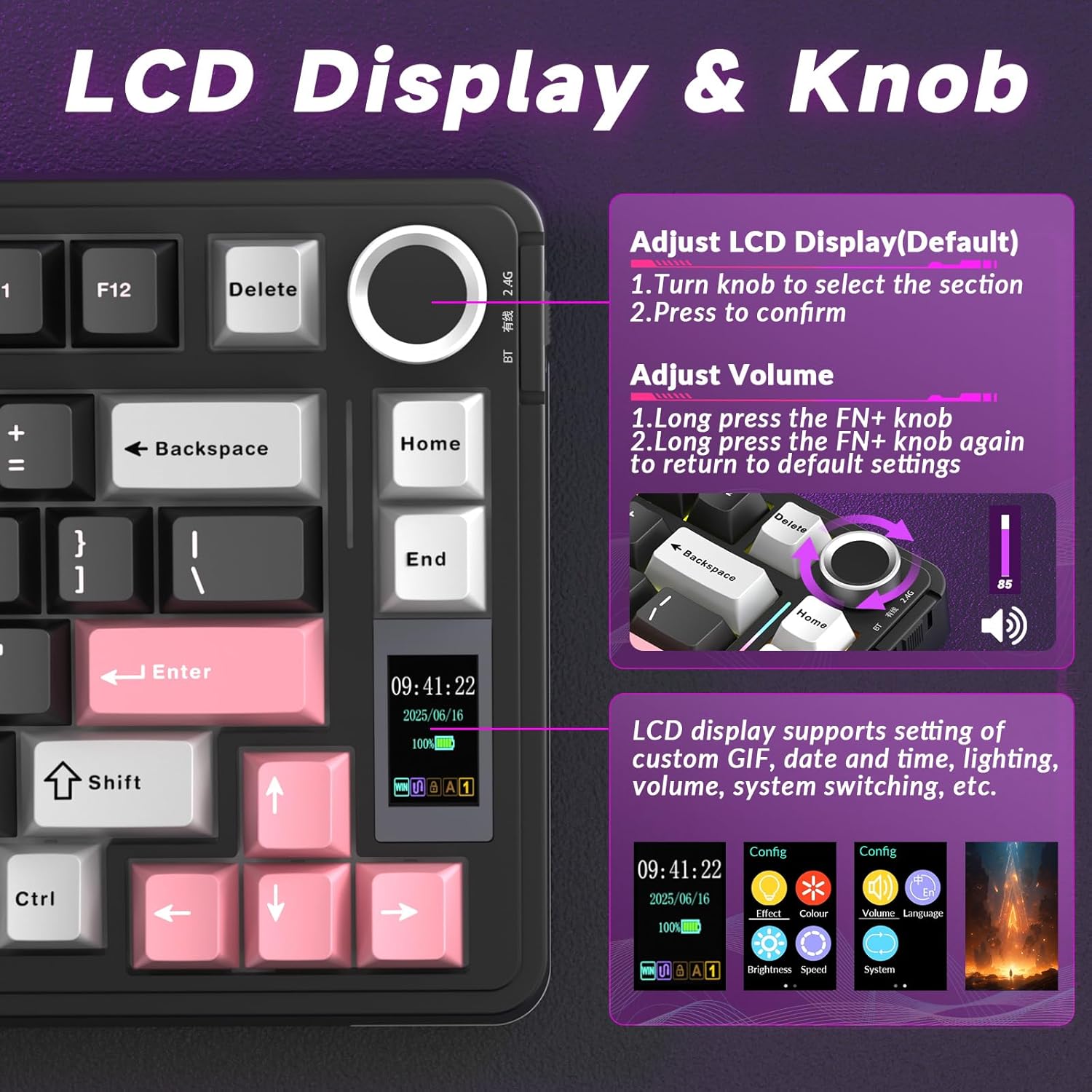
Unlike many 75 percent keyboards, this one includes a built-in TFT display and a multi-function knob. The intended benefit is speed: you can handle settings and status updates directly on the keyboard rather than hunting through menus.
The base set of functions mentioned includes language selection, system switching, volume adjustment, time/date settings, RGB backlight settings, and a battery power display. There’s also support for customising GIFs displayed on the LCD via the driver.
Is it actually useful day to day? For many people, yes—especially when you’re switching between modes or want quick tweaks. But if you never adjust keyboard settings and don’t care about on-board status, you might not use the screen and knob much.
Sound and feel: five-layer sound-absorbing padding
Typing feel is a huge part of the “is it worth it?” question for mechanical keyboards, and the S75Pro is clearly aiming for a smoother, quieter experience than the plainest builds.
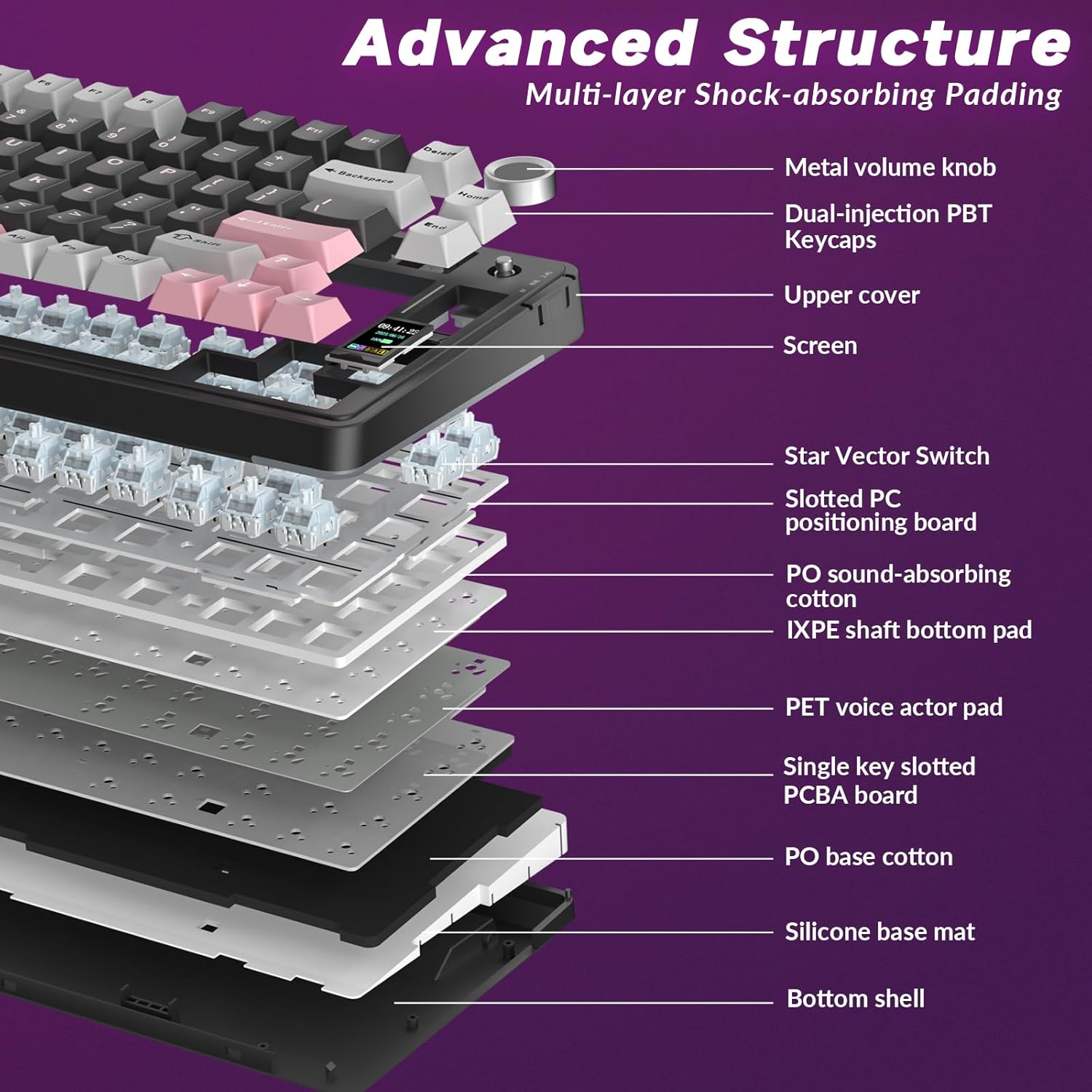
It uses a five-layer padding structure designed to reduce noise and vibrations. The description specifically mentions a combination of poron foam, an IXPE switch pad, a PET sound enhancement pad, and a bottom silicone pad.
What you can expect, based on this approach, is a more muted keystroke sound and improved consistency—useful if you want something that works in an office environment as well as for gaming at home. It’s not the same thing as a fully “silent” setup, but it sounds like it’s trying to keep the experience on the calmer side.
Hot-swap with pre-lubricated switches
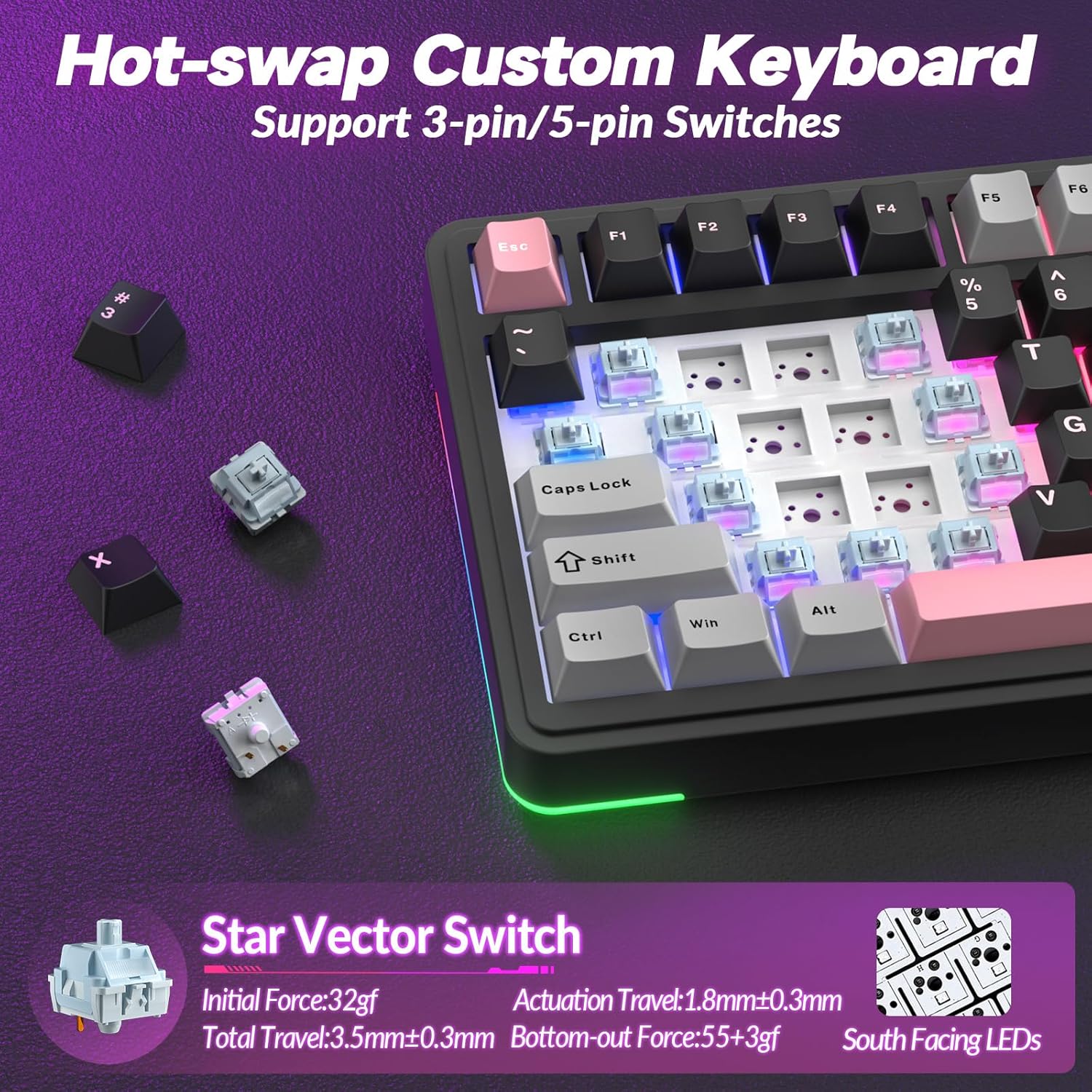
If you like experimenting, hot-swap matters. The S75Pro is described as hot-swappable and supports both 3-pin and 5-pin switch replacement “without soldering”. That gives you freedom to change switches later without committing to a full rebuild.
It also comes with pre-lubricated switches (LEOBOG pre-lubricated switches are mentioned), aiming to deliver a smoother typing feel straight out of the box.
A limitation to keep in mind: hot-swap is great for flexibility, but the exact results (feel and sound) will depend on what switches you choose later—so if you’re the type who wants zero tinkering, you may simply stick with what’s included.
RGB backlighting and custom effects
The keyboard uses RGB backlighting with over 16.8 million colours and 20 preset lighting effects. The key part is control: settings can be adjusted quickly using the knob and screen, and also customised via software.
The description also notes a south-facing LED approach to enhance keycap transparency while reducing glare, which is the sort of detail that tends to matter if you use the board in brighter rooms or you find “hot spots” distracting.
If you only want one steady colour, there’s nothing wrong with that—this board won’t force you into constant tweaking. But if visual effects are part of your setup, it has the controls and customisation route covered.
Driver, macros, remapping and GIFs on the screen
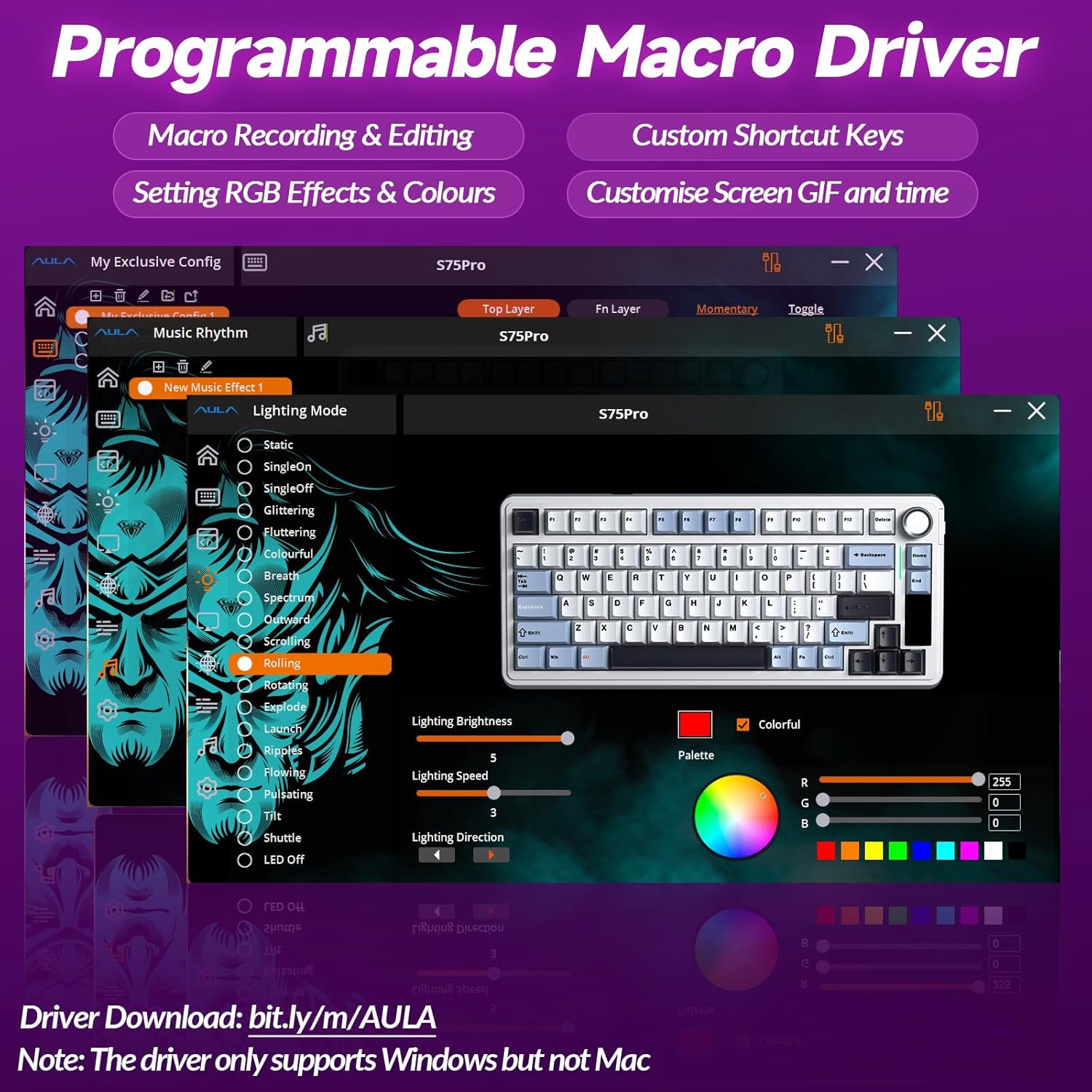
The S75Pro includes an “advanced macro driver” designed to unlock more of the keyboard’s potential. Based on the details provided, it supports programmable macro commands, key remapping, and setup of multi-function shortcut keys to streamline workflows or in-game advantages.
It also allows GIF customisation and uploading to the LCD screen.
If your approach is “set it once and forget it”, you may not need the full software side. If you like optimising key functions—work macros, gaming binds, or quick toggles—the driver is where the keyboard becomes more than just hardware.
Tech specs (what’s explicitly stated)
Key specifications
- Connectivity: BT 5.0, 2.4G wireless, and wired USB-C
- Layout type: 75 percent
- Display: built-in TFT/LCD screen
- Controls: multi-function knob
- Hot-swap: supports 3-pin and 5-pin switch replacement (no soldering)
- Switches: pre-lubricated LEOBOG switches (as stated)
- Sound reduction: five-layer padding (poron foam, IXPE switch pad, PET sound enhancement pad, bottom silicone pad)
- Backlighting: RGB with 16.8 million colours and 20 preset effects
Who it suits, and who should look elsewhere
It’s a strong match if you want a compact 75 percent keyboard that still offers a lot of control without feeling restricted to one device. The triple-mode connectivity plus onboard display/knob is especially appealing if you regularly switch between devices or need quick settings changes.
It may not suit you if you’re after a straightforward, no-fuss typing device. The extra features (screen, knob, hot-swap, software-driven macros/GIFs) are great for people who’ll actually use them, but less compelling if you just want something to type and game with.
Also, because it’s positioned as a feature-rich mechanical gaming keyboard, you might find it more “mid-to-featured” than “pure minimalism”.
Mini FAQ
Frequently asked questions
Does it work wired as well as wireless? Yes—USB-C wired connectivity is included alongside BT 5.0 and 2.4G wireless.
Can you change switches without soldering? The hot-swap design is stated to support 3-pin and 5-pin switch replacement without soldering.
What’s the TFT screen used for? It’s described as an interactive interface for real-time updates and customisation, including settings controls and battery display, plus GIFs via the driver.
Is it more aimed at gaming or typing? It’s built for both: the wireless low-latency angle suits gaming, while the five-layer padding is geared towards a smoother, quieter typing experience.
Final verdict
When it makes sense
Buy the AULA S75Pro if you want a 75 percent mechanical keyboard with real-world convenience: triple-mode wireless, an onboard TFT screen with a multi-function knob, and hot-swap flexibility for later switch changes. It’s especially worth considering if you switch between devices and like having keyboard settings at your fingertips.
Skip it if you want a minimalist, no-software keyboard where you’ll never touch macros, RGB customisation, GIFs, or switch swapping. In that case, the added features may just be extra complexity for limited benefit.