

YUNZII x MADLIONS MAD68 HE wired 60% gaming keyboard with magnetic rapid trigger (black)
Product description
What it is and why it exists
The YUNZII x MADLIONS MAD68 HE is a wired 60% mechanical gaming keyboard built around rapid actuation. On paper, it’s aimed at players who care about consistency and speed—especially where you want quick starts, clean inputs and fast repeating motions.
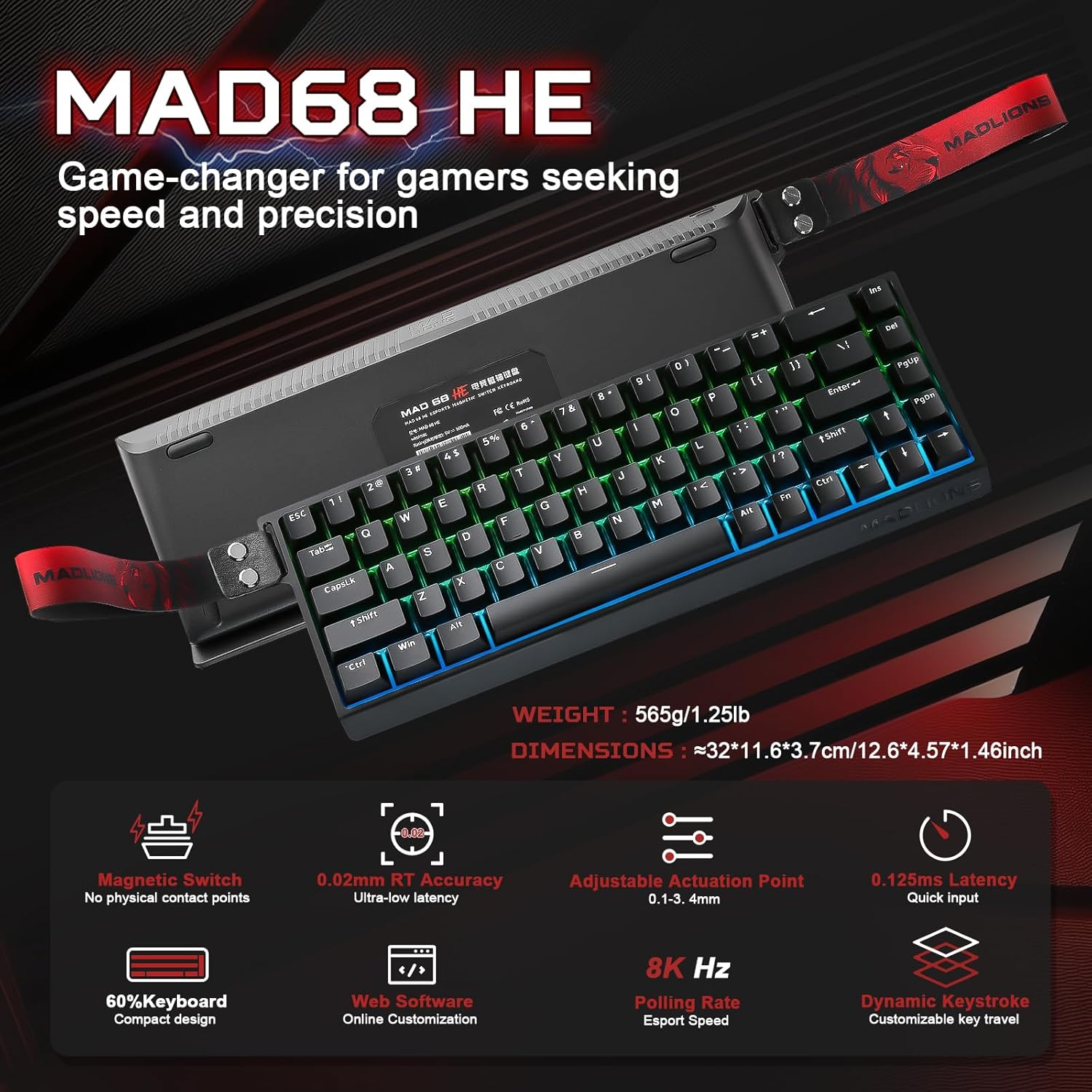
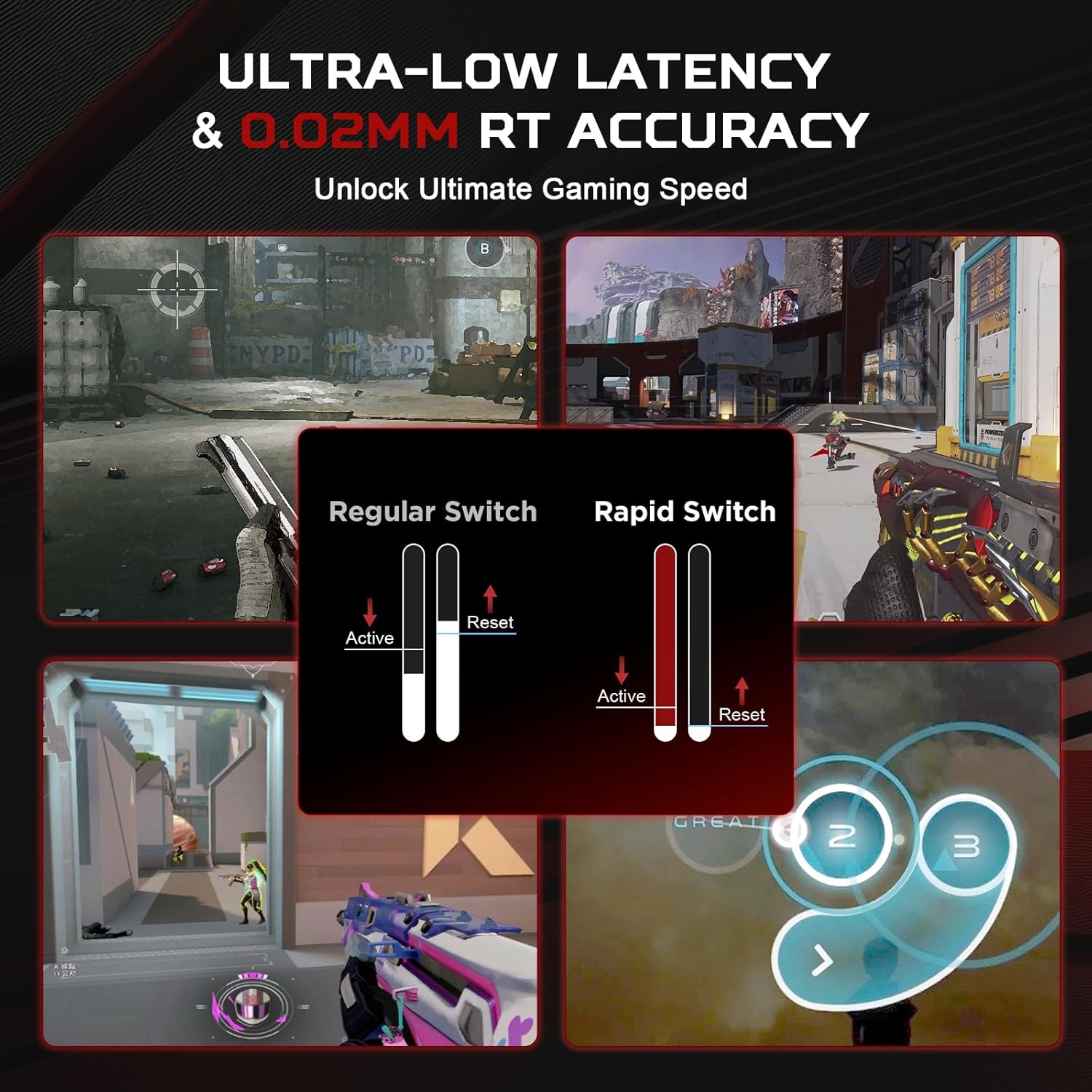
The key detail in its design is the adjustable actuation point plus a specified reset distance of 0.02 mm. If you’re the kind of person who tweaks settings until the keyboard feels “snappy” for your playstyle, this model is clearly going in that direction rather than being a one-size-fits-all board.
The key stuff you’ll notice in use
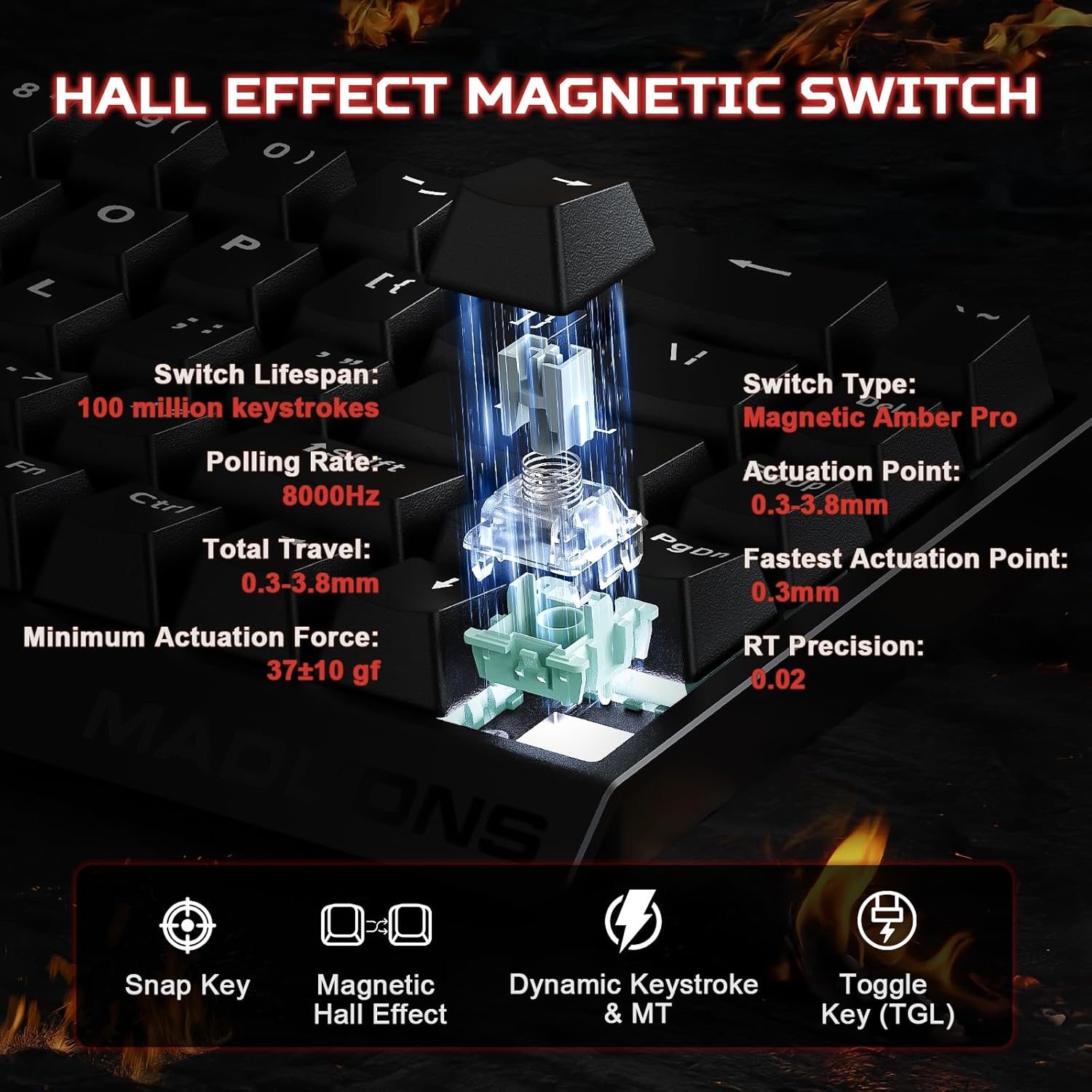
What stands out most is the focus on rapid trigger behaviour. The description mentions dynamic key press functionality (dks) and an adjustable activation point, with the reset distance stated as 0.02 mm. For gaming, that combination is meant to translate into faster stops and quicker movement between presses—useful in rhythm-heavy sessions and fast rotations.
It’s also designed for heavy input scenarios, with NKRO (n-key rollover) claimed so that multiple key presses register accurately even during rapid gameplay.
If you’re thinking of it for everyday typing as well, you might still like the 60% layout for desk space, but the “HE rapid trigger” focus suggests it’s more naturally suited to gaming rather than pure office comfort.
Key adjustments and customisation (software matters here)
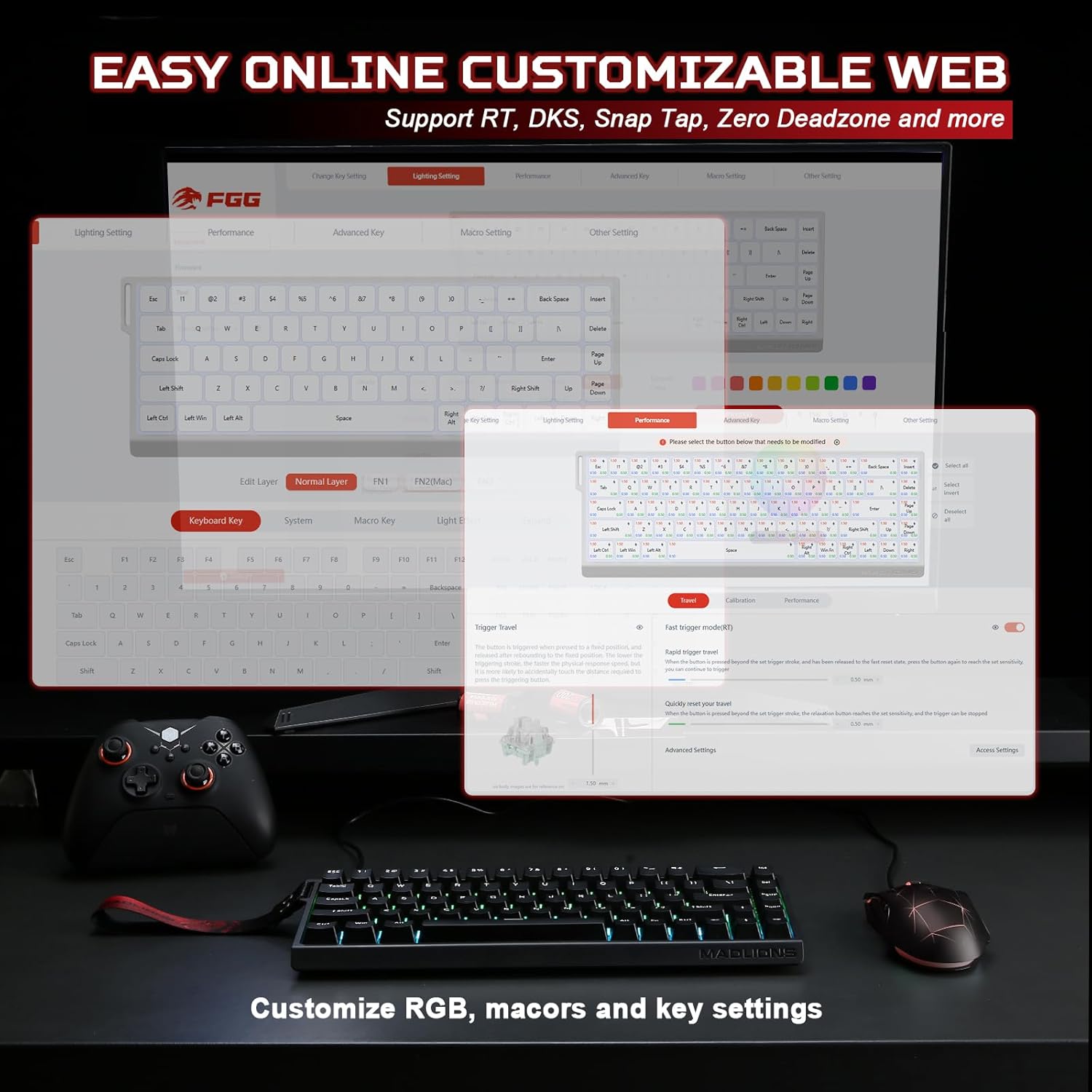
This keyboard comes with web software for customisation on Windows and macOS. That matters because the HE setup involves tuning options—such as the Hall effect configuration, remapping keys, setting macros, and adjusting RGB lighting effects.
So the buying question becomes less about whether you can tweak, and more about whether you’ll actually use the tuning. If you prefer to stick with factory defaults, you may not get the best out of it.
There’s also a practical angle: if you play different games (or you just enjoy changing your control schemes), remapping and macro support can save you time versus rebuilding layouts manually.
Switches and hot-swap reality check
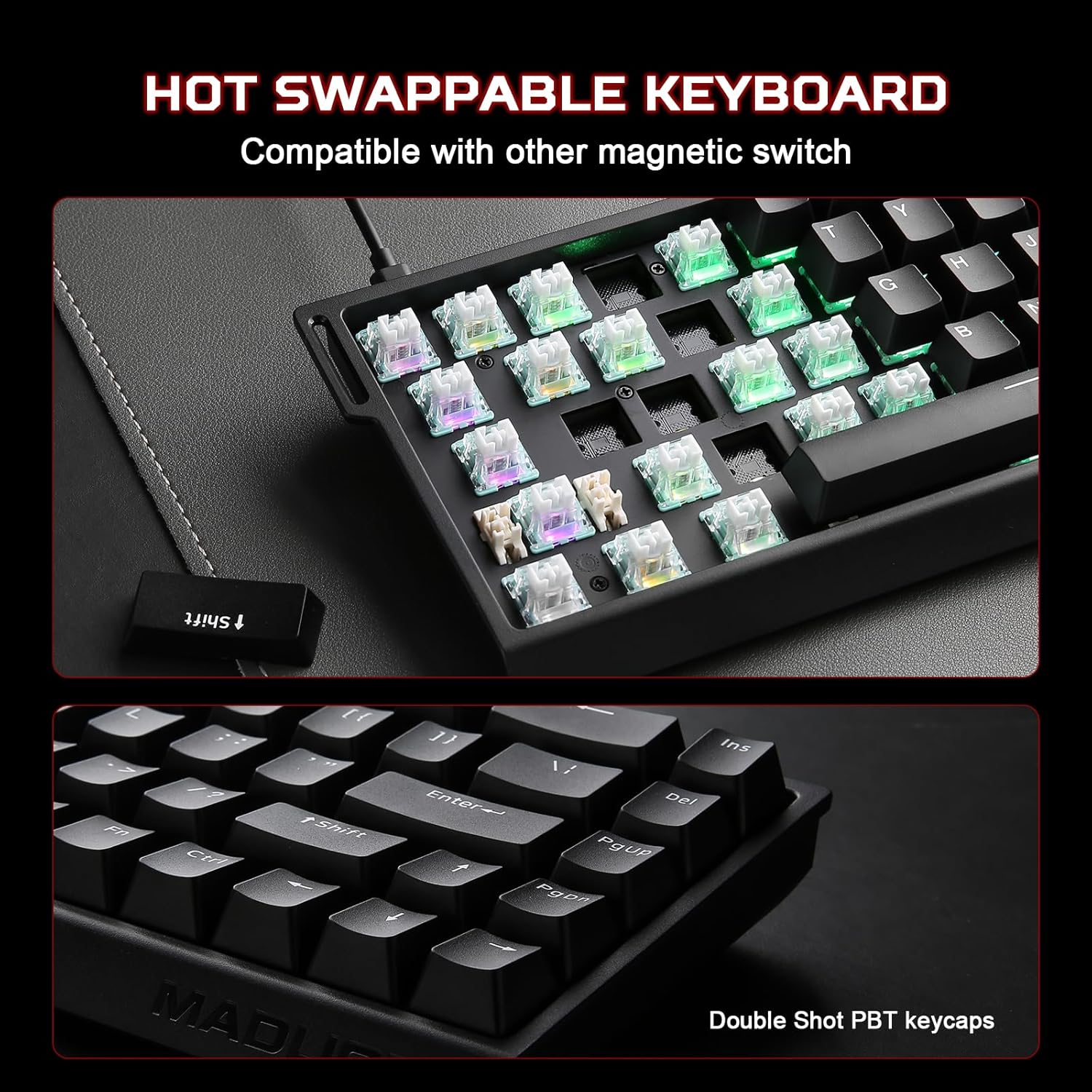
The MAD68 HE includes PBT keycaps and is hot-swap for the magnetic Hall-effect style switches. The description is specific here: it’s compatible only with the magnetic switches mentioned, and it’s not compatible with other magnetic switch types.
That’s a sensible approach if you already know you want to experiment within the same magnetic ecosystem. But if your plan is to try a wide range of third-party magnetic switches, you’ll want to double-check compatibility first—this model doesn’t sound like it’s trying to be universally compatible.
Build, layout, and RGB
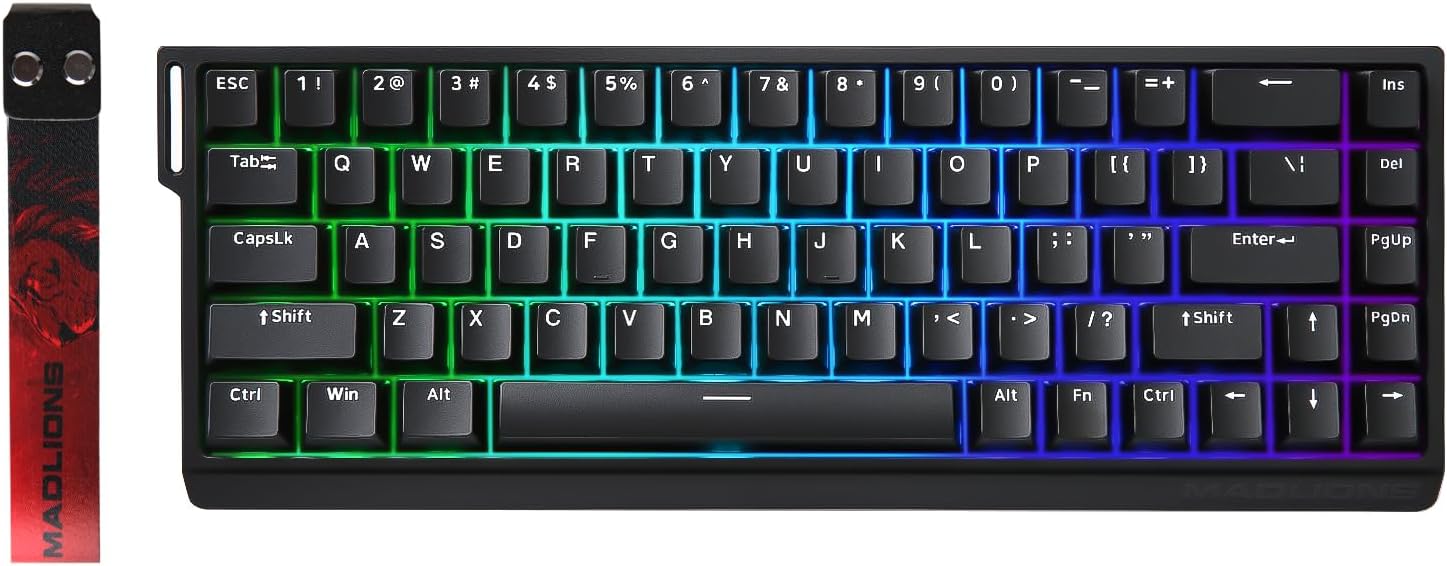
You’re getting a compact 60% form factor with dedicated arrow keys included (so you don’t lose them entirely). For aesthetics and personalisation, it supports RGB with 16 million colours and dynamic lighting effects.
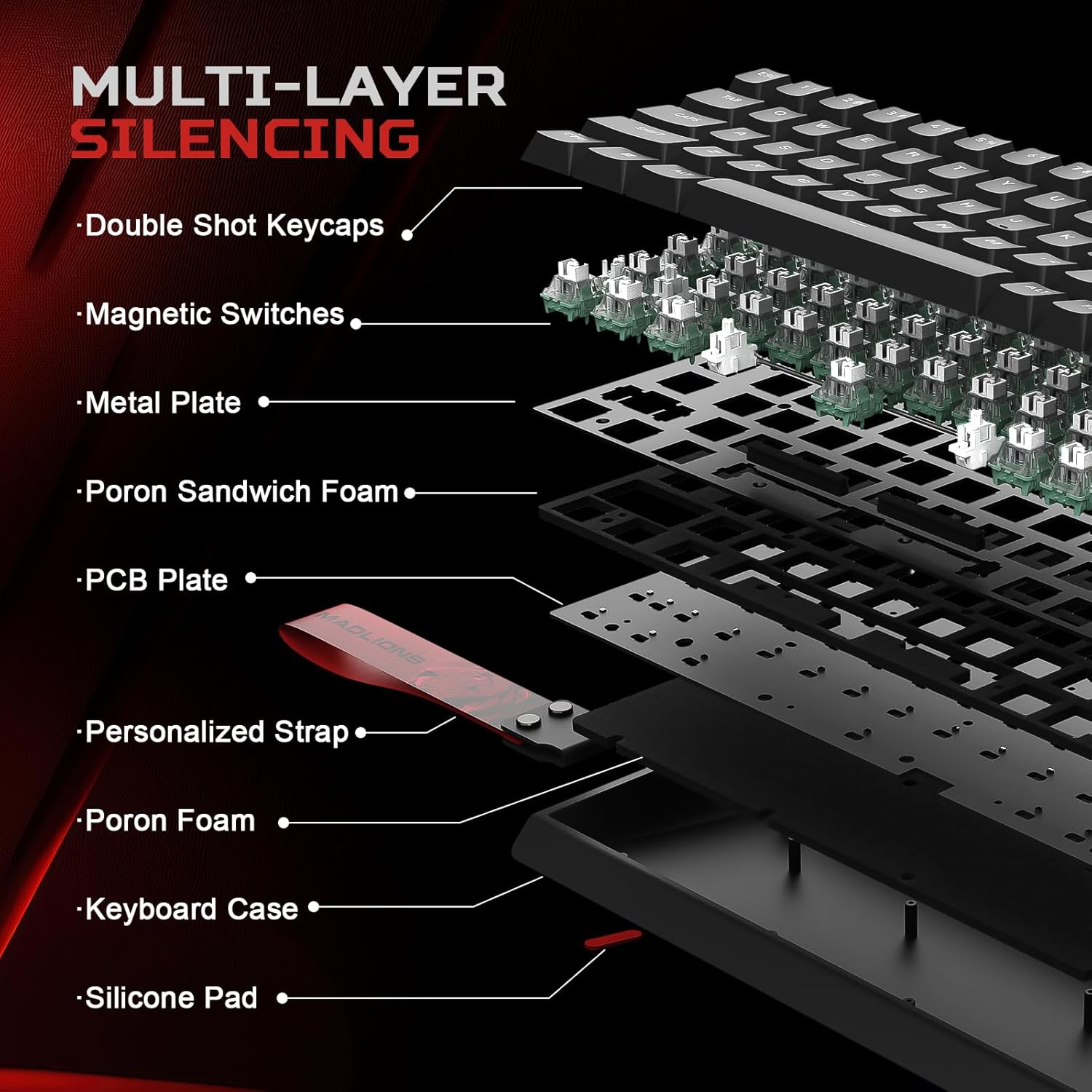
The description also mentions durable metal positioning plates and multi-layer sound-dampening foams, which should help with stability and sound character during typing and gaming.
One of the more personal touches is the removable decorative tape and a double-click keycap (as described). That’s not something that changes performance, but it can make the keyboard feel more “yours” rather than purely utilitarian.
Tech summary (quick facts to compare)
Tech specs
- Type: wired 60% mechanical gaming keyboard
- Switch activation: adjustable actuation point with rapid trigger concept
- Reset distance: 0.02 mm
- Polling rate: 8K Hz
- Rollover: NKRO (n-key rollover)
- Keycaps: PBT
- RGB: 16 million colours with dynamic effects
- Connectivity: wired (no-lag positioning is implied by reliable wired connection)
- Hot-swap: for magnetic switches only (not compatible with other magnetic switch types)
- Software: web software for Windows and macOS
Who it suits best, and who should look elsewhere
Best use cases
It’s a strong match if you primarily play fast-paced games and you’re willing to tune actuation and resetting behaviour to your own preferences. If you like remapping, macros, and RGB customisation—and you don’t mind setting things up via web software—this keyboard is built around that kind of ownership.
It may not be the best match if you want a keyboard that’s largely “set and forget”, or if you’re hoping to swap in many different magnetic switch brands/types. The compatibility constraint is worth taking seriously.
It also sits more in the “performance-first” bracket than a basic budget mechanical board, so if your needs are mostly casual gaming or office typing, you might not use the features enough to justify the effort.
Final verdict
Is it worth it?
It’s worth considering if your priority is rapid trigger behaviour with an adjustable actuation point and a very specific reset distance (0.02 mm), plus NKRO for high-speed play. The wired connection and the 8K Hz polling rate also fit that performance-focused story.
You may want to skip it if hot-swap flexibility is the main reason you’re shopping, because the magnetic switch compatibility is limited to the magnetic switch type described. And if you’re not likely to use the web software for Hall effect tuning, remaps, macros, and RGB effects, it can feel like a lot of keyboard for a mostly default-user.
Mini FAQ
FAQ
Does the MAD68 HE work as a wired-only keyboard? Based on the description, it’s a wired keyboard, which is part of how it’s positioned for consistent performance.
Can I use any magnetic switches in the hot-swap sockets? Not as described. It’s only compatible with the magnetic switch type mentioned, and it’s not compatible with other magnetic switch variants.
Is it customisable on Windows and macOS? Yes—web software is included for Windows and macOS, covering remapping, macros and Hall effect configuration.
Will the 60% layout suit my desk setup? It includes arrow keys (so you don’t lose them), but it’s still a compact 60% layout, so it’s best if you’re happy with a smaller footprint.
What’s the main reason to buy it over a simpler mechanical keyboard? The emphasis is on adjustable rapid trigger behaviour and fast input responsiveness, rather than being purely about general mechanical feel.