

AULA S75Pro Wireless Gaming Keyboard 75% – RGB, hot-swap, LCD screen & multi-function knob
Product description
What it is
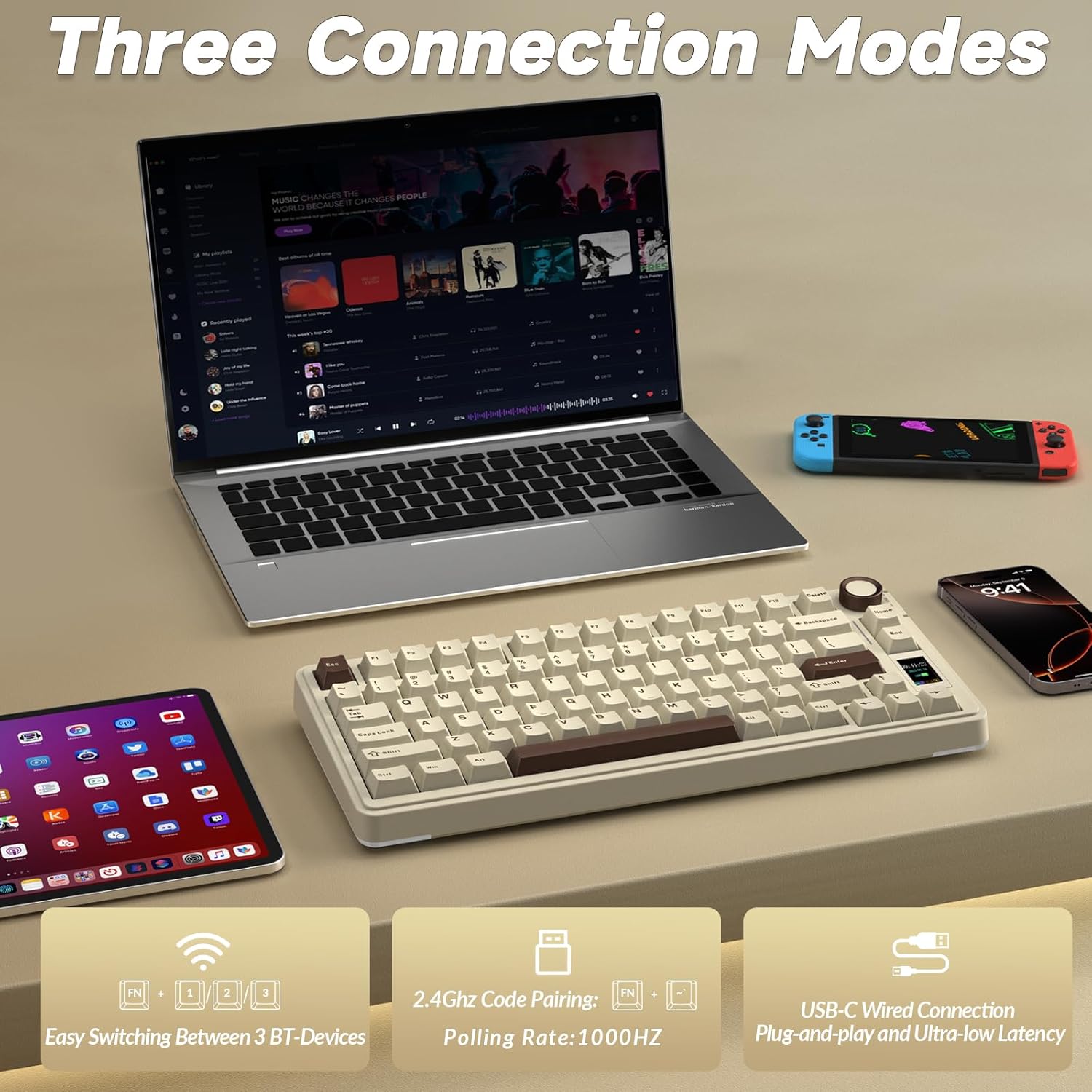
The AULA S75Pro is a 75% compact mechanical keyboard designed for both gaming and productivity. It supports triple connectivity (BT5.0, 2.4G wireless, and USB-C wired) to help you switch between devices without desk clutter. On paper, it aims to balance responsive keystrokes with a customizable visual setup and convenient on-device controls.
Who it’s for
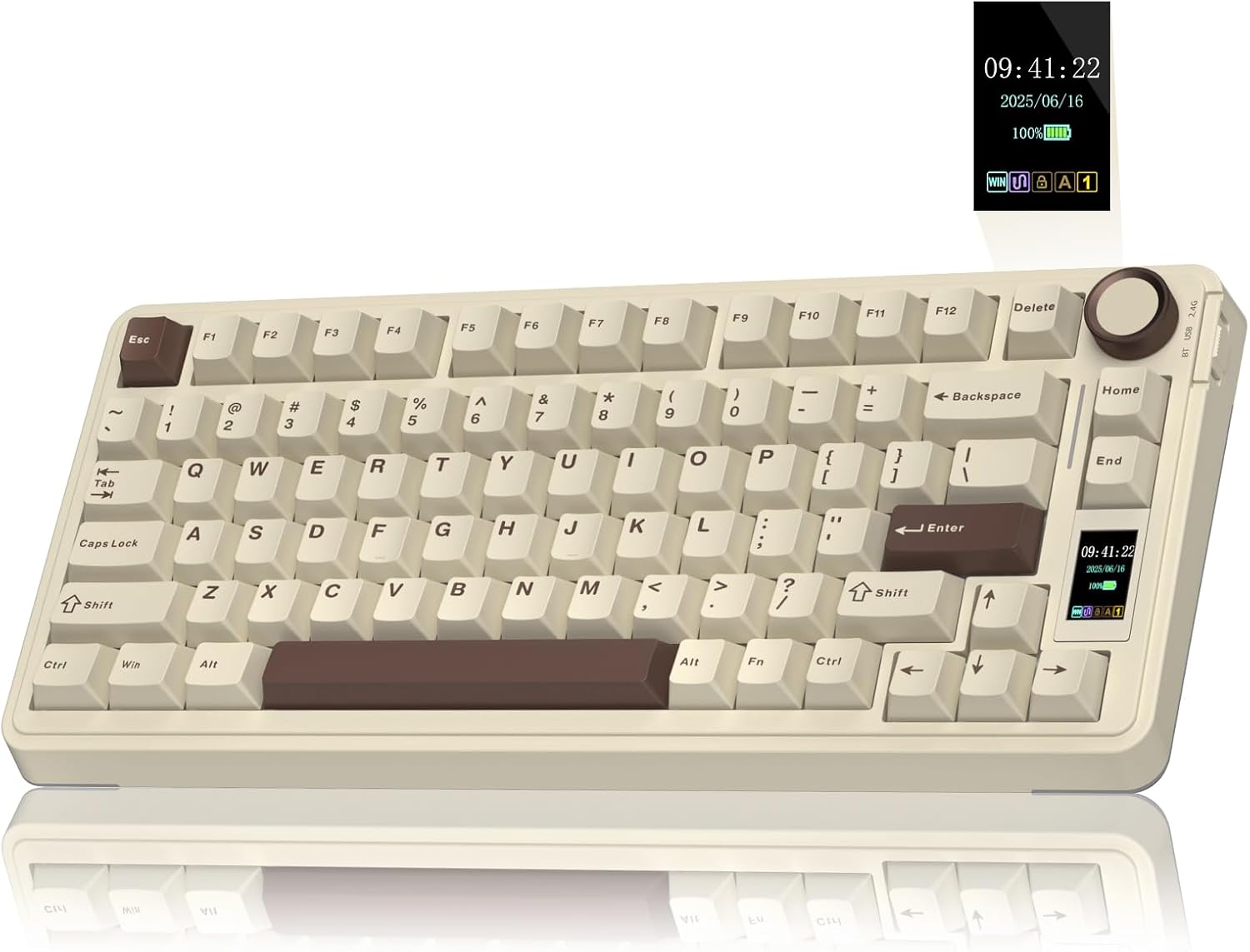
If you value a smaller footprint without sacrificing features, this keyboard targets gamers and multi-device users who want a tactile feel, customisable lighting, and quick access to functions via a built-in LCD screen and the multifunction knob. It may suit those who work across multiple PCs or MACs and want a single keyboard that adapts to different tasks.
What matters most in use
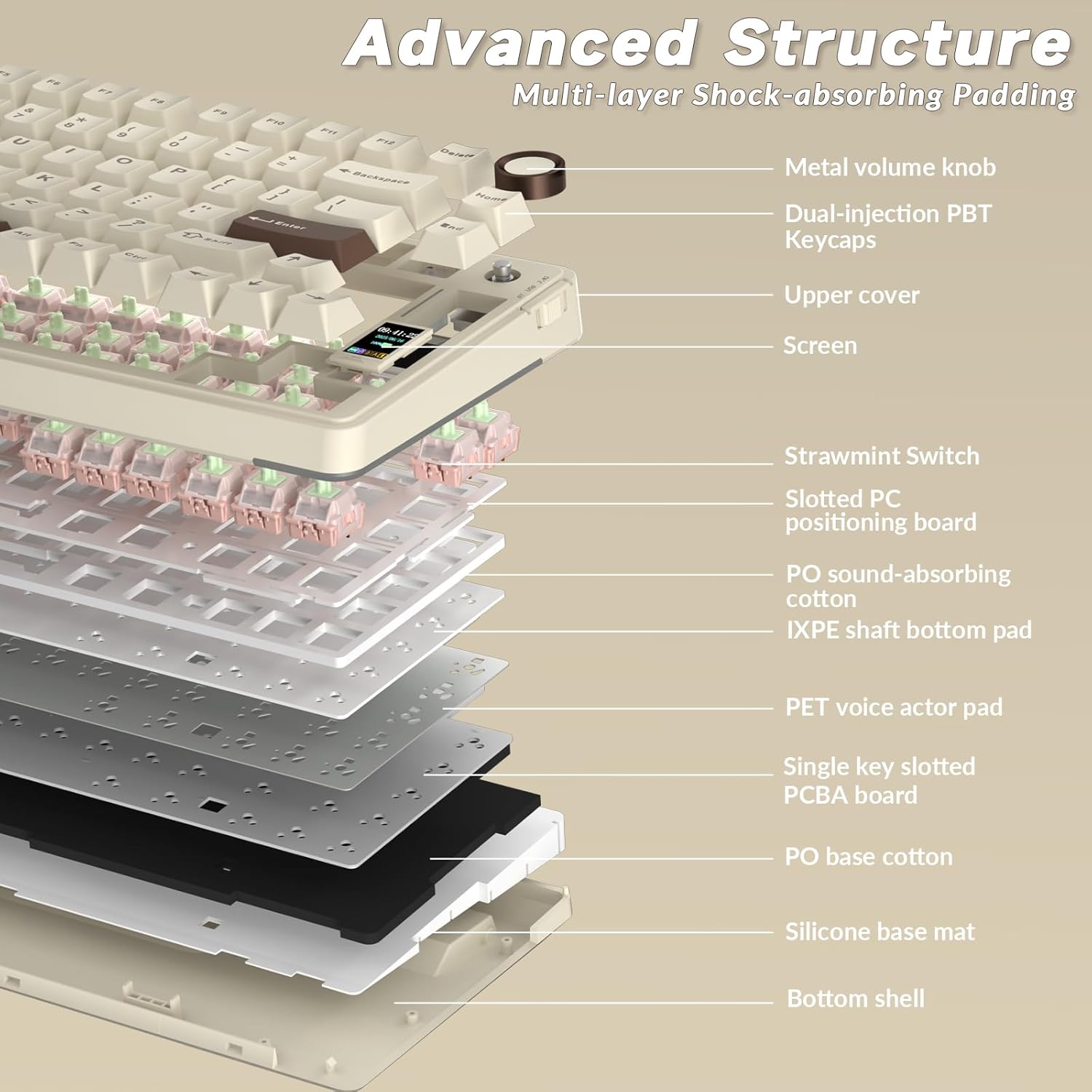
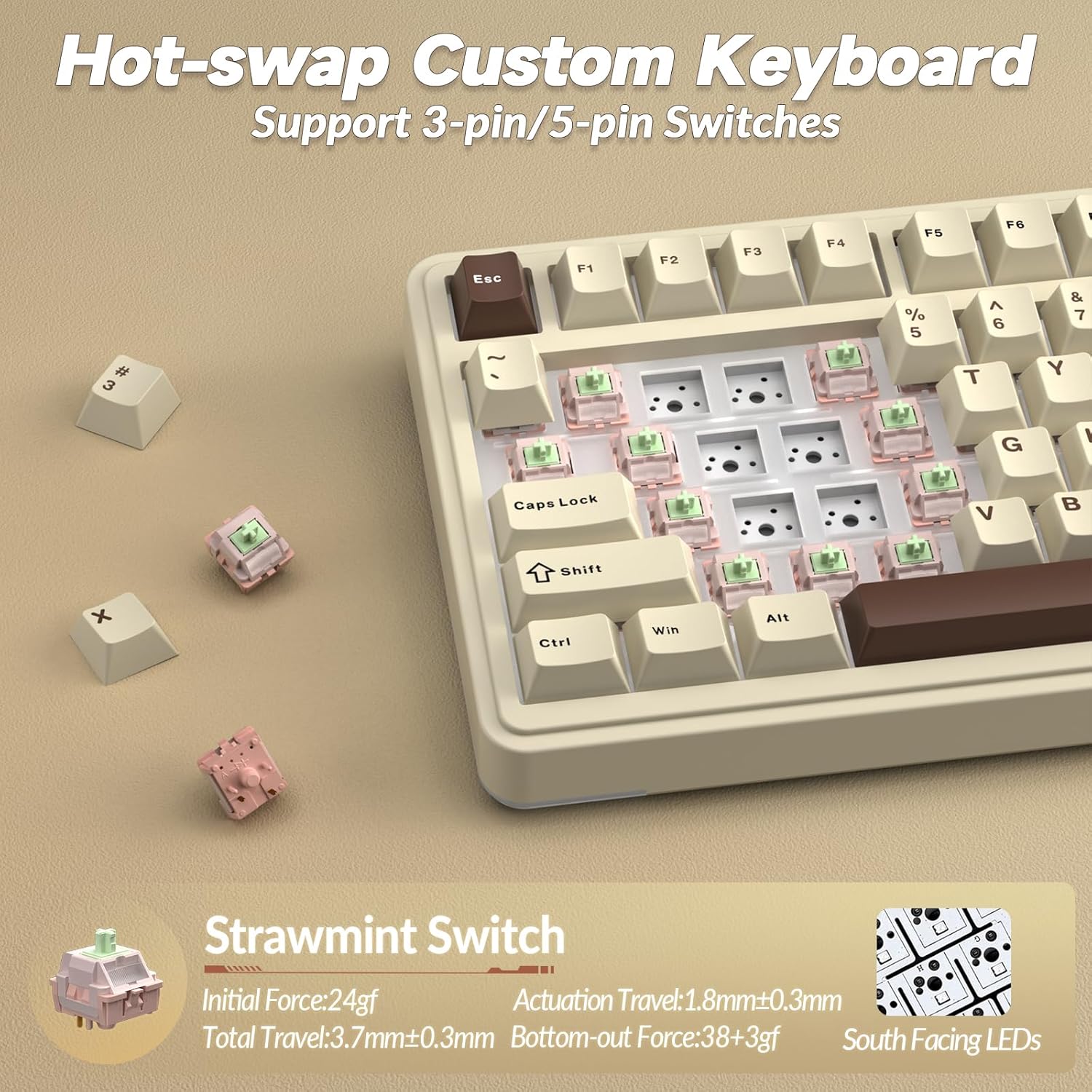
On the typing front, it ships with pre-lubricated switches and hot-swap capability, so you can tailor the feel by swapping switches without soldering. Noise reduction is a consideration thanks to a five-layer padding stack, which can help keep typing quieter in shared spaces. The RGB backlighting offers a wide palette and preset effects, with direct control through the knob and screen.
How it performs day to day
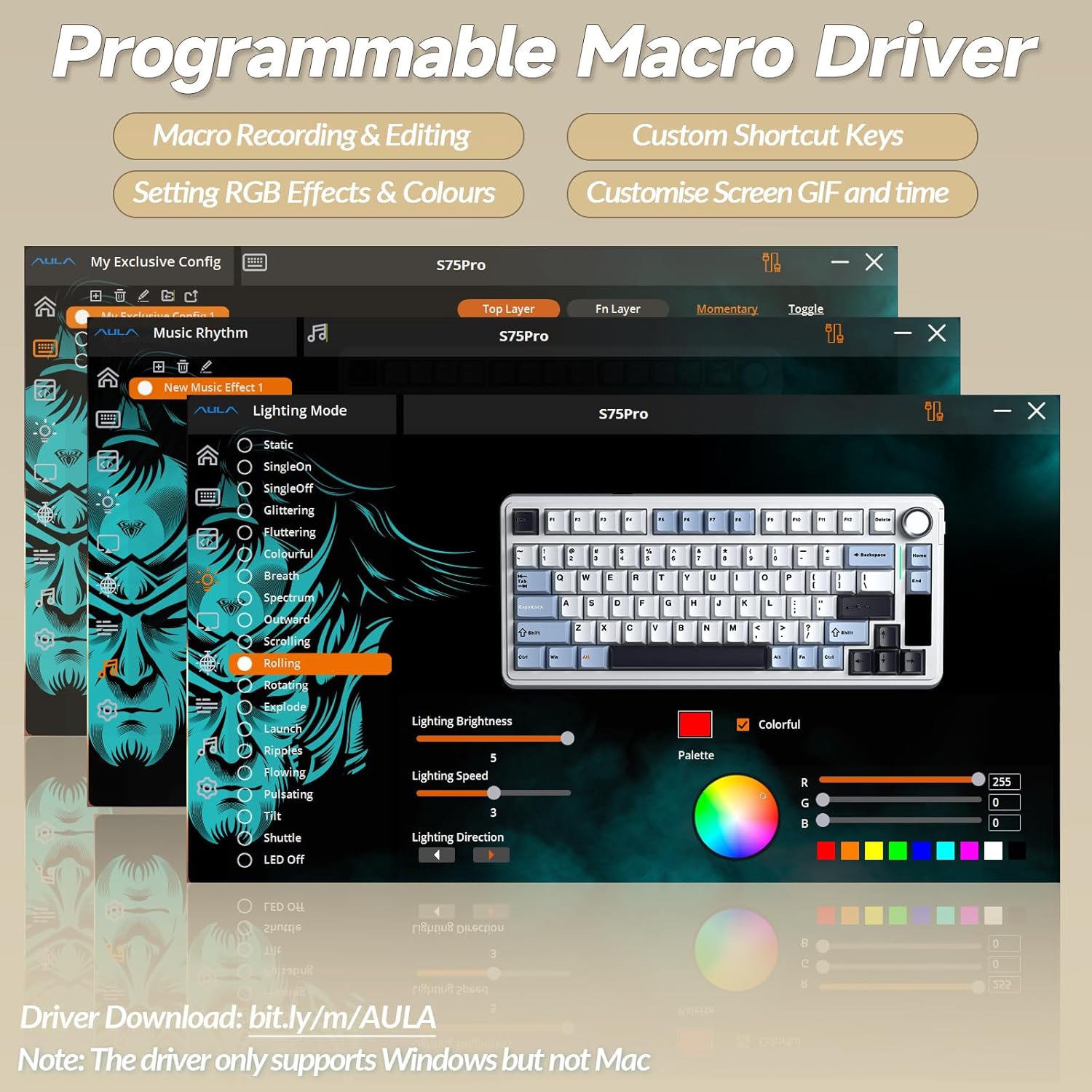
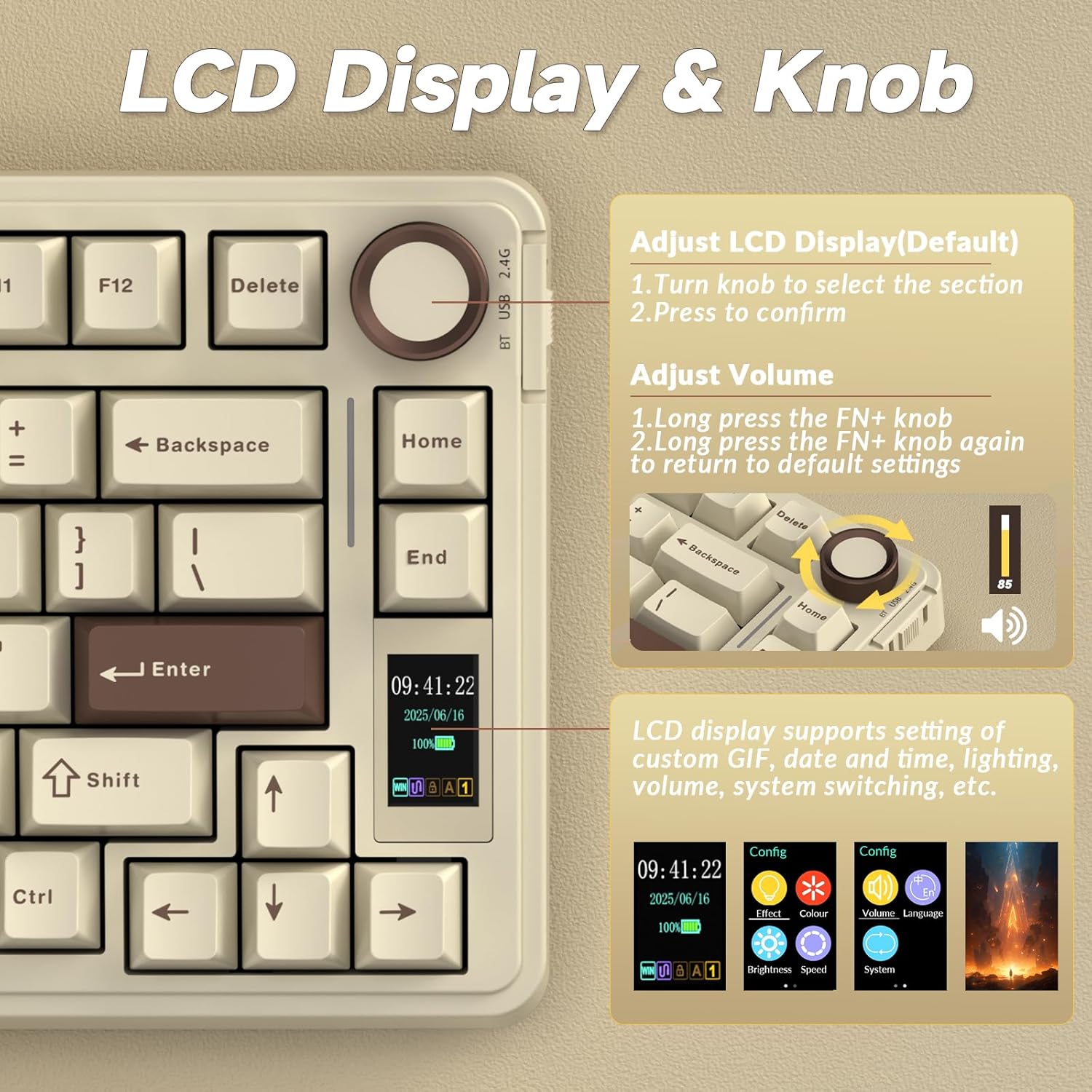
The LCD screen provides real-time feedback and customisation options, including GIF uploads via the driver. The rotary knob handles volume, RGB, and other shortcuts, potentially speeding up common tasks. Connectivity is designed for stability across modes, which can reduce distractions during play or work.
Tech at a glance
- Five-layer padding for reduced noise and smoother keystrokes
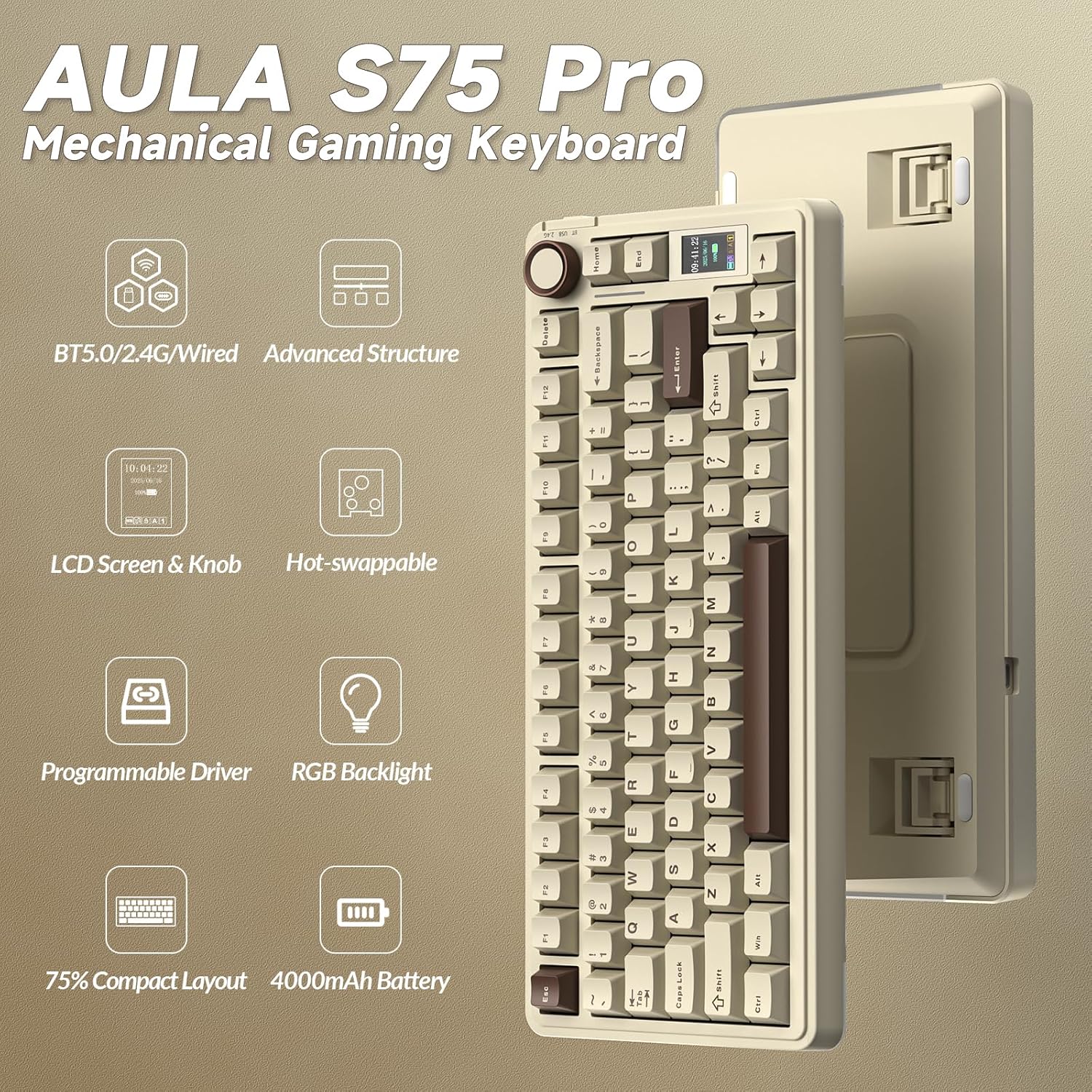
- Hot-swappable switches (3-pin and 5-pin compatibility)
- Pre-lubricated switches for a smoother, premium feel
- TFT LCD display and multi-function knob for on-device control
- 16.8 million RGB colours with 20 preset effects
- South-facing LEDs for better keycap transparency
- BT5.0, 2.4G wireless, and USB-C wired connectivity
Pros
- Flexible multi-device connectivity to minimise desk clutter.
- Hot-swappable switches offer upgrade paths without soldering.
- LCD screen and knob provide on-device customisation and quick access to settings.
- Strong focus on acoustic comfort with layered padding.
Cons or limitations
- The feature set is strong on versatility, but the real-world benefit of the LCD for every user may depend on software support and workflow needs.
- As a 75% layout, some users may miss dedicated function keys or a larger footprint for certain tasks.
- The effectiveness of the five-layer padding hinges on your typing style and environment, it’s designed to reduce noise, not eliminate it entirely.
What to check before buying
- Confirm your primary use case: gaming with quick macro access or multi-PC productivity.
- Consider whether you’ll benefit from hot-swapping and whether you’re comfortable with LEOBOG pre-lubricated switches.
- Think about software reliance for GIF customization and RGB control.
How it compares to other approaches
This keyboard sits between compact entry-level gaming boards and more feature-rich, larger setups. If you prioritise desk space and device-switching, the S75Pro offers a practical middle ground with onboard controls. If you want fully software-defined macro profiles or more aggressive acoustics, you might prefer a different configuration. For those who value quiet typing in a mixed-use environment, the padding is a helpful touch, though not a magic fix for all noise.
Is it worth it?
Should you buy it? It depends on your needs for compact size, multi-device compatibility, and on-device controls. If you want a 75% board with hot-swappable switches, a built-in display, and custom RGB in a single package, the S75Pro can be a sensible choice. If you prioritise a traditional full set of keys or a totally silent keyboard, you may want to explore other options.
FAQ
- Do the switches truly swap without soldering? Yes, it supports hot-swap for 3-pin and 5-pin switches.
- Is the LCD screen primarily cosmetic or functional? It offers real-time updates and can display custom GIFs via the driver.
- Can I use it with both Windows and macOS? Yes, the keyboard is designed to work with both environments, adapting to setup preferences.