

AULA F108 Pro Wireless Gaming Keyboard (Full Size) with Display, Knob, RGB & Hot-Swappable Grey
Product description
If you like the idea of a keyboard that feels more “controllable” than most, the AULA F108 Pro is built around two practical additions: a smart TFT display and a multi-function knob. Add wireless options (2.4G and BT5.0) plus USB-C wired use, and you get a full-size mechanical layout aimed at both gaming and everyday work.
That said, it’s not perfect for everyone. A few details in the package matter for first-time setup (especially around the software/driver), and if you’re mainly after simplicity, you may find yourself spending more time customising than typing. Still, for the right buyer, it’s a compelling feature-led full-size keyboard.
The essentials
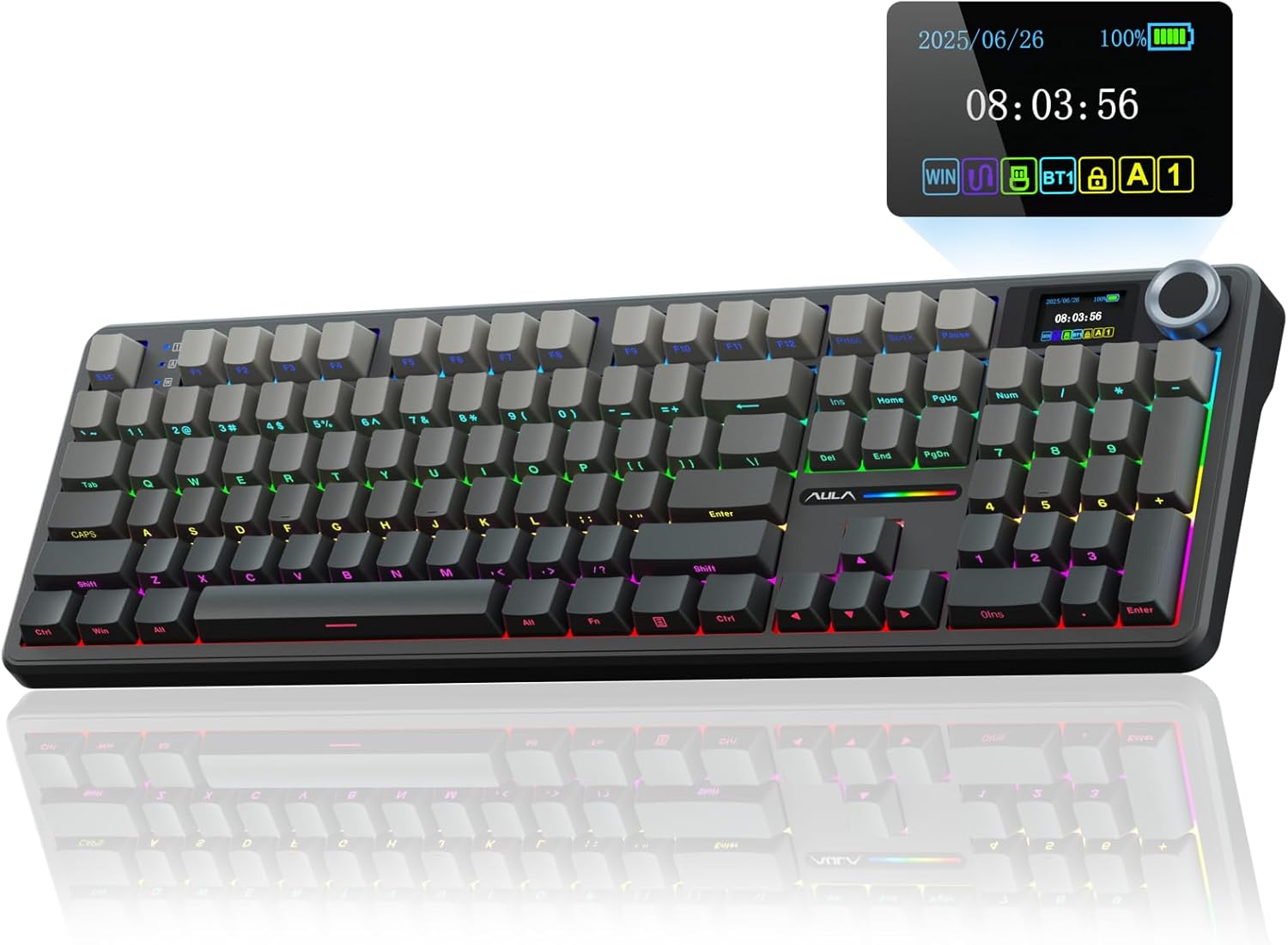
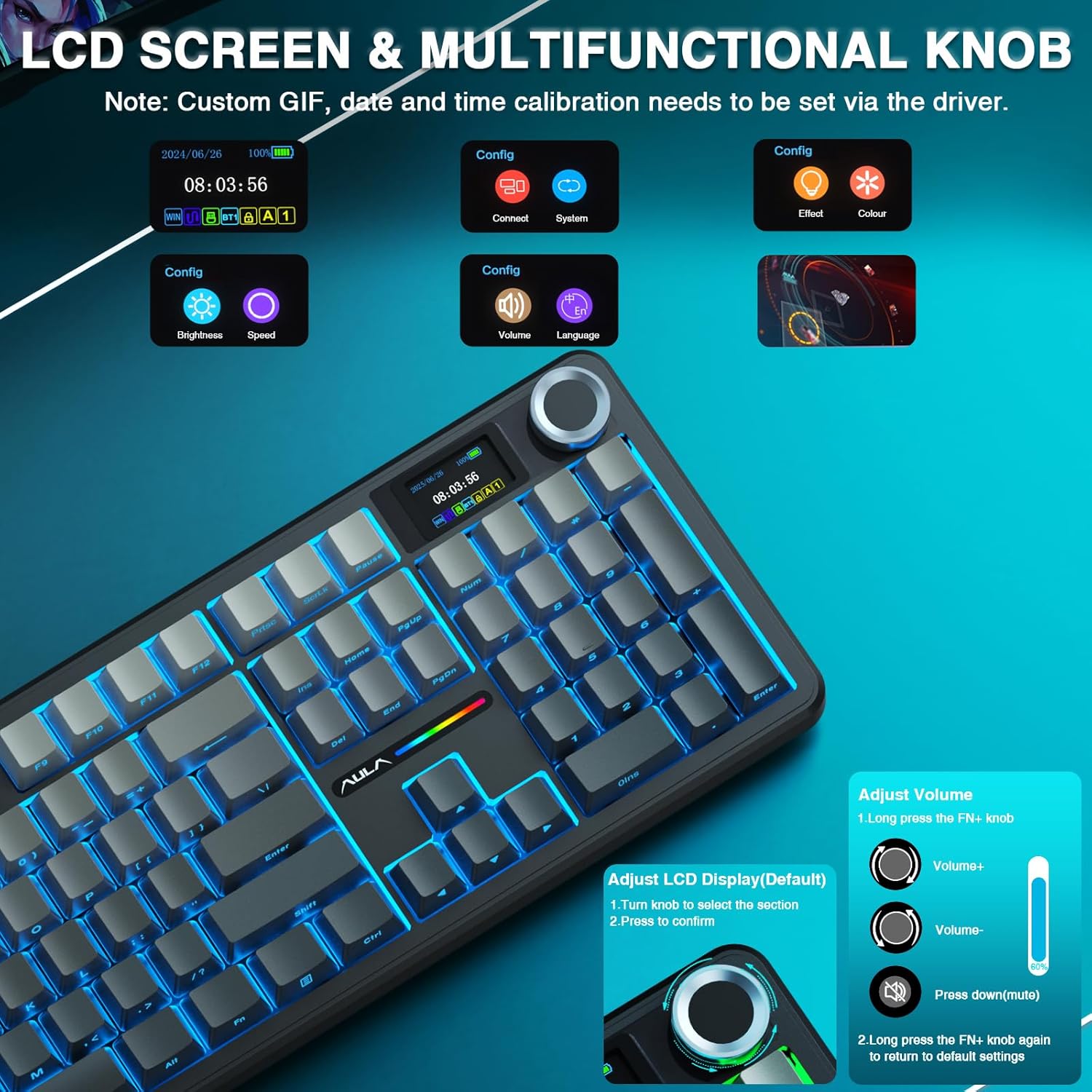
The AULA F108 Pro is a full-size mechanical gaming keyboard with a built-in intelligent TFT colour display and a multi-function knob. The display is designed as an interactive interface so you can view and update items like GIF-style content, volume, date/time, battery status, backlighting and even connection modes.
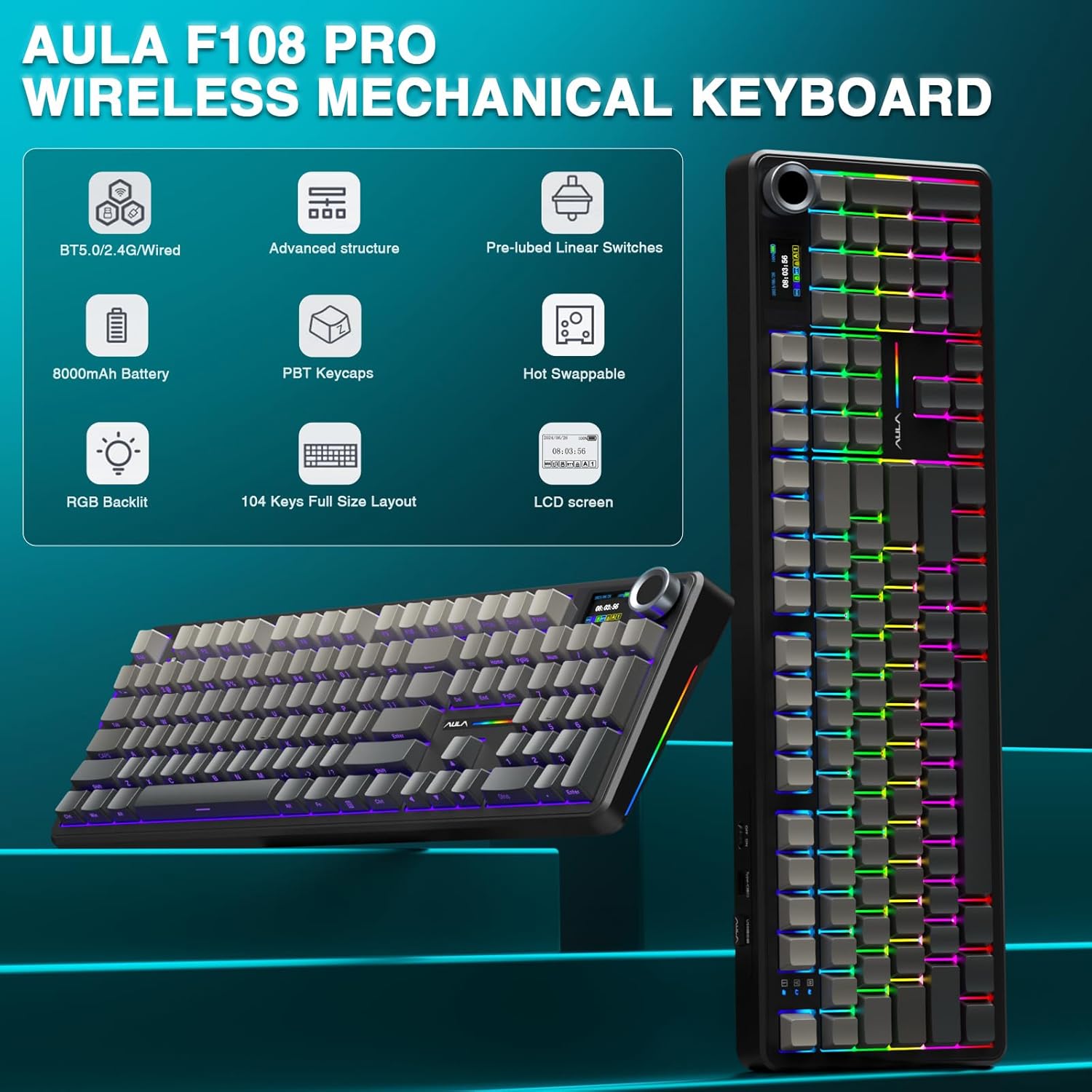
It’s also hot-swappable, which is a big deal if you enjoy tweaking your feel over time. The switches included are pre-lubricated for a smooth keying experience and a pleasant sound profile (as far as the provided setup goes). If you already own spare mechanical switches that fit the expected 3/5-pin style, this kind of flexibility is often the main reason people buy into a hot-swap board rather than a fixed-switch model.
On top of that, it uses RGB with multiple dynamic effects and supports software-side customisation for colours and modes. For some people that’s the fun bit, for others, it’s extra fiddling.
What matters most (connectivity and control)
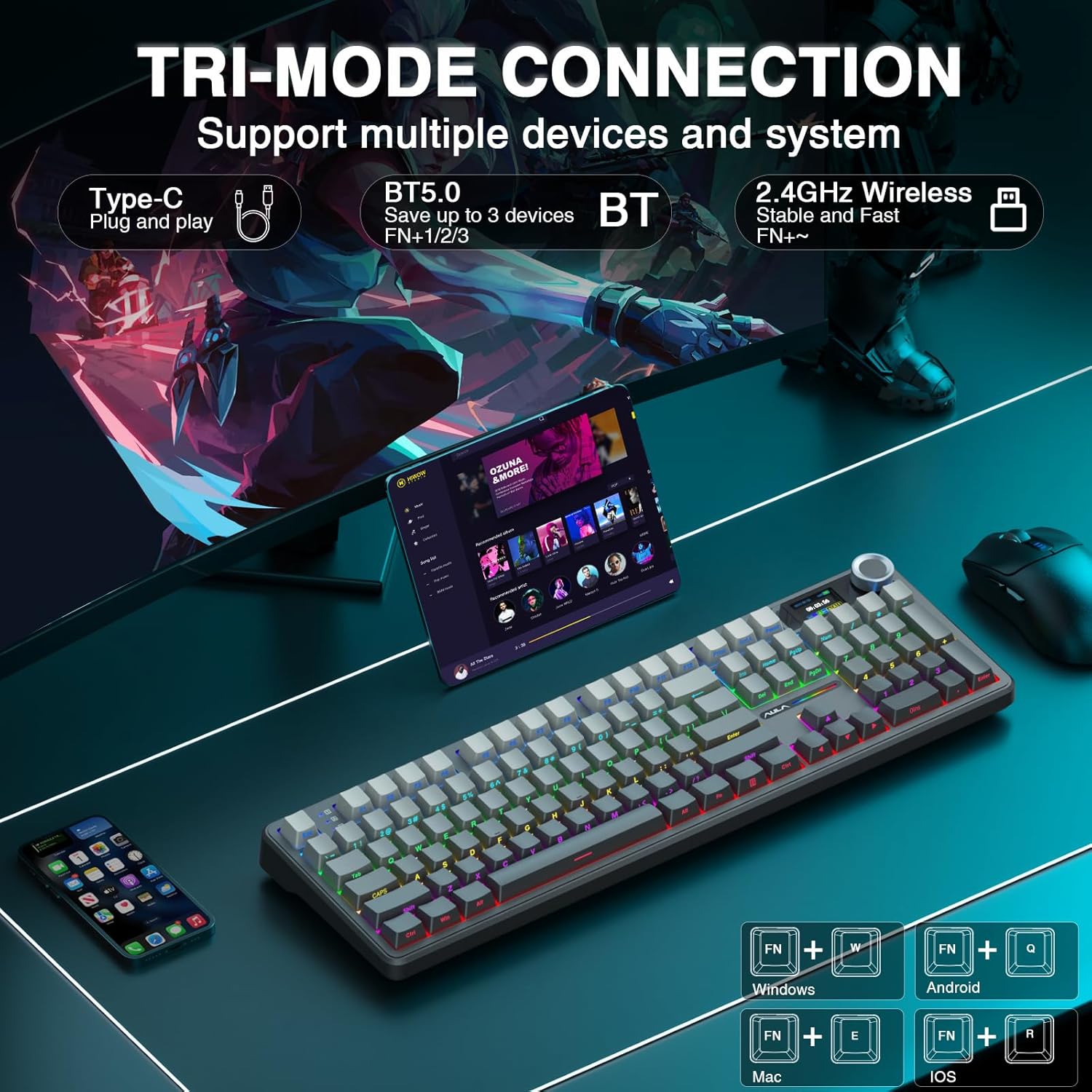
Connection is handled in three ways: Bluetooth 5.0, 2.4GHz wireless, and USB-C wired. The design intent is clear—multitasking across devices. The product description also points to support for up to five devices, with quick switching in Bluetooth mode for PC, Mac, laptops and tablets.
There’s also a note that the 2.4GHz wireless and USB cable modes are designed for competitive responsiveness with a stated polling rate of 1,000Hz. If you’ve ever switched between “work” and “game” setups, this is the sort of spec-led approach that can help keep things feeling consistent.
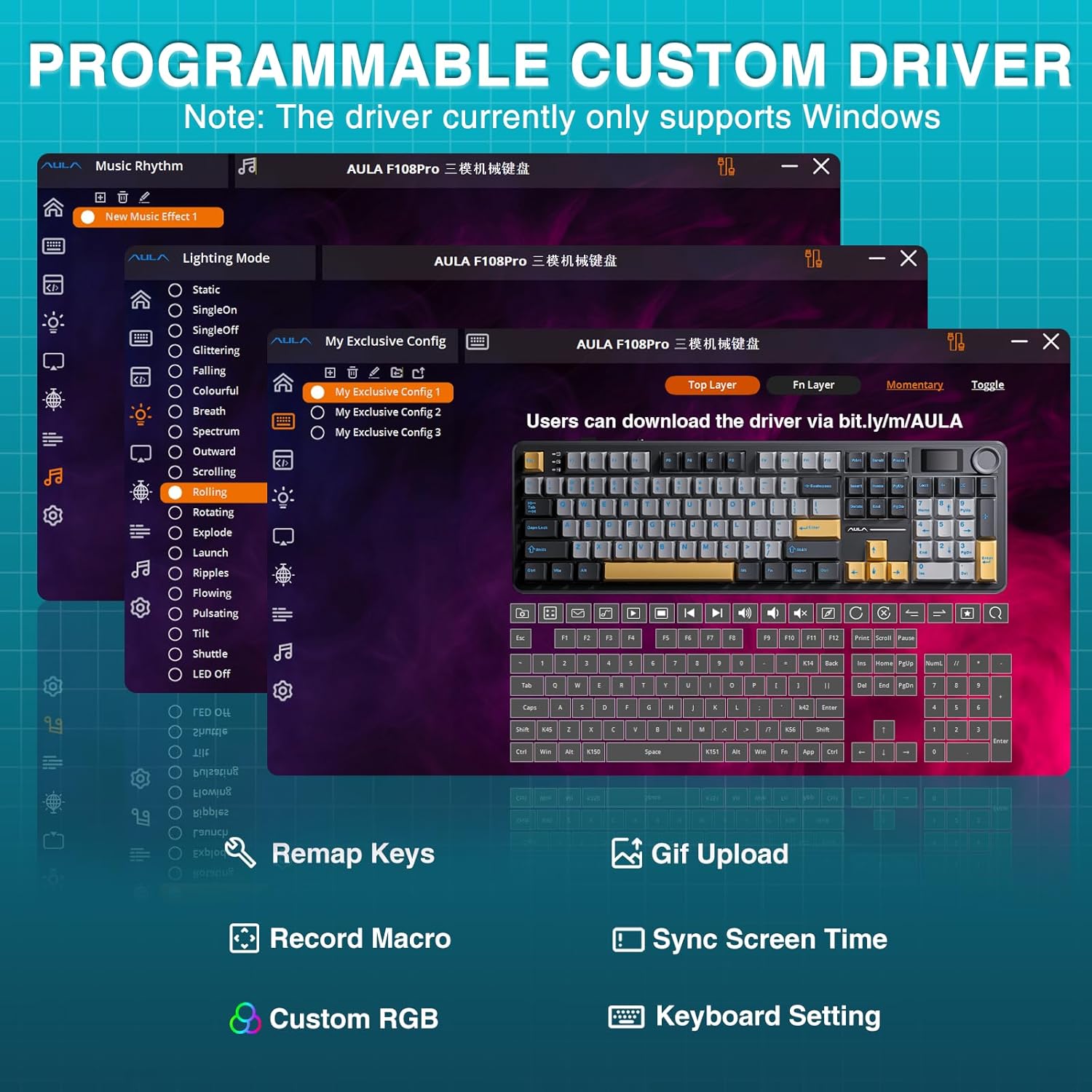
One practical detail to keep in mind: the driver only supports Windows systems, and it specifically suggests using wired mode for the first connection. If you’re on a non-Windows setup and you were hoping to configure everything immediately over wireless, you may want to plan around that.
Where it shines (hot-swap feel and sound)
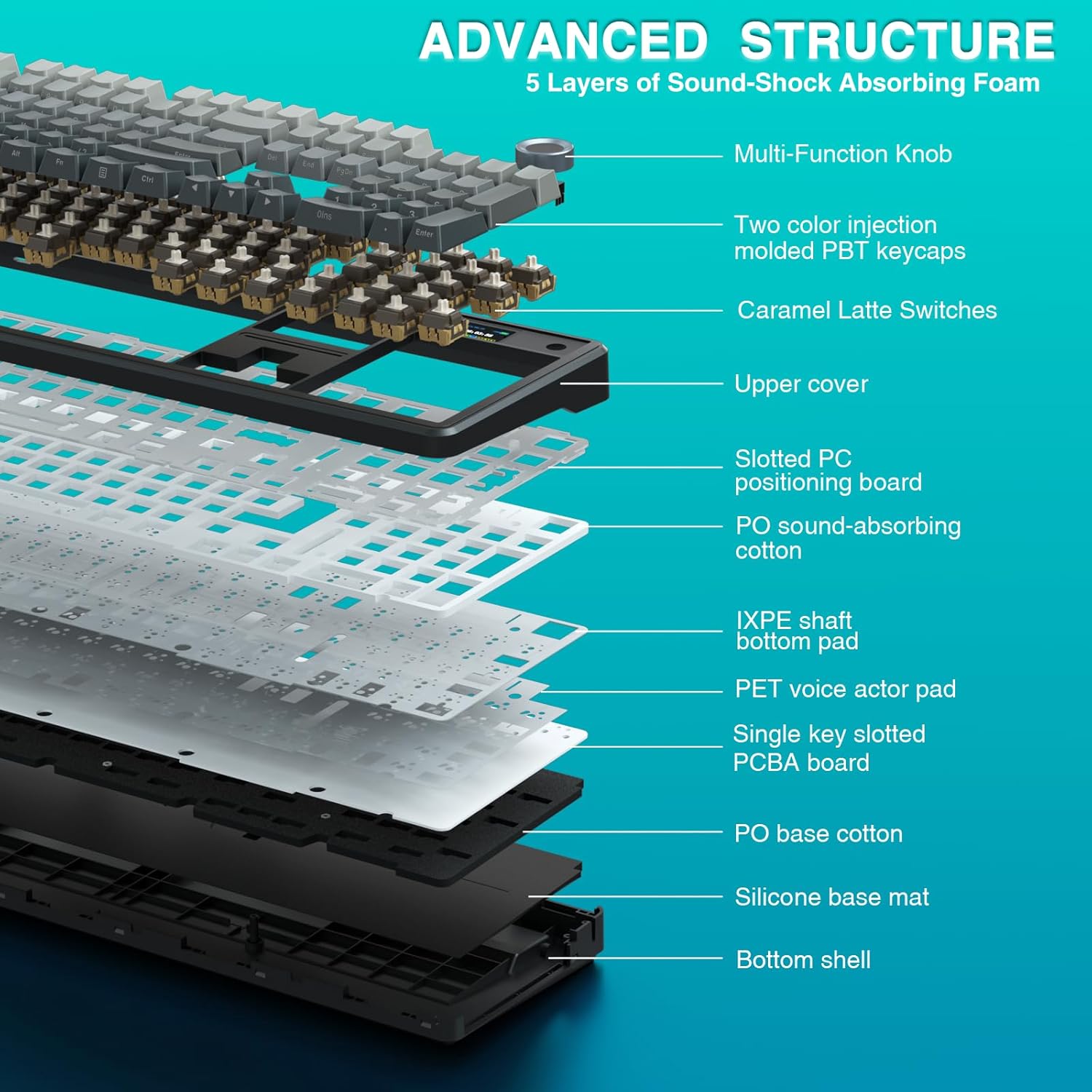
The F108 Pro leans into both feel and sound. It uses an advanced “five layers filling” structure, including an extended integrated silicone pad and a PCB single key slotting approach. In plain terms, the goal is to reduce cavity noise and create a softer, smoother typing experience. The description even frames it as counteracting the shaft hitting the positioning plate, which is a common source of that louder, hollow-ish sound on some boards.
If you like the idea of “more muted and comfortable” rather than super-bassy or super-clicky, this is the sort of internal acoustic approach that may appeal. Of course, sound is always subjective—what counts as “creamier” sound for one person can still feel just “different” to another.
Then there’s hot swapping. It’s described as compatible with a wide range of mainstream 3/5-pin mechanical switches, with a plug-and-play approach and support for either 3-pin or 5-pin switches. That means you’re not locked into one switch choice forever, which is useful if your preferences evolve.
Key features for gaming and day-to-day
The keyboard is full size with a 100% layout, which can suit people who want dedicated navigation and function areas rather than a compact space-saving design. It’s also described as using two-colour injection-moulded PBT keycaps, aimed to be bright, long-lasting and resistant to oil.
For gaming-style customisation, the software is positioned for remapping keys and assigning macros, plus adjusting sensitivity. The note about all keys supporting macro customisation suggests you can record and edit macros to fit your playstyle and workflow.
The south-facing lighting approach is mentioned too, which usually matters for readability when you’re using keycaps in different room light levels or when you’re not looking straight down from above.
And the display/knob combination is genuinely interesting for productivity-style use: you can update what’s shown in real time—battery status, date/time, connection mode—without having to rely only on your monitor.
Tech specs
- Type: Wireless gaming keyboard with smart TFT display and hot-swappable mechanical switches
- Connection types: BT5.0, 2.4GHz wireless, USB-C wired
- Devices: supports switching between up to five devices
- Polling rate (2.4G/USB modes): 1,000Hz
- Layout: 100% full-size (104 keys)
- Switches: hot-swappable, pre-lubricated switches included
- RGB: multiple dynamic effects, supports software customisation
- Keycaps: two-colour injection-moulded PBT keycaps
- Power: 8000mAh
- Lighting direction: south-facing lighting
- Driver/software note: driver only supports Windows systems, use wired mode for first connection
Who it suits, and who should look elsewhere
It’s a strong fit if you want a feature-heavy full-size mechanical keyboard with fast connectivity switching, plus physical control via a multi-function knob and a display that can show useful status info.
It may not be the best match if you’re primarily after a straightforward “plug in and forget it” board, or if you don’t use Windows and you’re expecting driver-based configuration to work smoothly on day one over wireless.
It also depends on your priorities: if your main goal is the tightest possible gaming response with minimal setup, a simpler keyboard might feel less fiddly. But if you’re the kind of person who enjoys customising macros, key behaviour and lighting, the F108 Pro is built for that.
Mini FAQ
Does the keyboard work wirelessly and wired?

Yes—according to the description it supports Bluetooth 5.0, 2.4GHz wireless, and USB-C wired mode.
What’s the TFT display for?
It’s designed as an interactive interface for real-time updates such as GIF images, volume, date/time, battery status, backlighting and connection modes.
Is it truly hot-swappable?
The product is described as hot-swappable and aimed at mainstream 3/5-pin mechanical switches, with a plug-and-play approach.
Do I need the driver to set it up?
The description notes that the driver only supports Windows systems and recommends using wired mode for the first connection.
How customisable is the RGB?
It supports multiple dynamic RGB effects and software-based customisation, with all keys supporting macro customisation.
Final verdict
Buy the AULA F108 Pro if you want a full-size hot-swappable mechanical keyboard with a smart display and knob for hands-on control, and you’ll benefit from switching between multiple devices using BT and 2.4G (plus wired when needed). If you’re cautious about software/driver limitations—especially on non-Windows systems—or you’d rather avoid extra customisation steps, it might feel more complex than necessary for your setup.