

UGREEN docking station
Product description
When a laptop runs short on ports, connecting two screens and everyday accessories can turn into a string of adapters. The UGREEN Revodok Pro brings HDMI, USB-A, USB-C and USB-C power connections together in one docking station, with support for a dual 4K@60Hz display setup. It is designed for compatible USB-C laptops, but the screen behaviour differs between Windows and Mac, so that detail matters before you buy.
What matters most
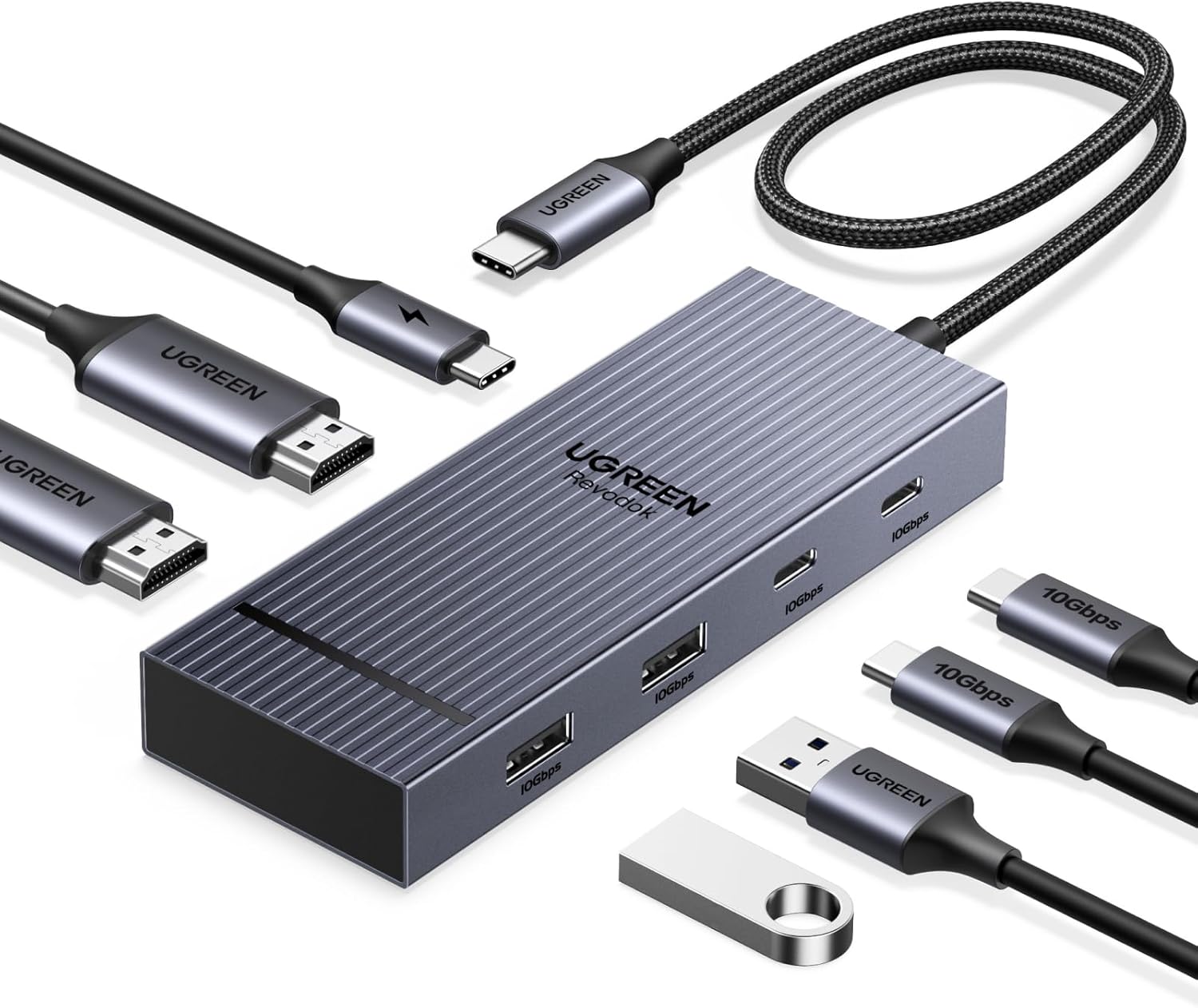
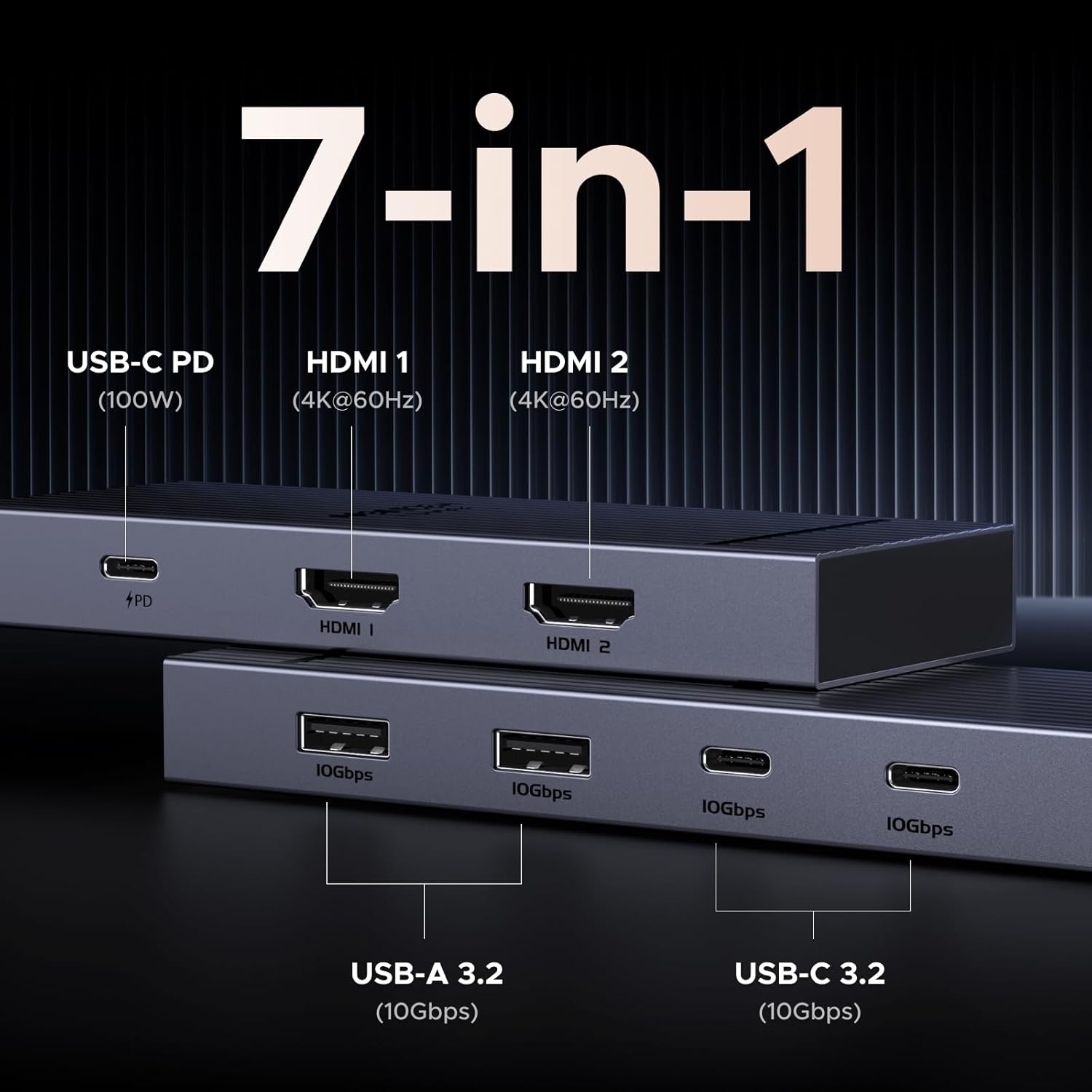
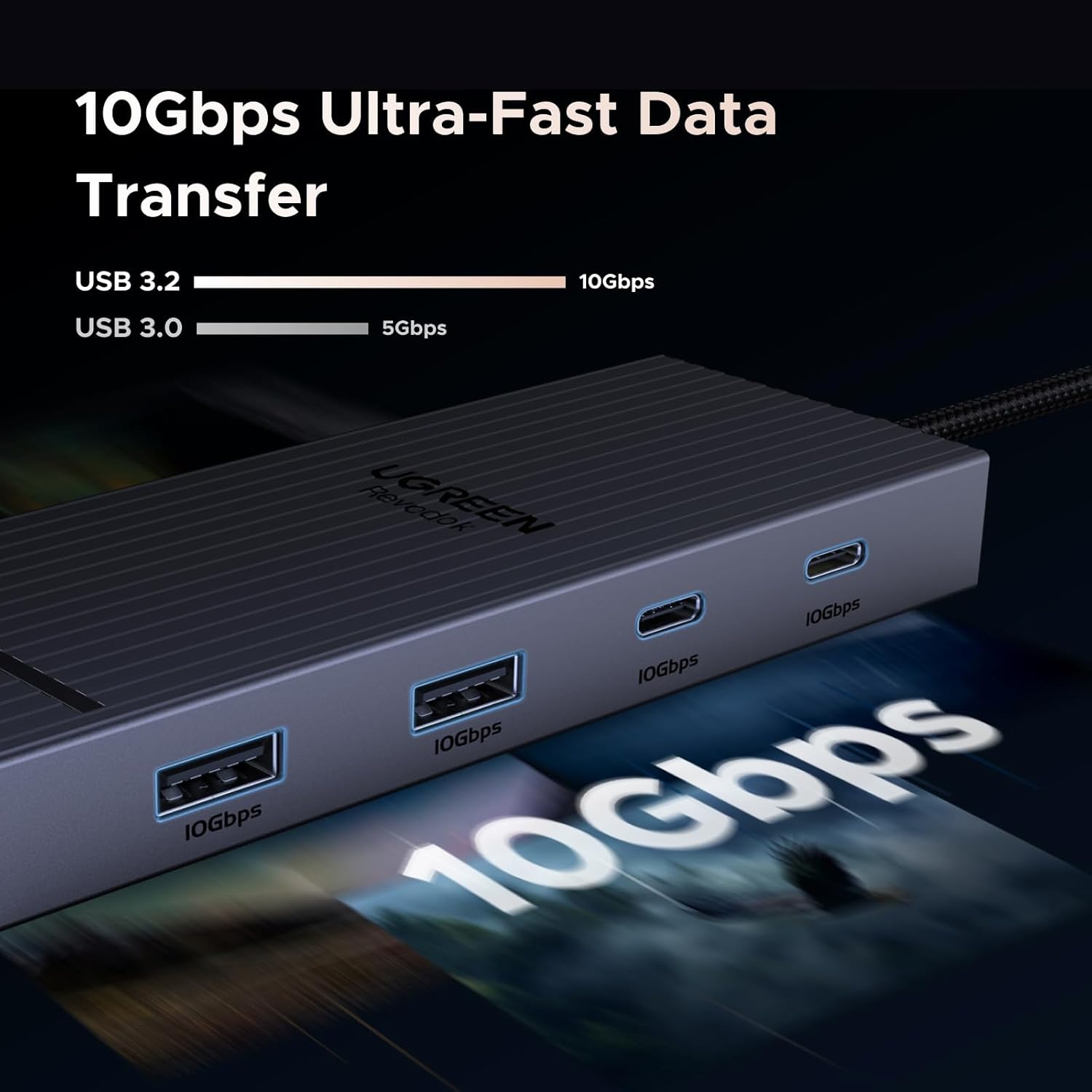
There are two HDMI ports for connecting displays, plus two USB-A and two USB-C ports rated for 10Gbps data transfer. That layout is useful if your desk setup includes a keyboard, mouse and external screens, while still leaving the laptop with a single dock to connect. The USB-A and USB-C data ports do not charge devices or carry audio, so they should not be treated as replacements for a powered USB hub or an audio connection.
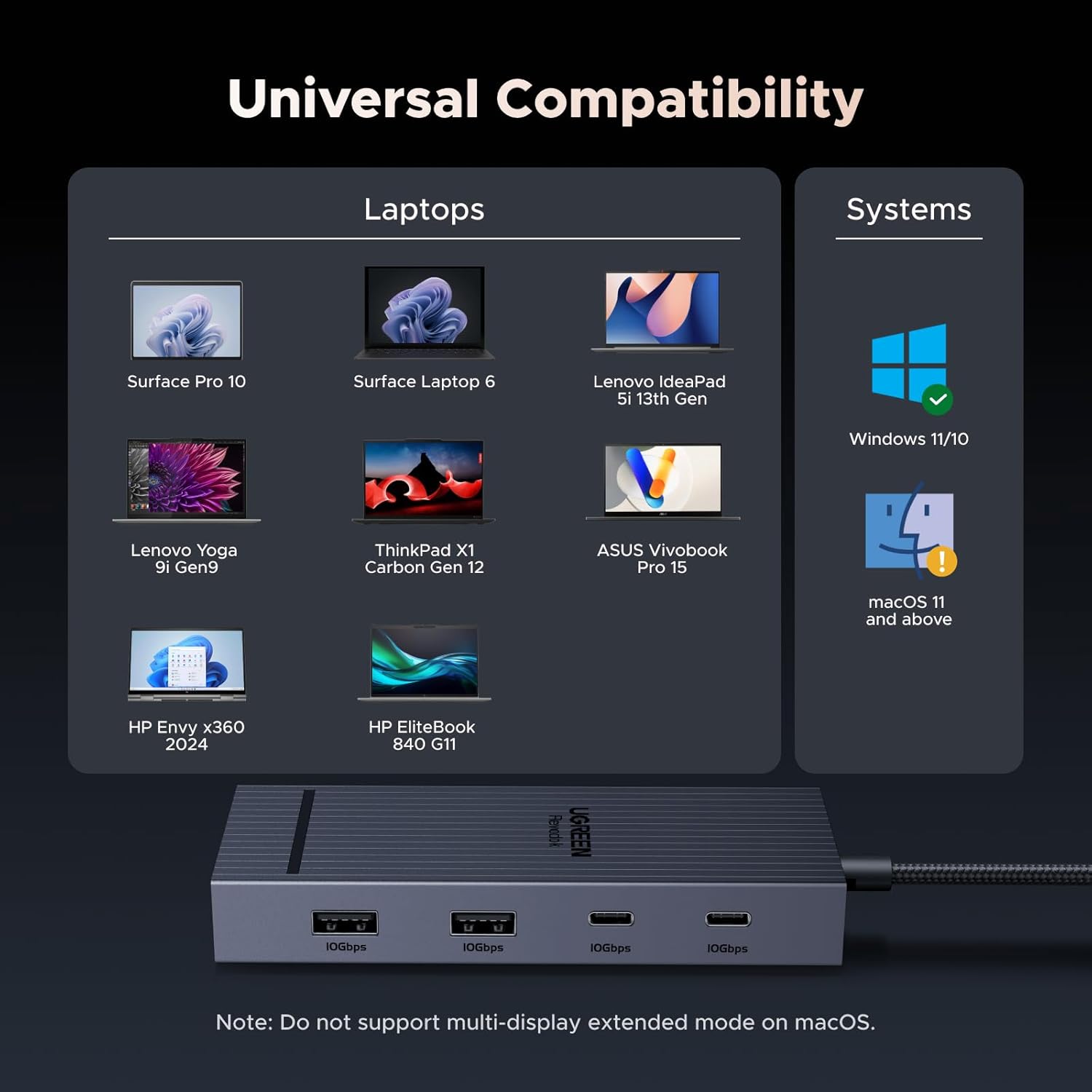
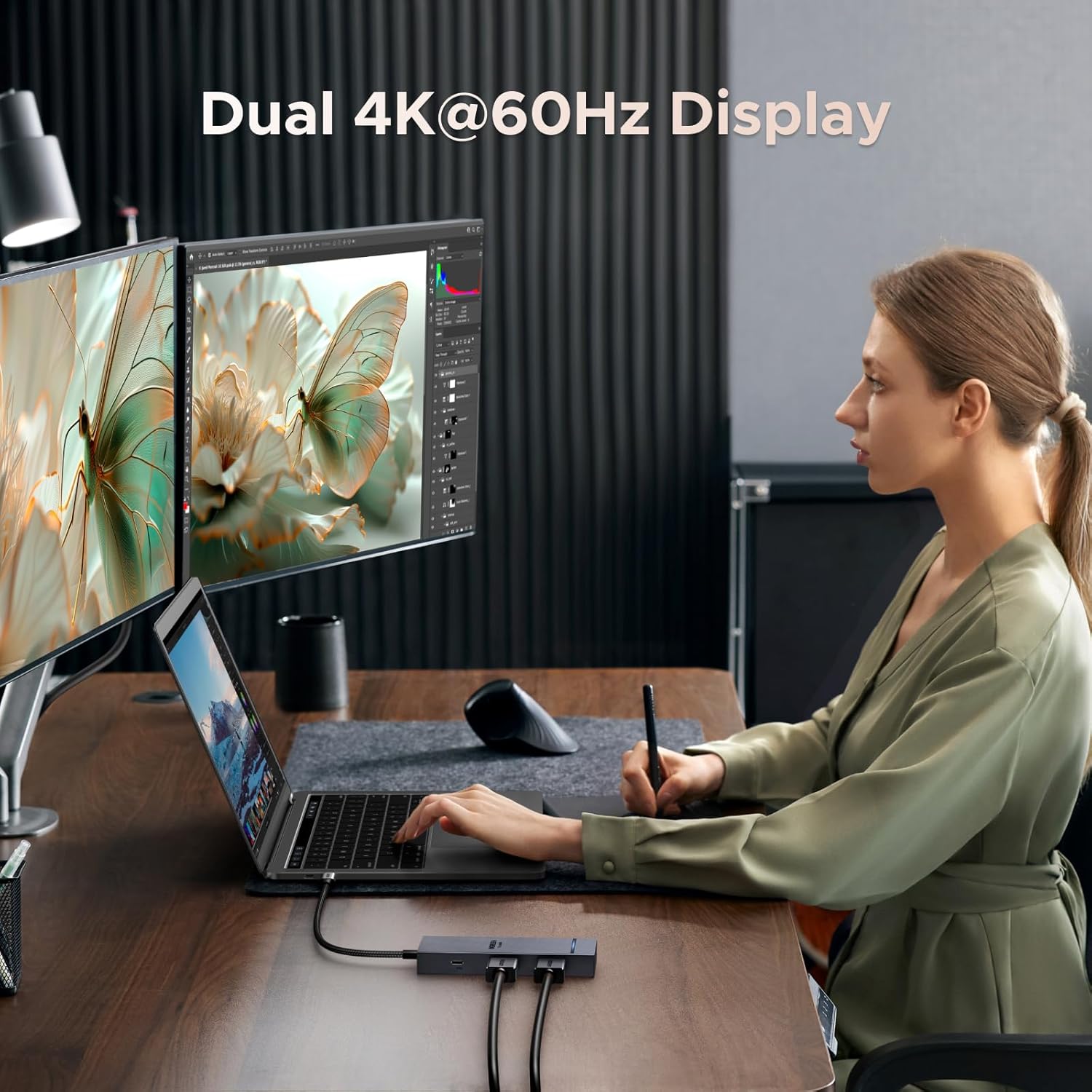
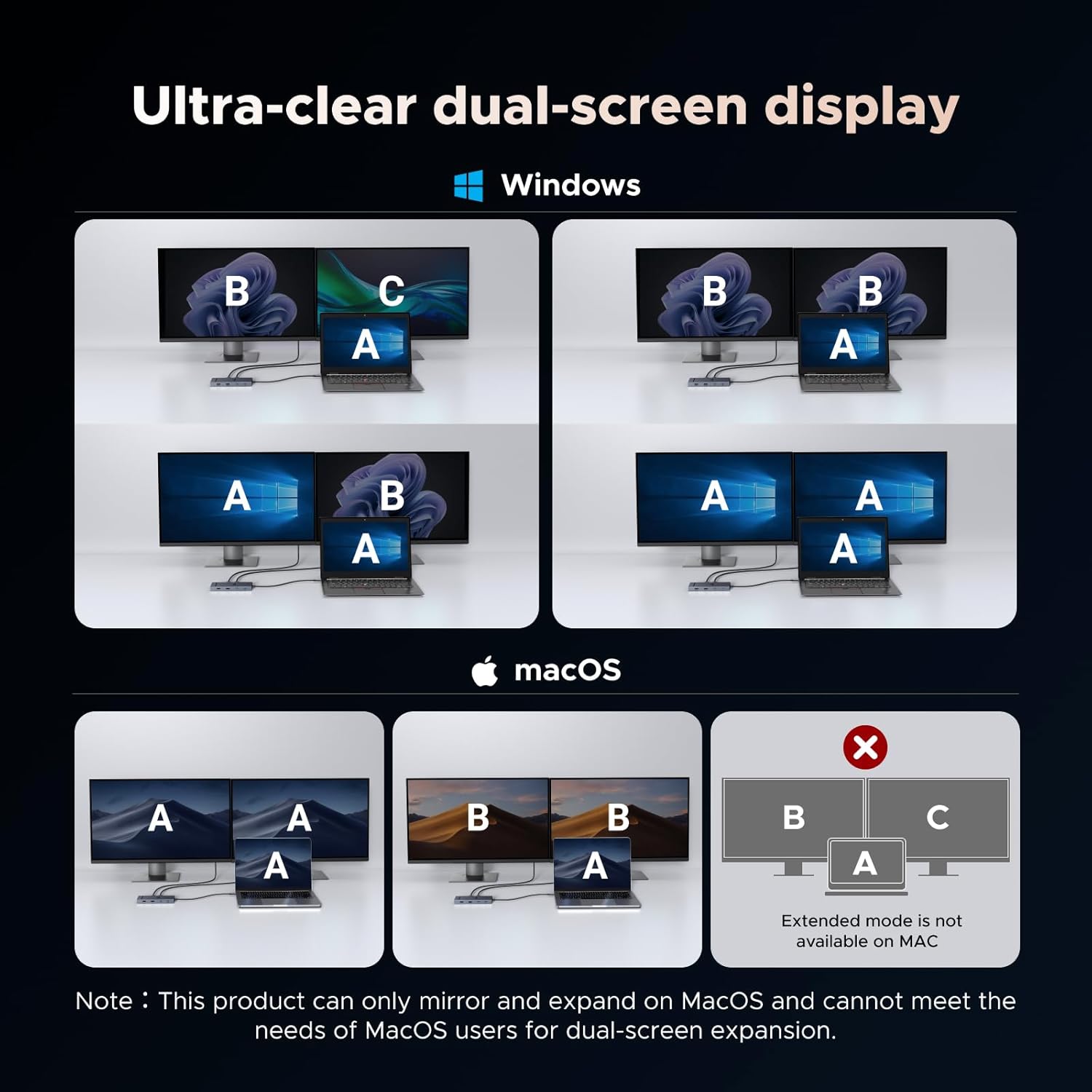
The dock is described as supporting dual 4K@60Hz monitors. Windows systems can use an extended desktop across the two screens, which is handy for keeping a document open on one display while working in another window on the second. Keep in mind that Mac devices are limited to mirrored displays here: both external screens show the same content rather than acting as separate workspaces. That makes the operating-system distinction more important than the headline display resolution.
How to use it
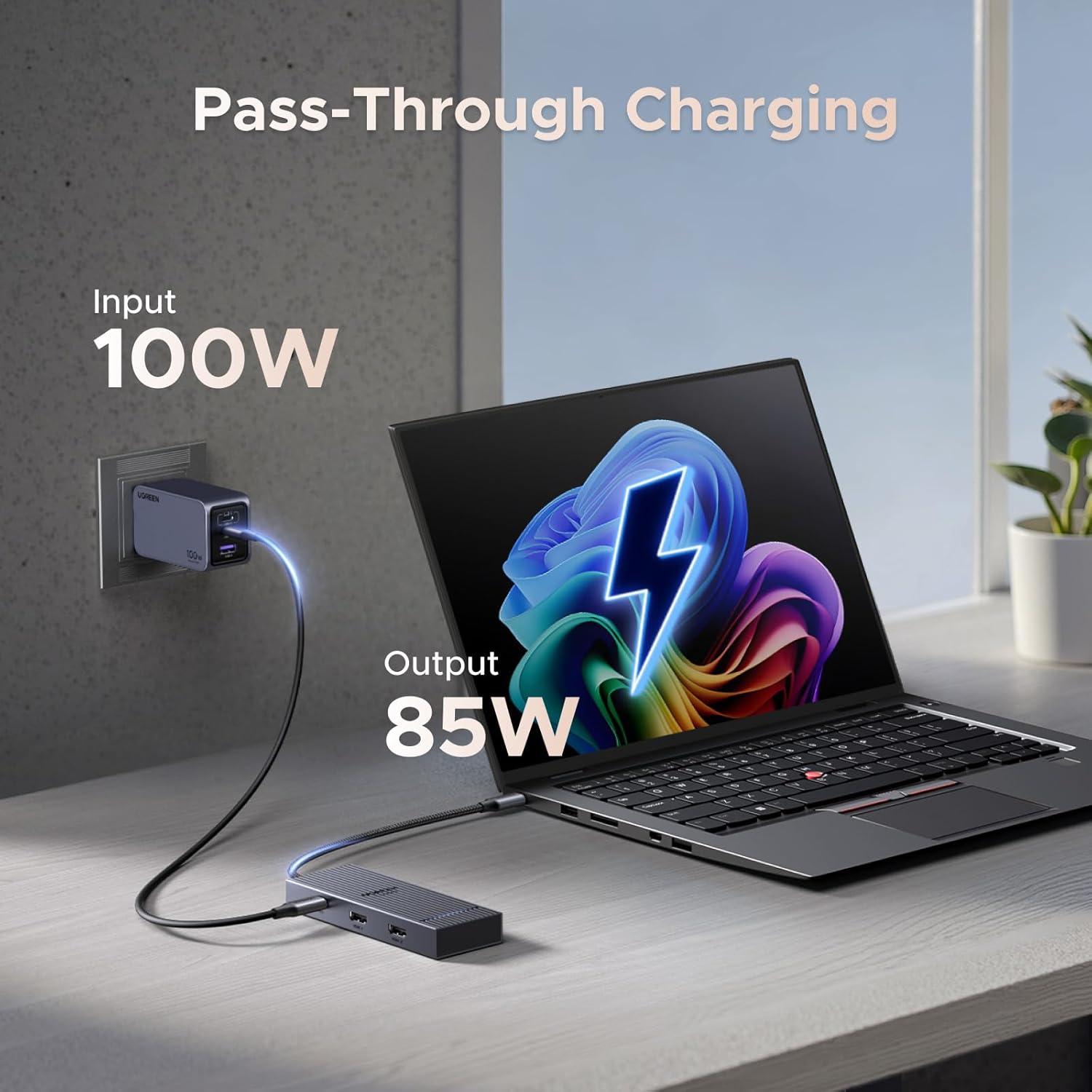
Connect the dock to a compatible laptop’s USB-C connection, then use the HDMI ports for monitors and the USB ports for data accessories. For charging, the listing describes 85W charging and also refers to a 100W USB-C power-delivery port, the charging cable and power adapter are not included. The charging port is for power only, not data transfer or video output. Without a clearly stated breakdown of delivered power, check that the charging arrangement suits your laptop before relying on it as its main power source.
The listed compatibility includes MacBook Air and Pro, Dell XPS 13/15, HP, ThinkPad and Surface devices. Compatibility is not the same as identical display behaviour, though: Mac users should plan around mirrored screens, while Windows users are described as being able to extend across two displays.
Practical tips
Before setting up a desk, decide whether you need two independent screens or simply want the same image visible on more than one monitor. If you use Windows, connect each display by HDMI and use the extended-screen arrangement for separate work areas. For a MacBook, this dock may still suit a multi-monitor setup where mirroring is acceptable, but it will not provide separate content across those external screens according to the supplied details.
It’s a good option if you want several 10Gbps USB data ports and dual HDMI in one laptop dock. It may not be the best option if your workflow depends on extended dual displays from a Mac, or if you need the USB data ports to charge accessories. For a basic setup with one screen and few peripherals, a simpler adapter may be enough, this model makes more sense when its extra connections will actually be used.
Buying questions
Can it run two external monitors? The dock has two HDMI ports and is described as supporting dual 4K@60Hz. Windows can extend across the displays, Mac devices are limited to mirrored content.
Can the USB-A and USB-C ports charge a phone or accessory? No. Those 10Gbps ports are for data and do not provide charging.
Is the charging adapter included? The supplied details say the charging cable and power adapter are not included.
For your situation
Choose the Revodok Pro if you want one connection point for HDMI displays and multiple fast data ports, and its display behaviour matches your computer. It is particularly practical at a Windows desk where two screens can show separate work. If you use a Mac and need independent content on both external monitors, or expect the USB ports to charge devices, this dock’s stated limits are a reason to choose a different setup.