

UGREEN Mac mini docking station with M.2 NVMe slot
Product description
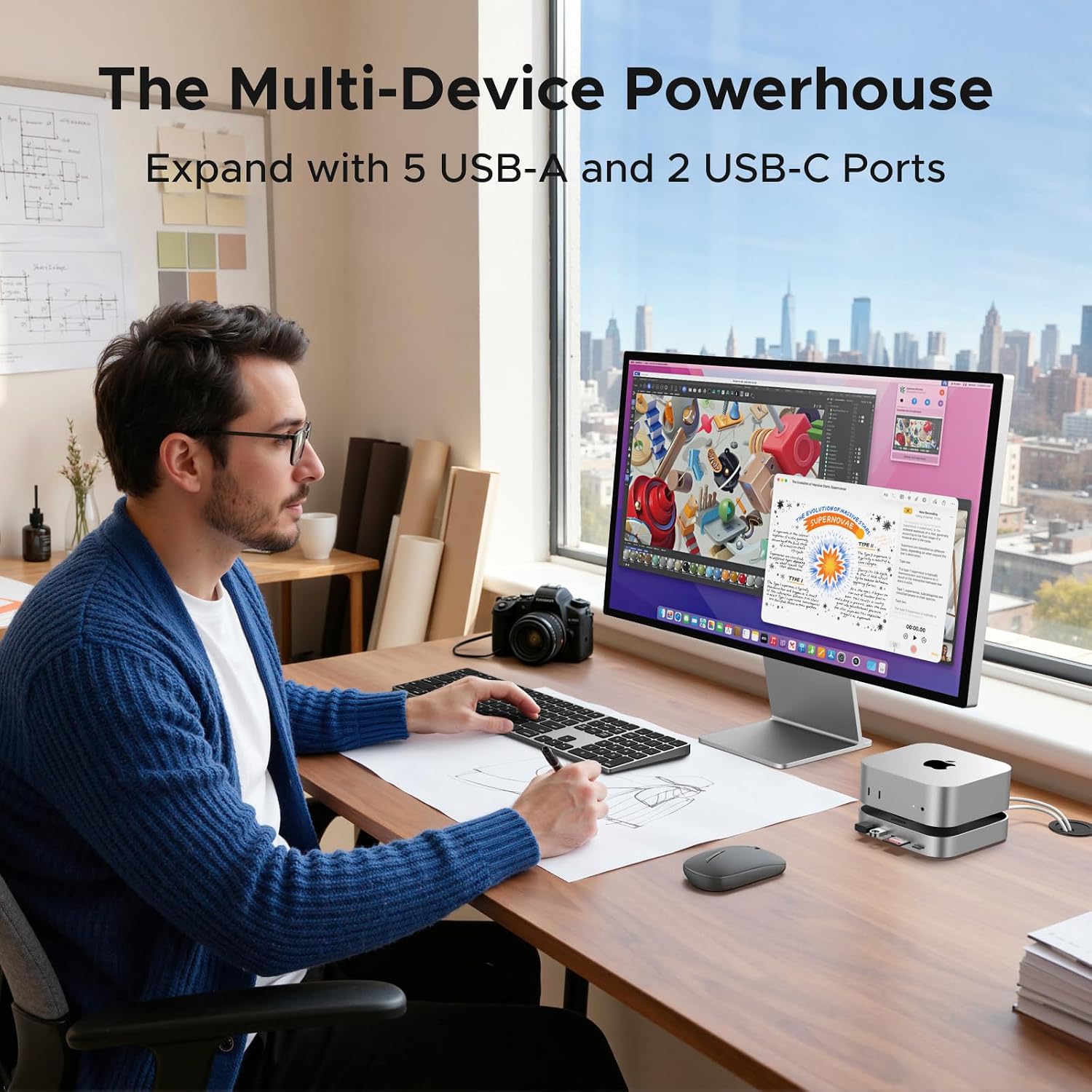
A Mac mini can run short on convenient connections and room for files once you add drives, cards and everyday accessories. This UGREEN dock is designed to sit with the Mac mini M4, adding USB ports, an SD/TF reader and a slot for an M.2 NVMe SSD. For a photo workflow, that could mean importing files from a card and keeping an SSD connected for working storage, rather than reaching around to plug in each device. The trade-off is that the SSD is not included, and the USB-C data ports do not handle video or charging.
How to use it
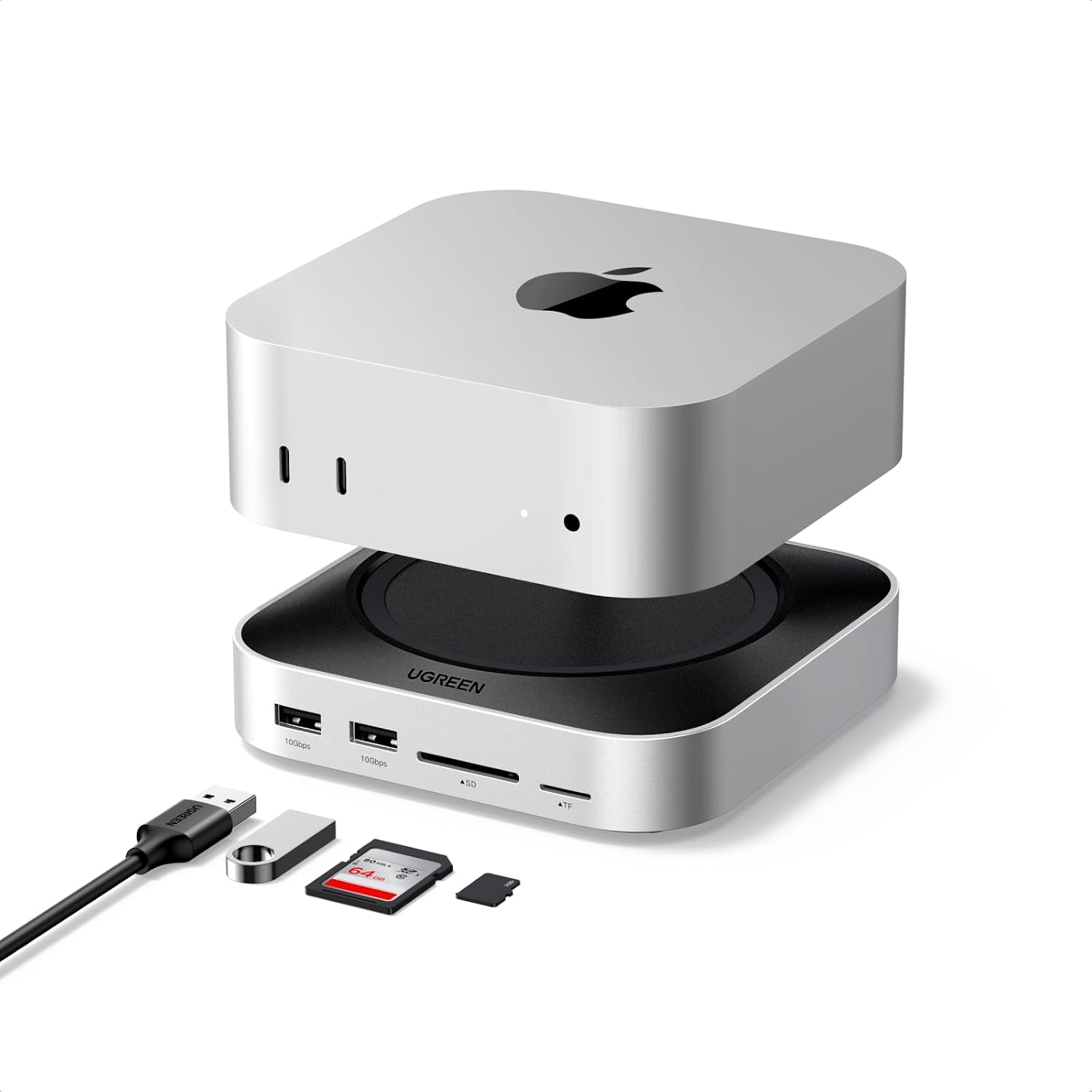
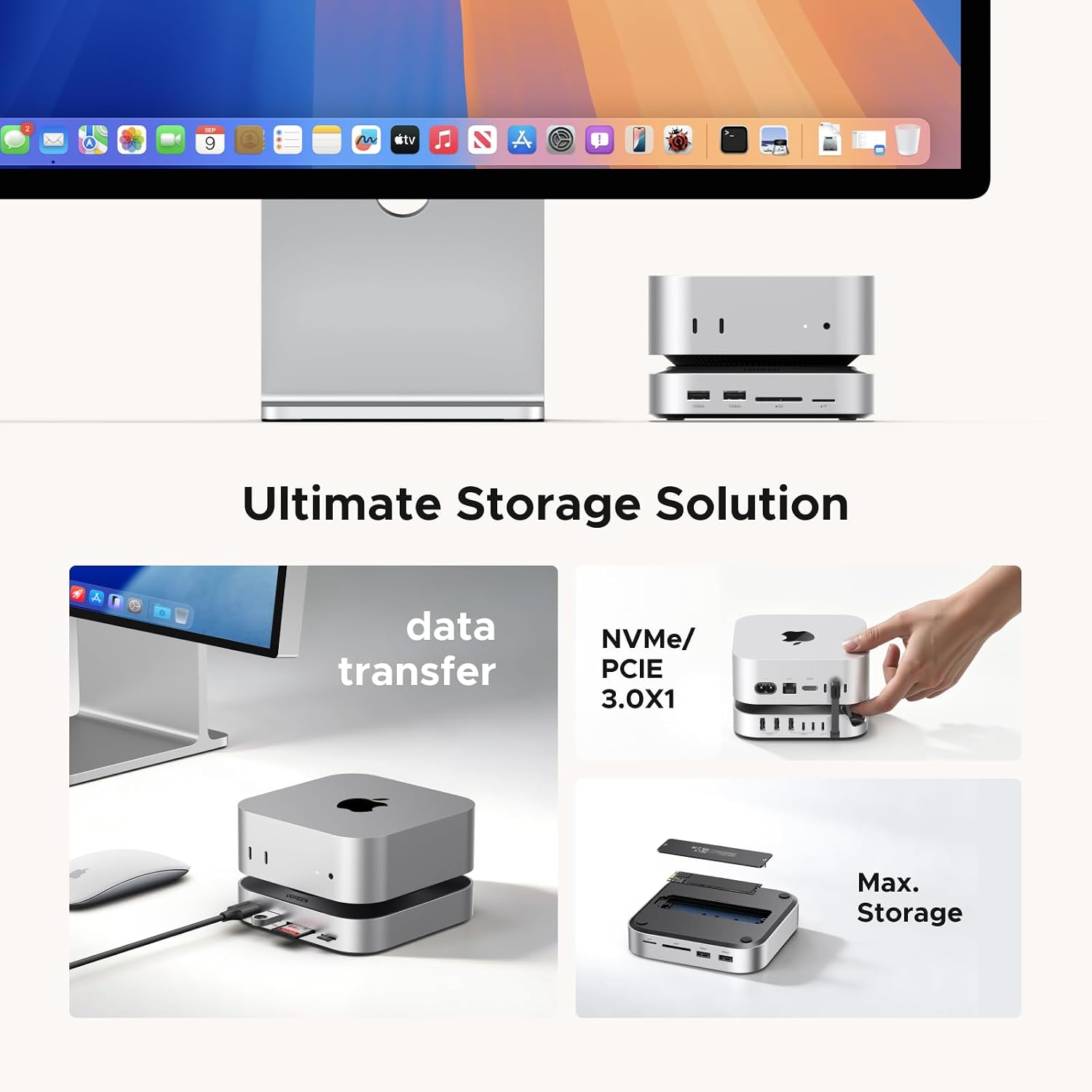
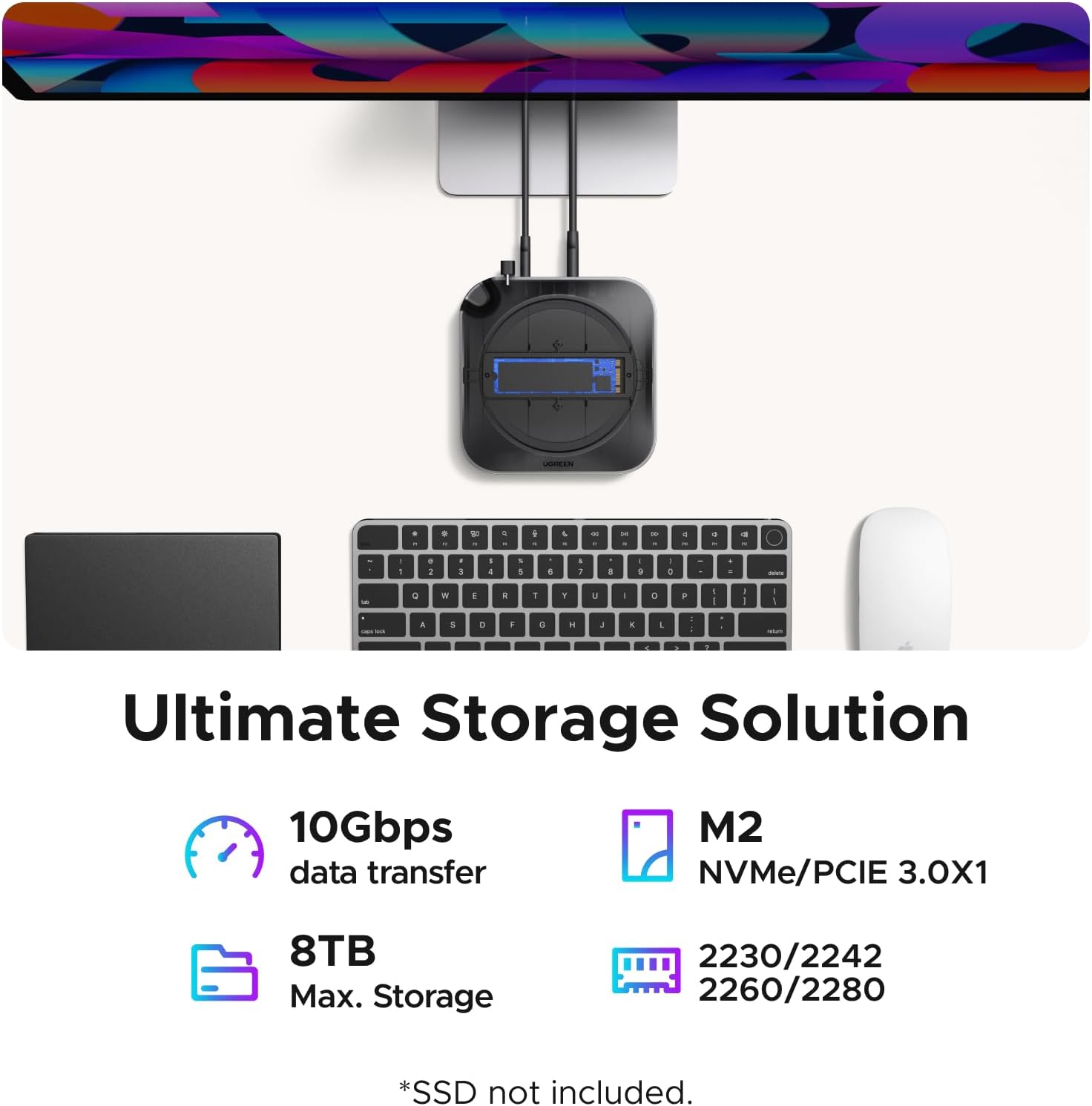
Place the dock with your Mac mini and connect the devices you regularly use: the listed USB-A and USB-C ports can serve peripherals or external drives, while the card reader is intended for importing photos and videos. The SSD slot accepts M.2 NVMe drives in 2230, 2242, 2260 or 2280 sizes, the product description says storage can be expanded up to 8TB, but you’ll need to supply the drive yourself. Before choosing an SSD, make sure its form factor matches one of those listed.
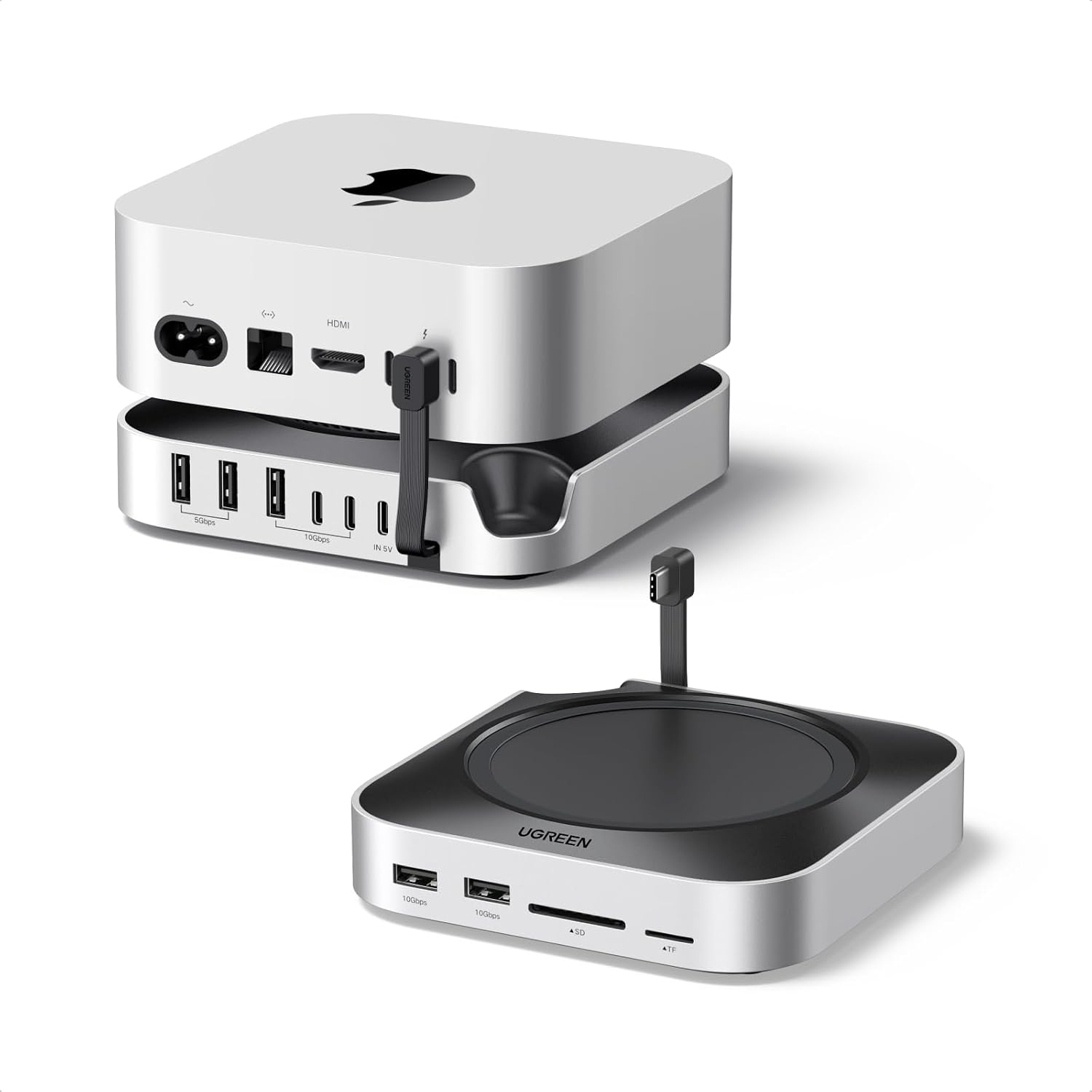
The dock can draw power from the Mac mini, or use an external adapter, an adapter is recommended for a setup with multiple connected devices. Its opening for the Mac mini’s power button is intended to let you switch the computer on without lifting it. A non-slip silicone pad helps keep the dock in place. These details make it more of a desk-side expansion base than a hub you’d pick up and move between devices.
Pros
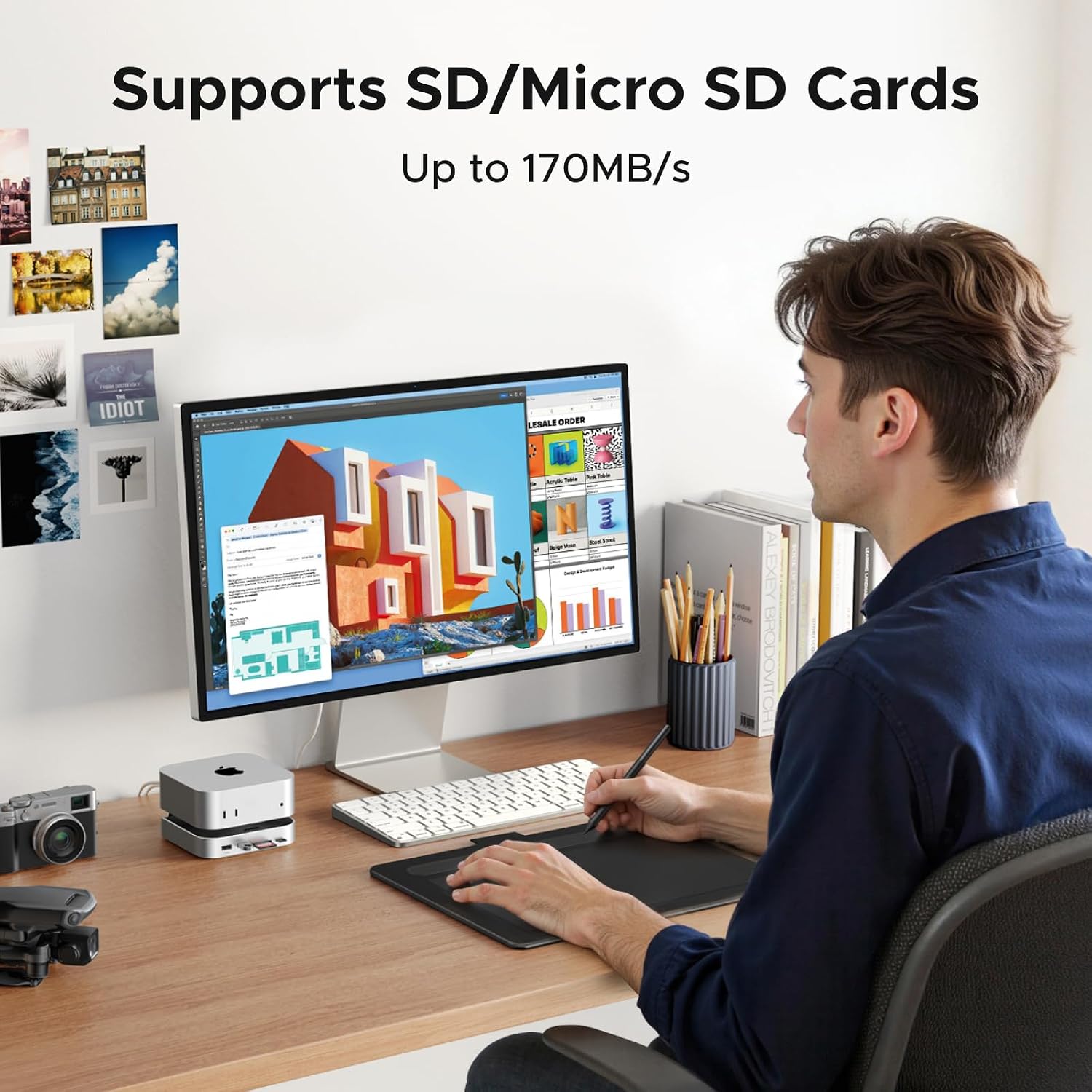
The useful draw here is the combination of storage expansion and everyday connectivity in one dock. The listed USB-A 3.2 and USB-C 3.2 ports support data transfer up to 10Gbps, and the SD/TF reader is rated up to 170MB/s. That can simplify a routine such as transferring a card’s contents to an external drive, without treating the card reader as a replacement for faster dedicated storage.
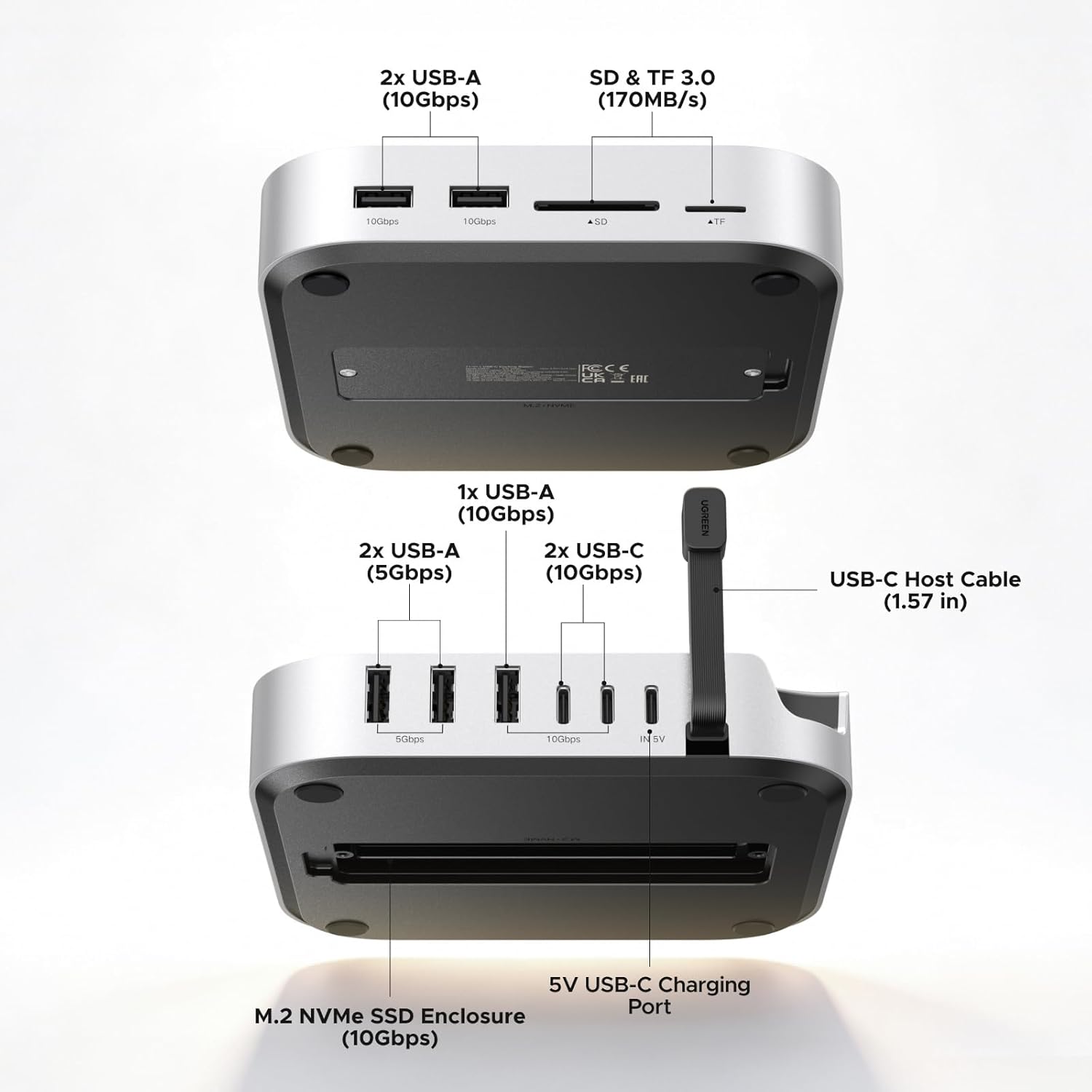
It also has two USB-A 3.0 ports listed at 5Gbps, plus surge, sequential current and overcurrent protection. If you mainly need a few connections, a simpler USB hub may be enough, this model makes more sense when the built-in SSD slot and card reader are part of the plan. It makes sense if you want a more permanent Mac mini workstation with space for a compatible NVMe drive. What could be more useful than keeping those frequently used connections together on the desk?
Spec sheet
- Type: Mac mini docking station
- SSD slot: M.2 NVMe, 2230/2242/2260/2280
- Maximum expandable storage stated: 8TB, SSD not included
- Data transfer: USB-A 3.2 and USB-C 3.2 up to 10Gbps, USB-A 3.0 up to 5Gbps
- Card reader: SD/TF, up to 170MB/s
- Power: From Mac mini or external adapter, external power recommended for multiple devices
- Compatibility stated: Mac mini M4 and M4 Pro
The product name also mentions M6 and M5 Pro, while the supplied compatibility details specify Mac mini M4 and M4 Pro. No broader compatibility details are provided, so check the exact Mac mini model before buying. The USB-C data port does not support video transfer or charging, an important limitation if you expected one cable to cover those jobs. The listed speeds are maximums, not a promise that every connected device will reach them.
What I’d consider
This is a more targeted choice than a basic hub: it adds an internal-style NVMe expansion slot to the desk setup, but still requires a separate SSD and does not replace a video-capable dock. No es para ti si you need USB-C video output or charging from the dock. For a Mac mini M4 or M4 Pro owner who wants card imports, extra USB connections and a compatible SSD in one stationary setup, the feature mix is practical. Given its design, the key decision is whether that storage slot earns its place, if you won’t add an SSD, a simpler hub may suit your needs better.