

WAVLINK USB-C docking station with 100W PD
Product description
For people turning a laptop into a desk-based workstation, this WAVLINK DisplayLink dock brings multiple displays, wired networking and peripheral connections together through a host USB-C connection. Its mix of HDMI, DisplayPort, USB, card-reader and audio connections may reduce the need for separate adapters when you’re setting up a home office or a creative workspace. If you prioritise connecting several kinds of equipment at one desk, this is more flexible than a basic USB hub, if you prefer a simple plug-and-play setup, the driver requirement is worth factoring in. The right results depend on your laptop’s port capabilities and the display arrangement you plan to use.
Where it shines
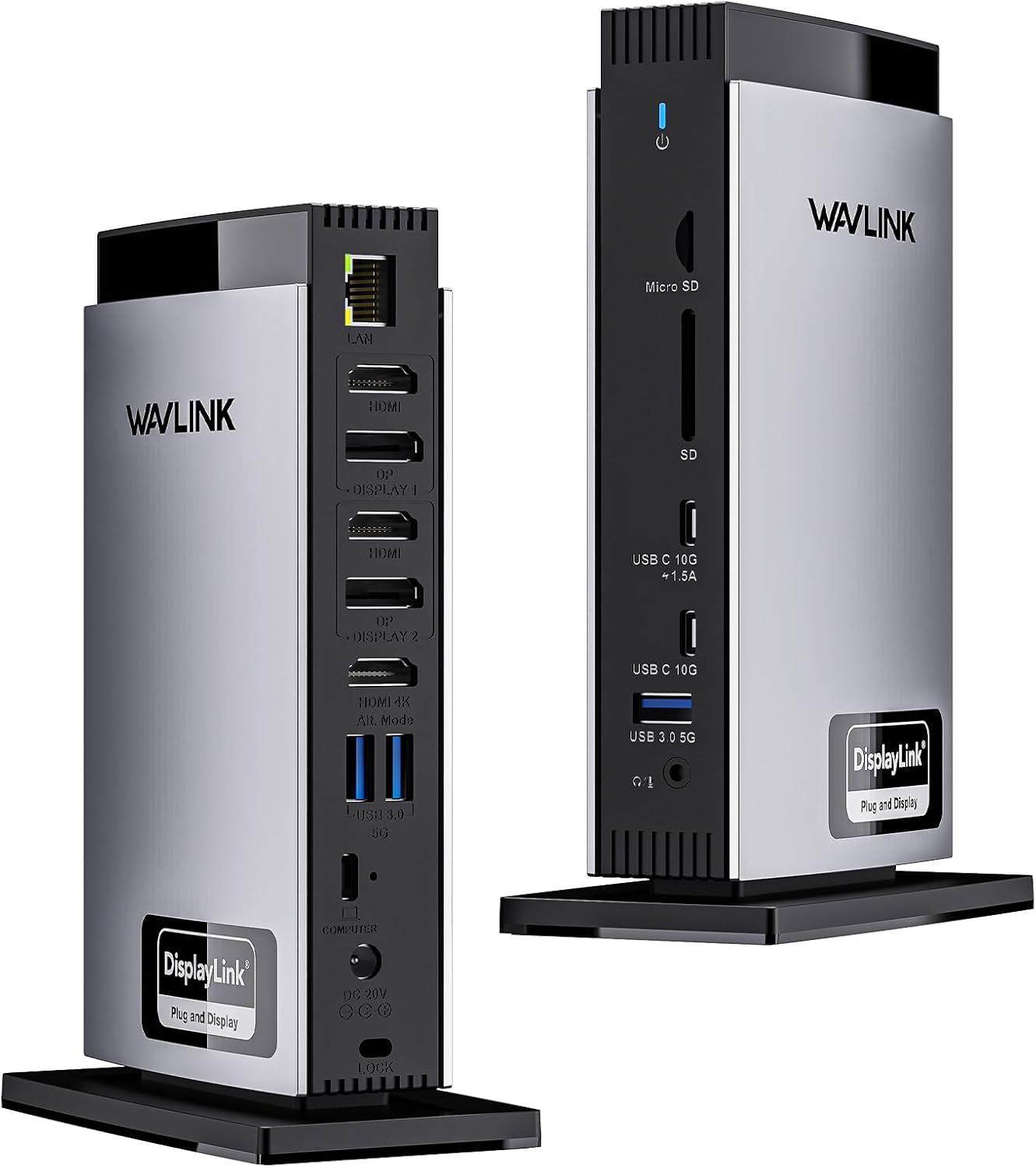
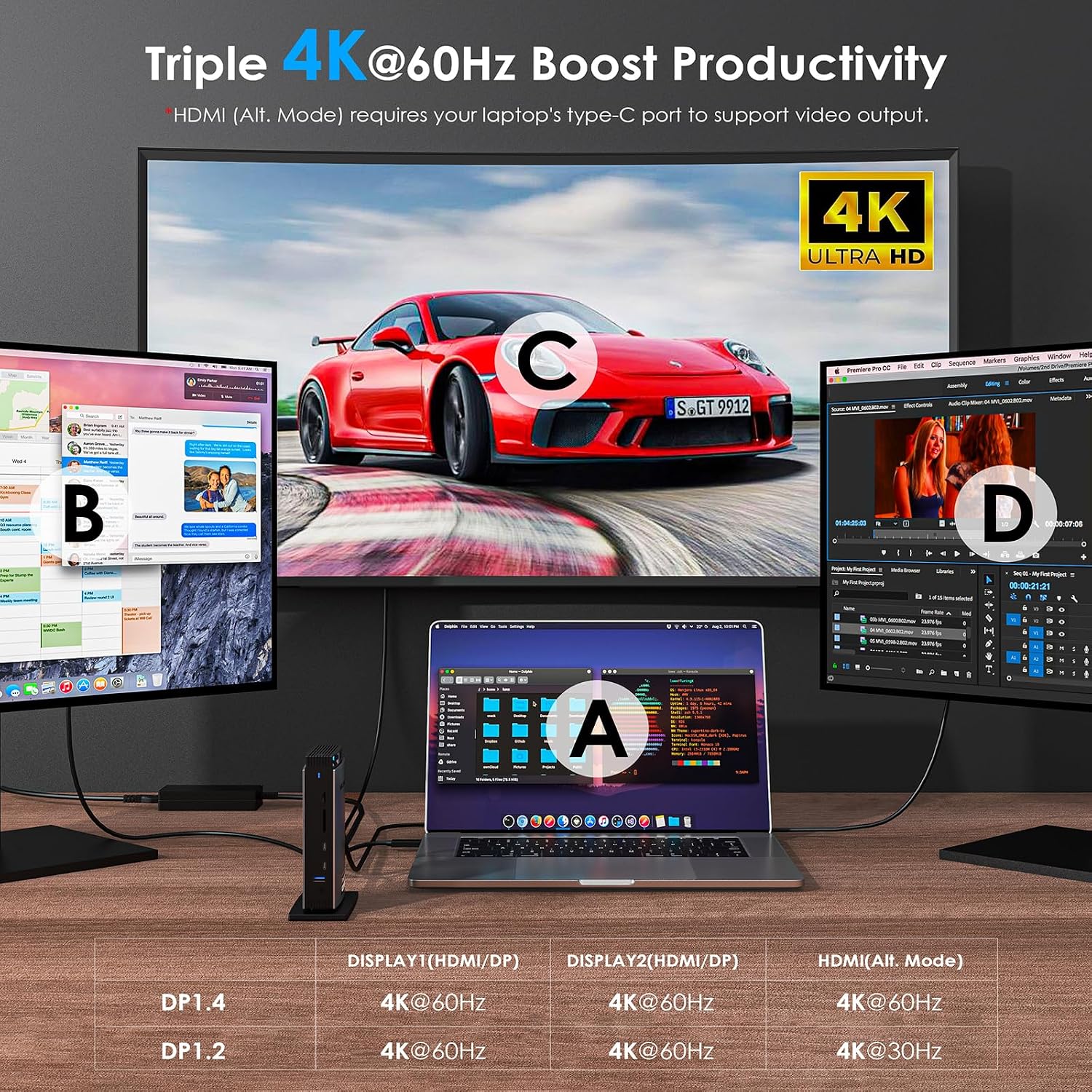
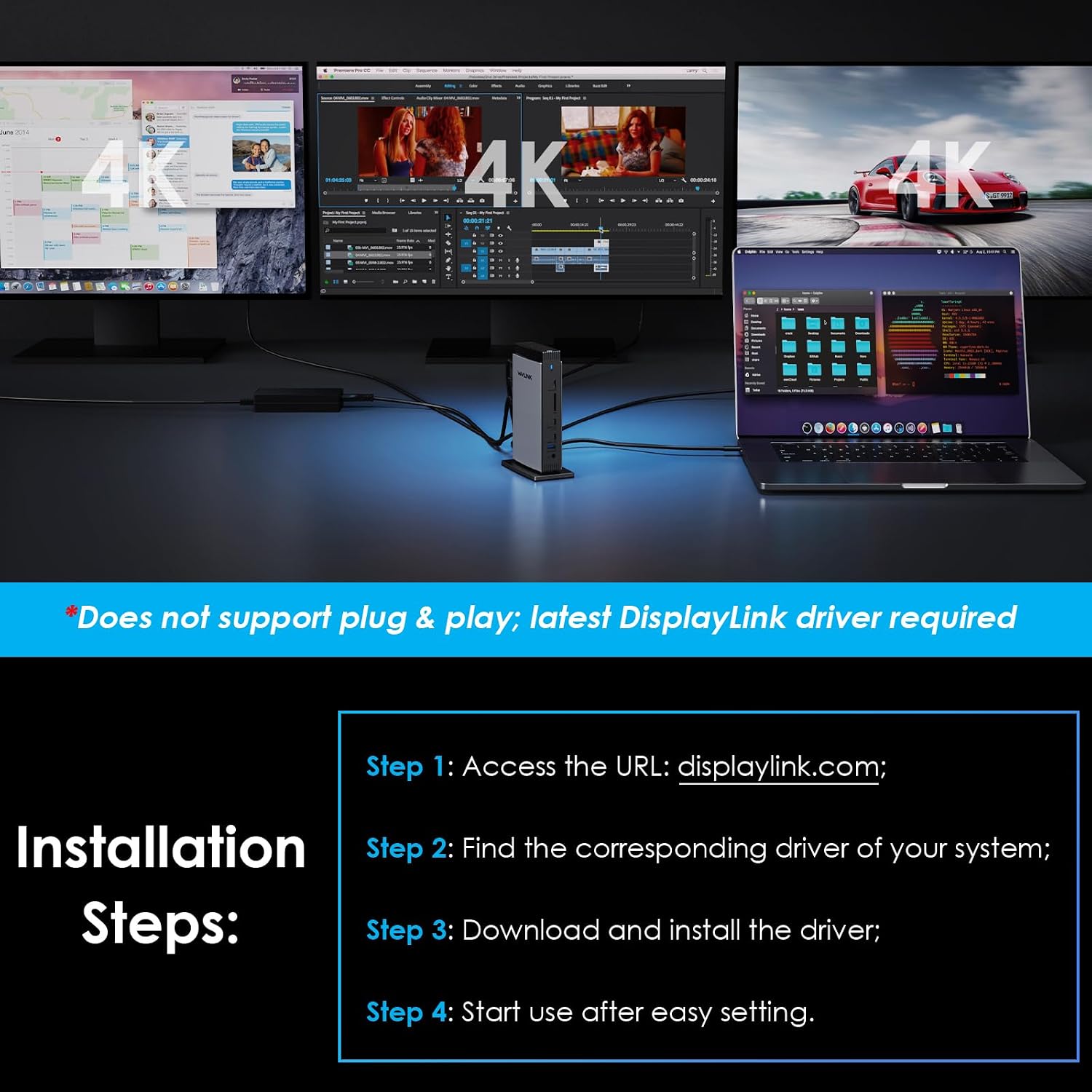
The dock lists three HDMI ports and two DisplayPort ports, with support for connecting up to three 4K monitors. For M1, M2 and M3 Macs, the listing specifies dual 4K at 60Hz through the Display 1/2 HDMI or DP ports using DisplayLink. It also describes 4K at 60Hz through HDMI Alt Mode, but the exact output depends on the host laptop and how the displays are connected, so don’t assume every three-screen setup will run at that resolution and refresh rate.
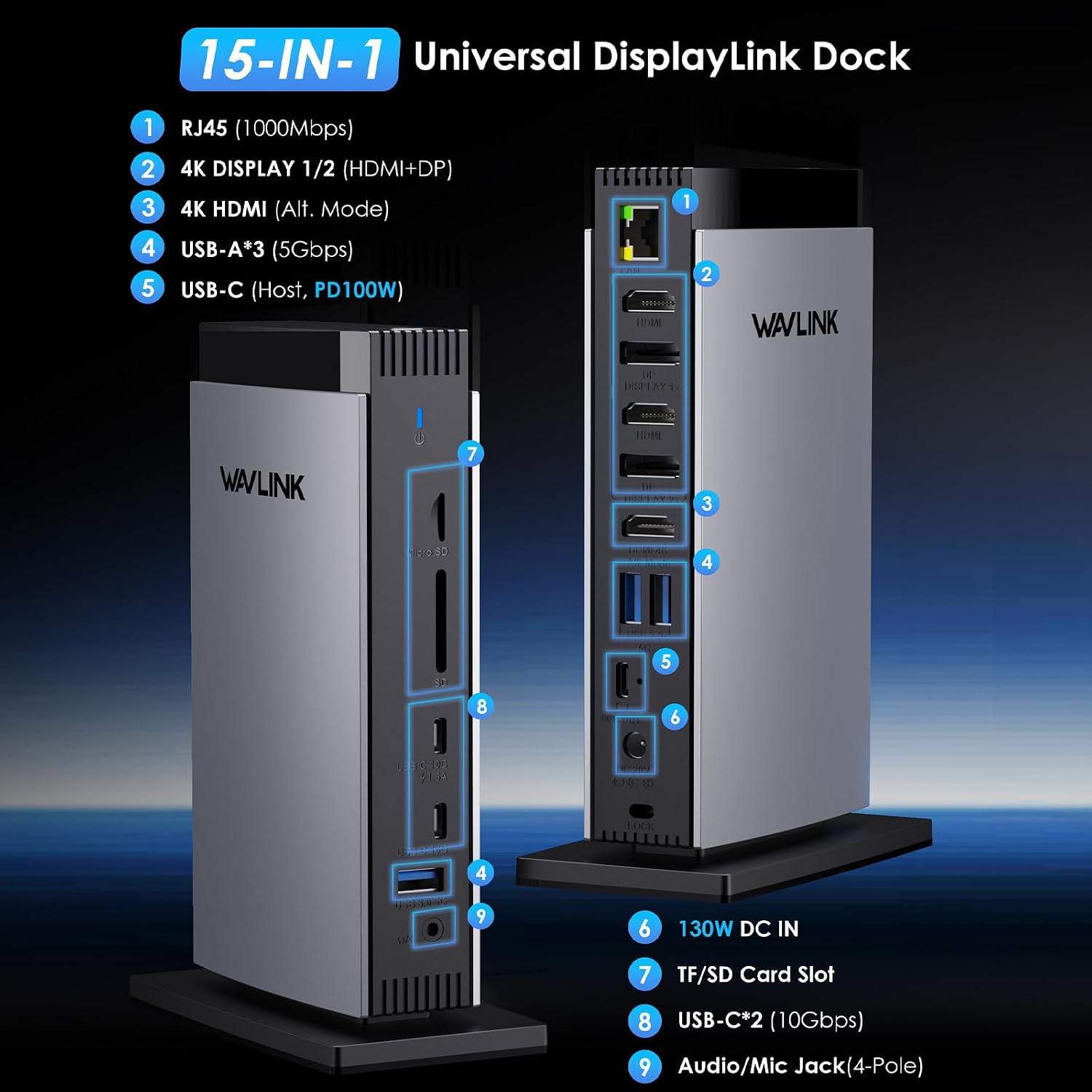
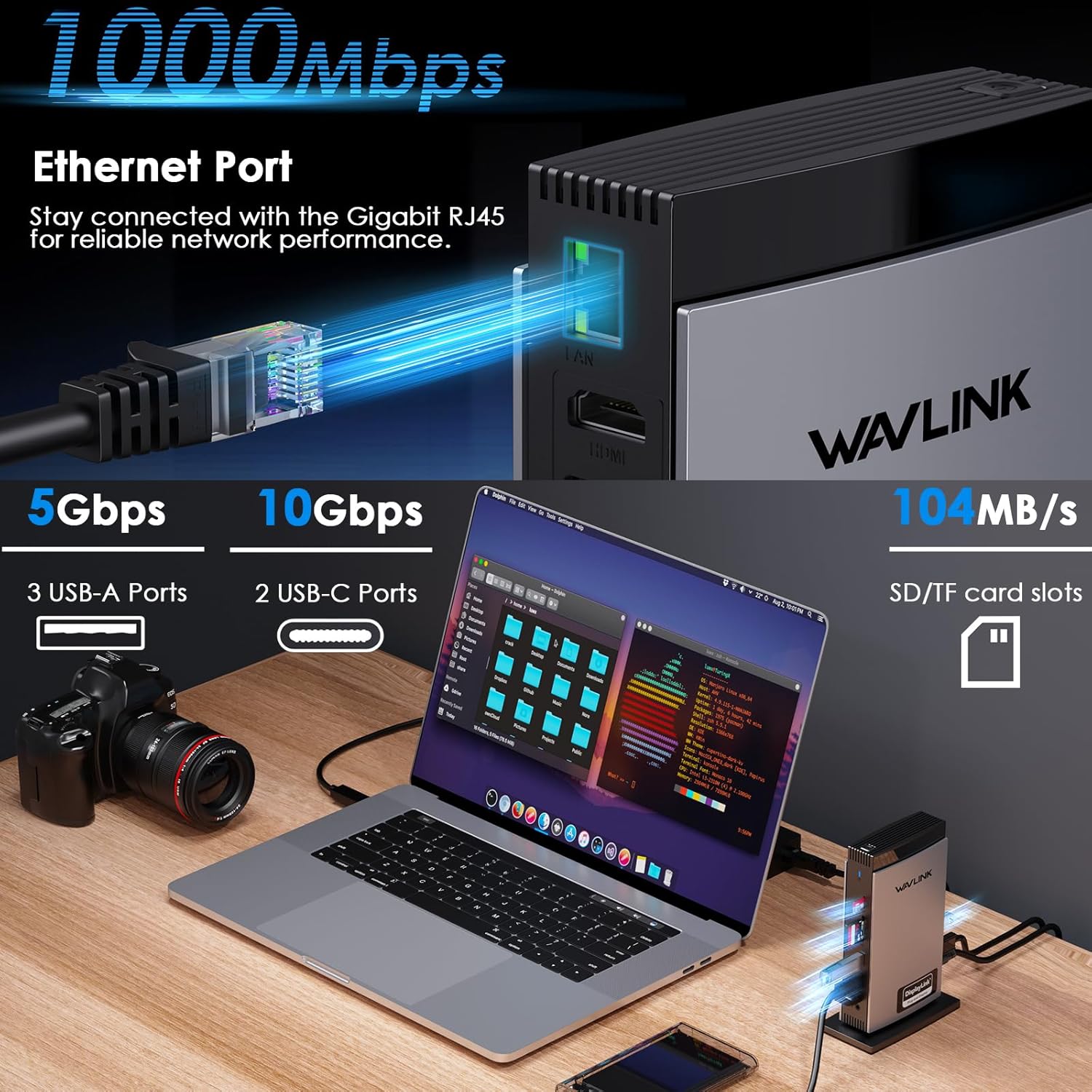
For a practical desk setup, you could connect external displays for documents and reference material, keep a keyboard or storage attached, and use Gigabit Ethernet for a wired network connection. The dock also has SD and TF card readers, which may be useful when moving files from a camera card without reaching for a separate reader. The listing quotes speeds up to 104MB/s for these slots.
What to know
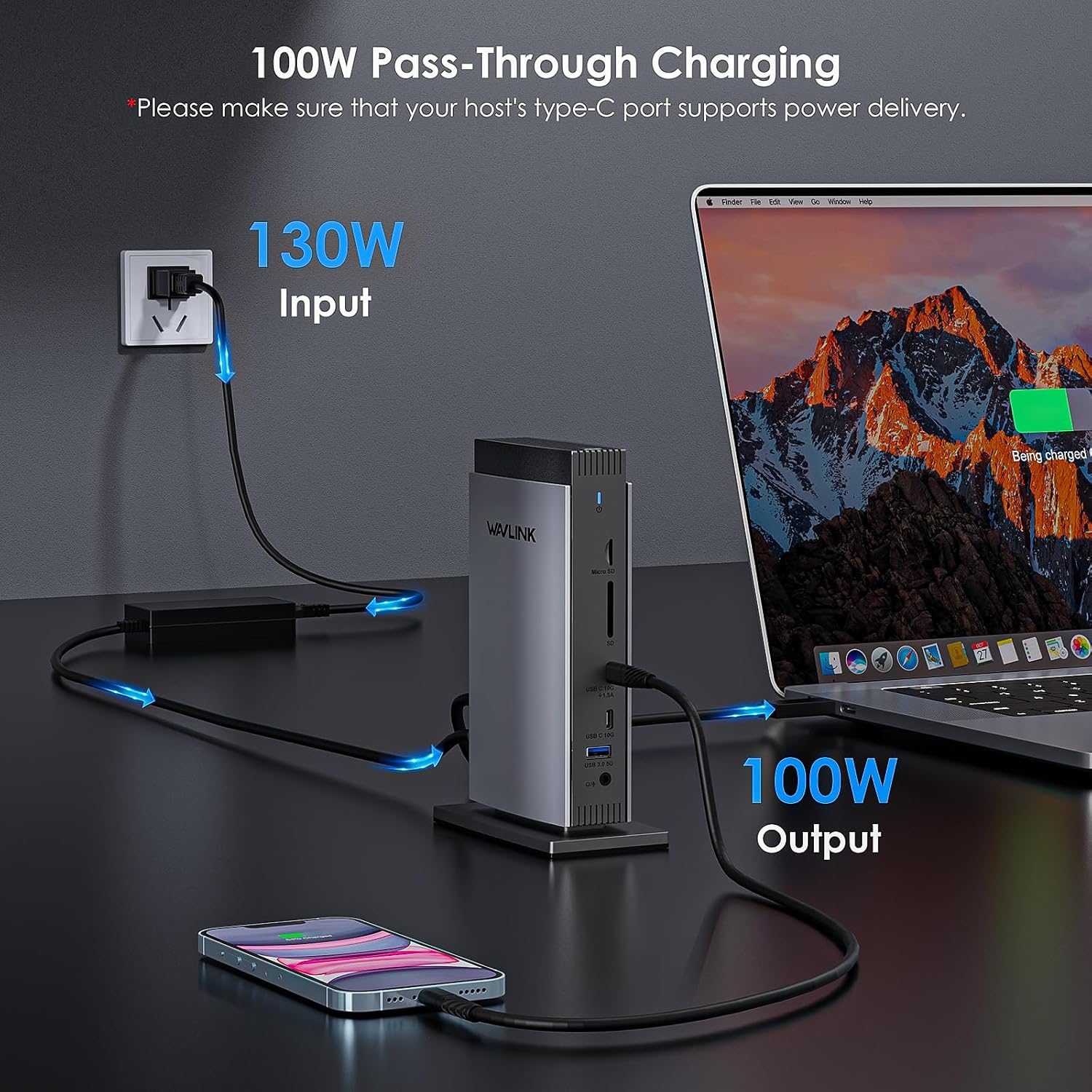
This is not a plug-and-play dock: the latest DisplayLink driver is required. Video output also requires a laptop USB-C port that supports HDMI Alt Mode, while charging through the dock requires the host port to support Power Delivery. The included 130W power adapter can deliver up to 100W PD to the laptop, that is the dock’s stated maximum, not a guarantee for every host device.
The connection mix includes three USB-A ports rated at 5Gbps and two USB-C ports rated at 10Gbps, along with a third USB-C connection whose speed is not specified in the listing. Gigabit Ethernet, an audio jack and the SD/TF slots round out the options. Gaming-intensive use is specifically not recommended, so this setup is better suited to work and multitasking than to a gaming-focused display arrangement.
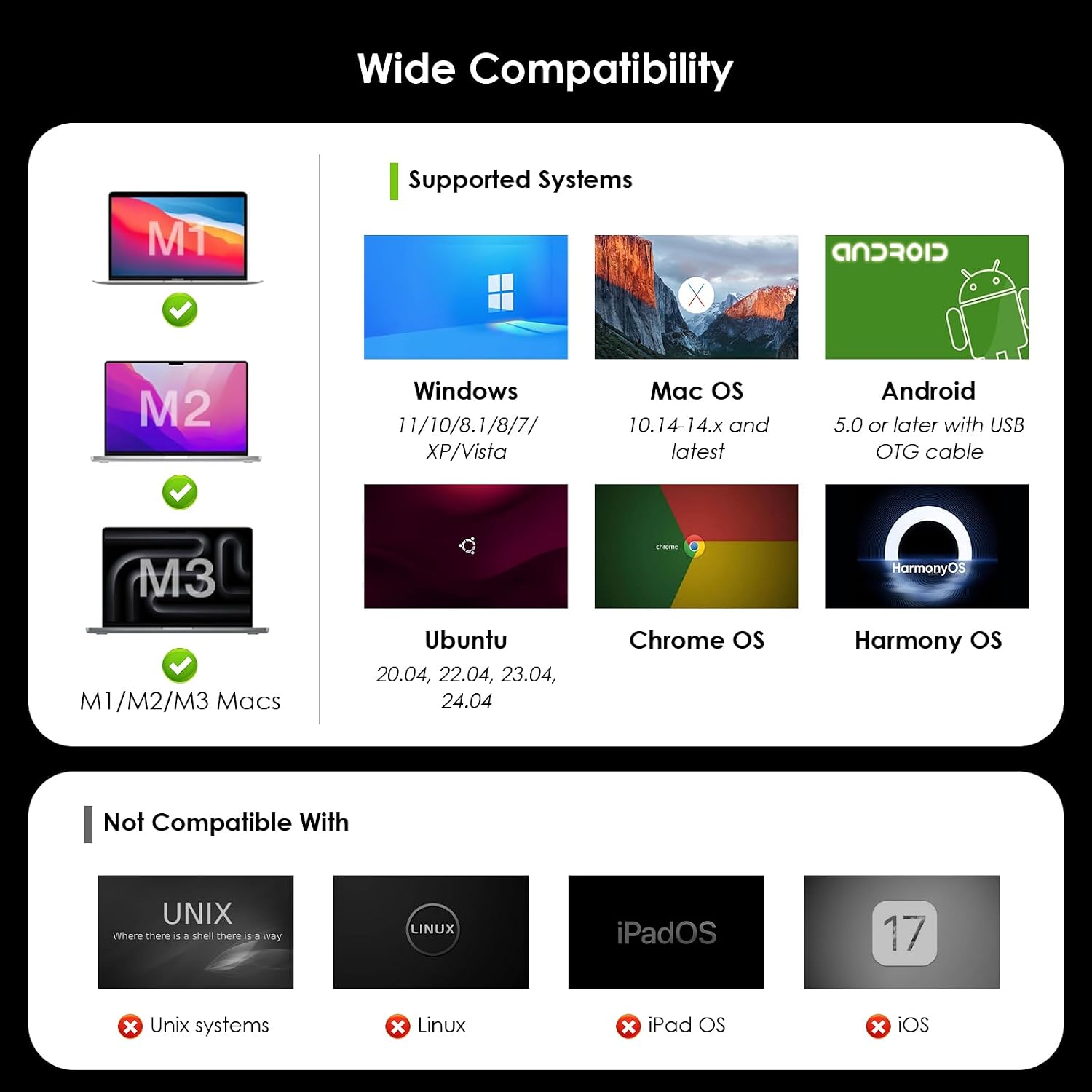
The compatibility list names Windows, macOS, Chrome OS, Android and Harmony OS, as well as laptops with full-function USB-C or Thunderbolt 3/4 ports. It also names MacBook Neo and Mac M1–M5 models, but the stated dual-display details specifically refer to M1–M3 Macs. Based on the listed details, check your laptop’s port support and the required DisplayLink driver before choosing it. It suits you if you want one desk connection for displays and several peripherals, it is not for you if you need a driver-free setup or prioritise gaming.
Best use cases
This dock makes most sense for a fixed workstation where several screens and peripherals stay connected. For example, you might leave two monitors, a wired network cable and a card reader attached, then connect your laptop at the start of the workday. It can also help when a laptop has limited built-in ports but supports the video and charging features the dock needs.
If your setup only needs one screen and a couple of accessories, a simpler hub may be easier to manage. Conversely, users with demanding gaming needs should look for a solution intended for that use, since this listing advises against gaming-intensive use. The key choice is whether the range of connections and multi-display support are worth installing and maintaining the required driver.
Before you choose
Choose this WAVLINK dock if you have a compatible USB-C or Thunderbolt laptop, want a multi-display desk and will use the DisplayLink software. Skip it if your USB-C port lacks the required video or PD support, or if you want a no-driver connection. Confirming those details first matters more than the number of ports: without the right host support, the dock may not deliver the display or charging setup you expect.