

YUNZII B87 Wireless Mechanical Keyboard: 87 Keys, Tri-Mode Connectivity, Hot-Swap, QMK/VIA
Product description
What matters most
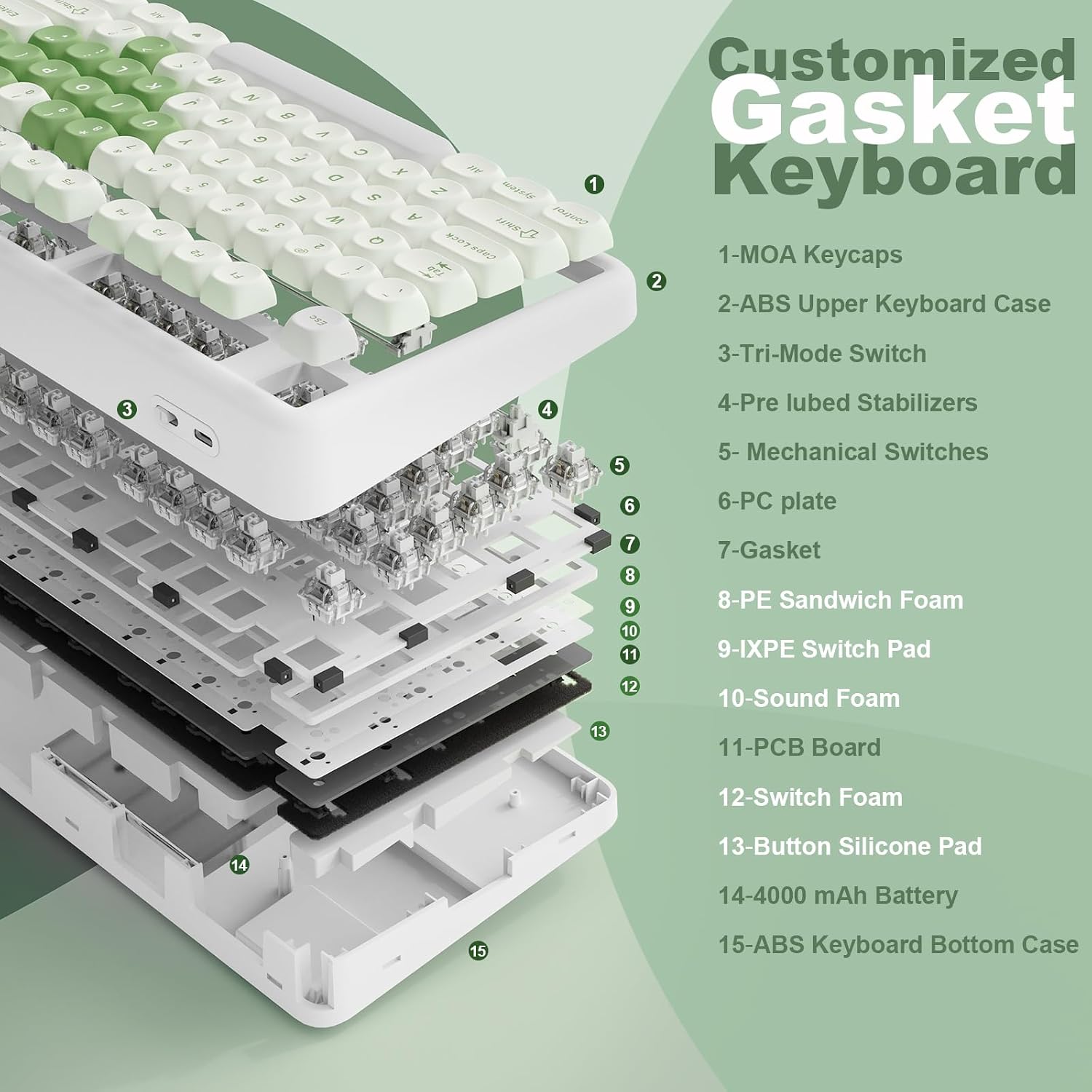
The YUNZII B87 is an 87-key, 80% layout wireless mechanical keyboard designed to save desk space without sacrificing functionality. It targets users who want a compact board with full wireless versatility and strong customization options. It ships with dye-sublimated bear-pattern PBT keycaps for a touch of personality and a soft-touch wrist rest for comfort during long sessions. On paper, the B87 blends a gasket-mount chassis with multilayer padding to reduce noise and improve typing stability, while offering a tactile, quiet experience thanks to the gasket design.
How it’s built
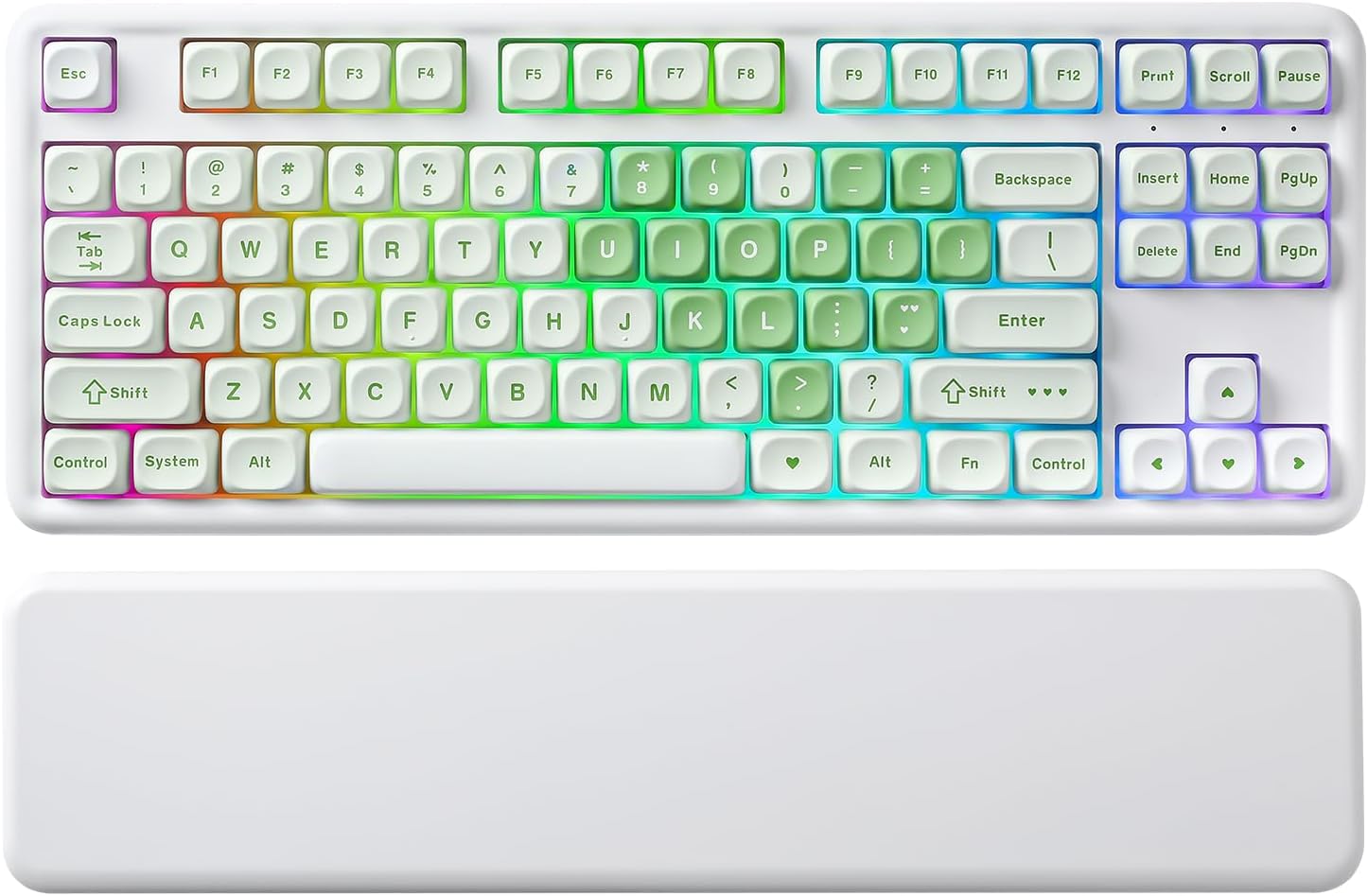
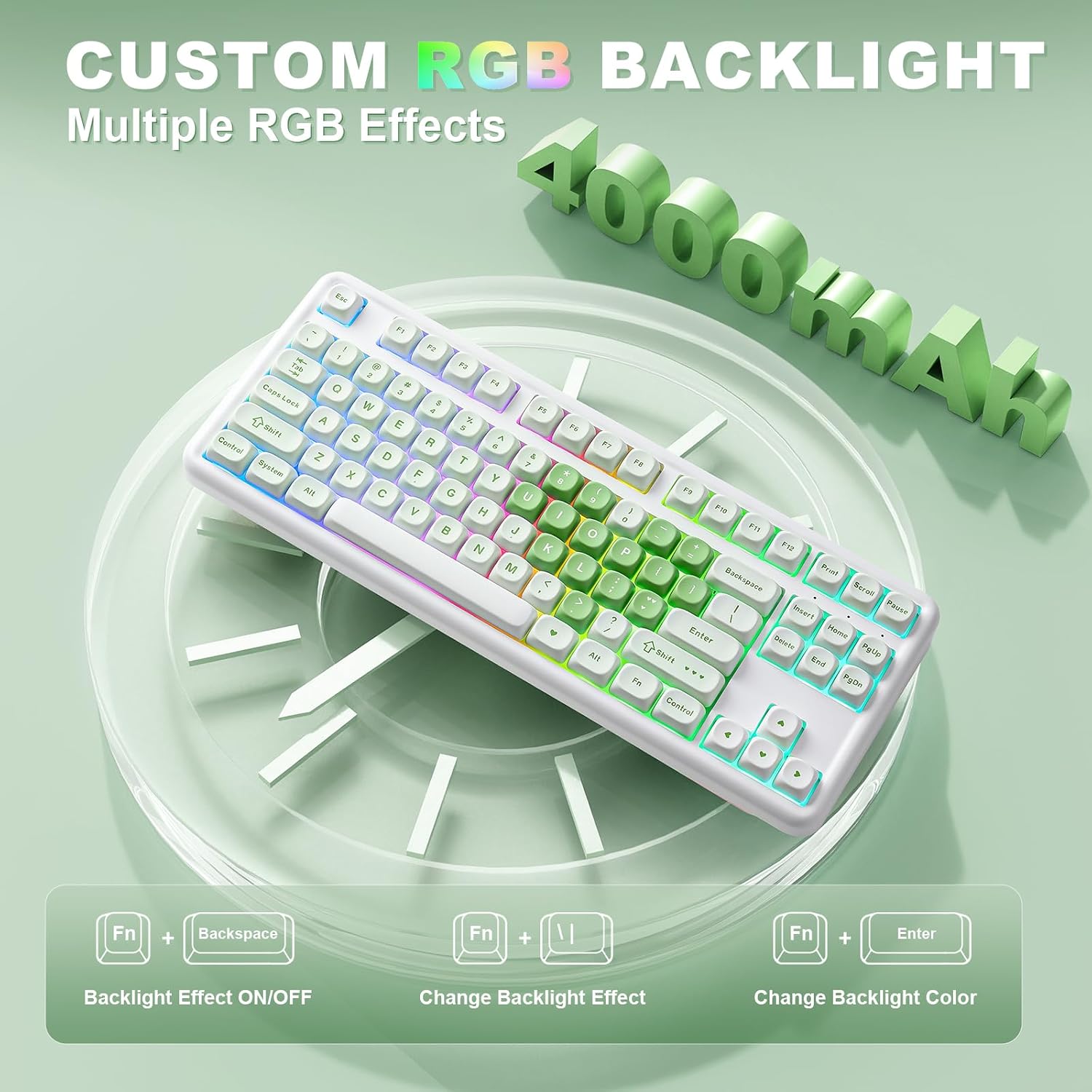
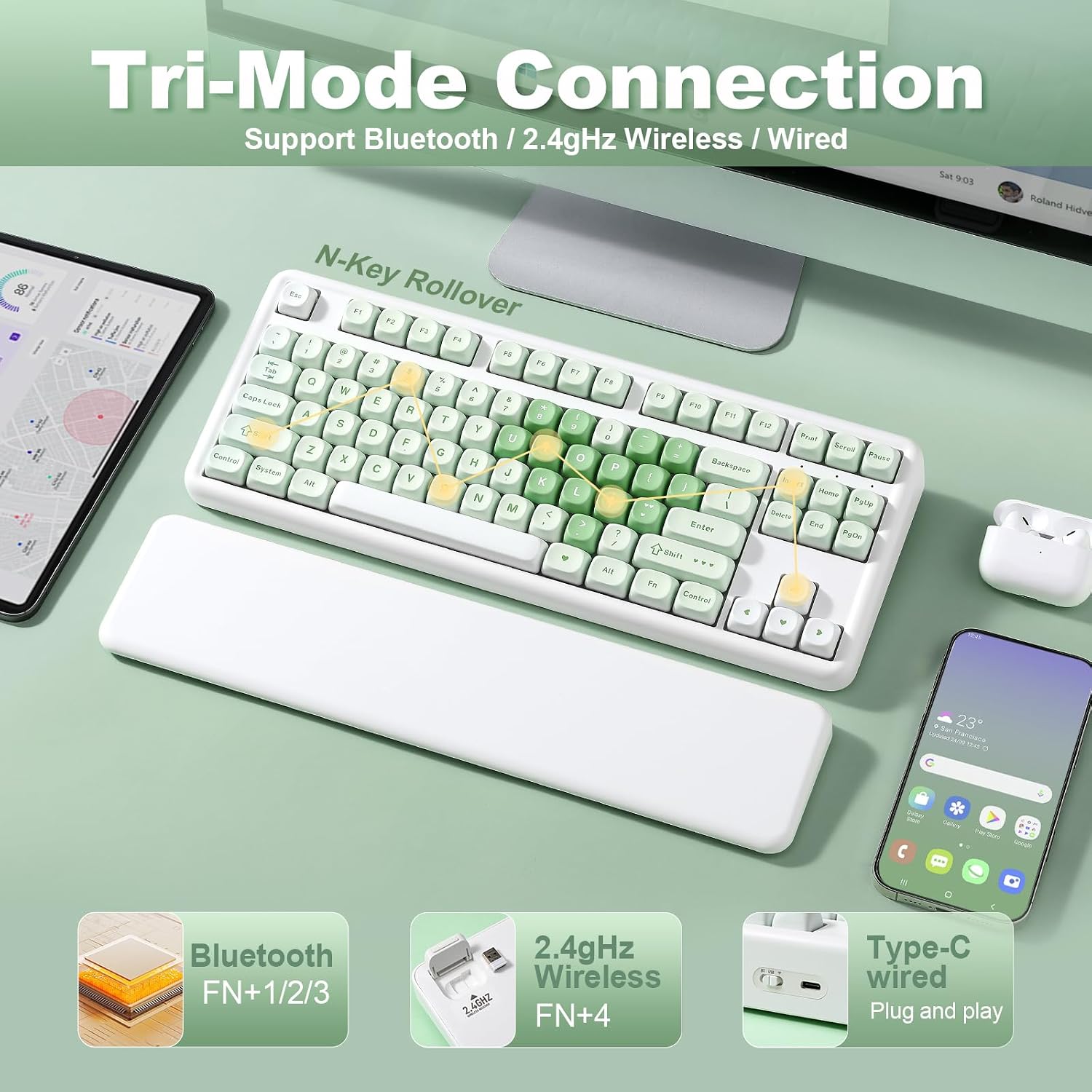
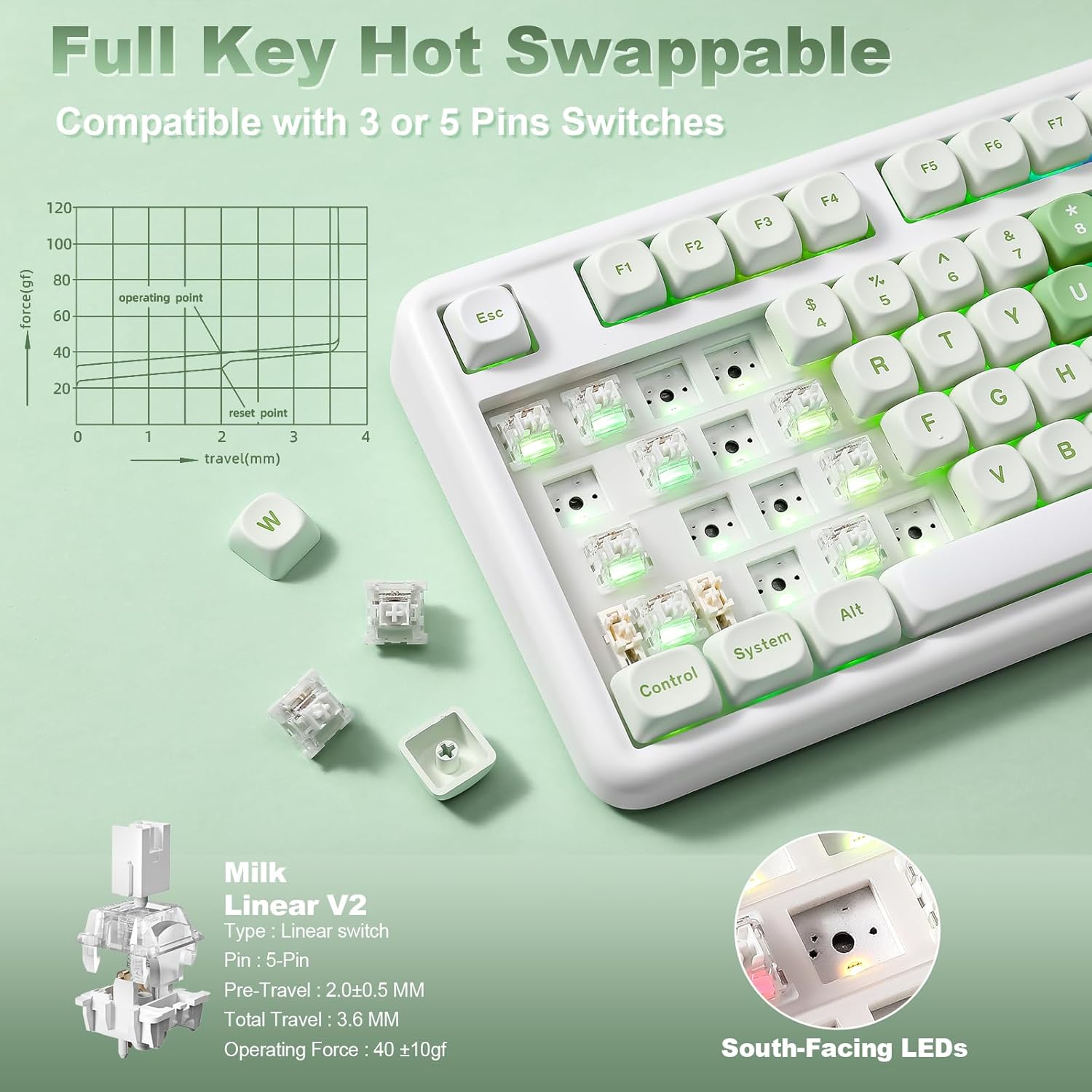
The frame uses premium ABS material and the keyboard supports hot-swappable switches (3-pin and 5-pin). This means you can experiment with different switch types without soldering, which is great for users who want to fine-tune feel and sound. The south-facing RGB backlight is designed to stay visible across lighting conditions. Inside, a 4000 mAh battery powers the tri-mode connection: Bluetooth, 2.4G wireless, and USB-C wired. The result is multi-device productivity, with support for Win, Mac, Linux, iOS, and Android. If you often switch between devices, this model can connect to up to five at once and you can cycle across them as needed.
What you’ll notice in use
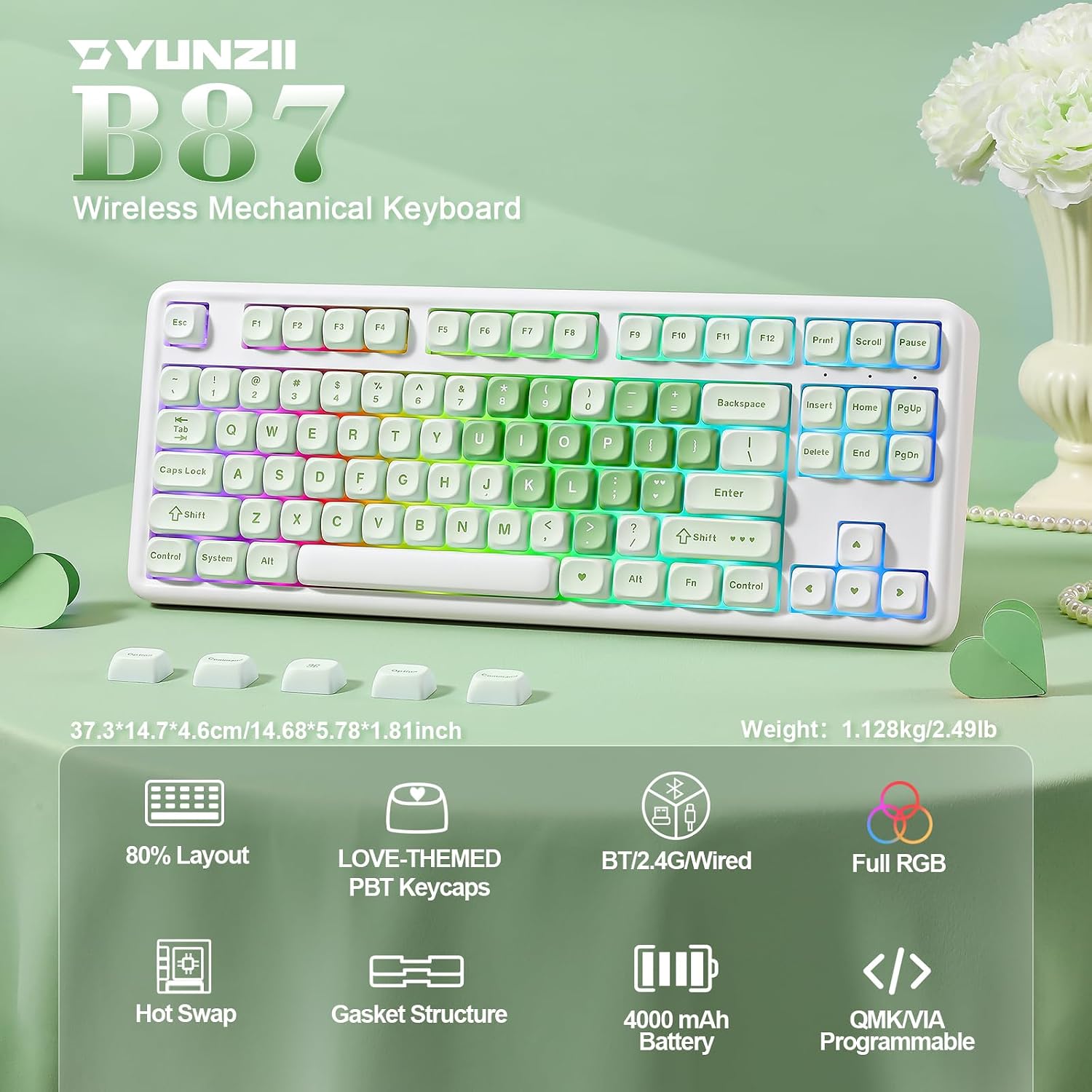
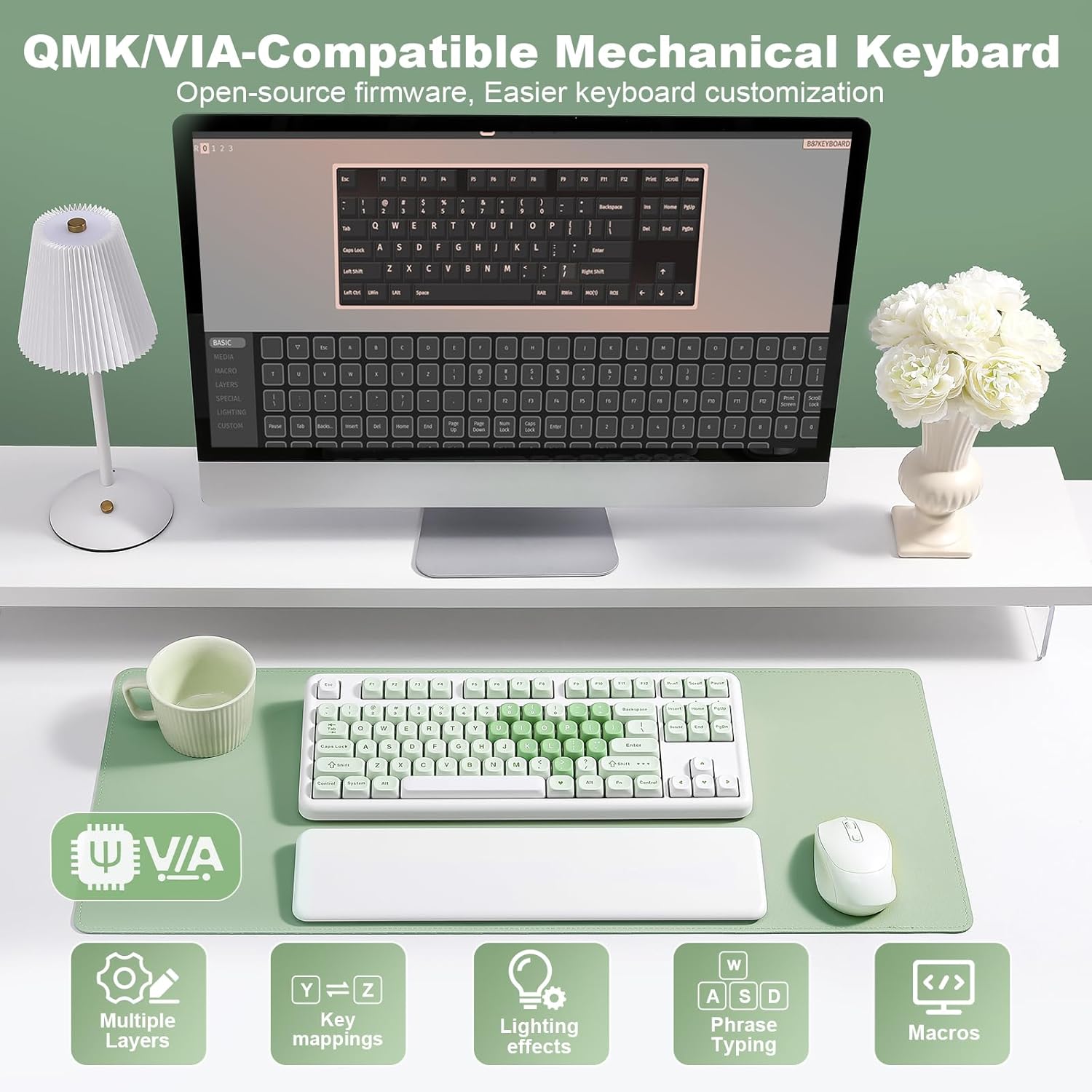
If you prioritize a compact footprint with robust software customization, the YUNZII B87 stands out for its QMK/VIA support. That means you can remap keys, create layers, add macros, and tailor lighting effects right from your browser via VIA—no bulky software install required. The gasket-mount + 5-layer padding contributes to a calmer typing sound and steadier feel, which can be a real plus for writers or gamers who value consistency across long sessions. The keycaps are not standard factory plastics, the dye-sublimation on PBT caps should resist shine with heavy use, preserving legibility.
Who it’s for
This keyboard is a good fit for users who want a portable, multi-device solution with a focus on customization and a quieter, more refined typing experience. It’s particularly appealing if you value flexibility (QMK/VIA compatibility), quiet operation due to the gasket assembly, and the ability to switch between Windows and macOS layouts without swapping hardware.
Where it may fall short
If you’re after a full-sized or curved desk setup, the 87-key form factor might feel cramped for certain workflows. The reliance on software customization is strong, but some users may find the initial setup a bit fiddly, especially when mapping multiple layers or macros. Also, battery life will vary with RGB usage and wireless activity, if you plan to use RGB extensively or leave Bluetooth on all day, you may want to monitor charging needs.
How to decide before you buy
- Consider your primary setup: multi-device workflows with quick device switching? This model’s tri-mode connectivity and 5-device pairing can save time.
- If you value customization above all, the QMK/VIA support is a strong selling point, especially for creating personalized layouts and macros.
- For those who place priority on a quiet typing experience and compact footprint, the gasket-mount with five-layer padding is a notable design choice.
- If you need a full-size board or require non-standard layouts, you may want to explore larger options.
What to review before purchasing
- Confirm compatibility with your main operating system and whether you rely on macros or multiple layers to streamline your workflow.
- Assess your preferred keycap feel and sound: the PBT dye-sublimation caps and gasket-mount will influence acoustics and typing feel differently compared to standard boards.
- Check whether you’ll benefit from a 4000 mAh battery for your typical usage pattern, considering RGB and wireless activity.
In context: alternatives and how this fits your approach
If you are weighing multi-device convenience against customization depth, this board sits between entry-level wireless keyboards and higher-end, fully gasket-mounted options. It’s a sensible middle ground for someone who wants to reduce desk clutter without compromising on key customization and cross-platform compatibility. For users who don’t need hot-swappability or who rarely adjust key mappings, a simpler, plug-and-play keyboard might suffice.
Final decision
Final verdict
Is it worth it? It makes sense if you value a compact, highly customizable wireless keyboard that can operate across multiple platforms with a single battery and a gasket-stabilized keypad feel. You’ll get strong software customization, multi-device practicality, and a distinctive look with the bear-pattern keycaps. It may not be ideal if you want a larger layout or if you expect plug-and-play simplicity without a setup phase.
Quick FAQ
- How many devices can it connect to simultaneously? Up to five devices across Bluetooth, 2.4G, and USB-C wired.
- Can I customize keys and lighting? Yes, via QMK/VIA, including layers, macros, and lighting effects.
- What is the layout and key count? 87 keys, 80% layout with an emphasis on space efficiency.
- Is it suitable for Windows and macOS? Yes, it’s designed to be compatible with Win, Mac, Linux, iOS, and Android.