

LEMOKEY P1 HE 75% Wireless Mechanical Keyboard (Magnetic switches, RGB, QMK, 2.4 GHz/Bluetooth)
Product description
The essentials
The LEMOKEY P1 HE is a 75% wireless mechanical keyboard aimed at players and fast typists who care about control and consistency. On paper, it ticks a lot of boxes at once: double-rail magnetic switches from Gateron, triple-mode connectivity (Bluetooth 5.2, 2.4 GHz, and a wired option), and QMK support for deeper customization. It’s not the kind of keyboard you buy just to “have something,” because the appeal here is tweaking—actuation behavior, macros, and key functions—until it matches how you play.
For gaming, the 2.4 GHz route is the one you’ll care about when low latency matters. For portability or desk-light setups, Bluetooth gives you a way to swap devices without dragging cables around all day. And the 75% layout keeps the desk cleaner while still leaving you enough room to build muscle memory around navigation and core keys.
What stands out in day-to-day use
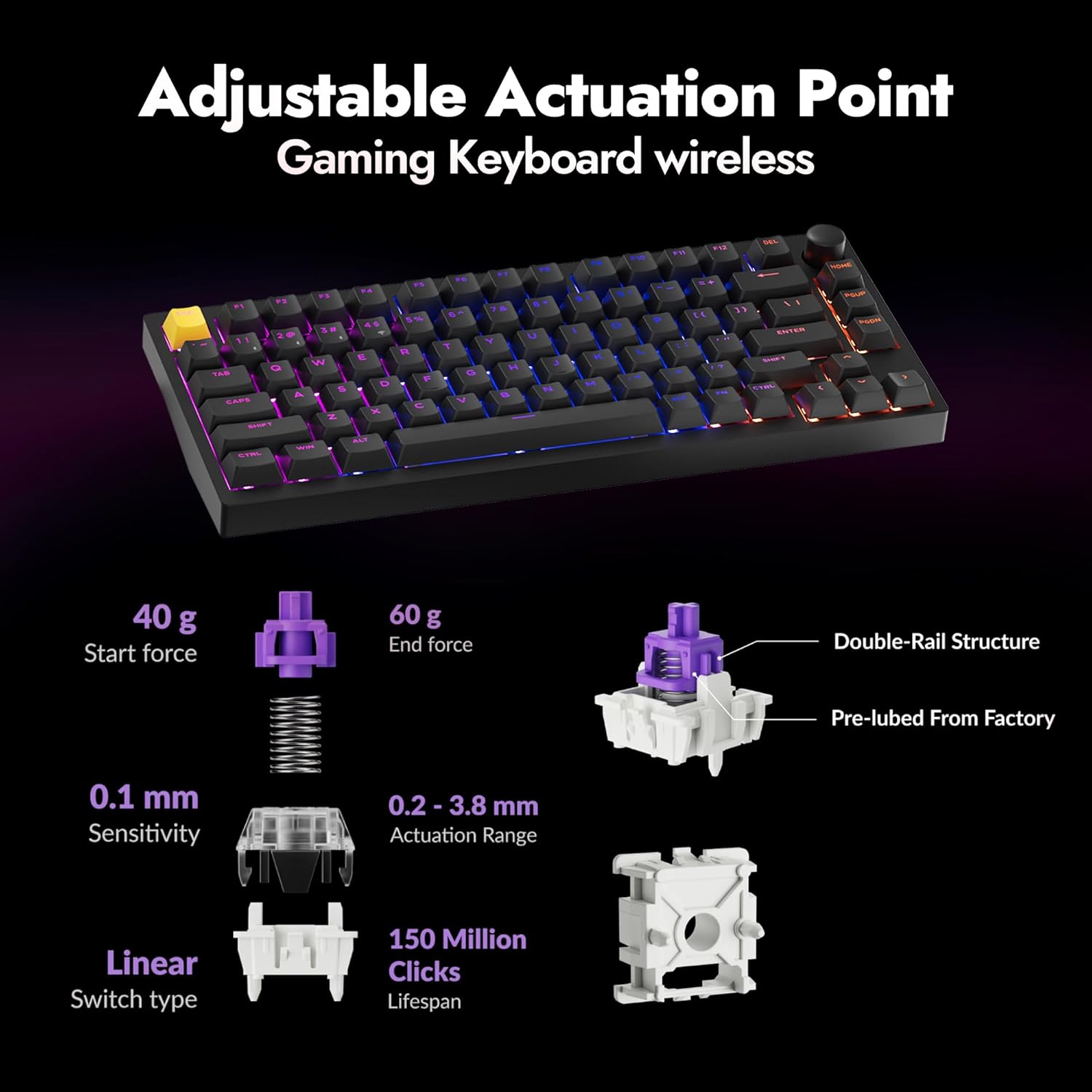
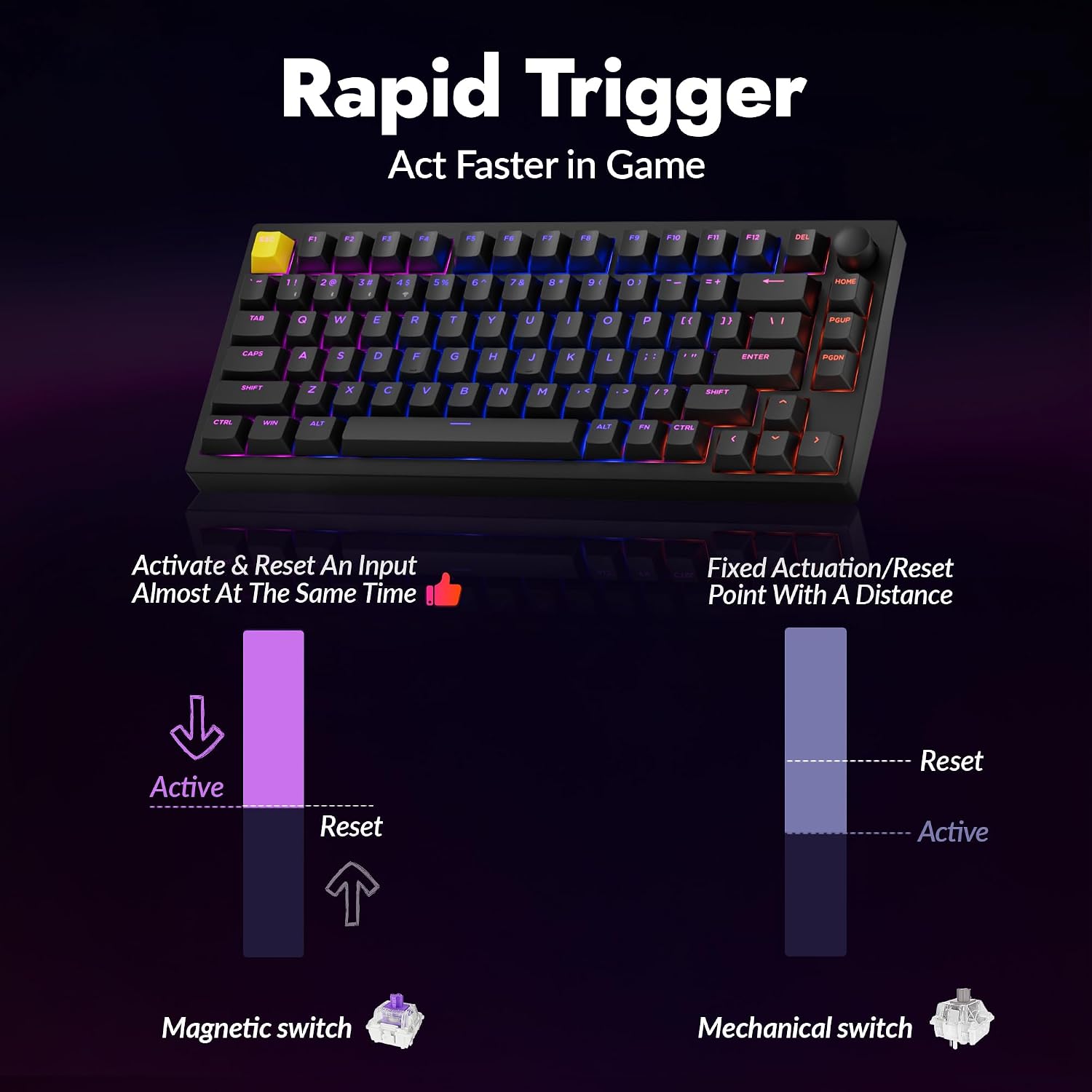
The magnetic double-rail switches are the headline. Compared with traditional switch styles, magnetic designs are often chosen for their “feel” and for how predictable they can be when you tune them—especially if you’re the type who benefits from adjusting actuation points.
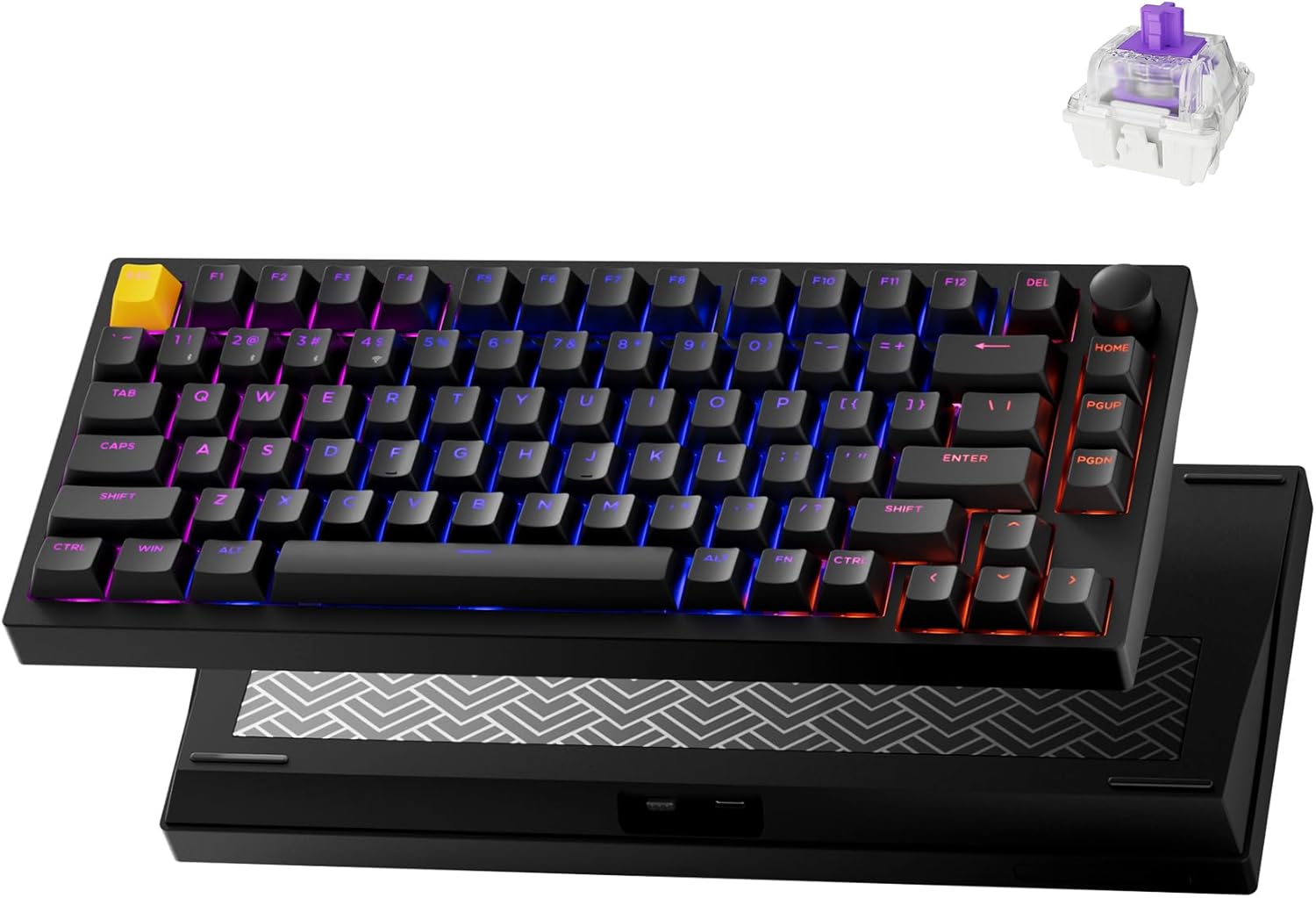
There’s also a multifunction knob included with the P1 HE. That sounds like a small thing, but in practice it can turn into a quick-access tool for volume, scrolling, weapon selection, or other in-game functions—depending on what you map.
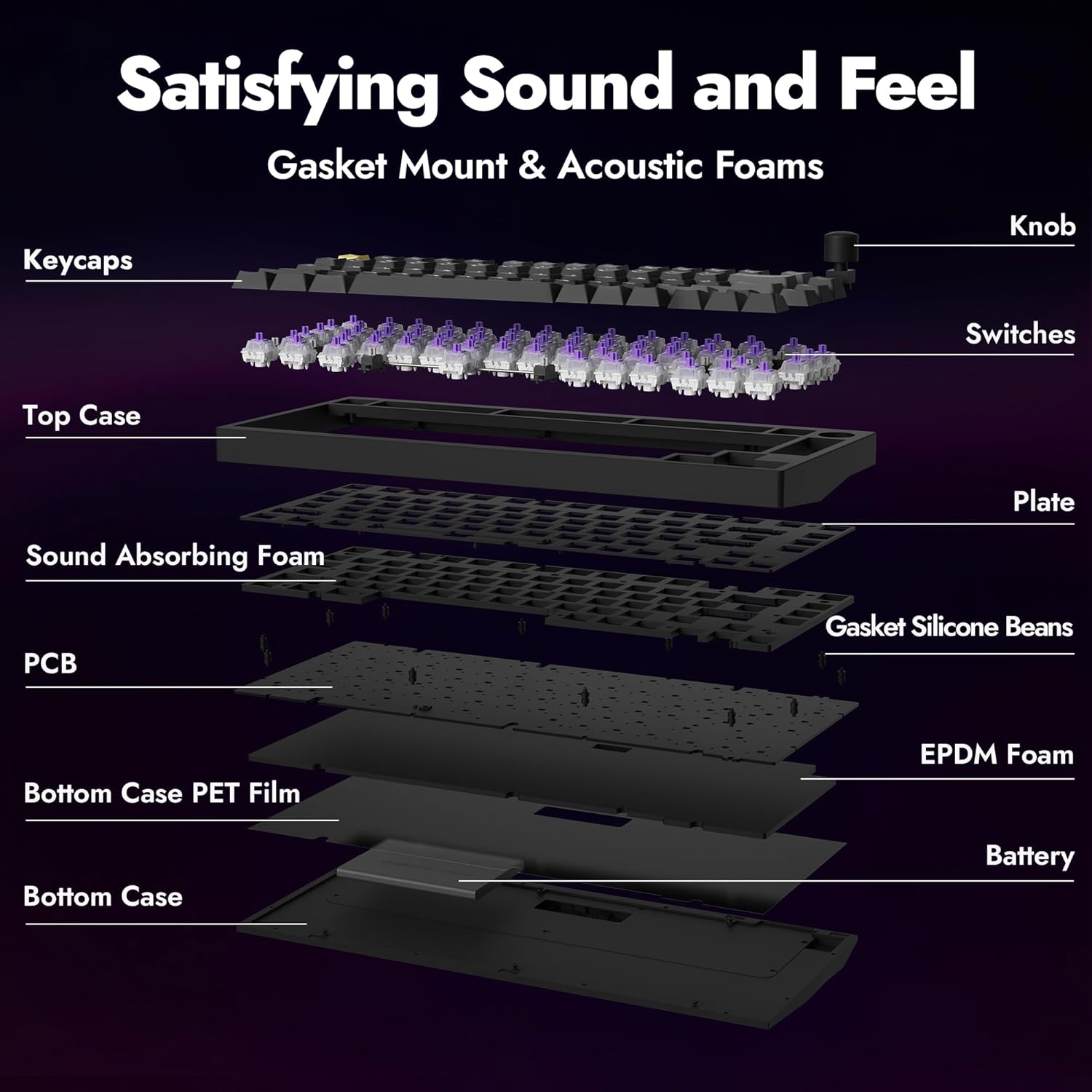
The build leans into stability: it’s built with a full metal body, plus gasket mounting and acoustic foams mentioned in the description. That combination is usually what you’re looking for when you want less wobble, a more refined sound profile, and a sturdier feel during fast keystrokes.
Quick overview of connectivity and customization
This keyboard supports three modes. You can connect to up to three devices via Bluetooth 5.2, use the 2.4 GHz connection for ultra-low latency, or switch to a wired option when you want the most stable performance.
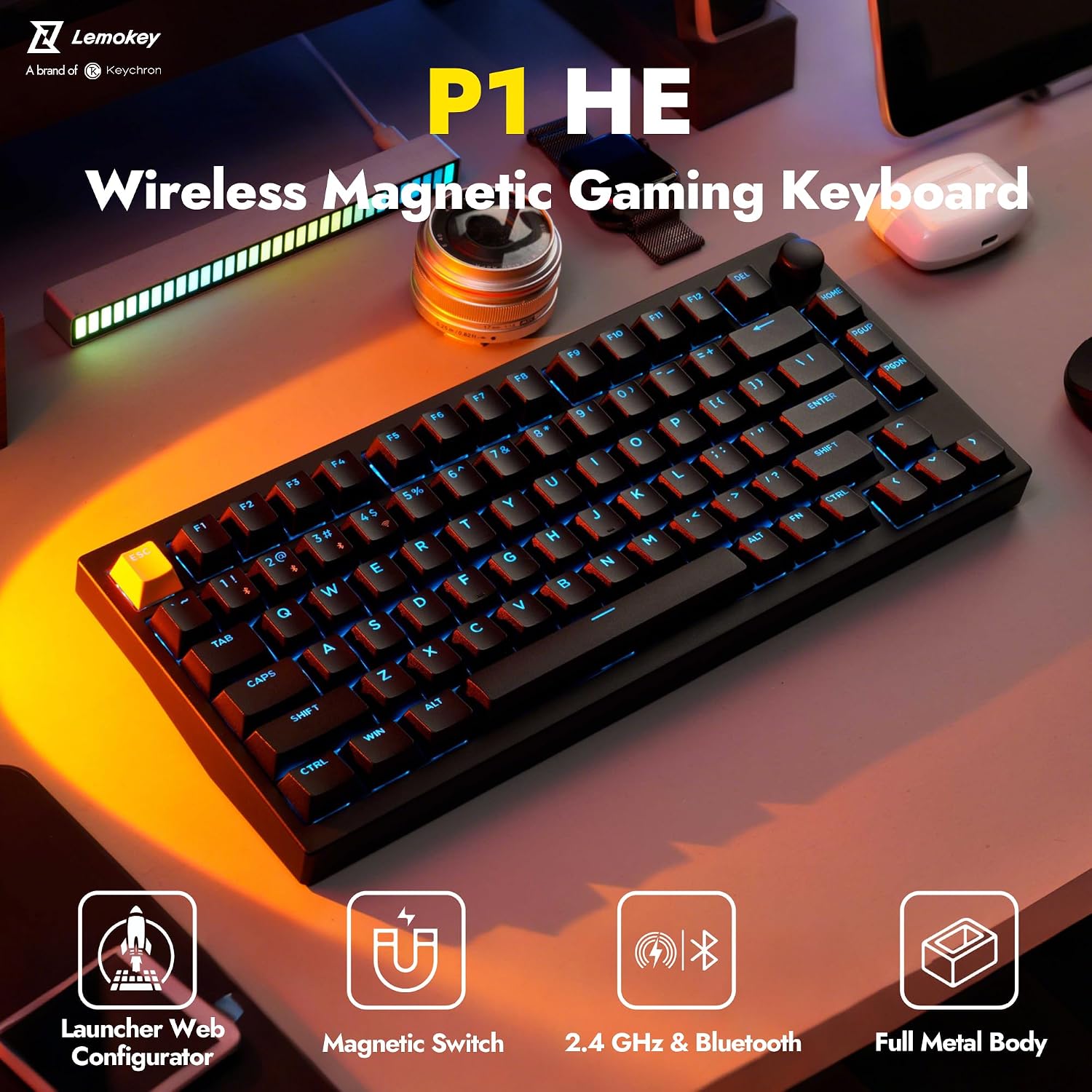
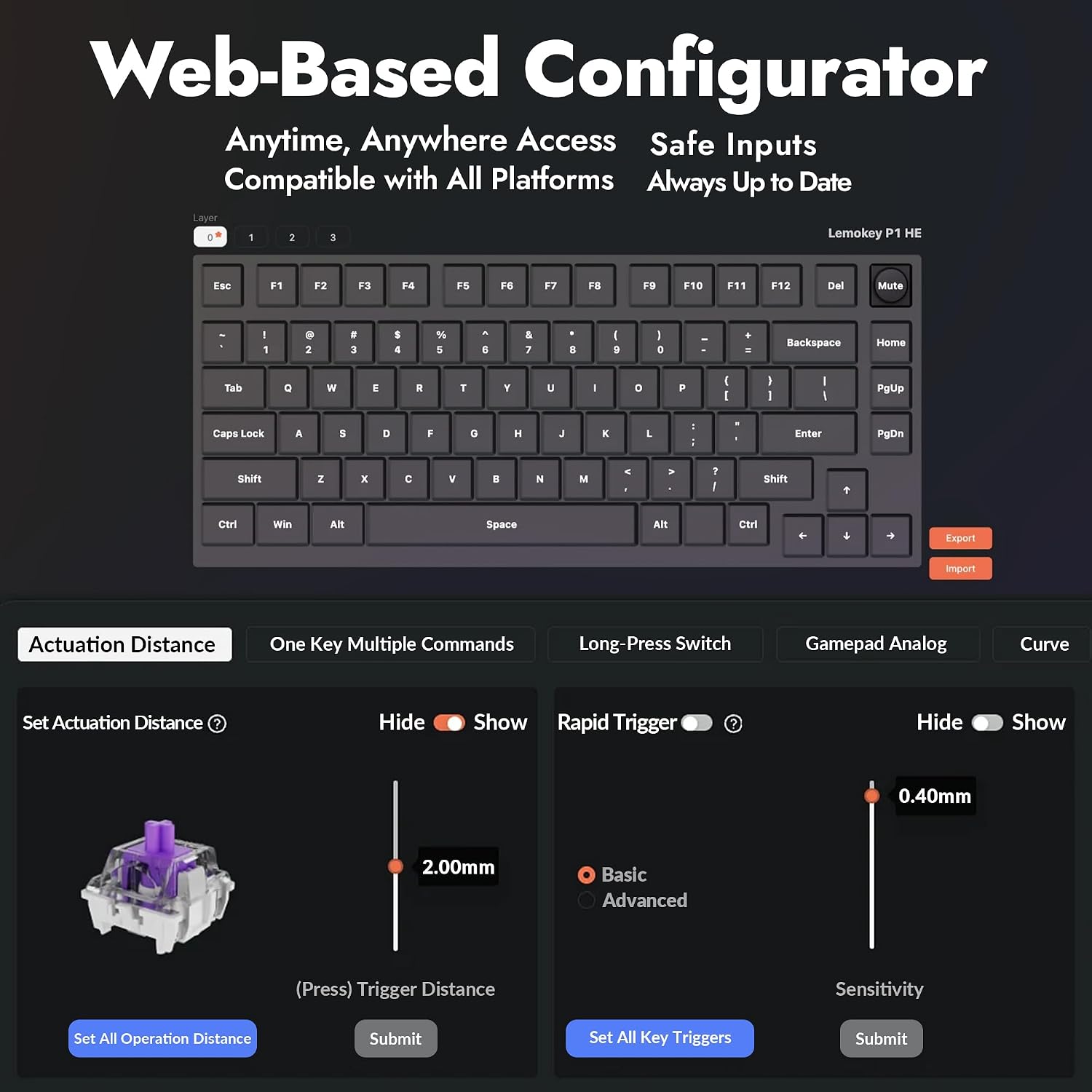
Customization is a big part of the value proposition here. The description mentions a Launcher web configurator where you can remap keys, create macros, and adjust actuation points—without installing anything. That’s a strong convenience angle if you like experimenting before committing to a “final” setup.
And because it’s listed with QMK, it’s positioned for people who want more than basic remapping. QMK usually appeals to the tinkerer crowd: the users who adjust layers, shortcuts, and key behavior to fit specific games or workflows.
Key features you’ll probably feel
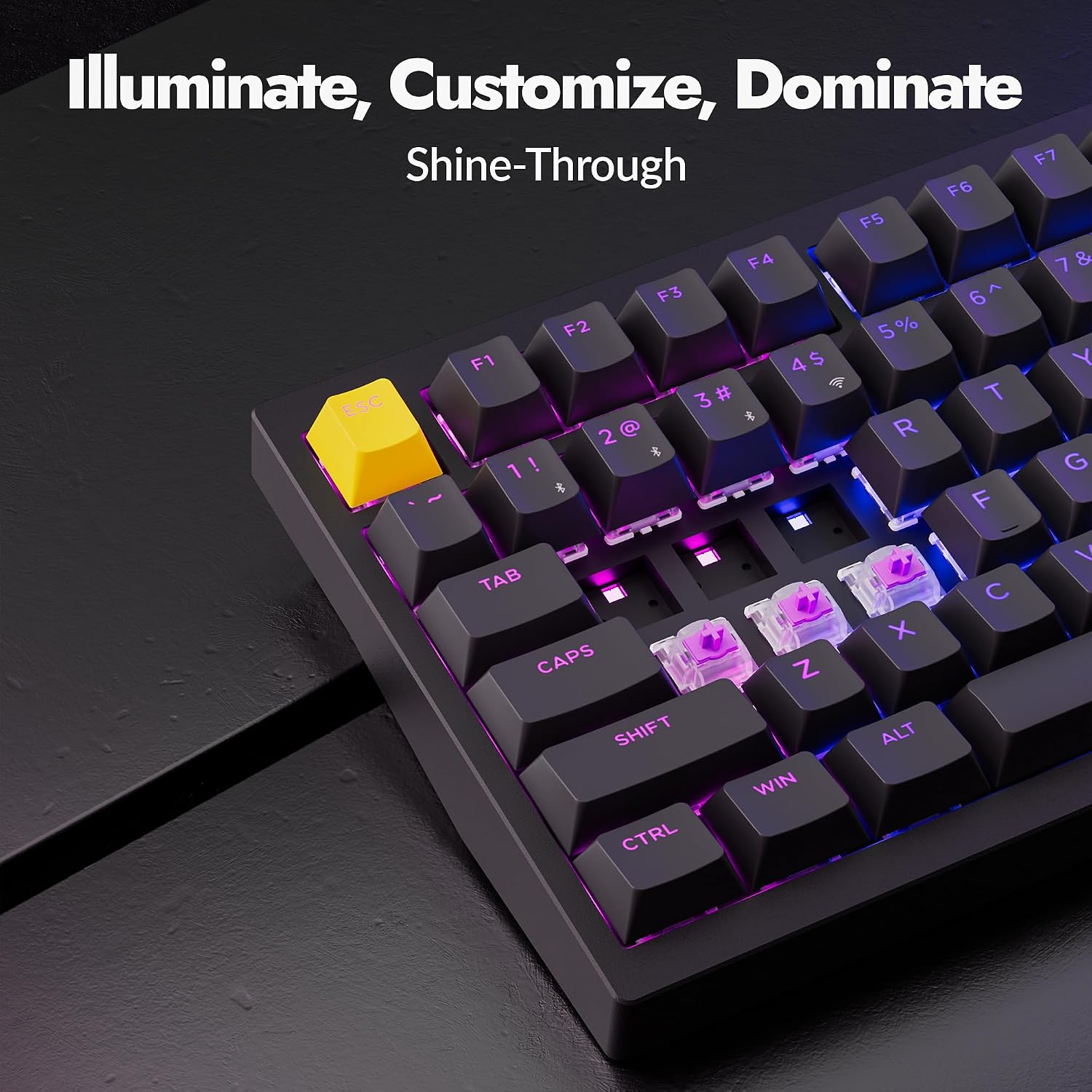
It uses shine-through PBT keycaps, which should help with RGB visibility while also targeting a more premium typing feel than basic plastics. RGB is there, but the more interesting part is that the caps are described as designed to work well with lighting.
The hot-swap design is another practical win. If you later decide you want a different switch feel, you can change switches without soldering. It’s one of those “future-proofing” features that may not matter on day one, but becomes valuable when your preferences evolve.
Worth noting: the listing references “Gateron double-rail magnetic switches,” but it doesn’t spell out every detail about compatibility with third-party components beyond hot-swap. If you’re very specific about switch families or you already own spares, it’s smart to confirm what swapping options you actually have before buying.
Who it’s for (and who should skip it)
It makes sense if you want a compact 75% gaming keyboard that can do wireless with serious latency priorities, and you’re excited about tuning. If you care about actuation points, macros, and per-key control—plus you like the idea of configuring through a web tool—this is the kind of setup that can feel rewarding.
It might not be the best match if you only want plug-and-play with minimal tweaking. This is a keyboard where the software/customization angle matters, and if you won’t use it, you may not get the payoff.
It may also be a tougher pick for buyers who want the simplest wireless experience above all else. Triple-mode is great, but it’s still more moving parts (and more setup choices) than a single-mode board.
Tech summary (based on the provided details)
Tech specs
- Name: LEMOKEY P1 HE 75%
- Type: Wireless mechanical keyboard with magnetic switches
- Connectivity: Bluetooth 5.2, 2.4 GHz wireless, and wired option
- Switch system: Gateron double-rail magnetic switches
- Layout: 75%
- Backlighting: RGB (shine-through PBT keycaps)
- Customization: QMK support and a Launcher web configurator
- Build: full metal body, gasket mount, acoustic foams
- Switch changes: hot-swappable
Is it worth it?
The LEMOKEY P1 HE is worth considering if you’re shopping for a 75% wireless keyboard built for competitive responsiveness and you enjoy customization. The combination of 2.4 GHz low-latency mode, multi-device Bluetooth switching, magnetic double-rail switches, and a web configurator for remaps/macros gives it a clear “control and tweak” identity.
If you’re expecting a fully hands-off, purely casual keyboard, this one can feel like overkill—because the best parts are the tuning and configuration. Also, because the entry doesn’t provide full details about every swapping or setup limitation, double-check your expectations if you plan to heavily customize beyond what’s already described.
Mini FAQ
How many devices can I connect to?
The description states you can connect to up to three devices via Bluetooth 5.2.
Does it support both low latency and casual wireless use?
Yes, it’s set up for 2.4 GHz ultra-low latency, plus Bluetooth 5.2 for more flexible wireless use.
Can I remap keys and set macros without installing software?
According to the description, the Launcher web configurator lets you remap keys and create macros without installation.
Is the keyboard hot-swappable?
Yes, it’s described as hot-swappable, so you can change switches more easily.
Where does the RGB show best?
With shine-through PBT keycaps, the idea is that RGB visibility is supported while keeping a premium key feel.