

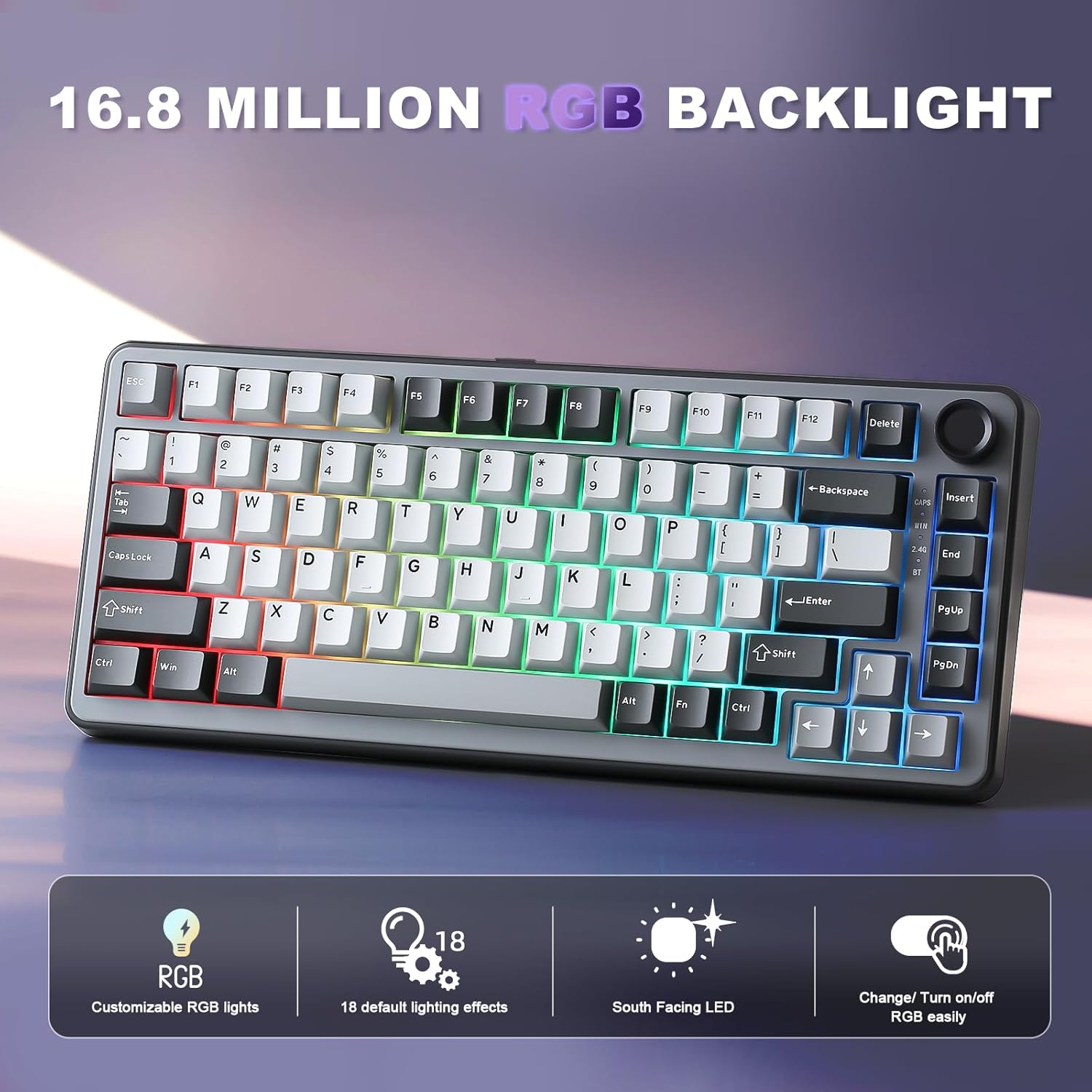
YUNZII B75 PRO Wireless Mechanical Keyboard (75% with Knob, Hot-Swap, Tri-Mode)
Product description
The essentials
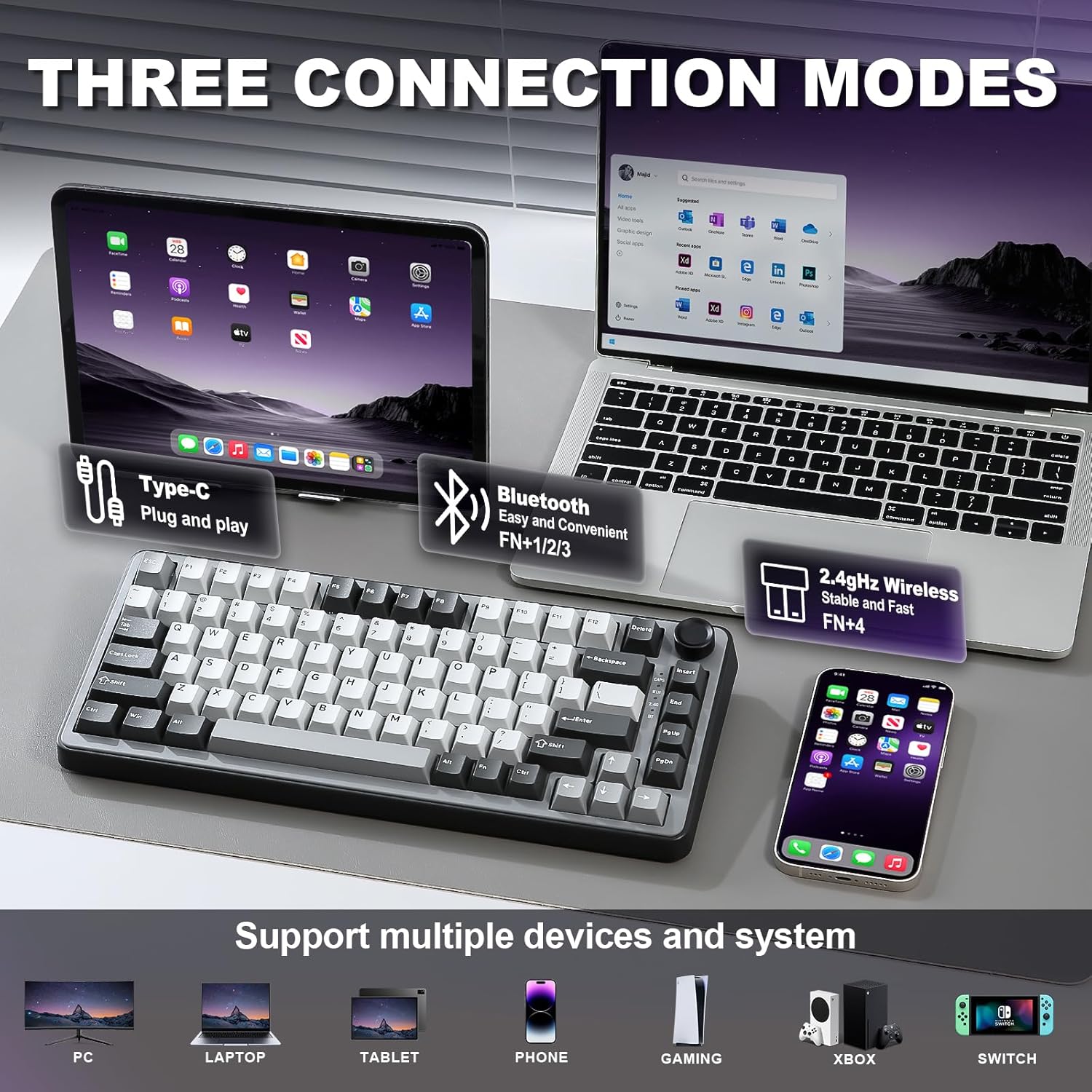
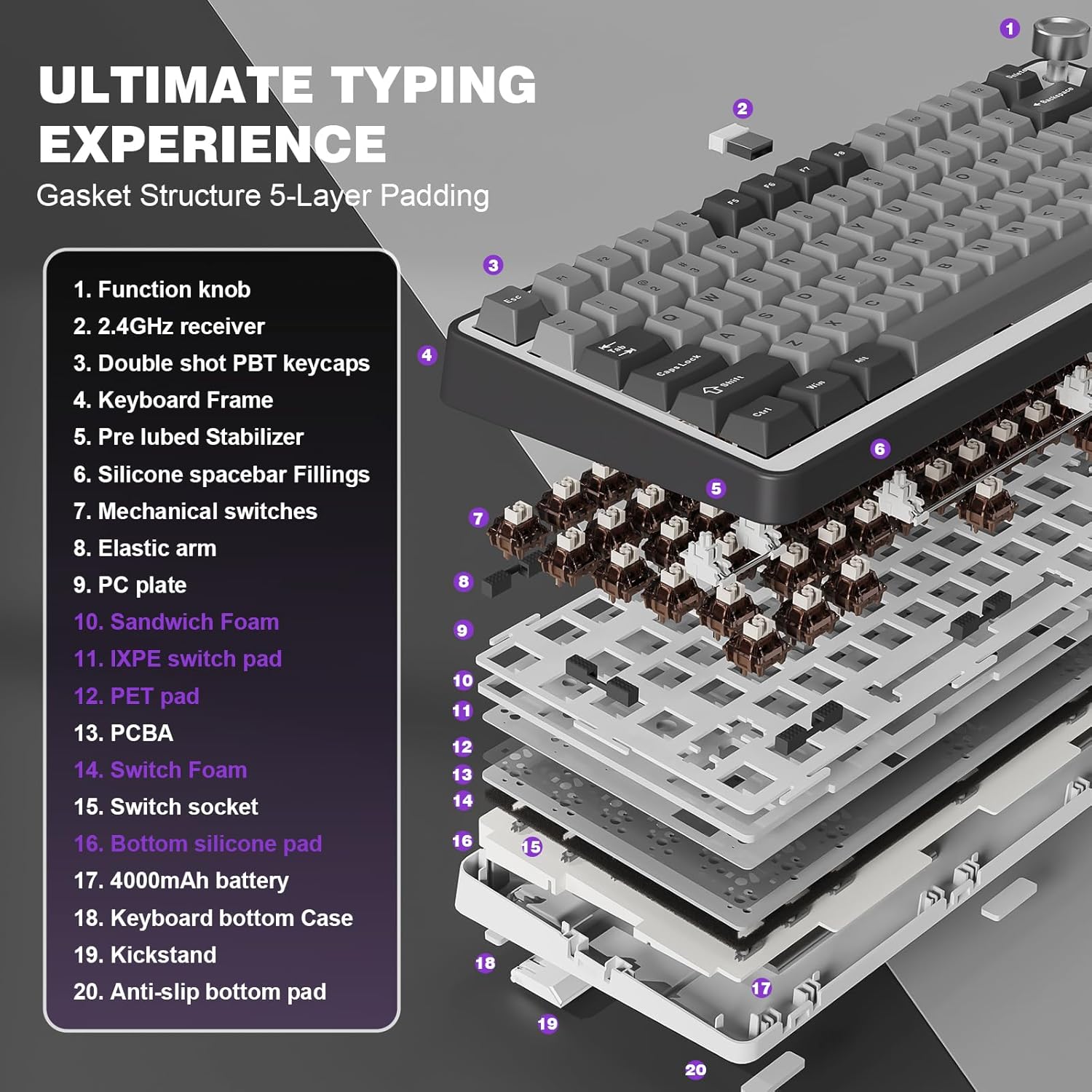
If you want a 75% mechanical keyboard that can switch between work and gaming without baby-sitting the connection, the YUNZII B75 PRO is built around that idea. It’s a tri-mode board, meaning you can use Bluetooth, 2.4G wireless, or a wired connection—so in real life you’re not locked into one setup for everything. Add a built-in 4000mAh battery (the listing calls out extended wireless use), and you get a keyboard that’s meant to stay ready whether you’re typing for hours or jumping into faster sessions.
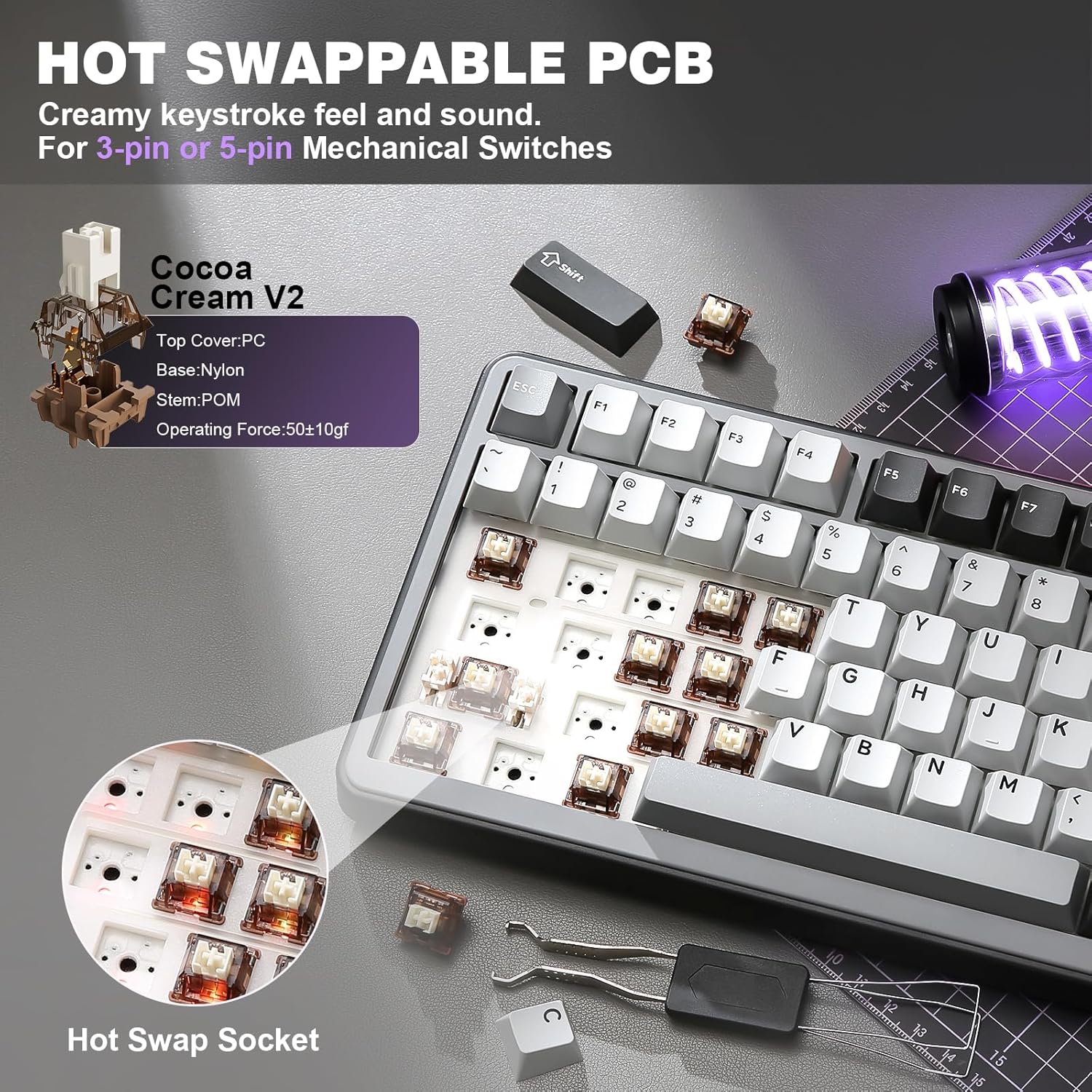
This model also leans into customization-friendly hardware: it’s hot-swappable and comes with pre-lubed switches that are described as creamy/linear (Cocoa Cream V2). On paper, that combination targets people who want a smoother feel and sound profile right away, but still want the option to change switches later.
Where it shines day to day
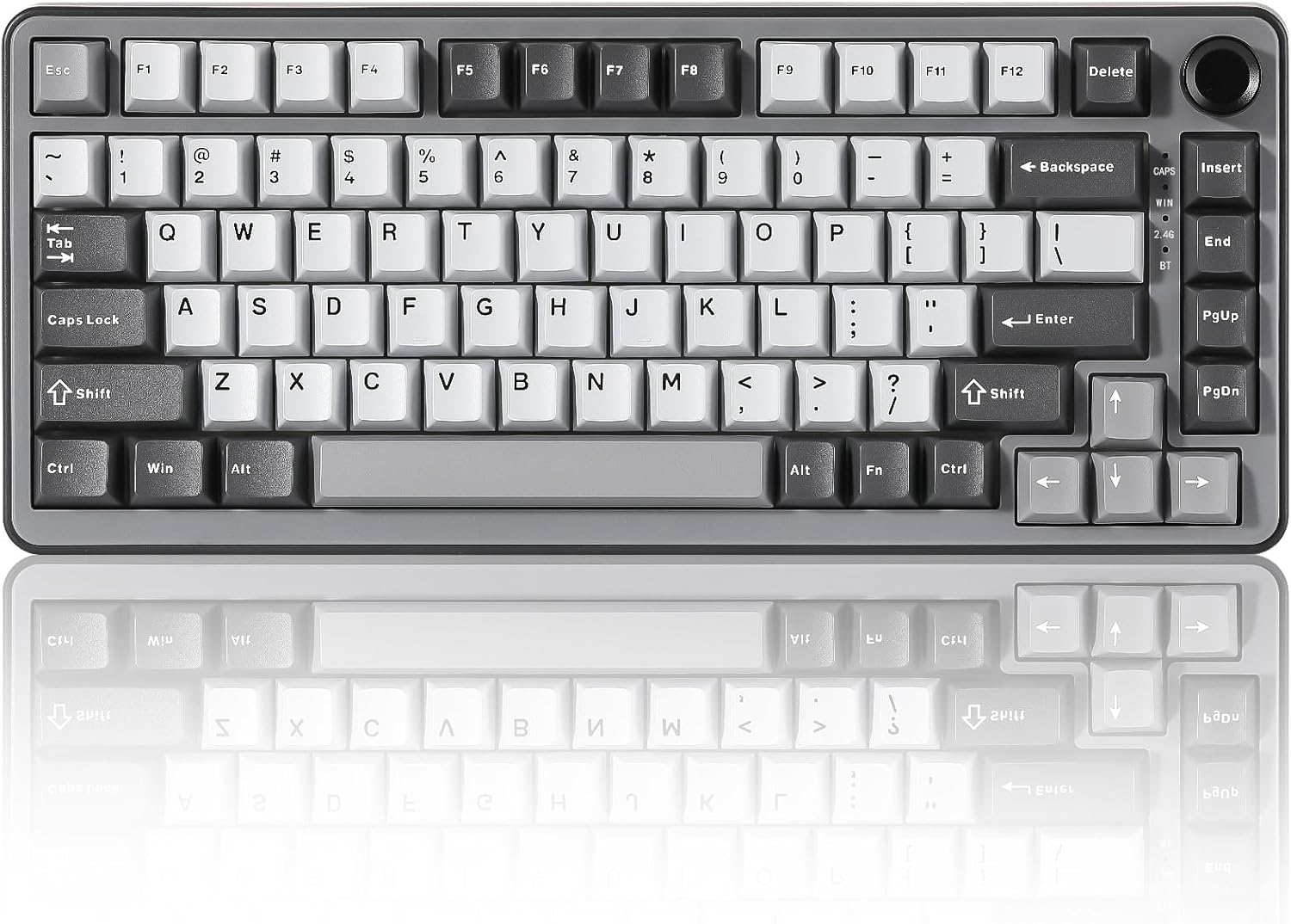
The 75% layout is compact but not overly “tiny.” You still get a functional layout with 82 keycaps, and the presence of a knob is a practical upgrade, not just a gimmick. The listing says you can use that multi-function knob to adjust sound level and backlight quickly, and long-pressing it can switch between gaming and office modes. That’s the kind of everyday control that matters when you don’t want to dive into software just to turn down the volume or change lighting.
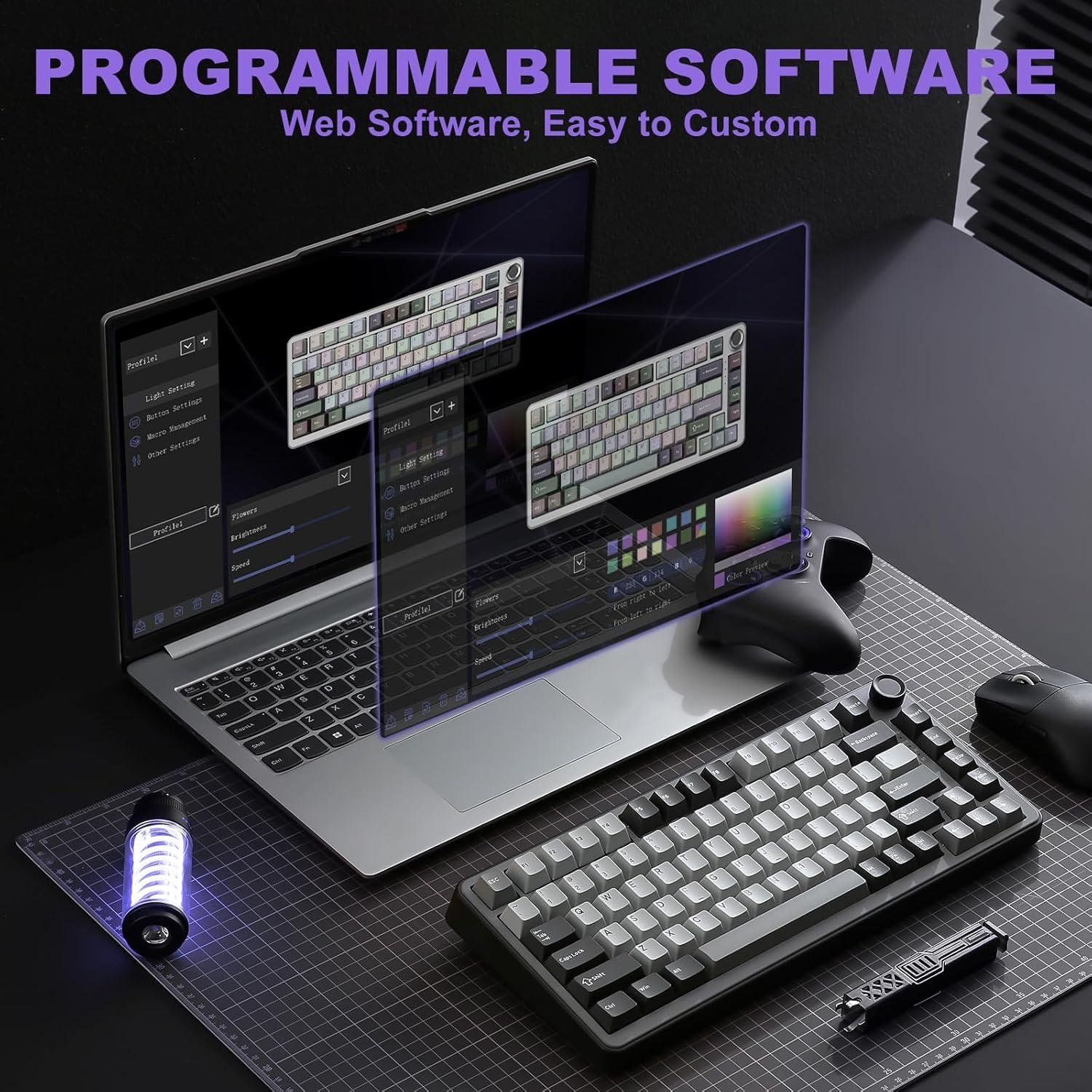
Another real-world angle: it supports programmable functions and macro settings, plus RGB customization. The listing mentions more than 20 built-in backlight modes and south-facing LEDs, which can be a plus if you prefer a cleaner look around keycaps (especially in setups where space under the board matters).
And because it’s programmable across Windows and Mac, it’s less of a “one laptop only” keyboard. Still, keep expectations realistic: software-based features can vary depending on how your system handles remapping and macros.
Key features that affect buying decisions
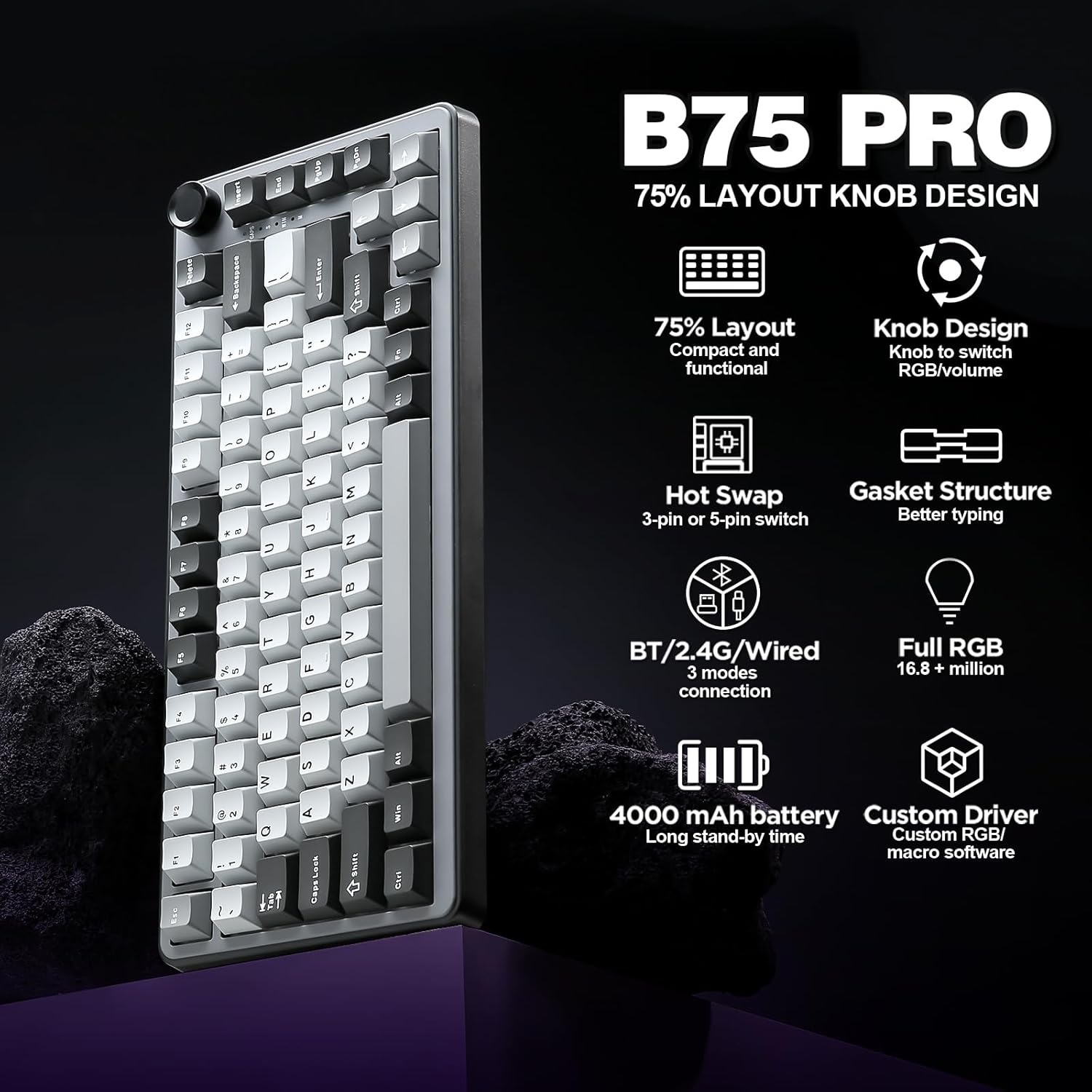
Hot-swap support is the big “future proofing” lever here. The keyboard uses hot-swap sockets and is said to be compatible with 3pin/5pin switches, so you’re not stuck with just the included switches forever. If you like experimenting with switch feel—lighter, smoother, more tactile—you can do it without soldering.
The acoustic/sound approach is also a selling point. The B75 PRO is described as a gasket mount keyboard with a five-layer padding and precision-tuned stabilizers, plus pre-lubricated switches. That’s aimed at reducing harshness and pushing toward a “creamy” sound and solid typing feel. It’s not magic, but gasket + padding + pre-lubing is a combo that often improves day-to-day sound compared to simpler builds.
Limitations to keep in mind: the switches included are described as linear (Cocoa Cream V2). If you’re specifically chasing a strong tactile “bump” from the start, this may not fully match your preference out of the box, even if you can swap later.
Tech specs (from the listing)
- Type: Wireless mechanical keyboard (tri-mode)
- Layout: 75% with a knob, 82 keycaps
- Switches: Cocoa Cream V2 (cream, pre-lubed), described as linear/tactile in the listing
- Hot swap: Yes, hot-swappable sockets, compatible with 3pin/5pin switches
- Mount style: Gasket mount
- Battery: Built-in 4000mAh high-capacity battery
- Connectivity: Bluetooth, 2.4G wireless, and stable wired connection
- RGB: South-facing LEDs, 20+ built-in backlight modes
- Compatibility: Windows and MacOS (programmable noted in the listing)
Who it’s for (and who should look elsewhere)
It makes sense if you want one keyboard that can bounce between devices—like a work laptop over Bluetooth, a desktop on 2.4G, and wired as a backup—without constantly re-pairing. It’s also a good fit if you care about the feel and sound happening right away, not only after you start replacing switches.
It may not be the best match if you already know you only want a specific switch type or sound signature. Since the listing focuses on pre-lubed switches described as creamy/linear, tactile lovers might find it a bit “not quite right” until they swap. And if you’re looking for a full-size board, this 75% layout won’t give you every key you might expect from a larger keyboard.
A practical example of use
Picture a quiet evening work session: you connect over Bluetooth, long-press the multifunction knob to switch into office mode, and use the knob to fine-tune volume and lighting quickly. Later, you switch to gaming mode using the same knob control, and you can move to 2.4G for a more direct wireless experience—then keep going without worrying about your battery immediately.
Is it worth it?
Buy the YUNZII B75 PRO if tri-mode connectivity, a 75% layout with a real control knob, and hot-swap flexibility are the kind of features you’ll actually use. The listing’s gasket mount + five-layer padding + pre-lubed switches is a strong combo for someone who wants a more refined typing sound from the start, and the inclusion of programmable functions and RGB modes gives you room to personalize.
Skip it if your priority is a specific switch feel that doesn’t match what’s included (the listing emphasizes pre-lubed Cocoa Cream V2 and a creamy profile), or if you need a layout bigger than 75% for your workflow.
Quick FAQs
FAQ: Does it support wireless and wired at the same time?
The listing says it supports Bluetooth, 2.4G wireless, and a stable wired connection, giving you multiple connection options.
FAQ: Can I change switches without soldering?
Yes—this keyboard is described as hot-swappable, and it’s said to be compatible with 3pin/5pin switches.
FAQ: Is it programmable on both Windows and Mac?
The listing mentions programmable functions and compatibility with Windows and MacOS.
FAQ: What does the knob do?
The listing says you can adjust sound level and backlit fast with the knob, and long-pressing switches between gaming and office modes.