

FOPO 14" Triple Monitor Laptop Screen Extender (S7) — FHD 1920x1200 16:10 Portable Triple Display
Product description
What it is and why people buy it
The FOPO 14" Triple Monitor Laptop Screen Extender (S7) is a portable “add-on” screen setup designed to give your laptop two extra displays, turning one workspace into a three-screen layout. The pitch is simple: if you routinely bounce between multiple windows—spreadsheets, design files, dashboards, chat, and documents—this kind of screen extender can help you keep everything visible at once instead of constantly switching tabs.
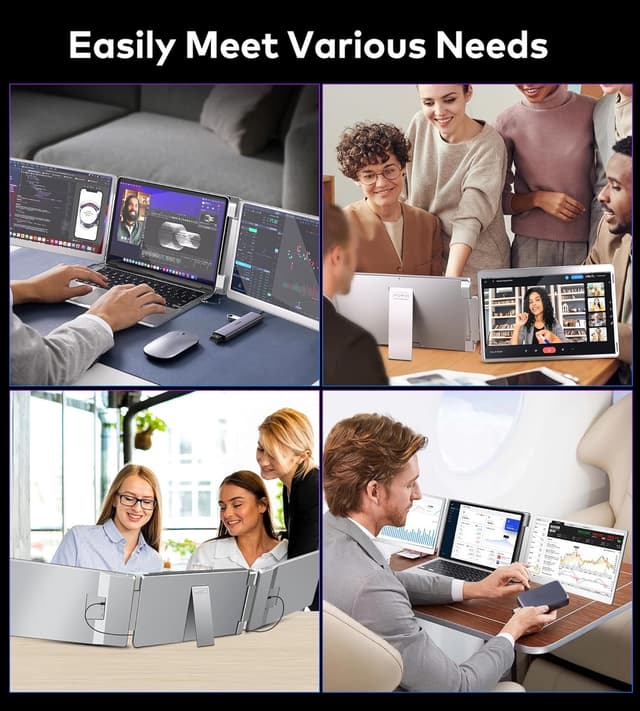
On paper, the appeal is strongest for people who are already comfortable working with a laptop as their hub (remote work, travel, field work, training sessions). It’s also the sort of accessory that can make online meetings less awkward when you want side-by-side materials for sharing or presenting.
Still, it’s not automatically a win for everyone. You’ll need the right video connection on your laptop (fully functional HDMI or a fully functional USB-C port), and the “portable” nature doesn’t replace a dedicated multi-monitor desk setup.
The experience: triple screens, plus a useful fold/flip design
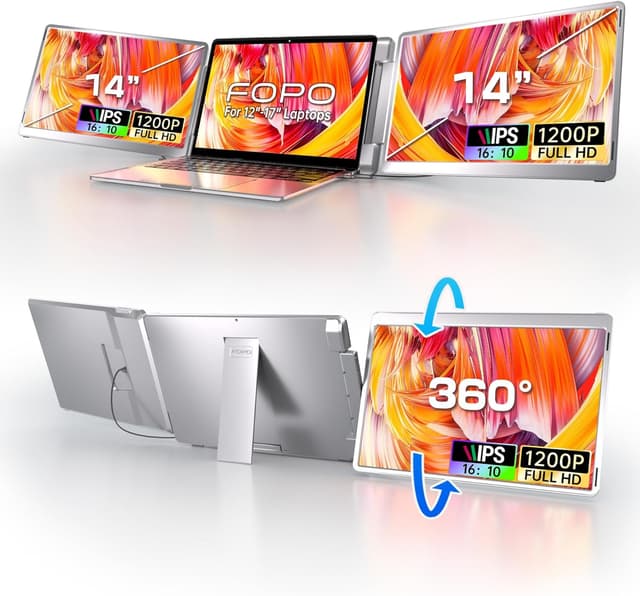
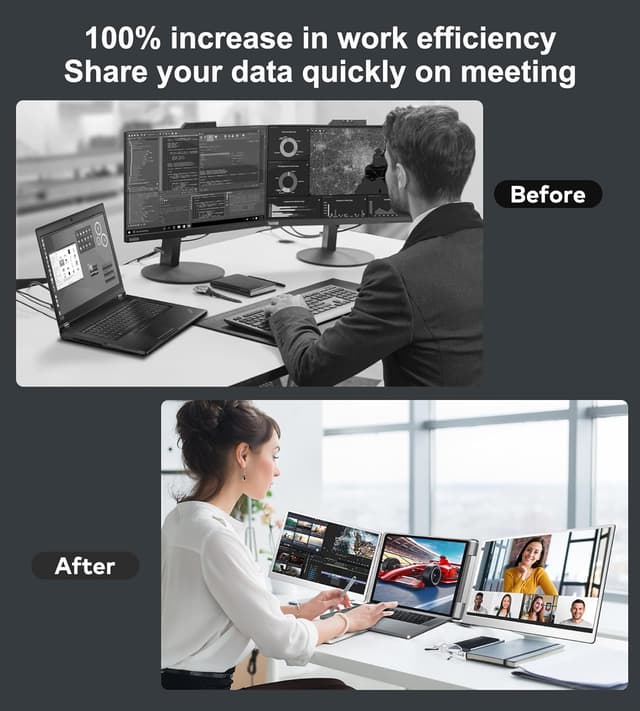
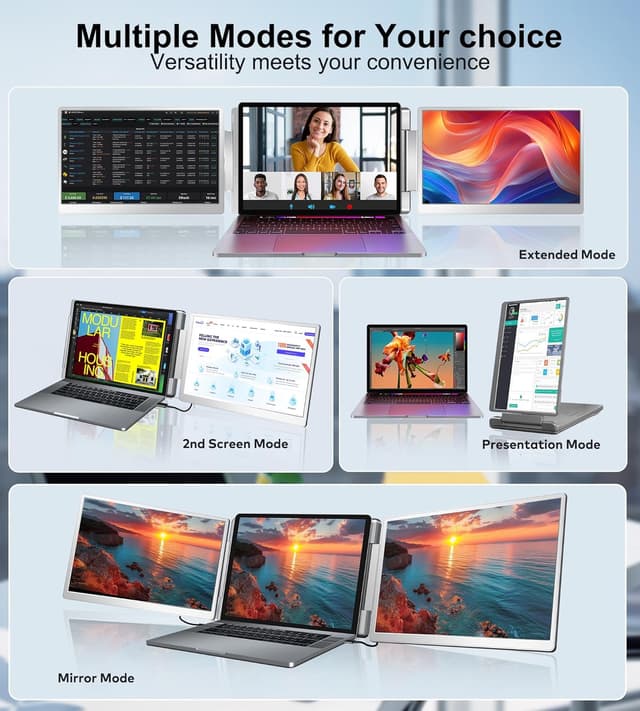
The biggest “day-to-day” difference here is the triple monitor workflow. Instead of squeezing everything into your laptop’s built-in display, the extender adds two more screens so you can spread tasks out: for example, keep your main document on one screen while your reference material sits beside it, and leave a third screen for tools or communication.
The S7 version also includes a left-screen 360° flip design, along with rotation ranges for the left and right screens (as listed by the product). That matters if you do face-to-face presentations or share screens and you’d rather reposition the display quickly rather than fiddle with angles.
One more practical detail: the monitor is foldable and comes with a carry bag. It’s light enough to treat as a travel accessory rather than a fixed desk install (the listing calls it 3.52 lb), though you should still expect it to take up some bag space.
Display quality and how it shows up in real work
This extender uses a 16:10 IPS panel per screen with Full HD resolution listed as 1920x1200, plus a stated contrast ratio (1000:1) and a 178° view angle. It also lists a 60 Hz refresh rate.
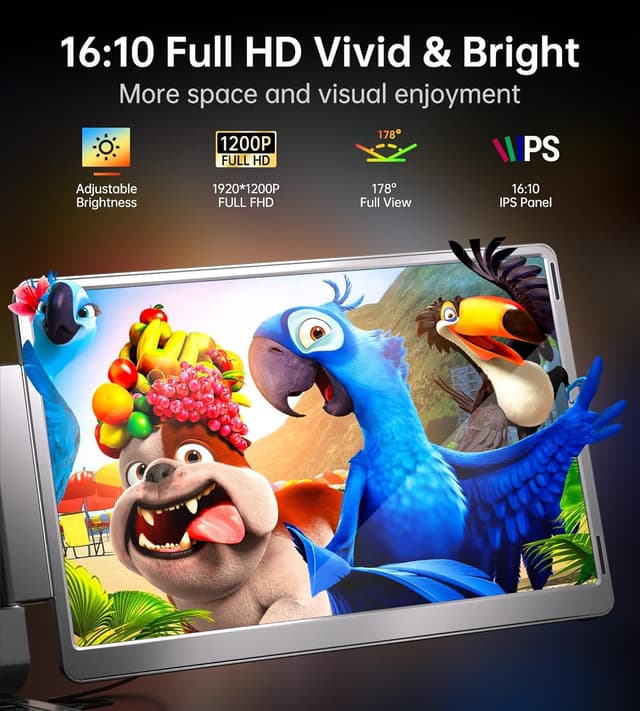
For everyday productivity, the 16:10 aspect ratio is a nice fit because it provides more vertical room than many 16:9 laptop setups—handy for documents, timelines, code, and tall spreadsheets. IPS also tends to hold up better when you’re viewing the screens from the side.
What you may notice, though: it’s marketed as FHD, not a high-end “ultra sharp” or ultra-wide upgrade. If you’re chasing premium gaming motion or color-critical pro work, this may feel like it stays in the productivity/external-screen tier rather than a top-tier content-creation display.
Connectivity and compatibility you should double-check
The FOPO S7 is positioned as plug-and-play “without drivers,” as long as your laptop’s ports meet the requirement. The listing emphasizes that you must have a fully functional USB-C/HDMI port.
Compatibility is listed broadly across Windows, MacOS, Android, Chromebook, Surface, Linux, and even consoles like Switch, Xbox, and PS4—however, MacOS compatibility is specifically constrained: it mentions M1/M2/M3 Pro or Max only, with an exception for non-Pro/Max chips. That’s an important limitation to keep in mind before buying.
In short: if your laptop’s USB-C is truly video-capable (not just for charging), setup should be straightforward. If it isn’t, you could end up frustrated even with the right cables.
What’s in the box (and what it implies for setup)
The bundle includes the monitor extender, a carrying bag, a user manual, and multiple cables: a USB-C cable with a USB-A connector, an HDMI to Mini HDMI cable, and USB-C to USB-C cables.
That cable variety is a good sign for flexibility—especially since the product also supports different device types. Still, it’s smart to verify your laptop’s available ports and which cable path you’ll use before you open everything.
Key specifications at a glance
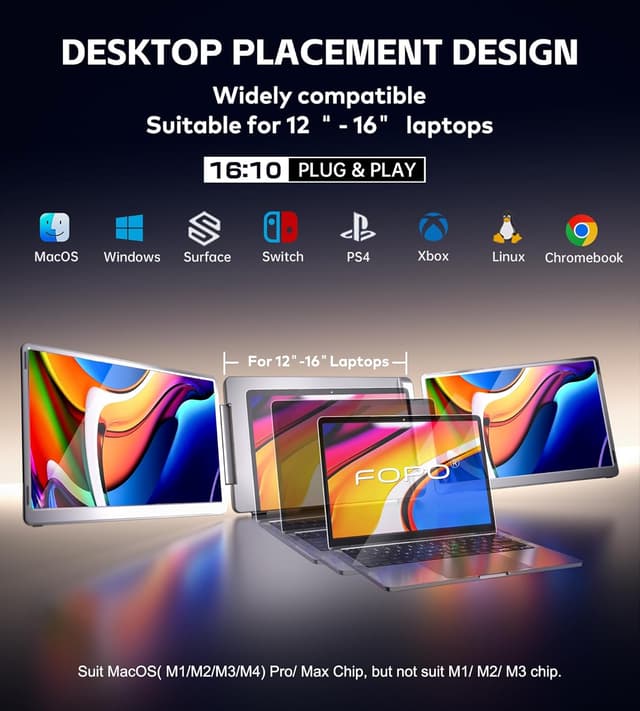
- Size: 14"
- Resolution: 1920x1200 Full HD
- Aspect ratio: 16:10
- Panel type: IPS
- Refresh rate: 60 Hz
- View angle: 178°
- Contrast ratio: 1000:1
- Rotation/flexibility: left screen 360° flip design is listed, rotation ranges are specified for left and right screens
Pros, cons, and who it fits best
What stands out is the intent: adding two external screens to a laptop workflow in a portable form factor, plus the left-screen 360° flip approach for presentations/sharing.
On the less convincing side, the “up to 300% productivity” claim is more marketing than a guarantee. Also, you’re relying on your laptop’s port capability and the device compatibility notes (especially on MacOS). If your laptop doesn’t support video out through the USB-C port you plan to use, this setup may simply not behave how you hope.
It’s a solid pick if you: - Need more workspace without committing to a full desk monitor setup - Travel with your laptop and want a screen extender that folds and stores in a bag - Regularly work with multiple windows and want side-by-side layouts - Do occasional presentations or screen-sharing where repositioning the left screen helps
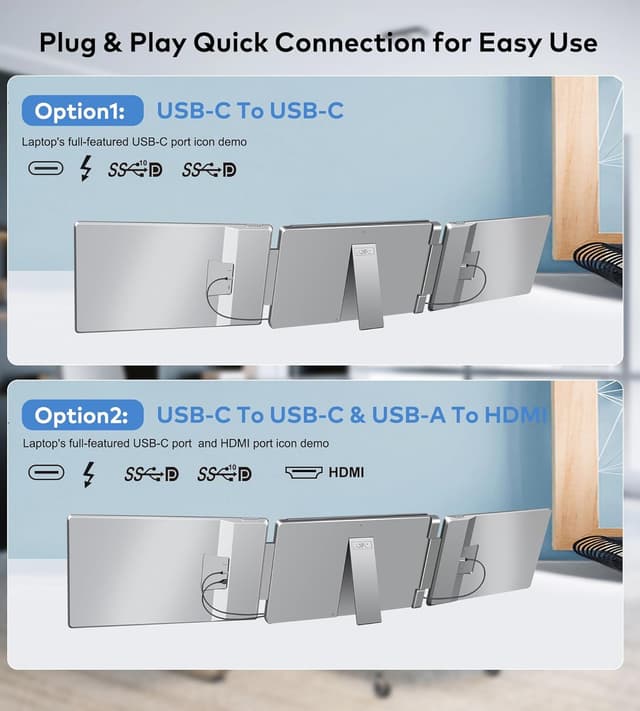
It may not be your best match if you: - Want a plug-in-any-laptop experience without checking video-capable ports - Need a high-end display upgrade for graphics-heavy or color-critical work - Expect the most effortless setup on laptops with USB-C that only charges
Is it worth it?
The FOPO 14" Triple Monitor Laptop Screen Extender (S7) makes sense when your goal is practical: more visible workspace from your laptop, with portability and a setup designed to be simple. The 16:10 IPS panels and triple-screen layout are aimed directly at multitask-heavy days—spreadsheets, writing, dashboards, and meeting prep.
But don’t buy on autopilot. The purchase hinges on connectivity and compatibility details: confirm your laptop has fully functional HDMI or video-capable USB-C, and for MacOS, pay attention to the chip/version limitations mentioned in the listing.
If you need a compact way to expand your laptop into a three-screen workspace, it’s worth considering. If your ports aren’t a match, it’s likely to become a headache rather than a productivity boost.
Mini FAQ
Do I need drivers to use the FOPO S7?
The listing states it’s plug-and-play without installing drivers, but only if your laptop has the fully functional HDMI/USB-C port required for video output.
Can I use it on MacBook?
Compatibility is listed for MacOS, but the details include chip restrictions (M1/M2/M3 Pro or Max only, with exceptions for other chips). Check your exact model before purchasing.
Is it good for travel?
Yes, it’s foldable and comes with a carry bag, and the listing describes it as lightweight. It’s still an extra accessory, so plan for storage space.
What kind of work is it best for?
The product is positioned for multitasking workflows—designers, remote workers, IT tasks, stock/investment-style monitoring, and online meetings are specifically mentioned.
What should I confirm before buying?
Confirm your laptop’s HDMI or USB-C port is fully functional for video, and choose the cable you’ll need based on the ports you have.