

AULA F99 Pro Wireless Mechanical Keyboard (Knob, Tri-Mode BT5.0/USB-C/2.4GHz, Hot-Swappable, PBT)
Product description
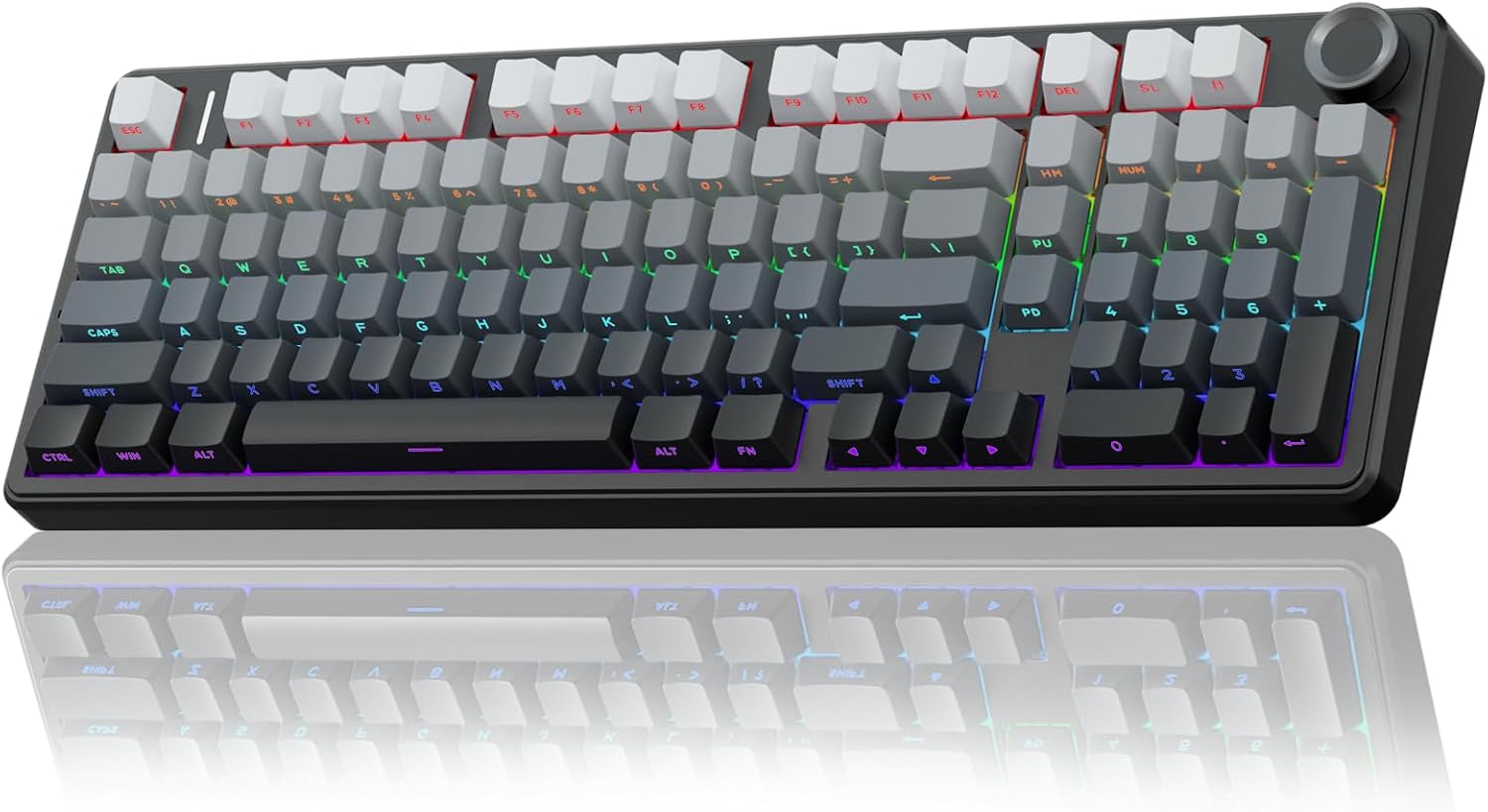
If you want a mechanical keyboard that can keep up with both work and gaming, the AULA F99 Pro is built around flexibility. It’s a compact 96% layout with a functional knob, tri-mode wireless (BT5.0, 2.4GHz, and wired USB-C), and hot-swappable switches—so you’re not stuck with one switch feel forever.
That said, it’s not a “no-compromises” board for everyone. Some features (like macro support and RGB effects) depend on using its software/driver, and the exact real-world experience can vary based on the switches you install after swapping. Still, on paper, this model is aiming for a middle ground: more customization and control than most entry boards, without getting so niche that it only makes sense for enthusiasts.
What to know before you buy
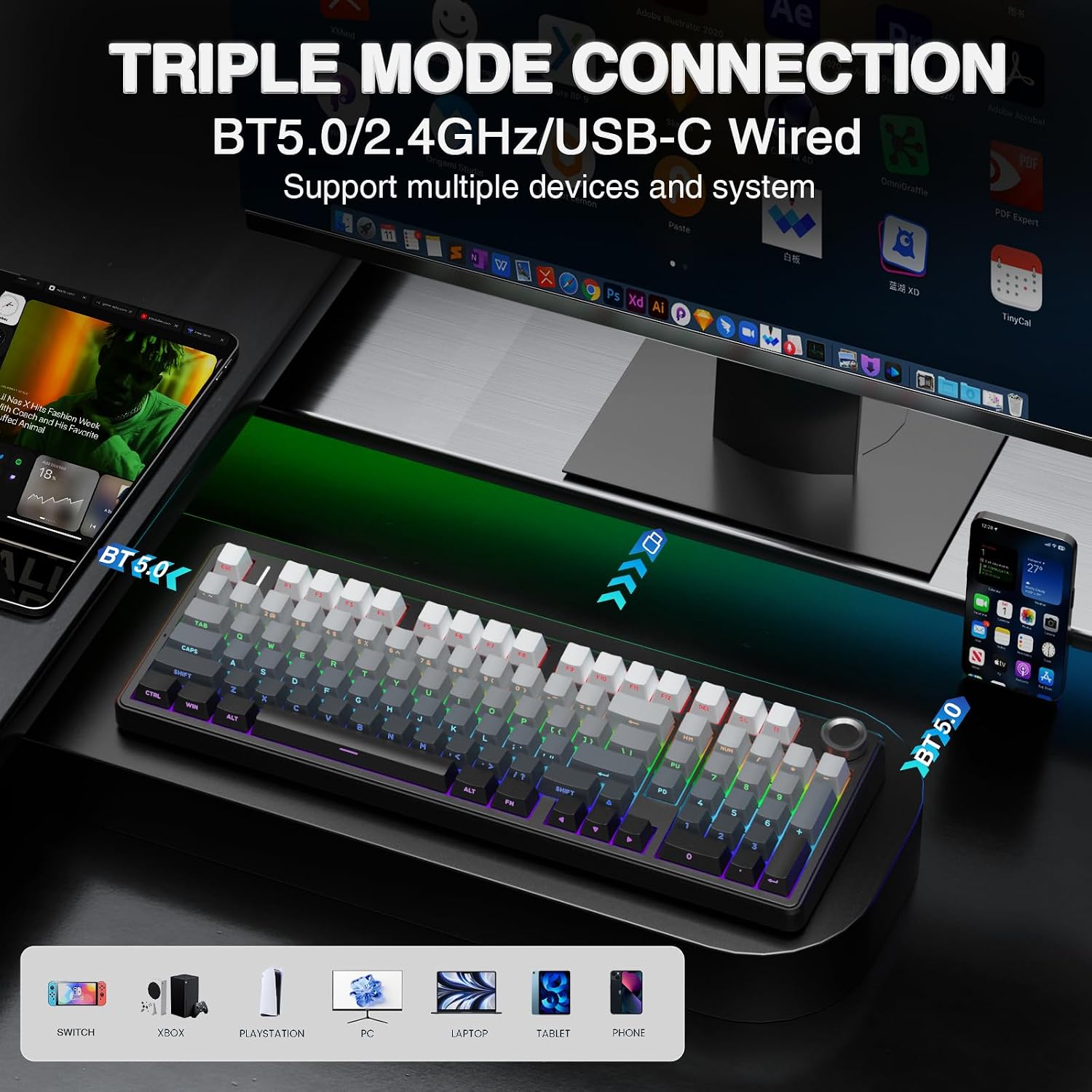
The headline here is tri-mode connectivity plus multi-device switching. You can connect via BT5.0, 2.4GHz wireless, or USB wired mode. The keyboard is also designed to switch between up to five devices using function keys and a side button, which is handy if you bounce between a work laptop, a desktop, and maybe a tablet setup.
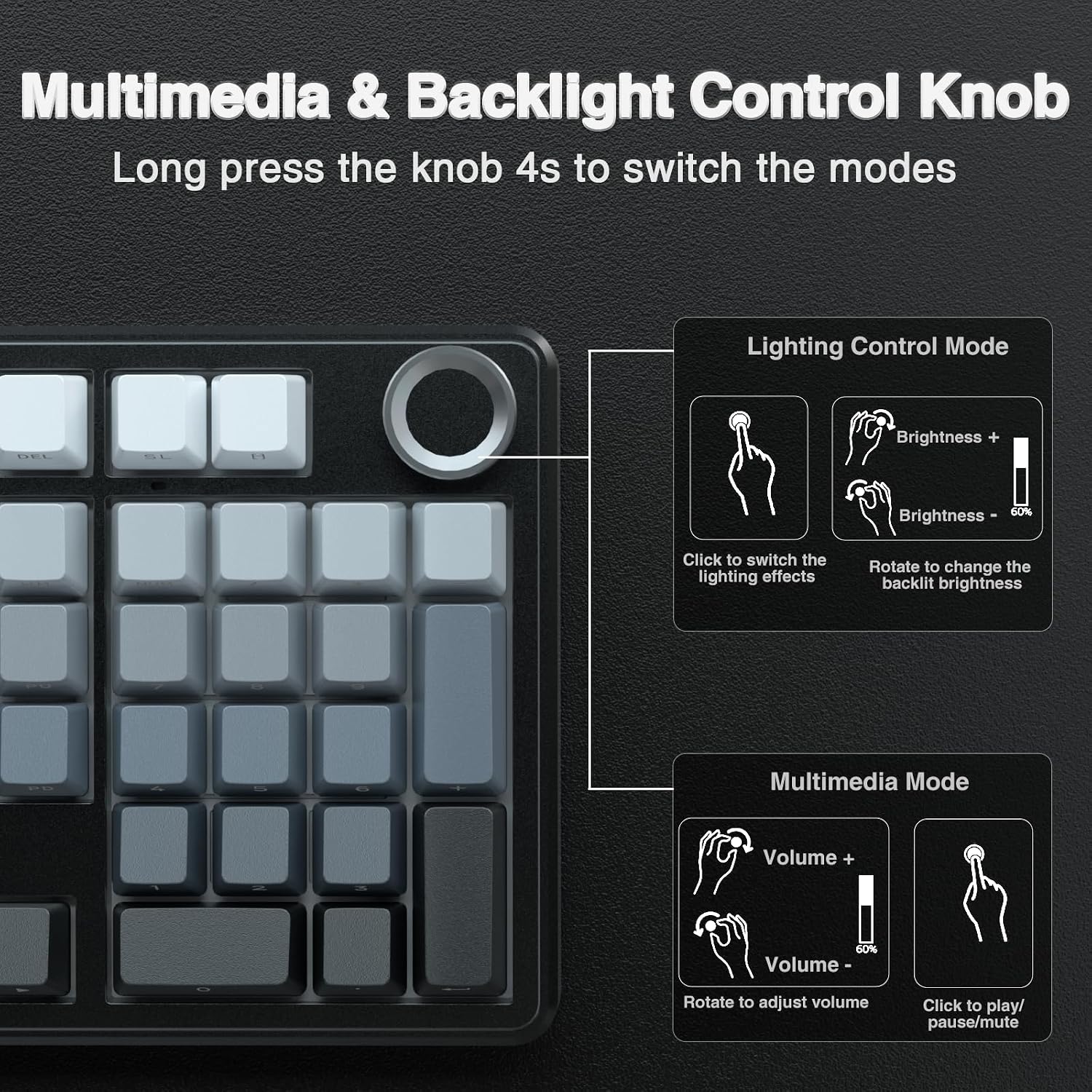
It also includes a control knob with two modes. In backlight mode, the knob adjusts brightness and clicks to cycle lighting effects. In multimedia mode, it controls volume and play/pause. The knob behavior sounds like one of those “small” features that turns into a daily habit—especially if you don’t want to reach for keyboard shortcuts all the time.
One limitation to keep in mind: you’re still buying a compact 96% keyboard. That means it keeps things tidy, but if you need a fully dedicated numpad or prefer a larger spacing layout, you may feel like you’re giving something up.
Key points
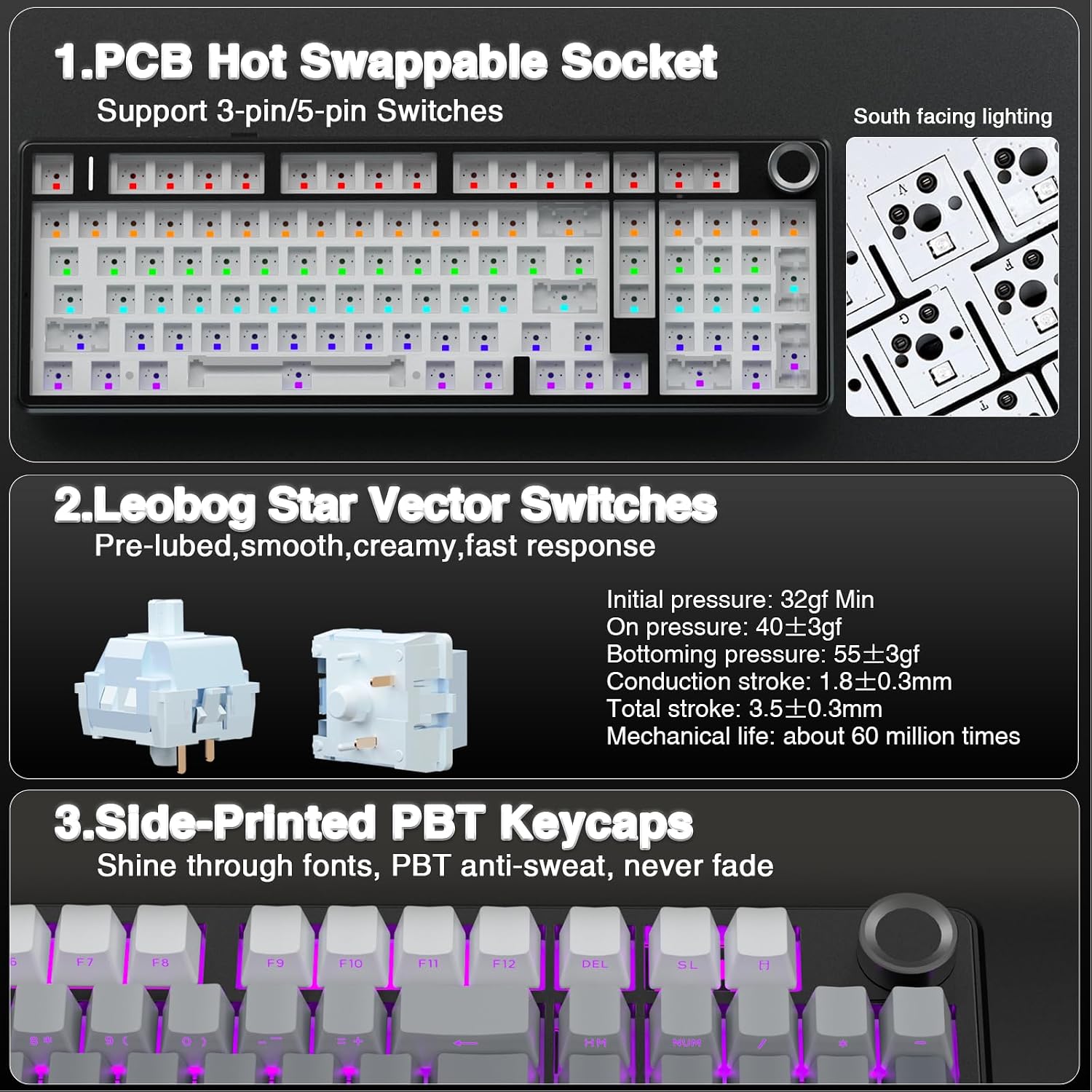
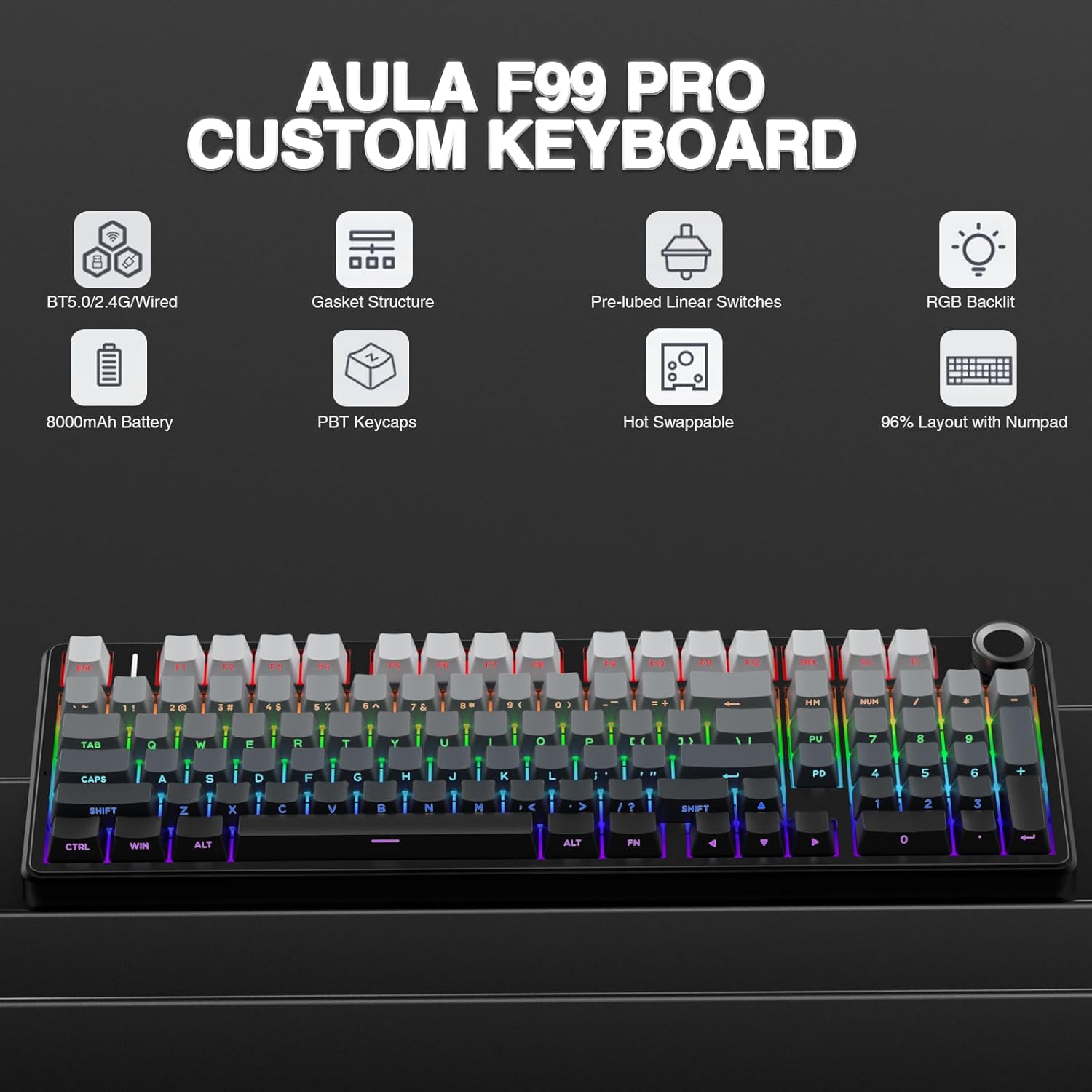
The AULA F99 Pro leans into customization and feel. Its hot-swap PCB is meant to let you replace switches and keycaps without soldering. The listing also mentions pre-lubed linear switches aimed at smooth typing and a “creamy” mechanical sound, which is the kind of tuning that can make everyday typing more satisfying right away.
For gaming and fast play, it supports N-key rollover, so it can register multiple simultaneous key presses—useful for intense real-time moments.
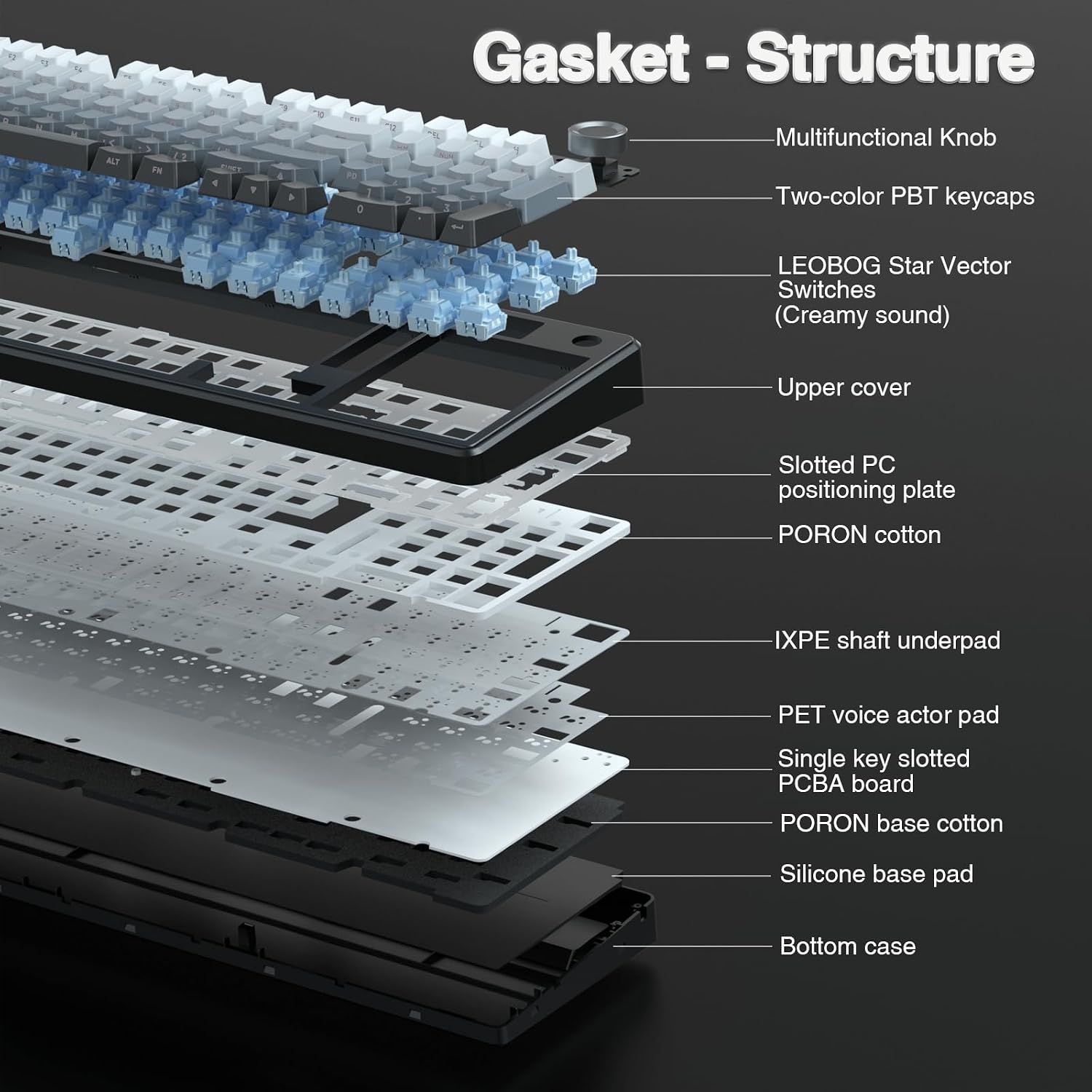
The board’s structure is also designed for a softer, more stable feel. It uses a gasket structure and layered silencing/filling materials to help reduce the cavity noise that can happen when a switch hits the internal parts. Again, results can vary by the specific switches and how hard you type, but the intent is clearly comfort and consistency.
Tech specs
- Name: AULA F99 Pro Wireless Mechanical Keyboard with Knob
- Type: Mechanical keyboard
- Format: 96% layout (99 keys)
- Connectivity: Tri-mode (BT5.0, 2.4GHz wireless, USB-C wired)
- Device switching: Up to five devices
- Hot swap: Yes (3-pin/5-pin switches mentioned, puller included in the package)
- Switches: Pre-lubed linear switches
- Structure: Gasket structure, multi-layer silencer/filling described
- Keycaps: Double-shot PBT keycaps
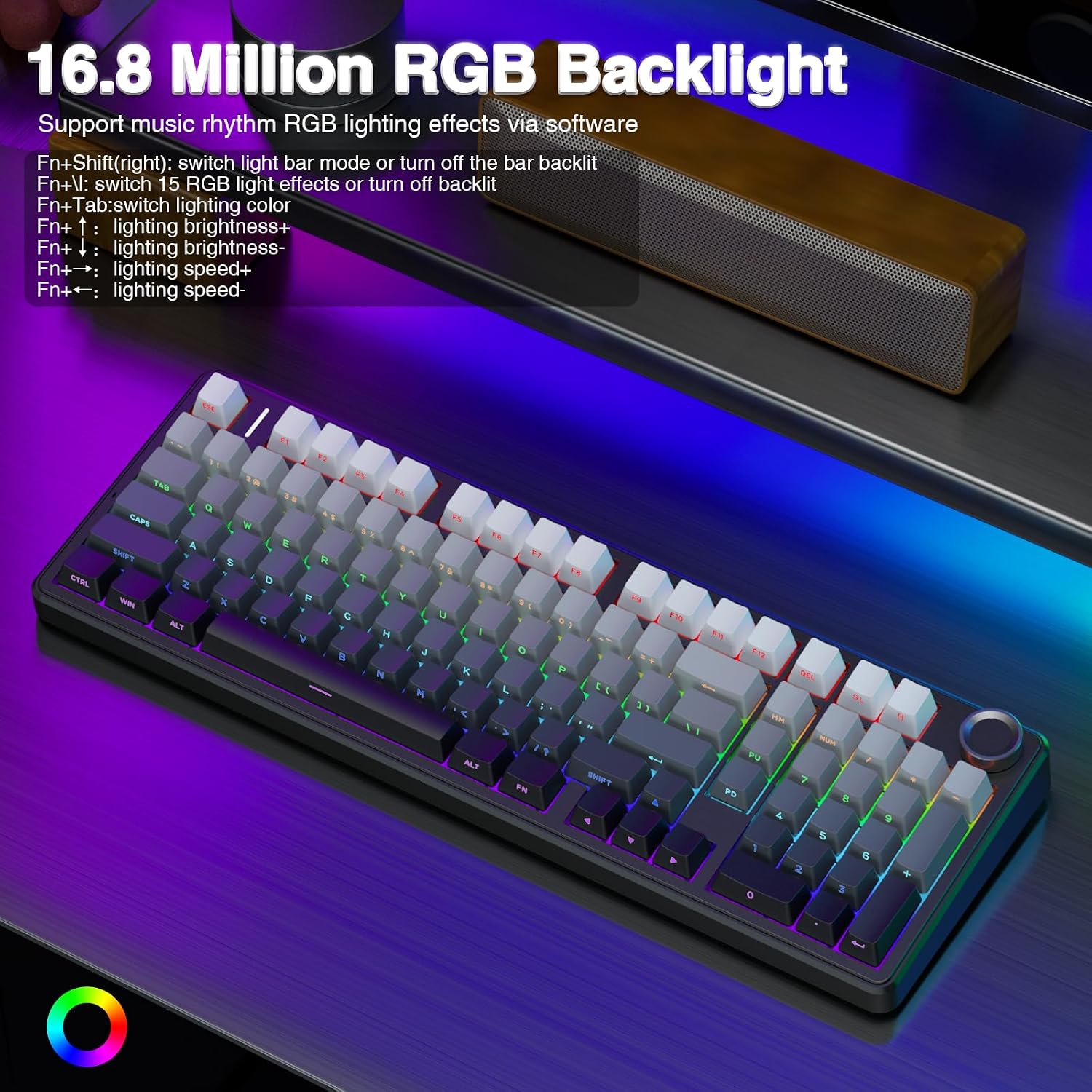
- RGB: 16 RGB lighting effects, supports 16.8 million light colors with driver
- Macro support: Macro recording and editing mentioned
- Multi key input: N-key rollover
- Battery: Built-in rechargeable 8000mAh
- Charging/data port: USB-C
Where it shines in daily use
Picture this: you’re working during the day with a bright, readable backlight. You rotate the knob to reduce brightness, then click to move through lighting effects without hopping into software. When a meeting ends, you hit multimedia mode—turn the knob to dial volume up or down, then click to play/pause.
For gaming sessions, the combination of 2.4GHz wireless and N-key rollover is the type of setup people usually want when latency and responsiveness matter. The gasket structure and the layered filling are also meant to give a less harsh sound/feel than basic tray-style builds.
And because the layout is compact (while keeping necessary arrow keys and number area), it’s easier to fit into smaller desks or dual-monitor setups where every inch counts.
The trade-offs you should consider
This keyboard is packed with features, but that can mean a few practical compromises. First, RGB effects and macro customization are described as driver-based, so if you prefer a purely plug-and-play setup, you may want to set expectations accordingly.
Second, since it’s hot-swappable and aimed at customization, some buyers will immediately want to experiment with switch types. If you want to leave everything stock and never tinker, you may not fully benefit from the hot-swap design—even though the included pre-lubed linear switches are meant to feel good from the start.
Finally, “creamy sound” and the exact typing feel depend heavily on the switches and how the gasket/silencing behaves in your own setup. It’s designed to be softer and more elastic, but it’s not possible to guarantee the same results for every desk, chair, and typing style.
Who it’s for (and who should skip it)
It suits you if you want a compact mechanical keyboard with real day-to-day controls (the knob), strong connectivity flexibility (BT5.0 + 2.4GHz + USB-C), and the ability to swap switches and keycaps later.
It may not suit you if you need a full-size layout with a separate dedicated numpad, or if you’d rather avoid driver-based customization. Also, if you’re extremely sensitive to specific switch sound profiles, you may want to plan for switch experimentation—because the board is built for swapping, not for locking you into one perfect tone.
Is it worth it?
If you value tri-mode wireless, multi-device switching, and a knob that handles both lighting and media control, the AULA F99 Pro is the kind of keyboard that can feel genuinely convenient instead of just “feature-rich.” Add the hot-swappable design, gasket structure, and PBT double-shot keycaps, and it looks like a strong pick for someone who wants a more customizable experience than typical standard boards.
You should consider skipping it if you only want a simple plug-in keyboard, don’t want to deal with driver-based RGB/macro features, or need a fully expanded keyboard layout. In short: it’s a better match for buyers who like to control their setup—connectivity, sound/feel, and lighting—rather than for people who want everything frozen and minimal.