

Anyking Laptop Screen Extender 14-inch
Product description
When a laptop screen starts to feel cramped during a remote-work session or a trip, a portable second display can make it easier to keep a document open beside a call or dashboard. The Anyking 14-inch laptop screen extender is designed to add workspace without packing a full-size monitor.
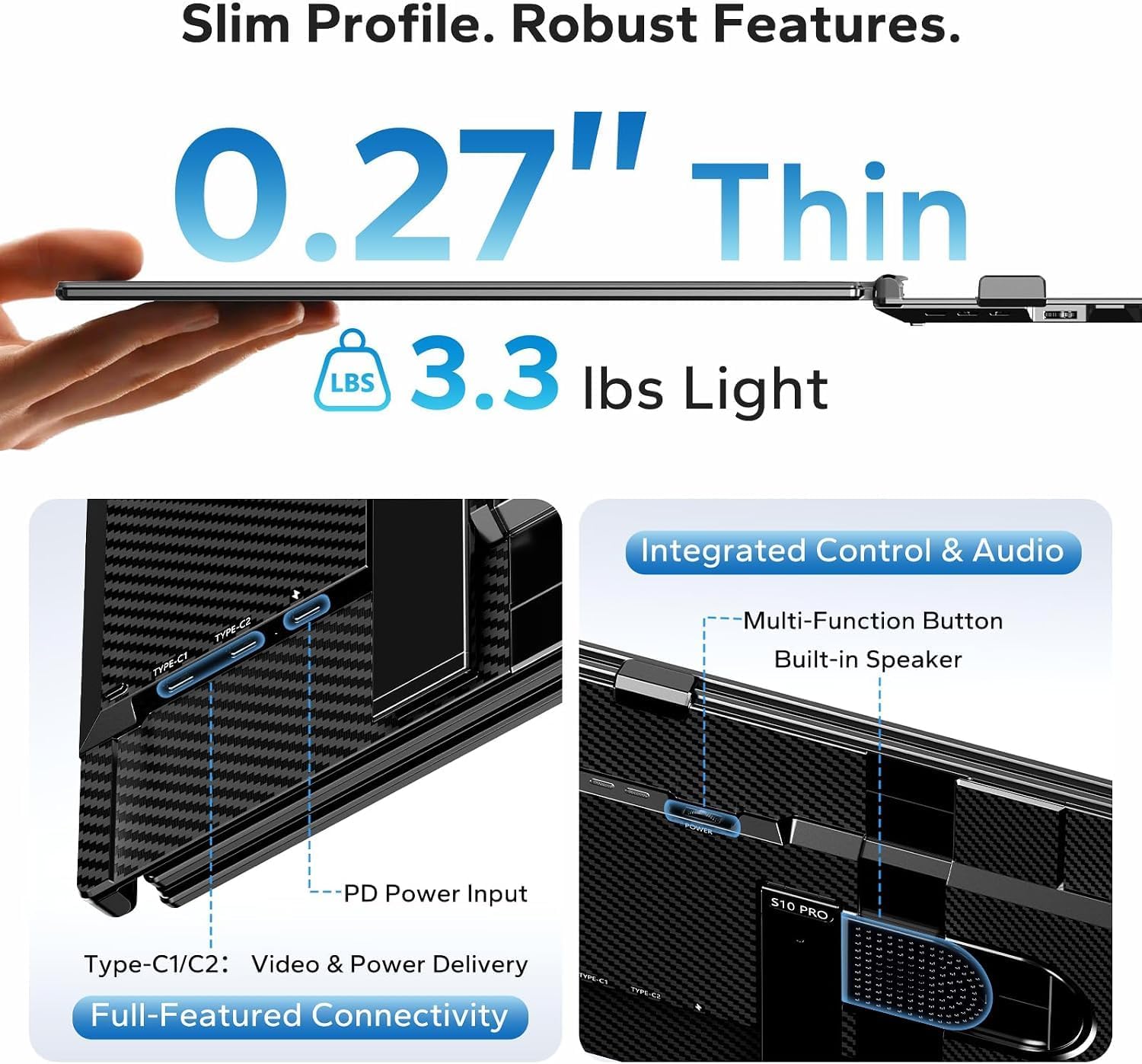
It weighs 3 lb and has a foldable frame that is 0.3 inches thick. That keeps it relatively compact, though it still adds a separate screen to your bag.
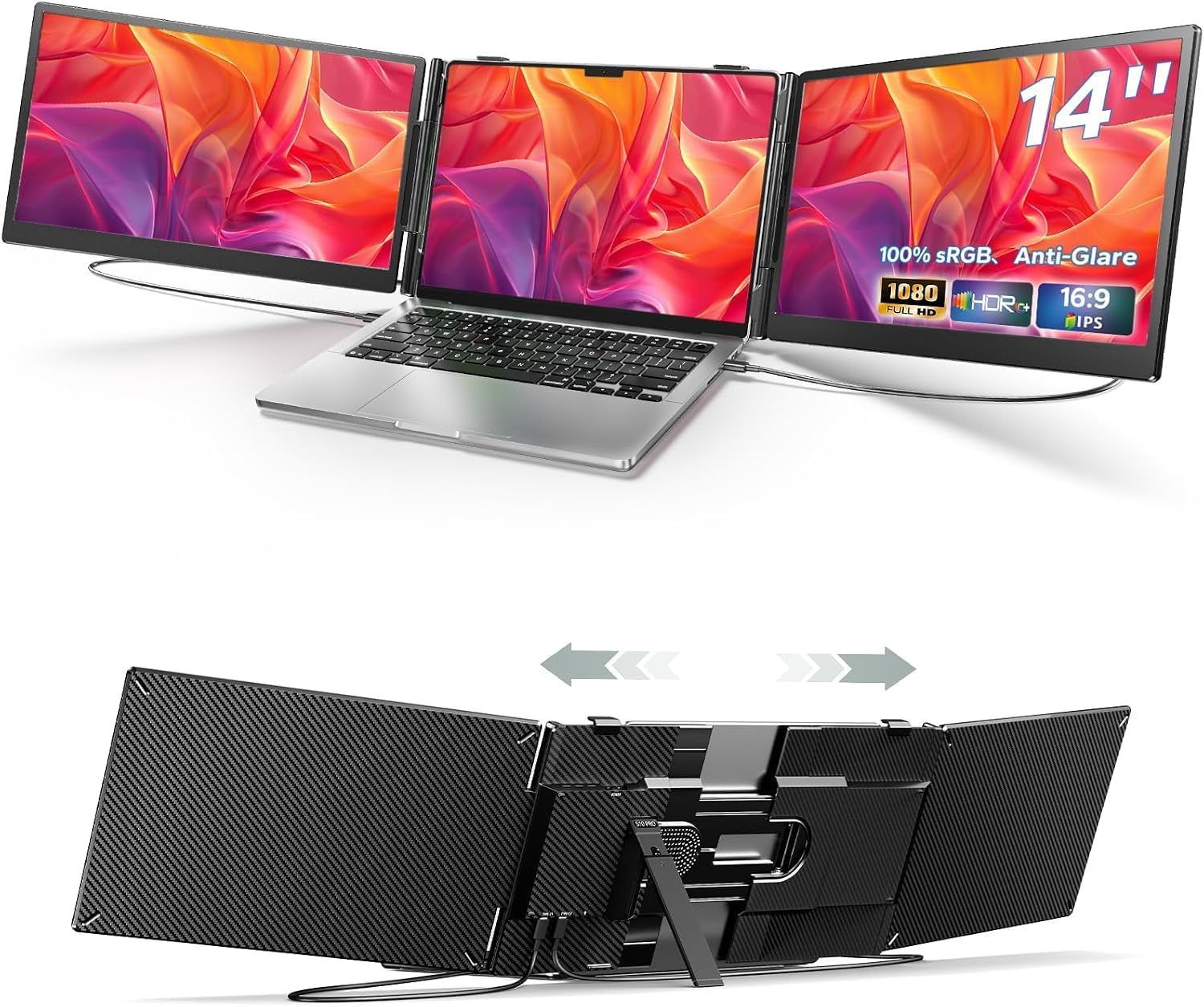
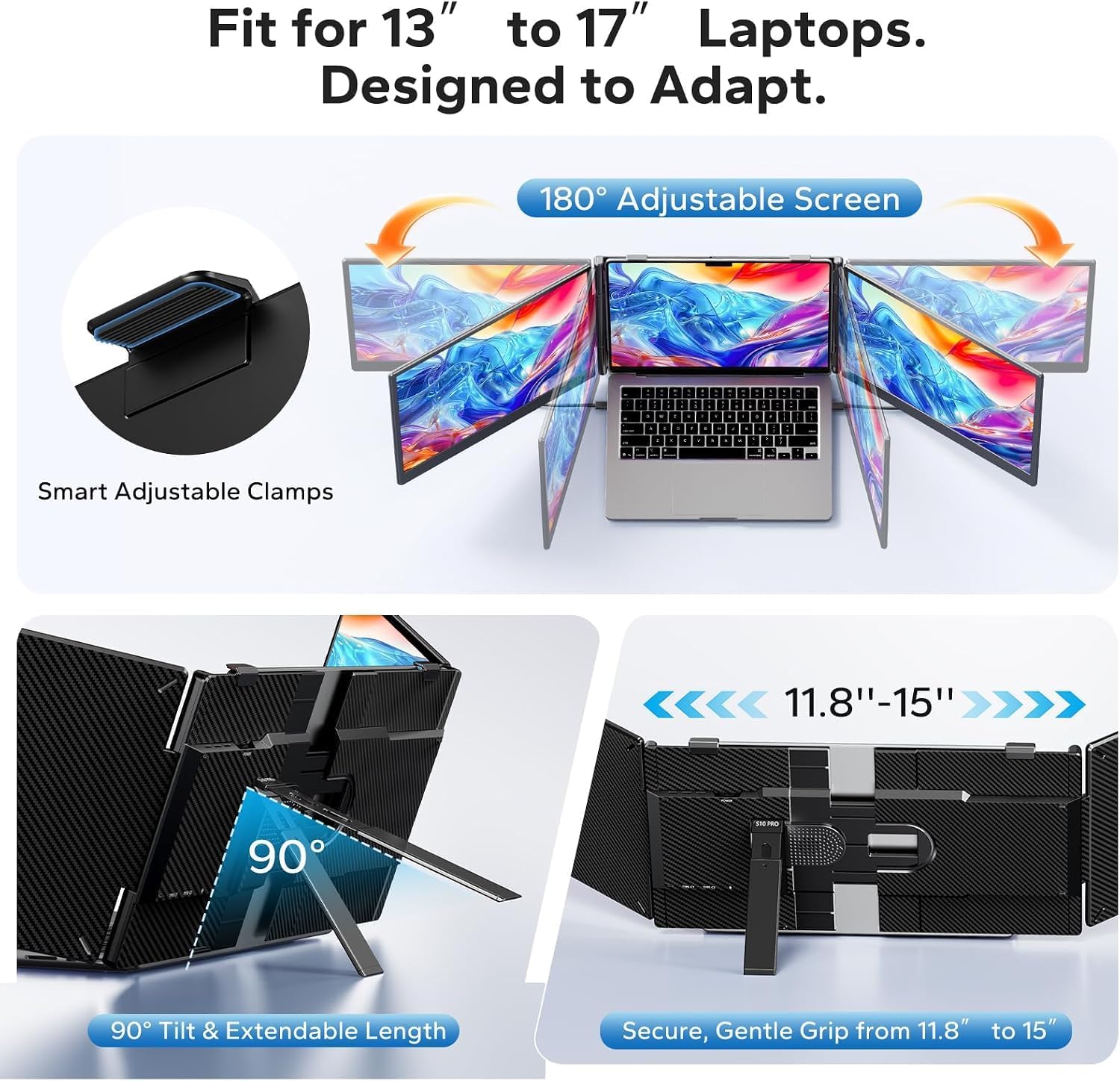
The panel is Full HD, and the adjustable bracket is made to fit laptops from 13 to 17.3 inches. It’s aimed at people who want a larger working layout while moving between desks, cafés, or meeting rooms.
Best use cases
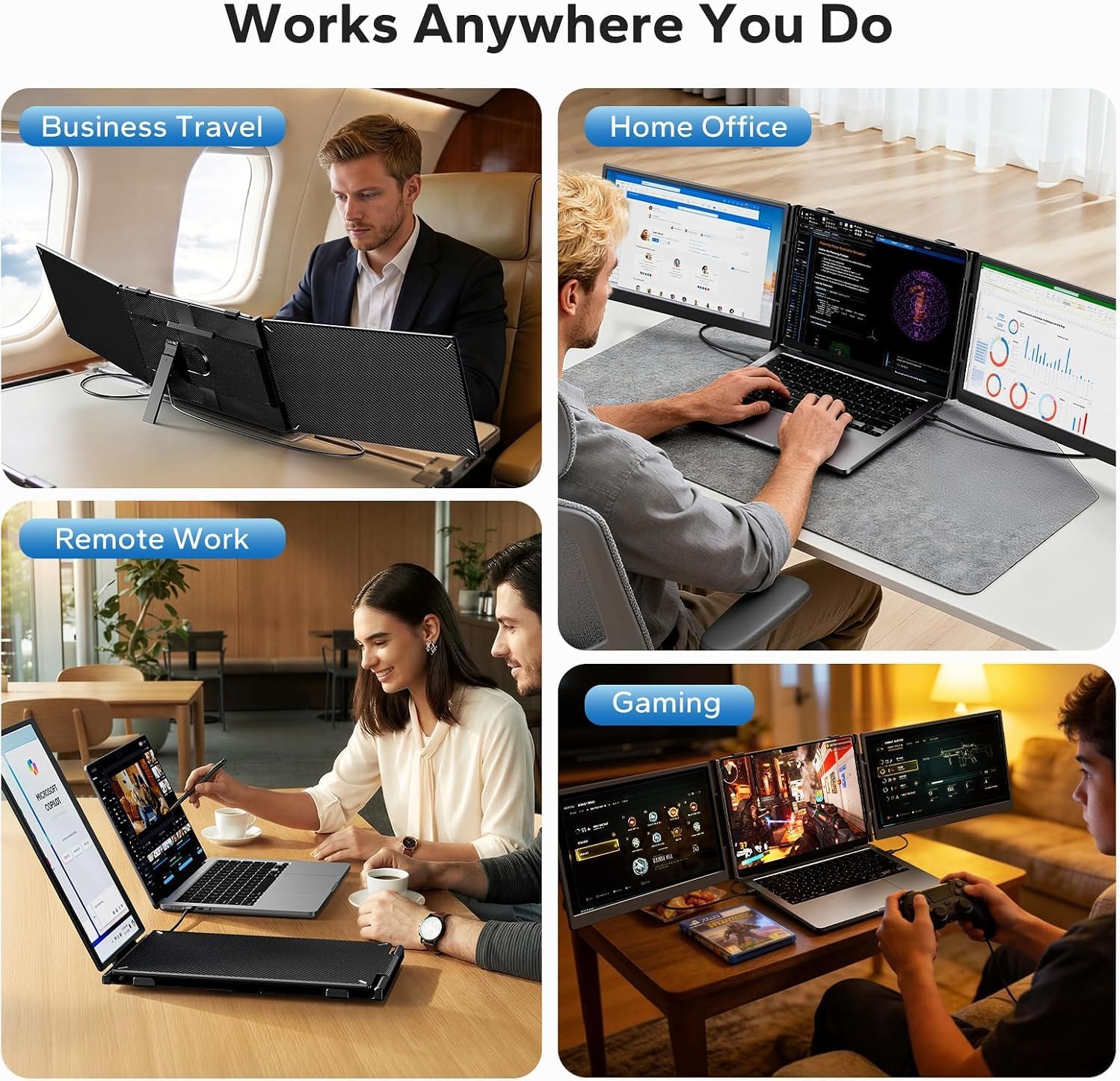
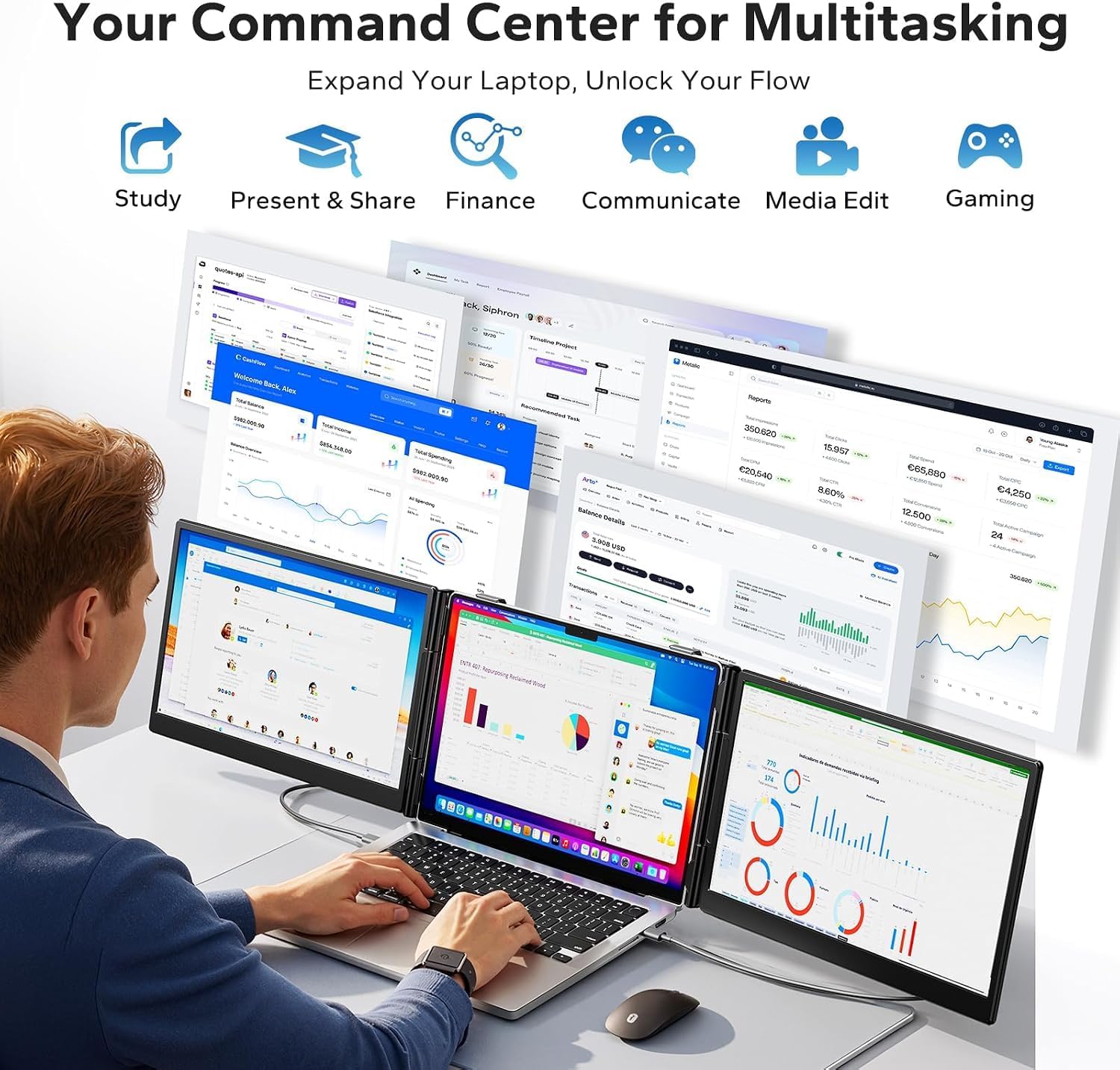
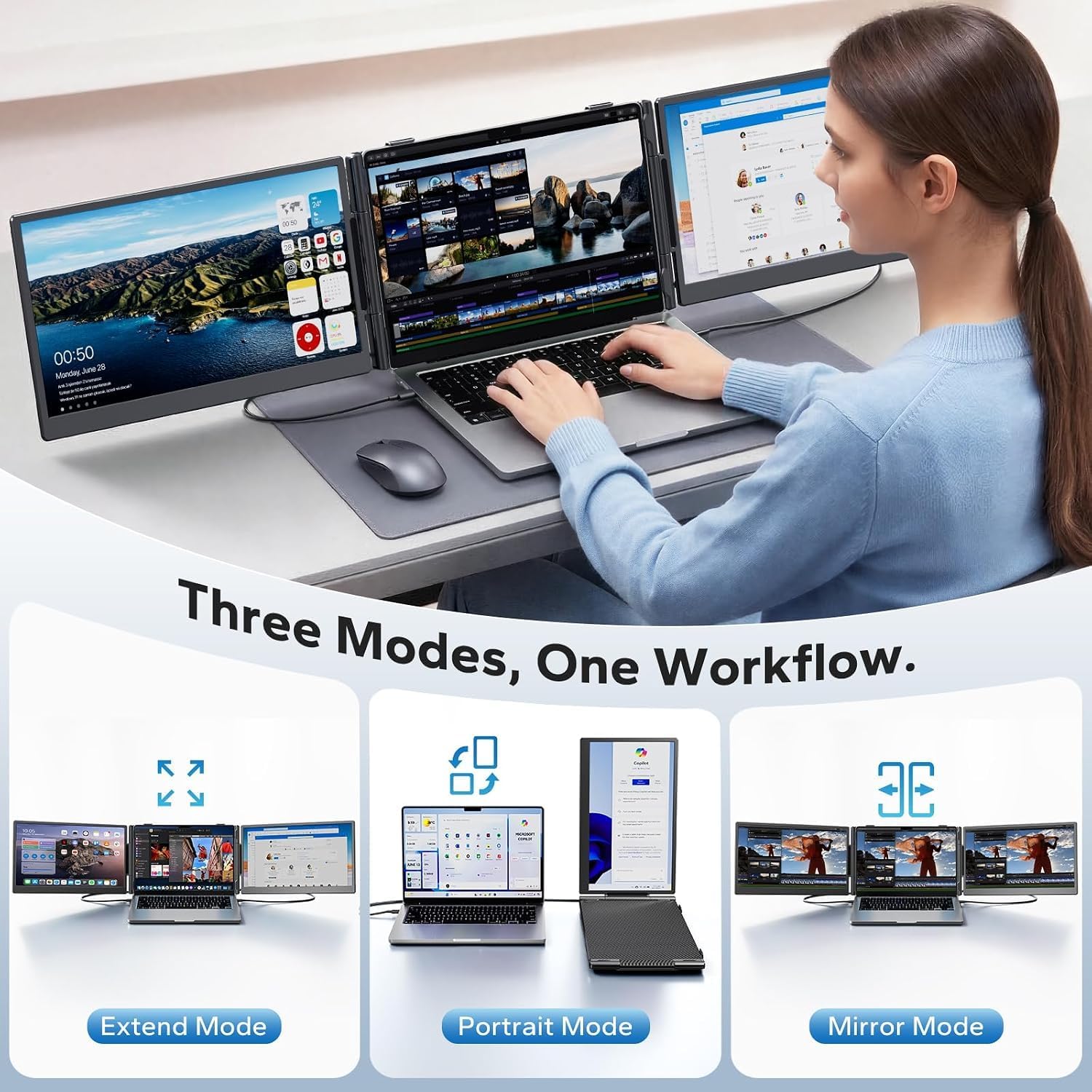
This extender makes the most sense for tasks that benefit from seeing two things at once: keeping a video call on one display while taking notes on the other, comparing a spreadsheet with a report, or leaving a dashboard visible while working in another window. It supports extended, mirrored, and portrait modes, so the layout can adapt to the task rather than forcing every app into one orientation.
The product is described as a triple-display workstation accessory, but the practical appeal is extra screen space around a laptop—not a substitute for a large desktop monitor. If your work involves lots of window switching on a single screen, would a portable panel help you keep those references in view? That’s the kind of everyday problem this setup is meant to address.
Product specs
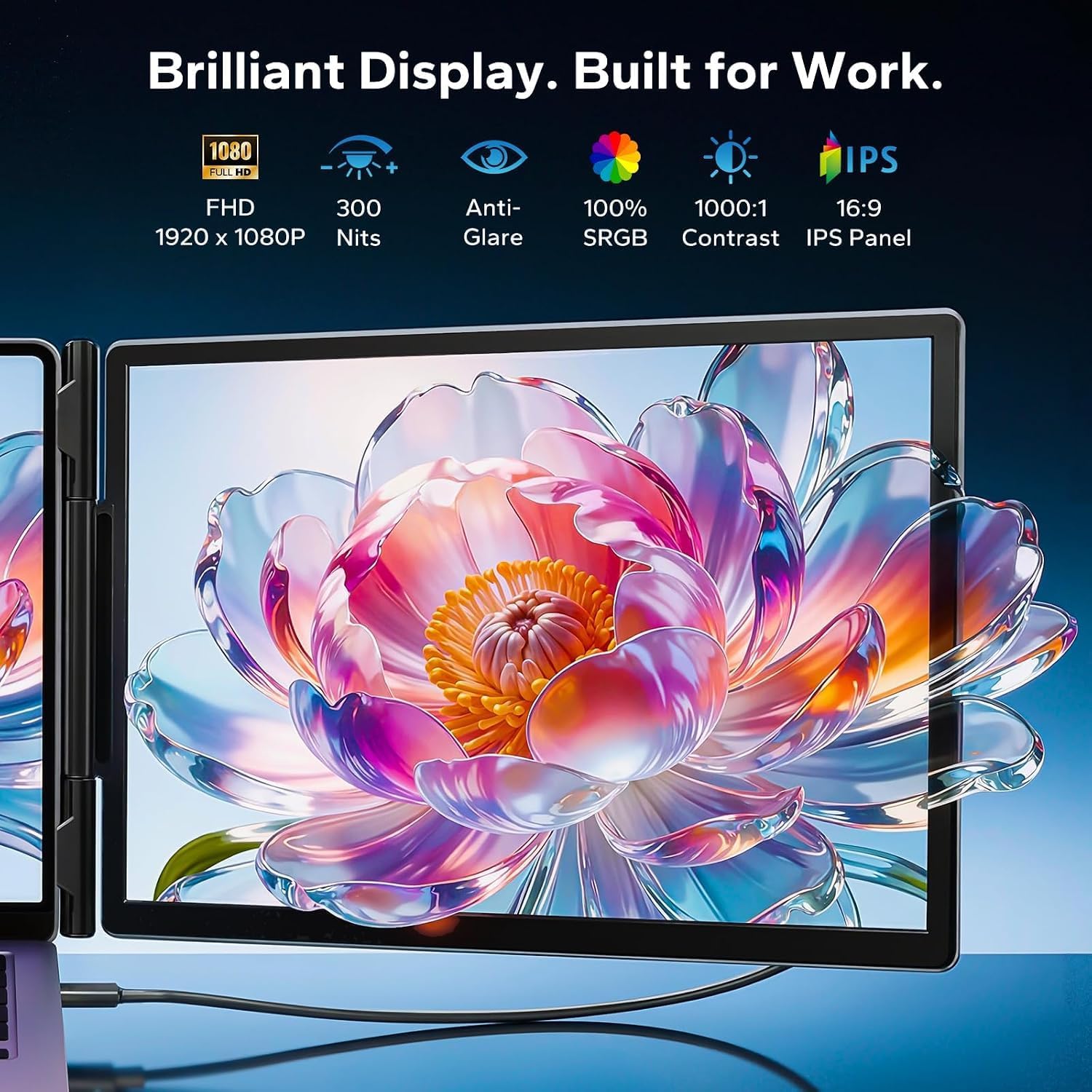
The 14-inch IPS display has a 1920 × 1080 resolution, 300-nit brightness, a 100% sRGB color gamut, an anti-glare surface, and a stated 178-degree viewing angle. Those details make it suitable for general work and visual tasks where a clear, wider-viewing display is useful. The listing also mentions gaming and outdoor use, but it does not provide refresh-rate details, so buyers focused on gaming performance may want more information before choosing it.
The stand offers multiple height adjustments and 180-degree horizontal rotation. Reinforced springs, anti-slip pads, and a rear support frame are intended to help keep the laptop stable. Included connection cables are listed as two USB-C cables, a USB-C-to-USB-A cable, and an HDMI cable. Driver installation is not required, and the stated compatibility includes Windows, macOS, ChromeOS, Android, Linux, and game consoles. Check that your specific device and available ports suit the connection you plan to use, broad platform compatibility does not spell out every device setup.
Where it shines
The combination of a foldable design and adjustable stand suits people who move between work spots and still want a more organized screen layout. For example, at a café table, you could keep a reference document on the extender while drafting on your laptop, then rotate the display for a portrait-oriented page. Compared with relying on a laptop screen alone, that can reduce the need to constantly switch windows. Compared with carrying a larger standalone monitor, this design is built to attach to a laptop and travel with it.
The tradeoff is that “portable” does not mean weightless: the screen adds 3 lb, and the listing says a 5V/3A-or-higher adapter may be needed at the monitor’s dedicated power port if the screen flickers or brightness is low. That is a useful practical detail to keep in mind when choosing cables and packing for a workday. You’ll appreciate it if a foldable, adjustable extra display matters more than keeping your bag as light as possible.
Is it worth it?
On the spec sheet, the Anyking offers a useful mix of Full HD resolution, IPS viewing, multiple display modes, and a stand that adjusts and rotates. Its strongest case is for mobile work where having another screen can make calls, documents, and dashboards easier to manage. It’s not for you if you need a very light setup, want detailed gaming specifications, or expect every connection to work without checking your laptop’s ports and power needs. For a stationary desk, a larger standalone monitor may make more sense, for a traveling laptop user who regularly runs out of screen space, this extender has a more focused purpose.