

Triple Monitor Arm for up to 49" Ultrawides with 32" Pole – Heavy Duty Mount for 3 Screens (Top + Side Brackets), VESA 75/100, Black
Product description
What it is and what it’s trying to solve
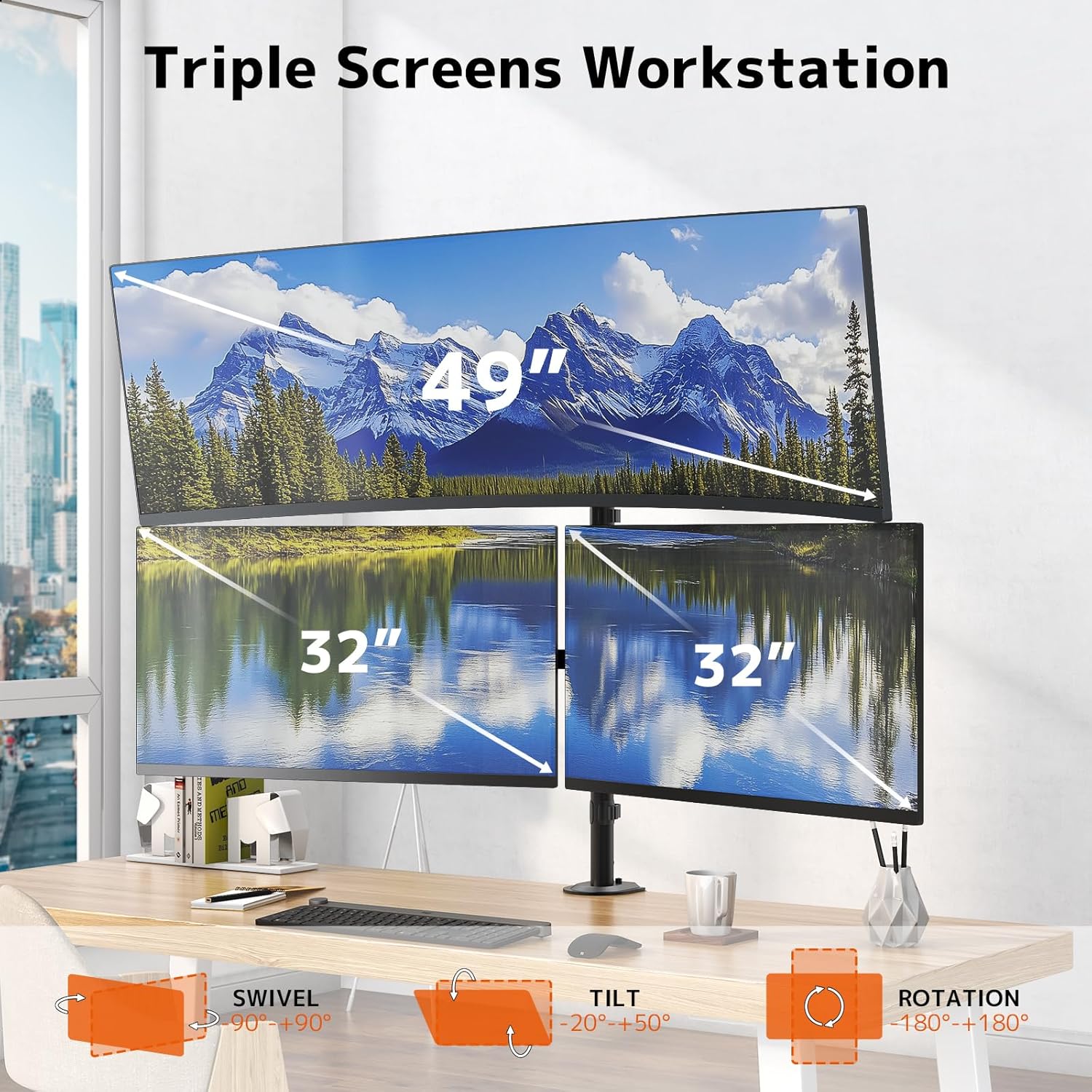
This triple monitor arm is built around a “pyramid” style setup: one ultra-wide goes on the top bracket (up to 49") and two additional screens sit on the side brackets, intended as 32" monitors. The goal is pretty straightforward—free up desk space, improve visibility for multitasking, and make long work sessions more comfortable by letting you position screens at eye level rather than fighting your posture.
It’s aimed at people who genuinely want three displays arranged in a way that feels intentional, not just stacked on the desk. With the off-desk mounting, you also get the practical benefit of reclaiming space for a laptop, notepad, or tablet.
Where it stands out in day-to-day use
There are a few details here that matter more than marketing language.
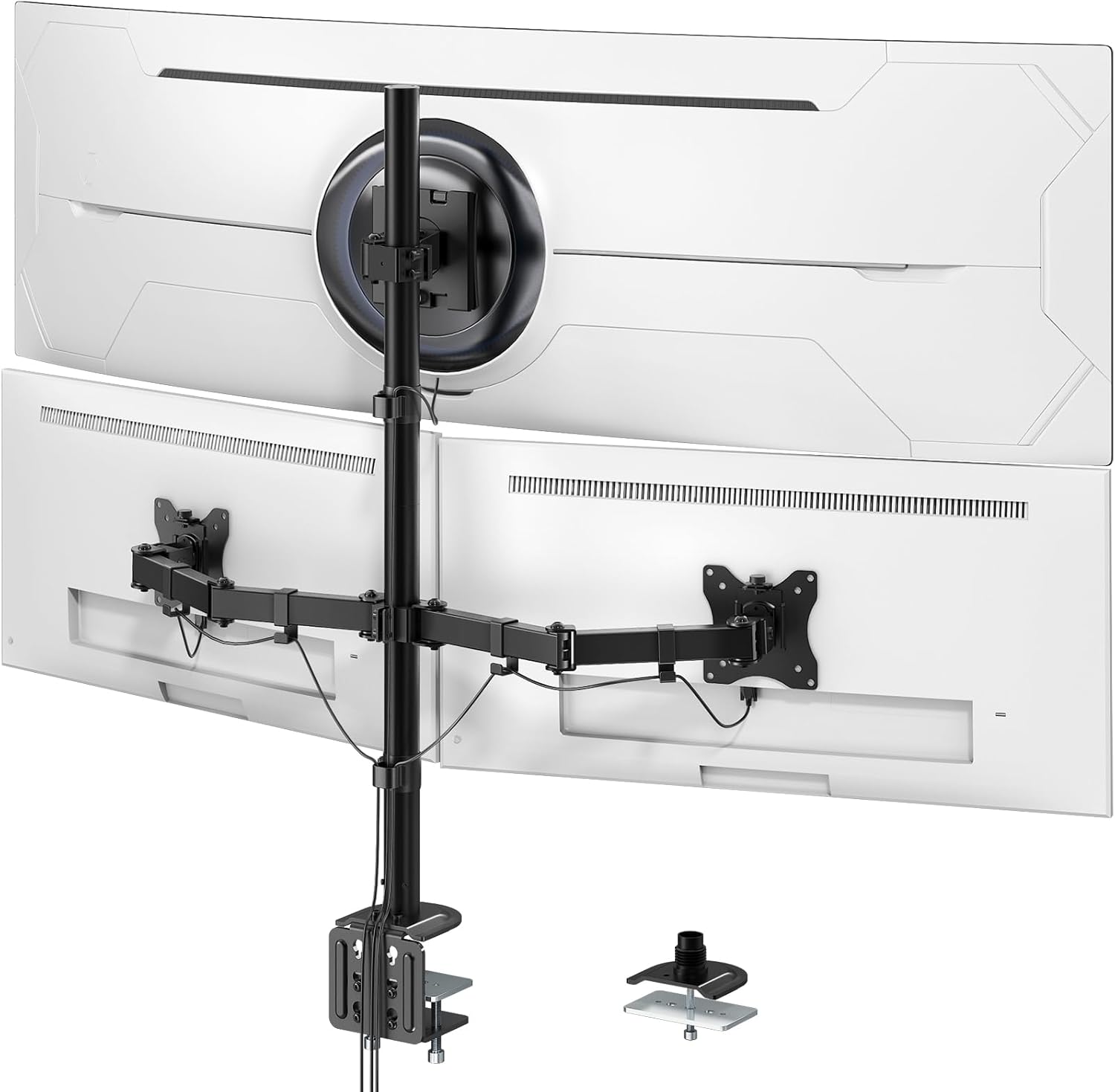
First, the layout. A top ultra-wide paired with two side monitors can be useful if you’re working with timelines, spreadsheets, dashboards, or trading-style workflows where you want one main view and two supporting panels. On top of that, the pyramid-style arrangement is designed to keep those screens visible without your desk becoming a jumble.
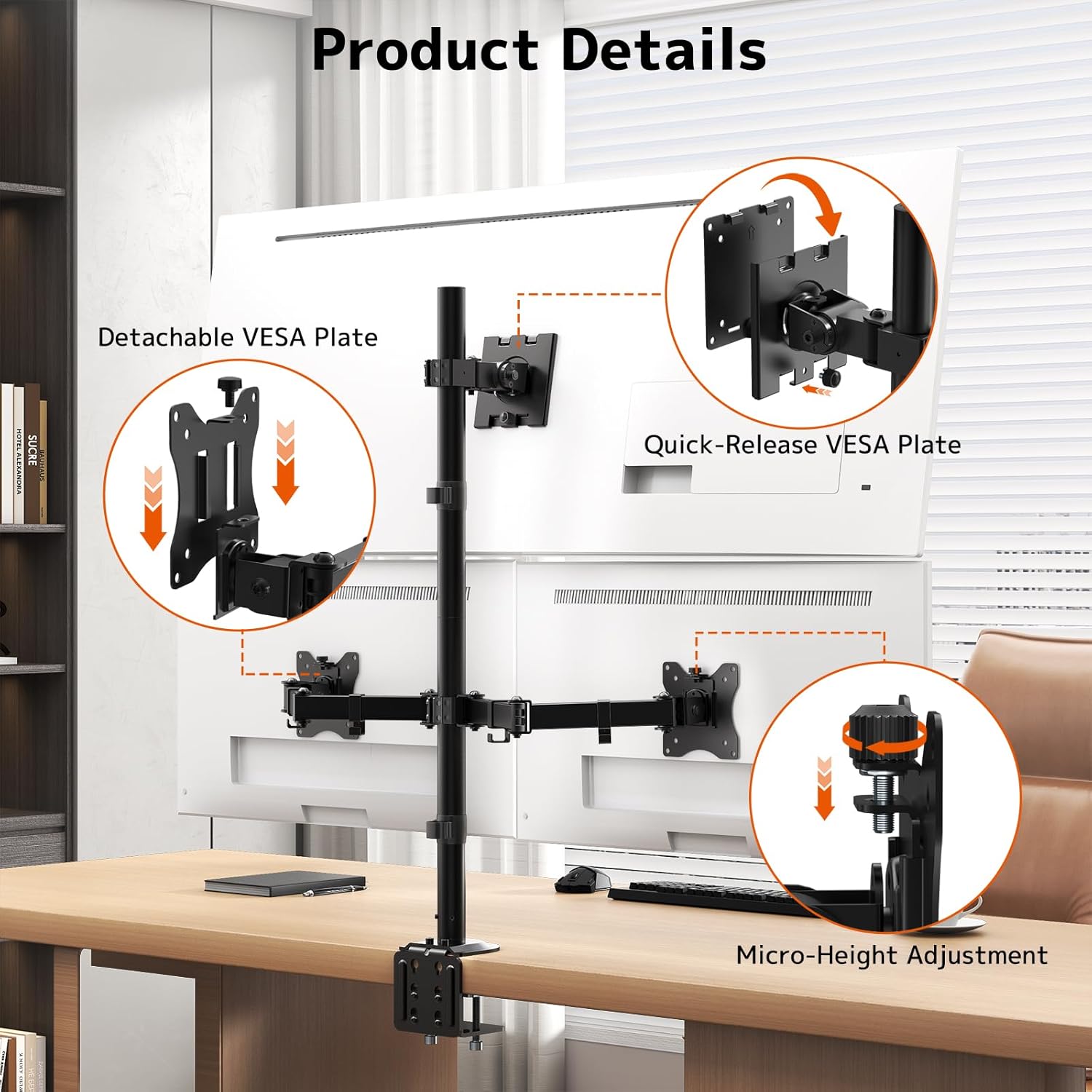
Second, the adjustability. The arm supports smooth tilt, swivel, and rotation adjustments, and you can switch between landscape and portrait-style positioning. That makes it easier to align each screen for your viewing angles—helpful if you sit slightly left or right, or if one monitor tends to end up “almost right” when you’re setting things up manually.
Third, the height adjustment. The included 32" pole allows vertical height adjustment to match your eye level. That’s the sort of feature that can feel small during setup but becomes noticeable after an hour or two when you’re not craning your neck.
Key points
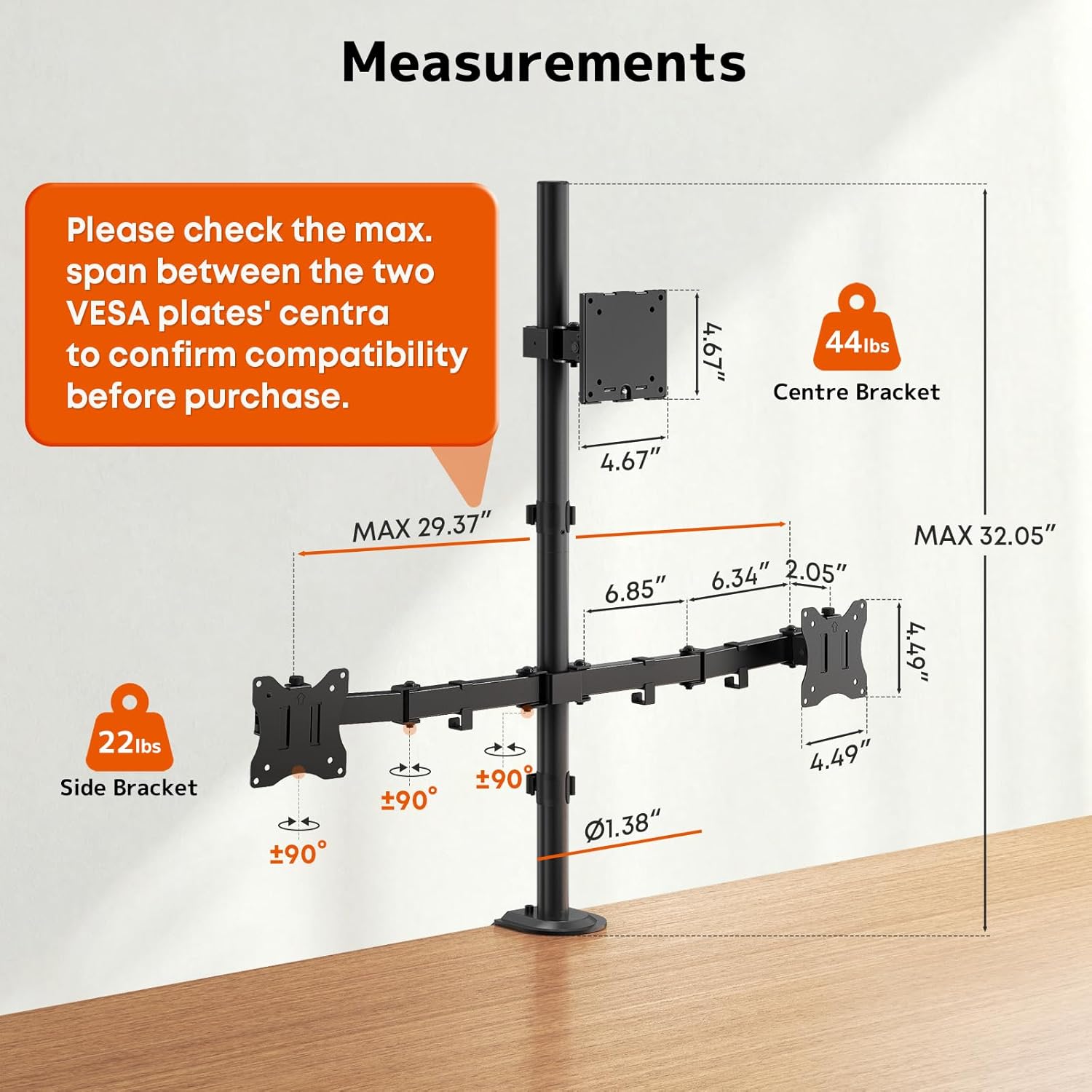
The build is described as industrial-grade steel, and the mount is positioned as heavy duty. It’s also rated to hold up to 44 lbs in total, with the split described as up to 49" (44 lbs / 20 kg) for the top ultra-wide and two 32" screens (22 lbs / 10 kg each) on the side brackets.
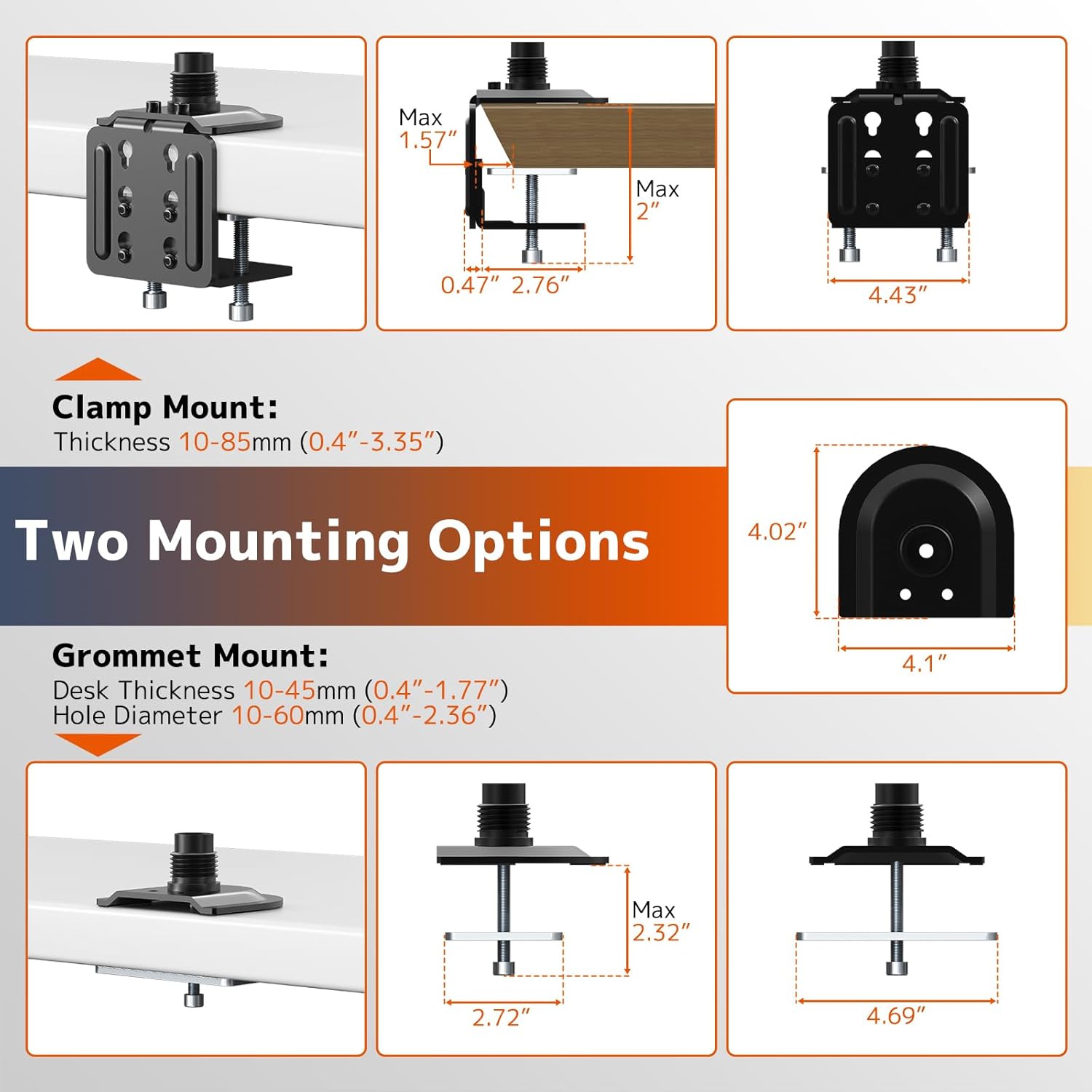
The mounting options are also worth noting: you can install it with a C-clamp for an edge mount or use a grommet base if your desk has through-desk holes. Both methods are stated to suit desk thickness from 0.4" to 3.15".
And then there’s the cable management. The mount includes cable management designed to keep cords tucked away, which helps you maintain a cleaner-looking setup—especially with three screens where cable clutter can escalate quickly.
Tech specs
- Name: Triple Monitor Arm for up to 49" Ultrawides with 32" Pole (Top + Side Brackets)
- Type: Heavy duty triple monitor mount
- Format: Top bracket (for up to 49" ultrawide) and side brackets (for two 32" screens)
- Capacity: Holds up to 44 lbs total (top: 44 lbs / 20 kg, sides: 22 lbs / 10 kg each)
- Mounting standards: VESA 75/100 mm
- Colour: Black
- Installation methods: C-clamp edge mount or grommet base through-desk mount
- Desk thickness range: 0.4" to 3.15"
Who it suits best (and the sensible limits)
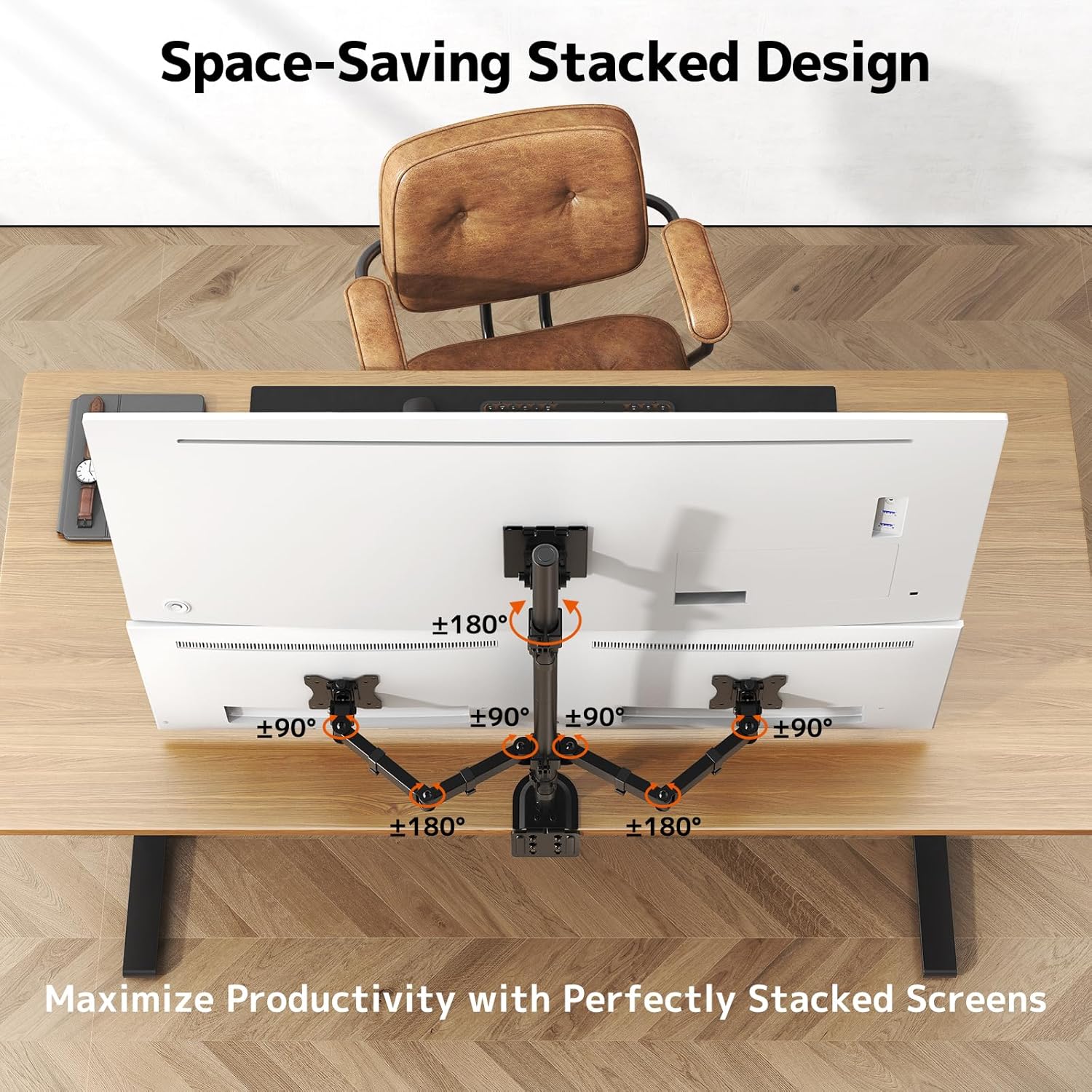
It makes sense if you’re trying to run a three-screen productivity setup—one main ultra-wide plus two supporting monitors—and you want height and angle adjustments rather than a fixed stand.

It’s also a good fit if your priority is freeing up desk space. Lifting the screens off the desk is one of those changes that can instantly make your workstation feel less cramped, particularly if you keep essentials like a laptop or notebook close at hand.
That said, it may not be the best match if you don’t have the desk space or the installation conditions for a triple-arm setup. Also, if your monitors don’t align with the stated sizing and weight expectations (49" ultrawide top, two 32" side screens, and the weight limits), you may find it’s more hassle than it’s worth. Another small limitation: a complex multi-screen layout like this can be overkill for simple office work where two displays are enough.
And a quick reality check—this is heavy duty on paper, but triple configurations always depend on correct installation and proper tightening, so it’s worth taking your time during setup.
Is it worth it?
Buy it if you want a structured triple layout with adjustable positioning, and your screens match the described use case: an ultra-wide up to 49" for the top bracket and two 32" screens for the side brackets, with VESA 75/100 support and loads within the stated capacity. It’s particularly compelling when you care about ergonomic positioning over long sessions and want a cleaner desk thanks to cable management.
Skip it if your monitors don’t fit the intended size/weight approach, or if your desk setup can’t accommodate either the C-clamp or grommet base method. If you only need one or two screens, a simpler stand will likely be easier to live with.
Practical tips before you buy
Make sure you check three things before committing: your monitors’ VESA compatibility (75/100 mm is listed), their combined weight versus the 44 lbs total capacity, and whether your desk thickness (0.4" to 3.15") works with either edge mounting or through-desk mounting. Then plan your screen arrangement—especially the portrait/landscape flexibility—so you’re not spending hours re-adjusting once everything is loaded.
Mini FAQ
Will this fit my monitors?
It’s designed around VESA 75/100 mm and an intended layout of one up to 49" ultra-wide on the top plus two 32" monitors on the side brackets, staying within the stated weight limits.
How does the height adjustment work?
The mount uses a 32" pole to allow vertical height adjustment, so you can bring screens closer to your eye level.
Can I mount it on any desk?
You can use either a C-clamp edge mount or a grommet base through-desk mount, and it’s stated to work with desk thickness from 0.4" to 3.15".
Does it support portrait mode?
Yes. The description says you can switch between landscape and portrait mode and rotate to align viewing angles.
What’s the main advantage over a basic desk stand?
The big difference is the adjustable triple layout and the space-saving off-desk mounting, supported by cable management for a tidier workstation.