

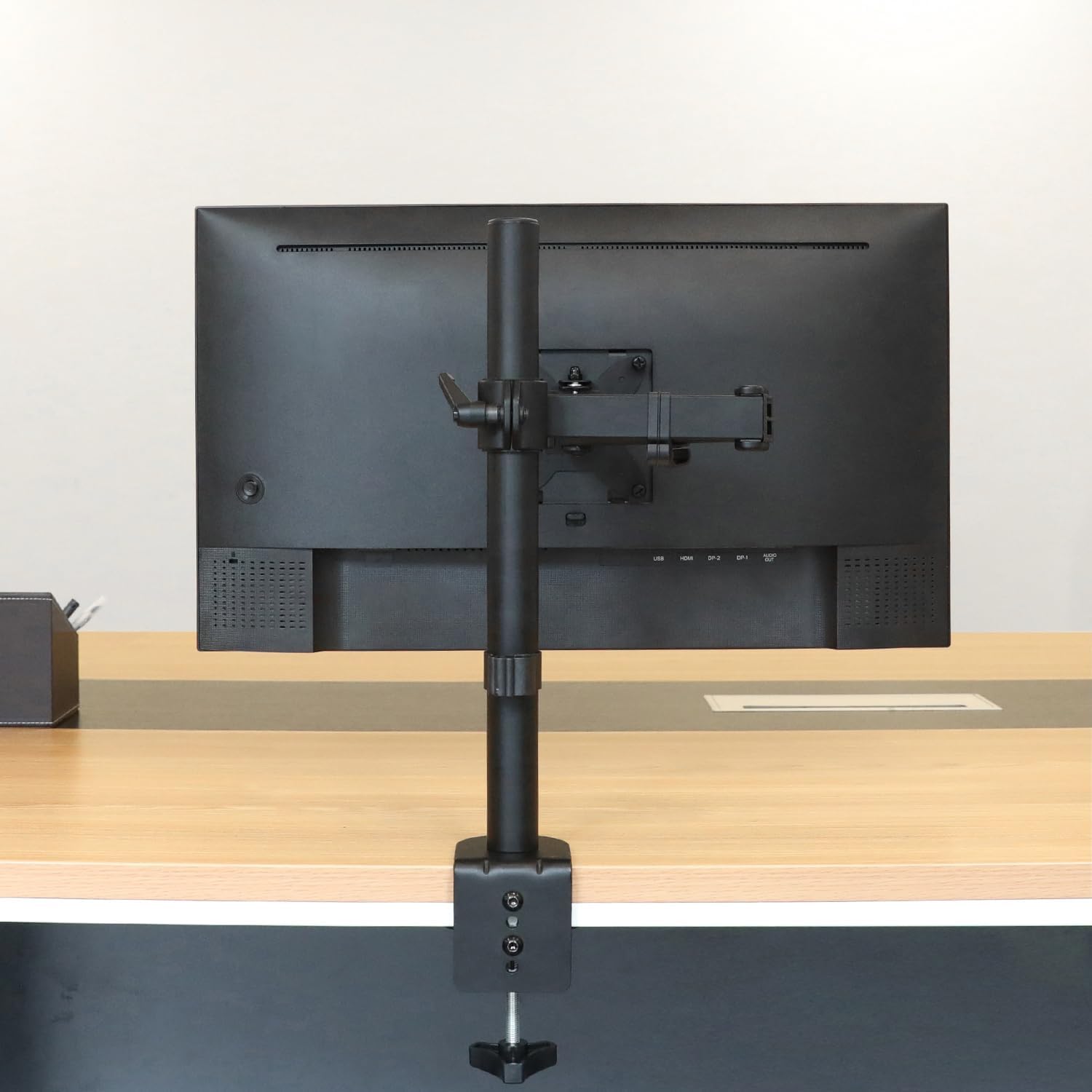
Amazon Basics Adjustable Single Monitor Arm Mount for up to 32-inch screens (black)
Reviews
Price
Product description
If you’re trying to tidy up your desk and get your monitor at a more comfortable height, a monitor arm is one of those upgrades that actually changes how work feels day to day. The amazon Basics Adjustable Single Computer Monitor Arm Mount is built around a single screen setup and targets mainstream LCD/LED monitors, with plenty of adjustability for everyday positioning.
That said, it’s not a magic fix for every workspace. It depends quite a lot on your monitor’s size/weight, the way your desk is built, and how much freedom you really want from your current stand.
The essentials
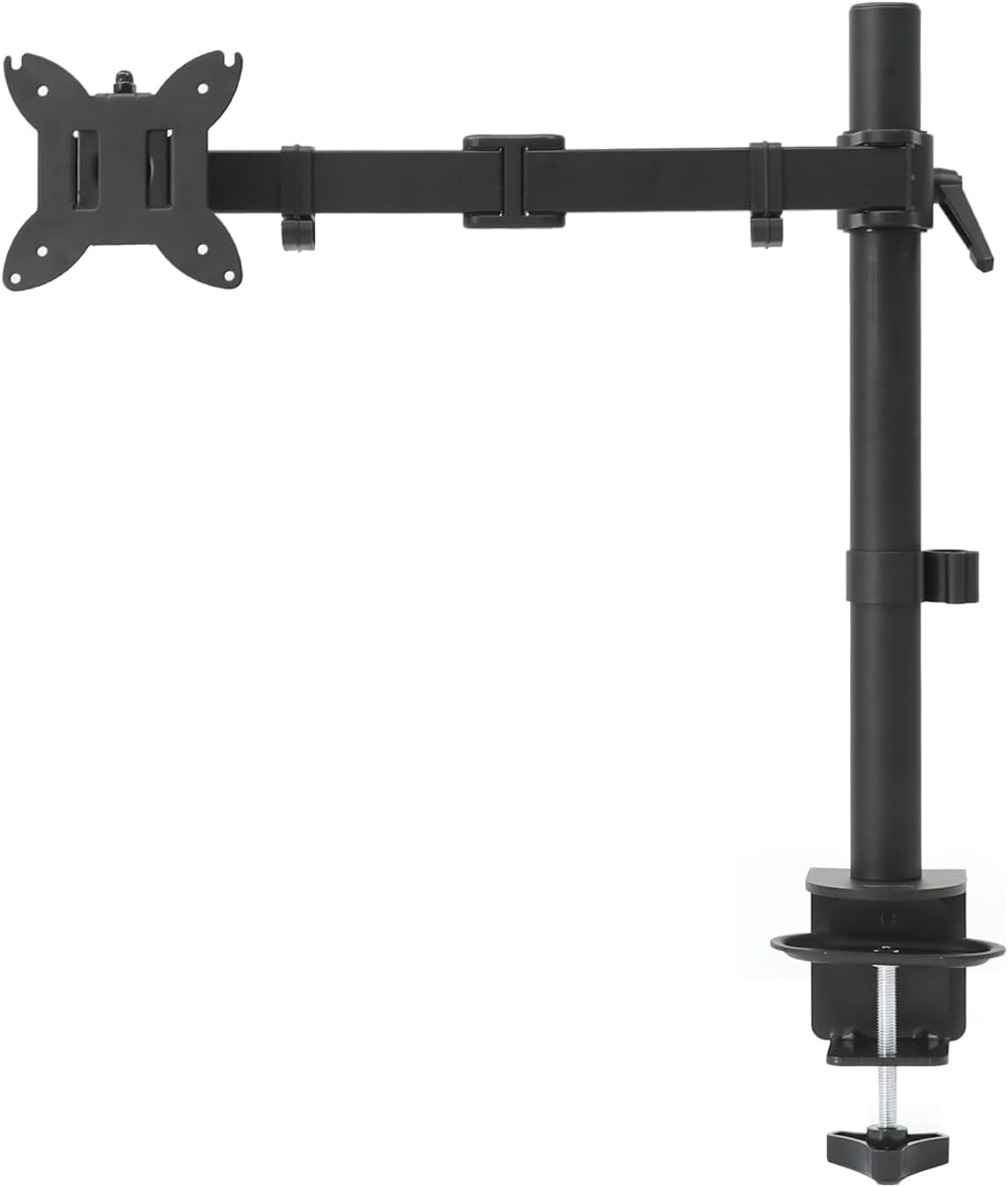
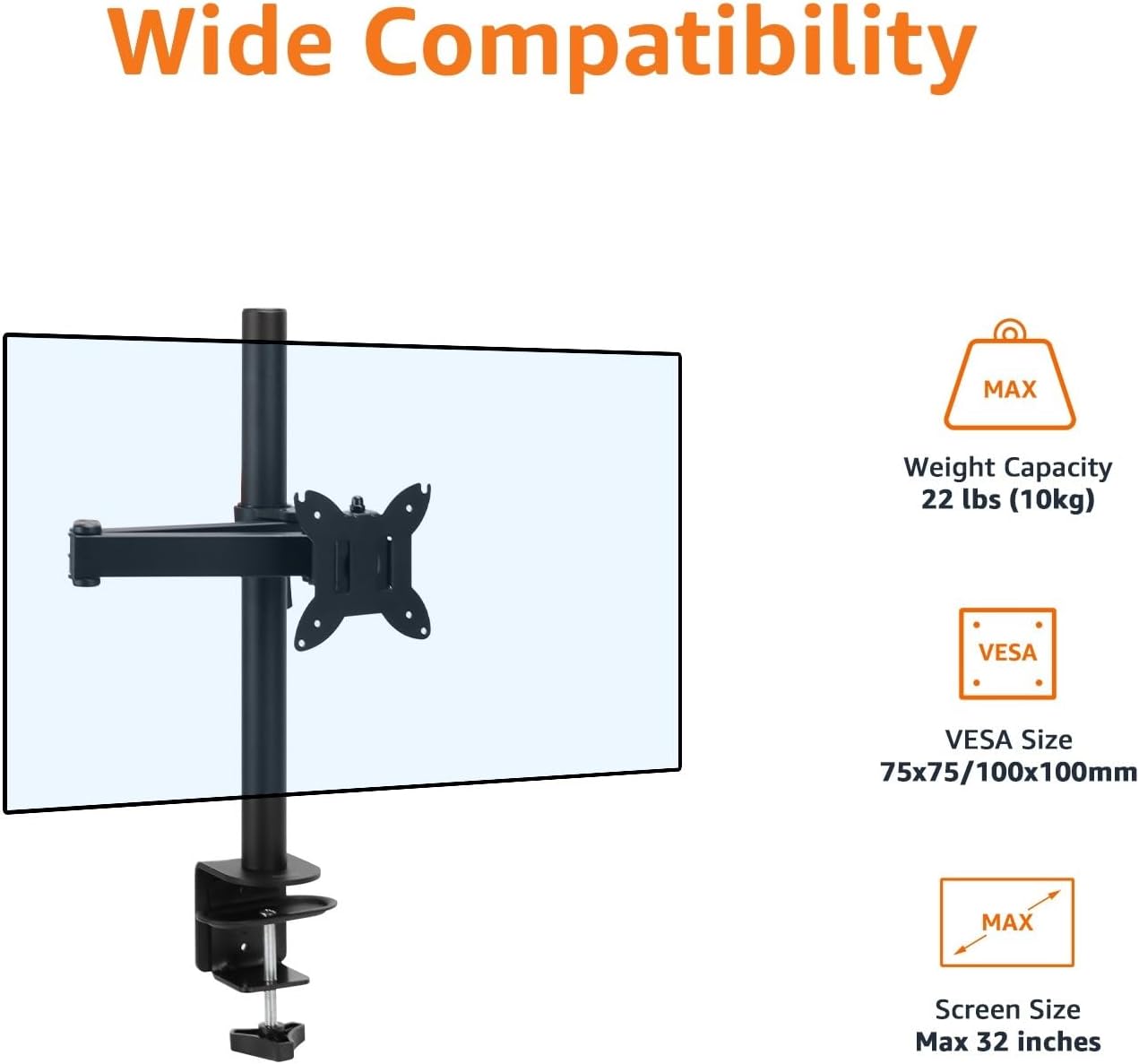
This is a single-arm monitor mount for a desk, secured with a C-clamp. It’s designed to support monitors up to 32 inches (81.3 cm) in standard format, and it also mentions a wider limit for ultrawide monitors (up to 38 inches / 96.5 cm). On the weight side, each arm is rated to hold up to 10 kg.
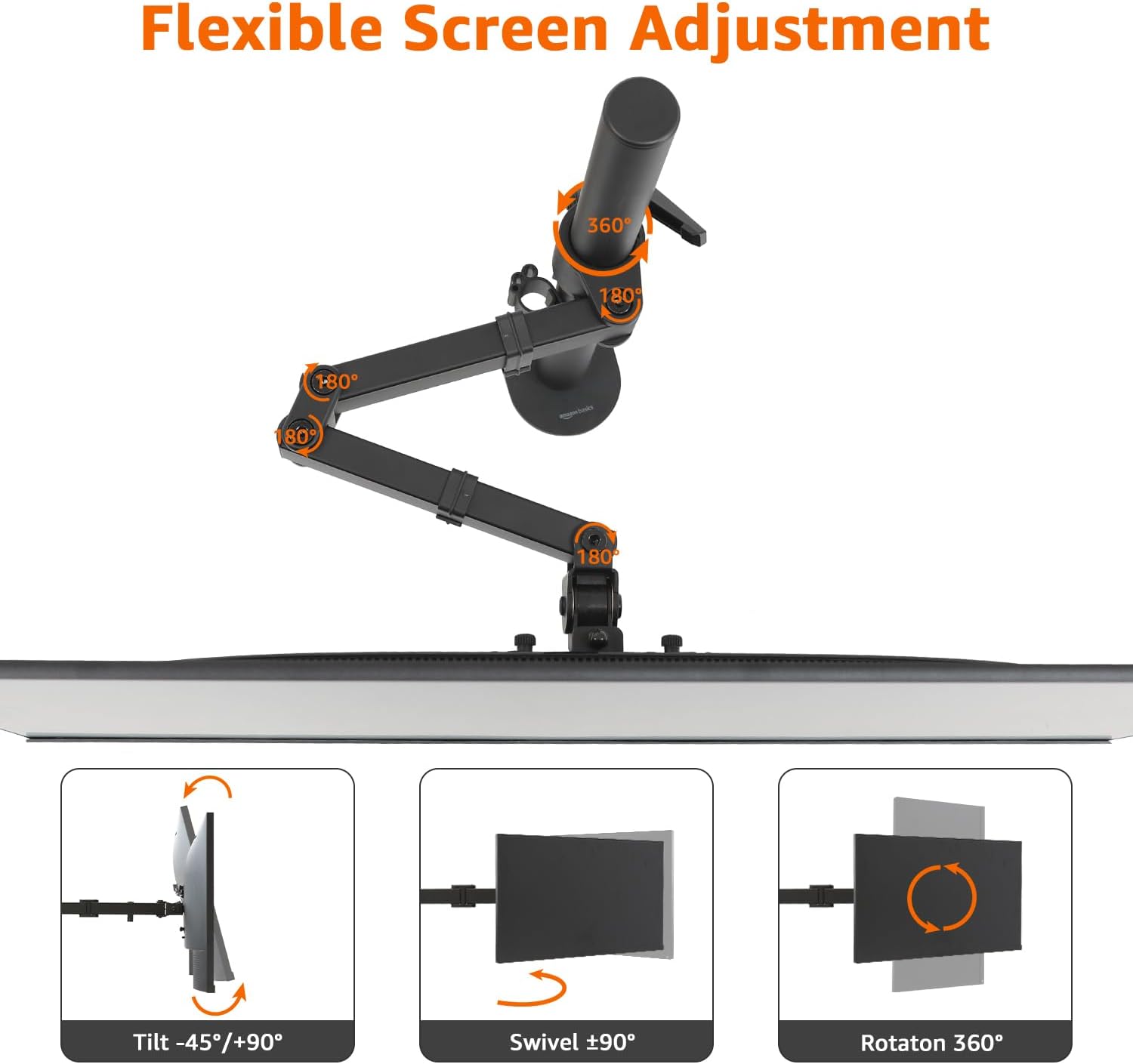
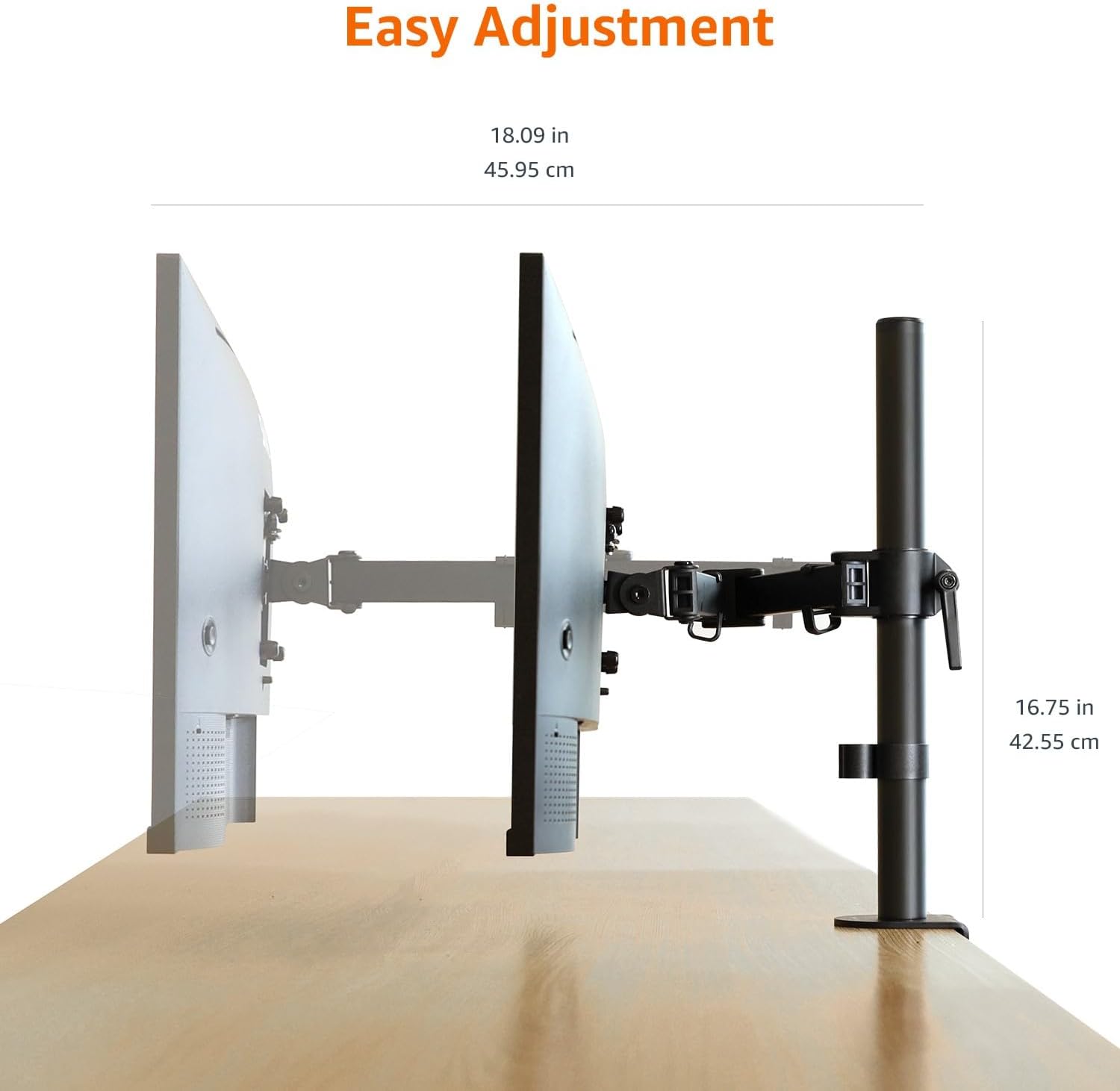
The whole point is positioning: you can adjust tilt, swivel and rotation so you’re not stuck with a fixed stand. It also extends out from the mount, which can help if you want the screen further forward without having to move the entire desk.
Where it stands out
The adjustment range is the headline here. According to the specs, you get:
- Tilt from -45° to +90°
- Swivel of +/-90°
- Rotation up to 360°
- Extension up to 46 cm in length and 42.6 cm in height
On a practical level, this means you can set the monitor for straight-on viewing for long typing sessions, then angle it for reference work (spreadsheets, documents, or side-by-side browsing). If you occasionally switch between portrait and landscape style viewing, having rotation available can be handy.
Key takeaways for installation and fit
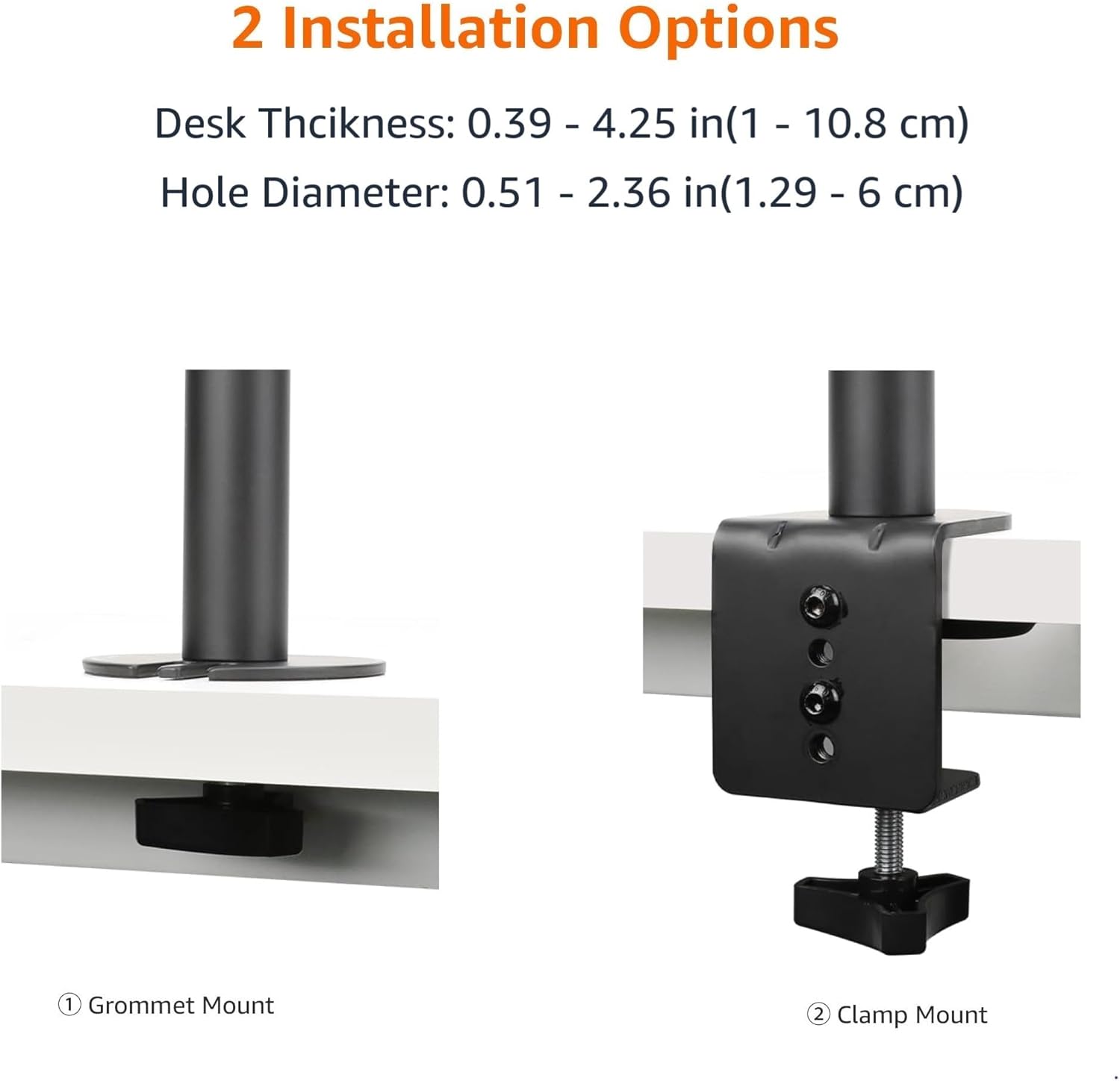
Getting it onto your desk is intended to be straightforward. It comes with a C-clamp style attachment and a tube-style mounting base.
It’s stated as compatible with desktop thickness from 1 to 10.8 cm, and the desk hole diameter range is listed as 1.3 to 6 cm. For screen mounting, it supports VESA patterns of 75 x 75 mm and 100 x 100 mm.
Here’s the thing: if your monitor doesn’t match those VESA sizes, or if your desk setup falls outside the stated clamp/hole dimensions, you may find it’s more hassle than it’s worth. So it’s worth checking those two bits first rather than assuming it’ll fit.
Cable management that’s actually meant to be used
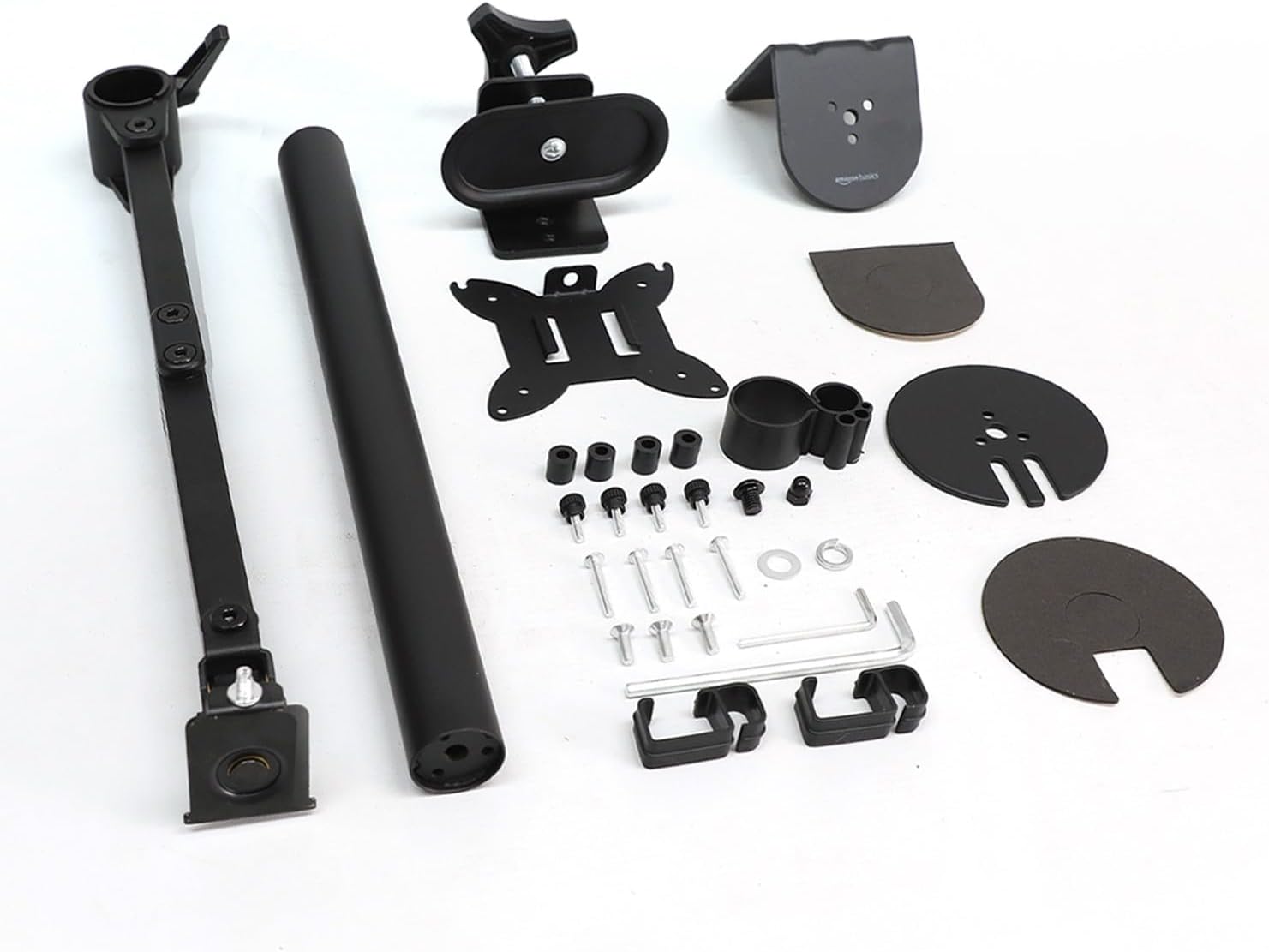
One area that separates a “nice idea” from a usable desk upgrade is cable clutter. This arm includes a cable management system intended to keep cables under control, plus a step-by-step manual and an organised tools kit for assembly.
If your current setup involves cables dangling behind the monitor stand, this is likely to look and feel cleaner once everything is routed correctly along the arm.
Tech specs
- Type: Adjustable single monitor arm mount
- Monitor size support: up to 32 inches (81.3 cm) or up to 38 inches (96.5 cm) for ultrawide
- Max load: up to 10 kg per arm
- VESA compatibility: 75 x 75 mm or 100 x 100 mm
- Tilt: -45° to +90°
- Swivel: +/-90°
- Rotation: up to 360°
- Extension: up to 46 cm length
- Height range: up to 42.6 cm
- Mounting method: C-clamp with tube mounting base
- Desk thickness: 1 to 10.8 cm
- Desk hole diameter range: 1.3 to 6 cm
Who it suits (and who should be cautious)
It’s a solid pick if you want a single-screen desk setup with meaningful adjustability, and you’re working with a monitor that fits the stated size/weight and VESA pattern. It also makes sense if you care about keeping cables tidy, because the included management system is part of the package rather than an afterthought.
It may not be the best match if you’re planning a heavier or larger-than-spec monitor, or if your desk design doesn’t allow the clamp and mounting requirements. Also, if your main goal is a multi-monitor arrangement, remember this is explicitly a single arm—so you’d need a separate approach for additional screens.
For a quick real-world example: imagine moving from a fixed stand that forces your head forward to read the screen. With this arm’s tilt and height extension, you can bring the monitor closer to eye level and angle it for a more natural line of sight. That’s where monitor arms tend to pay off.
Buying verdict
This Amazon Basics adjustable single monitor arm is worth considering if you have a VESA-compatible monitor and you want flexible viewing angles without moving your whole desk setup. The rated support (up to 10 kg) and the adjustment ranges are strong “everyday work” features, and the included cable management should help keep the back of your desk looking sensible.
You may want to skip it if you’re unsure about VESA compatibility (75 x 75 mm or 100 x 100 mm) or your desk thickness/hole dimensions fall outside the stated ranges. In those cases, you could spend more time checking fit than actually using the arm.
Mini FAQ
Will it fit my desk?
It’s intended for desks with thickness between 1 and 10.8 cm, and it lists a desk hole diameter range of 1.3 to 6 cm for installation. Checking these figures before buying is the safe move.
Does it work with VESA mounts?
Yes, it’s stated as compatible with VESA 75 x 75 mm and 100 x 100 mm.
What monitors is it designed for?
It’s designed to hold LCD/LED monitors up to 32 inches (81.3 cm) in standard format, and up to 38 inches (96.5 cm) for ultrawide formats, with a max load of 10 kg per arm.
Can I rotate the monitor?
The specs mention rotation up to 360°, plus swivel and tilt ranges for fine positioning.
Is cable management included?
Yes, there’s an included cable management system, alongside a step-by-step manual and an organised tools kit for assembly.