

MOUNTUP EU0091 Full Motion TV Wall Bracket (550mm arm, VESA up to 200x200, up to 20kg) for 14–42 inch screens
Product description
If you want a TV wall mount that actually gives you options—without turning the install into a headache—this MOUNTUP full motion bracket is built around flexibility. It’s aimed at most 14–42 inch LED/LCD/OLED flat TVs and monitors, with a VESA range up to 200x200mm and a stated maximum load of 20kg.
That said, it’s not a plug-and-play solution for every wall type. Before you commit, you’ll need to double-check both the TV’s VESA pattern and your wall situation, because wall mounting is where many builds go wrong.
Quick overview
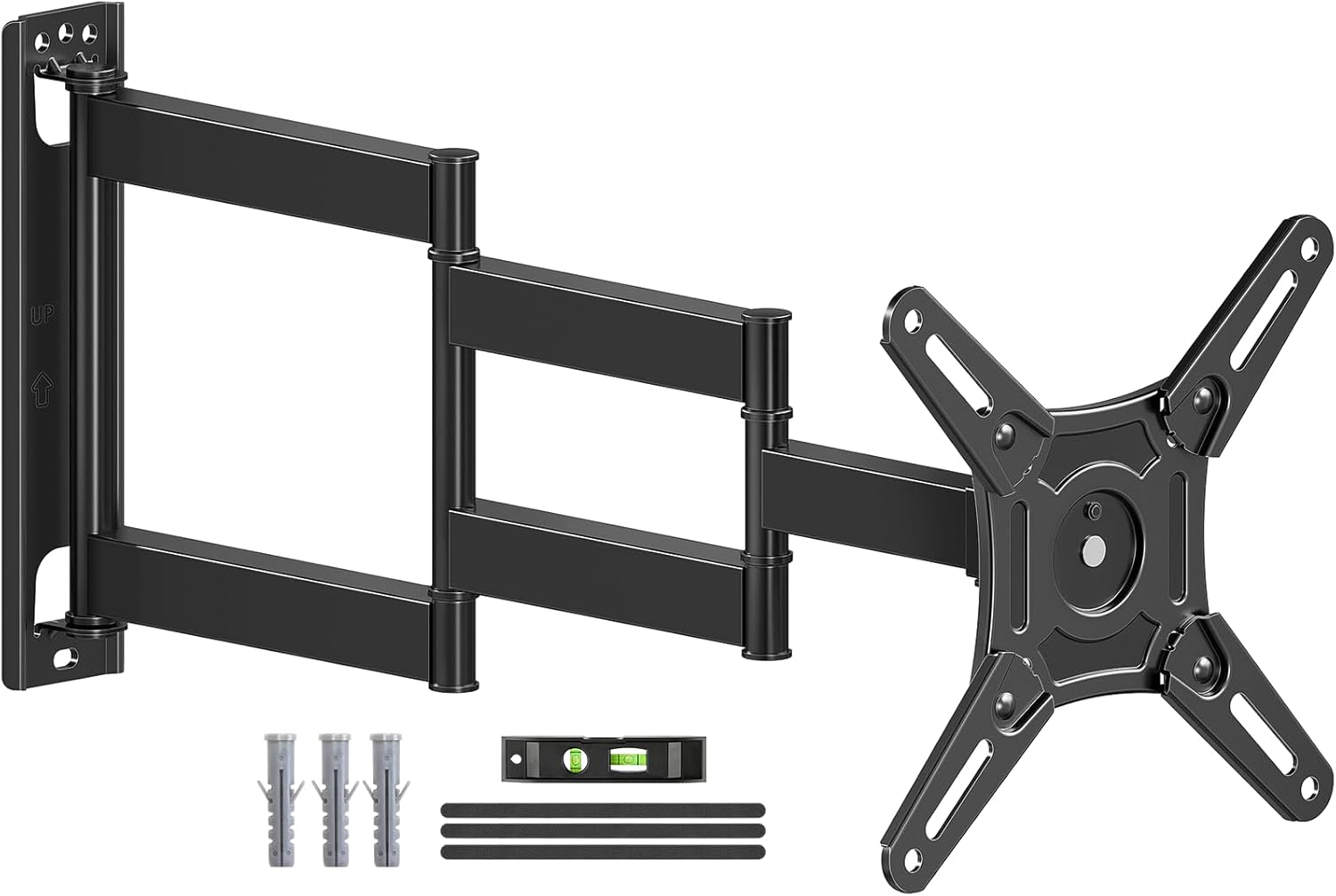
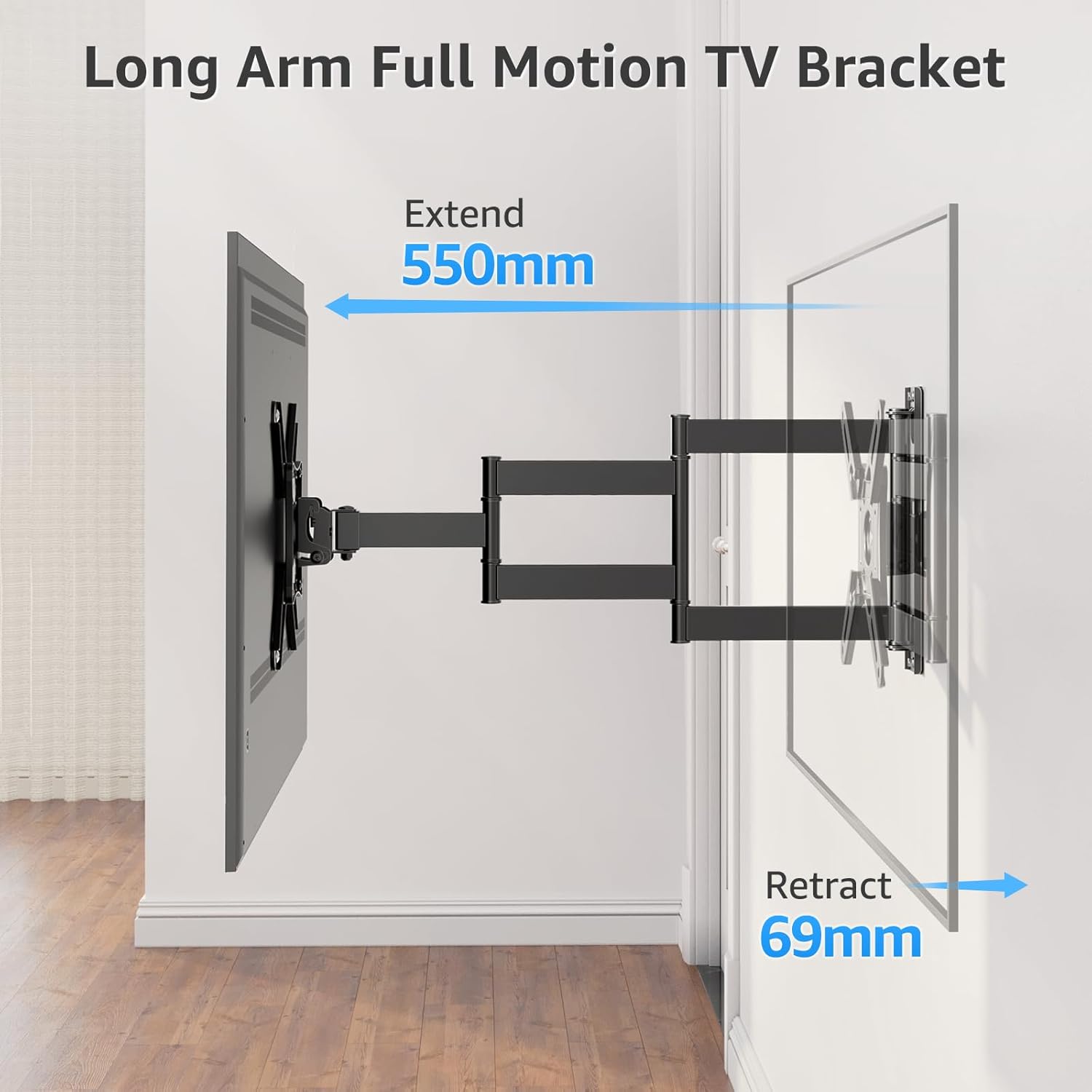
This is a wall bracket with a long arm (it reaches out to 550mm and retracts back to 69mm). Along with that extension, it offers tilt and swivel movement, plus a rotating design intended to let you switch the TV between landscape and portrait viewing.
On paper, it’s the kind of mount you choose when the TV isn’t going to be perfectly centred on day one, or when you want to manage glare depending on where people are standing.
Key features that affect day-to-day use
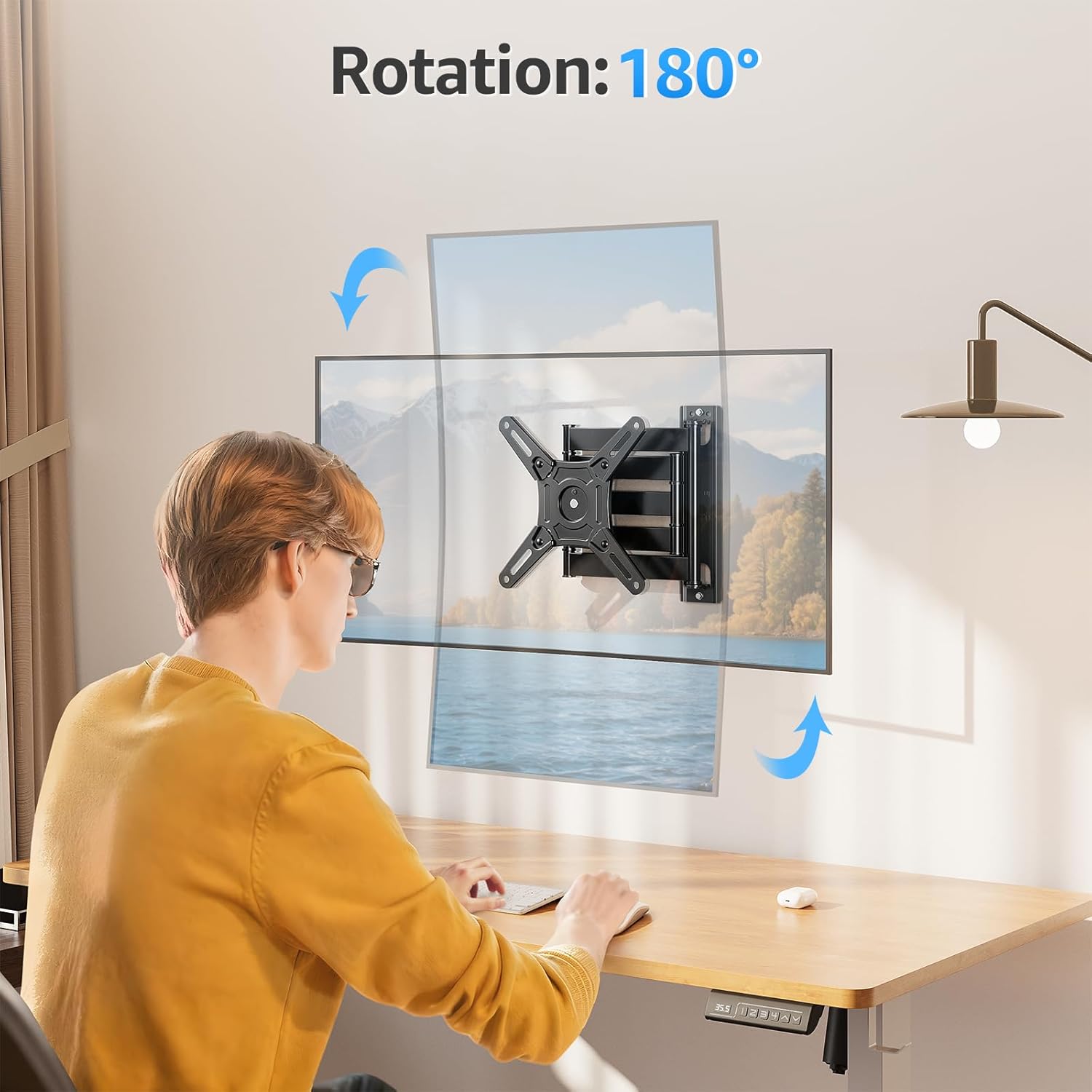
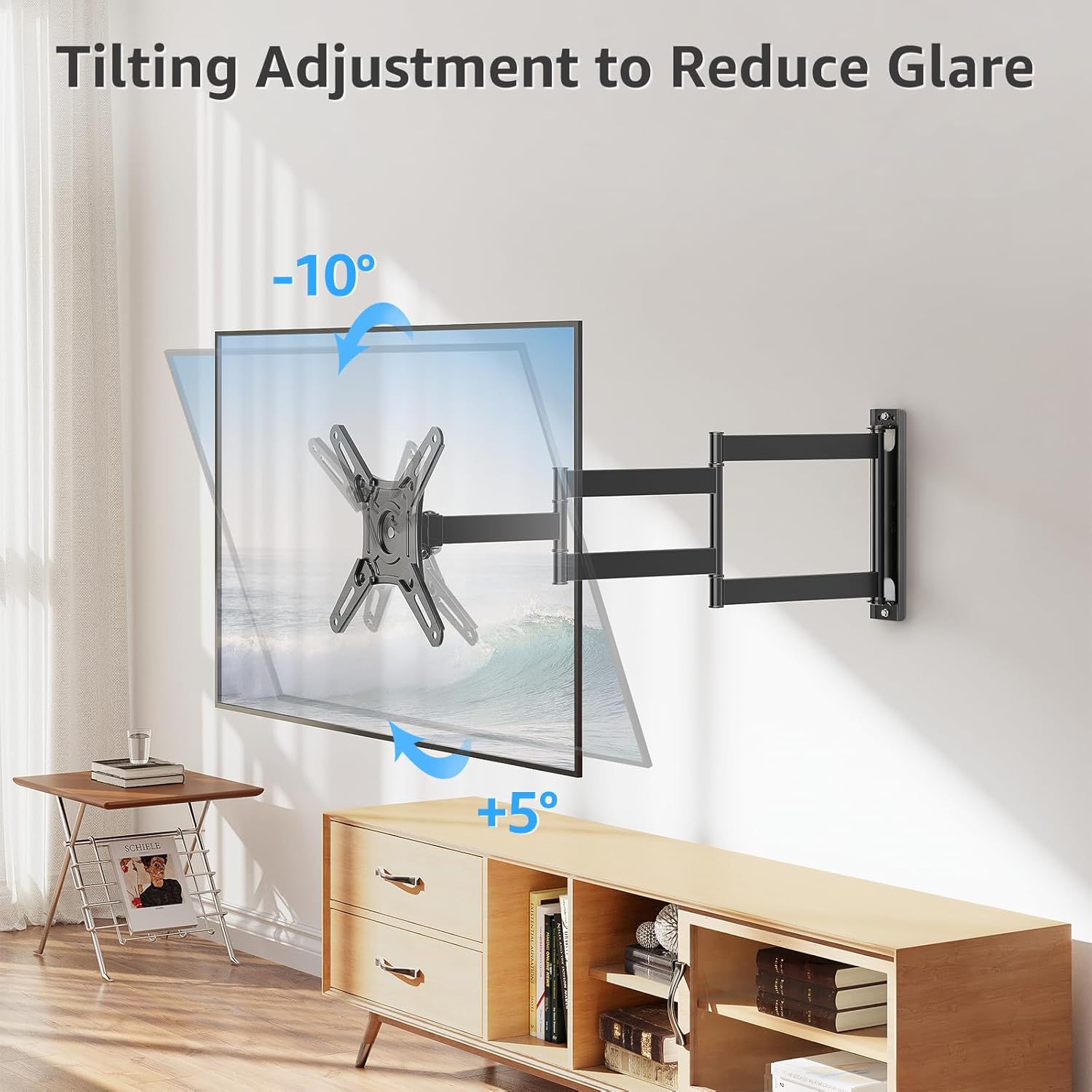
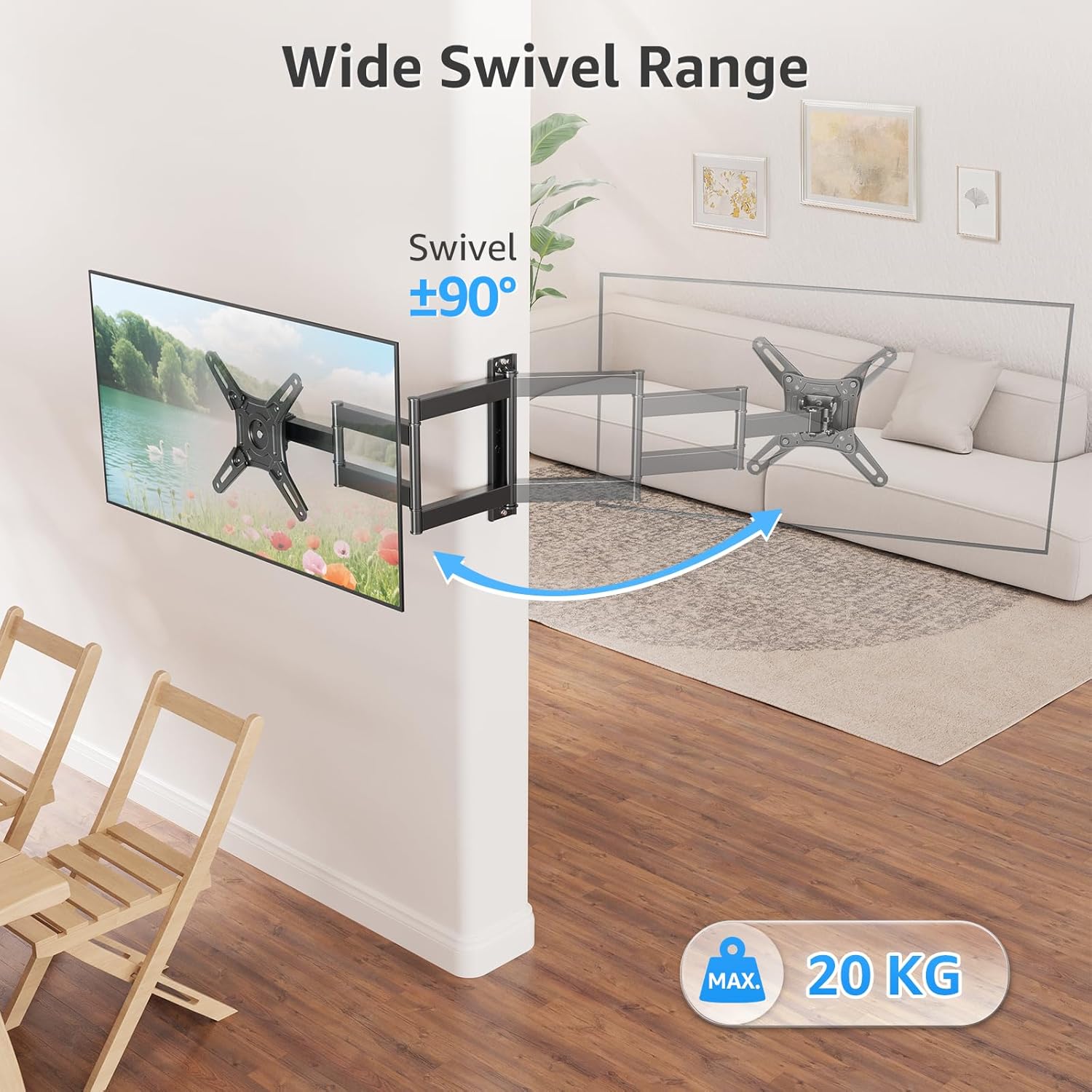
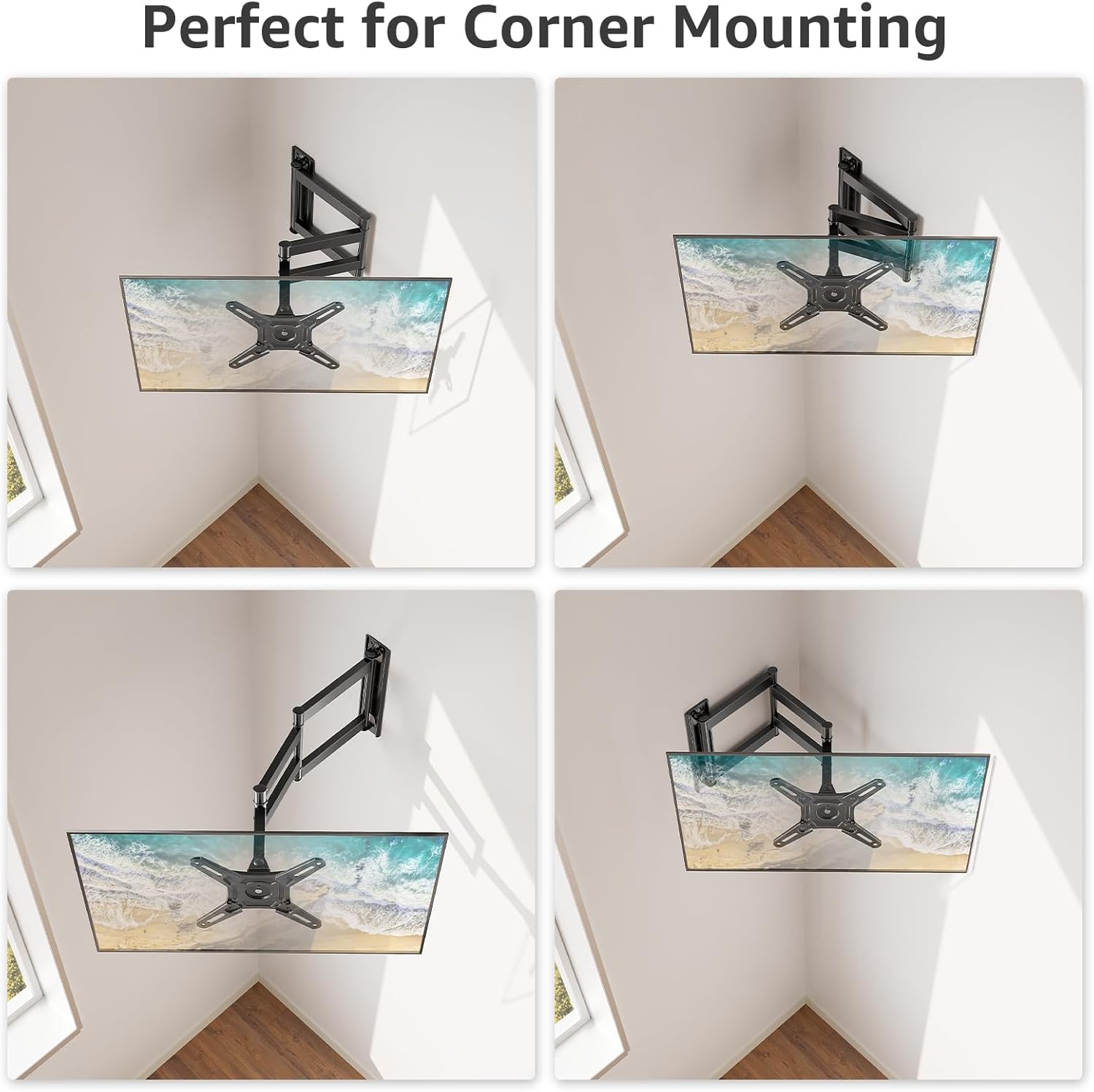
What stands out here is the movement range: - Full motion with swivel/rotation support, including a design described as allowing 180° rotation for covering different viewing angles around the home. - Tilt adjustment rated at +5°/-10° to help reduce glare. - Corner-friendly pull-out design: it can extend out to 550mm and then retract back to 69mm, which can be useful when your TV ends up near a wall corner.
It’s also designed with installation in mind. The box includes a completed mounting hardware kit and step-by-step instructions, which should make assembly more straightforward for most people.
A small limitation worth noting: the product instructions explicitly say not to install into drywall alone, so you’ll need to plan for suitable fixings and a proper backing method.
The essentials before you buy
A mount like this lives or dies by fit. The stated compatibility is broad, but you still need to confirm:
- Screen size: it’s for most 14–42 inch flat LED/LCD/OLED TVs and monitors.
- Weight limit: up to 20kg (don’t assume your TV will be safely under that unless you know its spec).
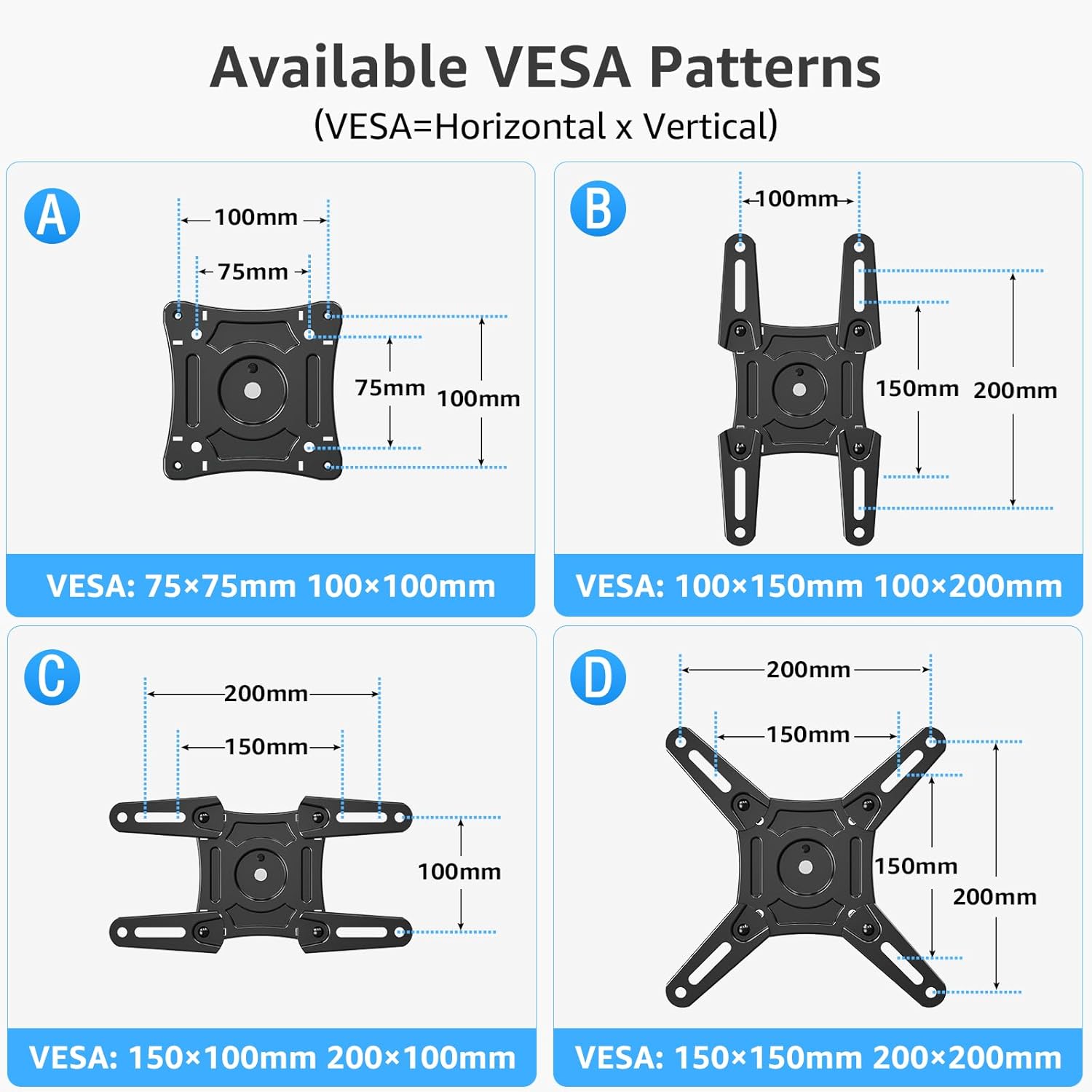
- VESA pattern: compatible with 75x75mm up to 200x200mm.
- Wall type: the instructions warn against mounting into drywall alone.
You’ll also want to think about how you’ll actually view the screen. If your setup is simple (TV goes against a flat wall, viewing angles stay consistent), a more basic fixed bracket might be easier. If you’re dealing with a corner, awkward seating positions, or changing light, full motion makes more sense.
Installation and real-world considerations
The included hardware kit and instructions are helpful, but the important part is what you do with them. For example, if your TV sits in a living room corner, pulling the screen out from the wall can reduce that “hunched over” viewing angle. You can then tilt the TV slightly to cut glare rather than trying to shift the room around.
However, with any wall mount, the wall is the dealbreaker. Because it shouldn’t be installed into drywall alone, you may need to locate suitable studs or use an appropriate mounting method (depending on your wall type). If you’re not confident about that side of the install, it’s the sort of task where it’s worth pausing and getting advice.
Who it suits (and who should look elsewhere)
It makes sense if: - You want full motion rather than a fixed position. - Your room layout means the TV needs to cover more than one viewing angle. - You’d benefit from tilt to deal with glare. - Your TV is within the 14–42 inch range and you know its VESA falls between 75x75mm and 200x200mm.
You may want to skip it if: - Your TV’s VESA pattern is outside the stated range. - Your wall setup is limited to drywall only, because the instructions explicitly caution against that. - You’re after a simple, minimal install where extension and movement aren’t really needed.
Mini FAQ
Is this bracket suitable for both landscape and portrait viewing? It’s described as supporting 180° rotation to display in landscape or portrait positioning, so it’s designed for that kind of flexible viewing.
How far does the TV extend from the wall? It retracts to 69mm and can pull out to 550mm, according to the product description.
What VESA sizes does it support? The stated VESA compatibility is 75x75mm to 200x200mm.
Can it be fitted to drywall alone? No—there’s a specific note to not install into drywall alone.
Is it worth it?
This MOUNTUP EU0091 is a sensible buy if you’re choosing a wall mount primarily for flexibility: tilt to manage glare, swivel/rotation for different angles, and an extended arm that can help with corner setups. It’s also aimed at a wide group of screens (14–42 inch) within a clear VESA and weight bracket.
Where it becomes a gamble is when install conditions are unclear. If your TV’s VESA/weight aren’t confirmed, or your wall is only drywall, it might not be the right match. If those boxes are ticked—and you’re comfortable with proper wall fixing—this looks like the kind of full motion bracket that can genuinely make your viewing setup feel less “stuck”.