

ELIVED Freelift Pro Single Arm Monitor Desk Mount (VESA 75/100, 13–32 inch, 2–9kg) in white
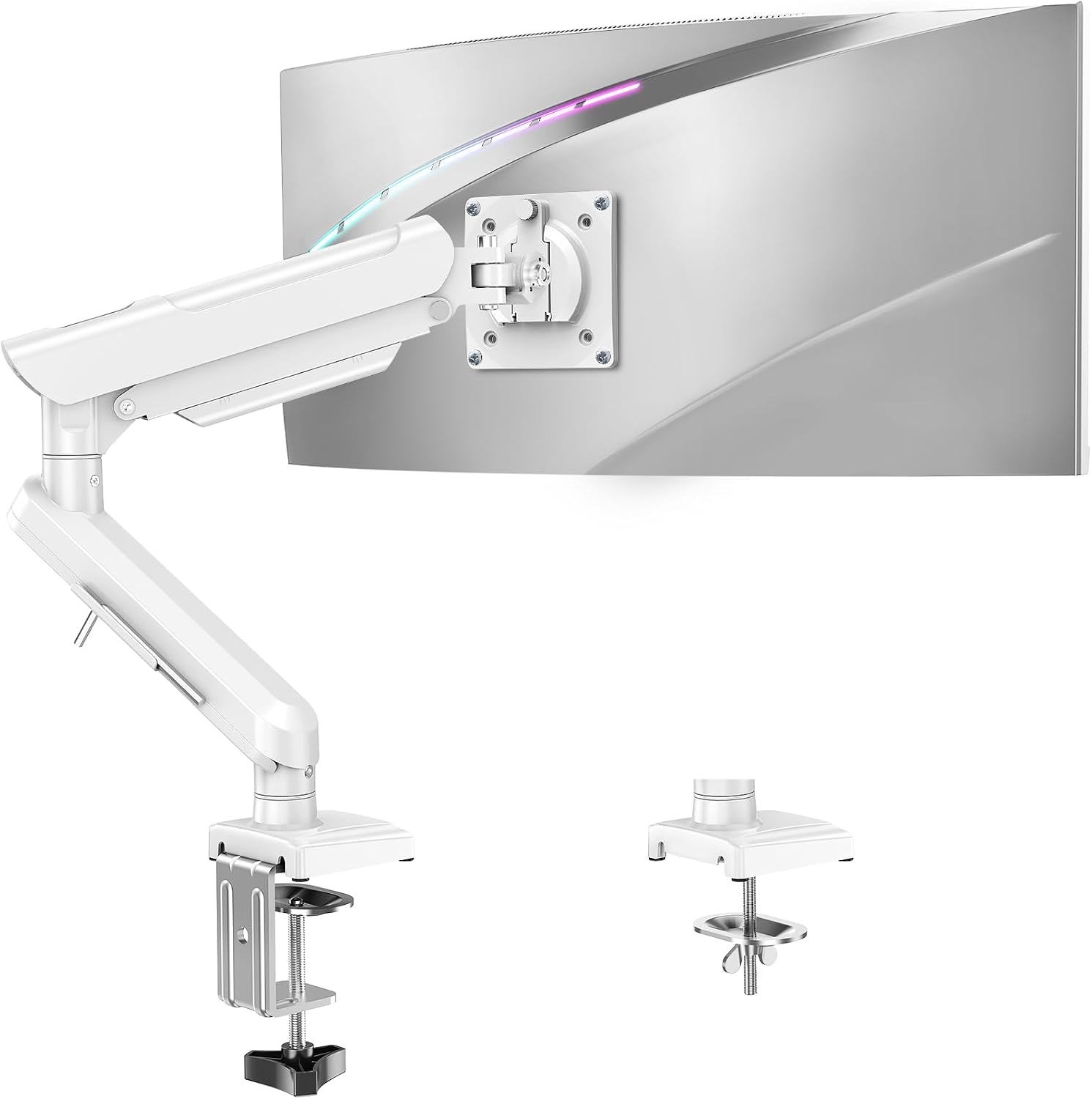
Product description
What it is and why people buy it
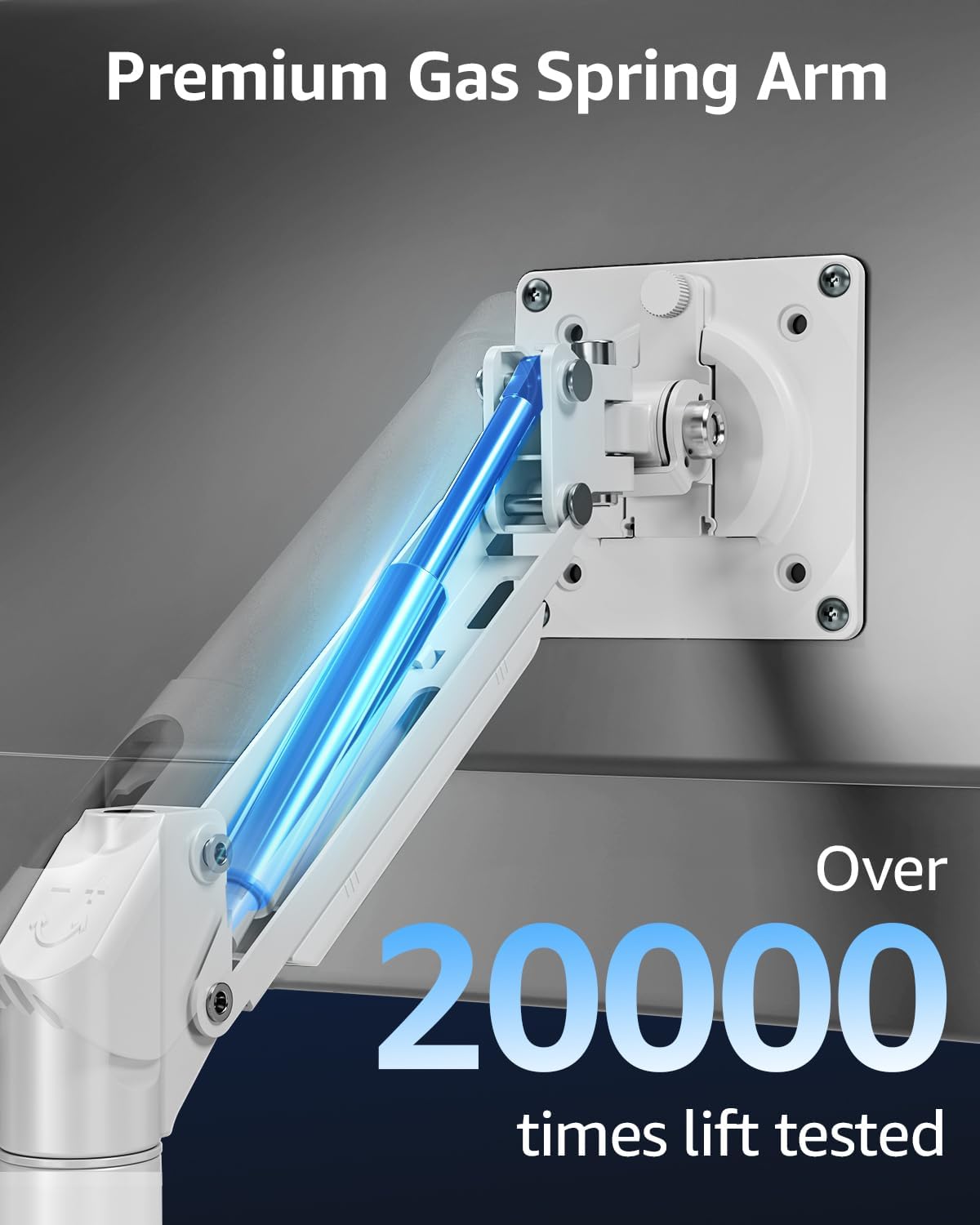
If your desk is getting swallowed by the monitor stand, cable clutter, and that “too low/too far” viewing angle, a monitor arm is often the simplest fix. The ELIVED Freelift Pro is a single-arm desk mount made for 13–32 inch flat or curved screens, with a gas-spring style setup and tool-free height adjustment. It’s built around the idea of letting you position a heavier screen more precisely, whether you’re working, gaming, or streaming.
On paper, the big selling points are the range of movement (tilt, swivel, and rotation), the height adjustment you can use without tools, and support for VESA 75 x 75mm and 100 x 100mm patterns. The frame is made from an aluminium alloy, which should help with stiffness compared to lighter steel-style arms you sometimes see in budget mounts.
Where it stands out day to day
The movement options are the sort of details you notice every time you sit down. The arm supports:
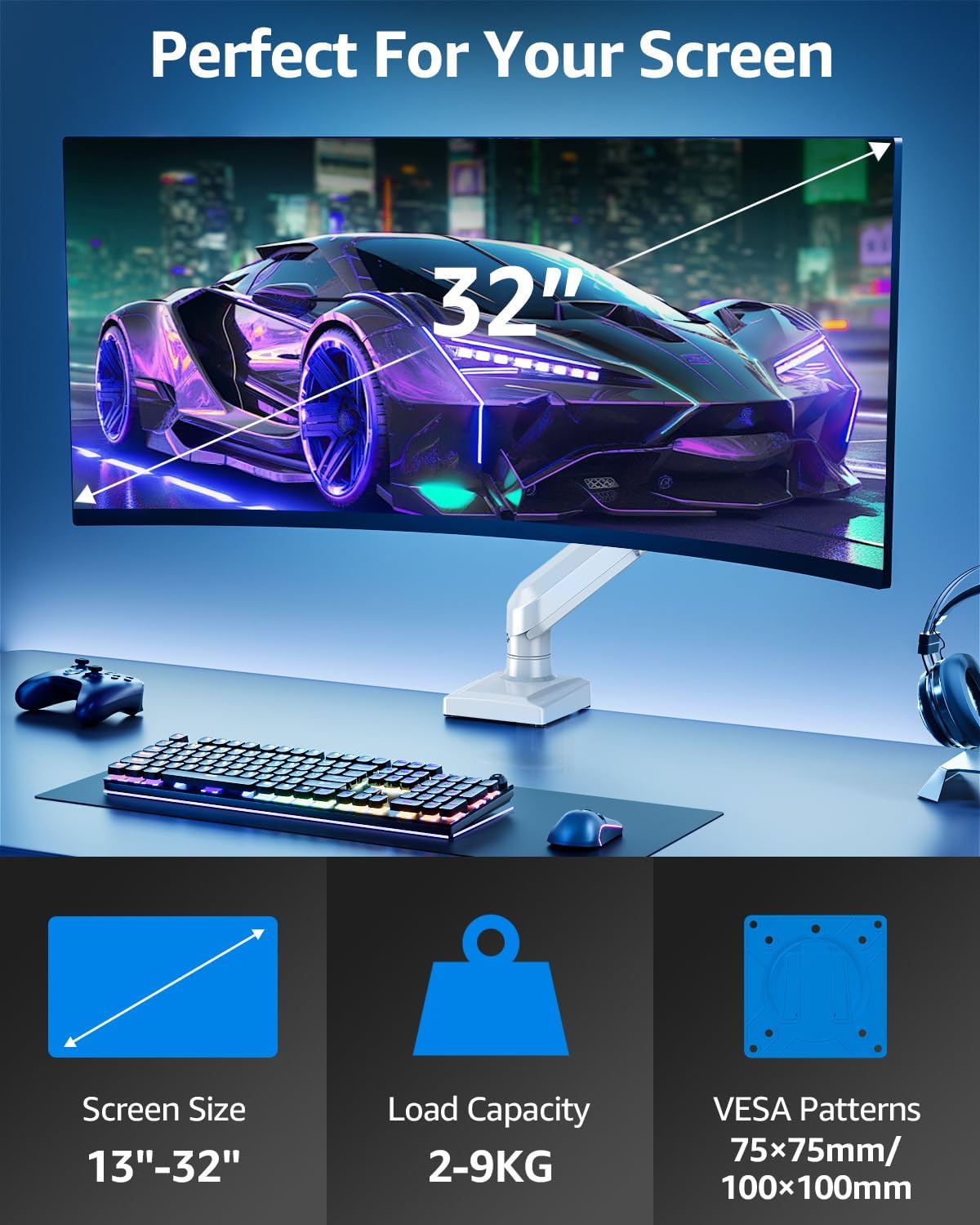
- Tilt from +70° to -45°
- Swivel up to 180°
- 360° rotation
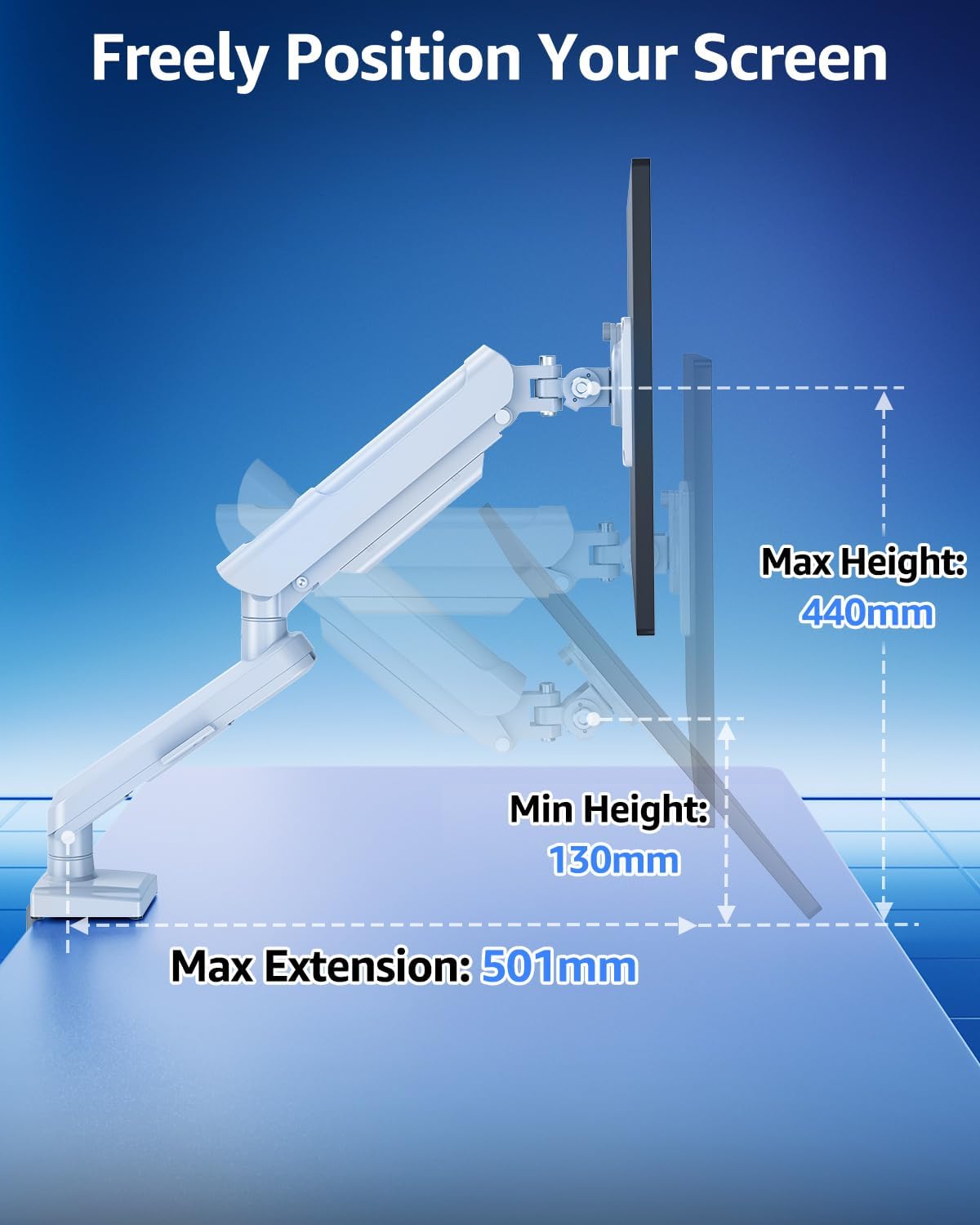
That’s useful if you share your setup (quickly re-orienting the screen), if you need to reduce glare by angling the display, or if you alternate between landscape and portrait for different tasks. You can also raise the monitor up to 440mm, and extend it out to 501mm for a closer viewing position.
It’s also designed to free up desk space. The claim here is “over 80%” of your desk space freed by moving the monitor off the tabletop. Whether you experience the full amount depends on your current stand and how you organise the rest, but the intention is clear: more room for a larger keyboard, mouse mat, and day-to-day essentials.
Security and mounting approach (what to know)
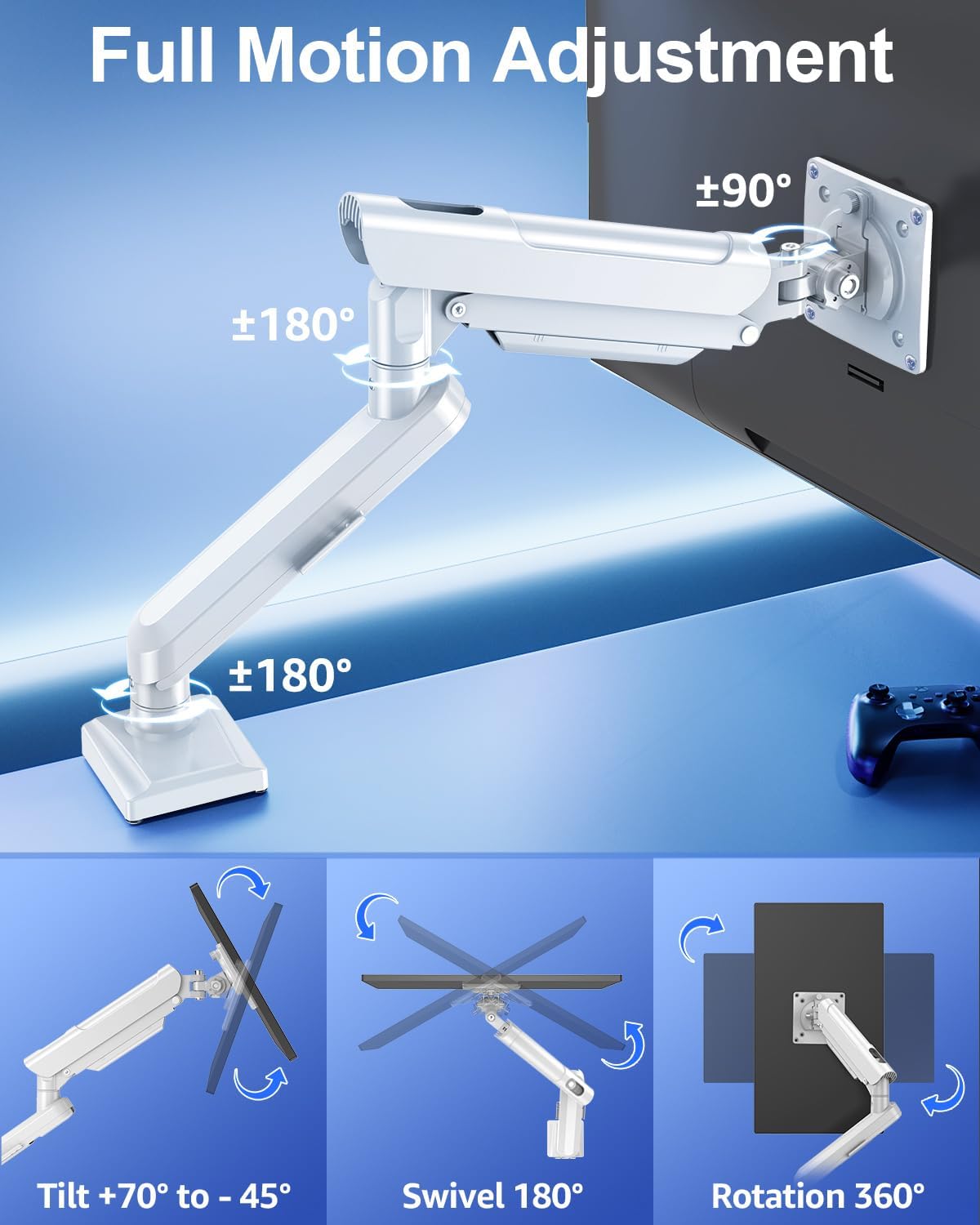
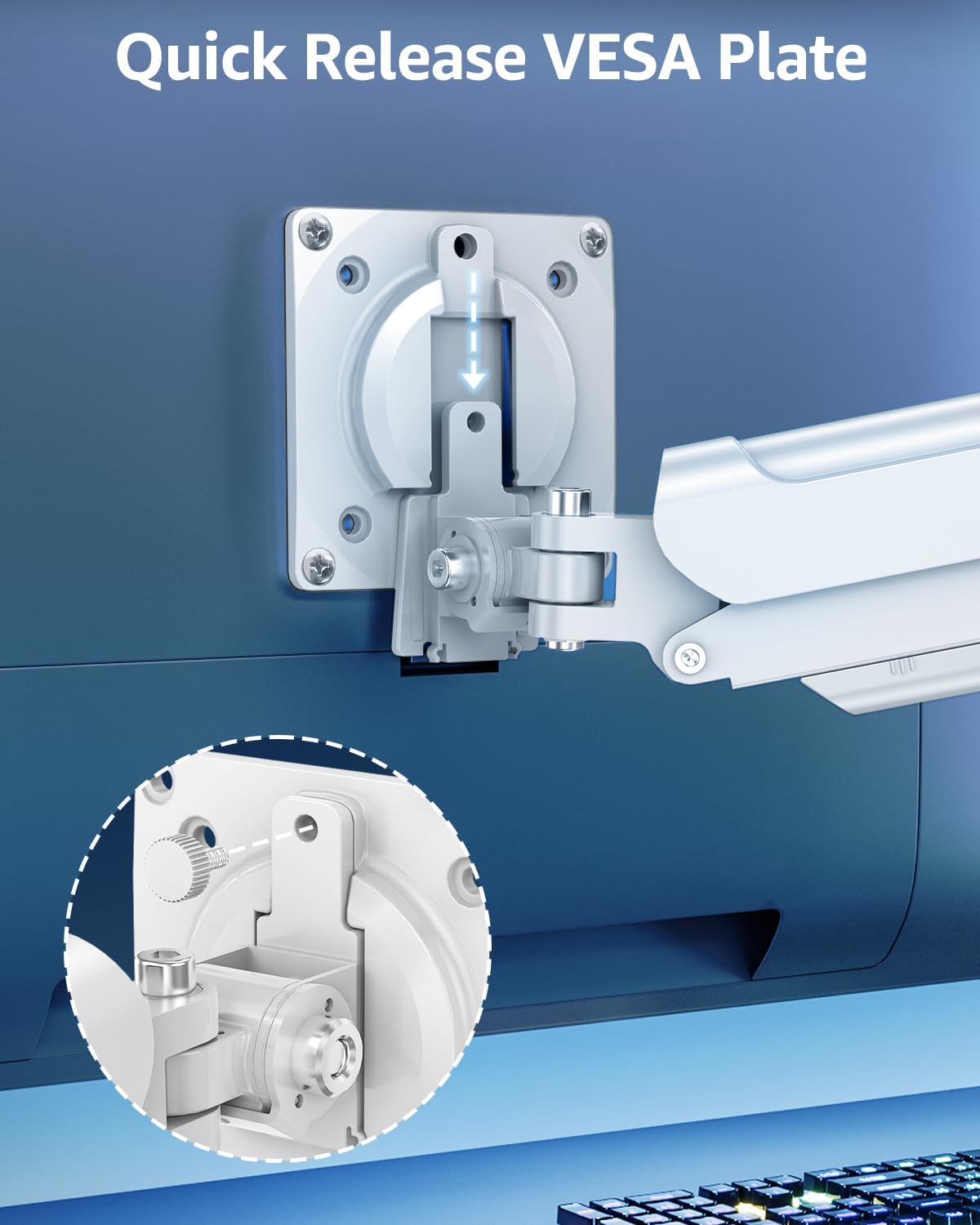
This arm is rated to hold monitors from 2–9kg, and it uses VESA quick release with patterns 75 x 75mm and 100 x 100mm. The brand positions it as “sturdier & safer” by using an aluminium alloy build and a three-stage mounting system intended to reduce the risks associated with some traditional gas spring arm approaches.
A practical detail worth noting: it offers both C-clamp and grommet options for securing the base. That matters because some desks have a thick lip or limited clearance for clamps, while others work better with a through-desk grommet.
One small limitation to keep in mind: the specs provided don’t tell you anything about how much clearance you need behind the monitor for full movement, so if you have wall-mounted cabling, a tight desk depth, or an awkward corner setup, it’s worth planning the range of motion before committing.
Assembly experience and usability
Installation is described as taking about 5 minutes using a three-stage mounting system, with detailed instructions provided. Since this is tool-free height adjustment, day-to-day tweaks should be quick rather than something you leave until you can be bothered with tools.
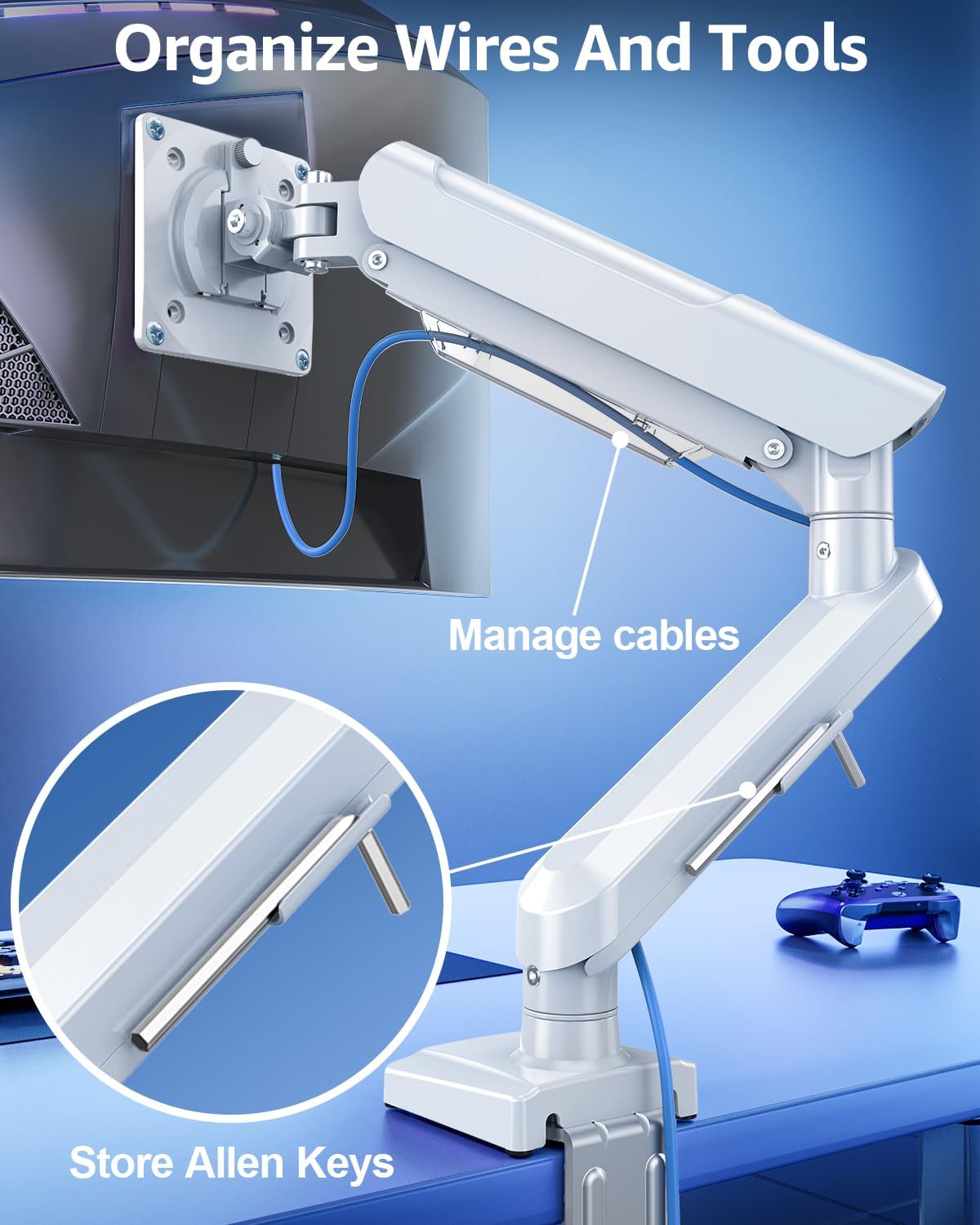
There’s also a “freelift” style design element and a practical storage touch: the lower arm can conveniently store Allen keys for future use. It’s not the most exciting feature on a monitor arm, but it’s the sort of thing that prevents “where did the small tool go?” later.
Who it suits best (and who should be cautious)
It’s a solid match if you want a single-arm solution that can handle a mainstream 13–32 inch monitor size, especially if you care about adjusting height, reducing glare, and switching orientation for different content.
A solid pick if: - Your monitor falls within the 13–32 inch range and its weight is within 2–9kg - Your monitor supports VESA 75 x 75mm or 100 x 100mm - You want a cleaner desk layout and more usable space underneath - You like the idea of fine positioning for work and gaming
You may want to skip it if: - Your screen is outside the stated size/weight range, or you can’t confirm VESA 75/100 compatibility - Your desk setup makes clamp or grommet mounting awkward (or you’re unsure which option fits your desk) - You’re expecting a super-compact footprint with no need to check rear clearance for rotation and swivel
Quick comparisons in buying mindset
In the market, monitor arms usually fall into two broad approaches: simple fixed or low-movement arms, and arms that offer meaningful tilt/swivel/rotation plus height extension. The ELIVED Freelift Pro clearly leans towards the second approach, with a wider movement range and portrait rotation support.
That usually makes sense if you’re actively using your monitor in different ways (work blocks, gaming sessions, streaming, or just different viewing angles during the day). If your goal is purely to lift a basic monitor slightly for comfort and you’re not fussed about orientation changes, a simpler arm could feel more than you need. But if you care about positioning and ergonomics, this one’s more “daily-use focused” than “set-and-forget”.
Tech specs
- Name: ELIVED Freelift Pro Single Arm Monitor Desk Mount
- Type: Monitor desk mount with gas spring height adjustment
- Size: For 13–32 inch flat or curved monitors
- Capacity: Holds 2–9kg screens
- VESA support: 75 x 75mm and 100 x 100mm
- Movement: +70° to -45° tilt, 180° swivel, 360° rotation
- Height adjustment: Up to 440mm
- Extension: Up to 501mm
- Mounting options: C-clamp & grommet options
- Material: Aluminium alloy
- Colour: White
FAQs
Is this monitor arm suitable for curved screens?
Yes—it's described as compatible with 13–32 inch flat or curved monitors.
Will it work with my monitor if it has VESA mounting?
It supports VESA 75 x 75mm and 100 x 100mm patterns. If your monitor uses a different VESA size, you’ll need to check first.
How much weight can it hold?
The stated capacity is 2–9kg, so the monitor weight needs to sit within that range.
Do you need tools to adjust the height?
The height adjustment is described as tool-free, which should make it easier to fine-tune your sitting/standing comfort.
Can it rotate to portrait mode?
Yes, it supports 360° rotation, and the description specifically mentions switching between landscape and portrait.
Should you buy it?
Worth considering if you want a single-arm mount for a 13–32 inch monitor that you can position precisely: height up, tilt/swivel for comfort, and portrait rotation for when you need it. The aluminium alloy build, VESA quick release design, and C-clamp or grommet base options make it feel more “properly set up” than a bare-bones arm.
It might not be the best choice if you can’t confirm your monitor is within the 2–9kg weight limit and uses VESA 75/100, or if your desk layout makes clamp/grommet installation difficult. If those checks line up, this looks like the sort of practical upgrade that makes everyday use feel calmer, with more workspace and less fiddling once it’s installed.