

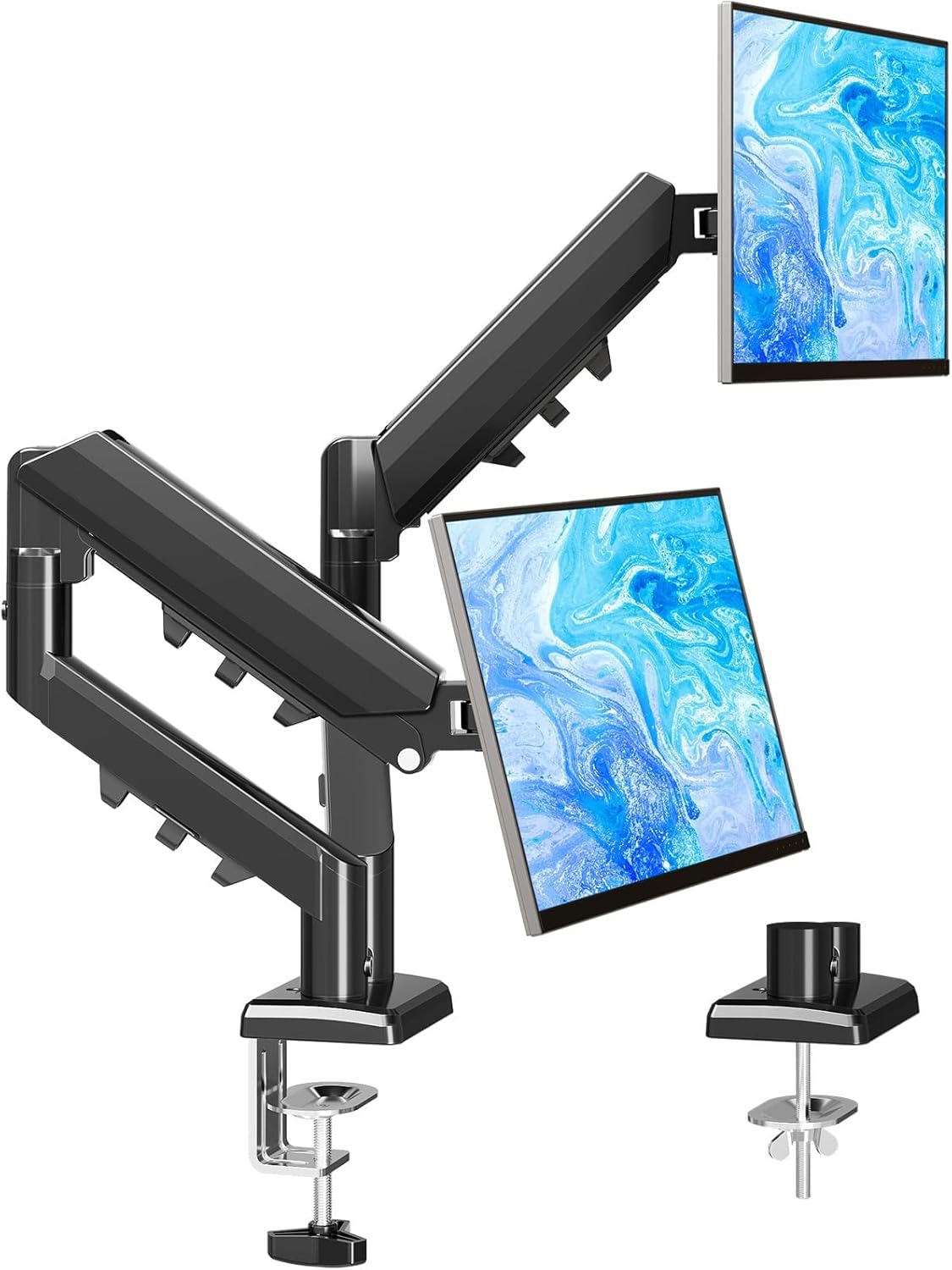
MOUNTUP EU8015B single monitor arm for 13–32 inch screens (VESA 75/100, up to 9kg)
Product description
If your desk feels cramped or your posture isn’t quite right, a proper monitor arm can make a noticeable difference. The MOUNTUP EU8015B is a single gas-spring desk mount built for 13–32 inch screens, with support for VESA 75mm x 75mm and 100mm x 100mm mounting patterns and a stated load limit of up to 9kg.
It’s the sort of upgrade that’s easy to justify on paper: you gain extra workspace, you can reposition the display more freely, and you get some built-in cable management so your setup doesn’t turn into a tangle. That said, whether it’s a smart buy depends heavily on whether your monitor matches the VESA pattern and whether your desk thickness falls within the clamp/grommet options.
The essentials (what it is and what it’s for)
The EU8015B is a single monitor arm designed to lift one screen off the desk using either a clamp base or a grommet-style mount. With a gas spring mechanism, you’re meant to adjust height and viewing angles without wrestling with joints.
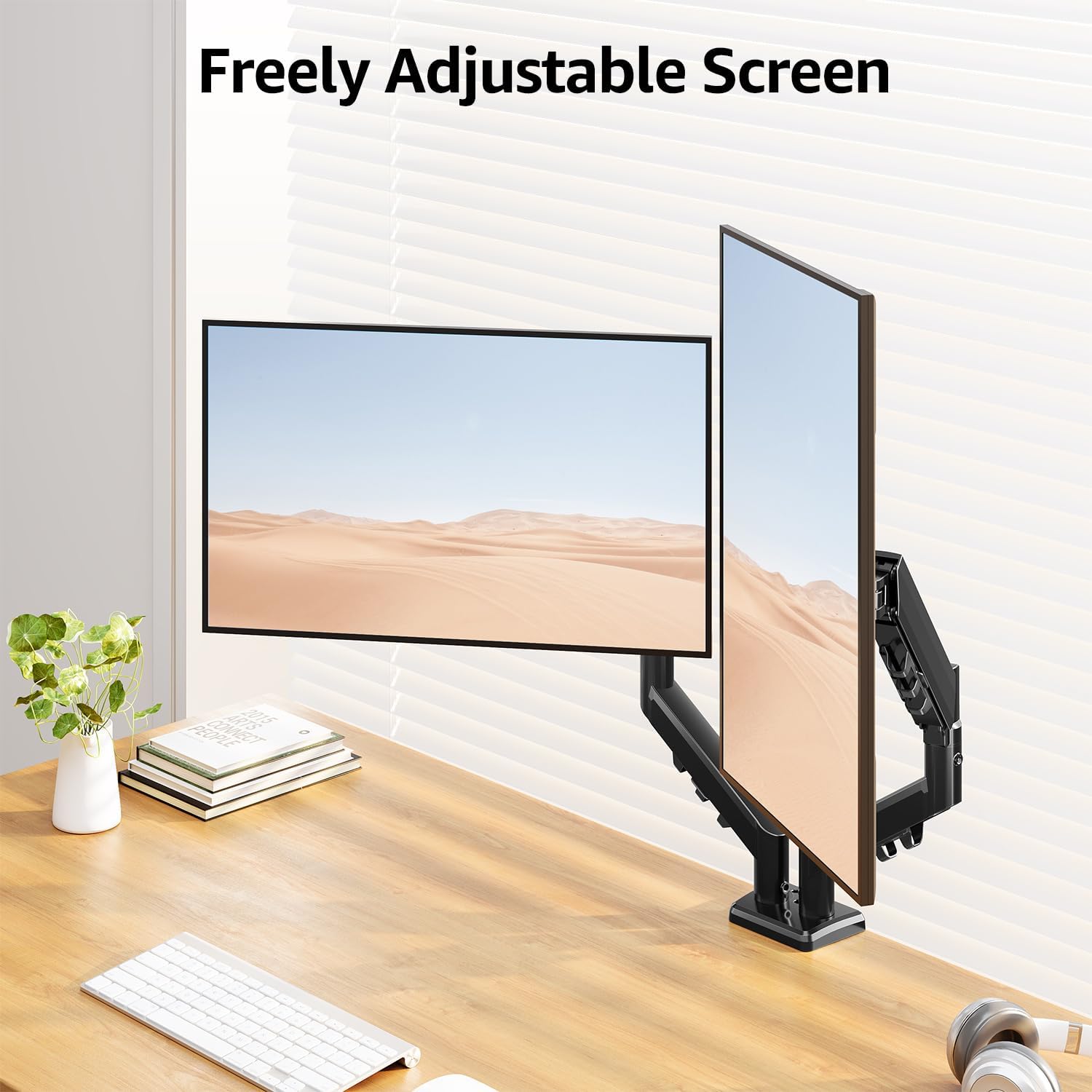
On a typical day, it can help you set the screen so you’re not constantly craning your neck. For example, if you switch between spreadsheet work (usually landscape) and reading long documents (often more comfortable in portrait), this arm is set up to support both orientations so you can move the monitor where it suits the task.
Key features you’ll actually notice
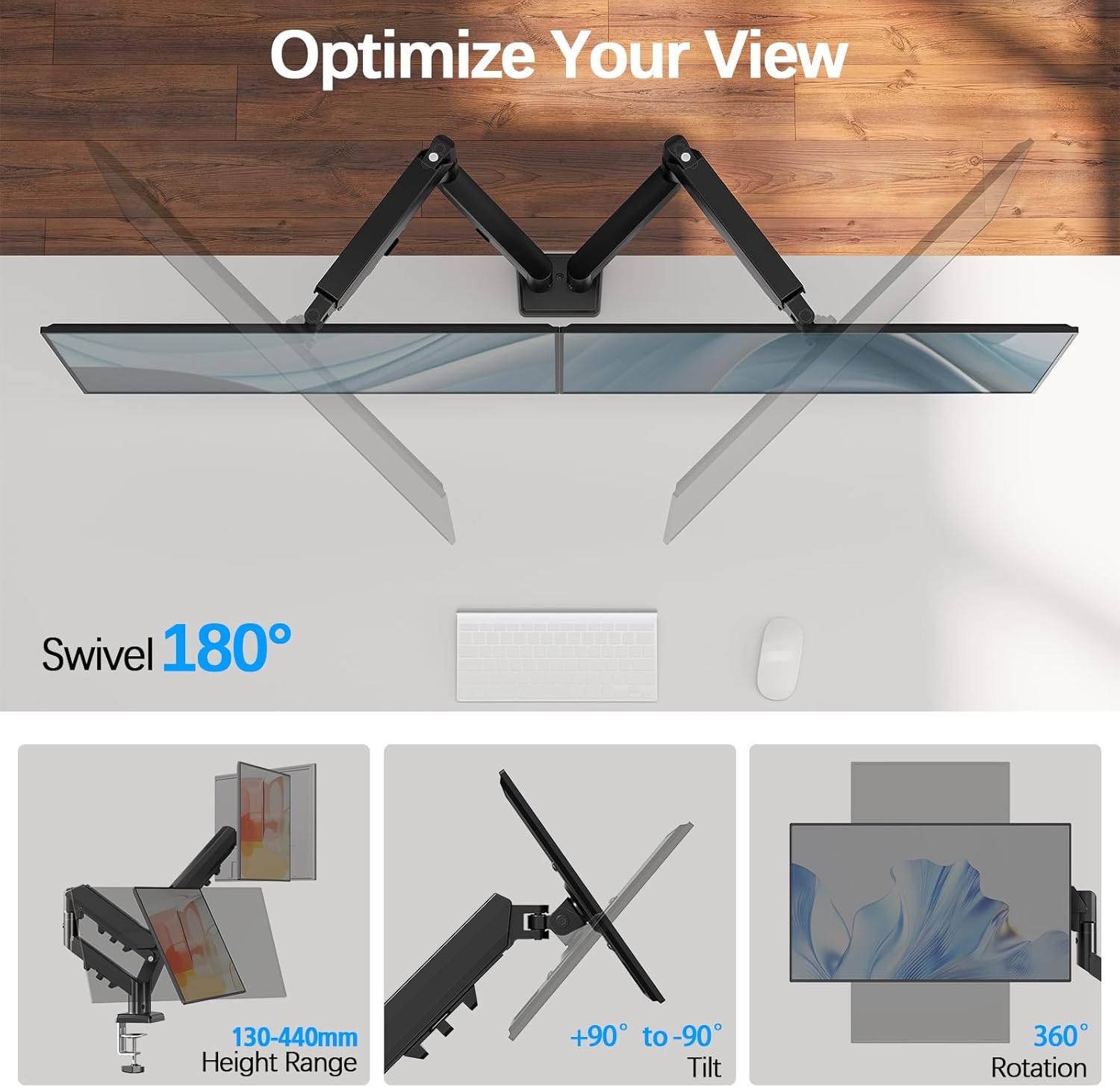
What stands out with this arm is the combination of movement range and flexibility. According to the provided details, you can:
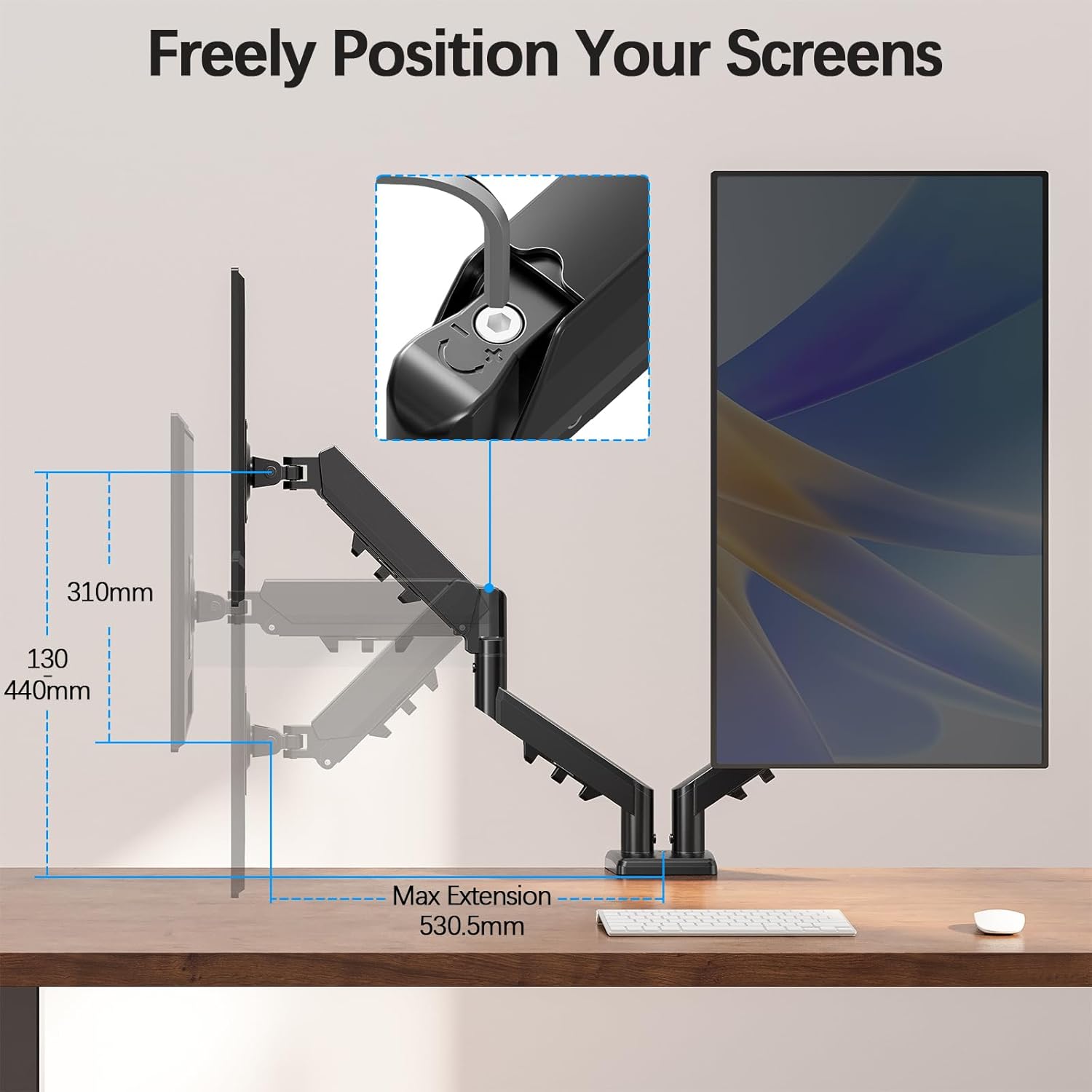
- Tilt up to +90° / -90°
- Swivel up to 180°
- Rotate up to 360°
This is the kind of range that helps with multi-angle working—like pulling the screen around slightly for side-by-side reference, or rotating it for portrait use when you’re reviewing a document.
The physical positioning is also described as adjustable in terms of lifting the monitor to a higher desktop position: it can raise the screen to 440mm and extend it to 503mm (based on the stated ranges). If your monitor sits low on the desk at the moment, this type of lift can make the workflow feel less like “hunched desk computing”.
One more practical point: it includes built-in cable management. That won’t magically solve cable routing in every office, but it can reduce the mess where the arm pivots.
Compatibility you must check first
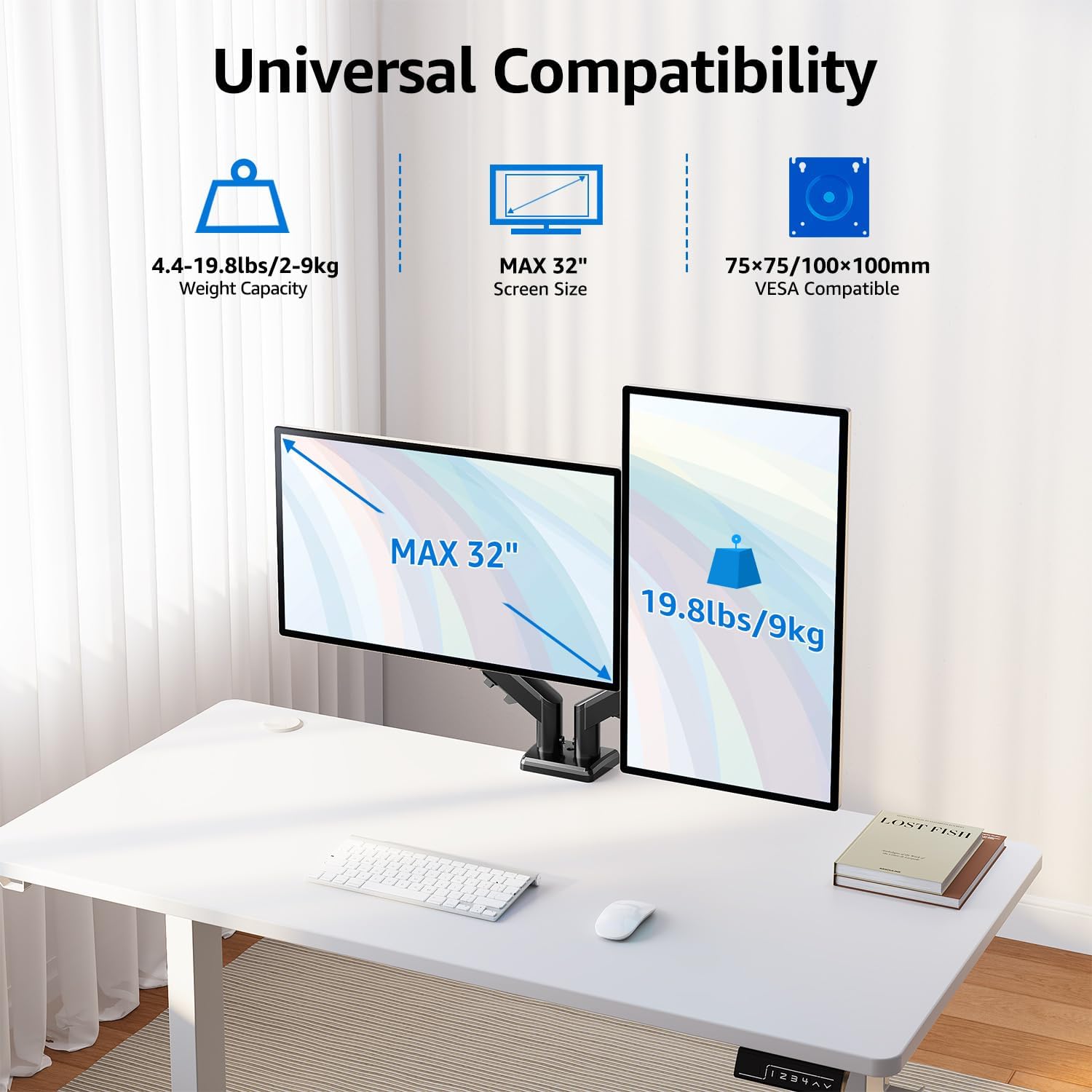
This model is “universal” in the sense that it targets a broad screen size band (13–32 inch) and two common VESA hole patterns (75mm x 75mm and 100mm x 100mm). It also specifies support for monitors up to 9kg.
However, monitor arms are rarely universal in practice. Before you buy, double-check:
- Your monitor’s weight is within the stated up-to 9kg limit.
- Your monitor’s VESA mount matches either 75mm x 75mm or 100mm x 100mm.
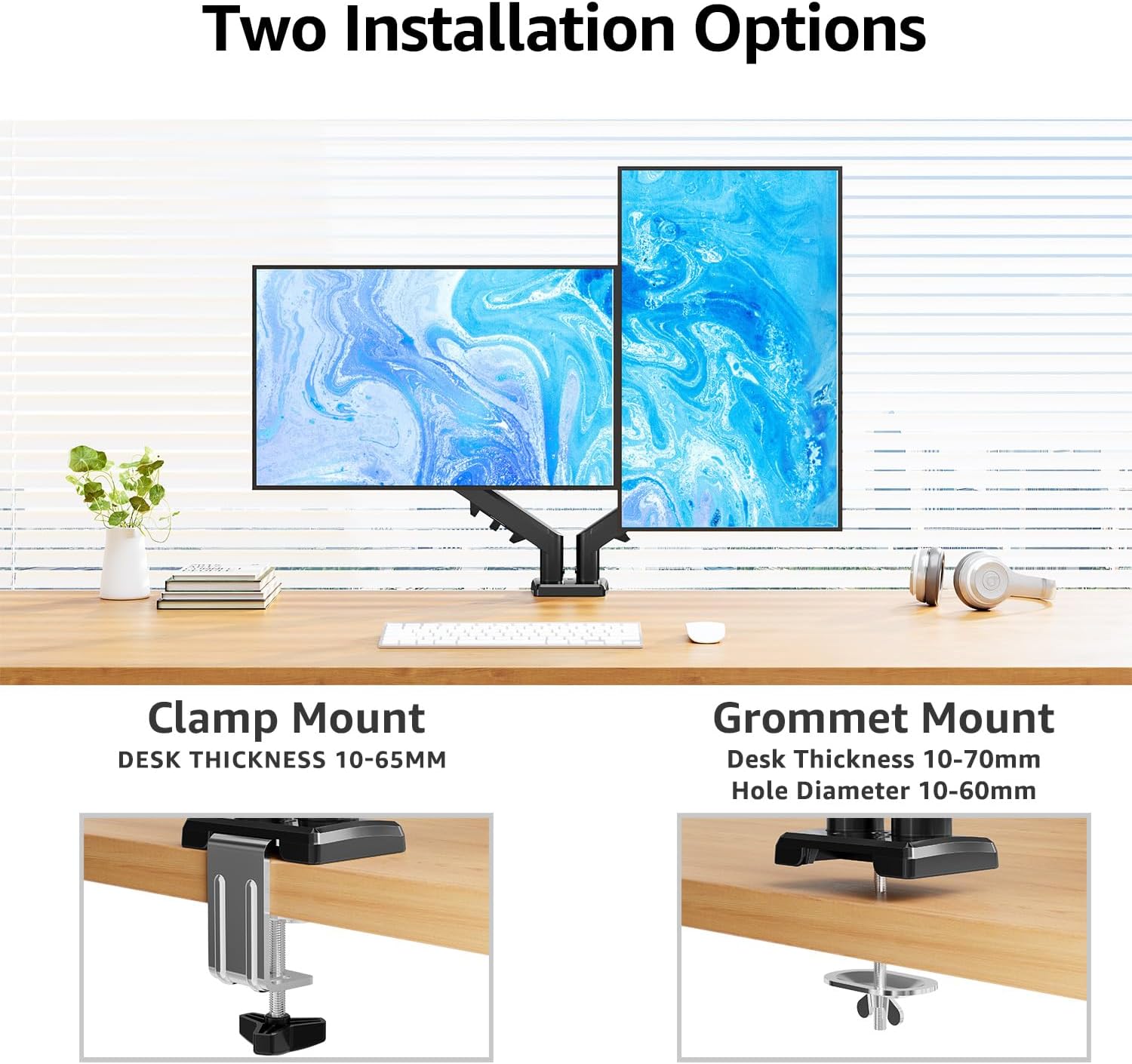
There’s also a desk requirement. The EU8015B offers two installation approaches, and the desk thickness and hole diameter requirements are different:
- C-clamp: fits desks 10–65mm thick
- Grommet mount: fits desks 10–70mm thick with a hole diameter of 10–60mm
It’s worth measuring your setup if you’re unsure. You don’t want a scenario where the monitor itself is compatible, but your desk doesn’t work with the chosen base type.
Getting the best from the arm (everyday use)
Gas spring arms are often purchased for one reason: smoother repositioning. With the EU8015B, the goal is to make height and angle adjustments easier so you can stop treating the monitor like it’s “fixed”.
In daily use, this tends to matter most when you change posture throughout the day or share a desk between tasks. If you’re doing mostly desk-based work, try this workflow:
1) Start with height so the screen feels comfortable for a typical straight-ahead viewing position. 2) Tilt and rotate to reduce glare (where possible) and keep your eyes aligned. 3) Use rotation for portrait mode when you’re working through documents, web pages, or code.
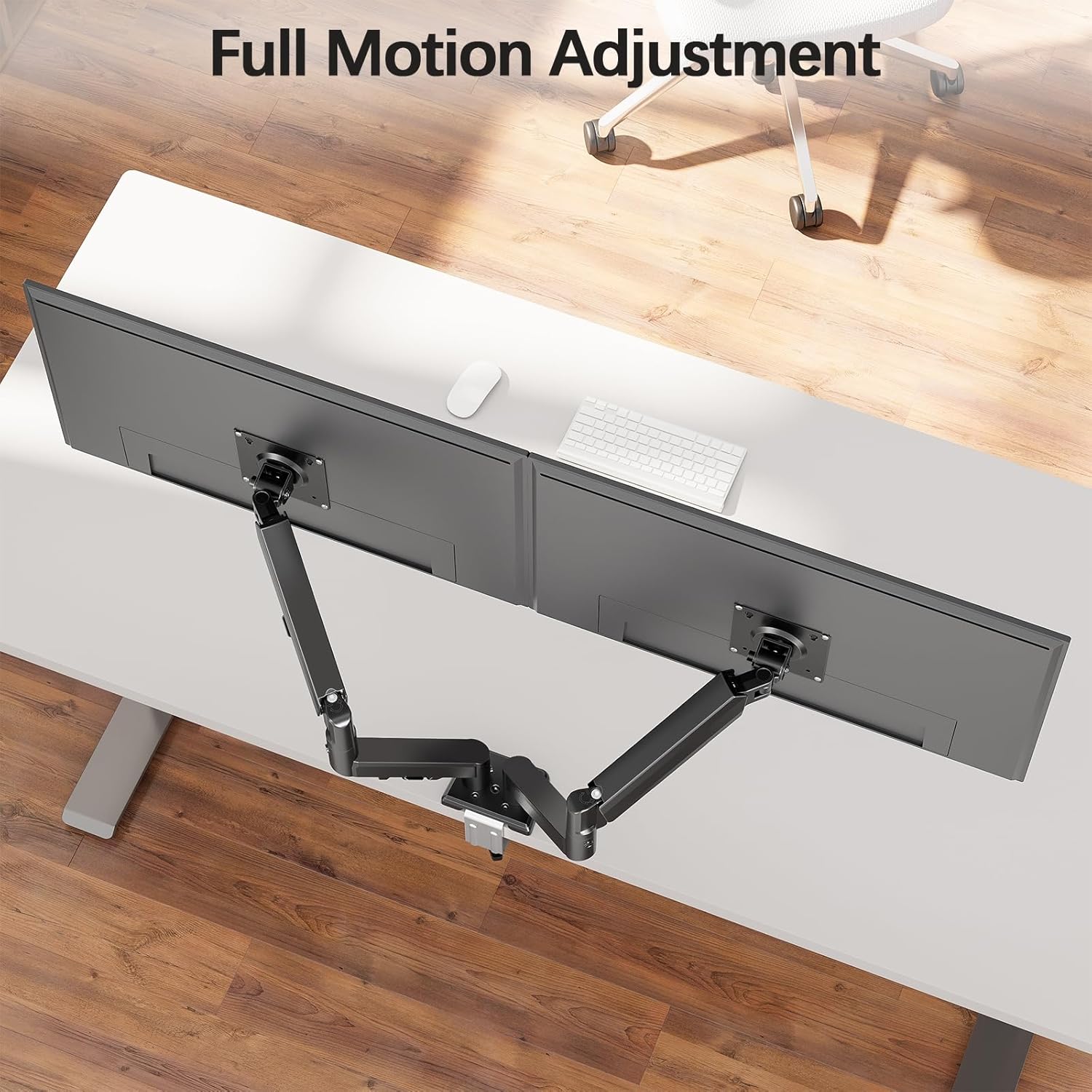
This arm is designed around exactly that kind of quick repositioning.
What to know about limitations
The big limitation is compatibility—monitor arms rise or fall on VESA and weight matching. If your monitor doesn’t use 75mm x 75mm or 100mm x 100mm VESA, you may be left looking for an adapter or a different arm approach (and the listing data here doesn’t mention adapters).
Also, while the movement range is impressive on paper, a wider motion doesn’t always translate to effortless adjustment in every desk environment. Depending on your monitor size and how you position it (especially if you extend it out), you’ll want to ensure your installation is solid and your desk surface can handle the mount.
Pros and cons for a buying decision
Why it’s a sensible pick
- Supports 13–32 inch monitors and up to 9kg
- VESA 75mm x 75mm and 100mm x 100mm mounting support
- Large movement range (tilt, swivel, rotate) and portrait/landscape flexibility
- Clamp and grommet installation options for different desk types
- Built-in cable management to keep things tidier
Where it may not be the best match
- Not suitable if your monitor’s VESA pattern isn’t 75/100 as stated
- Not suitable if your monitor weight is above the stated limit
- Grommet mounting depends on desk hole diameter and thickness meeting the stated ranges
Is it worth it?
Choose the MOUNTUP EU8015B if you have a 13–32 inch monitor that matches the stated VESA 75mm x 75mm or 100mm x 100mm pattern and weighs no more than 9kg. It makes sense if you want a single-arm setup that can switch between landscape and portrait, and you care about freeing up desk space while keeping cables more under control.
Skip it if your monitor uses a different VESA pattern (no adapter is mentioned in the information provided) or if your desk doesn’t fit either the clamp thickness range (10–65mm) or the grommet requirements (10–70mm thickness with a 10–60mm hole diameter). In that case, it’s likely to turn into hassle rather than a clean upgrade.
Mini FAQ
What VESA sizes does the MOUNTUP EU8015B support?
It supports VESA 75mm x 75mm and 100mm x 100mm.
What monitor weight can it handle?
The listing states support for monitors up to 9kg.
Does it support both clamp and grommet mounting?
Yes. It includes a C-clamp for desks 10–65mm thick, and a grommet mount for desks 10–70mm thick with a 10–60mm hole diameter.
Can the monitor be used in portrait orientation?
Yes. The arm is described as extendable and adjustable so you can switch between landscape and portrait mode.
What movement range should I expect?
According to the details provided, it can tilt +90°/-90°, swivel 180° and rotate 360°.