

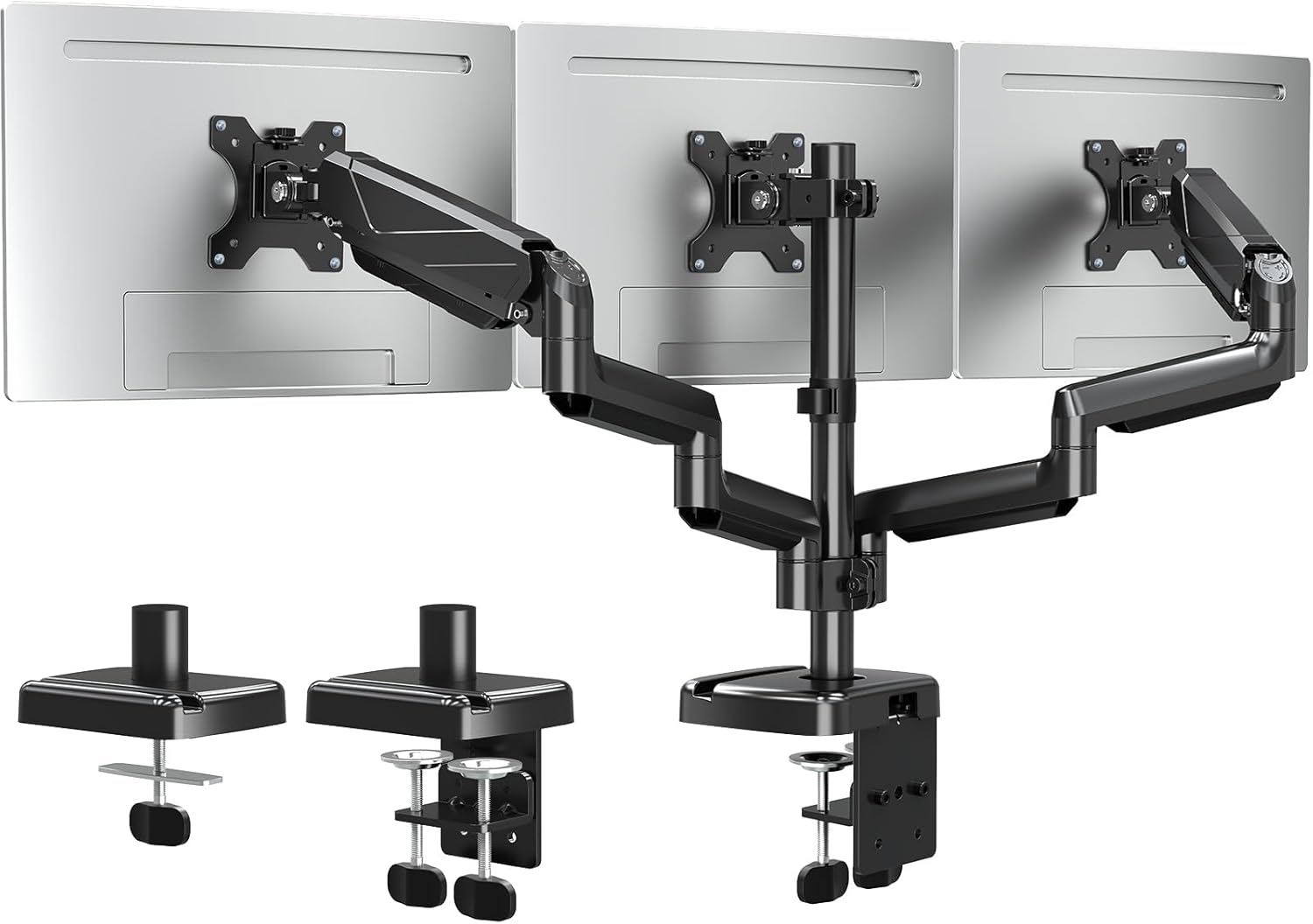
ELIVED Triple Monitor Arms – Adjustable Gas Powered Desk Mount for 3 Monitors (VESA 75x75/100x100, 13–27 inch)
Product description
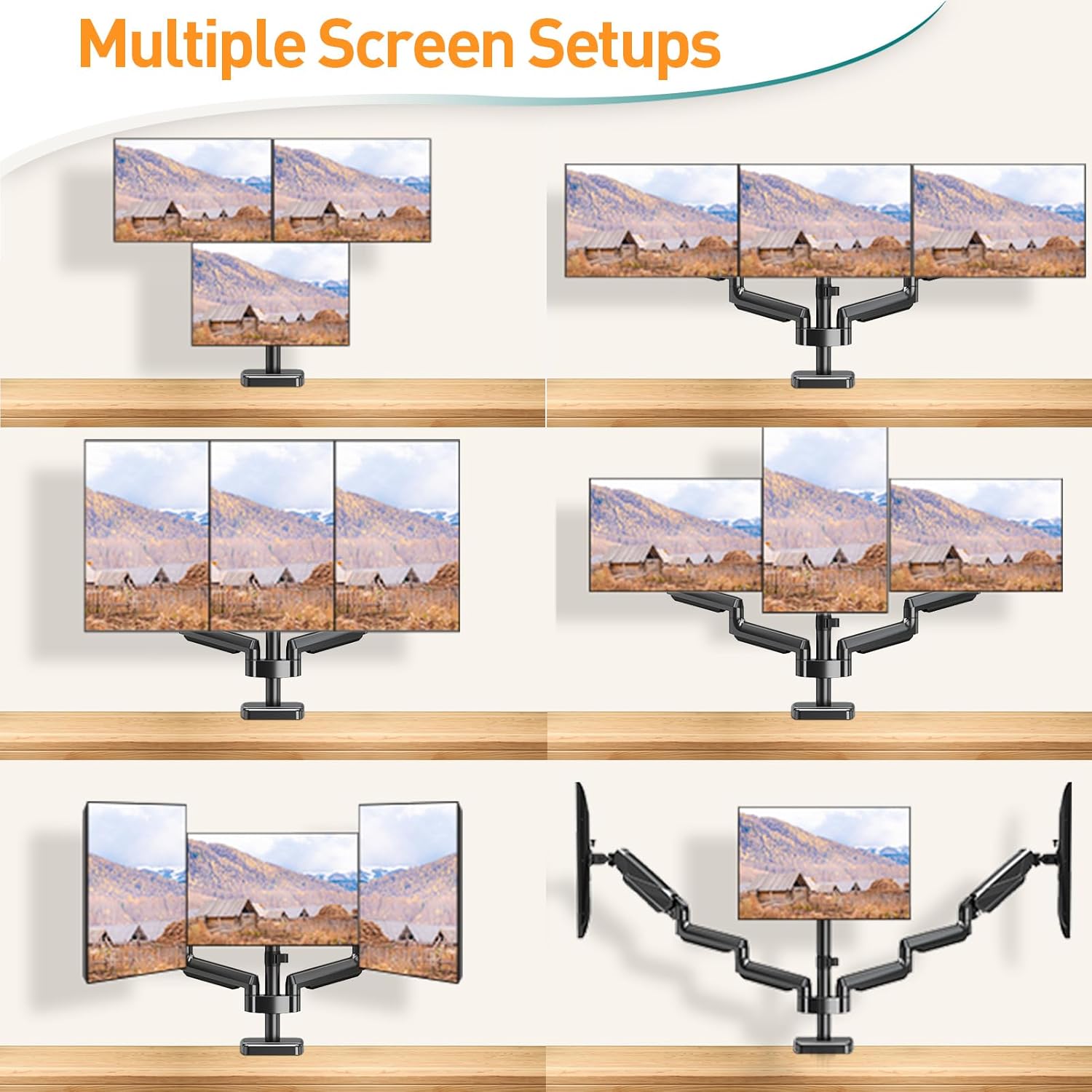
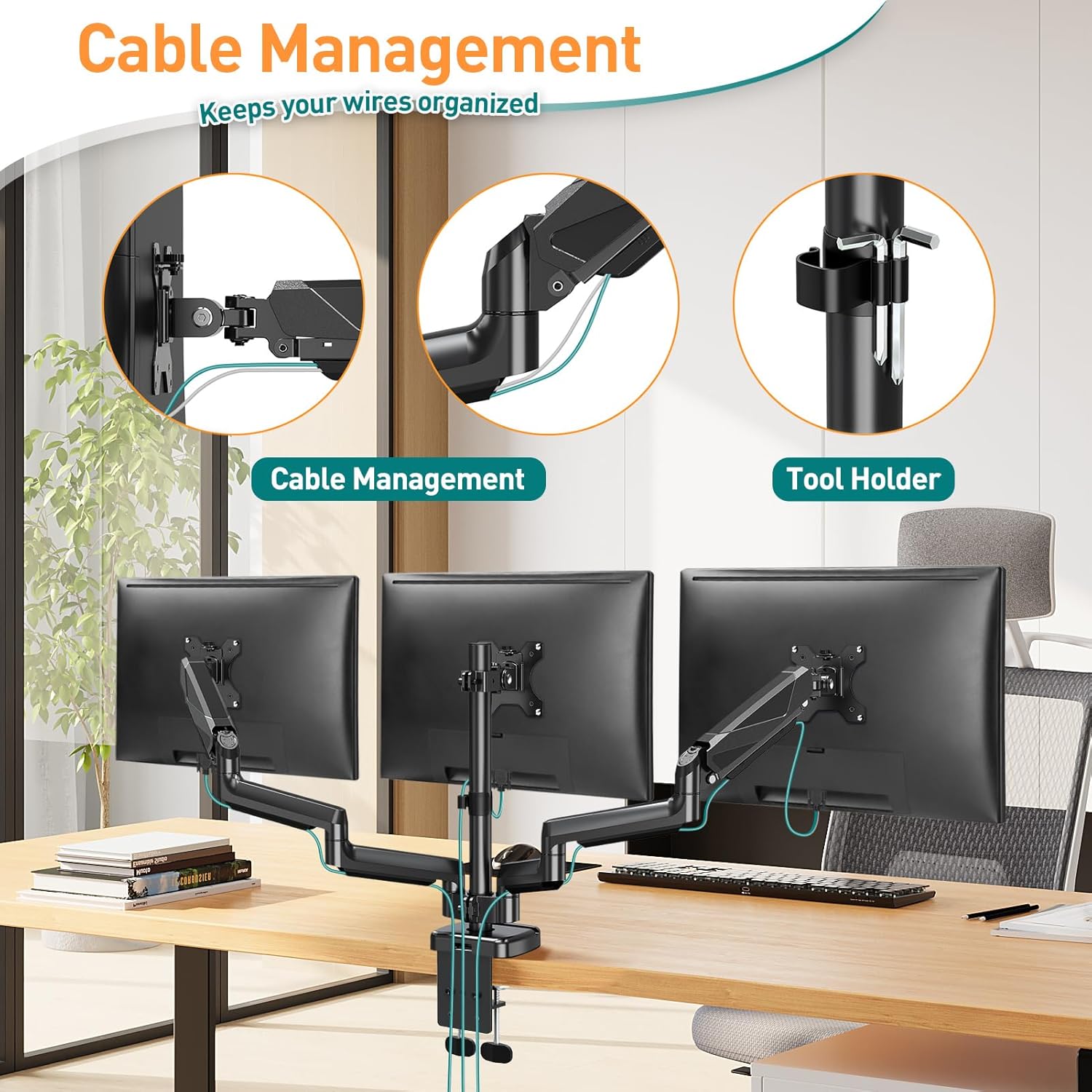
If you’re trying to fit three screens into a desk setup without everything feeling cramped, a proper triple monitor arm can be a practical upgrade. The ELIVED gas-powered triple monitor arms are designed to give you flexible positioning and a cleaner cable-and-desk feel, especially when your current mounts feel fixed or awkward.
That said, triple arms aren’t for everyone: getting the best results depends quite a lot on your monitor’s VESA pattern, its weight, and your desk thickness for the mounting style you choose.
The essentials
This is a triple gas-powered desk mount intended for three monitors, aimed at flat-screen and curved displays that match VESA 75x75mm or 100x100mm. Each arm supports monitors up to 9kg, and the overall intended screen size range is 13–27 inch.
On top of the size and VESA fit, the real day-to-day value here is adjustability: you can rotate screens fully around, tilt up and down, and swivel left and right to fine-tune your viewing angle. That’s the sort of thing that matters when you switch between spreadsheet work, reading long documents, and casual browsing.
What matters most for placement
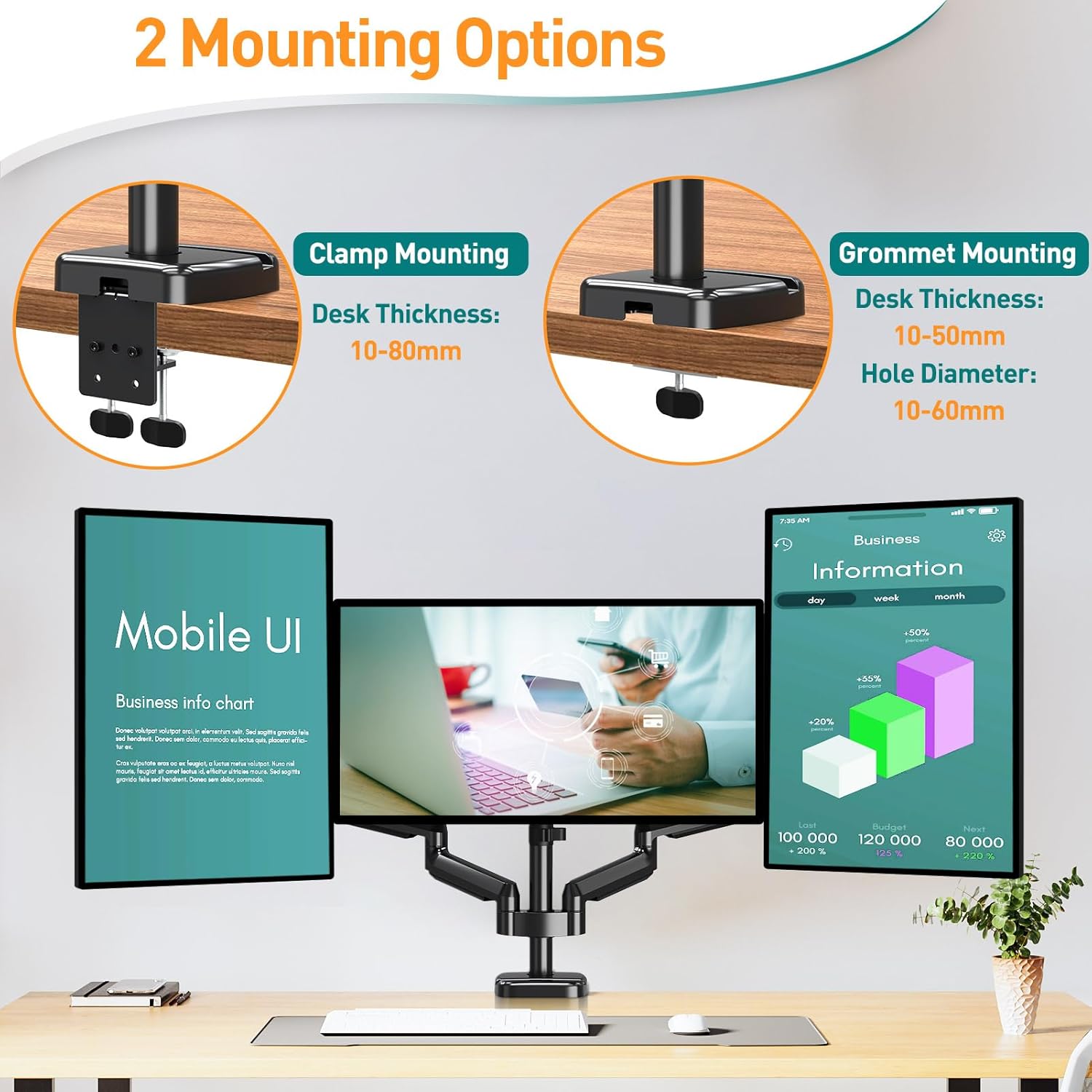
The arm is set up with two mounting options so you can use whichever suits your desk.
- C-clamp base for desk thickness 10–80mm
- Grommet base for desk thickness 10–50mm (with a compatible hole diameter of 10–60mm)
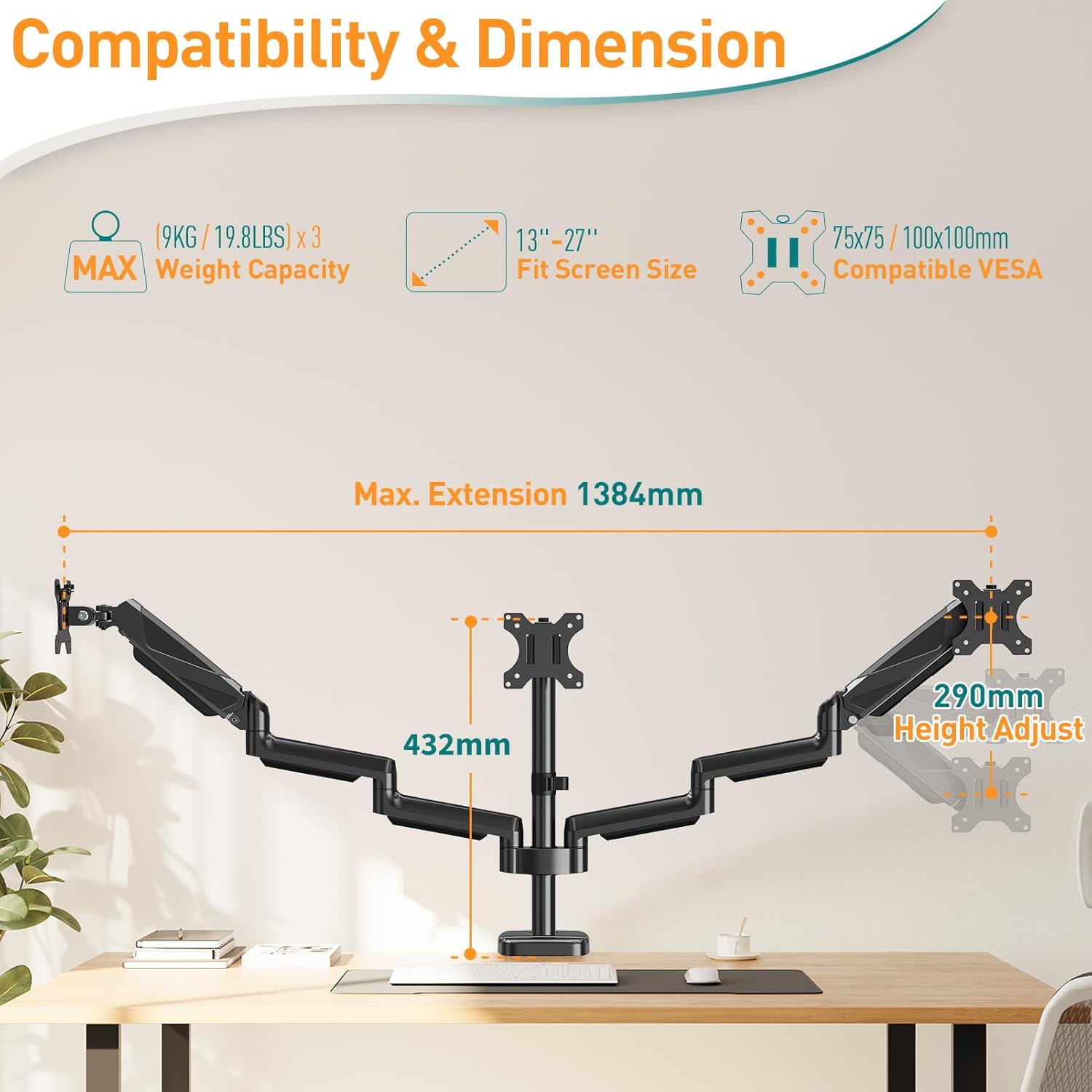
Before you buy, it’s worth measuring your desk thickness and—if you plan to use the grommet approach—checking that your cable-management hole fits the stated diameter range. If your desk doesn’t match either option cleanly, the mounting setup becomes the weak link.
Adjustability in real use
The articulation is one of the stronger points. The mount is designed for:
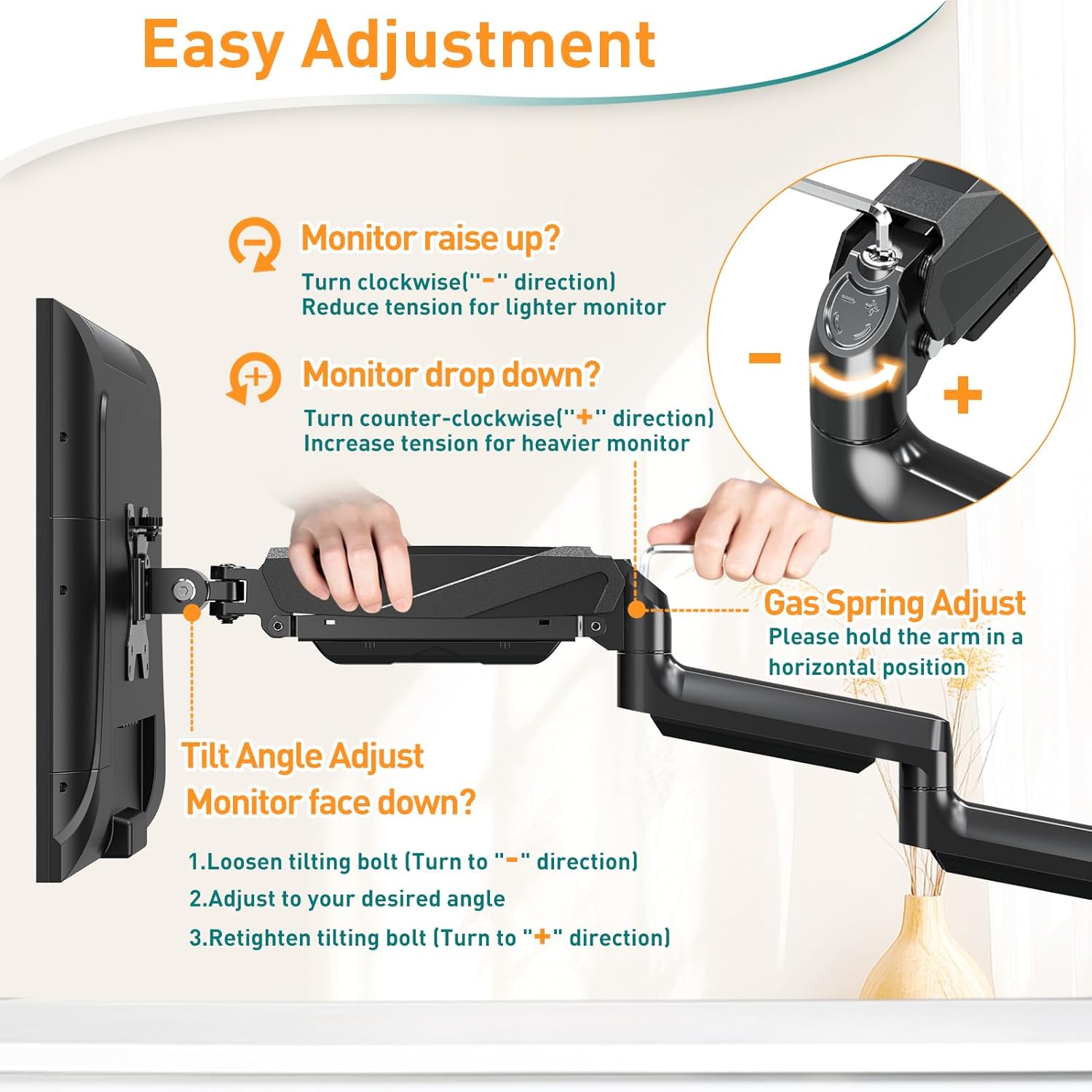
- 360° rotation
- -90° to +90° tilt
- 180° swivel
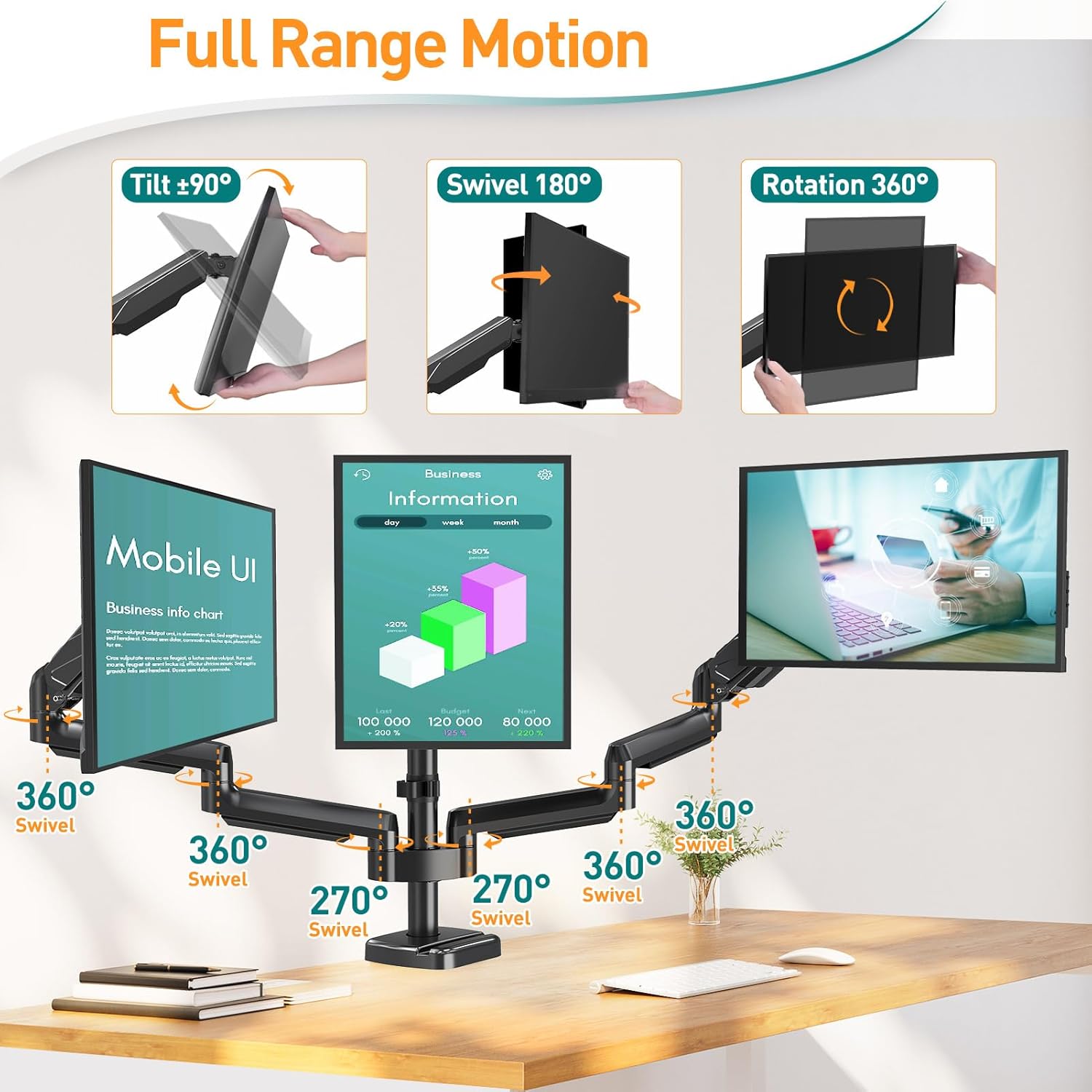
In normal use, this means you can move screens away from each other for deep focus, then bring them back for wider, multi-screen workflows. For example, you might have the middle monitor straight on for coding or writing, then swivel the outer screens slightly inward to reduce head turning during meetings.
How it’s installed
The package is described as including accessories and a manual, with a removable VESA plate to make attaching (or removing) a monitor simpler. Installation is stated to be doable in around 10 minutes.
That sounds straightforward, but with triple monitor setups the practical time can stretch a little if you’re working slowly, adjusting multiple positions, or routing cables while the monitors are off. Still, having the VESA plate approach helps reduce the “fumble around under the screen” feeling.
Where it shines (and where it may fall short)
Worth considering if: - you want a triple-screen desk mount for monitors in the 13–27 inch range - your screens use VESA 75x75 or 100x100 - you prefer a gas-powered mount with a lot of positioning freedom (rotation, tilt, and swivel) - you need a choice of C-clamp vs grommet mounting depending on desk thickness and available holes
It might not be a great match if: - your monitor’s VESA size isn’t 75x75 or 100x100 - you’re over the 9kg per arm limit (weight matters a lot on triple setups) - your desk thickness sits outside the 10–80mm clamp range and your desk holes don’t match the 10–60mm grommet diameter
Tech specs
- Type: Triple monitor arm (gas powered desk mount)
- Supported monitor size: 13–27 inch
- VESA compatibility: 75x75mm and 100x100mm
- Max weight per arm: 9kg
- Mounting options: C-clamp base, grommet base
- C-clamp desk thickness range: 10–80mm
- Grommet base desk thickness range: 10–50mm
- Grommet hole diameter range: 10–60mm
- Rotation: 360°
- Tilt: -90° to +90°
- Swivel: 180°
Is it worth it?
Buy it if you’ve got three compatible monitors (VESA 75x75 or 100x100, up to 9kg each) and your desk can work with either the C-clamp or the stated grommet hole requirements. The adjustability numbers are the sort that can genuinely improve comfort and reduce fiddling with screen angles day after day.
Skip it if compatibility is uncertain. With triple arms, one mismatch—wrong VESA, too much monitor weight, or a desk thickness/hole that doesn’t fit—can derail the whole setup. If you’re not confident about measurements and monitor specs, it may be better to double-check those basics first.
Mini FAQ
Can I use this for curved monitors?
The description says it fits flat and curved monitors as long as they match the VESA sizes listed (75x75 or 100x100) and fall within the intended size range.
Which mounting option should I choose: C-clamp or grommet?
Pick C-clamp if you can clamp onto your desk within the 10–80mm thickness range. Choose the grommet base if your desk has a suitable hole and the hole diameter fits 10–60mm, with desk thickness in the 10–50mm range.
Is setup straightforward?
The product claims installation can be completed in around 10 minutes and includes accessories plus a manual, with a removable VESA plate to help with attaching/removing monitors.
How much can the screens move?
The arms are specified for full 360° rotation, -90° to +90° tilt, and 180° swivel, giving plenty of flexibility for layout and viewing angle.