

Razer Huntsman V3 Pro Analog Optical Esports Keyboard (Gen-2) UK Layout, Black
Product description
The essentials
The Razer Huntsman V3 Pro is an esports-focused keyboard built around analogue optical switches and fast actuation control. On paper it’s aimed squarely at players who care about repeated, precise input—particularly for competitive FPS movement—where small timing differences can feel like a big deal.
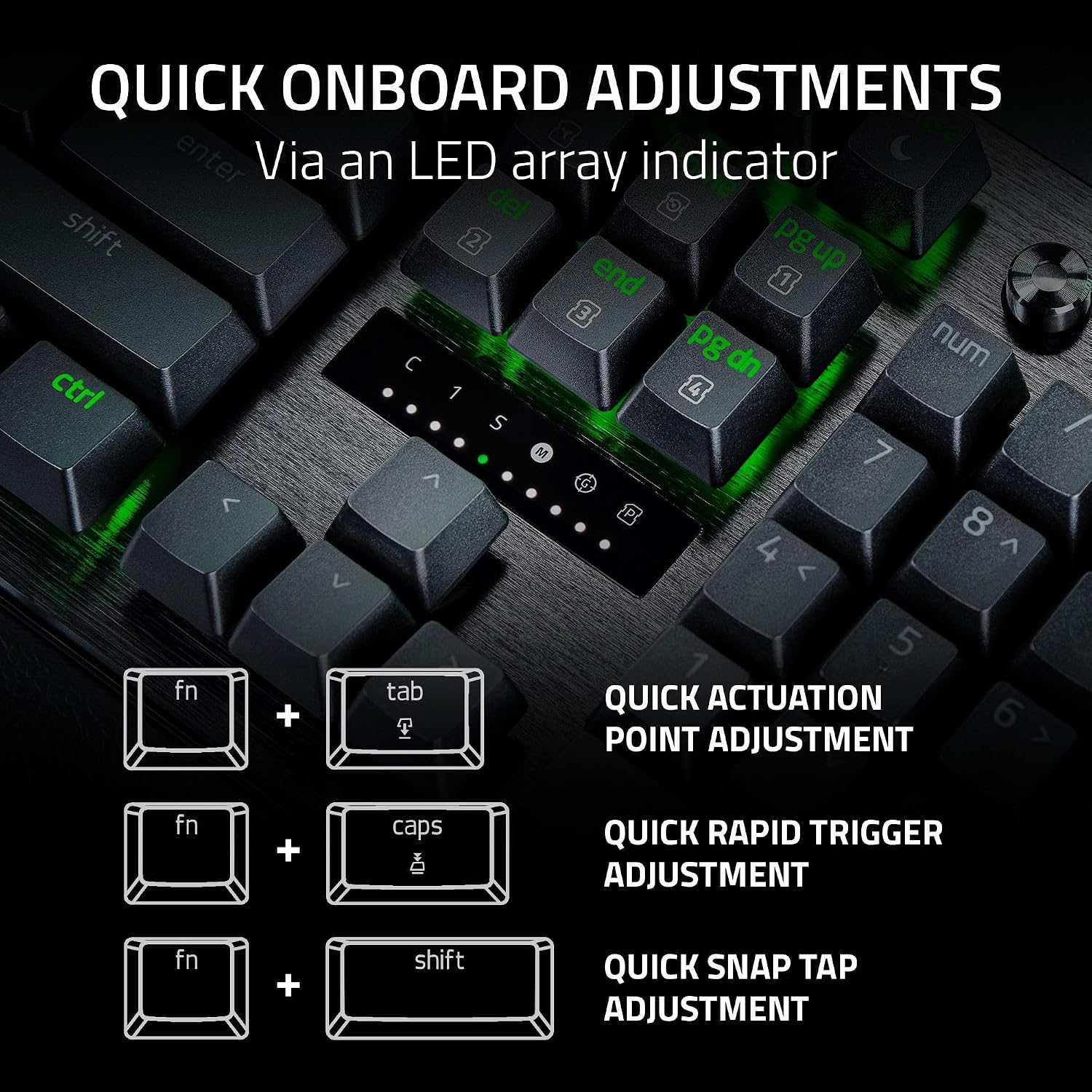
It also leans into “tune it without getting stuck at your PC” convenience. With Quick Onboard Adjustments and an onboard LED array, you can tweak key actuation and related responsiveness directly on the keyboard, and you can save those settings there too (the base description notes this can be done without software).
What stands out in everyday play
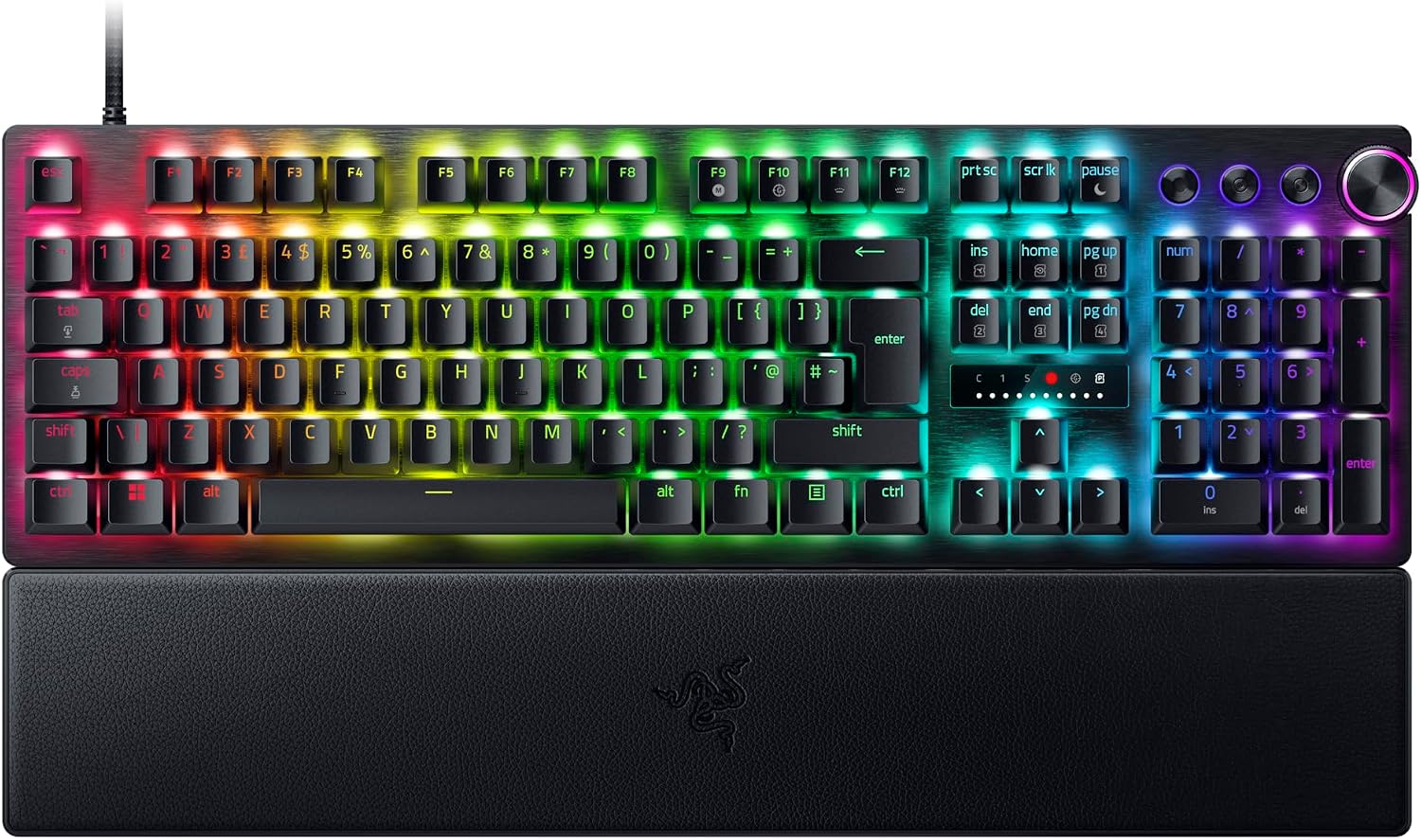
Where this board has a sharper edge is the way its features are designed to support movement-heavy FPS gameplay.
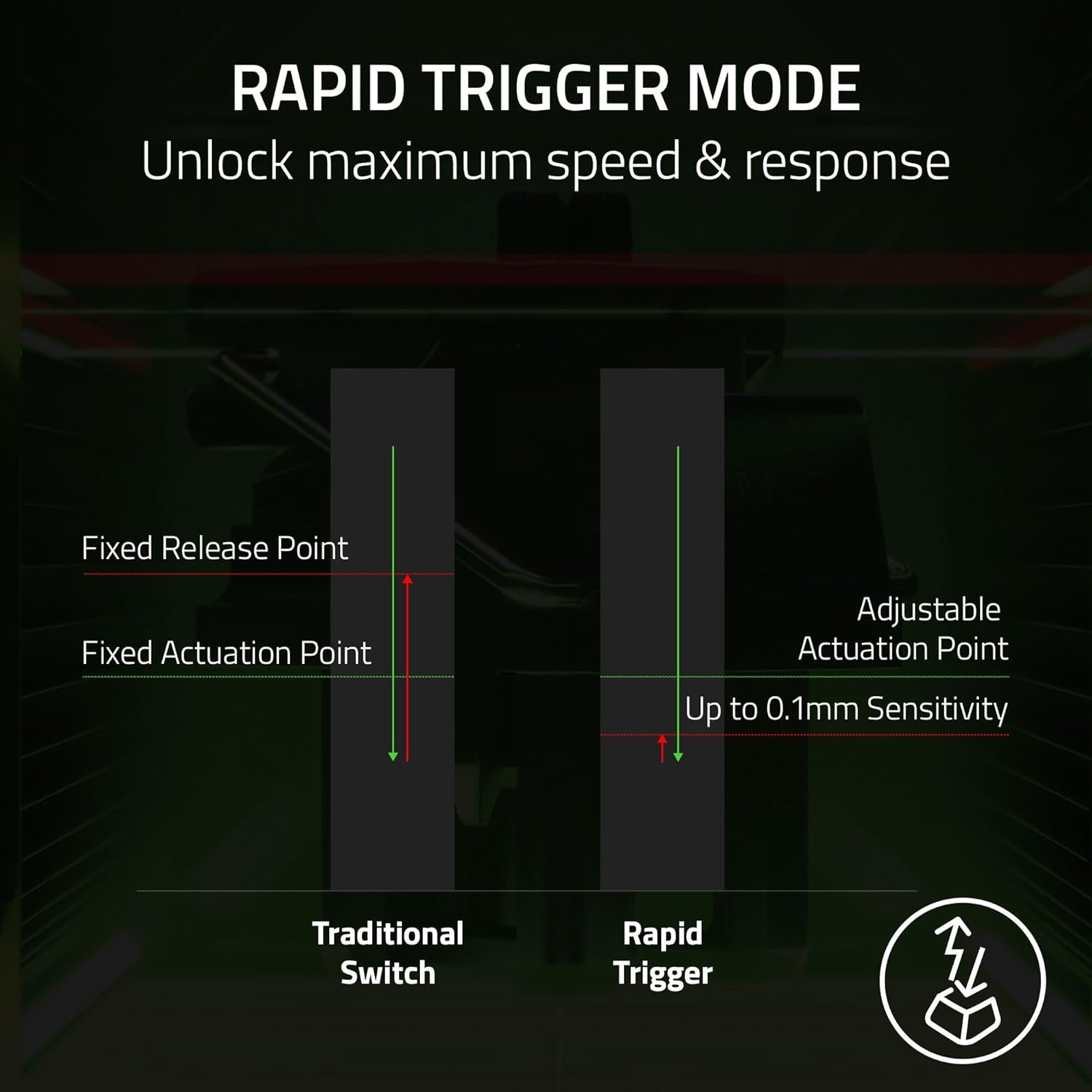
- Rapid Trigger is presented as a step up from typical mechanical or optical behaviour, with keys resetting at the slightest lift. If your playstyle benefits from very quick directional changes, the idea is that this can help you stay snappy.
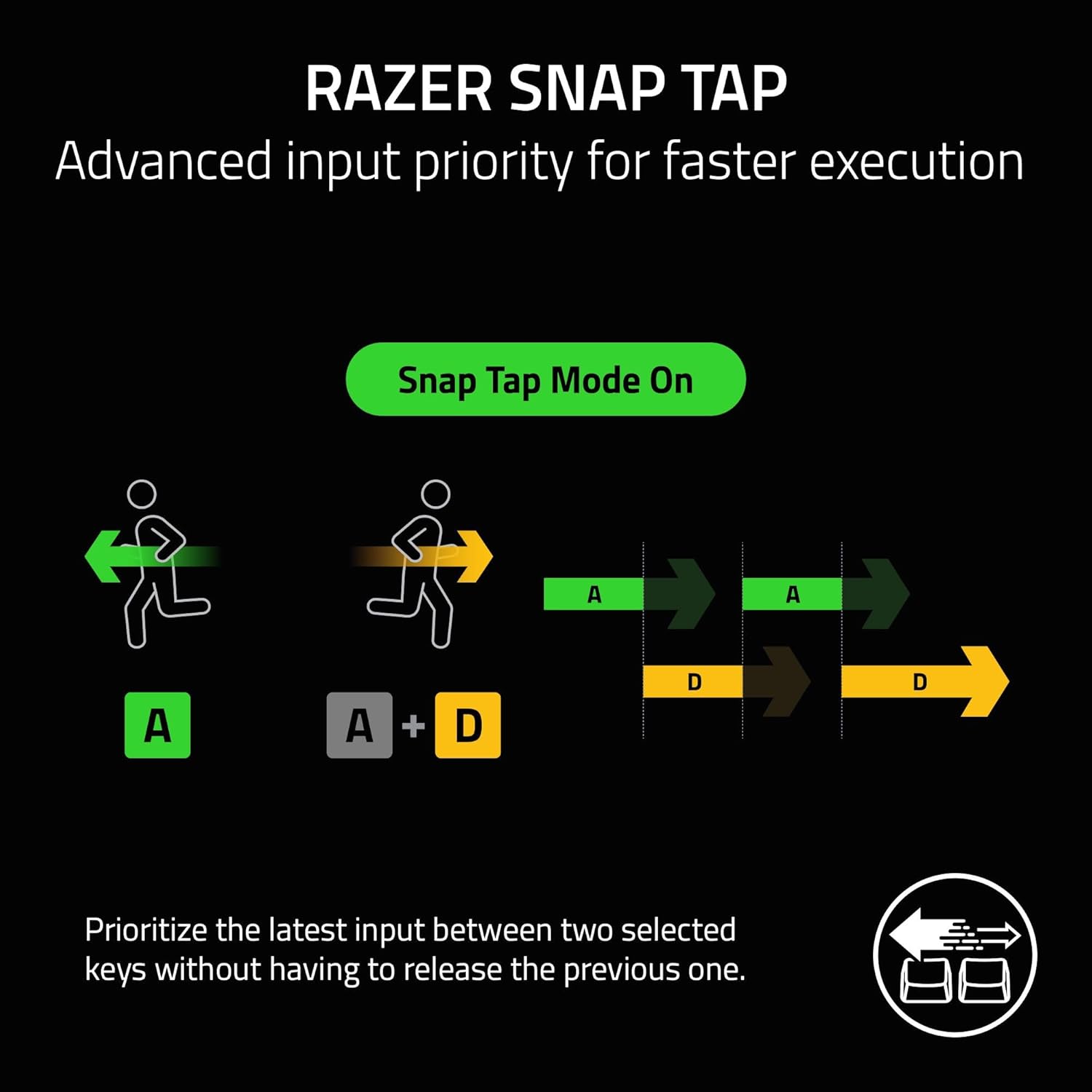
- Razer Snap Tap is positioned for prioritising the latest input between two selected keys, so you can make near-instant directional adjustments without needing to fully release the previous key. The description also flags that a latest firmware update is required, which is worth treating as a “do this first” item.
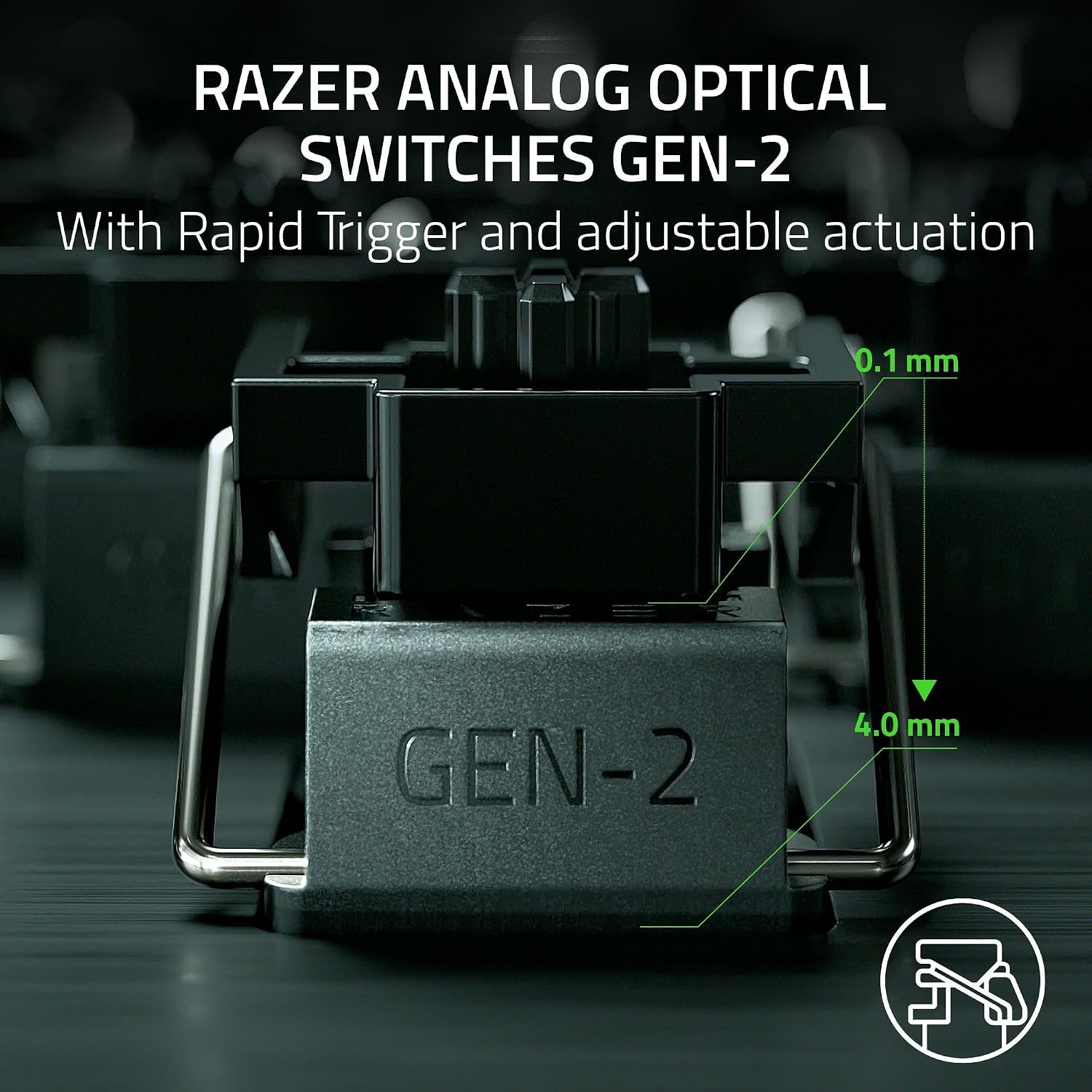
- Analog Optical Switches Gen-2 bring an adjustable 0.1–4.0 mm actuation range and are described as optimised for ultra-fast repeated inputs, plus a long-life figure of 100-million keystrokes.
In practical terms, imagine setting movement keys so the “reset” happens quickly as you lift your fingers, then making micro-corrections while strafing. That’s the kind of scenario this keyboard is built around: tighter input timing and repeat control.

Key features and the trade-offs
This is not a keyboard that’s trying to be “best for everyone”. It’s more for players who want deeper input control and are happy to spend a bit of time dialling settings in.
A few details to know before buying: - Quick adjustments are a plus, but they only matter if you’re the sort of user who actually tweaks actuation height or Rapid Trigger sensitivity. If you never change settings, you may not get much value from the onboard controls. - Snap Tap depends on firmware, so you may want to factor in the time (and patience) needed to update before expecting the feature to behave as described. - Analogue actuation is great for precision, but it can be a bit of a “learning curve” product if you’re coming from a simpler linear or clicky setup. It’s not automatically better in feel for everyone—depends quite a lot on your muscle memory and expectations.
Tech specs
- Type: Analog optical esports keyboard (Analog Optical Switches Gen-2)
- Adjustable actuation range: 0.1–4.0 mm
- Switch lifespan: 100-million keystrokes
Build, comfort, and what you’ll actually feel
The board’s physical package is clearly aimed at frequent, hard use.
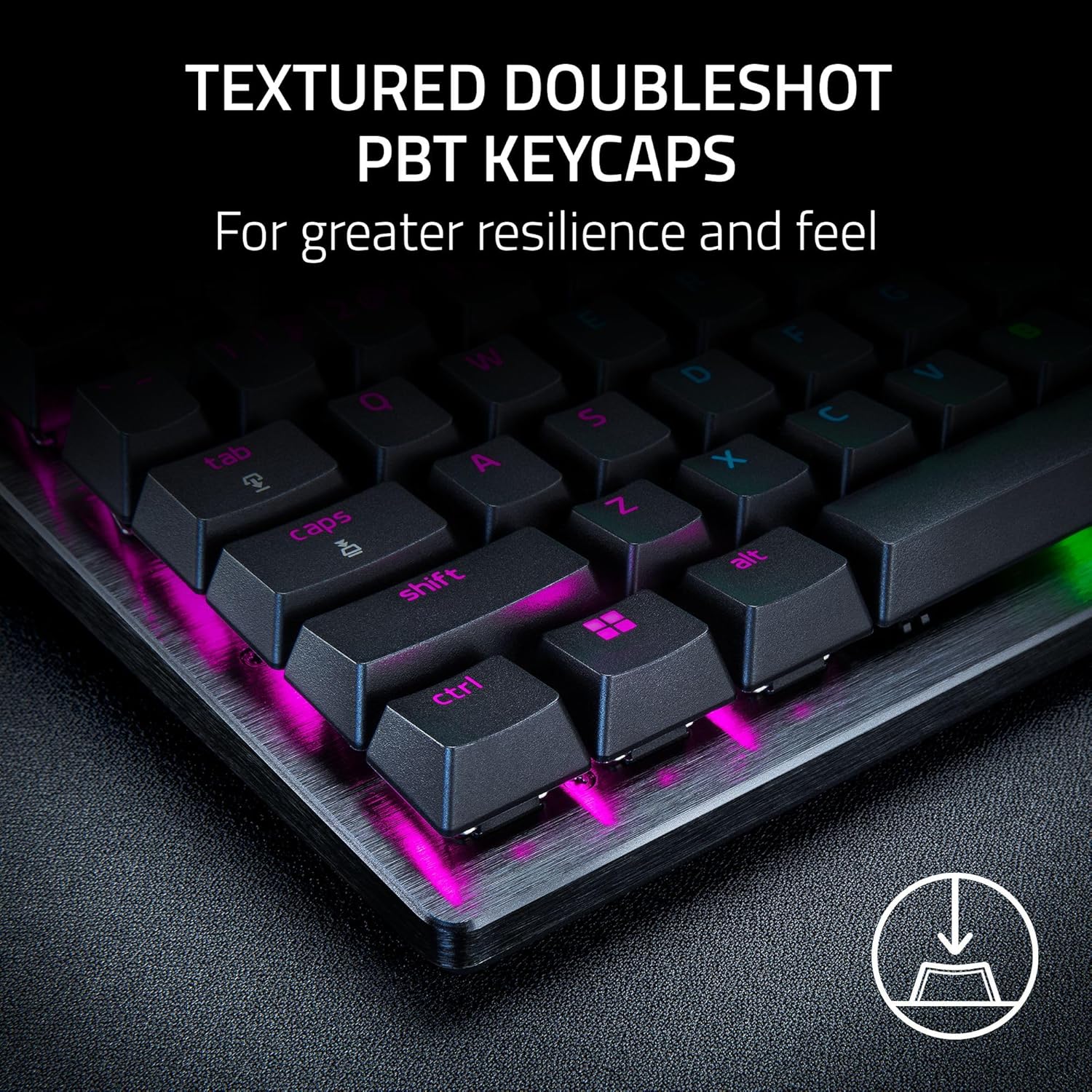
You get textured DoubleShot PBT keycaps, which are described as more durable than regular keycaps—useful if you tend to wear down legends over time. The case uses a brushed aluminium top plate for durability and resistance to warping (again, per the base description).
For comfort, there’s a magnetic firm leatherette wrist rest designed to snap to the keyboard. It’s a practical touch for longer sessions, just be aware that wrist rests are personal—if you prefer an “off-desk” or no-rest setup, you may not use it much.
Who it suits (and who should look elsewhere)
It makes sense if you mainly play competitive FPS and you’re after responsiveness and repeat accuracy with configurable behaviour. It also suits you if you like having control close to hand—changing actuation or Rapid Trigger sensitivity without jumping into software each time.
It may not be the best match if: - you want a straightforward keyboard and don’t care about analogue actuation or Rapid Trigger style tuning - you’re not willing to handle a firmware update to use Snap Tap as intended - you prefer a more traditional feel and are likely to find the analogue/rapid behaviours unfamiliar
Is it worth it?
Buy it if your priority is competitive FPS movement responsiveness, you’re comfortable fine-tuning actuation behaviour, and you’re prepared for the setup step required for Snap Tap (latest firmware).
Skip it if you’re after a basic, plug-and-play typing board where you’ll never use onboard adjustments or you don’t want to think about firmware at all. On balance, this is a specialist esports keyboard that sits more in the “for players who’ll use the controls” camp than the “general everyday” camp.
Mini FAQ
Can I adjust actuation without software?
The description says Quick Onboard Adjustments let you make precise, on-the-fly adjustments and save settings to the keyboard without software.
Does Snap Tap work straight away?
Not necessarily—according to the base description, the latest firmware update is required.
What does the analogue actuation range mean in practice?
The analogue switch system includes an adjustable actuation range (0.1–4.0 mm), which is designed to give you finer control over when inputs register.
Is the wrist rest included and does it attach to the keyboard?
Yes. The base description states there’s a magnetic firm leatherette wrist rest designed to snap to the keyboard.