

NETGEAR 5 Port PoE Switch GS305PP (4 PoE+ ports) — compact plug-and-play for desktop or wall
Reviews
Price
Product description
If you’re trying to tidy up a small network setup, a compact PoE switch can save a surprising amount of hassle. The NETGEAR GS305PP is a five-port Ethernet switch with four PoE+ outputs, designed to be genuinely plug-and-play rather than something you need to configure for hours.
That combination—PoE+ on most of the ports plus straightforward deployment—makes it the sort of device you reach for when you want powered devices without running extra power cables. That said, it’s not a “do everything” switch on paper, it’s a practical, small-scale option, and you’ll want to double-check your device count and power needs before buying.
Key takeaways
This NETGEAR GS305PP is aimed at everyday PoE use in smaller spaces. With four PoE+ ports, it’s built for powering compatible Ethernet devices directly. The remaining port gives you a bit of flexibility if you also need to connect something non-PoE.
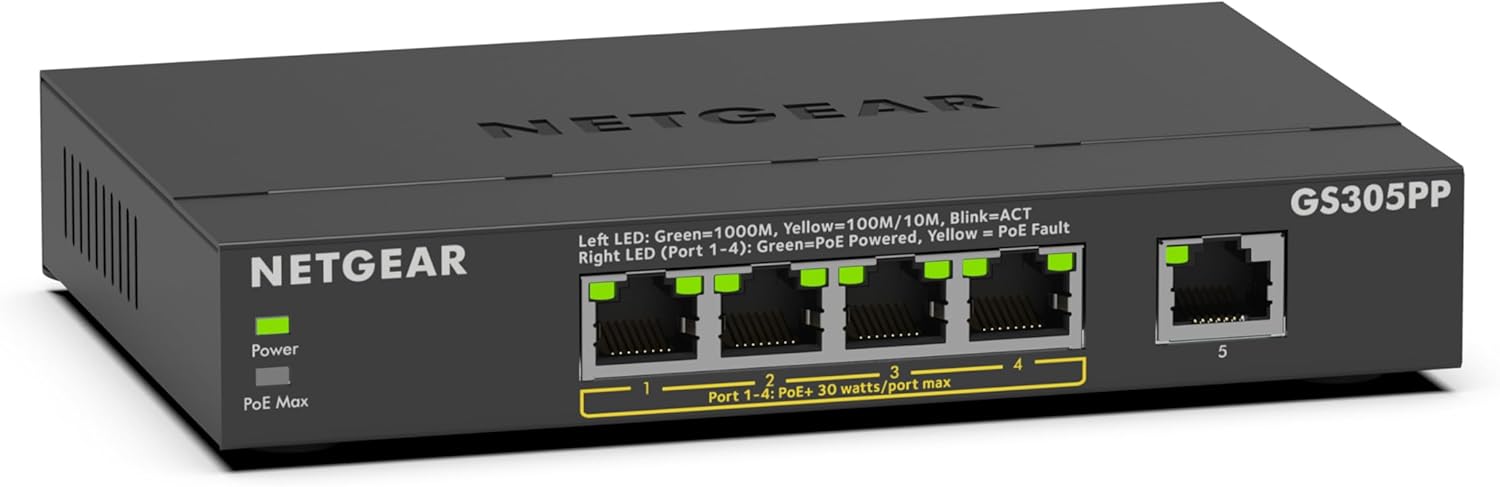
It also supports simple desk placement or wall mounting, so you can keep cabling and equipment out of the way. Plus, it’s positioned as energy efficient thanks to IEEE802.3az (useful if the switch will run continuously).
What it is and what it solves
The GS305PP is an Ethernet switch/hub style device that takes incoming network traffic and distributes it across its ports. What makes this model stand out for many homes and small offices is the PoE+ capability: four of the five Ethernet ports can supply power as well as data.
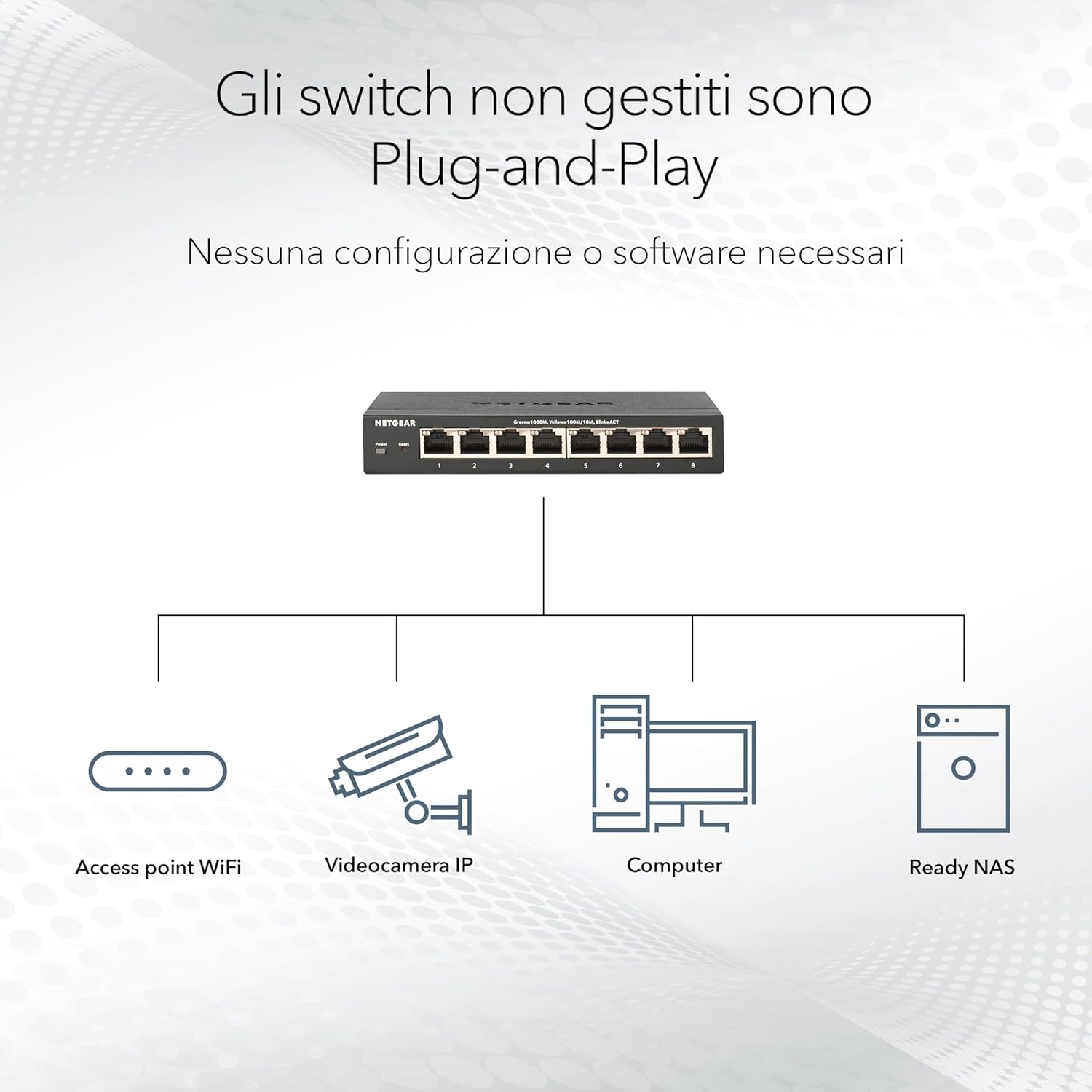
In a practical scenario, you might use it to connect a few PoE-powered access points, IP cameras, or other compatible networking gear in a single location. Instead of dealing with separate power bricks for each device, you can run fewer cables to one central point—then route your network cleanly from there.
Where it shines (and what you’ll notice day to day)
The headline here is convenience. The switch is described as plug-and-play, with no mention of needing software installation or extra adjustments. On top of that, the silent operation means it’s the sort of device you can place near a work setup or in a room without the annoying hum you sometimes get from certain network hardware.
You’ll also likely appreciate the flexibility of mounting. Desktop use is straightforward, but the ability to mount on a wall can make a big difference when you’re trying to keep equipment tucked away.
There’s also a “set-and-run” mindset built into the design: it’s described as energy efficient in line with IEEE802.3az, which can be a sensible consideration when the switch stays on all the time.
Key specifications
- Name: NETGEAR 5 Port PoE Switch GS305PP
- Type: Ethernet switch / PoE switch (Ethernet splitter / hub style)
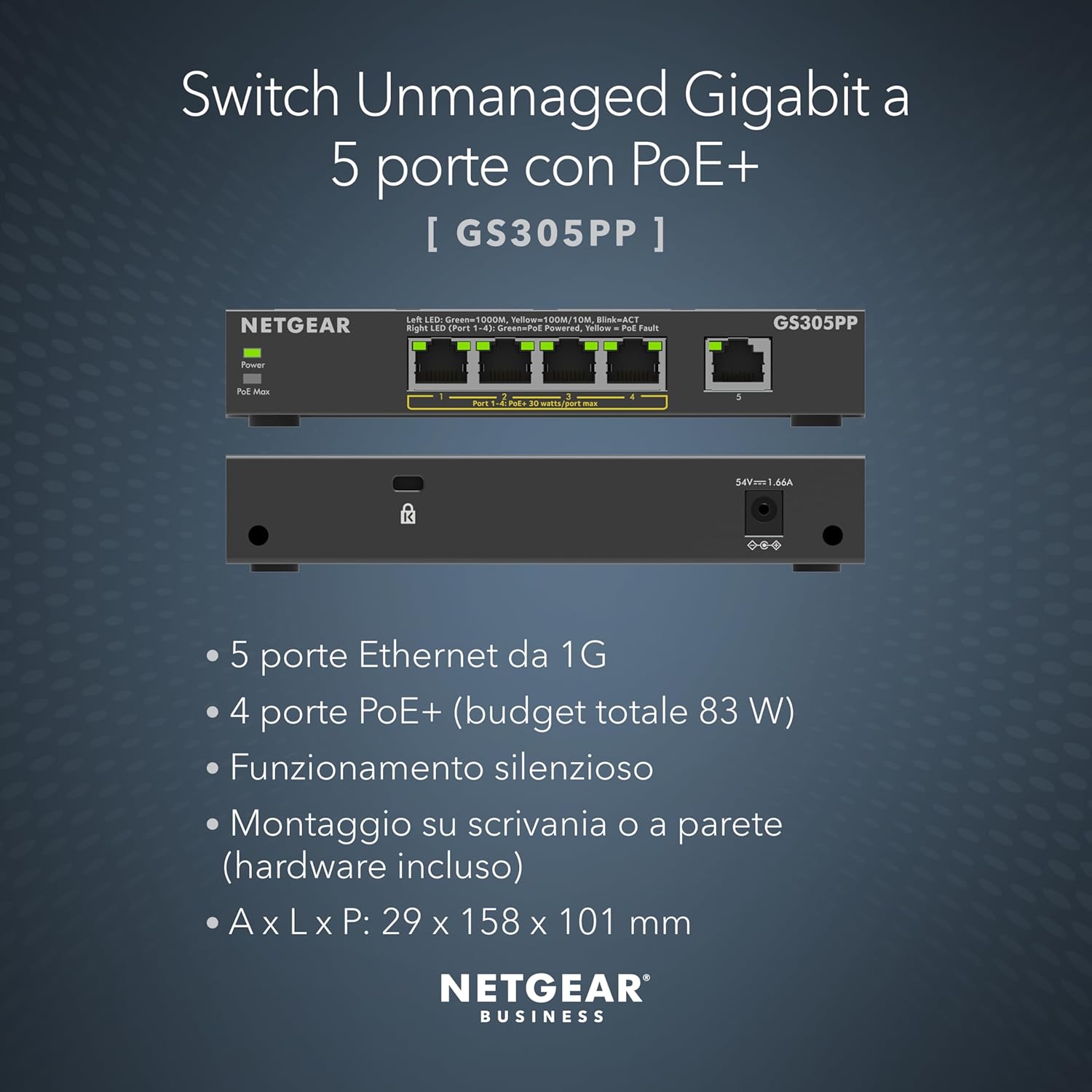
- Ports: 5 Ethernet Gigabit ports (4 PoE+ ports)
- Total power budget (PoE): 83 W total
- Setup: Plug-and-Play (no software installation or additional adjustments stated)
- Mounting: Desktop or wall mount
- Noise: Silent operation
- Energy efficiency: IEEE802.3az compliant
What to watch before you buy
Here’s the part that can’t be skipped: your devices and their power draw. The switch has a total PoE budget of 83 W across the PoE+ ports, so if you plan to run multiple power-hungry devices at once, you’ll want to ensure they stay within that total. If you’re close to the limit, it can become a frustrating purchase even if everything else looks right.

Also, because only four ports are PoE+, you’ll need to decide where your non-PoE device (if you have one) goes. If your plan is to power five devices via PoE, this particular setup may not suit that expectation.
Finally, it’s built for a small deployment. If you need a more involved managed switching setup or lots of expansion beyond a handful of devices, this won’t be the direction to go.
Is it worth it?
It makes sense if you want a compact NETGEAR PoE switch for a small number of devices, and you care about easy installation, silent operation, and the option to mount the unit either on a desk or on a wall. The plug-and-play approach is especially appealing if you’re not looking to tinker.
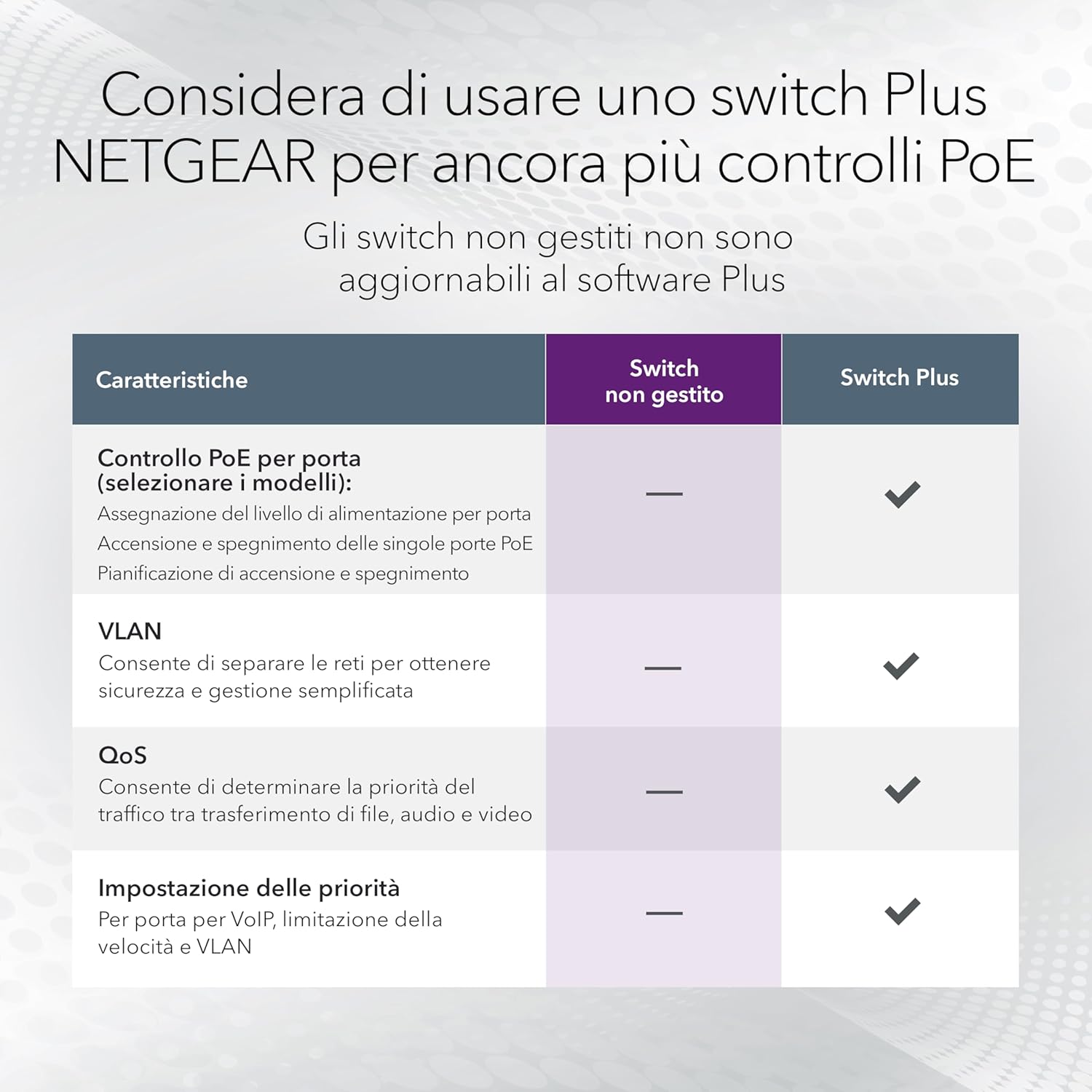
You may want to skip it if you’re expecting PoE on all ports, you’re planning to run many high-power PoE devices at once, or you need a more advanced switching feature set than a small, straightforward PoE switch is designed to provide.
Practical tips for day-to-day use
A simple way to think about placement is to choose where you’ll route cables first. Put the GS305PP where you can land both the network feed and your device cables comfortably—then use the wall mount option if it keeps things tidier. In a typical setup, you’d connect the non-PoE device to the non-PoE port, and assign the PoE-enabled devices to the four PoE+ ports so power and data are handled together.
A small limitation worth noting: depending on how many PoE devices you connect, the 83 W total PoE budget can become the deciding factor, so don’t just count ports—count power needs.

Mini FAQ
What does the 4 PoE+ ports mean in practice?
It means you can supply power and Ethernet data to devices connected to those PoE+ ports, reducing the need for separate power adapters for each device.
Is it easy to set up?
The switch is described as plug-and-play, with no mention of software installation or extra adjustments, so it should suit buyers who want a straightforward setup.
Can I mount it on a wall?
Yes. It’s designed for desktop use or wall mounting.
How many total PoE devices can I power?
The unit has four PoE+ ports, but the total PoE budget is 83 W, so your total device power draw still matters.