

Acer USB C Hub 5-in-1 (USB‑C to HDMI 4K@60Hz) with 100W USB‑C PD charging
Product description
What it is and the problem it solves
If your laptop only has a couple of ports, docking everything with leads and adaptors can get messy fast. This Acer USB C Hub 5‑in‑1 is built to turn a single USB‑C port into a small set of everyday connections: HDMI for external display, a pair of high‑speed USB ports, plus a USB‑C power delivery port so you can keep the device charged while you work.
On paper it’s a straightforward “one cable does more” hub for home, office and travel. The key question is whether your device supports 4K video output over USB‑C—because without that compatibility, you won’t be getting the promised 4K@60Hz behaviour.
The essentials at a glance
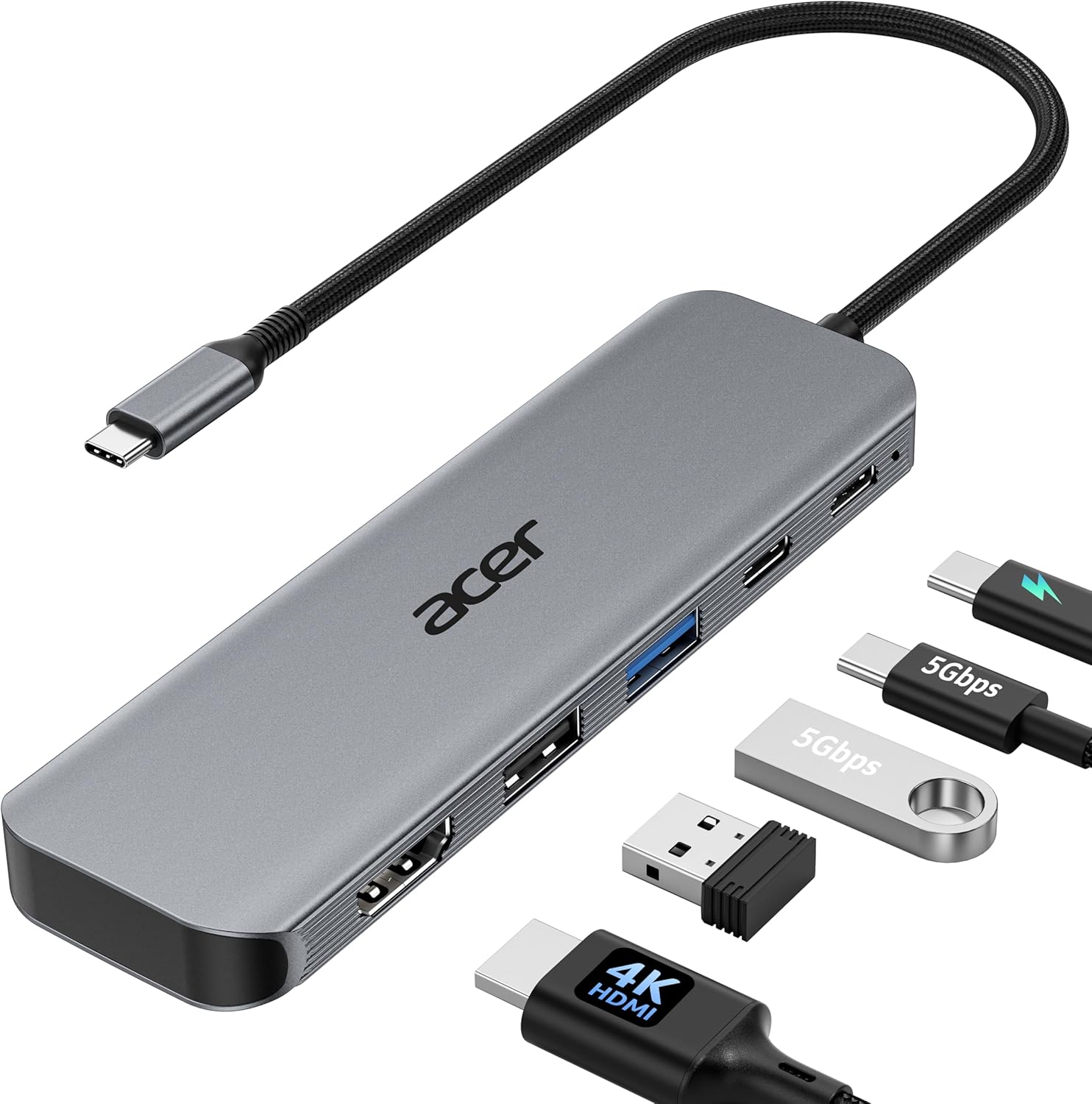
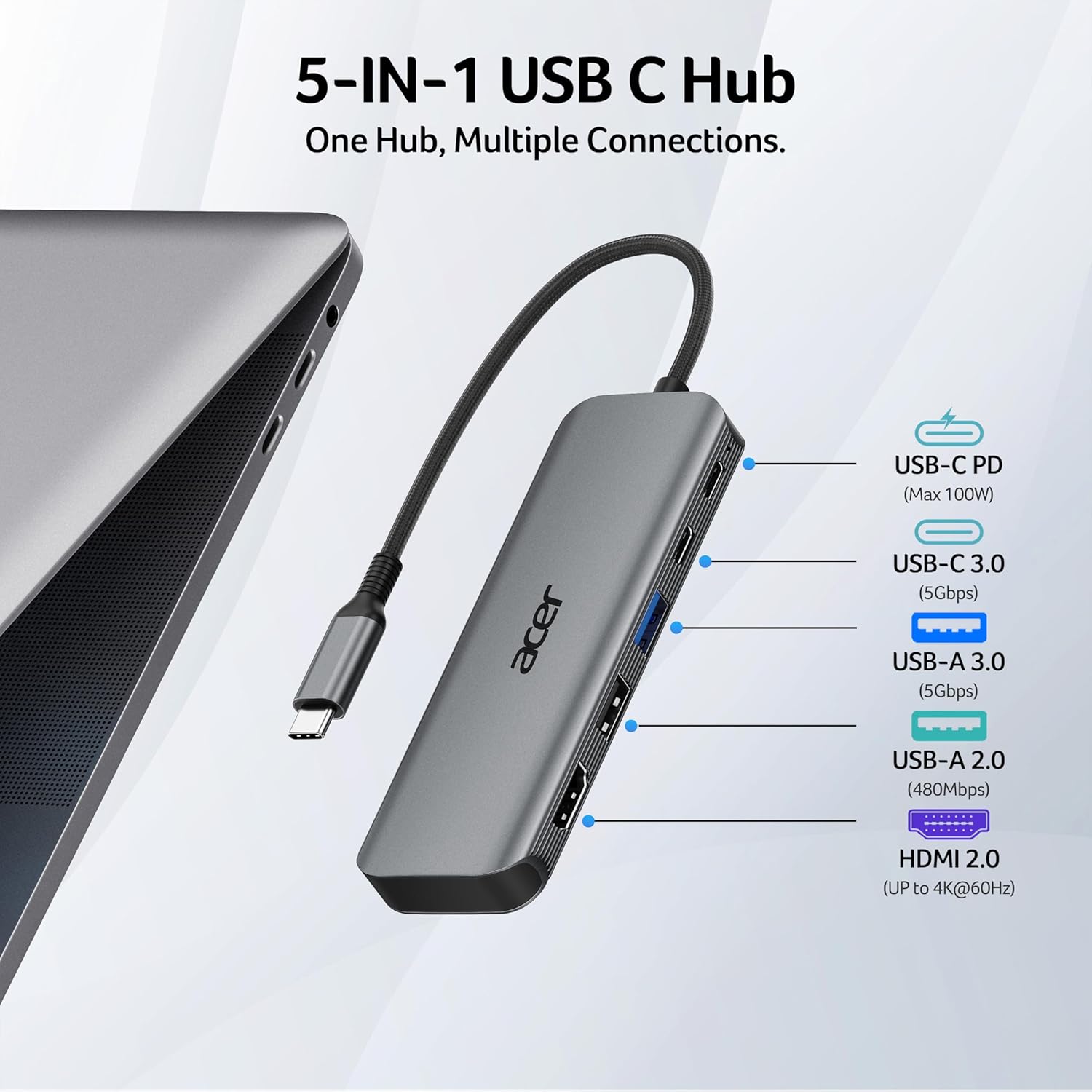
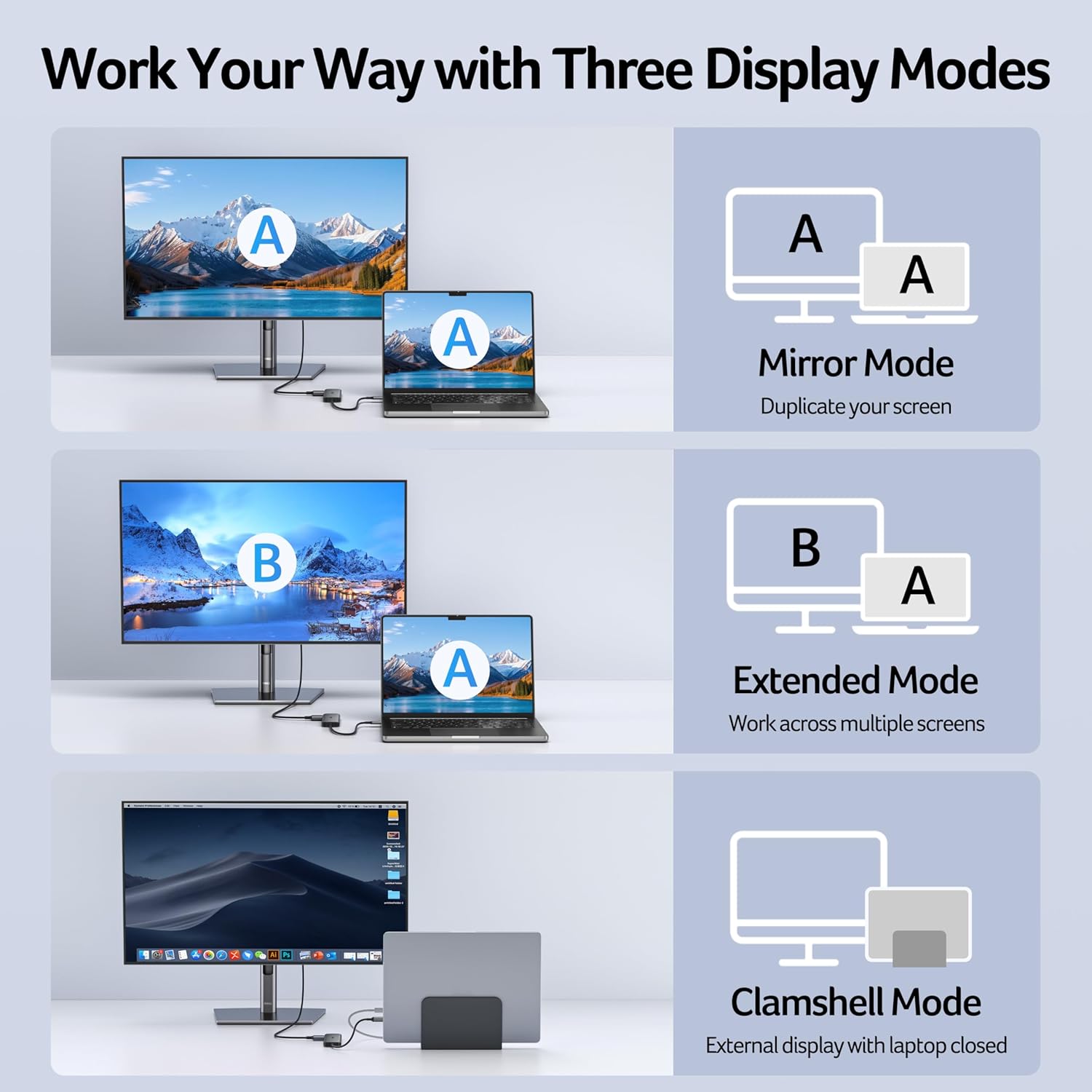
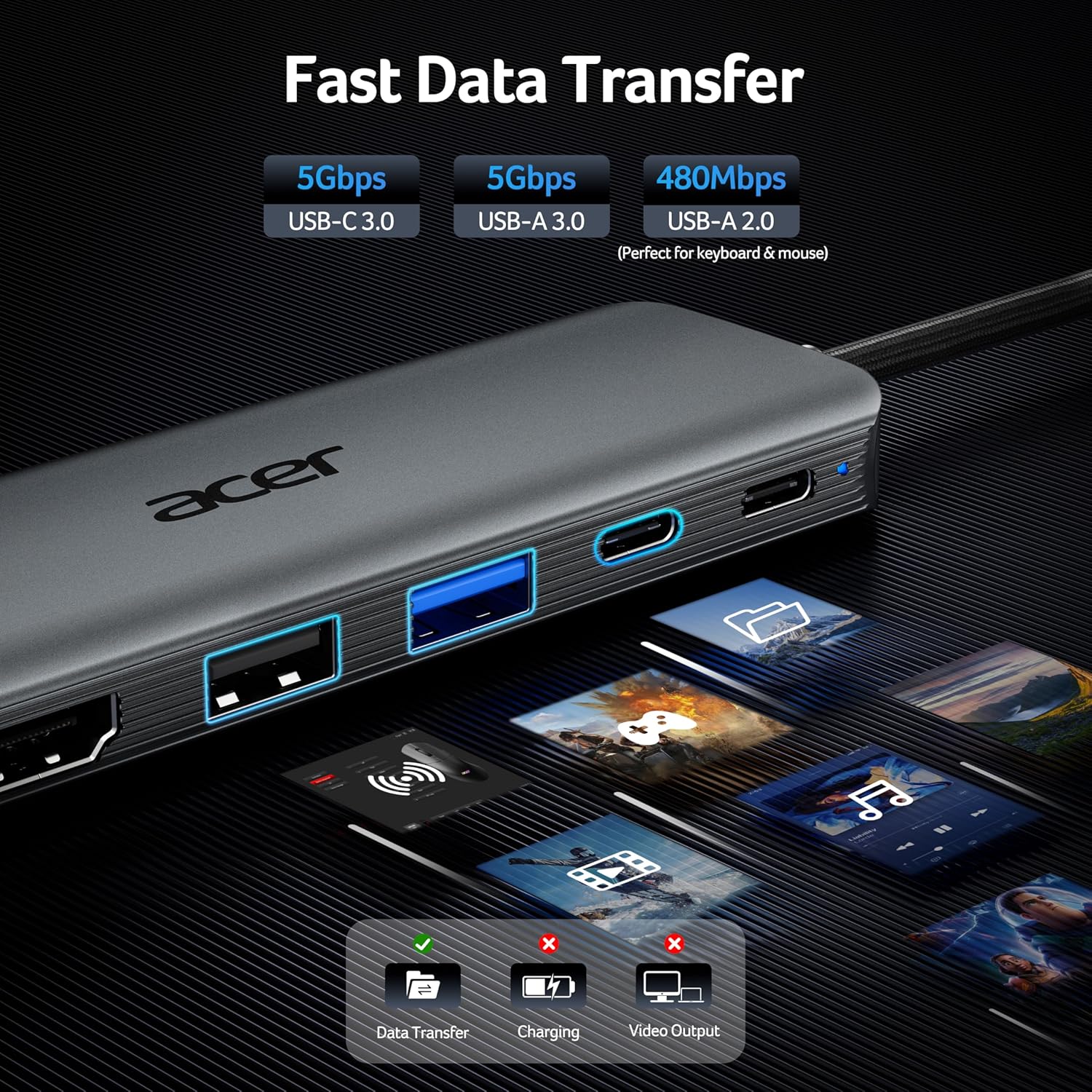
This hub combines five functions in one compact aluminium body: - HDMI output for Ultra HD up to 4K at 60Hz, with support for common display arrangements such as mirroring, extended desktop and closed mode. - USB‑C and USB‑A data connectivity rated up to 5Gbps (USB 3.1 Gen 1) for everyday file transfer and connected peripherals. - A USB‑C Power Delivery charging port rated up to 100W (with the note that it can output up to 90W). - An extra USB‑A 2.0 port for lower‑bandwidth devices like a mouse or keyboard.
It’s also positioned as plug‑and‑play, with no drivers required—always a plus if you just want to get going without tinkering.
Where it shines in everyday use
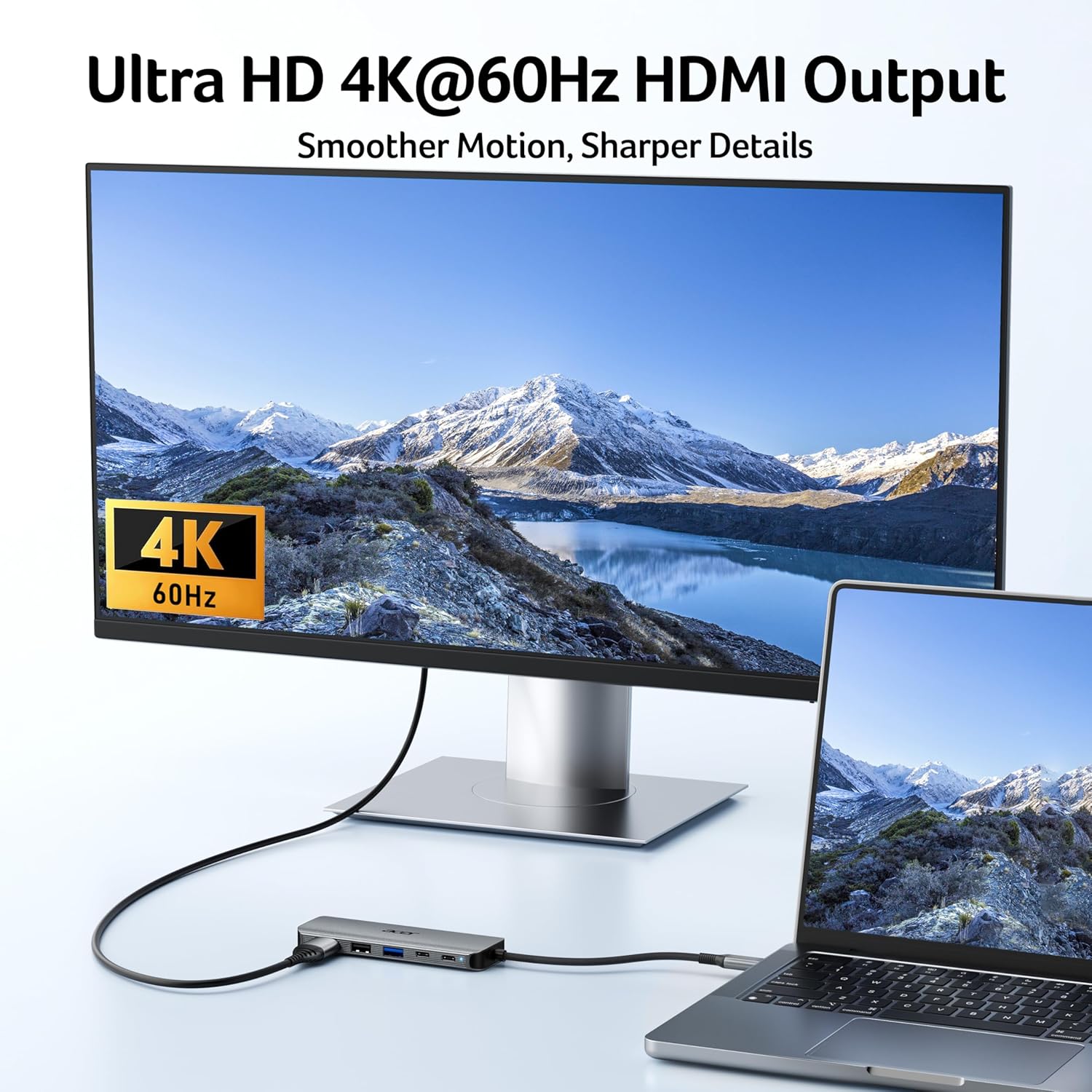
The most convincing use case is when you want your “desk setup” to stay simple. For example: connect the hub to your MacBook/iPad Pro/Air, run HDMI to a monitor for spreadsheets, and plug in a USB mouse/keyboard via the USB‑A 2.0 port. In the middle of a meeting you can switch between screen mirroring and an extended desktop setup (depending on what your device supports) without swapping cables.
The 4K@60Hz HDMI claim is also aimed at smooth-looking output for presentations and streaming. That said, the note about needing a device compatible with 4K video output is important—this hub can only give you what the host supports.
Key takeaways on speed and charging
The hub’s data side is clearly thought through for day-to-day work. It includes USB‑A and USB‑C ports each rated up to 5Gbps, and they can be used at the same time without a stated drop in transfer speed. That makes it more usable if you’re copying files while also keeping a fast peripheral connected.
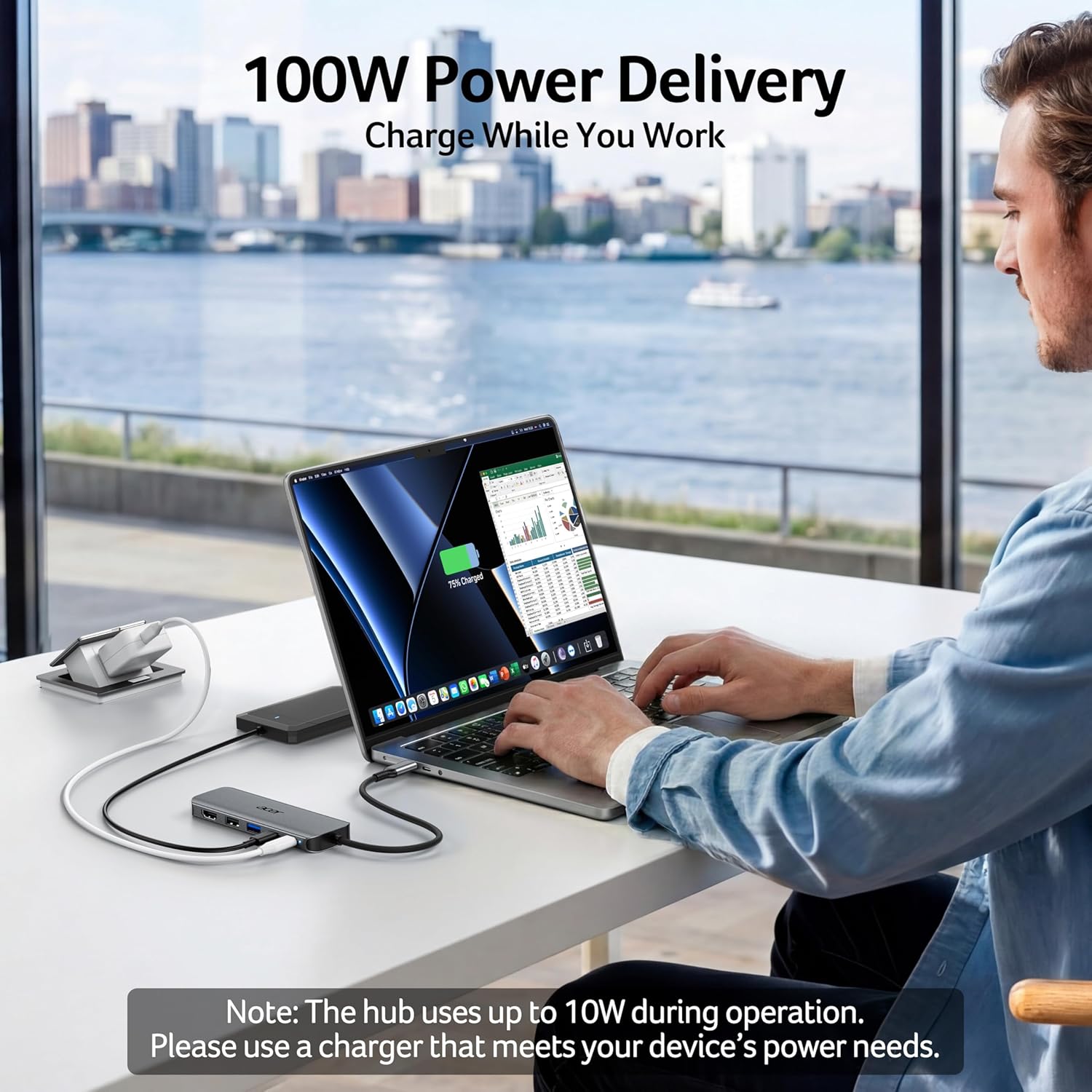
Charging is where it earns its keep for portable setups. With USB‑C PD, the intention is to power your laptop/tablet while you use the HDMI and USB ports—so you’re less likely to end up with the “battery draining while docked” problem.
There’s one practical limitation to be aware of: Acer recommends using a charger with an output of 45W or higher. If your current charger is lower than that, you may find performance or charging behaviour doesn’t match what you’d expect.
Build quality and portability (and the bits to watch)
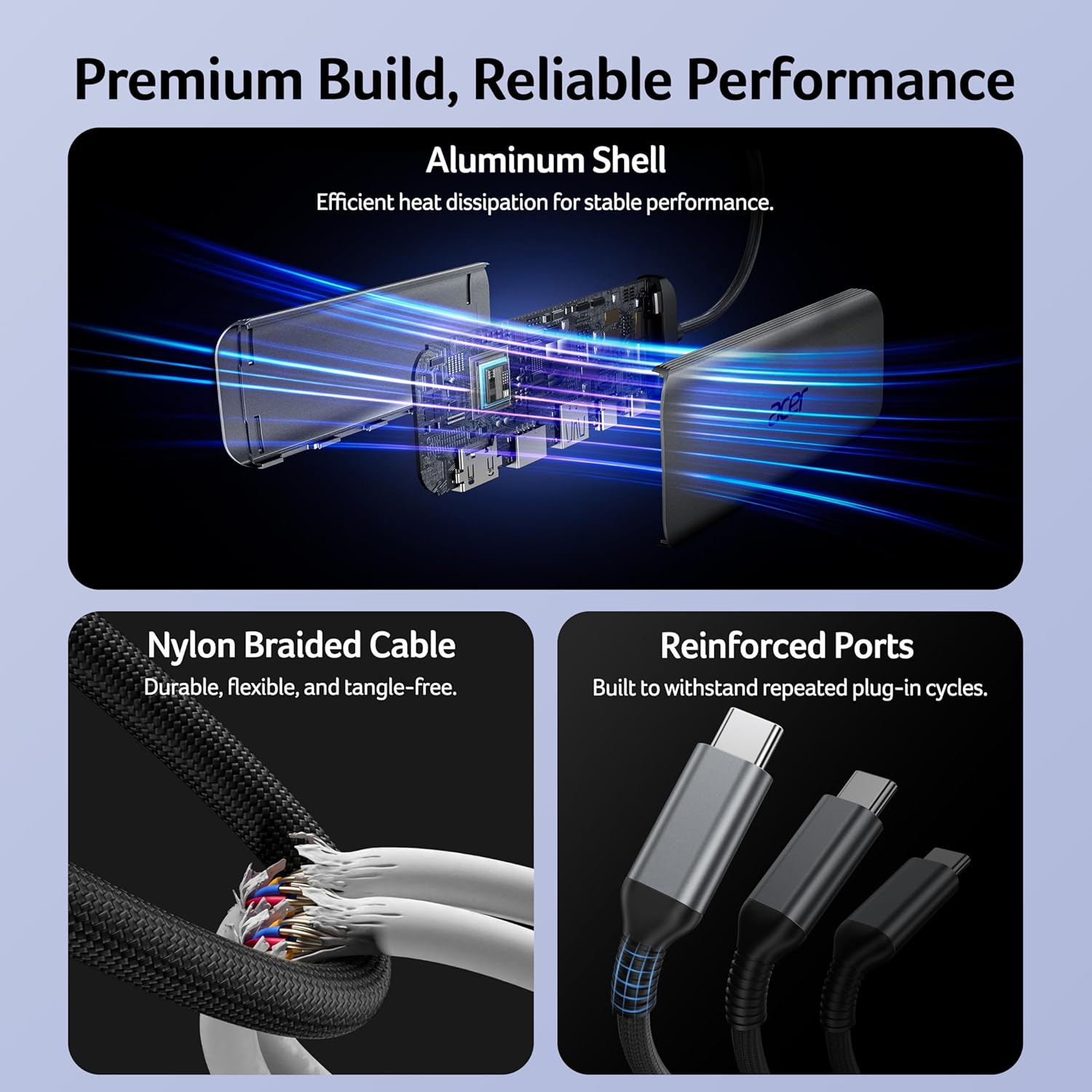
The aluminium housing and the heat-dissipation angle are meant for stable performance when used more intensively, and the cable is described as nylon-braided for wear resistance. It’s the kind of design detail that matters if you take your hub between home, work and travel.
Still, it’s not perfect for every scenario. If your priority is ultra‑high bandwidth media editing or complex multi‑display work, this is more of a practical productivity hub than a fully featured workstation dock. Also, the 4K@60Hz headline depends on your device actually supporting 4K video output over USB‑C—this is the main “maybe” before purchase.
Usage tips
To avoid headaches: - Check that your device supports 4K video output via USB‑C before buying if you care about the 4K@60Hz spec. - Pair it with a USB‑C charger rated for at least 45W output, as recommended, especially if you plan to run HDMI and other ports at the same time. - If your main peripherals are basic (mouse/keyboard), the USB‑A 2.0 port keeps things neat without complicating the higher‑speed ports.
Final verdict
This Acer USB C Hub 5‑in‑1 is worth considering if you want a compact, plug‑and‑play way to add HDMI (up to 4K@60Hz) plus multiple USB connections, while also charging over USB‑C PD from a single cable setup.
You may want to skip it if your device isn’t compatible with 4K video output over USB‑C, or if you’re relying on a charger with less than the recommended power—because that’s where the experience can fall short.
It suits people who set up a simple desk or meeting station (monitor + peripherals) and want one adaptor rather than a bundle of cables. If you prefer buying a more “expand everything” dock with broader capabilities, this one may feel a little narrow—though for everyday productivity, that simplicity is often the point.
Mini FAQ
Is it truly plug and play?
The hub is described as plug & play with no need for drivers, which is useful if you hate setup steps.
Do I need a specific charger for charging to work well?
Acer recommends using a charger with output of 45W or higher. Without that, charging while using the hub may not match expectations.
Will it work with 4K at 60Hz on any USB‑C device?
Not necessarily. There’s a note that you should ensure your device is compatible with 4K video output.
Can I use the USB‑A and USB‑C 5Gbps ports at the same time?
Yes—both ports are intended to be used simultaneously without suffering a stated drop in speed.