

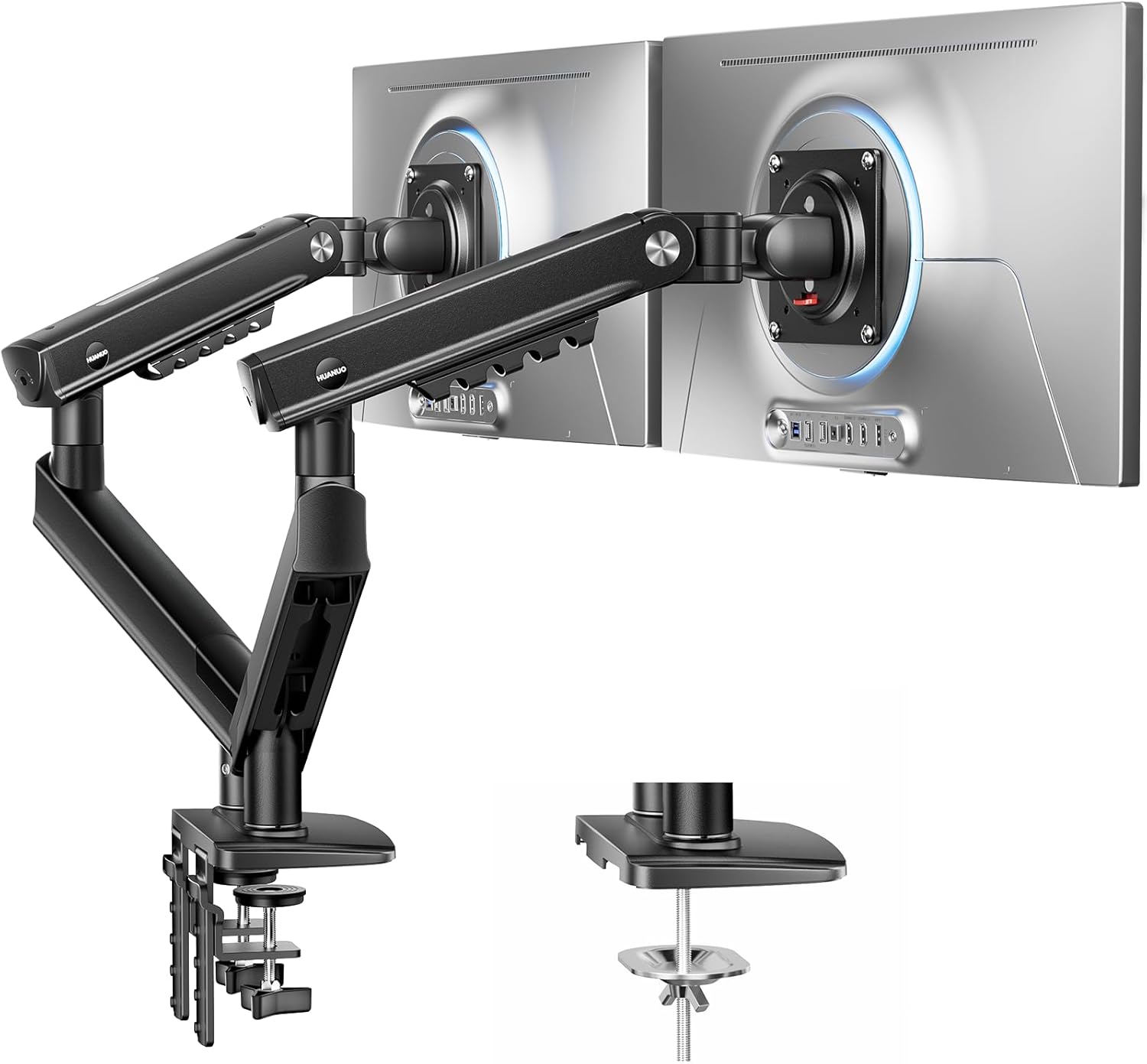
HUANUO FlowLift Pro Dual Monitor Arm for 13–32" Screens
Product description
What this is and what it helps with
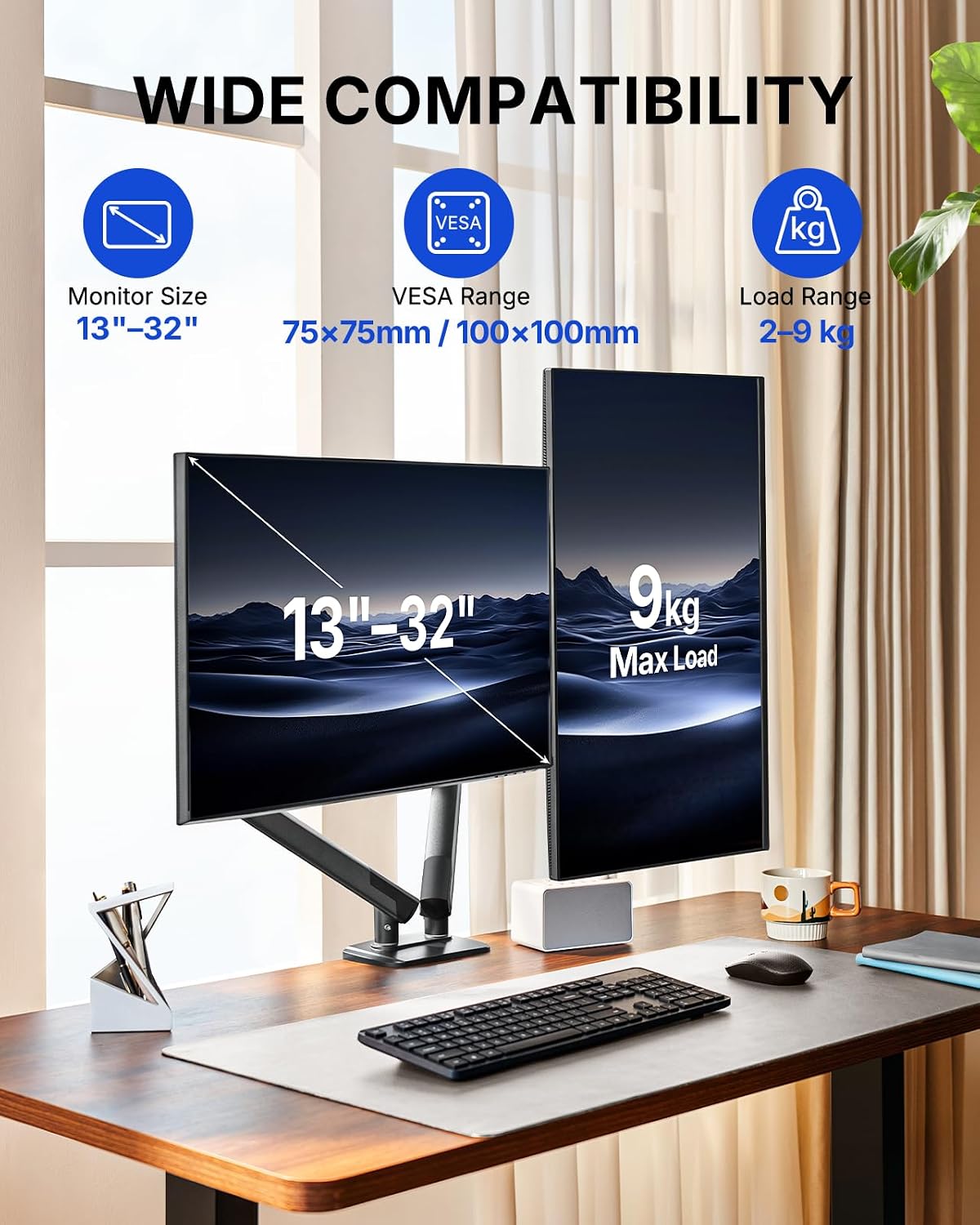
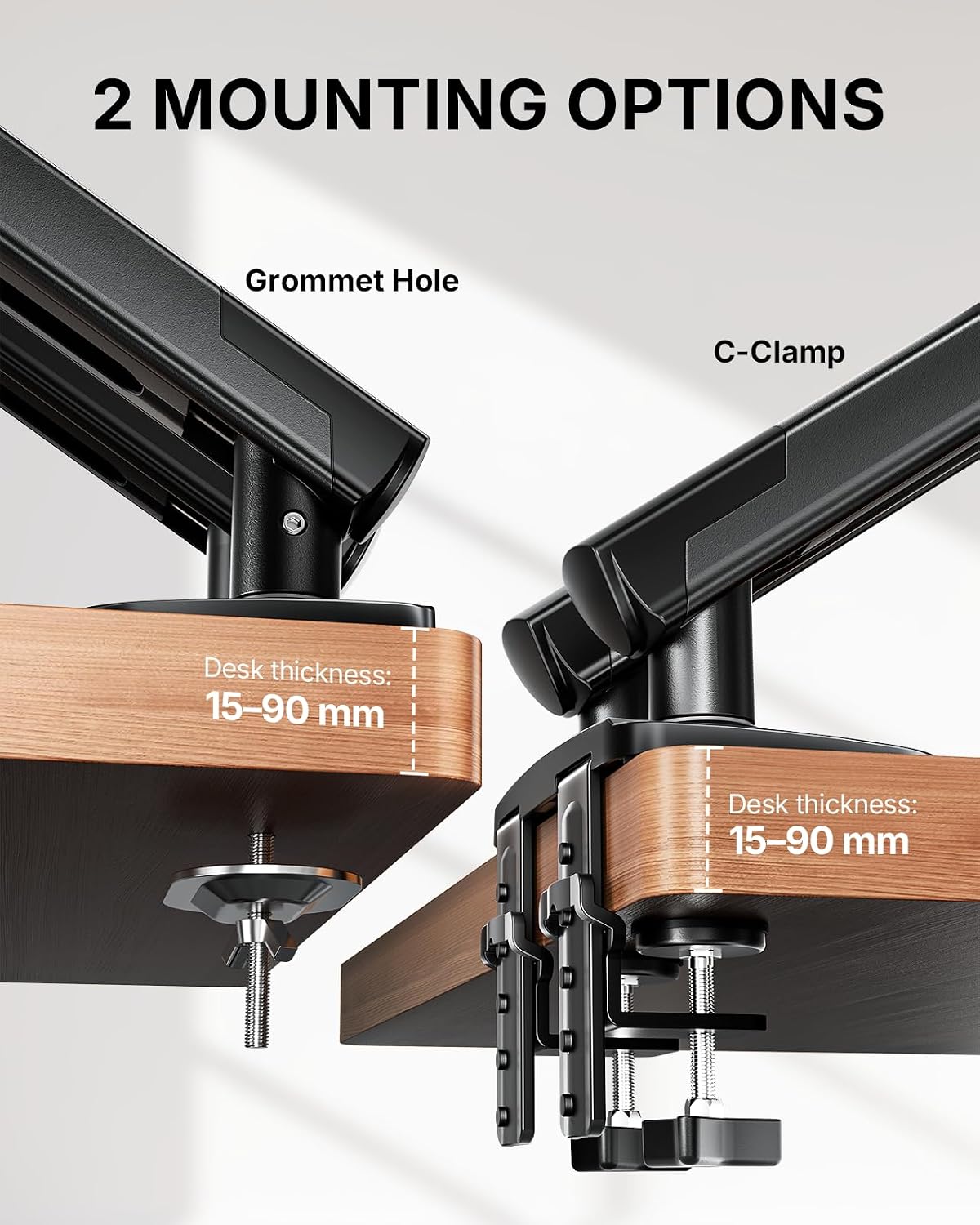
The HUANUO FlowLift Pro dual monitor arm is designed to support two screens in the 13–32" range, each weighing 2–9kg, with VESA patterns of 75x75mm or 100x100mm. It’s built to help you raise and position monitors to eye level, potentially reducing neck and back strain during long days at the desk. On paper, it combines a robust metal build with a spring-based mechanism and a precise tension window to aid in smoother, more repeatable adjustments. It’s not a universal desk solution, though, and the manufacturer notes that it should be mounted on wooden desks 15–90mm thick. If your work edge is irregular, use caution when choosing where to place it.
How it’s engineered for longevity
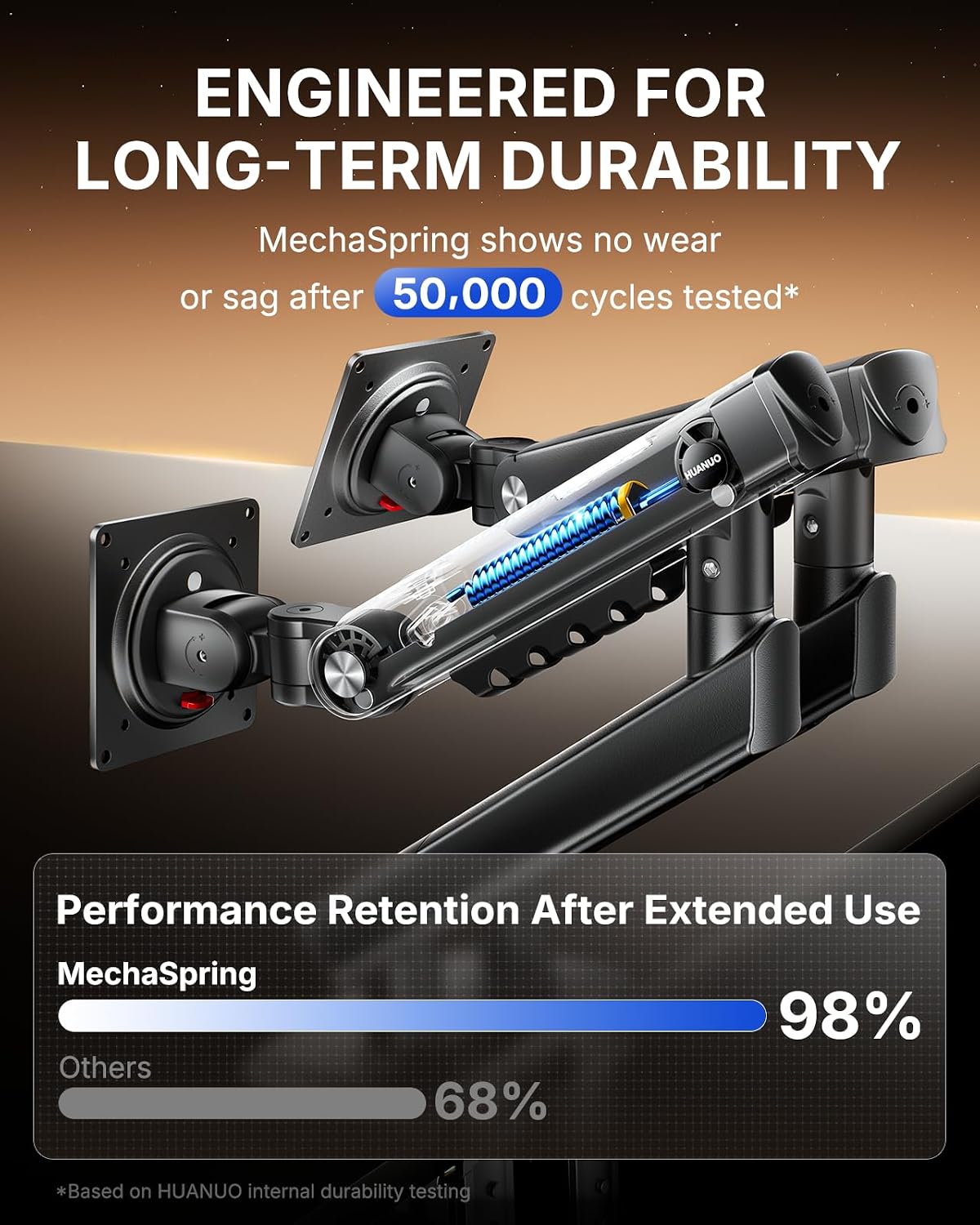
The standout claim here is the MechaSpring arm, promoted as delivering longer life than gas-based alternatives and helping the screens stay steady through daily adjustments. The claim of up to 2× service life compared with conventional arms is ambitious, but it aligns with the idea of fewer sagging issues over time. The unit is described as being composed largely of professional-grade metal (around 90%), which suggests a sturdy, durable feel for day-to-day use.
How it moves and stays put
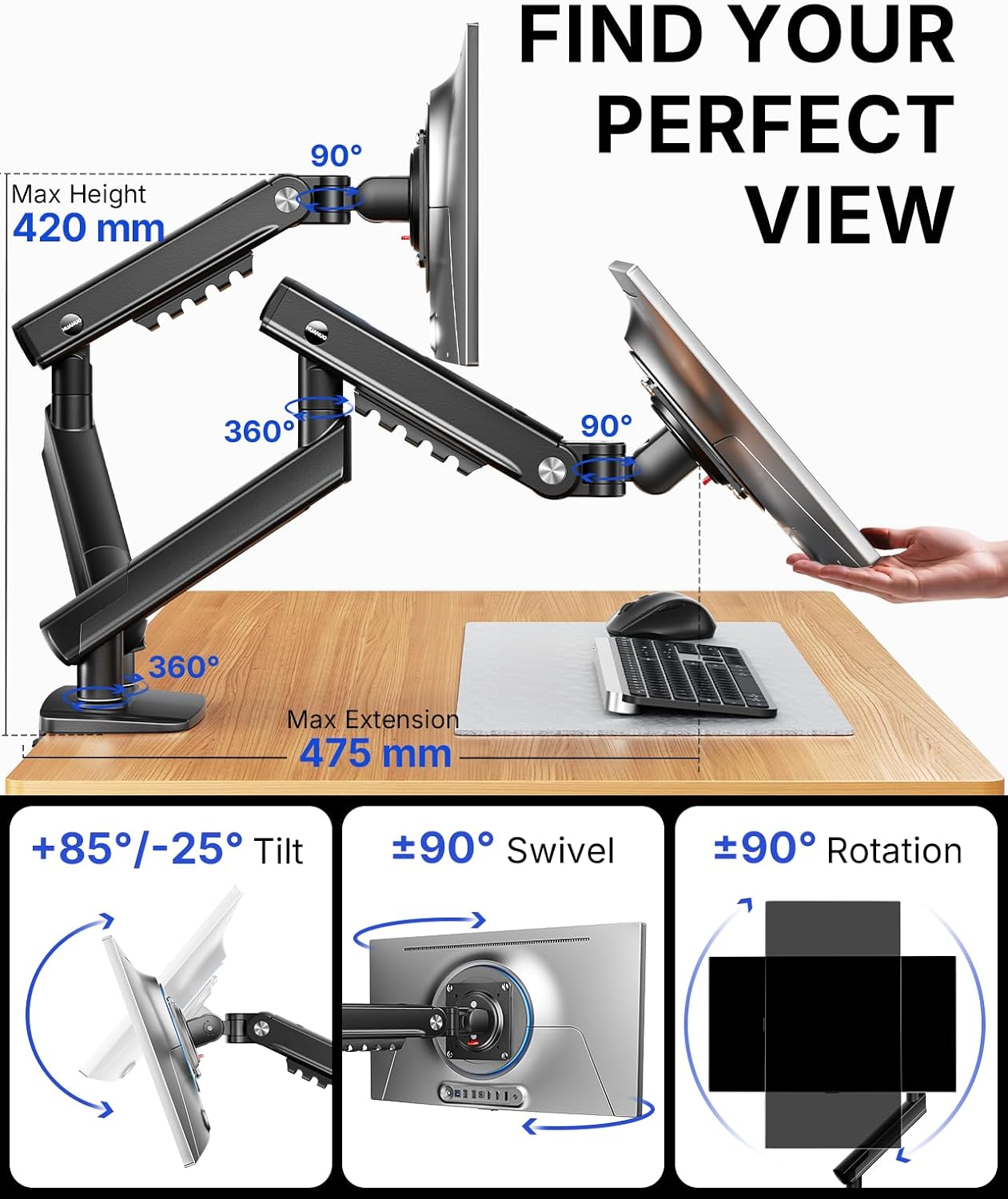
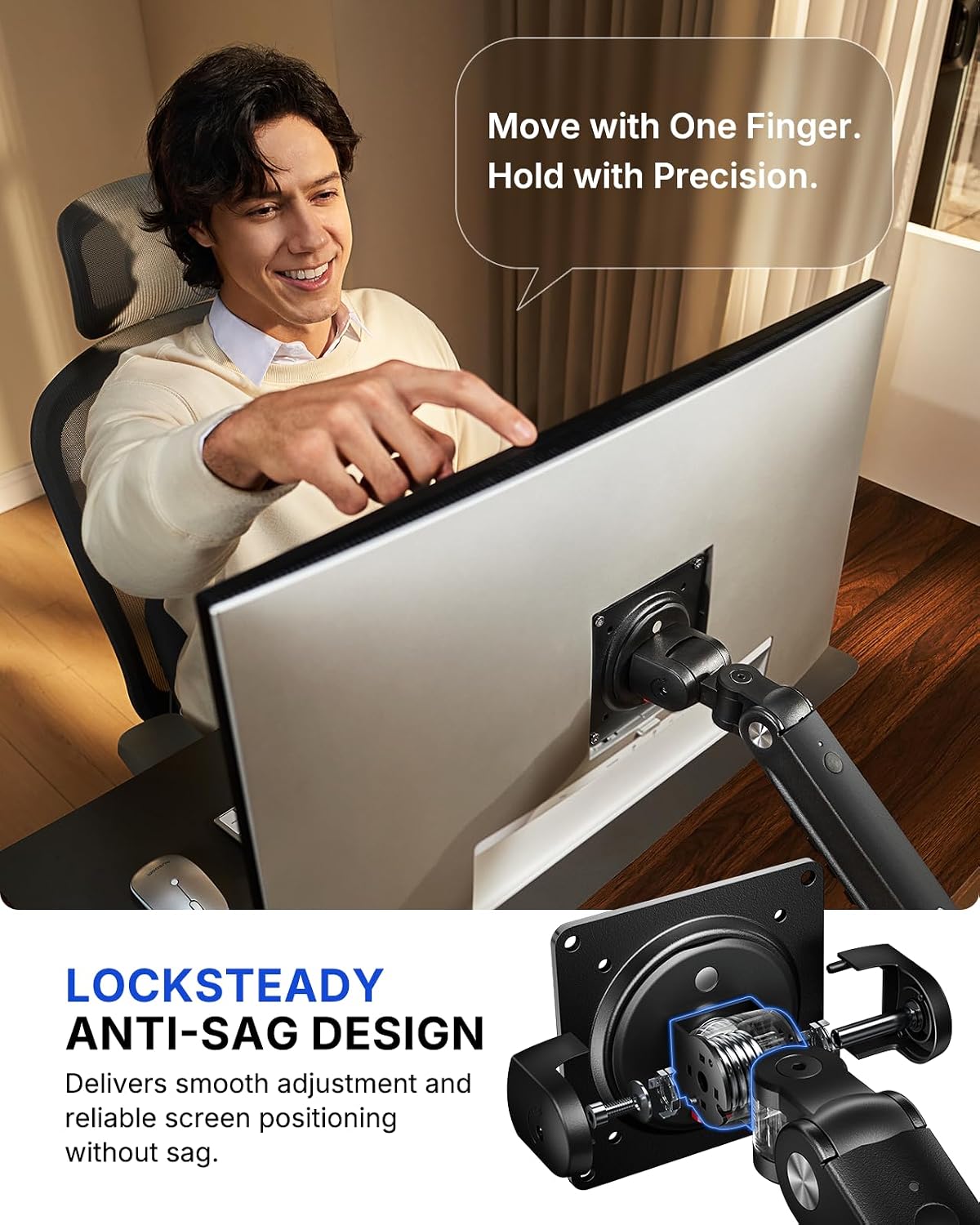
Upgrade features include LockSteady for reducing screen sag and enabling smooth one‑finger adjustment. For people who switch between coding, design work, and meetings, a quick nudge to reframe the monitor could be enough, and the mechanism is meant to hold the position once set. The system is also tested at 3× the stated load for safety, which offers some reassurance about unexpected bumps or heavier monitors.
Visual feedback and setup ease
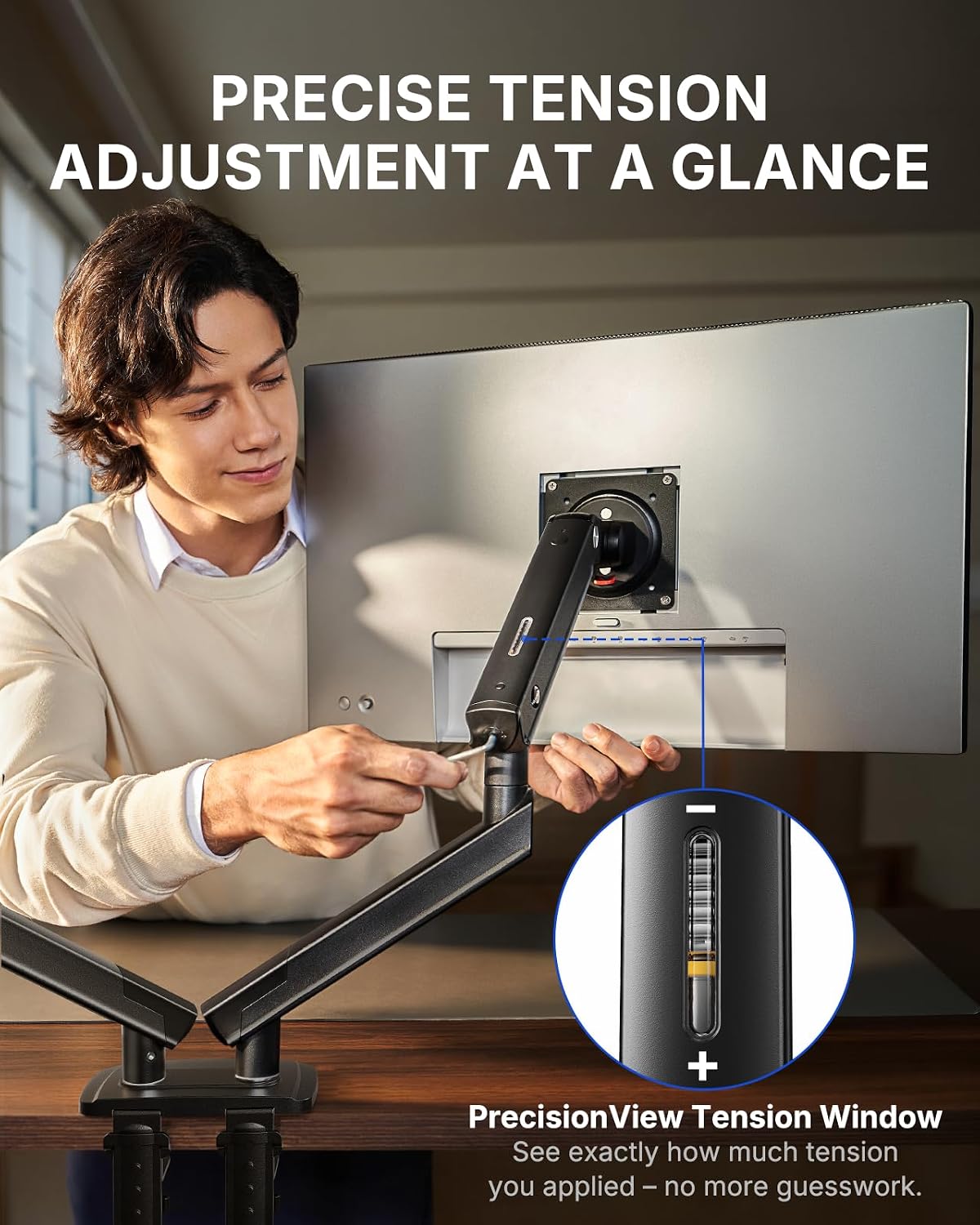
Another practical point is the PrecisionView tension indicator, which provides a visible cue when the tension is tuned for the monitor’s weight. This seeks to eliminate the guesswork common with older arms, especially if you frequently change screens or swap setups. And with InstaMount, installation promises a quick, tool-free way to attach the monitors—snap into place with a click rather than fiddling with screws mid‑mount.
Who it’s for and who it isn’t
If you value a clean, adjustable, and potentially more ergonomic desk setup, this arm is worth considering. It shines for users who want easy re‑positioning between tasks—think developers, designers, data analysts—and who appreciate a solid, long‑term mount built with attention to structural detail. However, it isn’t perfect for every desk: it relies on a solid wooden surface of a specific thickness, and an irregular desk edge may reduce suitability. If your work involves very heavy monitors near or beyond 9kg per arm, or if you need flexible mounting on a non-wood surface, you may want to explore alternatives.
What to check before you buy
- Confirm your two monitors are within 13–32" and 2–9kg per screen, and that both use 75×75 or 100×100 mm VESA.
- Measure desk thickness and edge shape to ensure compatibility with the 15–90 mm wooden desk requirement.
- Consider whether you’ll benefit from frequent, quick repositioning versus fixed placement, since LockSteady aims to resist sag but may feel stiffer if not adjusted regularly.
- If you rely on minimal desk clutter, the InstaMount feature could help reduce setup time and keep cables tidy, though note that the base requires a suitable mounting surface.
Practical usage and comparison notes
Compared with more economy arms, FlowLift Pro targets heavier, steadier operation and longer life via MechaSpring and precision tension. It’s a sensible intermediate choice for those who want a robust, dual‑monitor setup without stepping up to pricier premium mounts. If your workflow involves frequent reconfiguration or you prioritise absolute simplicity in the mounting process, this model’s combination of tool-free VESA attachment and visual tension cue can be appealing. On the downside, the need for a specific desk type means you may be limited by your current furniture.
Decision time
Final verdict
It makes sense if you’re after a durable dual monitor mount that emphasises stable positioning and a straightforward setup, with a focus on long-term reliability and ergonomic benefit. It may not be the best option if your desk isn’t wooden or if you require mounting on a non-traditional edge. For heavy, interactive workflows—coding, design, or data work—it offers clear advantages in ease of use and adjustability, balanced against a measured price point.
Quick FAQ
- Do both screens need to be exactly the same size and weight? Not necessarily, but each monitor should be 13–32" and 2–9kg, with VESA 75×75 or 100×100 mm supported.
- Is it easy to install on a typical desk? The InstaMount feature aims to simplify mounting, but a solid wooden desk within the specified thickness range helps the base stabilise effectively.
- Will it help with neck strain? Raising the monitors to eye level and enabling easy adjustments can reduce neck and back strain, aligning with common ergonomic guidance.
- Can I detach the monitors quickly? Yes, the tool-free VESA plate is designed for quick attachment and removal, which can be handy for temporary setups or frequent reconfigurations.