

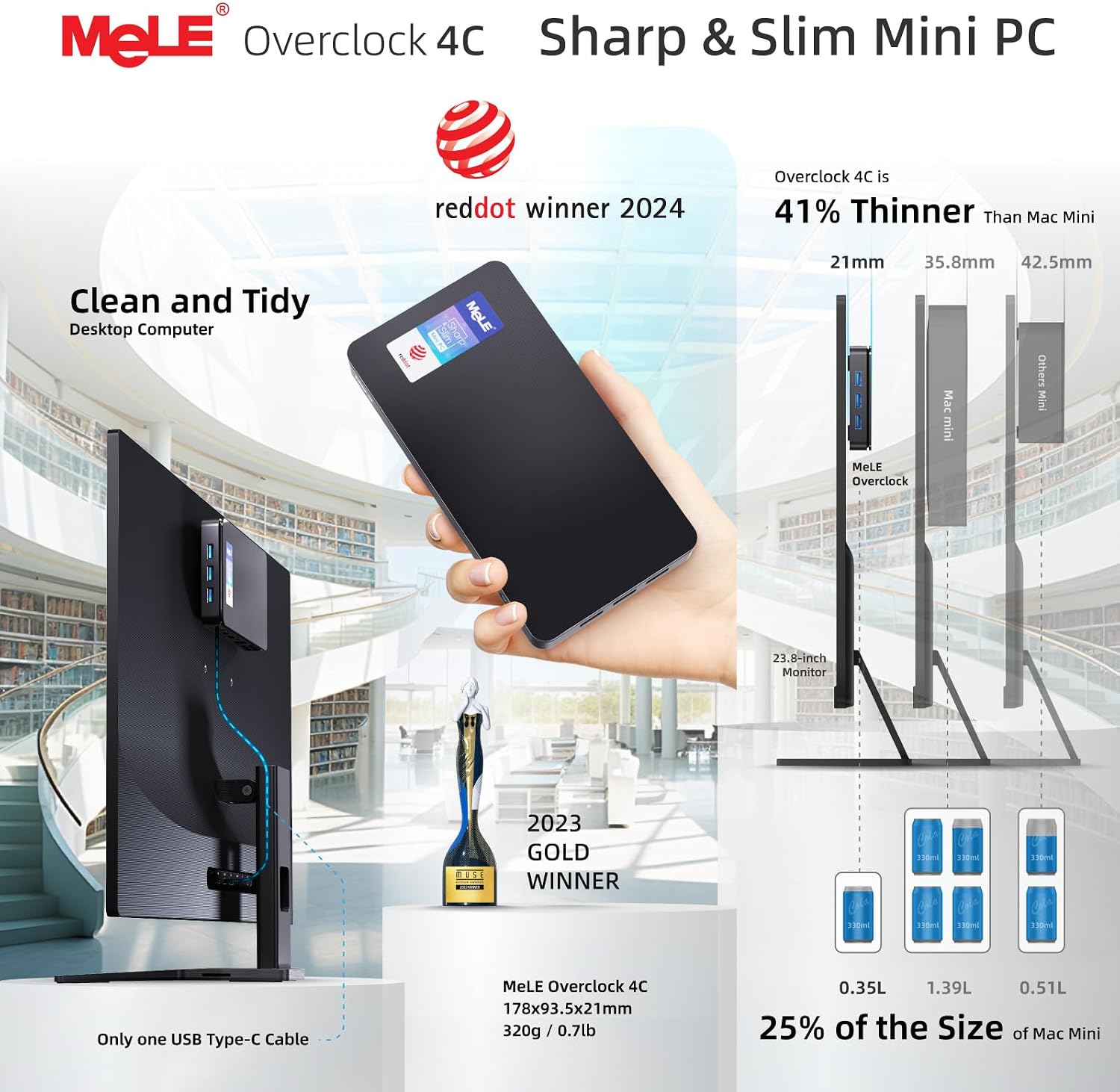
MeLE Overclock4C Mini PC, N100: A compact, feature-rich IoT-ready PC with triple 4K output
Product description
What it is and why it matters
The MeLE Overclock4C Mini PC is a compact, workstation-style mini PC designed for multi-display setups, digital signage and lightweight industrial IoT tasks. It pairs a 12th generation Alder-Lake N100 CPU with 16GB of DDR4 memory and 512GB of NVMe storage, aiming to deliver solid multi-tasking performance in a small footprint. On paper, it offers substantial throughput for an ultra-compact form factor, with PCIe 3.0 x4 for fast storage and support for triple 4K displays via HDMI and USB-C. If you’re looking to replace a larger office PC or need a discreet signage unit, this model positions itself as a practical middle ground between basic media boxes and more expensive compact workstations.
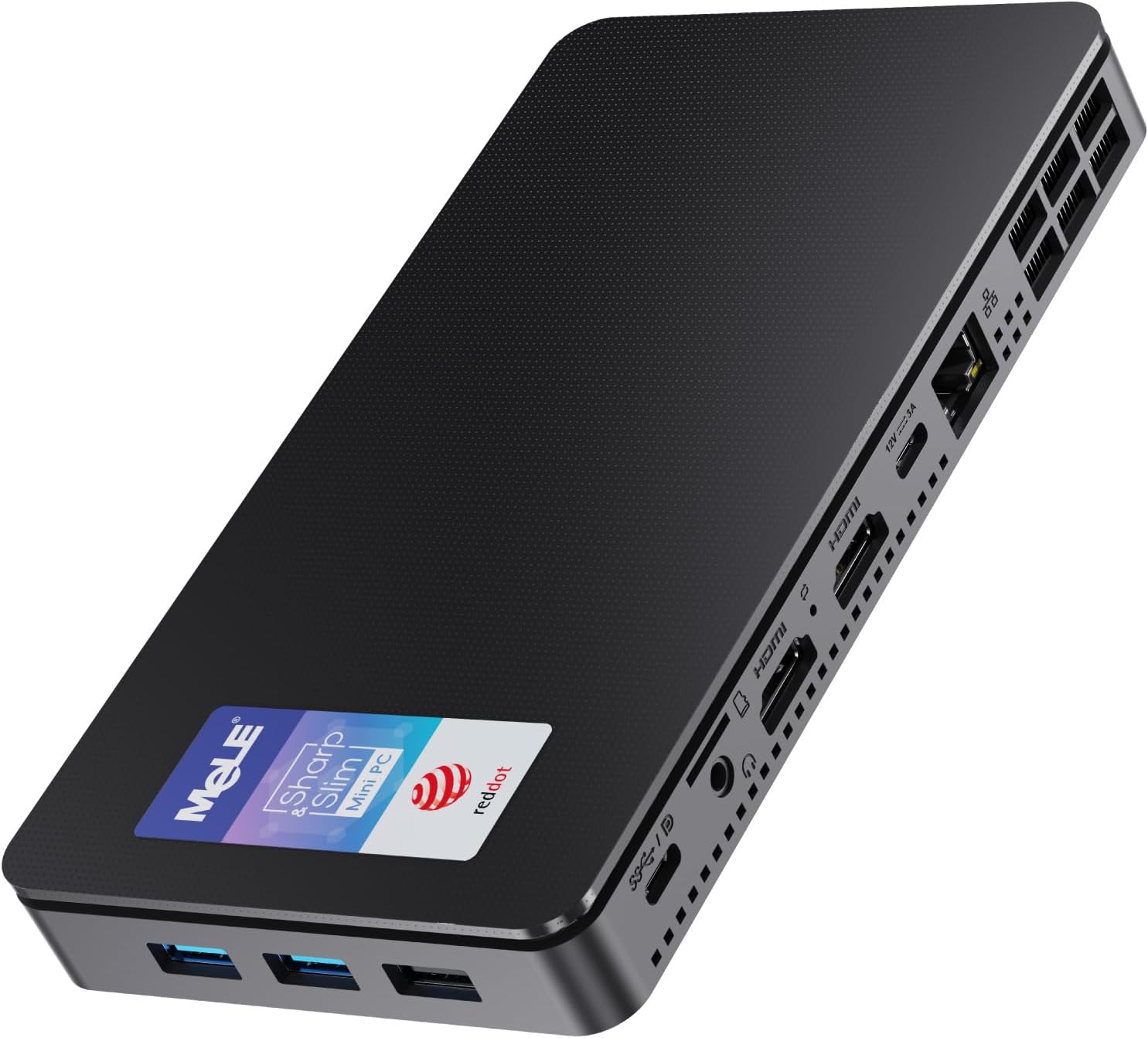
Performance and what it means in practice
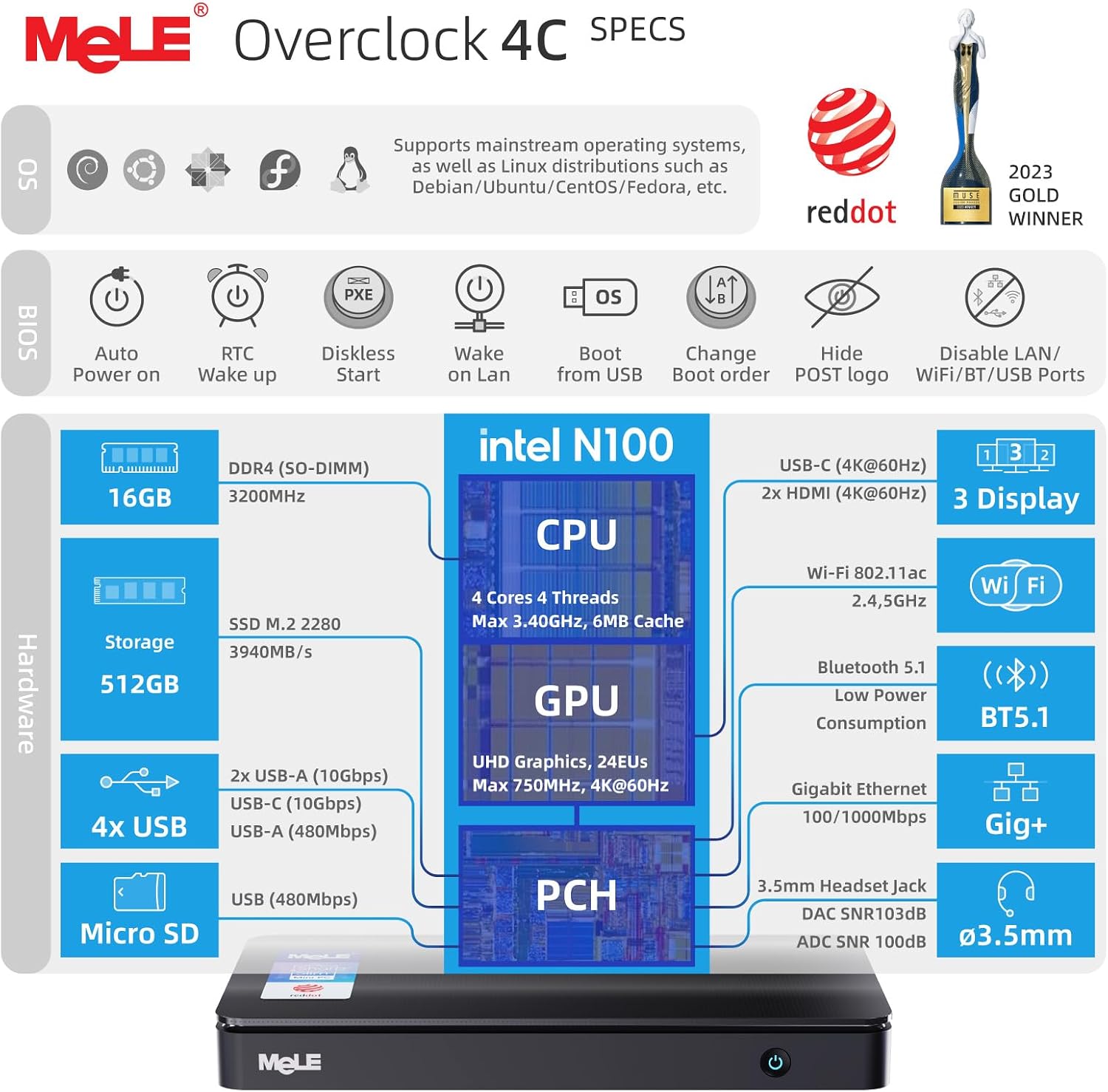
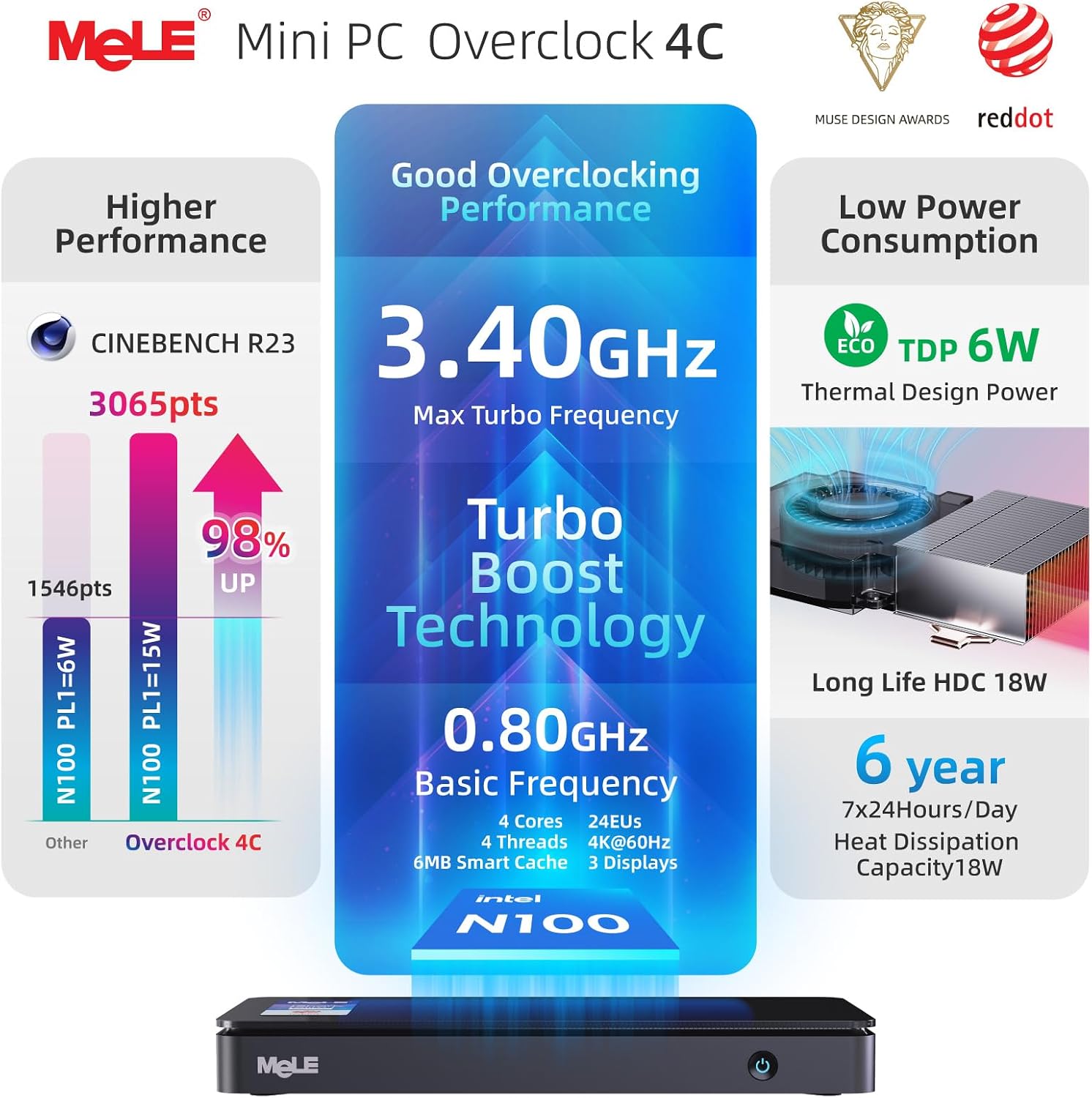
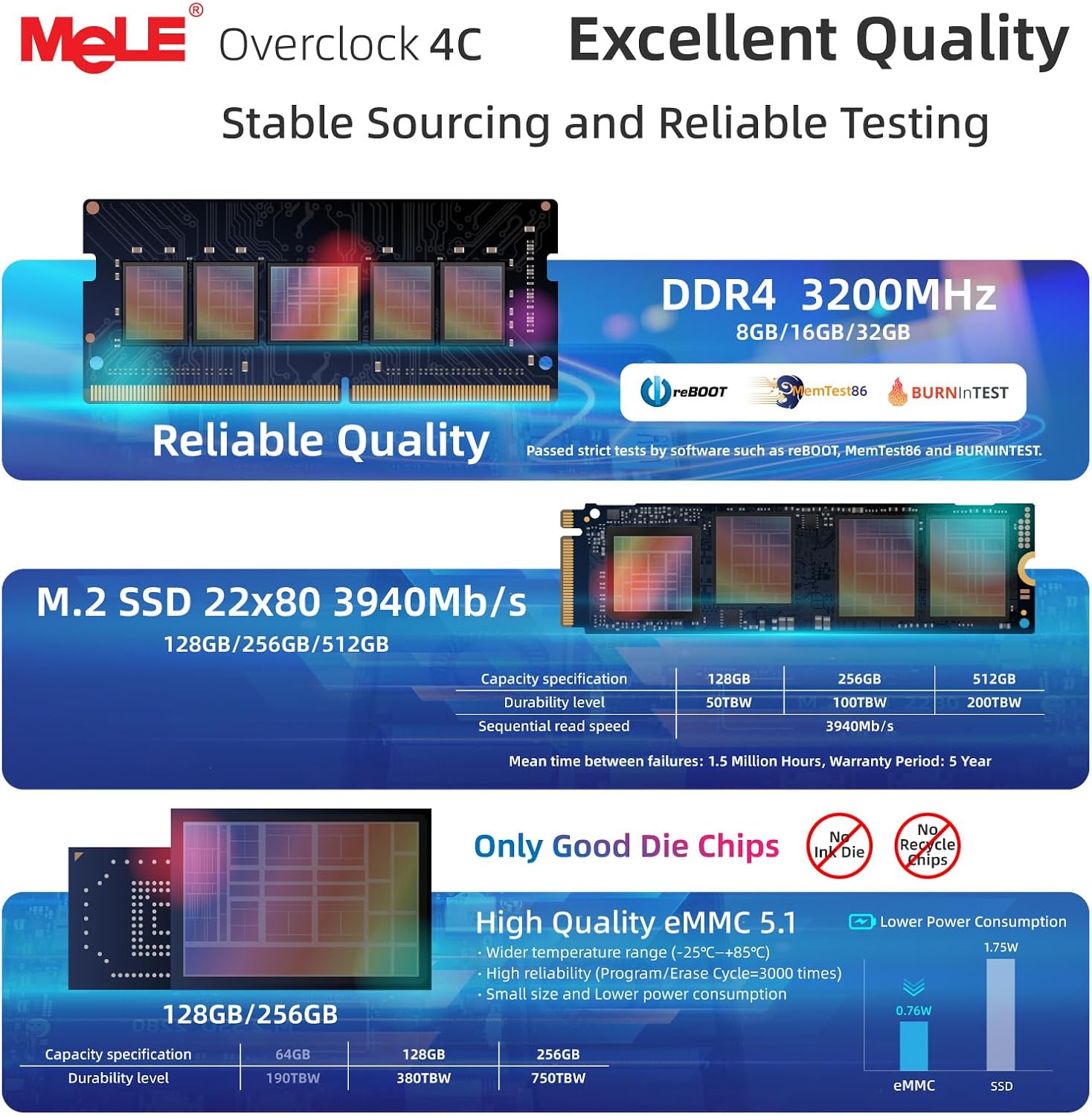
Equipped with a 12th Gen N100 processor, the Overclock4C claims up to 3.4GHz turbo and 4 cores/4 threads. In real-world terms, that translates to smoother multitasking for office duties, content hosting, light data processing or edge tasks without the bulk of a full desktop. The 16GB RAM helps with browser and app switching, while the 512GB SSD provides a responsive boot and app load experience. Do note that the claimed performance increase is relative to an N5105 baseline, actual gains depend on workload and cooling. The device can be upgraded with NVMe storage (up to 4TB) and supports SATA SSD options as well, which offers flexibility for different budget and capacity needs.
Display and connectivity: what you’ll actually use day to day
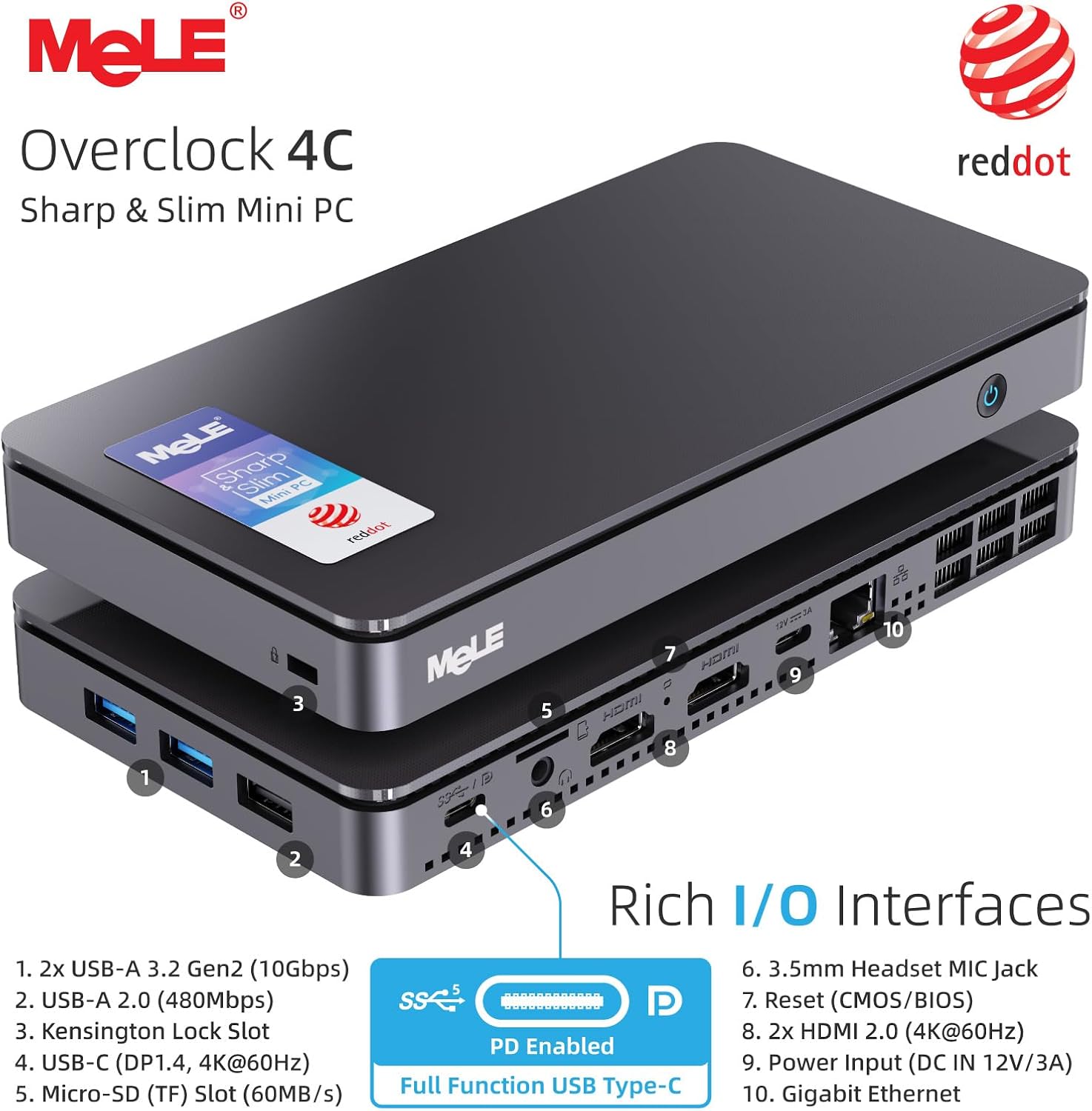
The Overclock4C stands out for its display ambitions: triple 4K-capable output (HDMI 2.0 x2 plus USB-C) means you can run several screens for dashboards, control panels, or signage without a separate GPU. The USB-C port is a multi-purpose port supporting video, data, and power delivery (PD 3.0), which can simplify cabling and charging in a compact environment. For networked use, it includes Wi‑Fi 5 and Bluetooth 5.1, plus a Gigabit Ethernet jack for reliable wired connectivity when wireless isn’t ideal. The mix of USB ports covers peripherals and fast data transfers, though the spec sheet suggests a mix of older USB2.0 and newer USB3.0/Gen2, so you’ll want to plan peripherals accordingly.
Build, expandability and reliability in a compact form
The form factor keeps a small footprint handy for office desks, kiosks or wall-mount setups (VESA compatibility is supported). One practical note: the system is described as unlockable BIOS and features like Wake on LAN, PXE and RTC Wake, which are typical for fleet deployments or digital signage where remote management matters. Kensington security slot adds a layer of physical protection in public or semi-public spaces. If you prioritise security, BIOS openness can be a double-edged sword—it enables tuning but requires careful access control.
Who this is for and when it makes sense
This mini PC is well-suited for digital signage, edge computing tasks, or a compact PC for light office work with multiple displays. It can be a sensible choice if you need more memory than a basic entry-level PC or want a small device that can drive several 4K displays without a dedicated GPU. It’s not aimed at enthusiast gaming or heavy workstation workloads, so if you plan to edit 4K video, render large 3D scenes, or run demanding databases, you may run into limits sooner than you’d like.
Potential caveats and what to check before buying
- Storage expansion is possible, but note the guidance around replacing the existing SSD for new installations. Plan backups and data migration accordingly.
- While triple 4K output is advertised, ensure your display chain and cable choices match the bandwidth requirements of 4K at 60Hz to avoid bottlenecks.
- The device uses Wi‑Fi 5, for future-proofing or very dense wireless environments, you might prefer models with Wi‑Fi 6 or higher when available.
- As with many compact PCs, cooling and sustained load can influence performance. If you’ll push multi-tasking or signage animations for long periods, ensure adequate cooling and ventilation.
Practical use case: a day in the life with the Overclock4C
Imagine a digital signage kiosk running a trio of 4K dashboards, a separate browser window for monitoring system status, and a media player for dynamic content. The MeLE unit sits discreetly under a desk or on a wall mount, drawing from a compact power supply via PD 3.0, while its BIOS unlock features let IT fine-tune wake schedules and remote updates. In daily use, you’d benefit from the system’s ability to handle multiple tasks without constant reloading or stuttering, though the setup may feel gradual if you need high-end content editing on the same box.
FAQ
- Is it easy to upgrade storage? Yes, NVMe is supported up to 4TB, and there’s also SATA SSD support. Note the note about removing the existing SSD for new installations.
- Can I run multiple 4K displays simultaneously? The device advertises triple 4K output via HDMI and USB-C, but you should verify your monitor chain and cabling to achieve stable 60Hz across all displays.
- Does it support remote management? Yes, features like Wake on LAN, PXE and RTC Wake are available, with BIOS unlocked for tuning.
What to look at before you buy
- Confirm your display needs align with triple 4K output capability and check cables/adapters.
- Decide whether you need the flexibility of BIOS tuning and remote power features for your deployment.
- Consider your storage needs, 512GB is solid for OS and couple of apps but plan for media content or data growth with additional drives or NAS.