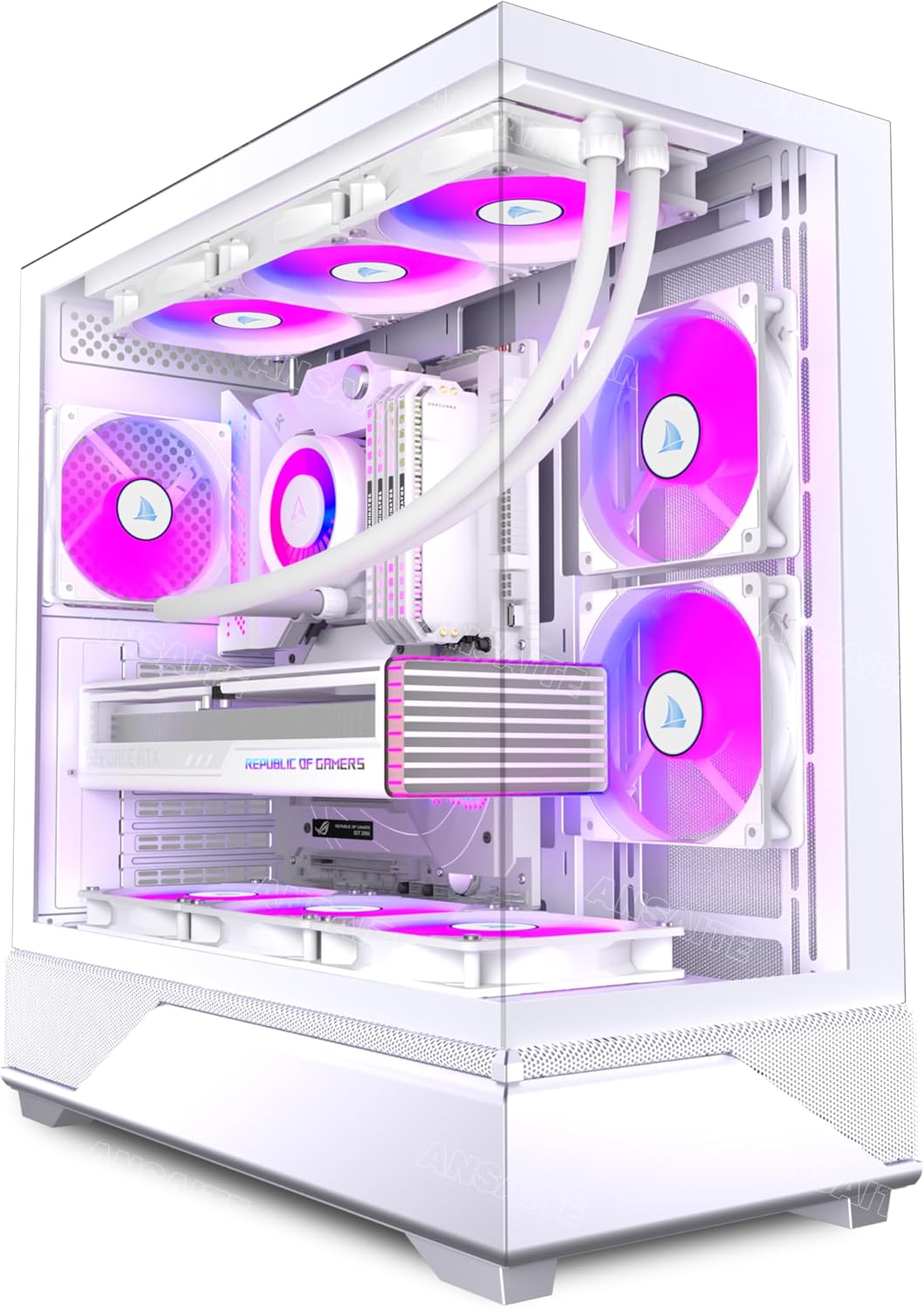
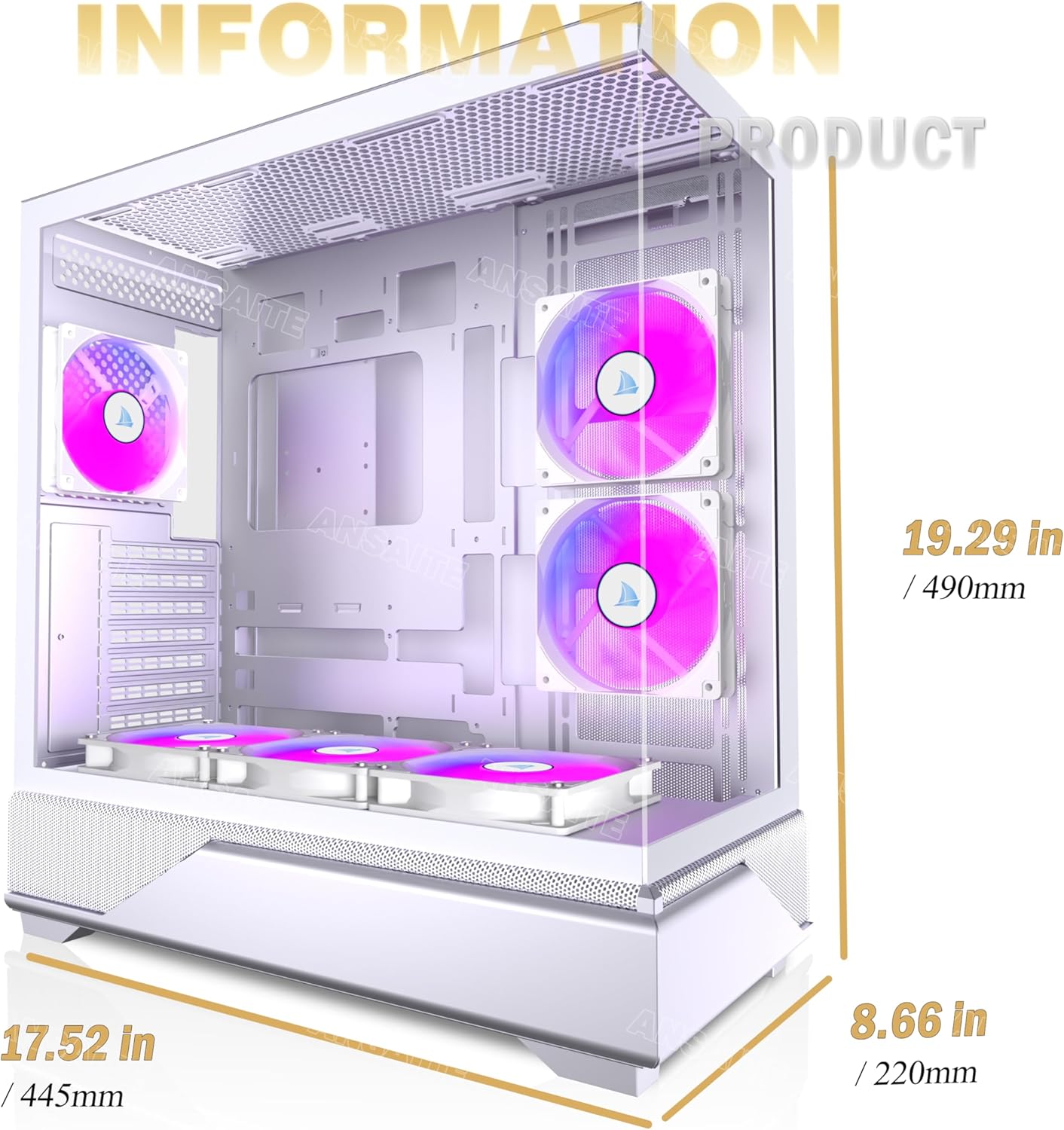
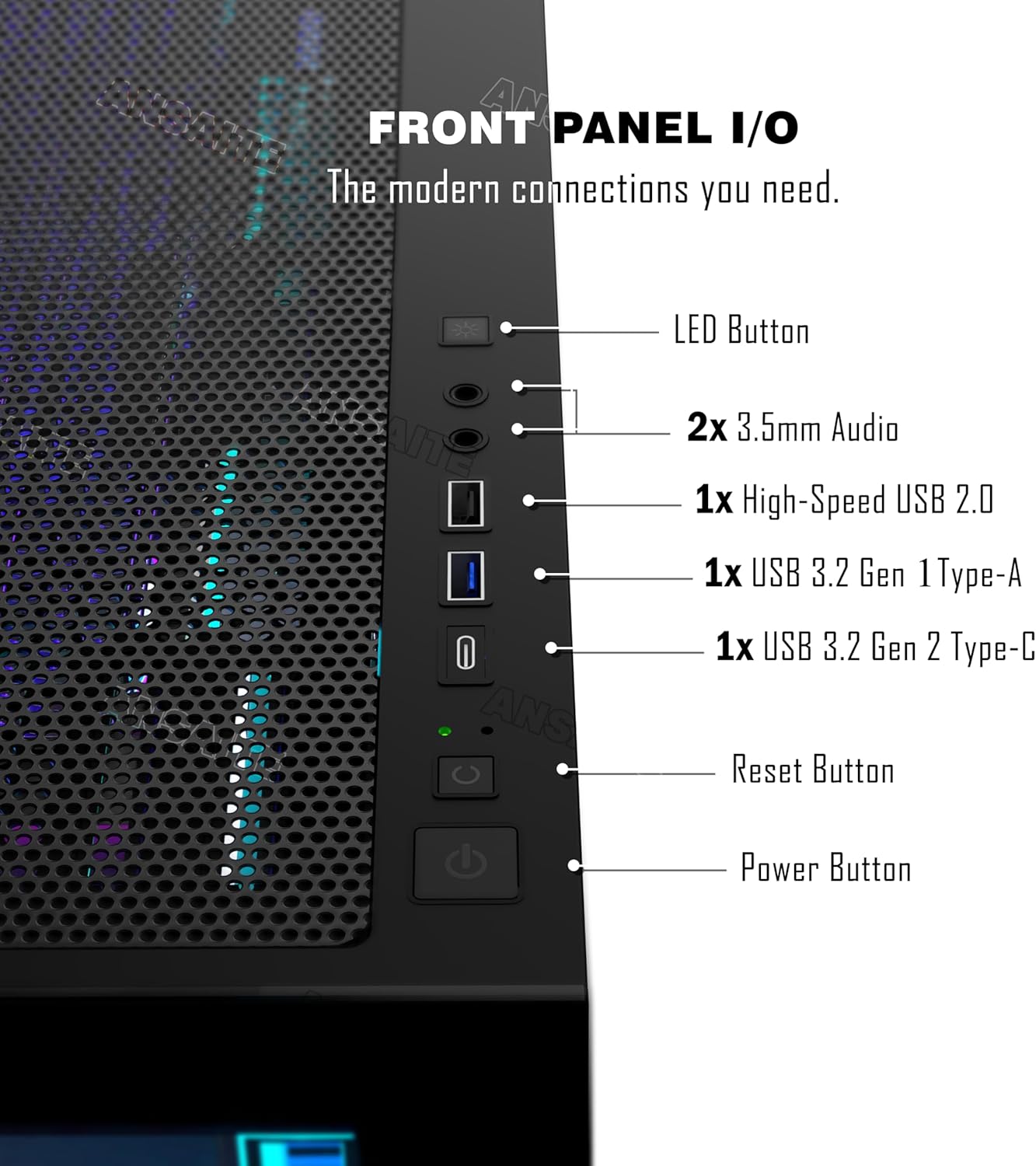
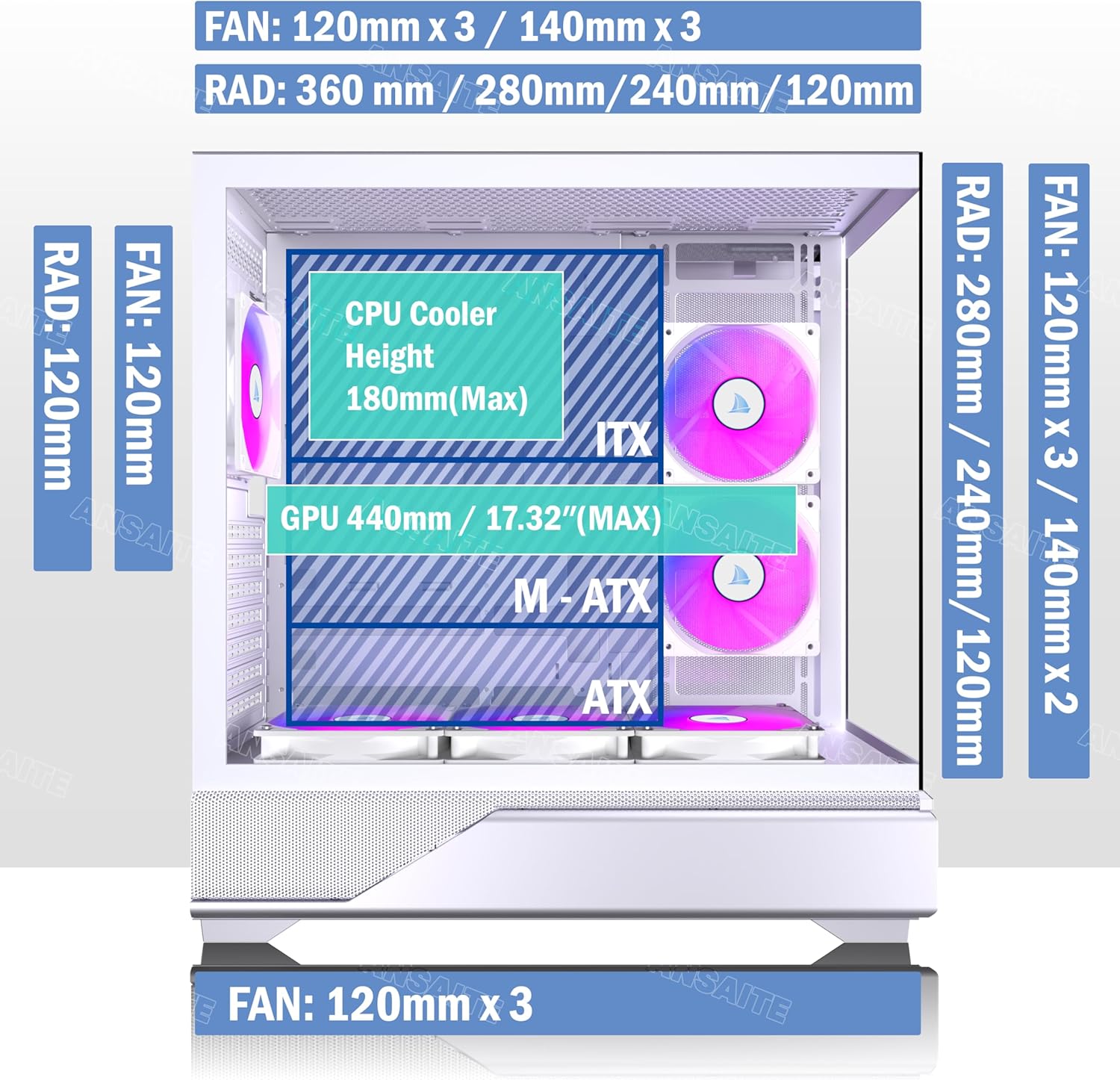
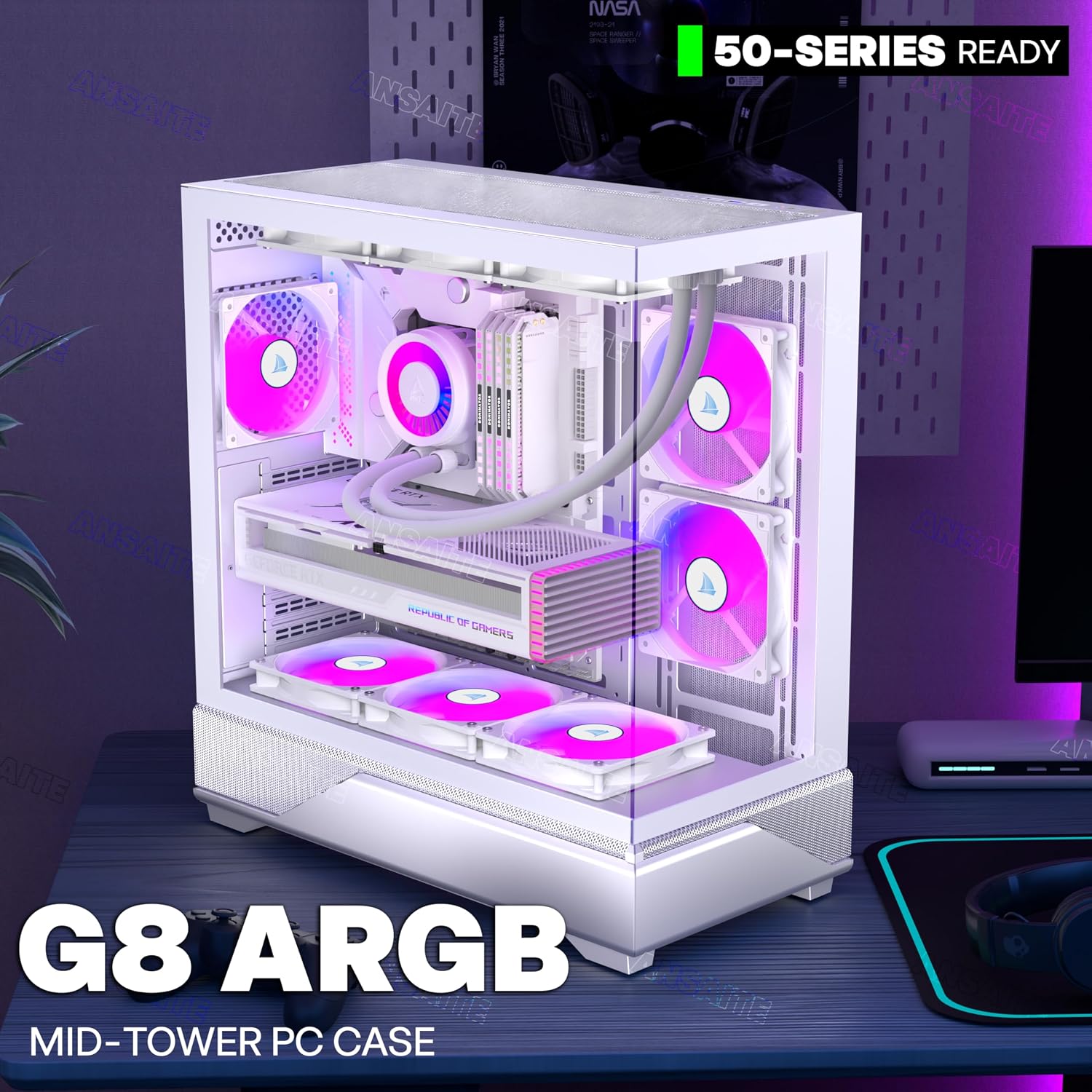
What it is and who it suits\nThe ANSAITE ATX PC Case is a mid-tower chassis designed for gaming and productivity setups. Pre-installed with six 120mm PWM ARGB fans, it aims to offer both striking lighting and robust cooling. If you prioritise a visually engaging build without sacrificing airflow, this case could be worth considering for a hobbyist or mid-range gaming rig.\n\n## Design and visibility\nA distinctive feature is the 270° panoramic view created by fully glass-covered front and side panels. Diamond-cut edges add a refined aesthetic, making the internal hardware more visible from multiple angles. This design choice suits environments where a side‑lit build or a showroom-like setup is desirable, though it may attract more fingerprints and dust on the glass.\n\n## Cooling and airflow\nThe case ships with anti‑vortex blade fans and lets you control fan speeds via motherboard software, with a focus on stable intake and effective cooling. The six included ARGB fans aim to deliver uniform lighting and airflow, potentially improving longevity by maintaining better operating temperatures. If you’re building a system that generates heat under load, the pre‑installed fans can be convenient, but you’ll want to ensure your CPU cooler and GPU don’t obstruct airflow through the case.\n\n## Cable routing and simplicity\nA notable convenience is the large space behind the motherboard tray for hiding cables, helping to keep the interior tidy and improving airflow. The case relies on a simple +5V ARGB header from the motherboard to manage lighting, reducing the need for an extra controller. This can simplify wiring for a clean build, though it does mean lighting control is tied to compatible motherboard software.\n\n## IO and expandability\nExternal interfaces include USB 3.0 and Type‑C ports for modern peripherals, plus a Reset and Audio header to cover common daily needs. The interior design supports a wide storage setup with multiple HDD and SSD slots and a generous overall capacity, which is helpful if you plan to add drives over time. If you foresee upgrading storage frequently, the layout should accommodate it without major reconfiguration.\n\n## What to check before buying\n- Confirm your motherboard and PSU clearance aligns with the interior dimensions and the space behind the tray for cable management.\n- Consider whether you want independent ARGB control through software or via a dedicated controller, in this model lighting is driven through a 5V header.\n- Check if your GPU/CPU cooler fits without obstructing airflow or the glass panels.\n- Think about maintenance: glass panels, despite quick-release features, will require regular cleaning to keep the panoramic view clear.\n\n## Who it’s for\nIdeal for PC builders seeking a visually striking case with ample cooling capacity and a straightforward lighting setup, without investing in separate fans or controllers. It suits users who value a transparent aesthetic for showcase builds or gaming rigs that stay within a mid‑tower footprint. It may not be the best choice if you prioritise complete silent operation or if you prefer a minimal, matte aesthetic with fewer visible panels.\n\n## Practical usage example\nImagine a mid‑tier gaming PC with a high‑refresh monitor setup. The ANSAITE case keeps temperatures in check thanks to six pre‑installed ARGB fans, while the panoramic glass lets the internal components shine under RGB lighting. The streamlined cable routing helps you achieve a neat build, reducing clutter around the motherboard area.\n\n## Pros and cons at a glance\n- Pros: six pre-installed PWM ARGB fans, panoramic glass front and side, solid cable routing space, Type‑C port on the front panel, straightforward lighting via motherboard header.\n- Cons: lighting relies on the motherboard’s ARGB header, some users may want separate control without software dependence. Glass panels require regular cleaning and fingerprint management.\n\n## FAQ (practical answers)\n- Can I replace the fans with non‑ARGB units if I want a plain look? Yes, you can run non‑ARGB fans, but you would lose lighting effects.\n- Is it easy to upgrade storage later? The chassis offers multiple HDD/SSD slots and ample space for expansion.\n- Do I need a special power supply for ARGB lighting? Not specifically, lighting is powered through the 5V ARGB header from the motherboard.\n\n## Final thoughts for decision making\nIf you value a bold, modern appearance with plenty of cooling headroom and straightforward lighting control via the motherboard, this case aligns with those needs. It’s a sensible pick for a mid‑range build where aesthetics and airflow matter, but if you’re chasing near‑silent operation or a minimalist look, you might prefer a simpler chassis and lighting setup.\n\n## Is it worth it?\nWorth considering if you prioritise visible hardware, efficient cooling and a future‑proof interior, provided your motherboard supports ARGB control and the dimensions fit your components.