

NEWMEN GM325Pro Wired Mechanical Gaming Keyboard
Reviews
Price
Product description
What it is
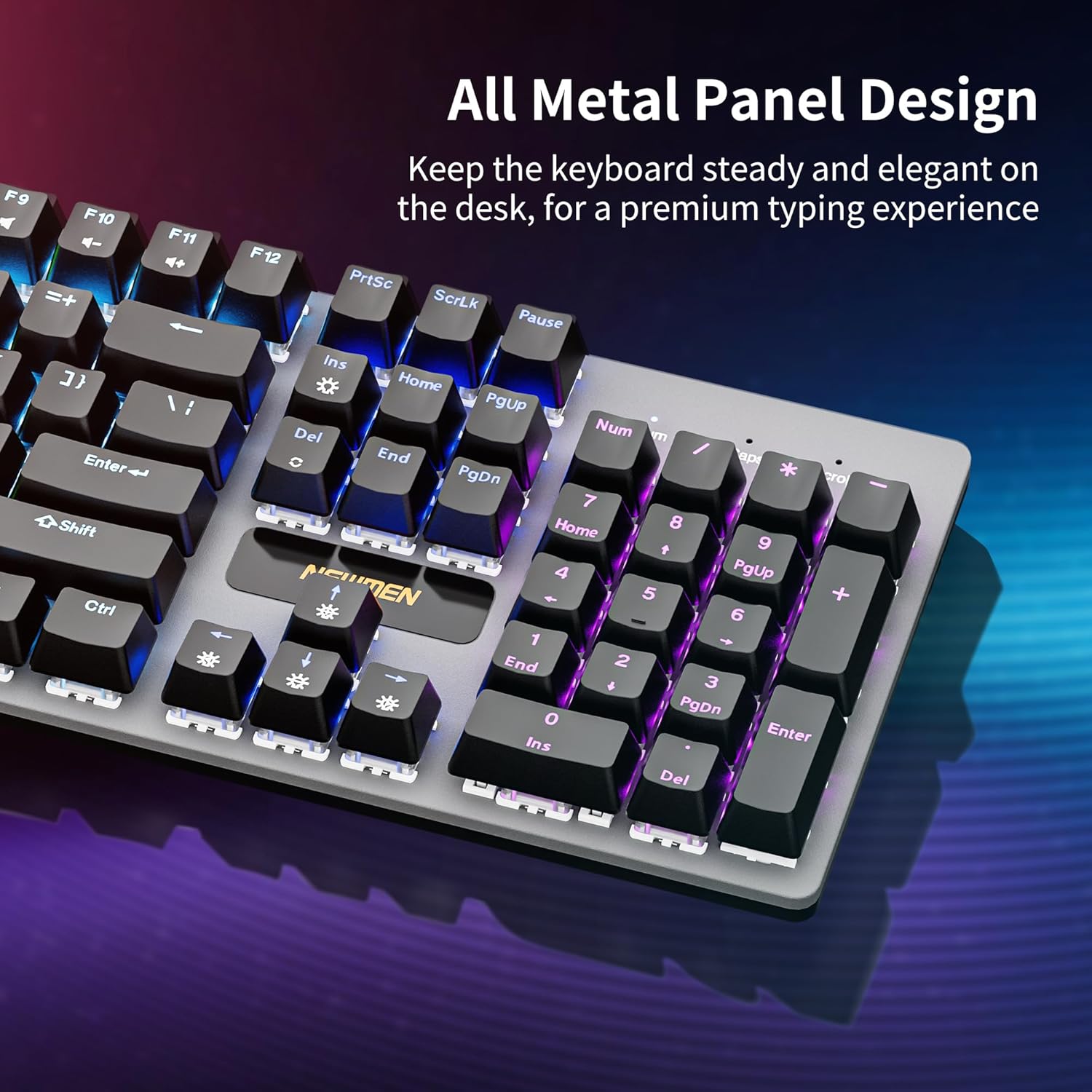
The NEWMEN GM325Pro is a full-size wired mechanical keyboard designed for gaming and everyday typing. It pairs a durable metal top panel with a 104-key US QWERTY layout, aiming to combine robust build quality with a familiar, classic typing experience. The keyboard uses red switches for a linear, quiet keystroke and includes a detachable 1.8 m USB-C wired connection for straightforward setup.
Design and build
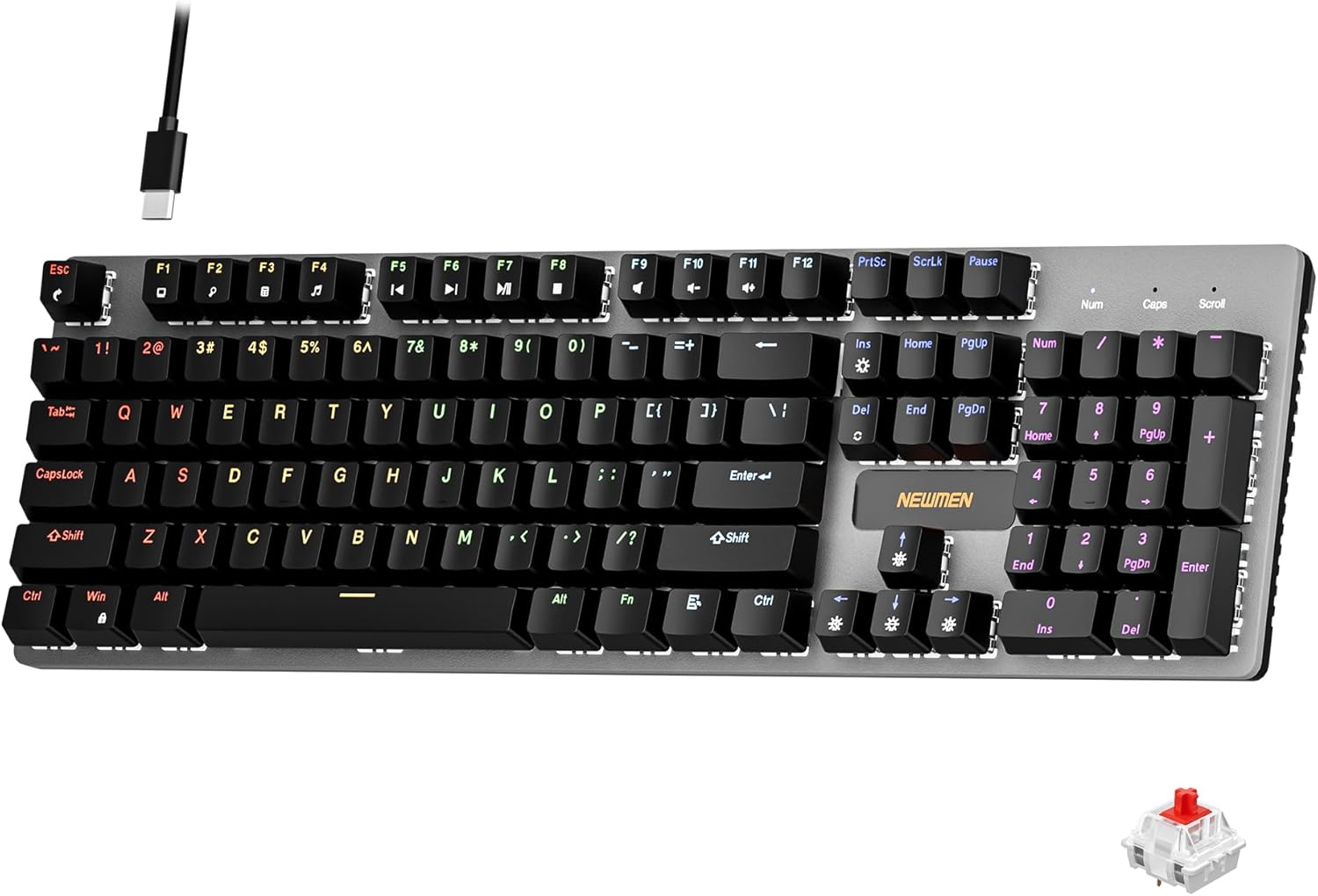
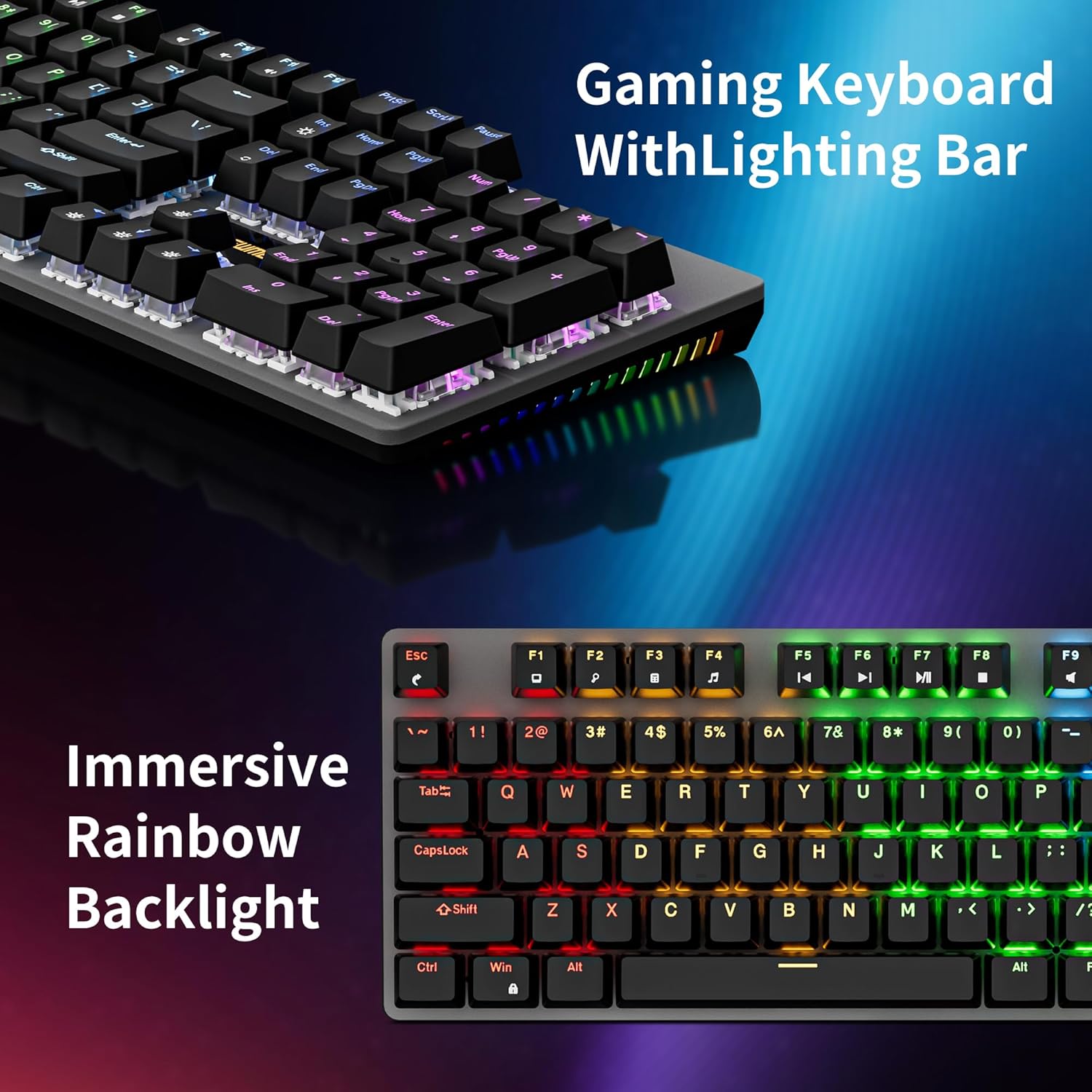
On the surface, the metal top panel gives a sturdier feel than many plastic keyboards in this price tier. The full-size layout means you won’t miss a dedicated function row, and the keyboard is compatible with PC and Windows environments. The LED backlighting includes 13 preset rainbow modes and dynamic RGB side lighting, which helps create an immersive gaming ambience or simply a more legible setup in low light. While the lighting looks appealing, it’s important to note that power draw and brightness effects can impact battery life if used with portable devices, though this is less of a concern with a wired keyboard.
Performance and typing feel
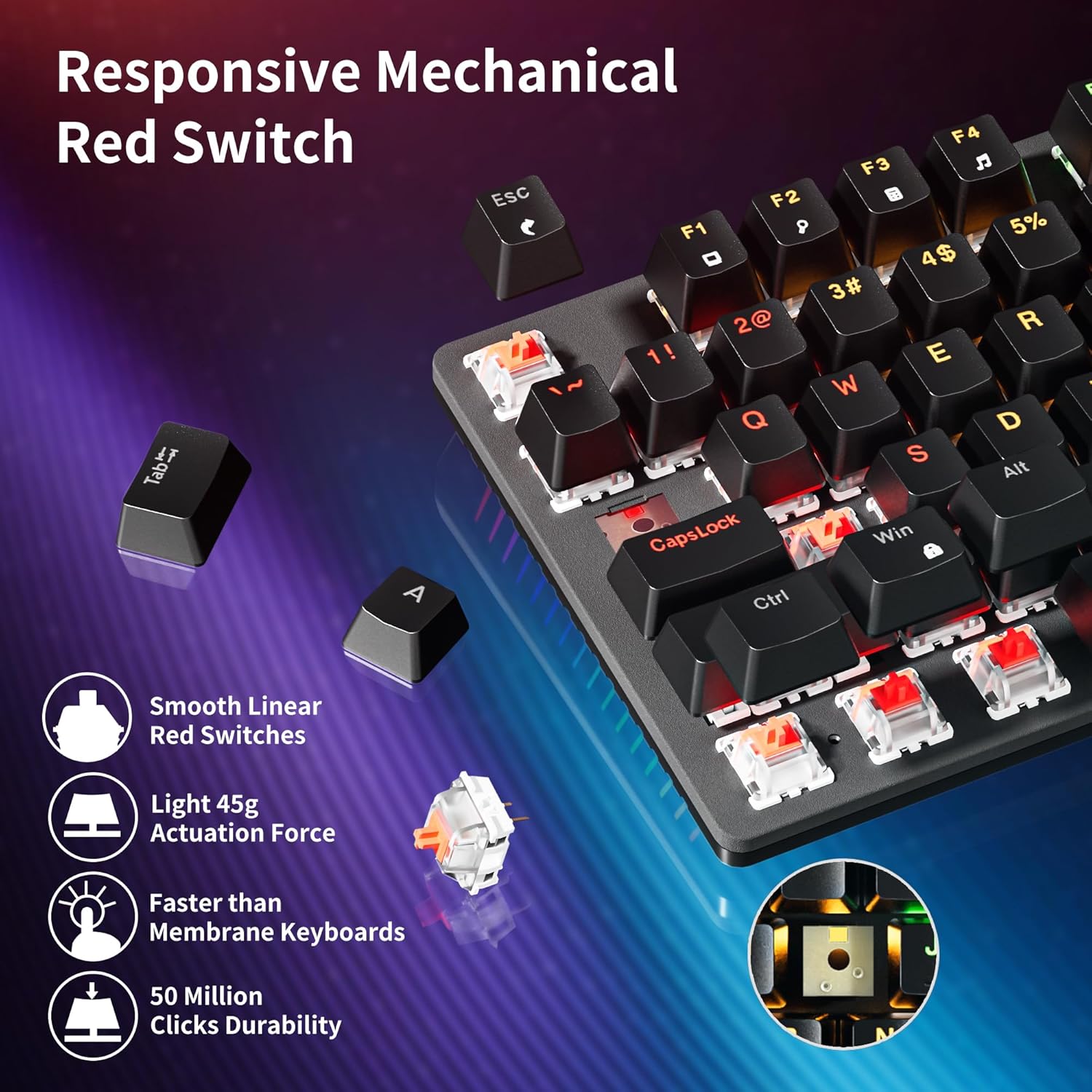
The GM325Pro uses quiet red switches, offering a linear travel with smooth actuation and reduced noise compared with tactile or clicky options. This makes it attractive to gamers who prioritise rapid, uninterrupted keystrokes and to typists who want a softer bottom-out. A key selling point is full key rollover with anti-ghosting, every press should register even during fast, multi-key combinations. This is the kind of feature you’d expect for competitive play or intense multitasking, though it’s worth remembering that switch feel is a personal preference and not everyone will love linear reds if they favour tactile feedback.
Connectivity and software
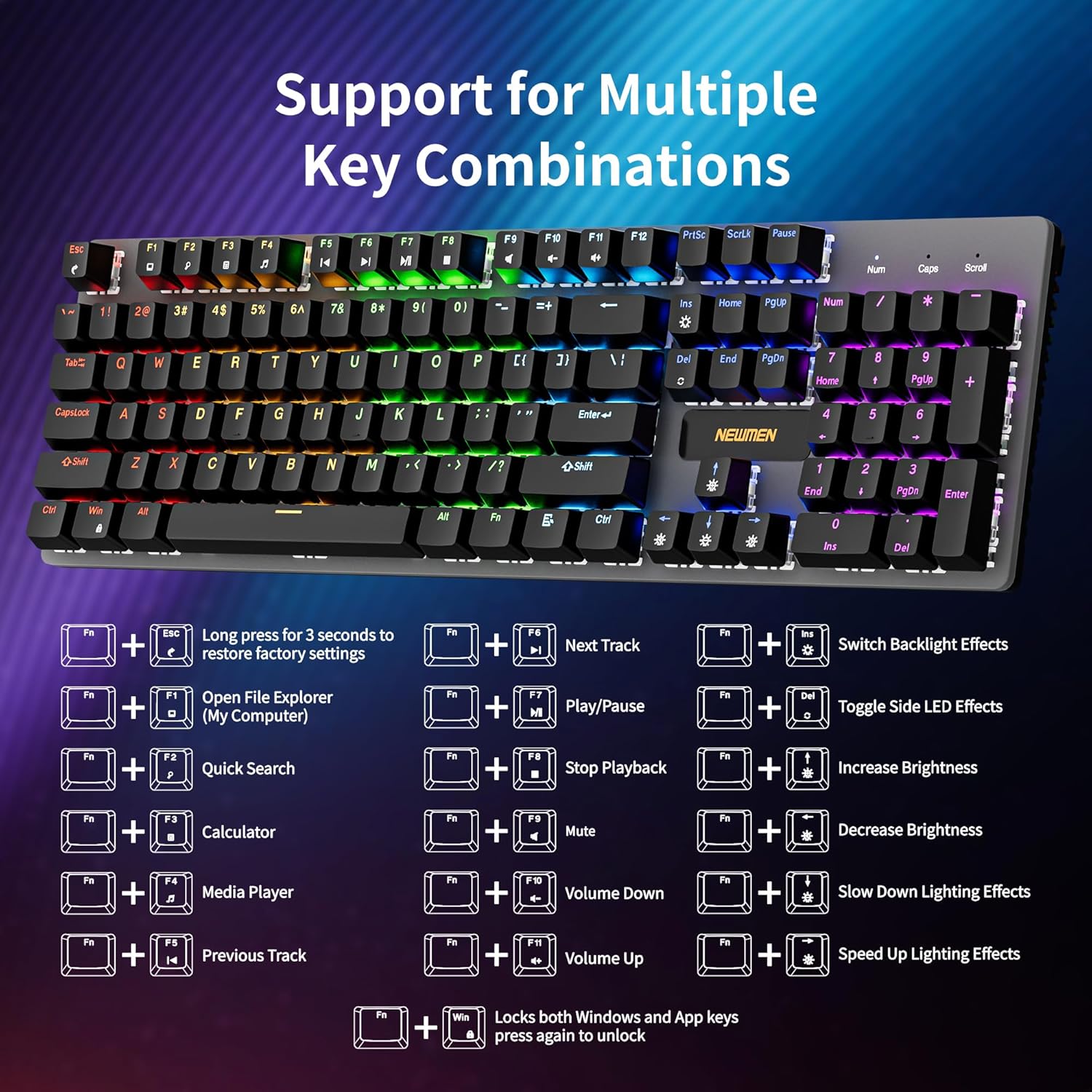
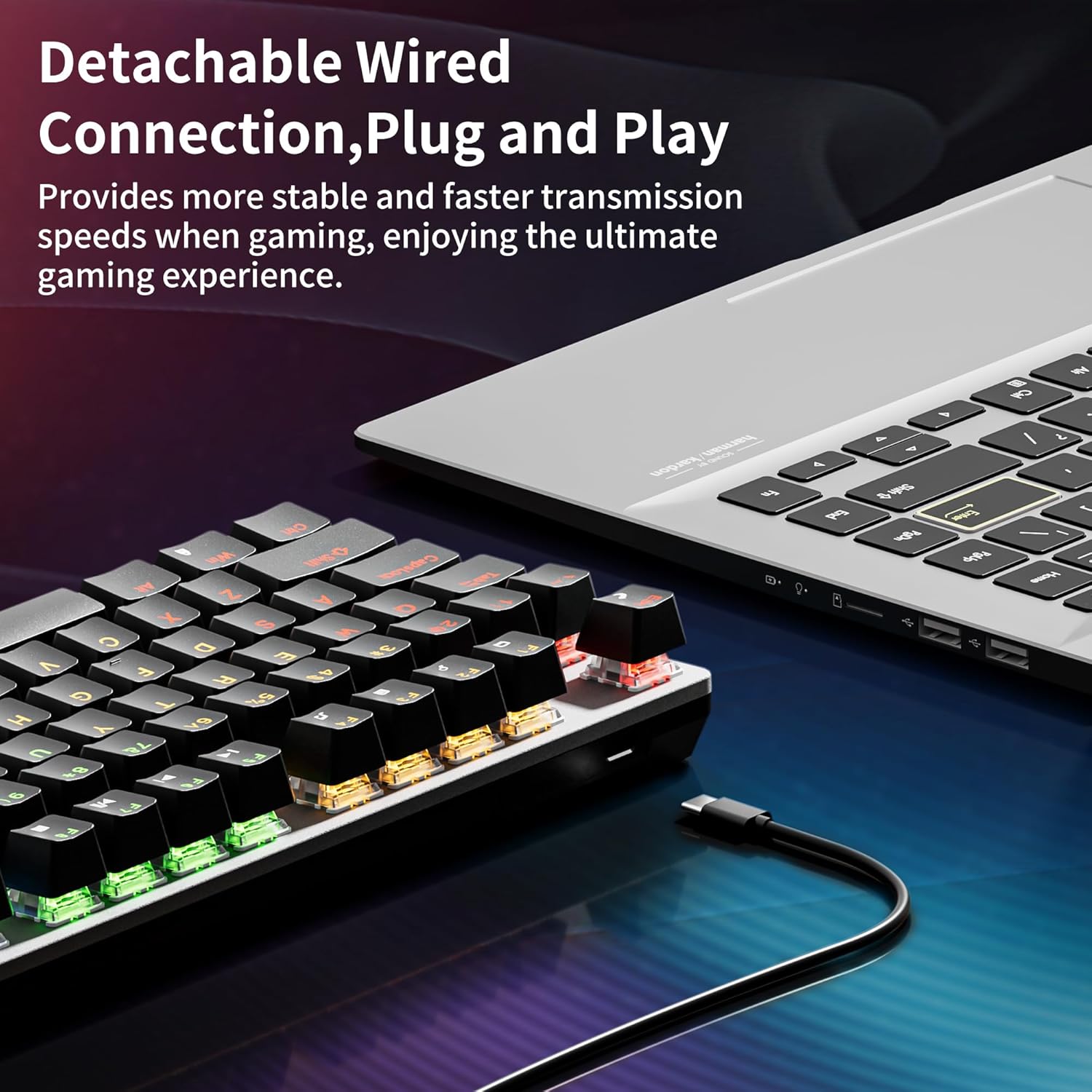
Direct wired USB-C connectivity guarantees a plug-and-play experience with minimal setup fuss. The detachable 1.8 m cable adds portability and reduces desk cable clutter for LAN sessions or shifting between rooms. The keyboard also supports FN shortcuts for common media controls and quick access tasks. Optional software enables key remapping and macro recording, which can be useful for those who want customised profiles for different games or productivity flows. However, the software's ease of use and stability can vary by system, so a cautious approach to initial configuration is sensible.
Who it’s for
This keyboard sits comfortably in a space where you want a sturdy, full-size mechanical option without venturing into premium prices. It suits PC gamers who value a quiet keystroke and reliable performance, office users who appreciate a robust metal chassis, and those who prefer a straightforward wired setup over wireless. If you value strong build quality, quick access to media controls, and customisation through software, the GM325Pro checks several boxes. If, on the other hand, you prioritise a tactile or clicky switch experience, or you need wireless connectivity, this model may feel limited.
What to watch before buying
- Switch preference matters: red linear switches are smooth and quiet but lack tactile feedback. If you want feedback with a discernible bump, you might prefer a different switch style.
- Lighting effects are pleasant, but they can be a distraction if you’re aiming for a minimal desk setup or do a lot of low-light work without gaming.
- Software for remapping and macros is helpful, yet not universally praised for simplicity or reliability. Expect to spend a little time setting up if you want customised layouts.
- The full 104-key layout is only as useful as your workflow, if you rely heavily on a compact board, this model may feel unwieldy.
Pro and con in practice
Pros: solid metal chassis, full-size layout, quiet and smooth keystrokes, reliable anti-ghosting, flexible lighting, detachable cable for portability. Cons: switch choice may not suit everyone, software can be finicky, lighting modes add complexity rather than necessity for some users, wired only.
Practical use case
Imagine you’re building a desktop setup for late-night gaming and streaming. The GM325Pro offers a dependable typing experience for long sessions, with a robust chassis that won’t flex under heavy key presses. In gaming, anti-ghosting helps when you’re pulling off rapid multi-key combos, while the software lets you tailor macros for a recurring FPS loadout or an office workflow. The LED ambience adds a bit of atmosphere, especially on a dimly lit desk, without becoming a visual distraction.
Is it worth it? Final verdict
If you prioritise durability, a full-featured keyboard with a metal top panel, and a quiet, linear switch profile, the GM325Pro is a solid candidate in its price range. It isn’t perfect for everyone—those seeking a tactile or clicky feel, wireless operation, or a minimalist form factor may want to look elsewhere. For a pragmatic buyer, this keyboard offers credible value: sturdy build, reliable performance, and useful software options for personalised setups. Consider it if these points align with your gaming or office needs and you don’t require wireless capability.

FAQ
- Do the RGB effects affect everyday typing? They’re primarily cosmetic in idle use, performance isn’t noticeably impacted, but lighting brightness can draw more power in portable configurations.
- Are the keycaps standard? The keyboard uses a full-size layout with standard US QWERTY keys, compatibility with non-standard layouts isn’t specified.
- Can I use it for casual typing and work? Yes, the 104-key layout plus anti-ghosting makes it usable for daily tasks, though the user may prefer alternative switches for long-form typing if sensitivity differs.
Quick reference
- 104-key full-size layout with metal top panel
- Red switches for quiet, smooth keystrokes
- 13 preset rainbow LED modes and RGB side lighting
- Detachable 1.8 m USB cable, USB-C connection
- FN shortcuts with optional software for remaps and macros
Buyer's note
If you’re after a well-built, budget-friendly mechanical keyboard with a keen eye for gaming features, the GM325Pro offers a sensible balance between build quality and functionality. It’s a practical step up from basic membrane devices, without leaping into premium pricing. Consider your preference for switch feel and whether wired reliability fits your setup.