

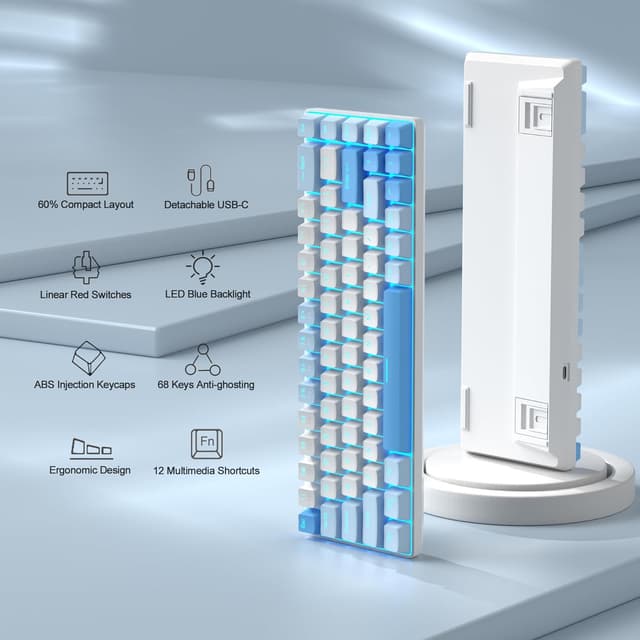
MageGee Portable MK-BOX 60% Mechanical Keyboard (68 keys, Red switches) with Sky Blue RGB backlight
Product description
The essentials
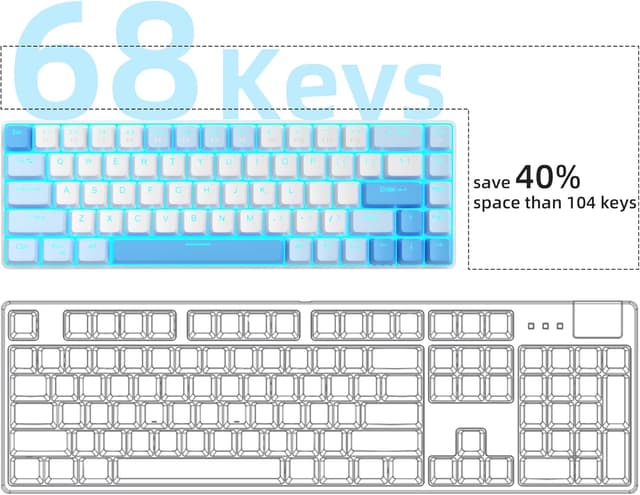
If you want a compact mechanical keyboard that still keeps the arrow keys and function row, the MageGee Portable MK-BOX is a 60% style wired option worth putting on your short list. On paper, it’s built around space-saving: a 68-key layout in a small, portable frame, with red linear switches aimed at smooth, quick keystrokes.
It’s also positioned for mixed use. The idea here is that you can use it at a desk for work, but you’re not completely stuck if you need something more travel-friendly for a laptop setup. That “portable” angle matters, because with compact boards you’re often trading away convenience, this one tries to keep arrows plus F1–F12 via an Fn layer.
That said, it won’t suit everyone. If you’re expecting a fully standard full-size keyboard experience, you’ll be dealing with a smaller layout and the Fn layer for secondary functions. And while the backlighting is described as customisable with multiple modes, you should consider whether you actually need RGB effects or whether something simpler would do.
Key points

This keyboard keeps the core mechanical feel in a compact 68-key layout. The red switches are linear and smoother, with fast action rather than a tactile “bump”. It includes sky blue RGB backlighting with multiple modes you can tweak via Fn shortcuts. Full anti-ghosting is claimed across all 68 keys, which is useful if you game or type quickly. USB wired setup is designed to be plug and play on Windows, Linux and Mac.
A small detail that stands out in the description is the arrow keys and F1–F12 being available as part of the compact layout (rather than being fully sacrificed). That’s often the difference between a compact board you can live with and one that gets irritating after a few days.
What you’ll notice day to day

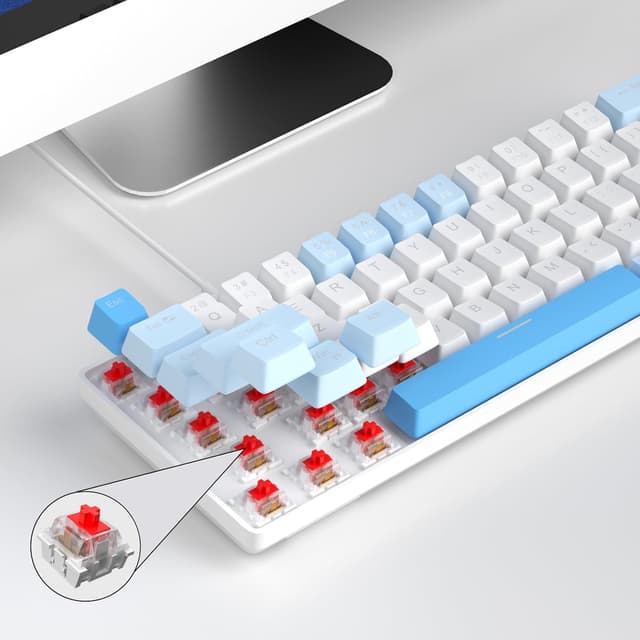
The red mechanical switch choice will feel like the product’s main personality. Linear switches are typically chosen by people who prefer smooth presses and faster key actuation without a tactile bump. If you do a lot of tapping for gaming or rapid typing for work, that “easy to tap” behaviour is the main reason you’d look at this model.
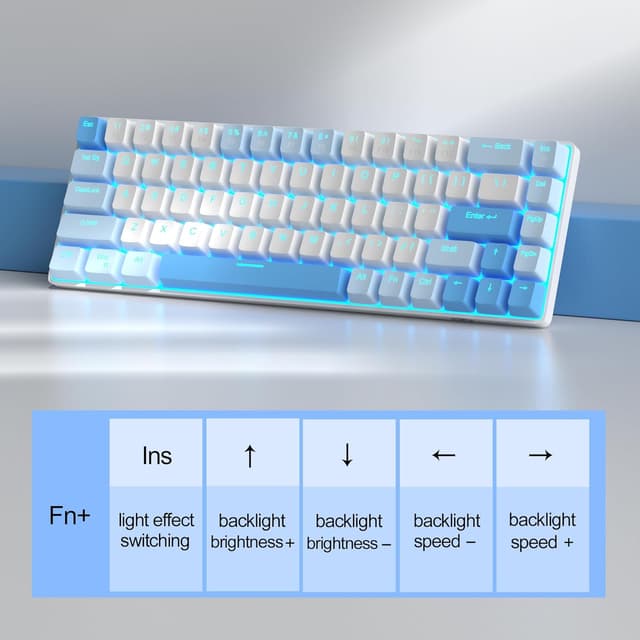
The background you’ll see most often is the sky blue RGB backlight. The description suggests around 16 backlight modes, with Fn + Ins for control, Fn + left/right arrows for speed, and Fn + up/down for brightness. In practice, this means you can adjust the feel of the board visually without needing any software.
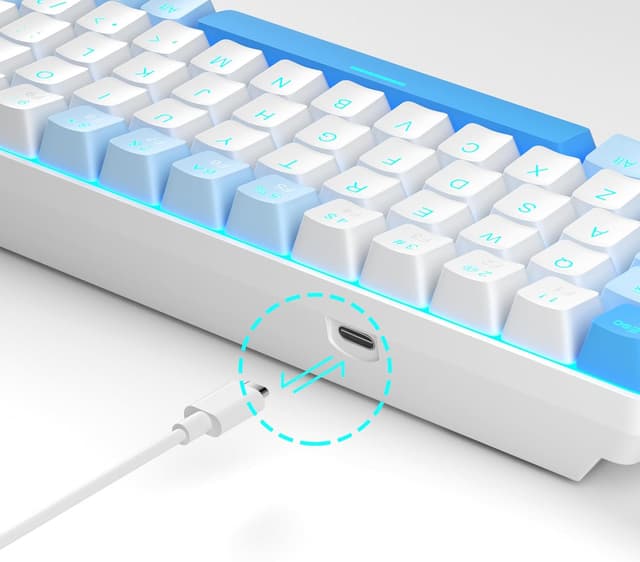
There’s also a practical design mix: double kickstand feet with an adjustable typing angle, plus a detachable USB cable. Those aren’t the headline specs, but they’re the sort of things that make a keyboard more convenient in a real desk setup or when you take it between work and home.
The tech basics (so you’re not guessing)
Spec sheet
- Type: Wired mechanical keyboard (portable 60% style)
- Keys: 68 keys
- Switch type: Red mechanical switches (linear, smoother action)
- Backlight: Sky blue RGB backlit, with around 16 backlight modes
- Anti-ghosting: Full anti-ghosting (no key conflicts across 68 keys, as stated)
- Layout notes: Separate arrow keys and F1–F12 accessible via compact layout/Fn functions
- Connection: USB 2.0, plug and play
- Compatibility: Windows (2000, XP, ME, Vista, 7, 8), Linux, Mac
- Cable: Detachable USB cable (as stated)
Where it shines
This keyboard makes the most sense if you specifically want a compact mechanical board with a 68-key compromise layout: smaller than full-size, but not so minimal that you lose arrows and the F1–F12 row.
It also suits people who want a simple wired setup with broad OS compatibility and no driver or software requirement. If you’re moving between systems (for example, a Windows laptop at work and a Mac at home) this kind of plug and play claim can be a deciding factor.
For gaming use, the anti-ghosting claim across all 68 keys is the sort of feature you’d look for if you’ll be doing fast, multi-key input. For office work, the compact form and adjustable angle can be a nice upgrade over the “flat and fixed” feel of cheaper, basic boards.
Not the best choice if…
It might not be for you if you need a full-size layout with dedicated F-keys and arrows without any Fn involvement. Compact 60% style layouts can take a little adjustment, even when arrows are present.
Also, if you dislike backlighting or feel like you’ll never touch lighting modes, the RGB feature may not add much value for you. And while the description points to a linear feel with light resistance, the exact sound and feel can be personal—red switches are smooth, but not everyone finds them “quiet” in the way they expect.
Is it worth it?
Worth buying if you want a wired, compact mechanical keyboard that keeps arrows and F1–F12 in a 68-key layout, and you like the idea of red linear switches for quick, smooth keystrokes. It’s also a sensible pick if you want broad compatibility (Windows, Linux, Mac) and a plug and play experience, with backlighting controls handled through Fn shortcuts.
You may want to skip it if you’re looking for a full-size keyboard experience, or if you know you won’t cope with a smaller layout and compact Fn-based functions. It’s more of a practical, space-saving mechanical board than something aimed at people who want maximum keys and minimal learning curve.
Mini FAQ
Does it need drivers or software?
The description says it’s plug and play with no drivers or software required.
What switch type is it using?
It uses mechanical red switches, described as linear and smoother with fast action.
Can you control the backlight without software?
Yes—controls are described via Fn + Ins for mode control, and Fn + arrow keys for speed and brightness.
Is it compatible with Mac and Linux?
The description states compatibility with Windows (including several versions), Linux and Mac via USB 2.0.
How portable is it really?
It’s designed as a portable 60% style compact keyboard, with detachable USB cable and adjustable kickstand feet mentioned in the description.