


Corsair iCUE LINK TITAN 360 RX LCD Liquid CPU Cooler – 360mm AIO with FlowDrive and iCUE LINK System Hub
Product description
What it is and who it’s for
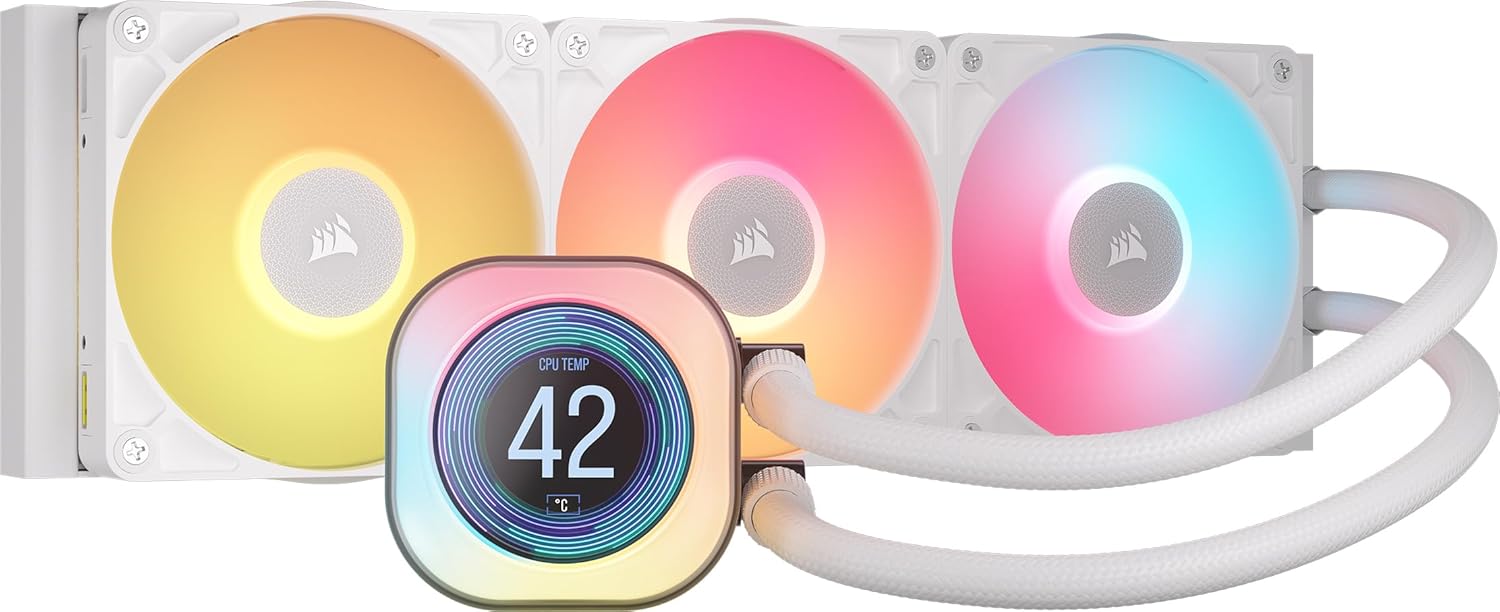
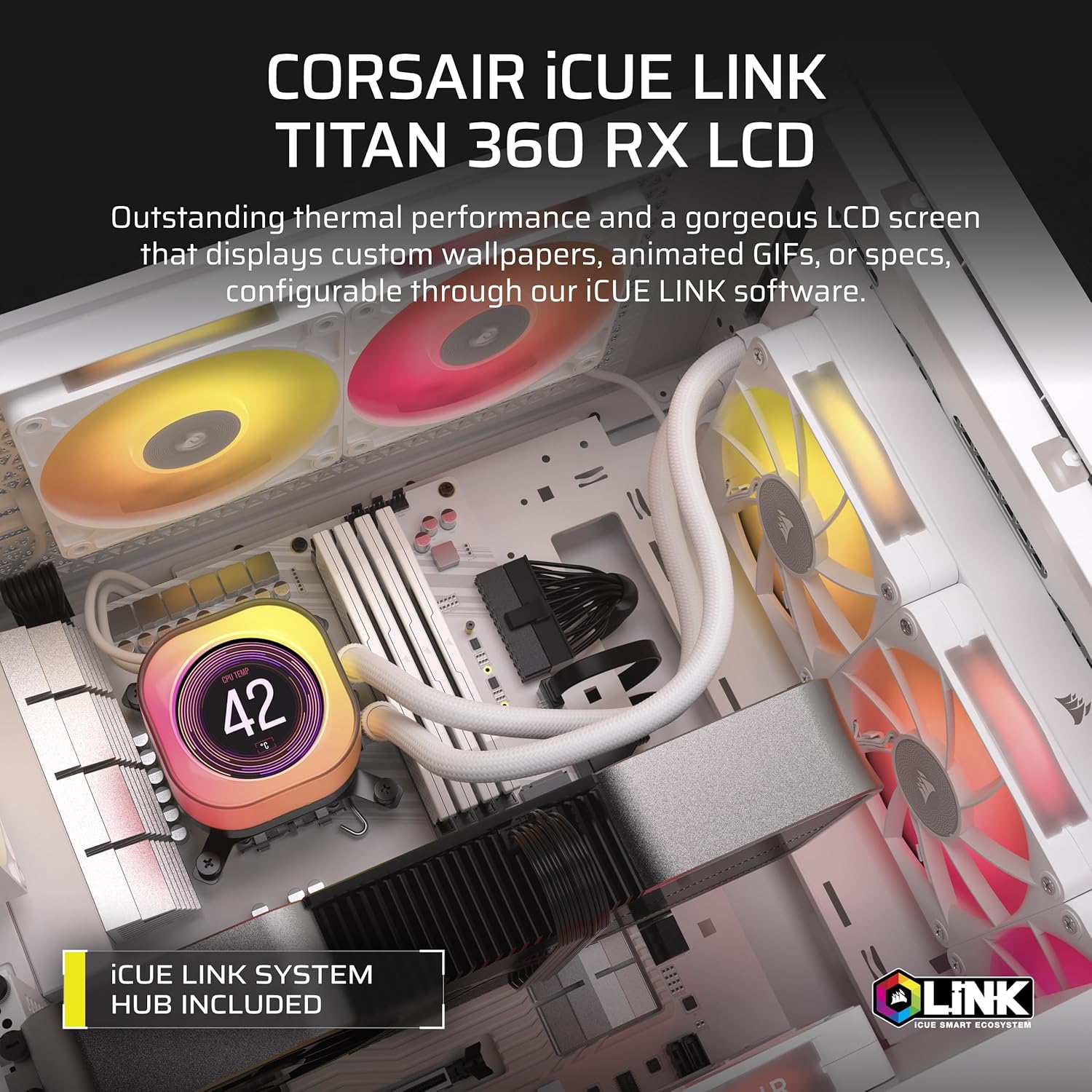
The Corsair iCUE LINK TITAN 360 RX LCD is a high-performance all-in-one (AIO) liquid CPU cooler designed for enthusiasts who want a compact, cohesive cooling solution that minimises cable clutter. It combines a 360mm radiator with three pre-mounted RX RGB fans and a 2.1” IPS LCD display, all powered by Corsair’s FlowDrive cooling engine. If you’re building a mid-to-high end system and value streamlined installation, real‑time monitoring, and customisation via iCUE LINK, this kit is worth considering.
How it works in practice
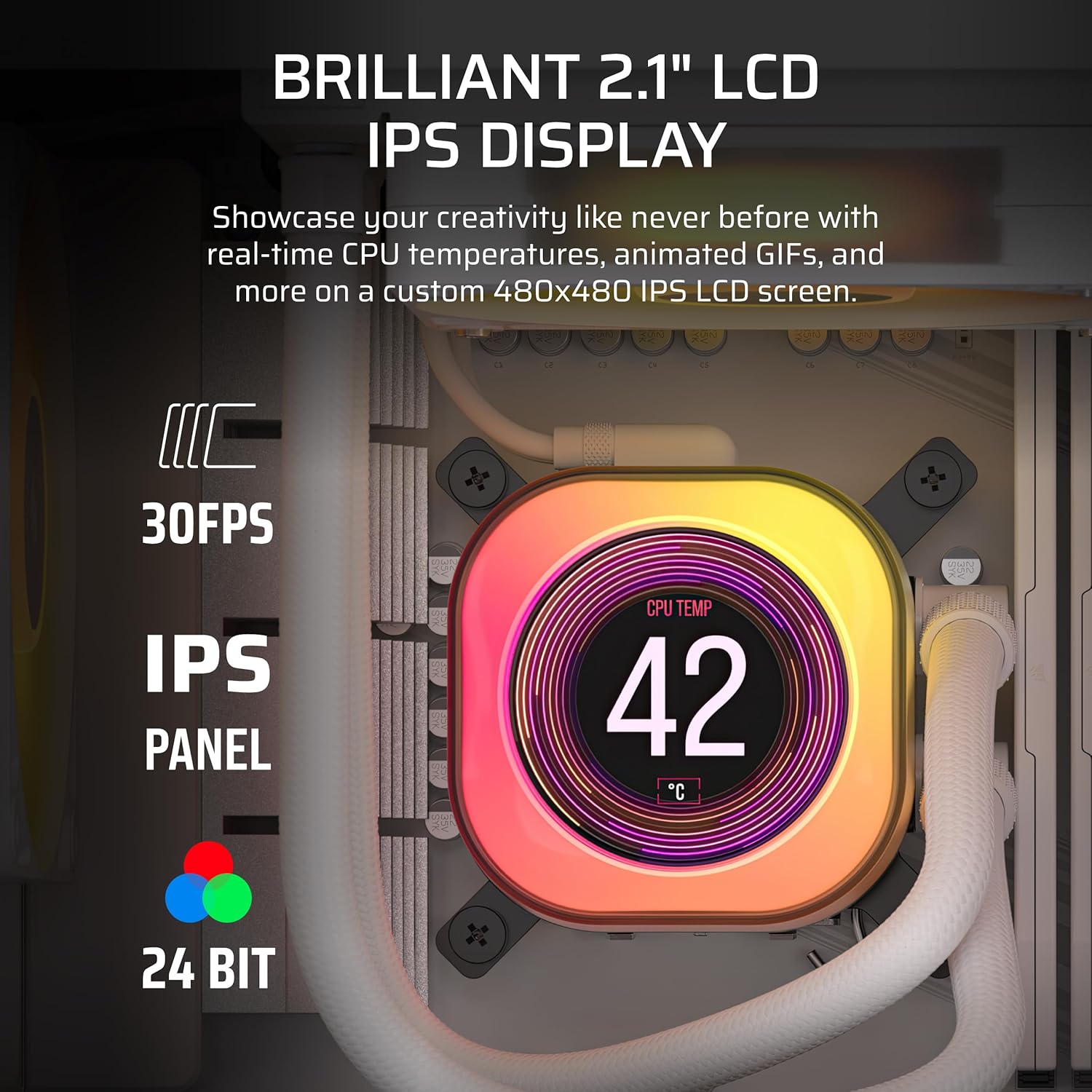
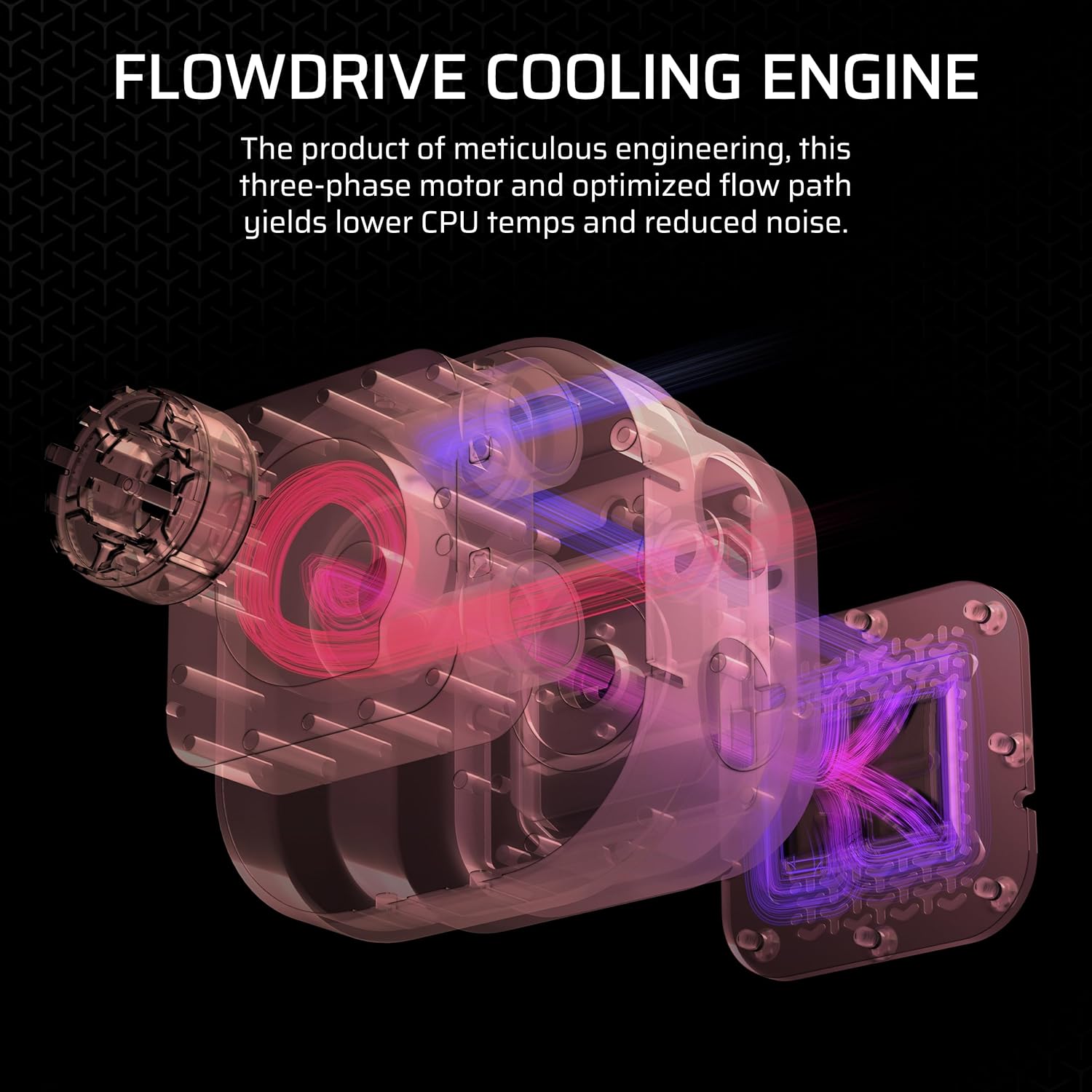
At the heart of the unit is FlowDrive, a three‑phase pump paired with a precisely engineered cold plate to maximise contact with the CPU’s heat spreader. The result is dependable heat removal with a focus on low noise for day-to-day use and longer gaming sessions. The LCD panel gives you live CPU temperature and a chance to display a logo, meme, or favourite image at up to 480x480 resolution with vibrant backlight. This is useful for quick visual feedback without peering at software, but whether the LCD proves essential depends on how much you value direct on-rid display rather than software dashboards.
What stands out on paper
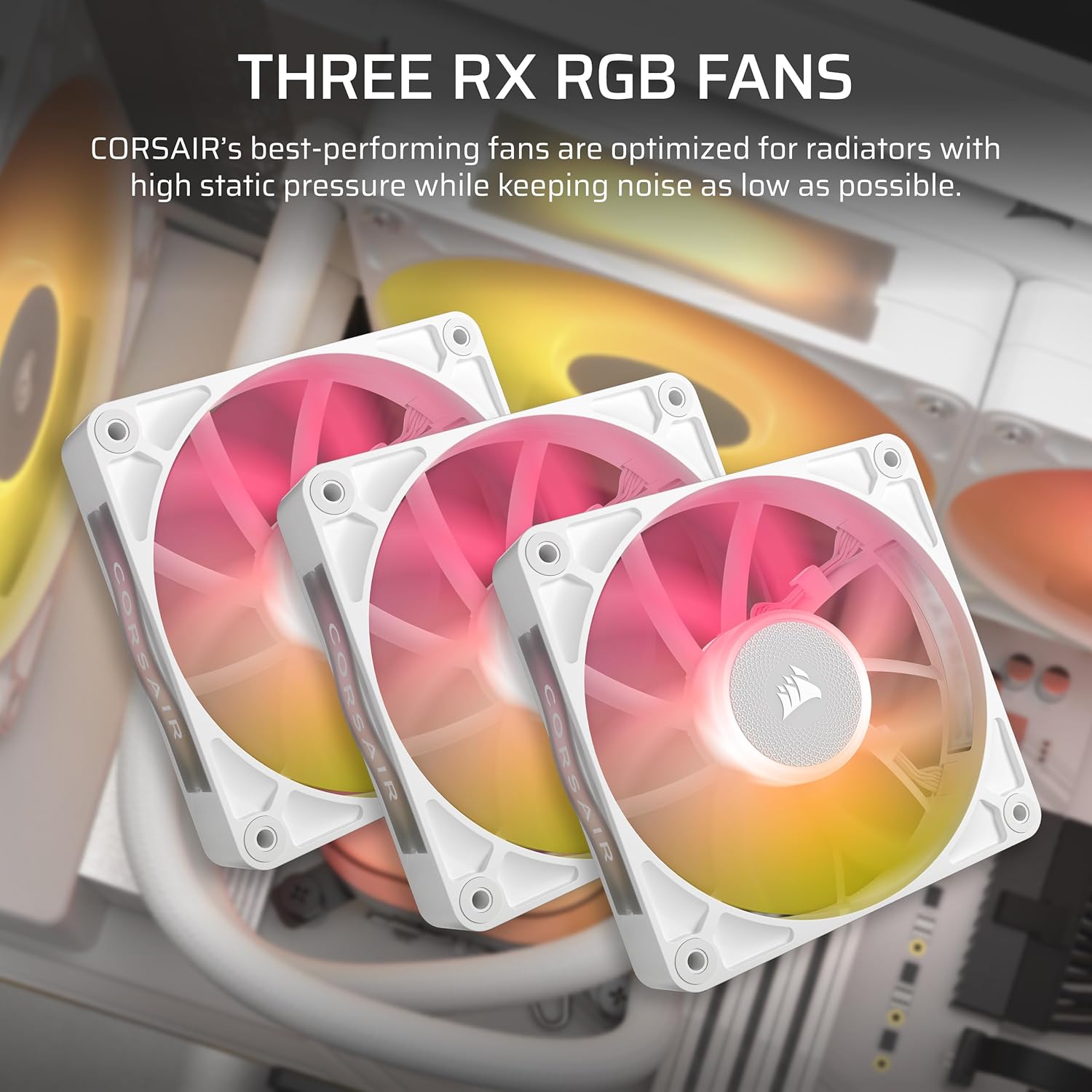
- 360mm AIO with three RX120 RGB fans tailored for high airflow and strong static pressure on radiators.
- iCUE LINK ecosystem enables cascading connections via a single port on the included System Hub, aiming to reduce clutter and simplify builds.
- The RX RGB fans utilise AirGuide technology and Magnetic Dome bearings, which Corsair markets as supporting both cooling performance and quieter operation.
- The display is sizeable for a case‑side glance and can be customised with images or status reads, which is a nice touch for themed builds.
What to know before you buy
If you prioritise simplicity, the idea of a single hub powering multiple components through iCUE LINK can streamline installation, but it’s worth confirming your case and motherboard layout will accommodate a 360mm radiator and three fans without crowding other components. Also consider whether you’ll actively use the LCD display for monitoring or just leave it as a visual feature, in busy builds, software monitoring can often suffice.
Strengths in day-to-day use
The kit is designed for quieter operation without sacrificing performance, which makes it a sensible option for mid‑to‑high end CPUs that generate substantial heat under load. The 360mm radiating surface should keep temperatures in check for many mainstream to enthusiast level processors, especially in cases with good airflow. The iCUE LINK Simplified connectivity is a persuasive point if you’re aiming for a tidy build with fewer loose cables, and the system hub is convenient for future expansions.
Potential limitations or trade-offs
Not every user needs the LCD display, for some, the added weight and cost may not justify its inclusion if you’re happy with software sensors. The three‑fan radiator and the 360mm size also require a compatible chassis with mounting space—check your case compatibility for 360mm radiators and ensure there’s clearance around the RAM and GPU. Also, while the iCUE LINK ecosystem promises easier wiring, it introduces a dependency on Corsair’s hub and connectors, if expansion or non‑Corsair components are a priority, you might find the integration less flexible.
How to decide if it fits your setup
- You’re building or upgrading a system where heat output is a concern and a large radiator is feasible within your case.
- You value a cleaner build with reduced cable clutter and you’re willing to use the iCUE LINK hub for peripheral connections.
- You appreciate the option to display real-time temps or customised imagery on an LCD panel, and you’re comfortable managing firmware and software through Corsair’s ecosystem.
- You don’t mind investing in a kit that carries a premium for RGB features and a premium display, as long as the feature set aligns with your aesthetic and monitoring preferences.
Who this is most suitable for—and who to avoid
This cooler is well suited to computer hobbyists and enthusiasts who want a robust, visually impressive cooling solution with cohesive cable management. It may not be the best fit if you’re after a compact Mini-ITX build, or if you have a budget ceiling that makes a 360mm radiator and iCUE integration feel excessive. In such cases, a smaller or more traditional air cooler might be a better value proposition.
What to check before purchasing
- Case support for a 360mm radiator and three fans, plus room for the LCD panel footprint.
- Availability of the iCUE LINK System Hub and how it would integrate with your existing components.
- Whether you plan to rely on on‑board software for temperature readouts or prefer a hardware display for quick checks.
- Compatibility with Intel LGA 1851/1700 and AMD AM5/AM4 sockets, as listed, to ensure CPU mounting compatibility.
Practical usage example
Imagine a mid‑to‑high end gaming rig with a power-hungry CPU. You install the TITAN 360 RX in a suitably spacious case, route cables via the iCUE LINK hub, and boot up. The LCD screen can flash your team’s logo during boots or display live temps while you’re benchmarking. Under load, you notice cooler temperatures on your overclocked CPU compared with a more compact cooler, while the fans stay reasonably quiet thanks to the low‑noise design. It’s not just about performance—the visual appeal of RGB and the neat, single‑hub setup adds to the overall build experience.
Tech specs (high level)
- Radiator: 360mm with 3x RX120 RGB fans
- Pump: FlowDrive cooling engine with a three‑phase motor
- Display: 2.1” IPS LCD, 480x480, 600cd/m², 30 FPS, 16.7M colours
- Sockets: Intel LGA 1851/1700, AMD AM5/AM4
- Hub: iCUE LINK System Hub included
- Finish: White
What’s included
The package includes the 360mm radiator, 3x RX120 RGB fans, the FlowDrive pump assembly, the LCD display unit, and the iCUE LINK System Hub to connect compatible components. You’ll also get the universal fittings required to mount on compatible sockets and a cable set to run the loop neatly.

Compatibility
This cooler is built to work with Intel LGA 1851/1700 and AMD AM5/AM4 platforms, and it relies on Corsair’s iCUE LINK system to connect multiple components through a single hub. If your build relies heavily on Corsair components and you want one cohesive control unit, this kit aligns with that approach.
Final thoughts
If you prioritise a high‑capacity 360mm cooling solution with an eye‑catching LCD and a tidy, unified wiring approach, the Corsair iCUE LINK TITAN 360 RX LCD offers clear appeal on balance. It may not be the best pick if you’re chasing a compact form factor, a purely budget‑oriented build, or extensive non‑Corsair compatibility. Consider your case dimensions, your preference for LCD monitoring versus software dashboards, and how much you value iCUE LINK connectivity in the long run.
Should you buy it?
Is it worth it? It makes sense if you want strong cooling capacity in a larger radiator form factor, value a unified hub and RGB features, and are comfortable using Corsair’s ecosystem for future upgrades. It may not be the best option if you’re building a compact system or if you’d prefer to avoid dependence on a single ecosystem.
FAQ
- Does the LCD display affect cooling performance? Not directly, it is primarily a visual/monitoring feature, while FlowDrive handles the cooling.
- Can I add non‑Corsair components to the iCUE LINK hub? The kit is designed around iCUE LINK, integration with non‑Corsair parts may be limited by the ecosystem.
- What happens if I don’t use iCUE LINK? The cooler can still operate as a standard AIO, but some connectivity and control benefits may be diminished.