

iVANKY FusionDock Max 1 96W 20-in-1 Dock
Product description
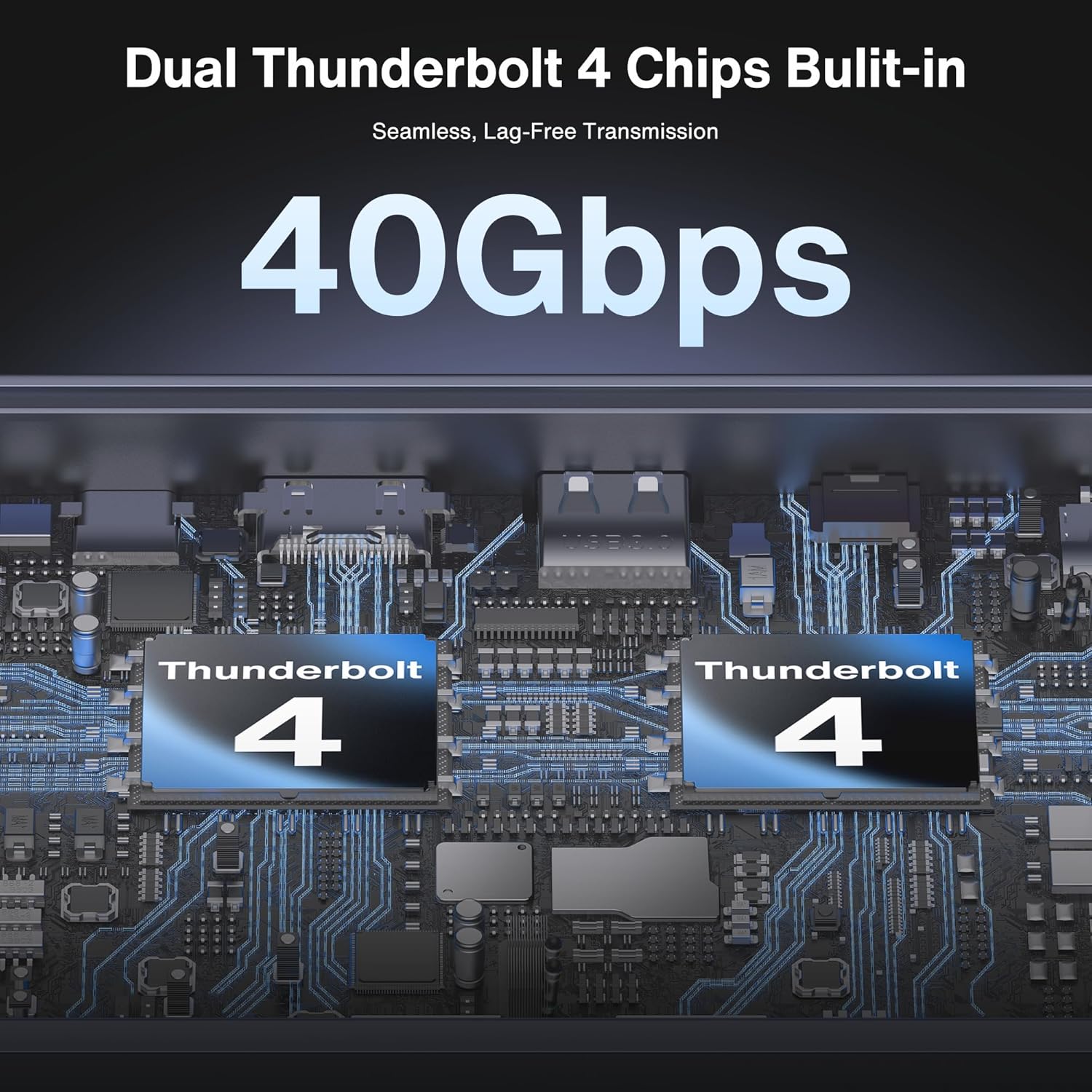
If you need a single desk docking station that expands your MacBook ports without slowing down your workflow, the iVANKY FusionDock Max 1 is built for that exact situation. With Dual Thunderbolt 4 chips and a broad mix of wired and storage connections, it helps you connect monitors, networking, and peripherals in one go. It is designed around MacBook Pro models with M-series chips, so compatibility matters and it is worth checking your exact laptop before buying ✅.
With the FusionDock Max 1, you can take advantage of high speed Thunderbolt connectivity alongside fast peripheral options, including multiple USB-C ports for upstream and downstream data transfers. For display setups, it supports quad 6K at 60Hz on MacBook Pro models with the relevant M-series Max chips, while other chip tiers have different display limits. You also get an Ethernet option for stable connectivity and an SD and TF card slot for quick media access, which can be especially useful for creators and busy office days 🎧.
Key features at a glance
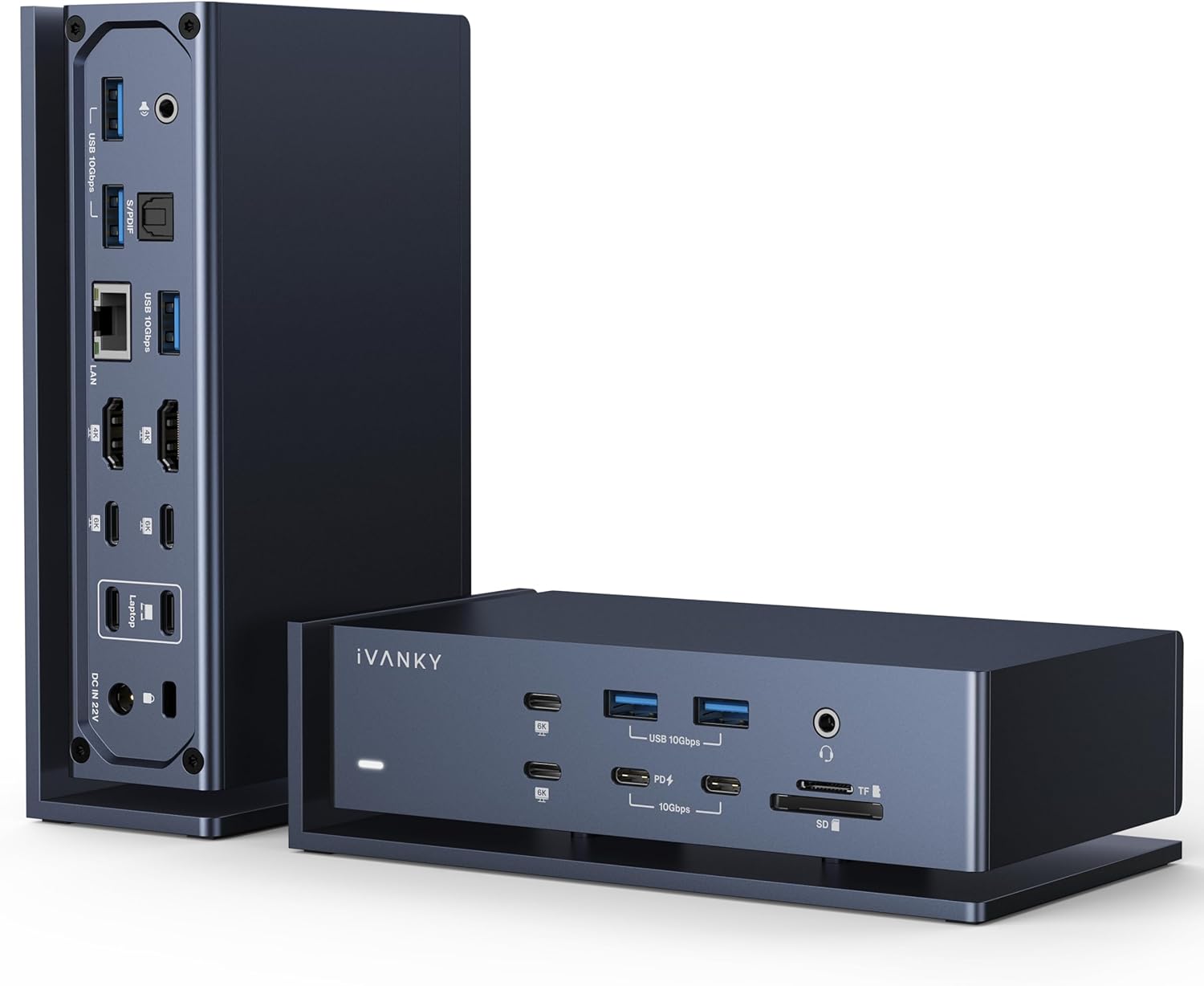
This docking station concentrates a lot of day to day connectivity into one compact hub. The headline is the Dual Thunderbolt 4 chip design, paired with multiple high speed USB-C ports that support fast upstream and downstream data transfer. That combination is aimed at users who rely on multiple accessories at once and do not want to keep swapping cables.

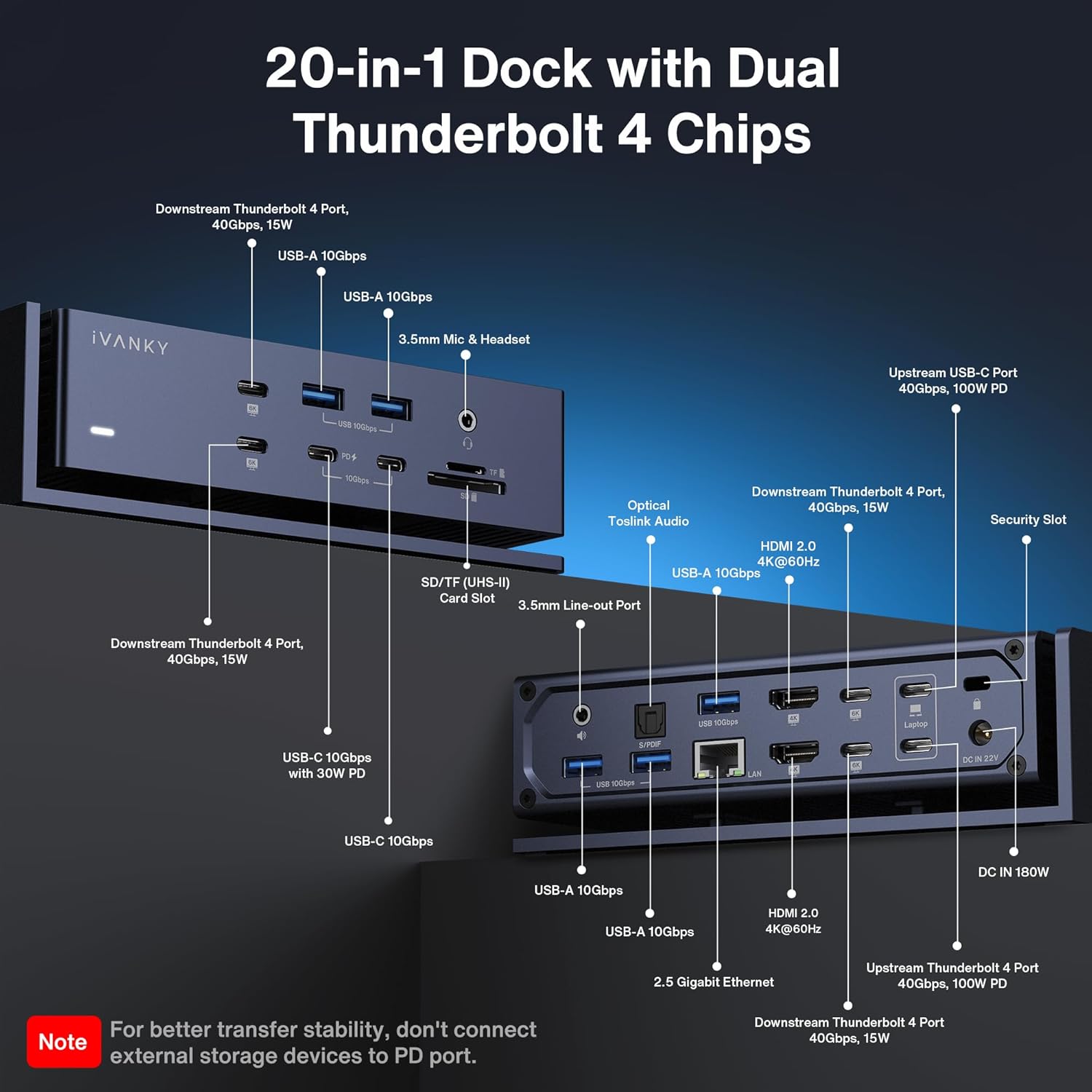
On the connectivity side, it includes several USB 3.2 ports for external equipment, with support for up to 10Gbps data transfer mentioned for the USB 3.2 ports. For users who connect storage or transfer footage frequently, there is an SD/TF card slot with SD/TF 4.0 support, and the entry data states throughput up to 312Mb/s. For wired networking, there is a Gigabit Ethernet port that maintains a smooth and stable 2.5Gbps Ethernet connection.
Display support is a major factor with MacBooks, and this dock reflects Apple silicon limitations. It states quad 6K at 60Hz extended displays only apply to MacBook Pro models with M1, M2, M3, or M4 Max chips. If you have M4 or M5 base or Pro chips, it notes dual 6K at 60Hz displays, and for Mac models with M1, M2, or M3 base chips it mentions a single 6K at 60Hz extended display.
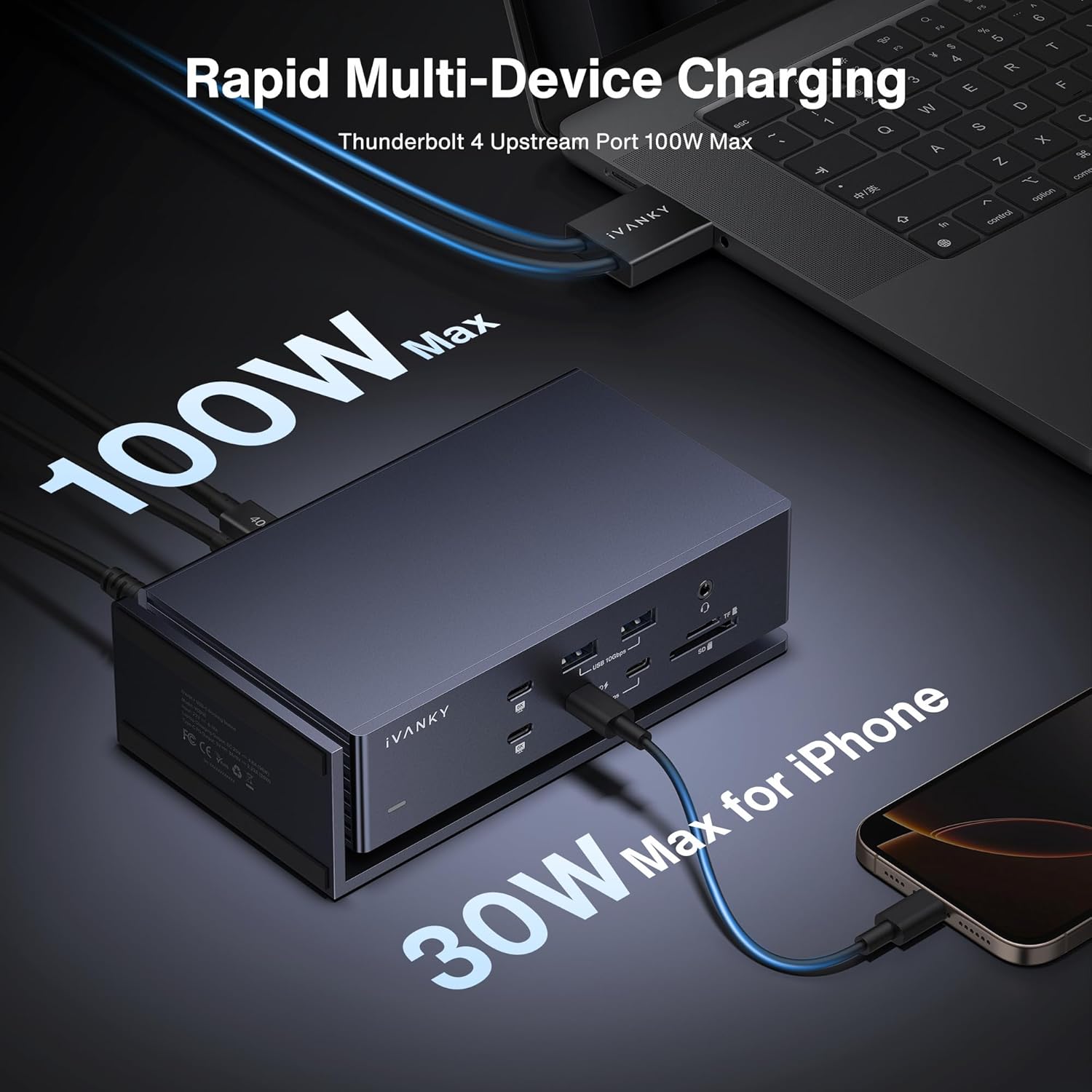
There is also charging built in, with a power adapter described as supporting full speed charging. The dock is supplied with a 180W power adapter and it enables efficient charging of laptops up to 96W and PD USB-C devices up to 30W, which can reduce the need for a separate charger on your desk 🔌.
Tech specs
- Type: Docking station hub
- Name: iVANKY FusionDock Max 1
- Display support: Quad 6K at 60Hz on MacBook Pro with M1 to M4 Max chips
- USB data transfer: USB 3.2 ports up to 10Gbps
- Networking: 2.5Gbps Ethernet connection
- Card slot: SD TF 4.0 up to 312Mb/s
- Charging: 96W laptop charging via PD, up to 30W for PD USB-C devices
What to know before you buy
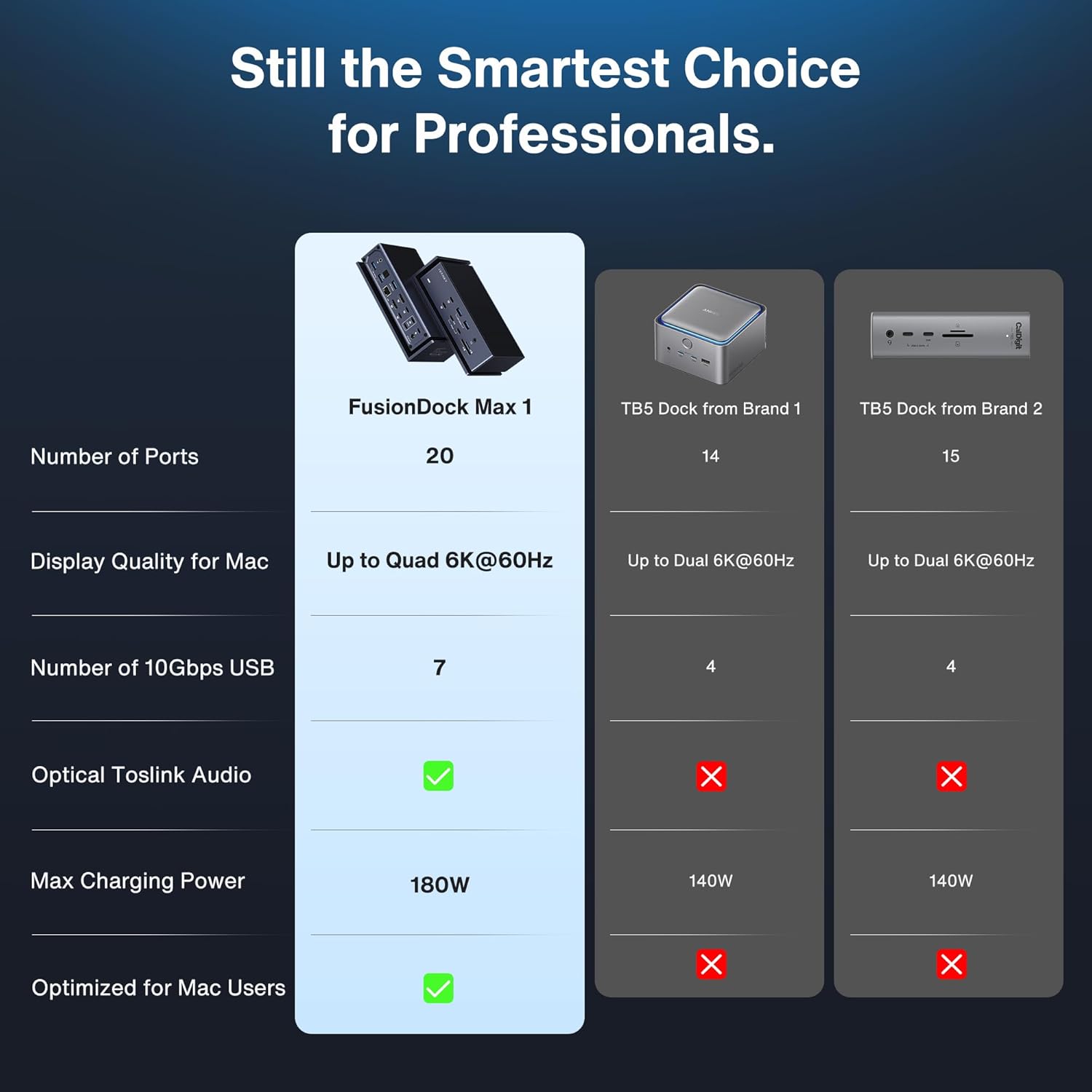
Compatibility is the key check point for this dock. The documentation states it is not compatible with any Windows and Chrome Laptop devices, so it is a Mac focused accessory. Display performance is also tied to your specific MacBook Pro chip tier, with different outcomes for Max, Pro, base, and non Pro configurations, so it is worth verifying your model.
If your priority is a tidy desk and fewer cables, this hub is set up for that kind of workflow. The included audio support can also be useful if you use speaker setups or external audio gear alongside your display and storage needs. For peripherals, the dock lists 7 USB 3.2 ports supporting up to 10Gbps data transfer, plus additional USB-C ports described as 6 USB-C ports at 40Gbps each for Thunderbolt connectivity.

Another practical point is that it includes a 20 in 1 style set of expansion options, which helps when you want monitoring, Ethernet, card access, and high speed connections without using multiple adapters. You also get a warranty promise described as a 24 month worry free warranty, along with responsive customer service that offers a free replacement if you encounter problems with the dock 🎛️.
Who it’s for
This dock suits users who want to expand a compatible MacBook and keep their workspace connected with one hub. It is especially relevant if you are setting up a multi display setup, because the dock’s quad and dual 6K at 60Hz support depends on the exact MacBook Pro chip type. If you regularly transfer files from SD or TF media and want fast read speeds alongside stable Ethernet, the SD TF 4.0 and 2.5Gbps network features are a strong match.
It may not suit you if you use a Windows or Chrome Laptop, since the dock is listed as incompatible with those devices. It may also be a mismatch if your Mac model falls into a chip tier that only supports fewer extended displays, because the dock’s display behaviour follows the limitations described in the product details. If you are within the supported MacBook Pro and Mac M-series scope, the FusionDock Max 1 can be a convenient way to bring together charging, displays, Ethernet, and high speed connectivity in one place.