

AOC CU34G2XPD/BK 34-Inch Curved UW-QHD Gaming Monitor
Reviews
Price
Product description
What matters most
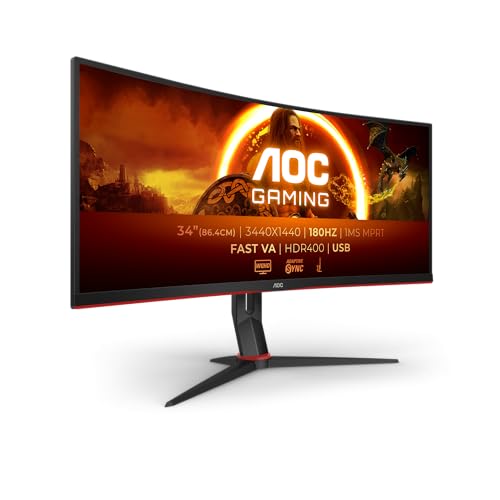
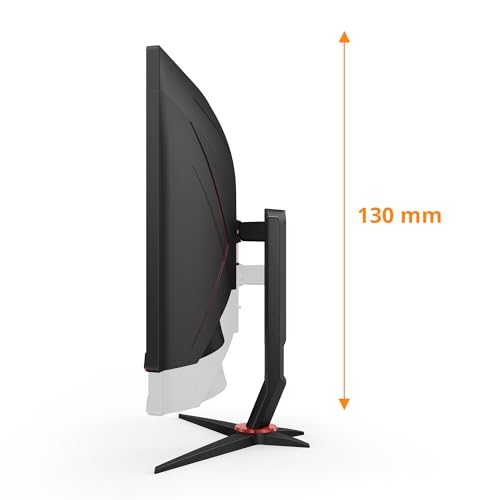
For gamers who want a sizeable ultrawide canvas without stepping up to a $k premium, the AOC CU34G2XPD/BK offers a curved 34-inch VA panel with UW-QHD resolution and a high refresh rate. On paper, it aims to balance fluidity with immersion: a 1500R curvature, up to 180 Hz refresh when enabled with compatible settings, and a 1 ms GtG response that should help with fast-paced titles. It includes HDR400 and FreeSync Premium, which can contribute to a more consistent image in supported games. The monitor also provides a height-adjustable stand (up to 130 mm), a compact bezel, and a built‑in USB hub, which can help reduce desk clutter. If you prioritise smooth motion, adaptive sync, and a wide field of view for racing and shooters, this choice deserves consideration.
Who it’s for
This screen targets gamers who want an expansive 21:9 experience without paying for top-tier flagship models. It can be appealing for title-heavy tasks that benefit from extra horizontal space, such as racing sims, strategy, and immersive narratives. It’s also a practical option for general productivity when you’re comfortable with a widescreen form factor. If you’re chasing the absolute brightest HDR or the pinnacle of colour accuracy, you may notice limitations compared with higher-end LCDs or OLED alternatives.
What stands out in use
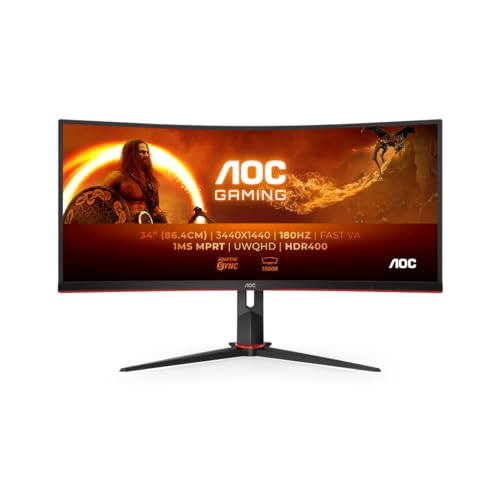
The 34‑inch, 3440x1440 panel provides more desktop real estate, which helps in multitasking and panoramic gaming views. The 1500R curve is designed to wrap the image a touch more than flat monitors, potentially reducing peripheral eye strain during longer sessions. A 180 Hz target can offer very smooth motion in fast games, assuming your GPU can push frames consistently. The built‑in USB hub simplifies connection of peripherals, while the multiple video inputs (HDMI and DisplayPort) offer flexible setup options.
Watch-outs and limitations
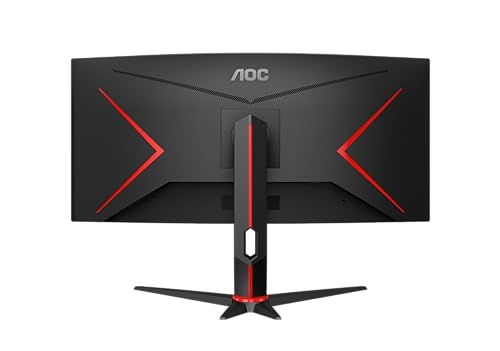
While the brightness figure is modest at 300 cd/m² and HDR400, you might notice the monitor isn’t designed for photo‑accurate colour work or extremely bright HDR highlights. The advertised 180 Hz likely applies under certain settings and connections, and you may not reach that in all games or with every GPU. Some users report that the curved format isn’t ideal for traditional productivity tasks if you’re not accustomed to ultrawide displays. The stand is height adjustable, but other ergonomic adjustments such as tilt or swivel aren’t detailed in the provided data.
What to check before buying
- Confirm your GPU can drive 3440x1440 at high refresh rates in your favourite titles. If you primarily game at 60–120 Hz, you may not notice the higher end of the spec.
- Ensure you have sufficient desk space for a 34-inch screen and consider whether a height-adjustable arm would be a better fit for your setup.
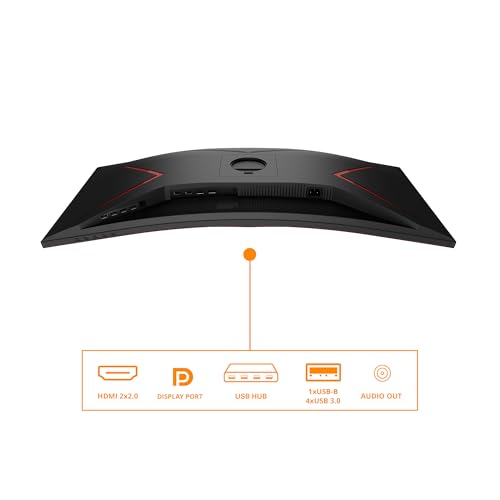
- Verify connectivity needs: two HDMI 1.4 ports and a DisplayPort 1.2 are available, plus a USB hub. If you rely on newer HDMI features or need higher USB throughput, plan accordingly.
- For HDR, remember HDR400 is a basic level, contrast and brightness will still depend on your content and viewing environment.
Practical usage example
Imagine playing a racer where your peripheral view is crucial. The expansive 21:9 canvas lets you scan the track ahead and side lanes without switching windows. In fast shooters, the 1 ms GtG helps with input responsiveness, while the FreeSync Premium reduces tearing when frame rates dip. The height adjust helps align the top of the screen with your eye level, keeping posture more comfortable during long sessions.
Tech essentials at a glance
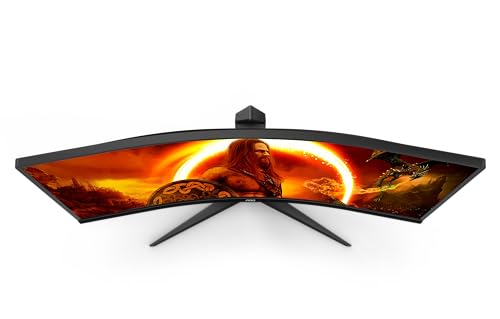
- Screen: 34-inch, UW-QHD (3440x1440), 21:9, VA panel with 1500R curvature
- Refresh rate: up to 180 Hz (context-dependent)
- Response time: 1 ms GtG
- HDR: HDR400, Flicker-Free and Low Blue Light technology
- Sync: FreeSync Premium
- Ergonomics: 130 mm height adjustment, slim bezel
- Connectivity: 2x HDMI 1.4, 1x DisplayPort 1.2, USB hub (4 ports), headphone out, VESA 100 x 100
- Box contents: monitor, power, HDMI and DisplayPort cables, driver CD, warranty card
Is it worth it?
You’ll like it if a wider workspace and smooth motion appeal to you, and you’re prepared to balance the higher resolution with the need for capable graphics hardware. It may not be the best choice if you require top‑tier HDR brightness or colour accuracy for professional work, or if you prioritise a traditional 16:9 monitor for productivity. In short, it fits a mid‑to‑enthusiast tier for ultrawide gaming with sensible ergonomics and a reasonable feature set for its class.
FAQ
- Can I reach 180 Hz on this monitor? It’s achievable in some configurations and titles, actual refresh attainable depends on GPU power and game settings.
- Is HDR dramatically bright? HDR400 provides basic HDR support, but brightness and impact are limited compared with higher HDR tiers.
- Will it double as a productivity screen? Yes, the ultrawide format gives more horizontal space, but you may need time to adjust to the curve for non‑gaming tasks.
Final verdict
Final verdict: a solid pick for gamers seeking an immersive ultrawide with fluid motion and practical ergonomics, provided you don’t require top‑tier HDR or professional‑level colour accuracy.