



Wireless Keyboard and Mouse Combo 1600 DPI
Product description
This full-sized wireless keyboard and mouse combo brings quiet, clutter-free input to your desktop or laptop with a compact avocado green finish. It pairs via a shared 2.4 GHz nano USB receiver for plug and play setup, and the keyboard and mouse can also operate independently when needed. The kit is built for everyday office tasks, media control, and casual browsing, with power-saving features that extend battery life during typical use.
Key features
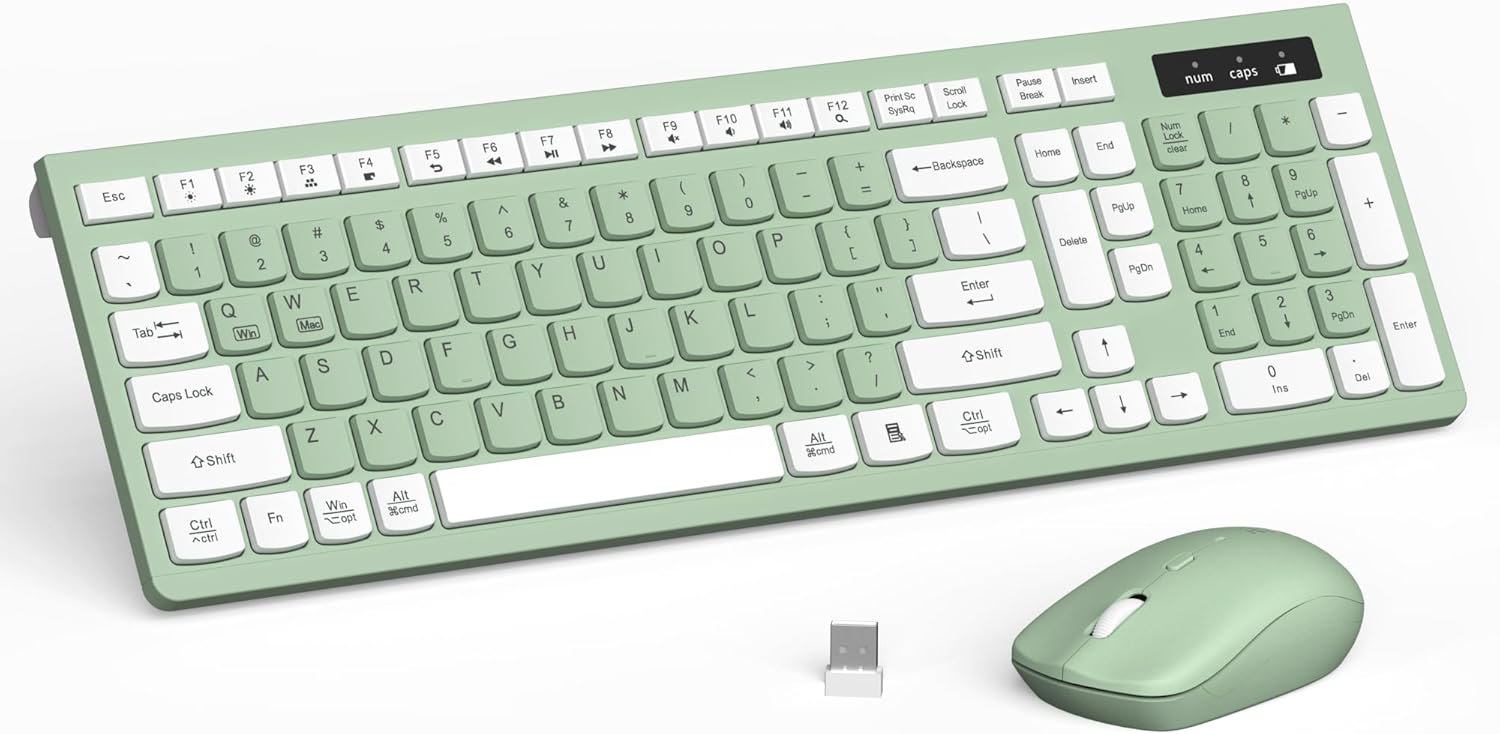
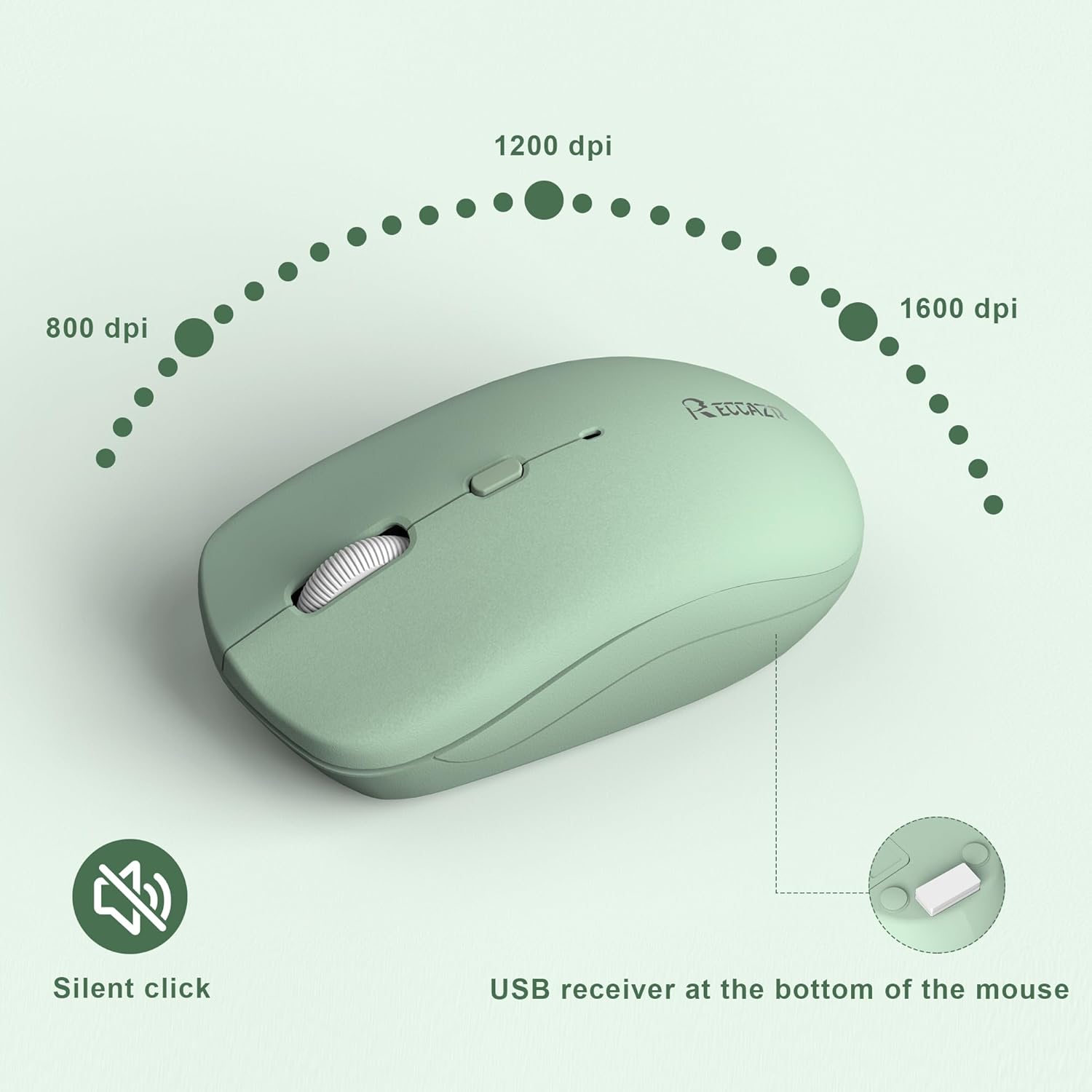
The keyboard offers a familiar full-size layout with dedicated multimedia keys for quick access to volume, playback, and email, helping you move through routines with fewer clicks. The mouse includes three adjustable DPI levels, 800 1200 and 1600, so you can switch sensitivity for precision work or faster cursor movement. Connection range reaches up to 10 meters according to the manufacturer, so you get reliable wireless freedom around your workspace. Note that sleep behavior and battery life vary with usage.

Specifications
- Type: Wireless keyboard and mouse combo
- Format: Full-sized keyboard and adjustable DPI mouse
- Connectivity: 2.4 GHz USB receiver
- Range: 10m
- Color: Avocado Green
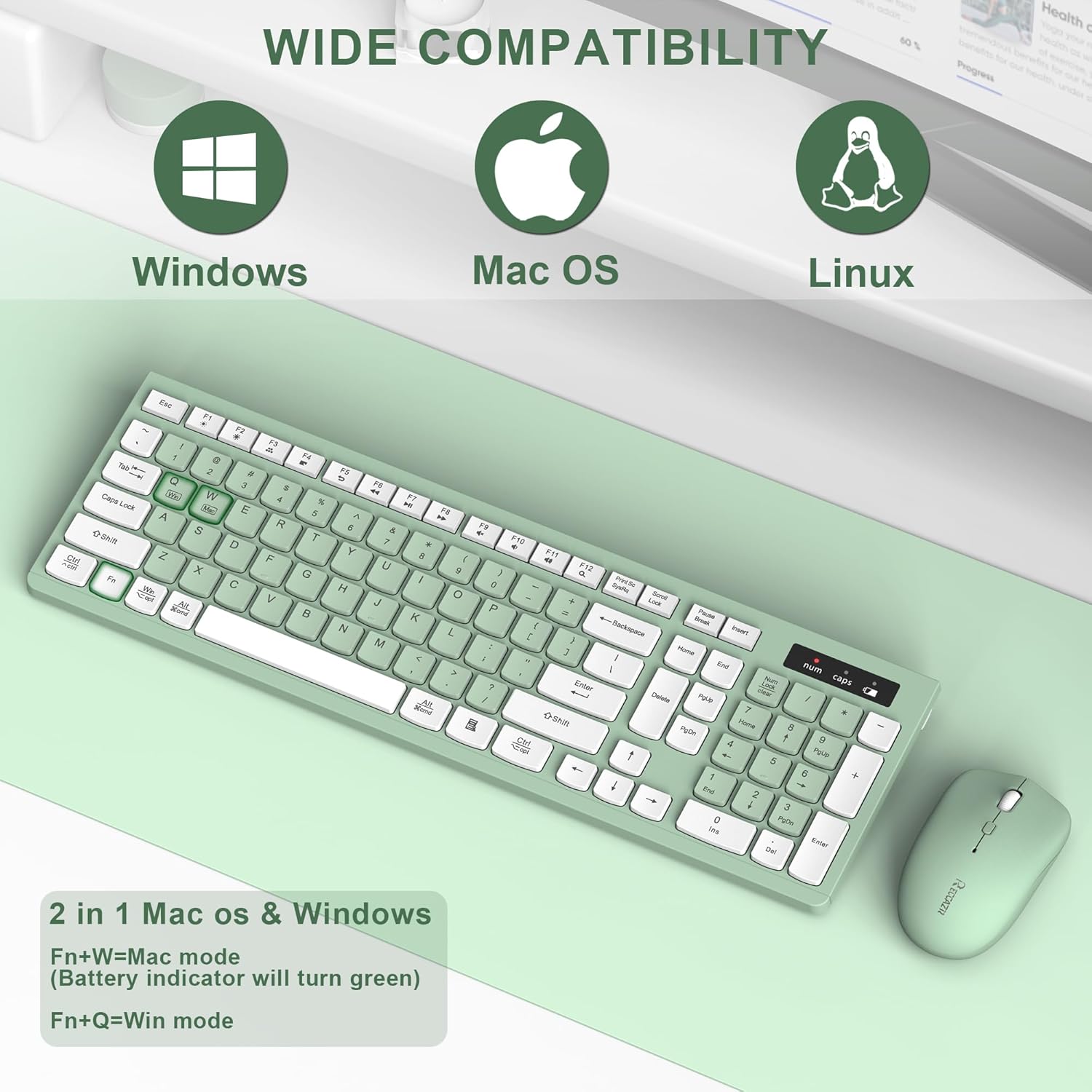
- Compatibility: Windows and Mac
Usage tips

For a smooth start, store the nano receiver in the mouse base when not in use and insert it into an available USB port. If you notice lag or dropouts, try repositioning the receiver or using a different USB port to improve line of sight. It’s a great fit if you want a no-frills, space saving typing set with simple multimedia controls, and worth considering if you prefer a quieter keyboard and adjustable mouse sensitivity. Ten in mind that advanced gaming features are not included, this combo targets productivity and daily use.
Care & maintenance
Keep the receiver free of dust and remove batteries if you won’t use the set for extended periods. Wipe the keyboard and mouse with a soft dry cloth to remove debris, and replace batteries when responsiveness drops.