

KOPJIPPOM Large Print Wireless Keyboard and Mouse Combo with 7-Color Backlit Keys (Rechargeable, 2.4GHz)
Product description
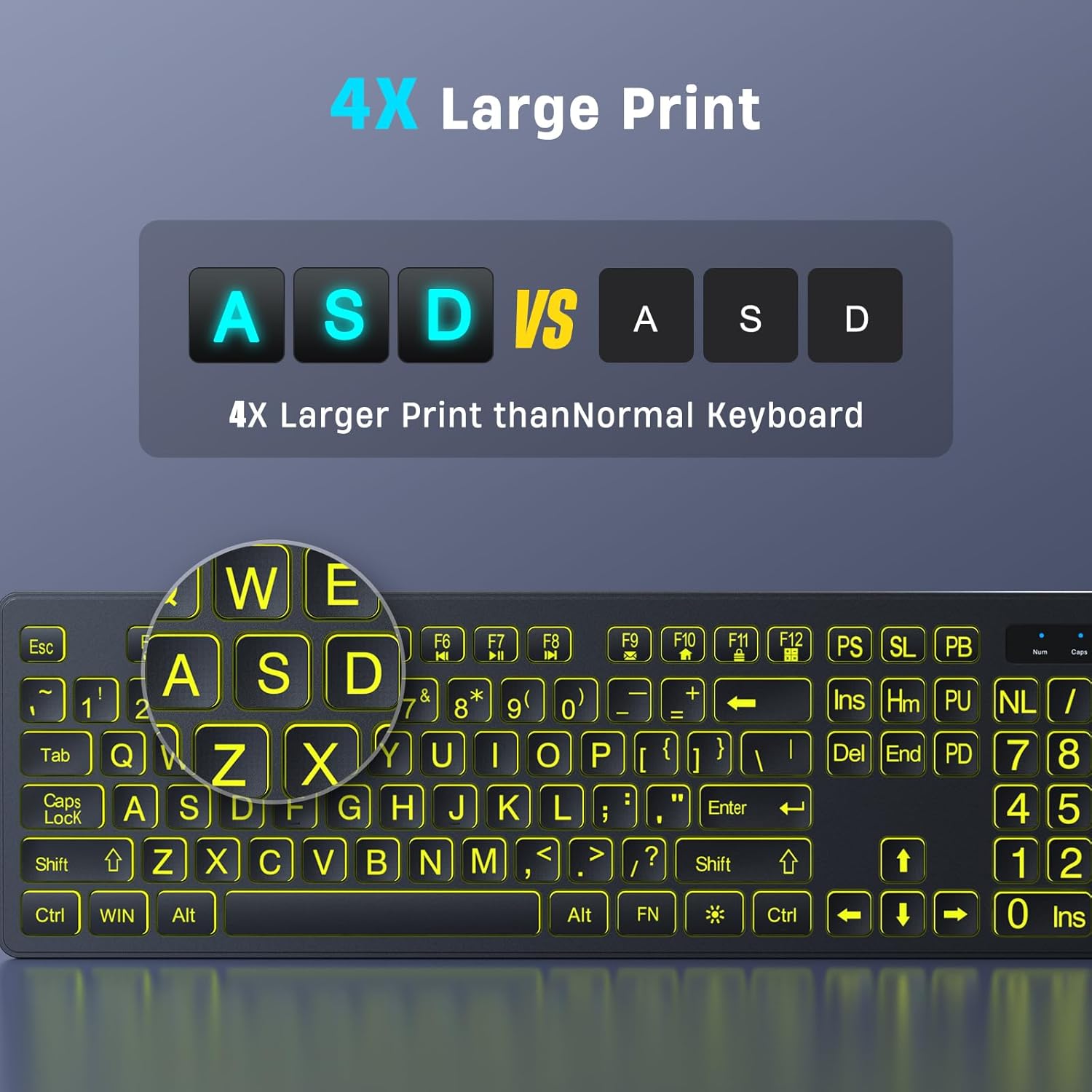
If you struggle to see small keys or you just want a calmer typing experience at night, this KOPJIPPOM large print wireless keyboard and mouse combo is built for that exact moment. The big letters plus the 7-color backlight make it easier to land your keystrokes without squinting, and the whole set is designed around simple setup with a single USB receiver.
That said, it’s not positioned as a premium, desk-dominating esports rig. It reads more like an everyday, comfort-first keyboard/mouse bundle—especially for home offices, study setups, or anyone who wants “good enough wireless” without fiddling.
Key features that matter day to day
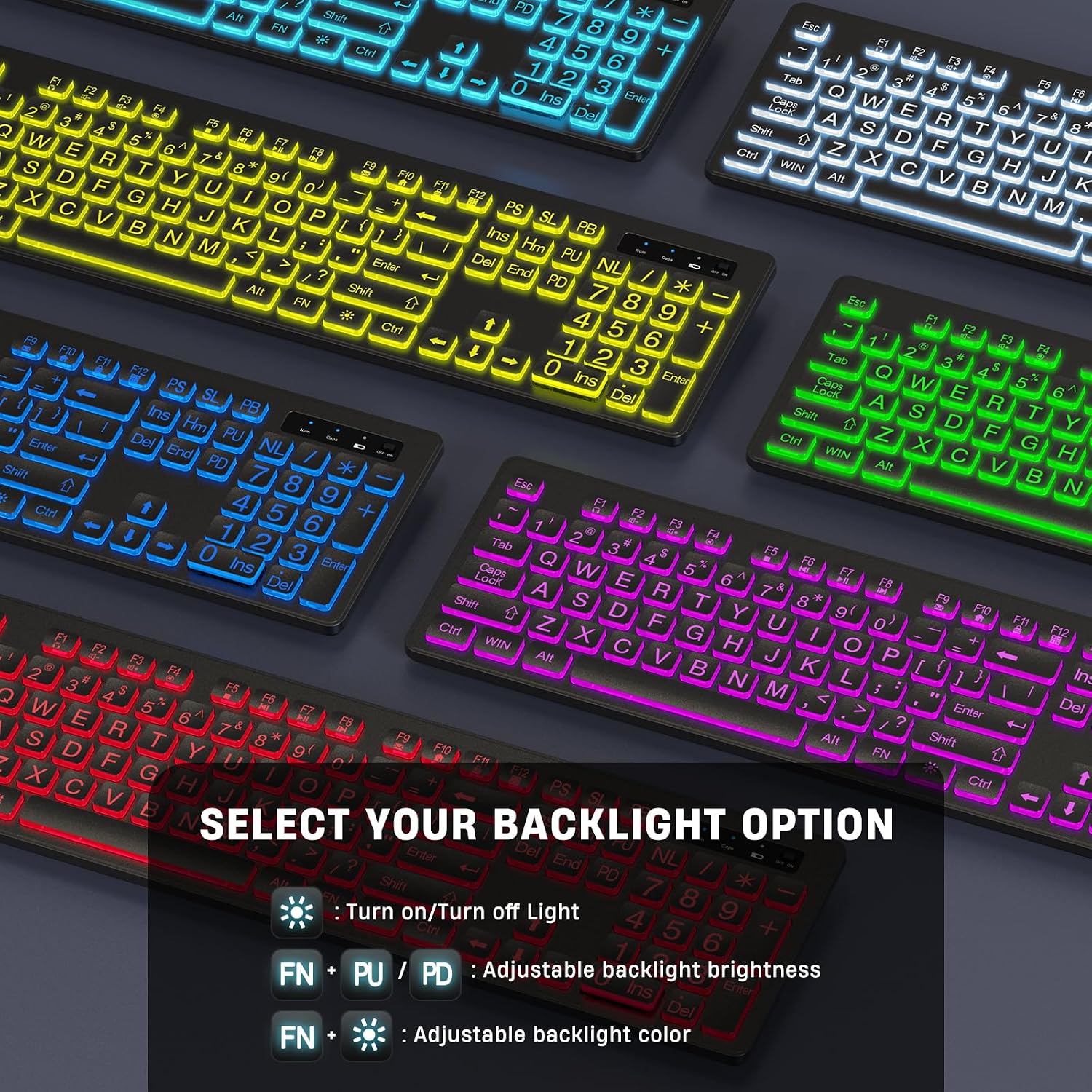
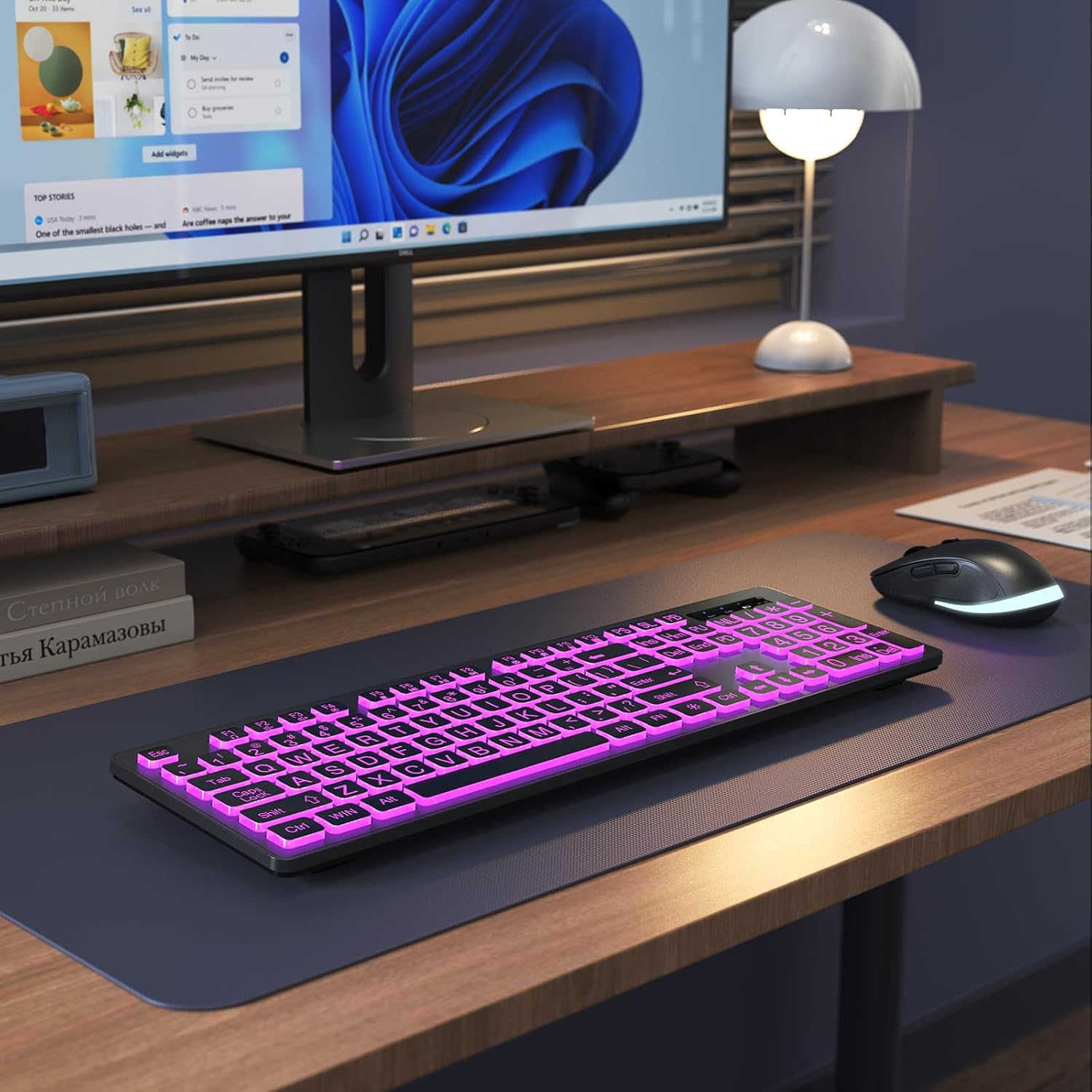
The headline here is the large print keyboard with bright backlighting. You get 7 color options and adjustable brightness with 3 levels, plus a power-saving behavior that turns off the backlight after 120 seconds of no use. In practice, that means you can keep typing comfortable in a darker room and avoid wasting battery when you walk away.
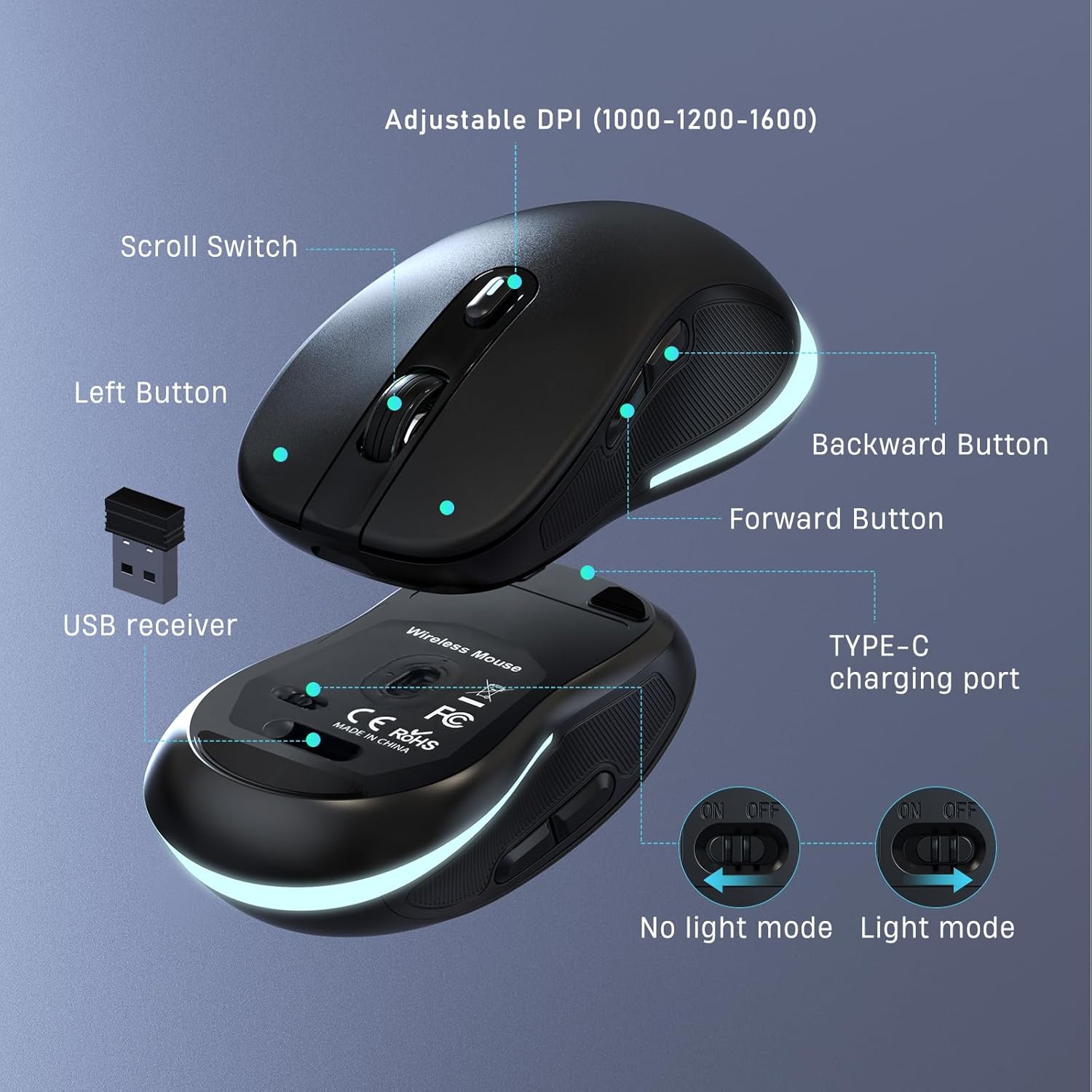
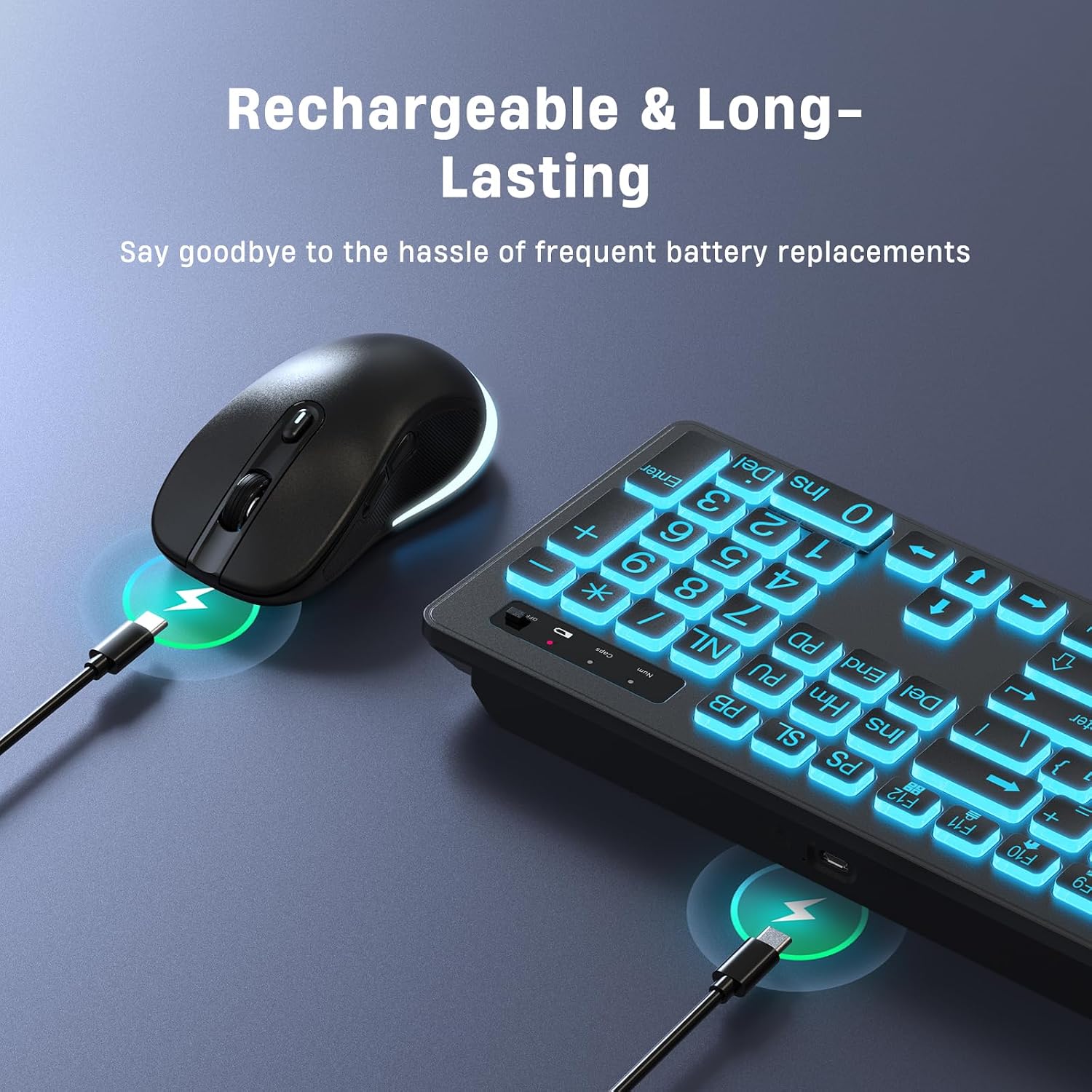
Both the keyboard and mouse are rechargeable and use a USB-C charging cable. The provided standby time is up to 2000 hours, and there’s also a separate power switch and a backlight switch, which gives you more control over what drains energy and what doesn’t.
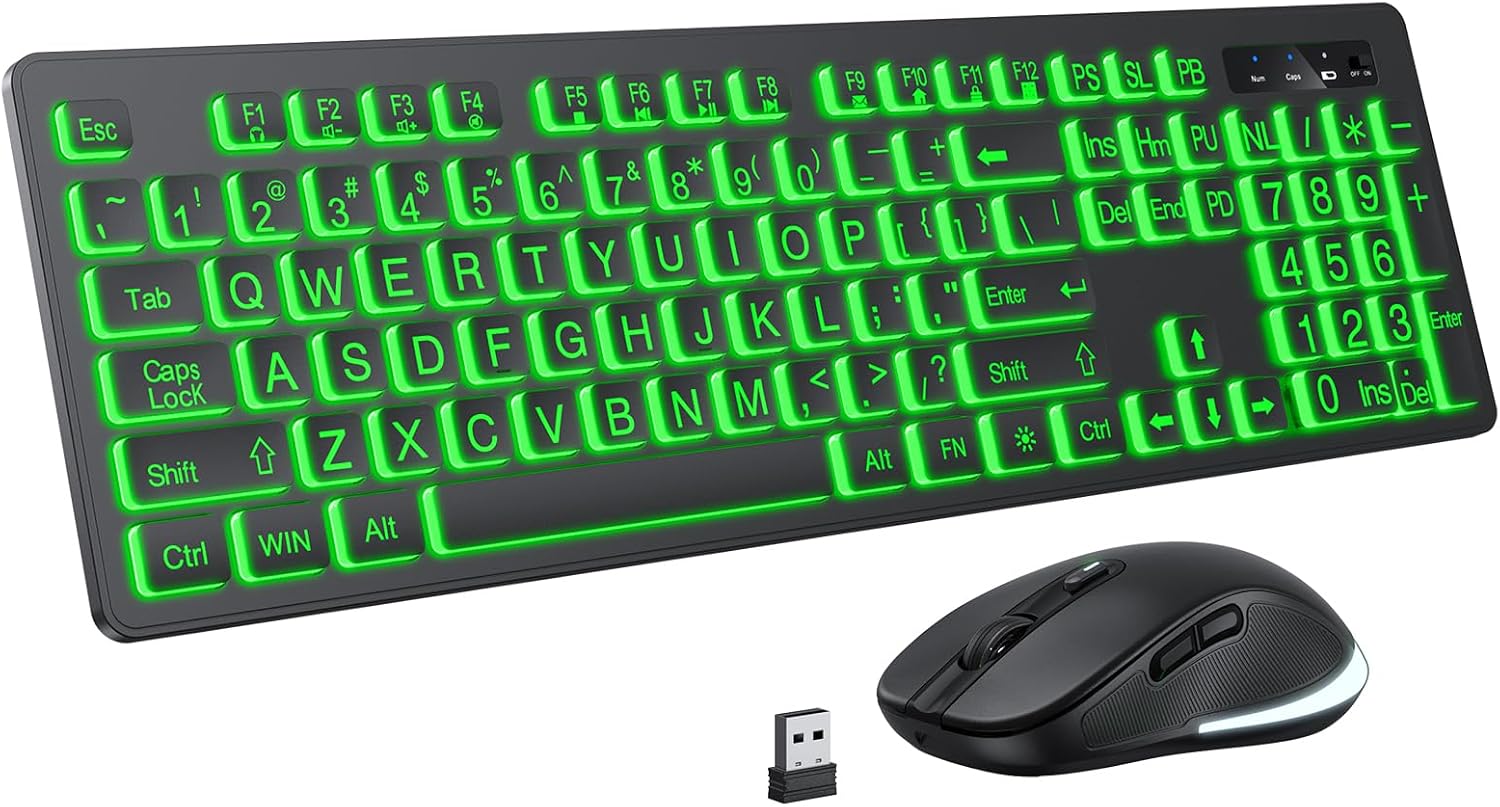
Wireless performance is handled with 2.4GHz. The combo uses one USB plug-in, with the receiver stored in the mouse. The claim is a reliable connection up to 33 feet without latency, which is the kind of range that covers most desks and many living-room setups.
What the “one USB receiver” setup really changes
This kit is meant to be straightforward: it uses one USB port for both the keyboard and mouse. On paper, that’s a big convenience if your laptop has limited ports or your USB hub is already crowded.
A small, real-world detail: because the receiver is stored in the mouse, you’re less likely to misplace the tiny dongle during travel or moving between rooms.
The tradeoff with shared receivers is that you’ll want the mouse and keyboard within that typical wireless range for the best experience, and you may notice some sensitivity to placement if you’re far from the PC.
Compatibility and where it fits (and where it might not)
The combo is listed as compatible with Windows 2000/ME/XP/7/8/10/11 and Vista, plus Mac OS. It also mentions that multimedia keys may not be fully compatible with Mac.
So if you rely heavily on media shortcuts on a Mac, keep expectations modest. For basic typing and cursor control, it should still function as a keyboard/mouse bundle—just don’t assume every extra key behaves the same.
Ease of typing: comfort, feel, and noise
KOPJIPPOM describes the keys as light, sensitive, and suitable for smooth and silent typing. That’s the kind of feel you usually notice right away if you’re coming from a stiff keyboard.
There’s a limitation worth admitting: the entry-level “soft and quiet” style won’t necessarily be ideal if you’re chasing a specific mechanical switch feel or very crisp, heavy actuation. This is more about comfort and readability than about maximizing performance.
The essentials (technical clarity without the fluff)
- Connection type: 2.4GHz wireless via a single USB receiver shared by keyboard and mouse
- USB receiver storage: in the mouse
- Backlit colors: 7 colors
- Brightness levels: 3 levels
- Auto backlight shutoff: after 120 seconds of inactivity
- Rechargeability: both keyboard and mouse are rechargeable with a USB-C charging cable
- Standby time (claimed): up to 2000 hours
- Wireless range (claimed): up to 33 feet without latency
- Compatibility: Windows 2000/ME/XP/7/8/10/11, Vista, and Mac OS (multimedia keys may not fully work on Mac)
Who should buy this—and who may want to skip it
It’s a solid pick if you prioritize readability (large print), nighttime usability (backlit keys), and a simple wireless setup using only one USB port.
It makes sense if you’re setting up a home office, a shared family computer, a basic gaming space where you don’t need specialized macros, or a study desk and want fewer hurdles on day one.
It might not be a great match if you expect all multimedia shortcuts to work perfectly on Mac, or if you want a high-end typing experience tuned for competitive performance. Depending on your preferences, the key feel could be “comfortable enough” rather than “premium.”
Quick scenarios: when it feels worth it
Imagine sitting down after dark: you flip the backlight on, pick a color, and set the brightness. With the oversized letters, you can type without hunting for key labels. Then, when you step away, the backlight turns off after 120 seconds—so you don’t have to remember every time.
Another common setup: you plug in the single USB receiver, tuck it into your mouse for storage, and move between a desktop and a nearby laptop without dealing with multiple dongles.
Should you buy it?
Worth considering if your main goal is visible, easy-to-type keys (especially in low light) plus a rechargeable wireless keyboard and mouse that shares one USB connection. The adjustable 7-color backlight, auto shutoff, and large print layout are the features that likely drive your day-to-day satisfaction.
You may want to skip it if you need full multimedia-key functionality on Mac, or if you’re specifically shopping for a top-tier feel that matches enthusiast-grade keyboards. If you’re mainly buying for comfort and convenience, this combo fits that lane pretty cleanly.
Mini FAQ
What makes the keys easier to use at night?
The keyboard includes bright backlit keys with 7 color options and 3 brightness levels, plus an auto shutoff after 120 seconds of inactivity.
Does it use one USB port or two?
It uses one USB receiver shared by the keyboard and mouse. The receiver is stored in the mouse.
Is it rechargeable?
Yes. Both the keyboard and mouse are rechargeable, using a USB-C charging cable.
Will multimedia keys work on Mac?
The listing notes that multimedia keys may not be fully compatible with Mac OS.
How far does the wireless connection reach?
The connection is claimed to work reliably up to 33 feet.