

VHS to Digital Converter with 4" HD Screen: Quick, Plug-and-Play Capture for Your Tapes
Product description
What it is and who it helps
This VHS to digital converter is a compact, plug-and-play device designed to turn analog video and audio from VHS, VCR, and related sources into digital MP4 files. With a built-in 4-inch LCD screen and speakers, you can preview footage on the device itself and output to a TV or monitor via HDMI. If you’re sitting on a box full of old tapes and want to preserve memories without a computer, this box aims to simplify the process.
How it works and what you can expect
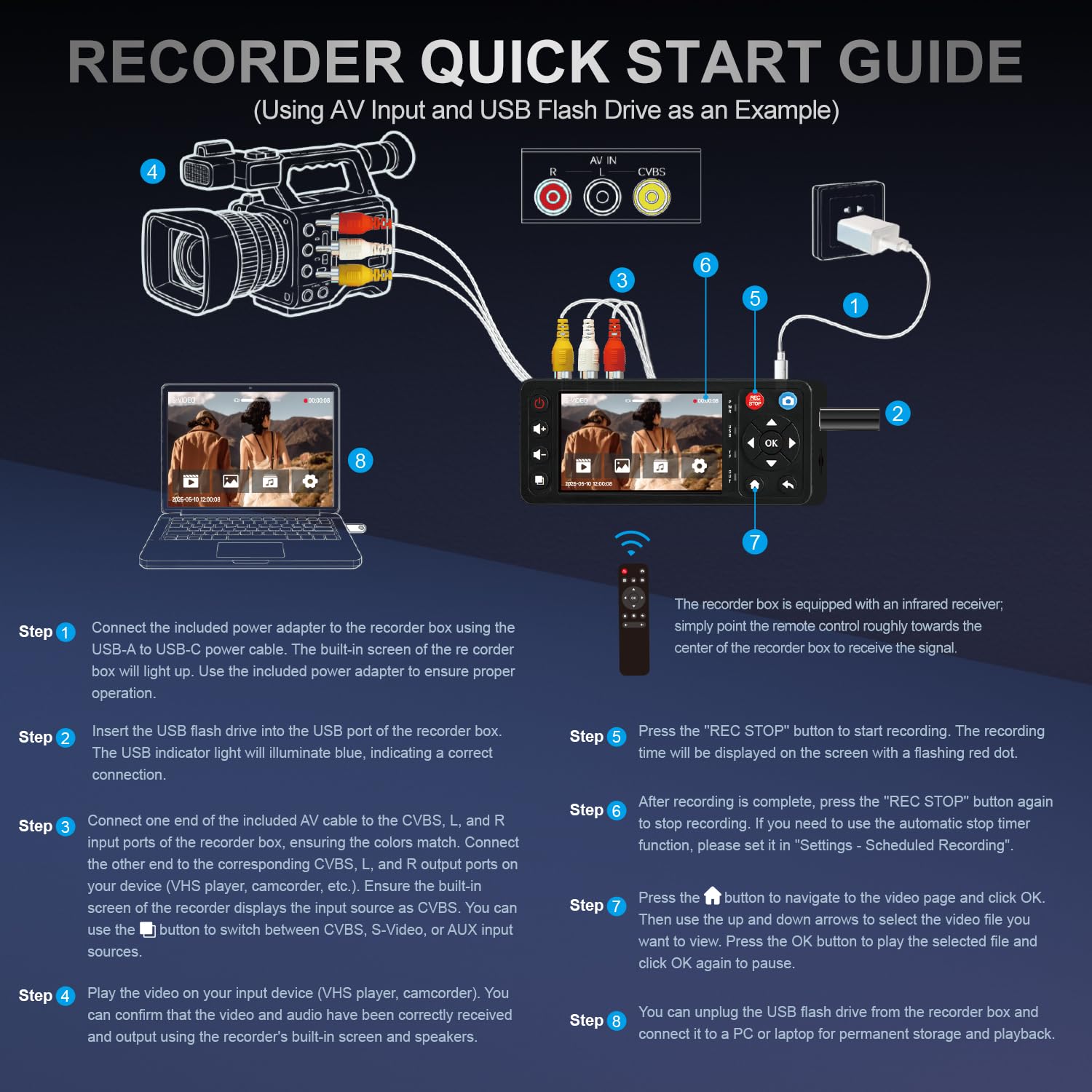
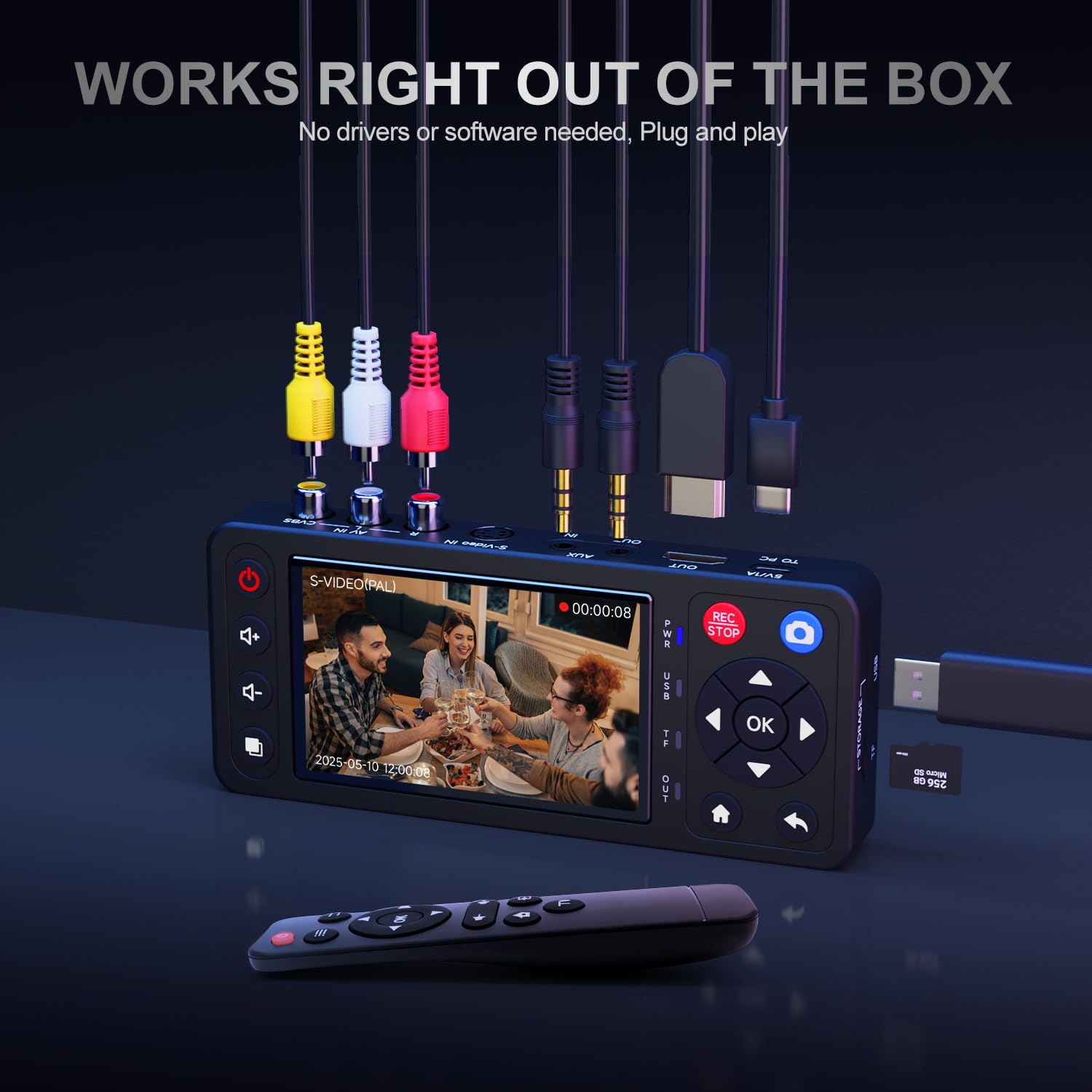
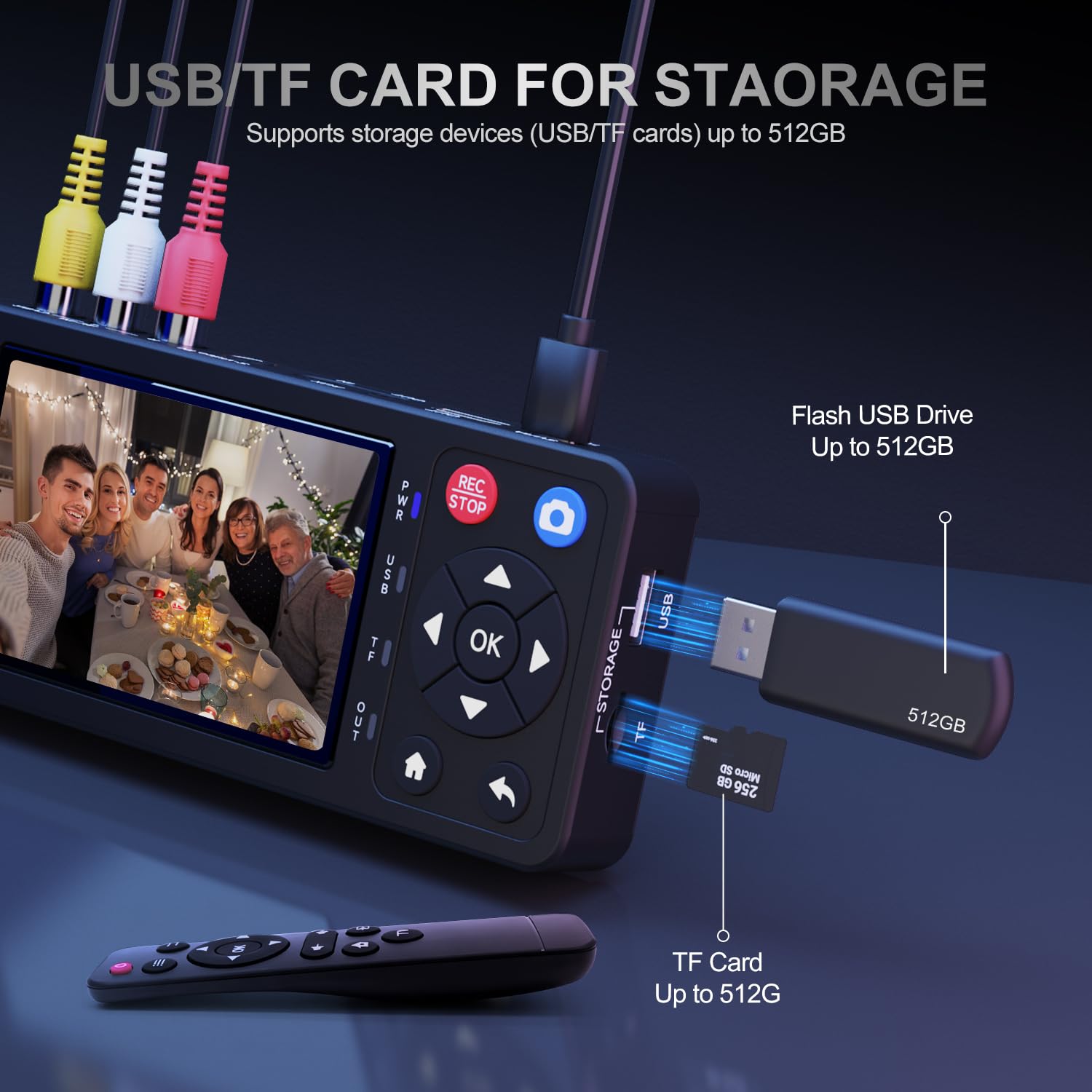
The core appeal is simplicity. No software, drivers, or computer is required for basic use. You connect your VCR or camcorder to the converter, hook up HDMI to a display, and start recording. It supports resolutions up to 1080P and can auto-detect NTSC or PAL formats. Recording can be done directly to USB drives or TF cards (up to 512GB each), and the system can capably split long recordings into shorter files if needed. It’s designed to capture both video and audio streams independently, with options for S-Video/CVBS video and R/L/AUX audio sources.
What stands out in everyday use
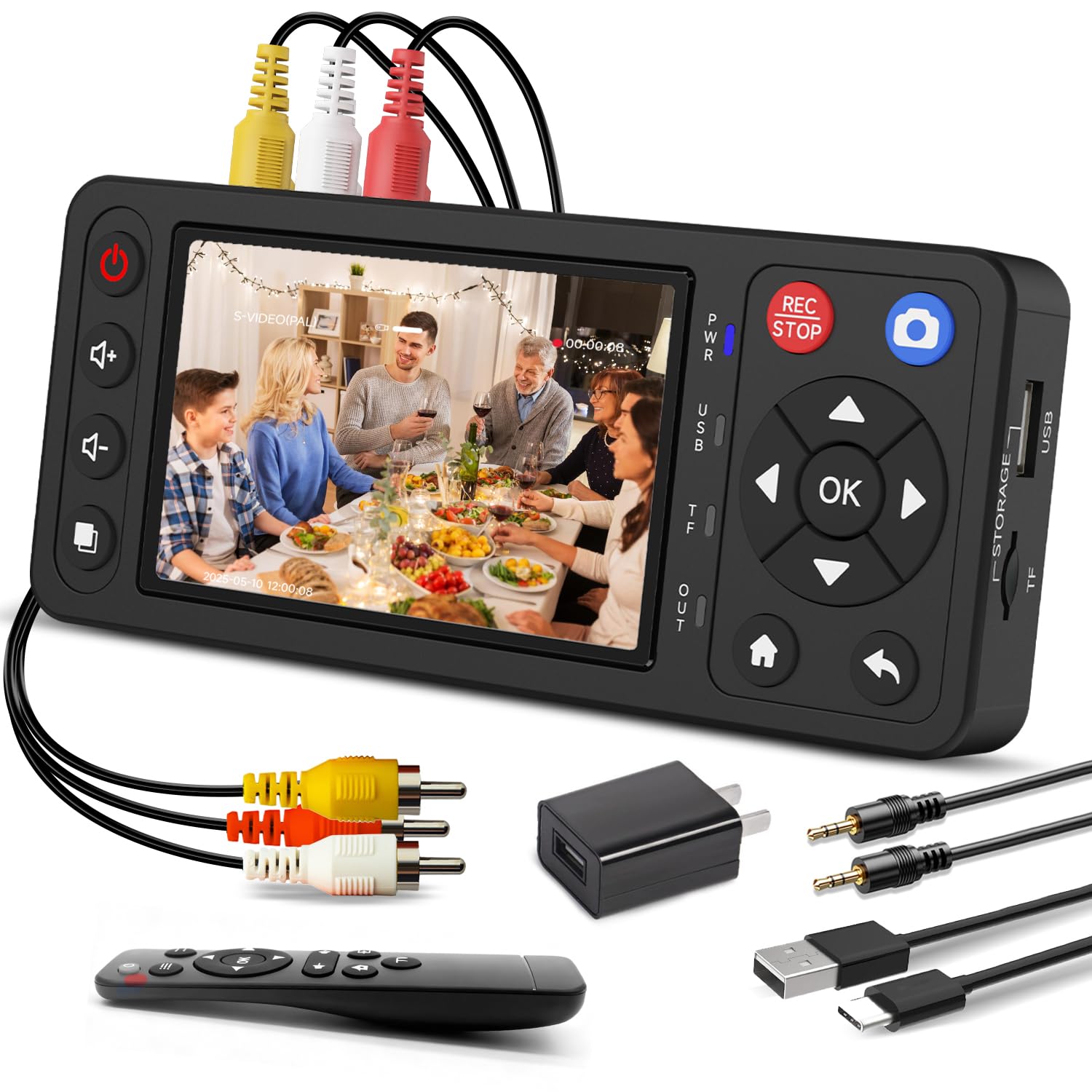
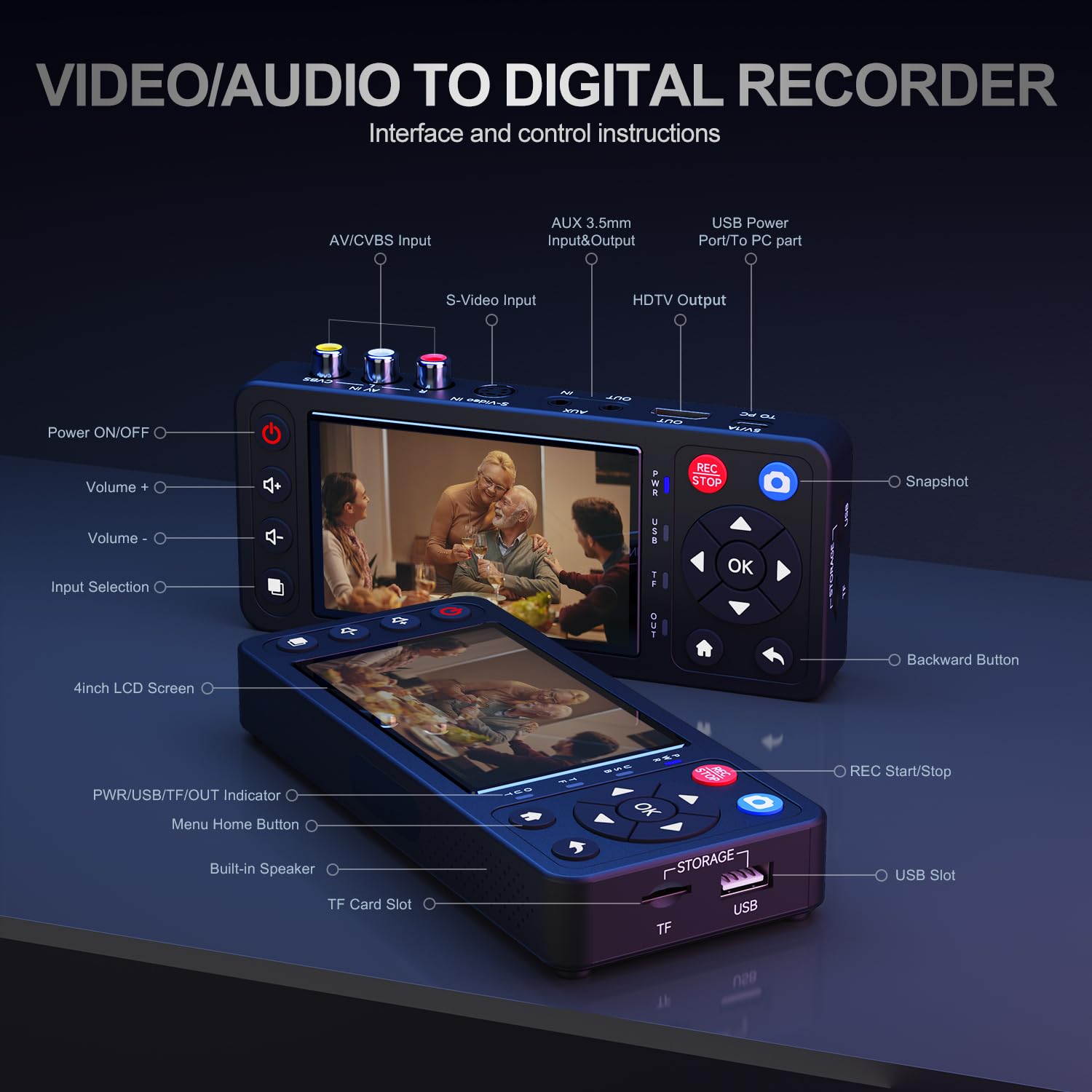
A key plus is the dedicated 4" LCD with built-in speakers. This makes it possible to review footage on the device without needing a separate monitor, which is handy for quick checks or shared viewing with family. The device also includes a remote control and comes with a basic set of cables and an adapter, so you can get started with minimal setup. The emphasis on true plug-and-play use means you can avoid fiddling with software or drivers, which is a real time-saver if you’re more about memory preservation than tech tinkering.
The best and the limits
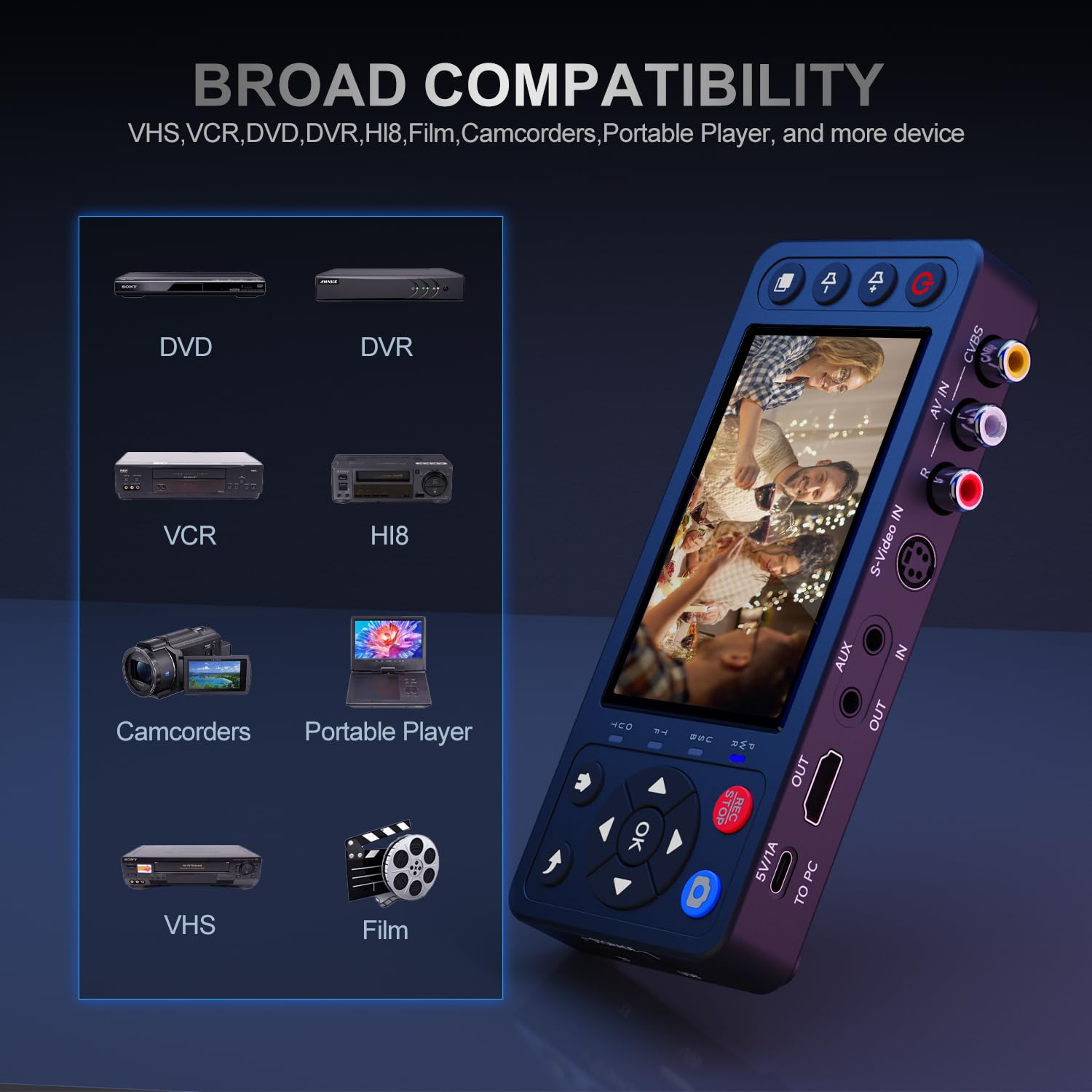
On the upside, this converter consolidates several steps: it digitizes analog signals, records directly to USB/TF storage, and provides a HDMI output for easier viewing on a larger screen. It supports a range of source devices, including VHS, VCRs, mini DV players, DVD players, DVRs, camcorders, and Hi8 tapes, which covers the most common nostalgia-capture scenarios.
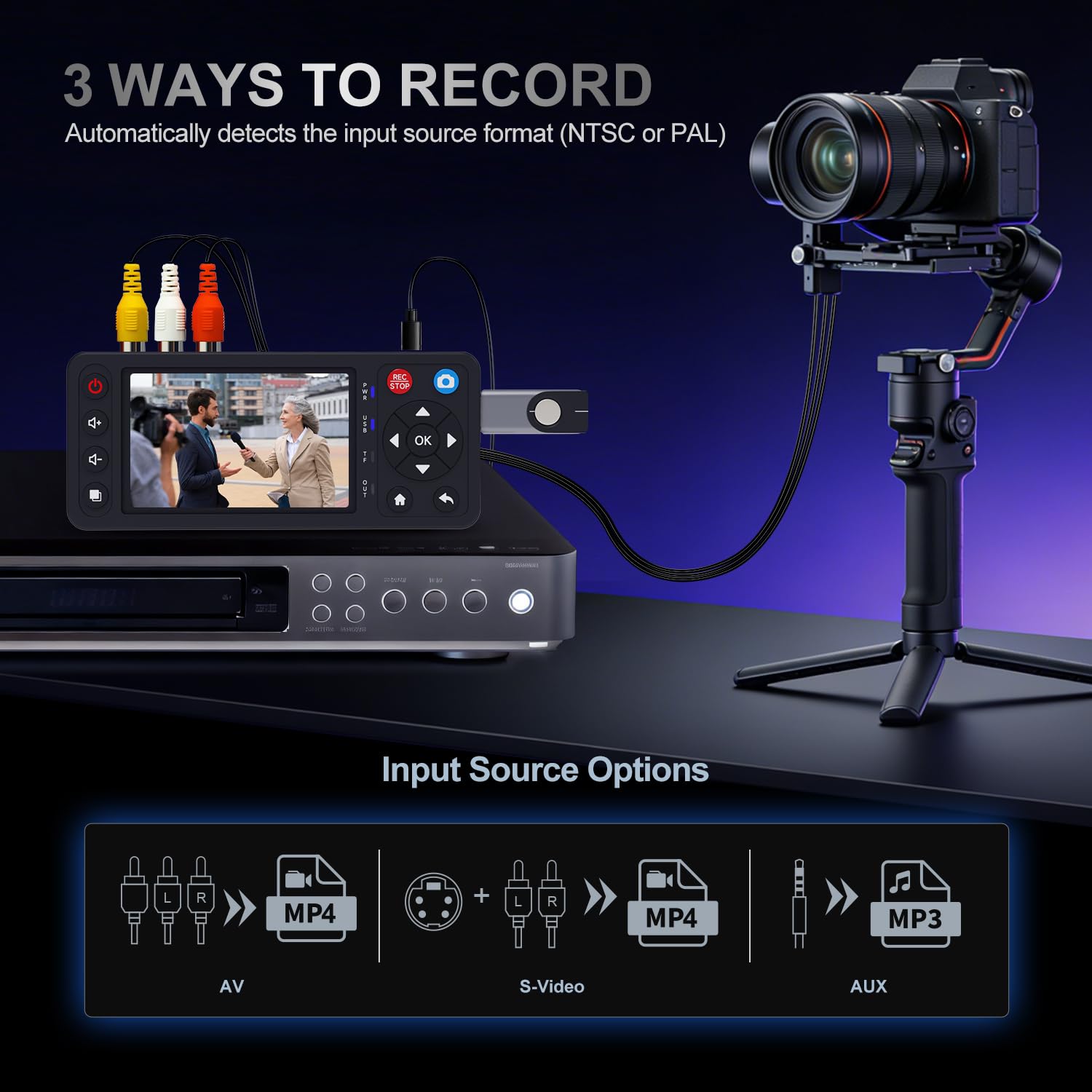
On the flip side, there are practical caveats. The device relies on external inputs that must be working (a VHS player, camcorder, or similar). It cannot play tapes or DVDs by itself. Storage capacity is tied to connected USB/TF media, so you’ll want to plan ahead if you’re digitizing large libraries. Also, while 1080P is supported, the quality still depends on the source tape and the analog-to-digital conversion quality, which may not fix all tape faults.
Who it’s for
If you’re prioritizing a straightforward path to digital copies without a computer, and you want to preview footage on a built-in screen, this device fits well. It’s a practical choice for households with a mix of VHS, Hi8, and other legacy media, especially when you want a simple workflow and quick capture to MP4.
Who it isn’t ideal for
Not ideal if you need professional-grade restoration, batch processing, or higher end editing workflows that require advanced codecs or color correction. If your tapes are severely degraded or you expect to do extensive post-processing, you might prefer a solution that integrates with a computer and editing software.
When it makes sense to buy
Consider this converter if: - You want a one-device setup for converting a varied collection of analog tapes. - You prefer recording directly to USB/TF storage with minimal software overhead. - You value on-device preview and straightforward operation for family viewing.
If you already have a capable computer-based editing workflow or require advanced restoration features, this unit may feel limited by its plug-and-play focus.
What to check before buying
- Ensure you have reliable VHS/VCR or camcorder sources to feed into the converter.
- Decide on your preferred storage method (USB drive or TF card) and confirm compatibility up to 512GB.
- Check that you have HDMI access for viewing on a bigger screen, if desired.
- Confirm the included accessories cover your typical setup (power, AV cables, remote, etc.).
Practical use case: a day-in-the-life scenario
Imagine pulling out a box of old family tapes, connecting a VCR to the converter, and within an afternoon creating a digital archive on a USB drive. You can preview clips on the built-in 4" screen, mark moments you want to save, and later watch the MP4 files on a TV or computer without touching a computer during the capture. It’s not flashy, but it genuinely helps you move memories from analog to digital with minimal friction.
Comparison in context
If you’re weighing approaches, you have a few paths: use a dedicated standalone converter, connect to a computer with a capture card, or rent a service. This device sits in the middle: it’s more affordable and faster for small collections than a PC-based setup, but it won’t offer the same level of post-processing flexibility as a computer-driven workflow. For casual, personal-use digitization, it’s a sensible middle ground.
Final buying decision
Is it worth it?
Worth considering if your goal is to preserve memories quickly and without computer dependencies, and you mainly plan to view and share the recordings on standard screens.
When to skip it
If you need advanced editing, color correction, batch processing, or professional-grade archival options, or if your tapes require substantial restoration beyond basic digitization.
Who benefits most
Best for families with a mixed media library (VHS, Hi8, Mini DV, DVDs) who want a simple, self-contained capture solution and an on-device preview experience.
What to monitor post-purchase
Test capture quality across a few tapes with different conditions, confirm file formats meet your needs, and verify you can access stored files on the devices you plan to use for viewing.
Quick FAQ
- Does it work without a computer? Yes, it’s designed for plug-and-play recording directly to USB/TF storage.
- Can I play tapes directly on it? No, it cannot play tapes independently, you need a working playback device.
- What resolutions are supported? Up to 1080P recording, with auto-detect NTSC/PAL.
- What should I expect regarding quality? Quality depends on the original tape and the analog-to-digital conversion, it’s good for preserving memories, but it won’t magically fix severe tape damage.
Decision section
Is it worth it? Final verdict: A solid pick if you want a simple, self-contained way to digitize a mixed legacy media collection without relying on a computer. It’s not perfect for heavy editing or restoration tasks, but it delivers a practical, memory-preserving workflow for casual use.