

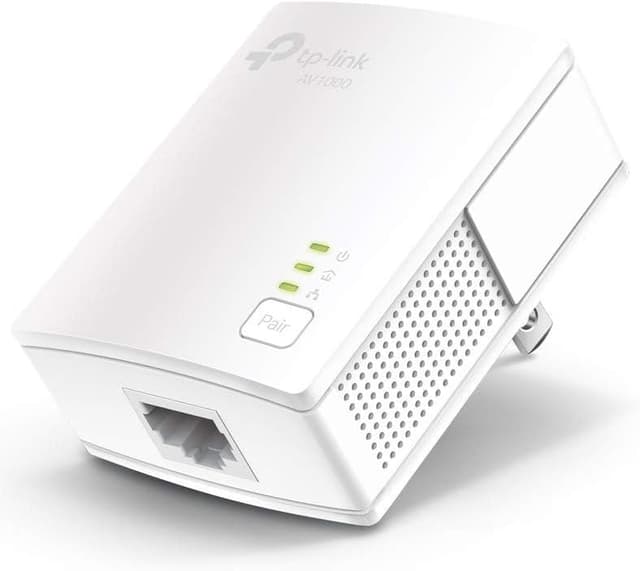
TP-Link TL-PA7017 Powerline Ethernet Adapter Kit (AV1000, Gigabit Port, Plug-and-Play)
Product description
If your router placement (or Wi‑Fi range) just can’t reach where you need a reliable connection, a Powerline kit can be a practical workaround. The TP-Link TL-PA7017 kit is built for extending Ethernet over your home’s existing electrical wiring—so you can add a wired link in rooms where running new cables isn’t realistic.
That said, powerline isn’t magic. Performance depends on your wiring quality, how far the adapters are from each other, and electrical conditions inside the house. Still, for multi-story homes and setups like basements, garages, or rooms with thick barriers, it’s one of the more straightforward “no new wires” approaches.
Key features and what they’re for
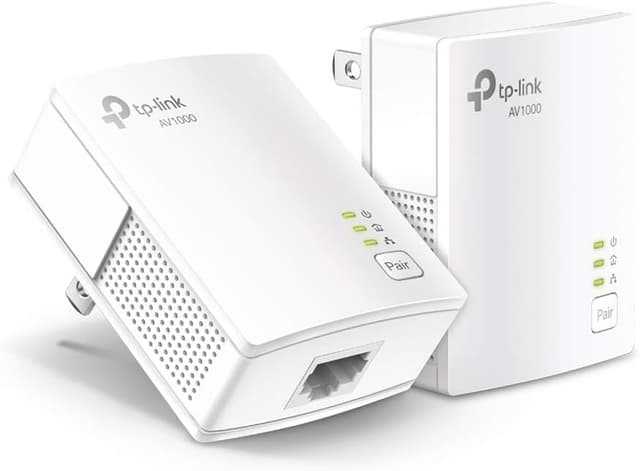
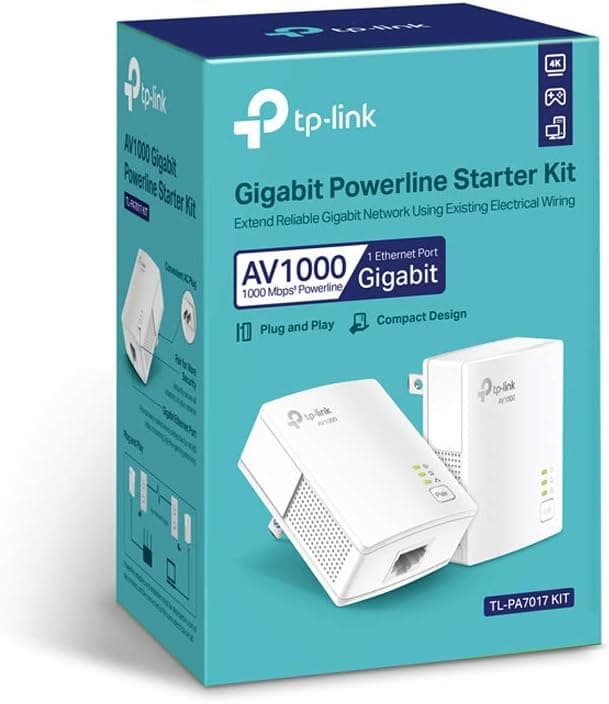
This kit includes two Powerline Ethernet adapters designed to create a wired network using the electrical system in your home. The core pitch is simple: you plug the units into outlets, pair them as a set, and use the included Ethernet connections to get a more stable wired experience than typical Wi‑Fi in hard-to-reach areas.
The adapters target AV1000 powerline speeds (so you’re not working with the slowest end of the category), and they include a Gigabit Ethernet port. In everyday terms, that means you’re aiming to connect devices like a desktop, smart TV, or a game console to Ethernet without relying entirely on wireless.
One detail worth calling out: speeds can’t exceed the limits of your internet plan. So if your subscription is modest, the kit won’t magically turn it into a faster plan—it’s about delivering a consistent wired path to the device.
What to know before you buy (important limitations)
Powerline networking has a few “rules of the road,” and the TL-PA7017 kit follows the typical ones:
- The adapters need to be on the same electrical circuit for connectivity.
- You should use a direct outlet plug in.
- It does not work with surge protectors.
- Powerline adapters must be installed in sets of two or more.

Also, don’t expect identical real-world speeds in every home. Conditions and wiring quality can pull results down, and longer distances or interference can reduce throughput. If your goal is consistently top-tier performance in a far-away room, it’s smart to keep expectations realistic.
Where it shines in real home setups
Over the paper, the TL-PA7017 kit makes a lot of sense for places where Wi‑Fi is “technically available” but annoying: rooms far from the router, multi-story layouts, or spaces separated by thick walls and barriers.
Here’s a concrete example: imagine a gaming console or smart TV in a basement room where Wi‑Fi drops during peak usage. With this kit, you’d place one adapter near your router (or an Ethernet-ready network point) and the other in the basement outlet. Then you connect the console/TV via Ethernet to the basement adapter. Instead of fighting with wireless signal quality, you’re giving the device a wired Ethernet link.
Setup approach: plug pair & play (with a caveat)
The kit is marketed as plug pair & play, with no configuration required in the normal sense. The included Ethernet cabling helps keep installation simple—connect Ethernet to your network side, plug in the adapters, and then use the other adapter to feed Ethernet to your device.

Do keep the limitation in mind: powerline adapters need to be used in sets. If you only buy one unit or try to mix-and-match without the proper pairing setup, you can run into connectivity problems.
Security angle you’ll actually care about
TP-Link notes that it is a signatory of the U.S. Cybersecurity and Infrastructure Security Agency’s (CISA) Secure-by-Design pledge. In practical buyer terms, it’s a reminder that security is part of the device’s development and maintenance process—not just an afterthought.
It’s not the same as end-user testing or independent lab benchmarks (and you shouldn’t assume that from this listing alone), but it’s a positive signal for people who want a home network add-on without ignoring security considerations.
Tech specs
- Type: Powerline Ethernet Adapter Kit (Ethernet over power)
- Network interface: Gigabit Ethernet port
- Setup: Plug pair & play (no configuration required as described)
- Speeds: AV1000 powerline speeds (practical throughput may vary)
- Compatibility: Compatible with all TP-Link powerline adapters (as stated)
- Pairing requirement: Must be installed in sets of two or more
- Connectivity requirement: Adapters must be on the same electrical circuit
- Compatibility restriction: Does not work with surge protectors
- Notes on performance: Speeds may be lower due to wiring quality, adapter distance, and interference/conditions
Is it worth it?
Buy the TP-Link TL-PA7017 kit if you want an easier path to wired Ethernet in rooms where Wi‑Fi struggles, and you’re comfortable using outlets that are on the same electrical circuit (and not through surge protectors). It’s especially worth considering for basements, garages, attics, or multi-story homes where thick walls and distance make wireless less dependable.
Skip it if you need a guaranteed, consistent high-speed wired experience regardless of distance or home wiring—powerline performance can vary quite a bit based on the electrical setup. And if your only outlets are behind surge protectors, you’ll likely hit a hard limitation.
If you’re the kind of buyer who prefers “no new wires” and just wants a stable Ethernet link for a desktop, smart TV, or console, this kit fits the job. But if you expect powerline to bypass internet plan limits or to behave like a direct wired installation, it may feel like it comes up short.

Quick FAQ
FAQ
Do I need to run new Ethernet cables?
No new wires are part of the appeal here. The kit extends Ethernet over existing electrical wiring, using the adapters to create the connection.
Will this make my internet faster than my plan?
No. Speeds can’t exceed the limit of your internet plan. The benefit is more about getting a wired connection where Wi‑Fi isn’t reliable.
Why won’t it connect sometimes?
Connectivity can fail if the adapters aren’t on the same electrical circuit, if you use surge protectors, or if you don’t set it up in the required two-or-more adapter configuration.
Does it work through surge protectors?
No, it does not work with surge protectors, based on the guidance provided.
Can I mix it with other TP-Link powerline adapters?
The listing states it’s compatible with all TP-Link powerline adapters, so mixing within that ecosystem is supported (as described).