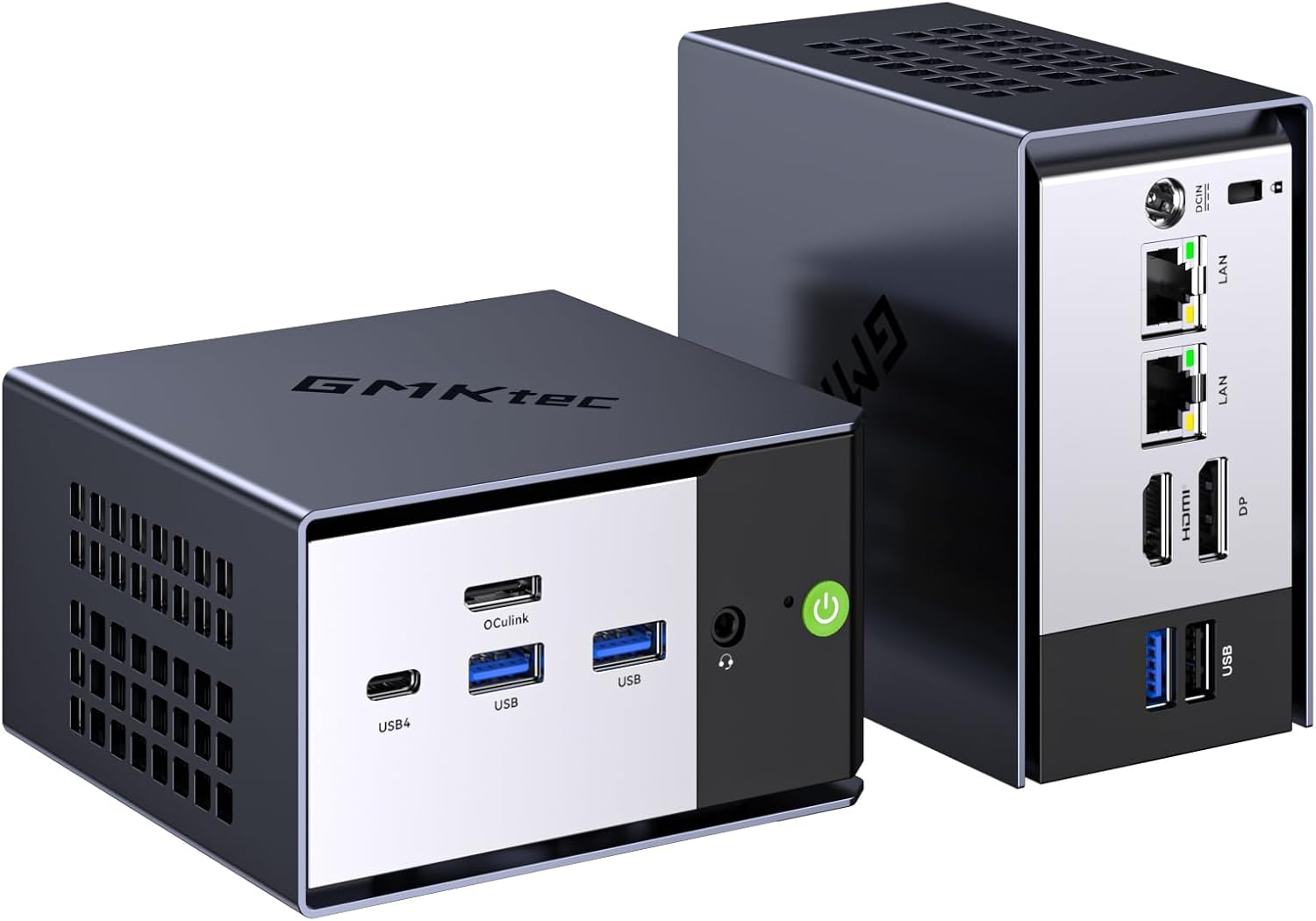
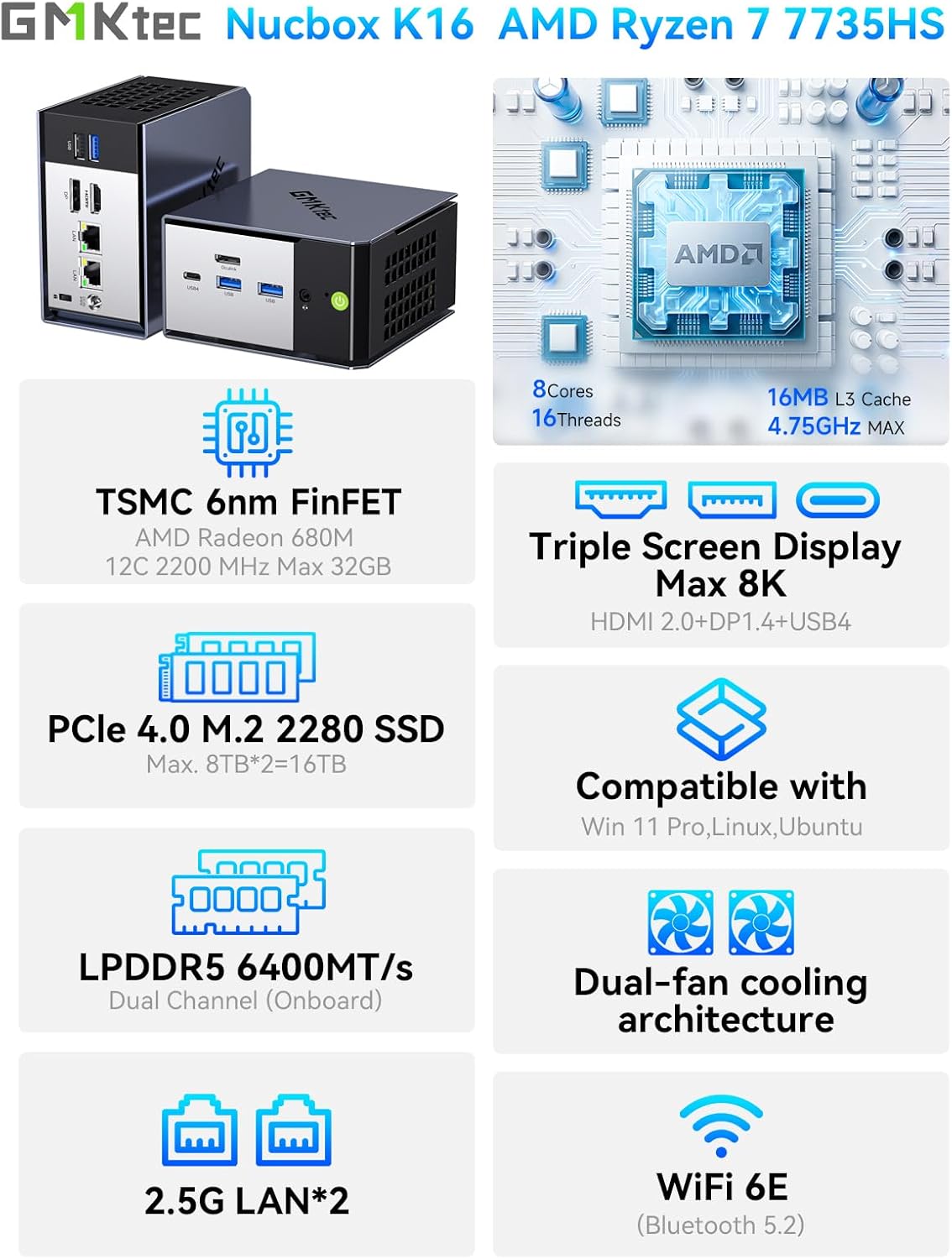
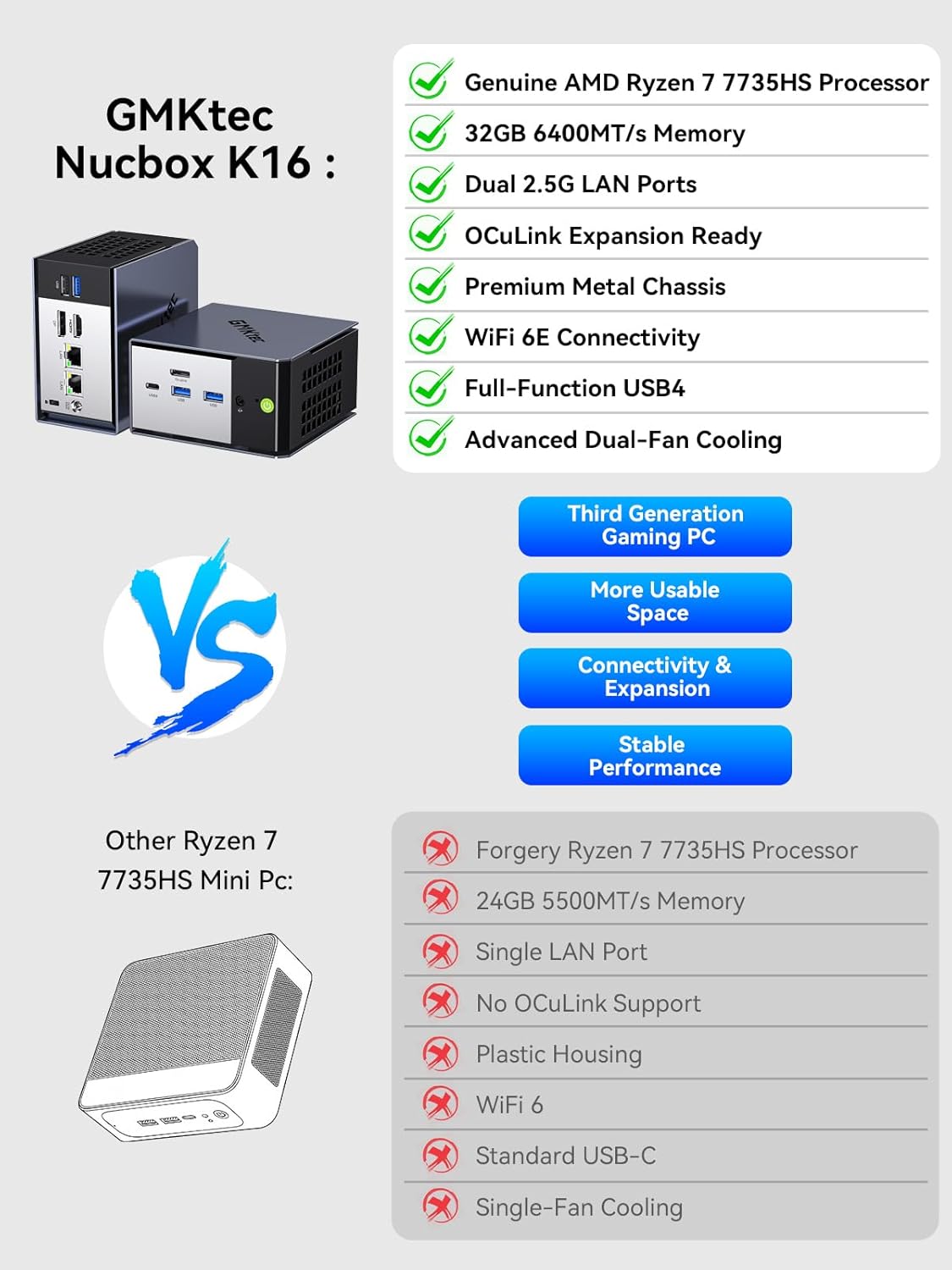
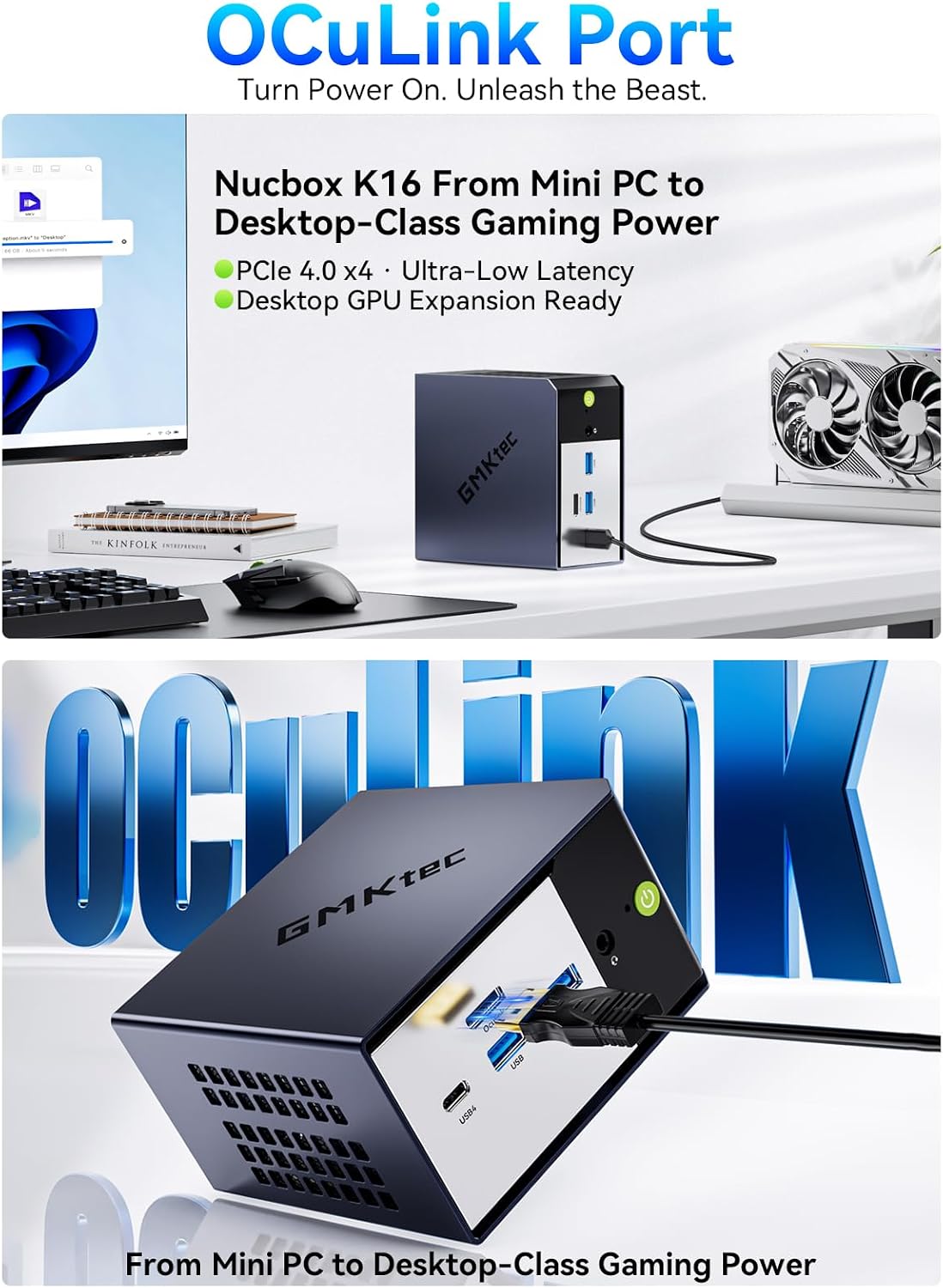
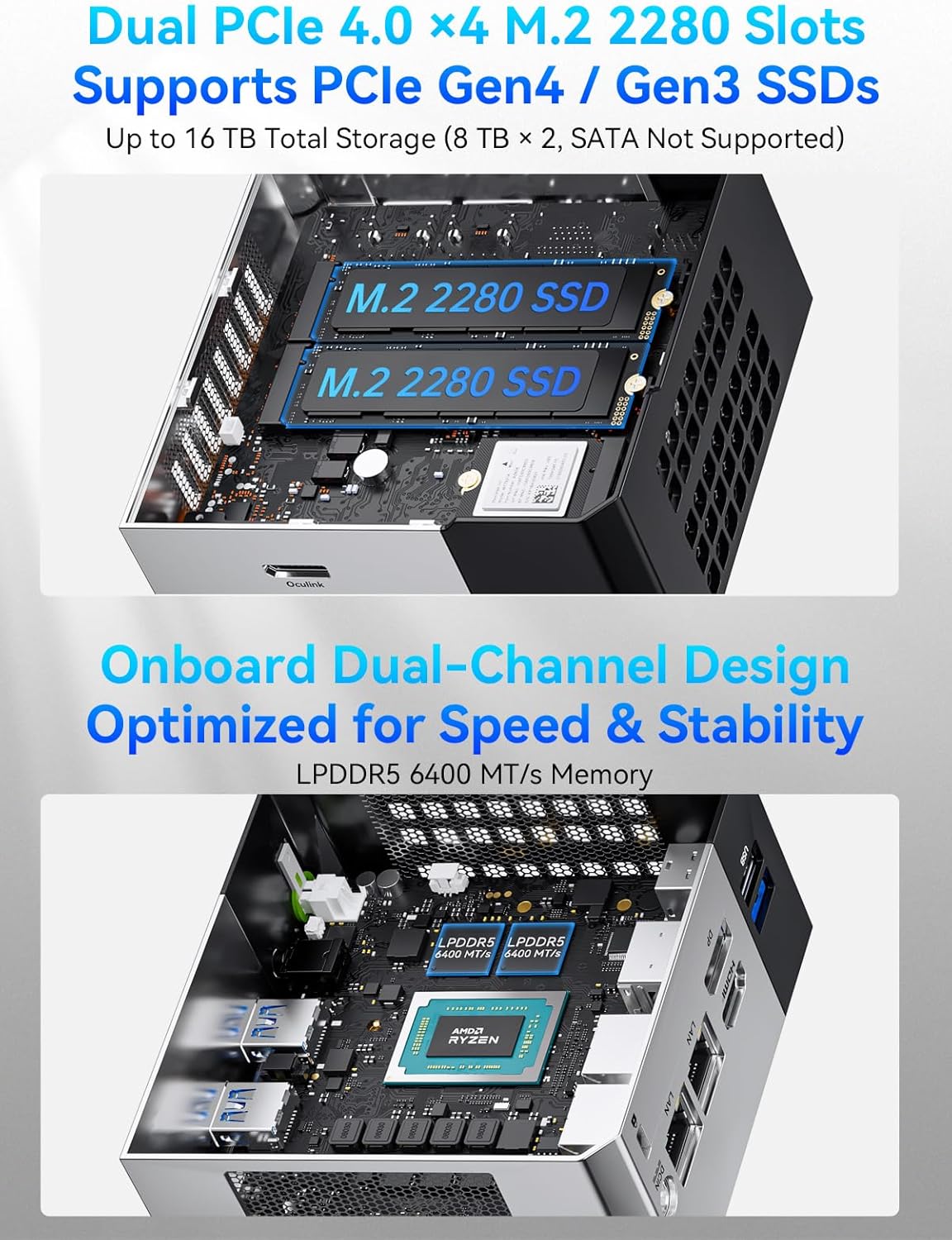
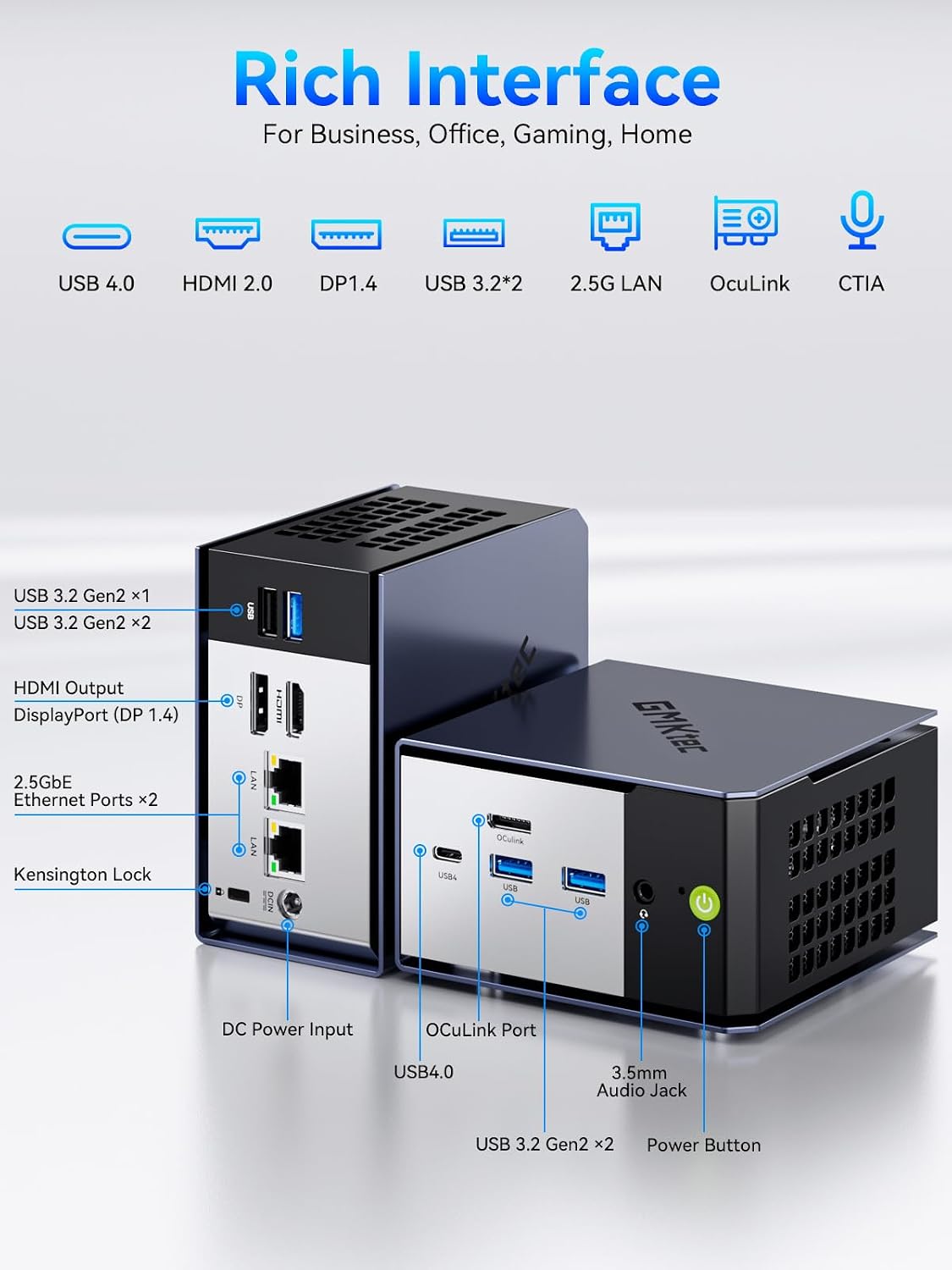
What it is and what it aims to solve\nThe GMKtec K16 is a compact gaming mini PC designed to deliver desktop-like performance in a small footprint. Powered by the AMD Ryzen 7 7735HS (8 cores/16 threads) with a turbo up to 4.75GHz, it targets both productivity tasks and gaming sanity without requiring a full-size desktop. If you’re short on space but want a capable machine for modern titles and demanding workloads, this model attempts to balance processing power with compact form and flexible connectivity.\n\n## Performance on paper and practical use\nOn the surface, the Ryzen 7 7735HS provides a solid core for multitasking, productivity apps, and gaming, especially when paired with 32GB of LPDDR5 RAM running at 6400MT/s and a 1TB NVMe SSD. The dual M.2 2280 slots imply expandable storage if you need more space later, though exact total capacity beyond the stated 1TB isn’t specified. In real-world terms, this setup should handle modern games at modest to high settings and everyday creative workflows, but heavy AAA titles at high resolutions will depend on cooling and how aggressively you push the system in longer sessions.\n\n## Connectivity and expansion highlights\nConnectivity is a standout focus here: a dedicated Oculink port for potential external GPU upgrades signals an emphasis on desktop-like graphics acceleration when needed. USB4 opens up fast data paths and versatile video output, while HDMI, USB-C, and DisplayPort options enable a three-display setup for immersive gaming or productive multitasking. Dual 2.5GbE LAN ports offer advanced networking capabilities, including link aggregation or hosting a small server from a compact box. The design also prioritizes cooling with redesigned dual fans and copper pipes to keep temperatures in check.\n\n## What stands out day to day\nThe promise of three performance modes (Quiet, Balance, Performance) via a refreshed UEFI BIOS means you can tailor the noise and power profile to your use case. If you’re working late or streaming a game, you might favor Quiet or Balance, for CPU/GPU heavy sessions, Performance could unlock higher clock speeds. The system supports auto VRAM allocation and Wake-on-LAN, which can simplify a day-to-day workflow or remote management.\n\n## Pros and potential drawbacks\nPros: strong CPU for a mini PC, generous RAM and fast storage, robust I/O including USB4 and Oculink, triple display capability, and improved cooling. The ability to adapt performance modes adds flexibility.\nCons: the exact sustained gaming performance will depend on cooling and system thermals under load, and while 32GB is ample for many tasks, users with highly demanding multi-threaded workloads or very strict power limits may hit ceilings in certain scenarios. The base 1TB NVMe SSD is solid, but total effective storage could require expansion if you have a large game library.\n\n## Who it’s for\nThis mini PC is well-suited for gamers who want a compact, upgrade-friendly machine with desktop-like connectivity. It also serves power users who need strong CPU performance in a small form factor, plus the option to expand storage and add external GPUs later. It’s a reasonable choice for home offices or media centers that want gaming capability without a full tower.\n\n## When it makes sense to buy\nConsider this model if you value a compact footprint with modern I/O and the ability to scale storage and GPU speed via external options. If your priority is raw, sustained gaming performance at the highest settings in 4K, a larger chassis or dedicated GPU setup may offer more headroom.\n\n## What to check before you buy\nConfirm the number of supported displays and the exact maximum total RAM if you plan future upgrades. Review cooling behavior during extended gaming sessions and consider your preferred networking setup, especially if you plan to leverage the dual LAN ports or link aggregation.\n\n## Practical use case example\nImagine a small gaming/creative setup: you’re rendering a 4K video while streaming gameplay to a second screen. With its triple-display capability and high-speed ports, you can drive a primary game on a large monitor, keep chat on a second screen, and run a background render on the third—something that would feel cramped on a traditional mini PC with fewer interfaces.\n\n## FAQ (practical, non-technical questions)\n- How upgradeable is the storage? The system supports dual M.2 2280 slots for expansion, but exact total capacity beyond the included 1TB isn’t specified.\n- Can I use an external GPU? The Oculink port is designed for direct, high-speed eGPU connections, which can add desktop-class graphics when needed.\n- Will it stay quiet under load? The updated cooling system aims to balance performance and noise, but actual acoustics depend on load and room temperature.\n\n## Final decision: Is it worth it?\nIt makes sense if you want a compact gaming-focused PC with strong CPU performance, fast RAM, and flexible connectivity, plus the option to grow storage and GPU capability over time. If portability and future upgradability matter, this model offers a compelling balance. However, if you need uncompromised high-end gaming performance in a small form factor for long, sustained sessions, you may want to weigh thermals and potential noise in extended use.