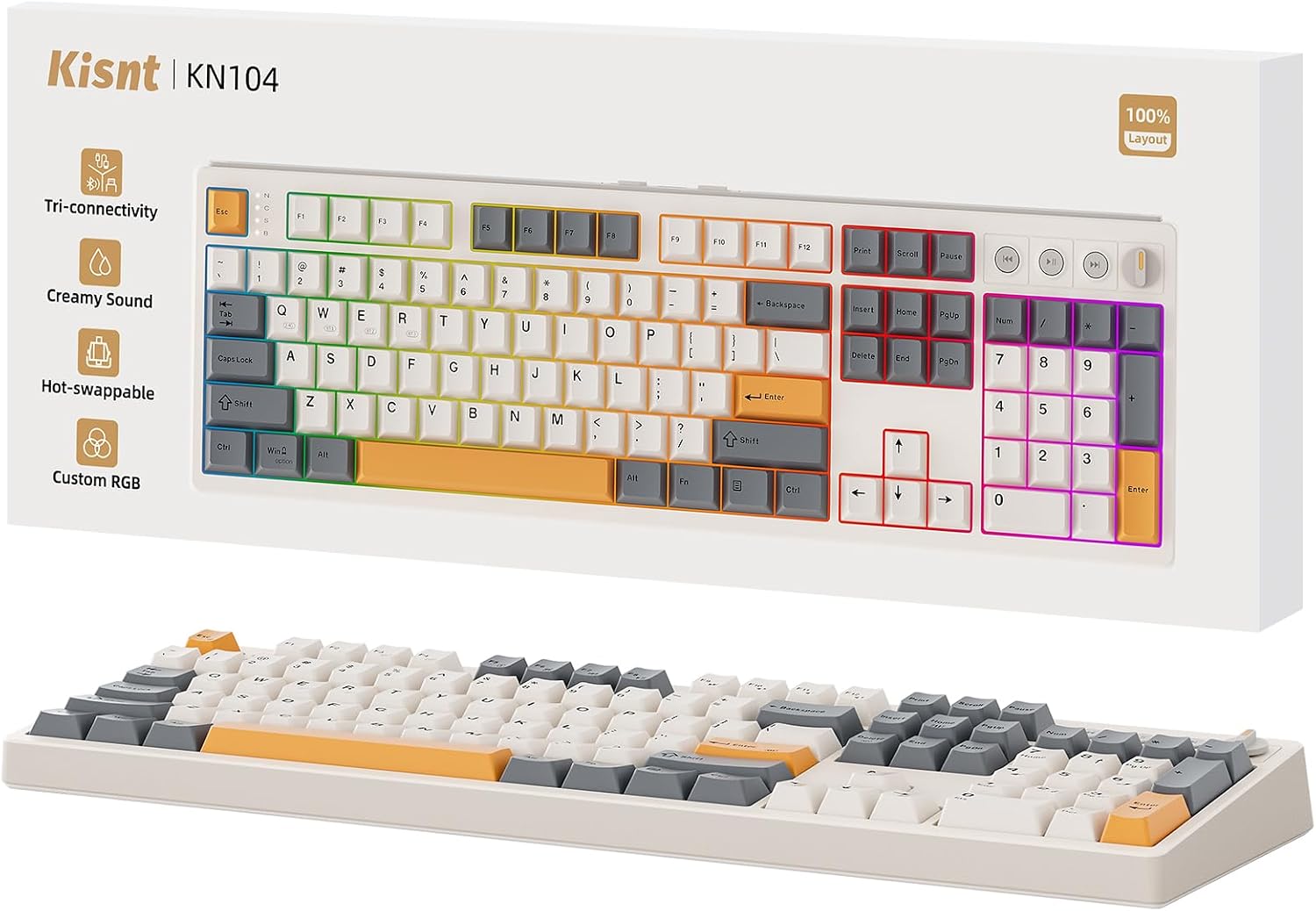
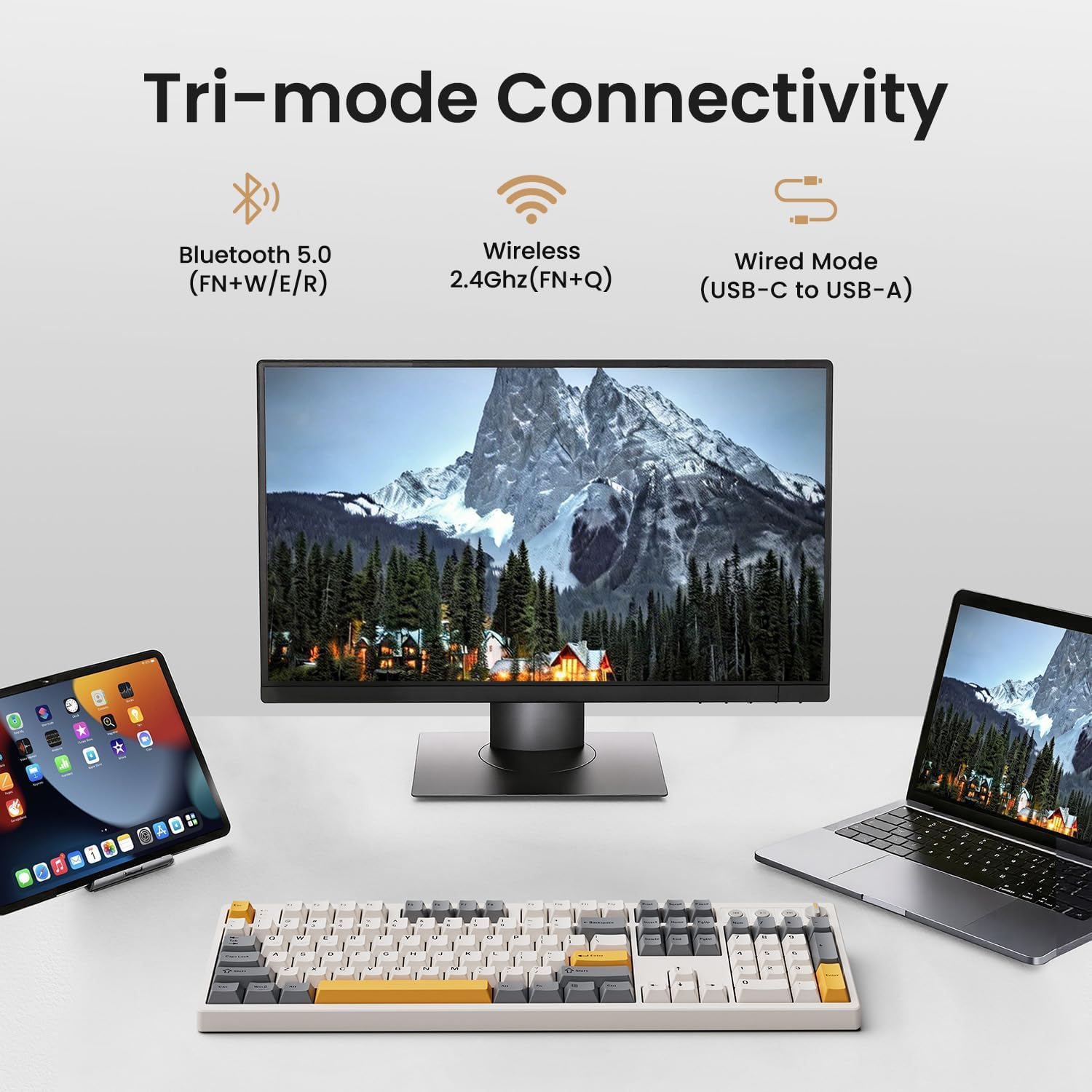
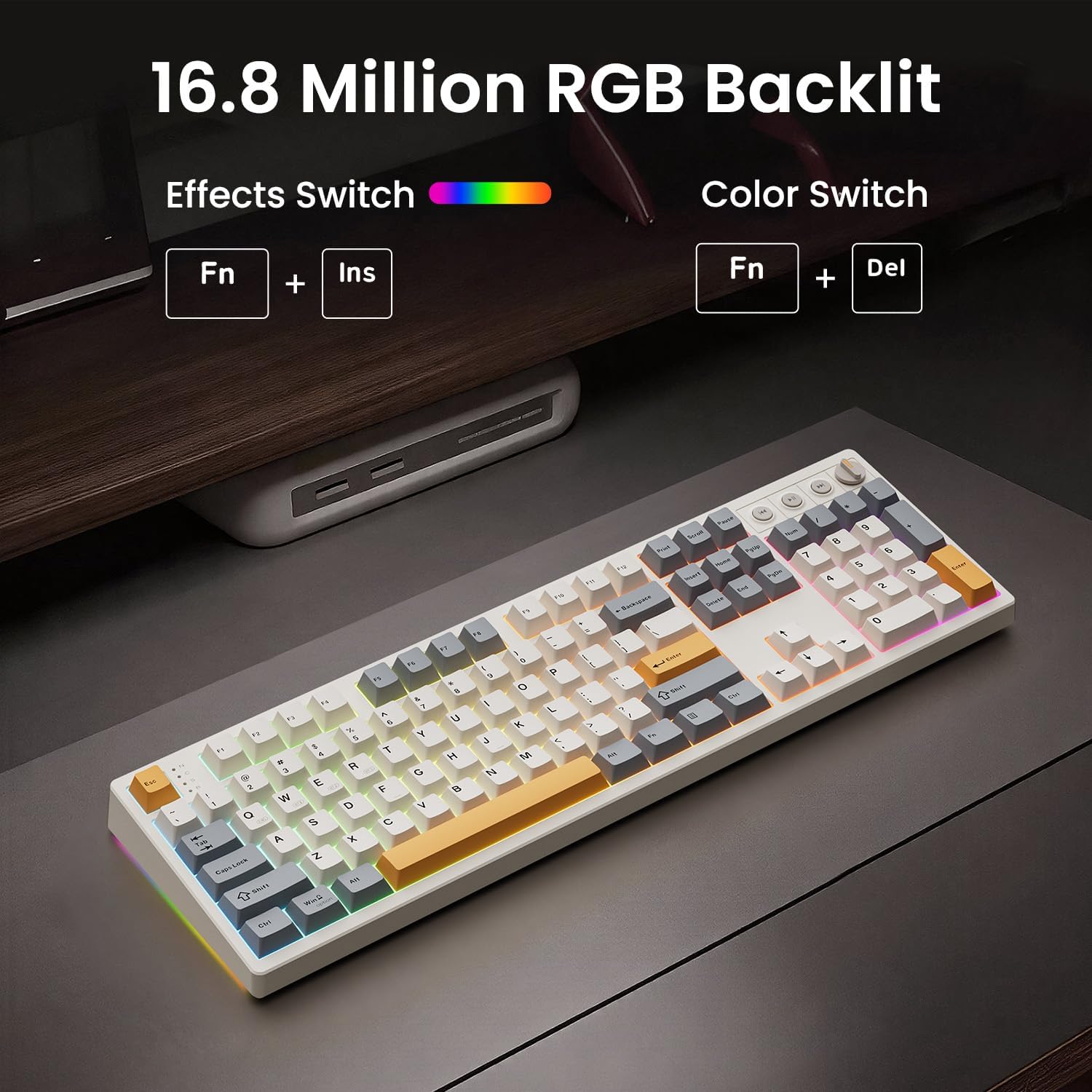
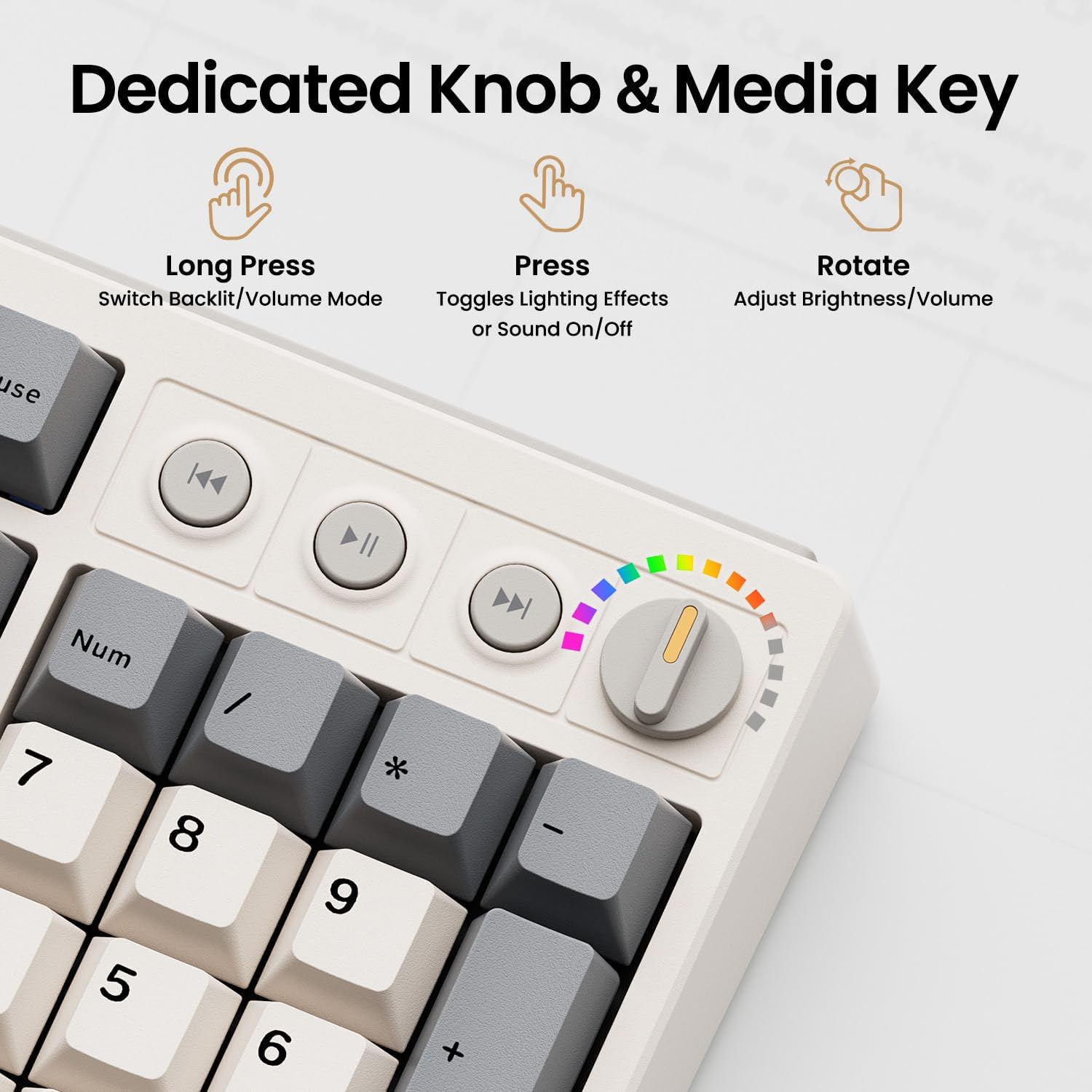
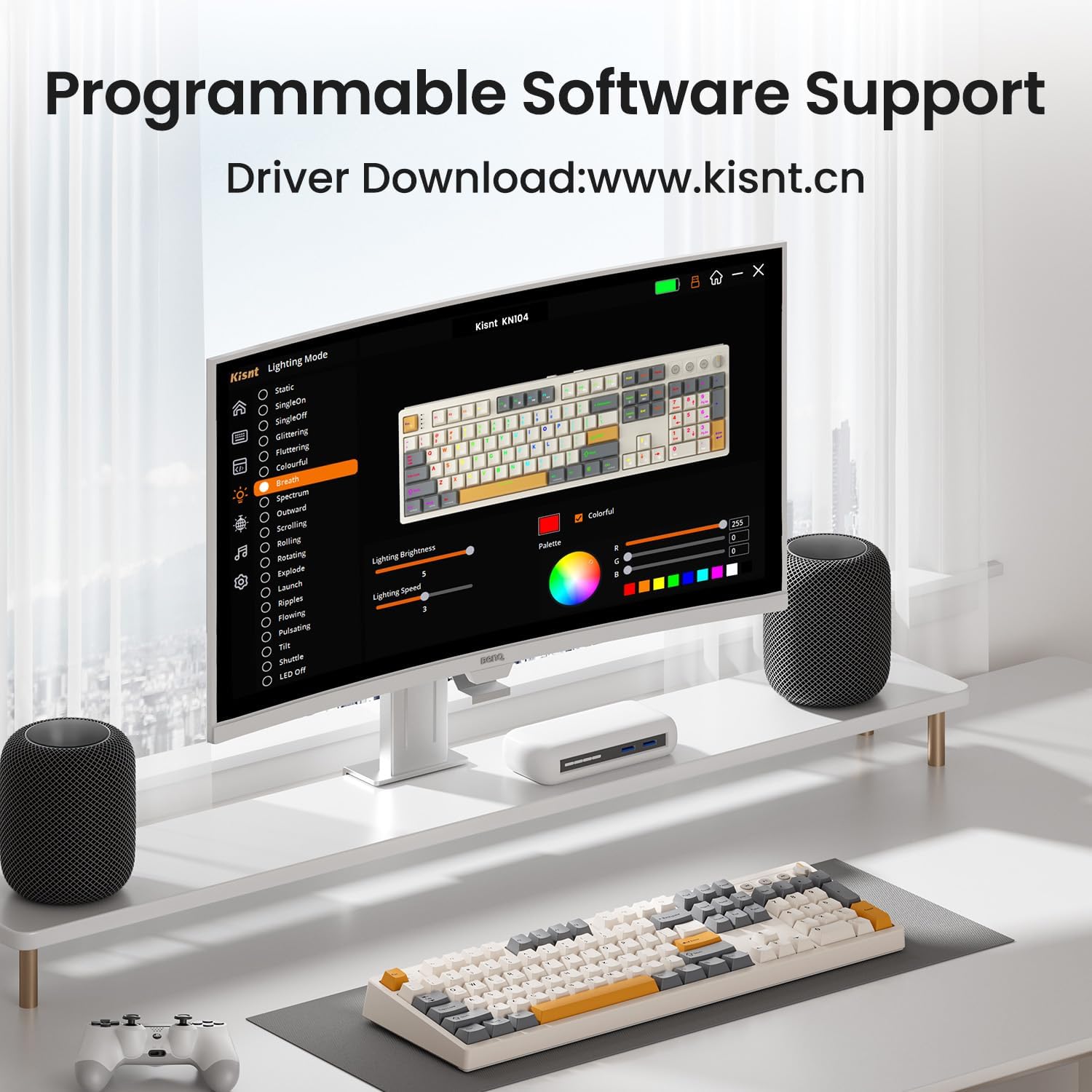
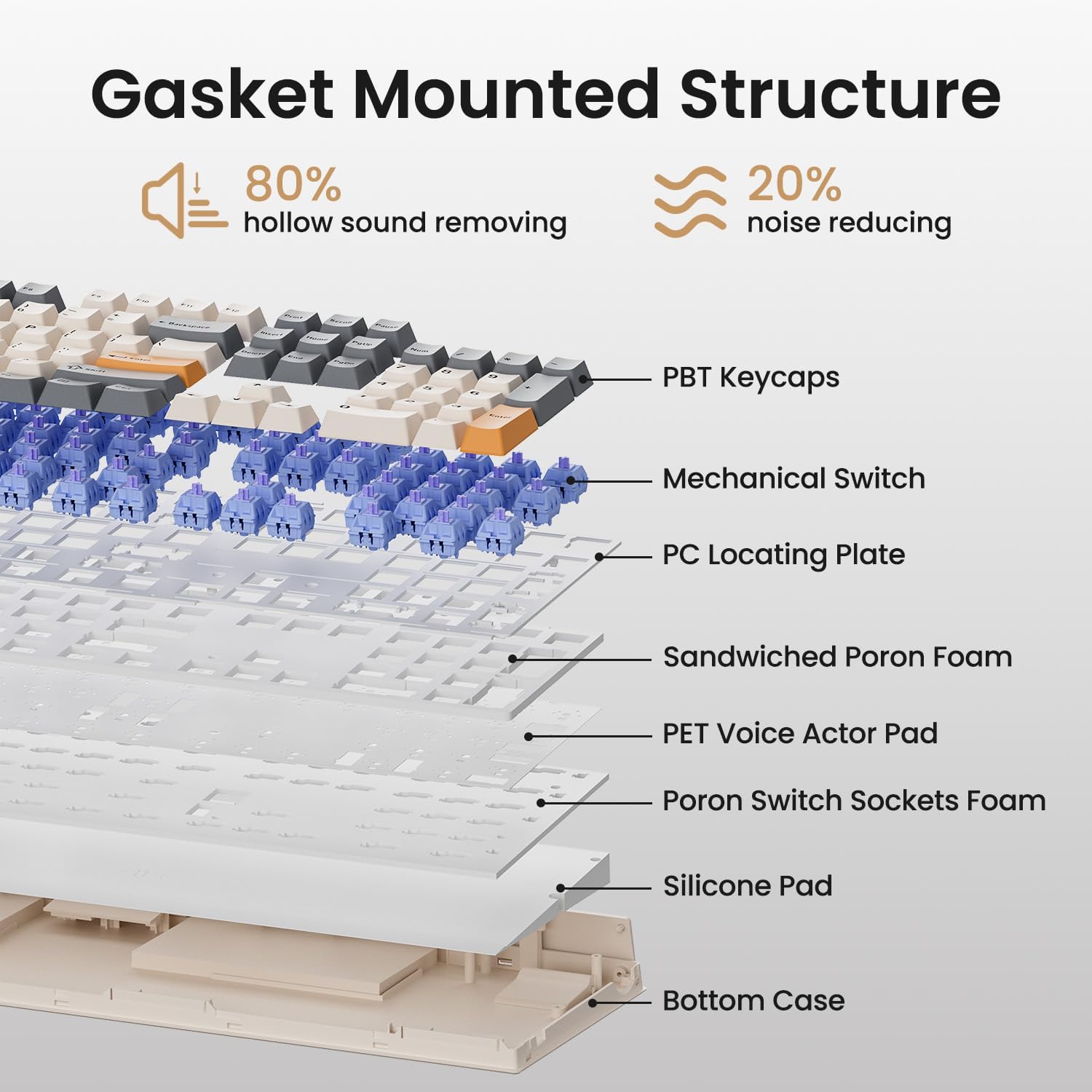
What it is and who it’s for\nThe Kisnt KN104 is a 100% layout wireless mechanical keyboard with a dedicated volume/backlight knob, designed for productivity-heavy use like spreadsheets, coding, and data entry, while still serving well for gaming. It targets users who want a full-size setup with media controls and flexible connectivity, without sacrificing typing feel. If you need a familiar full keyboard footprint plus a configurable backlight and easy access to volume control, this model narrows the gap between efficiency and enjoyment.\n\n## The core benefits at a glance\nOn paper, the KN104 combines tri-mode connectivity (USB-C, 2.4GHz, Bluetooth 5.0) with a built-in 4000mAh battery, promising long wireless sessions and quick switching across devices. It uses hot-swappable 3/5 pin switches, so you can tailor the feel between smooth linear and other switch types without soldering. The keyboard also emphasizes a “creamy” sound profile thanks to multiple layers of dampening, a hallmark many typists notice in long sessions.\n\n## Design and feel: sound, build, and layout\nThe 17.52" x 5.55" x 1.65" form factor keeps the number pad handy for data work, while the gasket-mounted construction and dampening stack aim to reduce echo and harshness. The keyboard’s RGB backlight is programmable, with 20 preset effects and side light bars to boost immersion during gaming or late-night work. The knob defaults to volume control but can be repurposed via software or shortcut keys for quick tweaks—handy when you’re migrating between tasks or apps.\n\n## Connectivity and power: how it stays in place\nTri-mode connectivity means you can switch between Windows and Mac setups with ease, which is a big plus for hybrid workflows. The 4000mAh battery is designed for long sessions, and you can continue typing while charging in wired mode. Guidance notes remind users to fully charge before first use and to manage RGB effects to optimize battery life.\n\n## Customization and software: tailoring the experience\nThe KN104 supports key remapping and macro editing through its driver for Windows in wired or 2.4G mode. That enables you to optimize workflows, especially if you rely on repetitive keystrokes or specific sequences in spreadsheets or code editors. Be aware that software-based programming is Windows-centric, so cross-OS customization may be limited or require workarounds.\n\n## Pros and cons in practice\nPros: full-size layout with a dedicated knob for quick adjustments, versatile tri-mode connectivity, hot-swappable switches for easy feel tweaks, and a distinctive “marble-thock” typing character thanks to dampening. Cons: software customization is Windows-focused, which could complicate macros on macOS or other ecosystems, the large footprint may not fit compact desks, and like many RGB-heavy keyboards, battery life can drop with constant dynamic lighting.\n\n## Who should buy this\nIt suits programmers, data-entry specialists, recruiters who type a lot, students juggling multiple devices, and gamers who value a roomy layout with media controls. It’s particularly compelling if you want a robust typing experience without compromising on a full number pad.\n\n## Who might want to skip it\nIf you prefer a compact or minimalist desk setup, or if you don’t need a number pad or a dedicated knob, the size might feel excessive. Also, if you primarily work on macOS and rely heavily on third-party macro tools outside Windows support, you may run into integration friction.\n\n## What to check before buying\n- Confirm your primary OS and whether you’ll use Windows software for key programming.\n- Consider desk space: the full-size footprint is substantial.\n- Decide if you want to experiment with different switch feels via hot-swappable options.\n- Look at your lighting preferences: dynamic RGB can impact battery life.\n\n## Practical usage scenario\nImagine you’re editing a large spreadsheet while streaming a game in the background. The KN104’s volume knob and backlight controls let you manage audio levels and lighting without reaching away from the keys, which can reduce desk clutter and speed up your workflow. A user might swap to tactile switches for more precise keystrokes during heavy data entry or coding sprints.\n\n## Final verdict\nIs it worth it? If you prize a full-size keyboard with a multifunction knob, strong backlighting, and the option to customize keys and macros, the KN104 offers a compelling blend of productivity and tactile enjoyment. It may not be the cleanest fit for every Mac-only setup or the tightest desk, but for hybrid use and data-driven work, it earns consideration.\n\n## FAQ\n- What does the knob do by default? It adjusts volume and backlight.\n- Can I use any 3/5-pin switches? Yes, hot-swappable compatibility covers 3/5 pin options.\n- Do I need Windows to program keys? The KN104 driver provides programming on Windows, macOS users may rely on basic key remapping without the Windows-specific macros.\n