

GravaStar Mercury K1 Pro Wireless Mechanical Keyboard (75% Layout, Cyberpunk Edition)
Product description
What this keyboard is and who it’s for
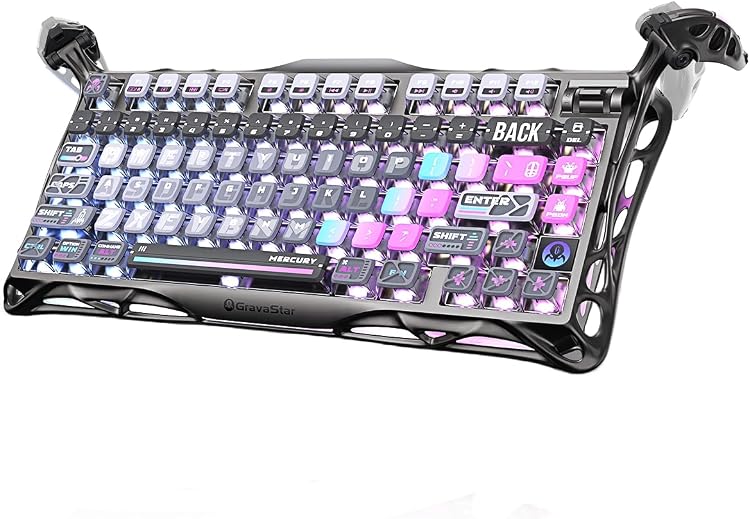
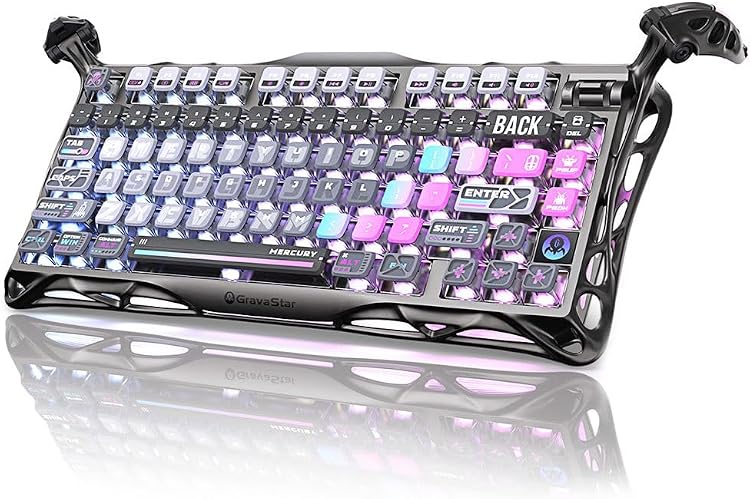
The GravaStar Mercury K1 Pro is a compact 75% wireless mechanical keyboard built for gamers, writers, and programmers who want a stylish, space-saving board without sacrificing typing feel. It combines a rugged aluminum alloy frame with a distinctive skeletal design, aiming to balance durability, portability, and aesthetic impact in a single package.
How the keys feel and perform
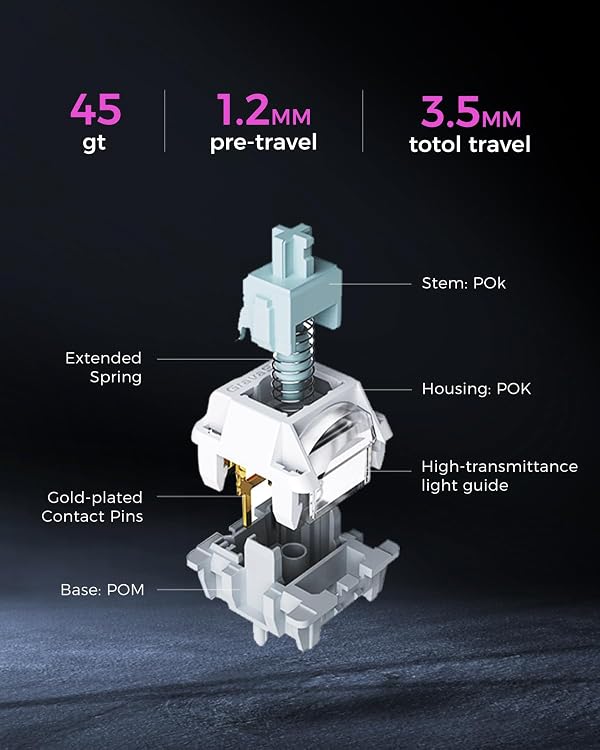
This model uses custom Kailh Speedy Mint Linear switches with a 45gf actuation force and 1.2mm pre-travel. The result is a smooth, quiet keystroke with a quick response—good for rapid input in games and for fast typing sessions. The author’s note here: without lubing, these switches still deliver a premium, consistent feel with a substantial lifespan expectation (up to 70 million keystrokes). The gasket-mounted FR4 plate and five layers of foam work together to dampen sound and provide a more balanced, cushioned typing experience in a compact footprint.
Lighting and aesthetic cues
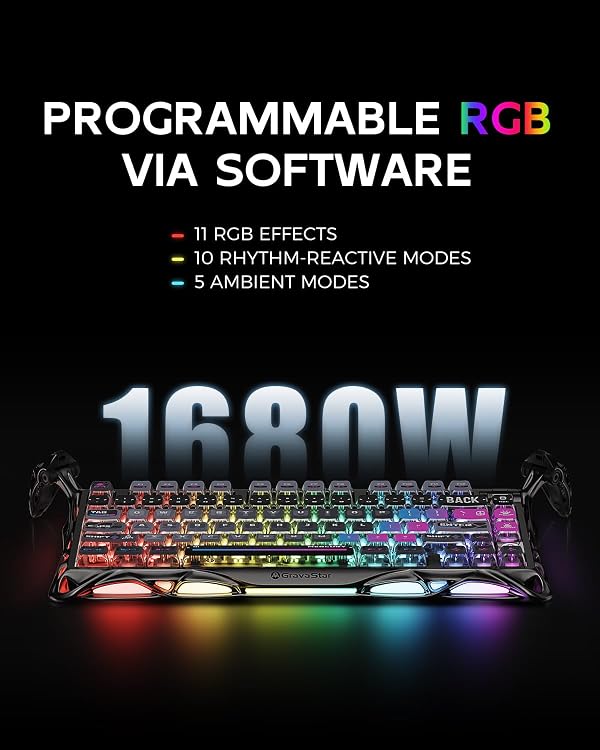
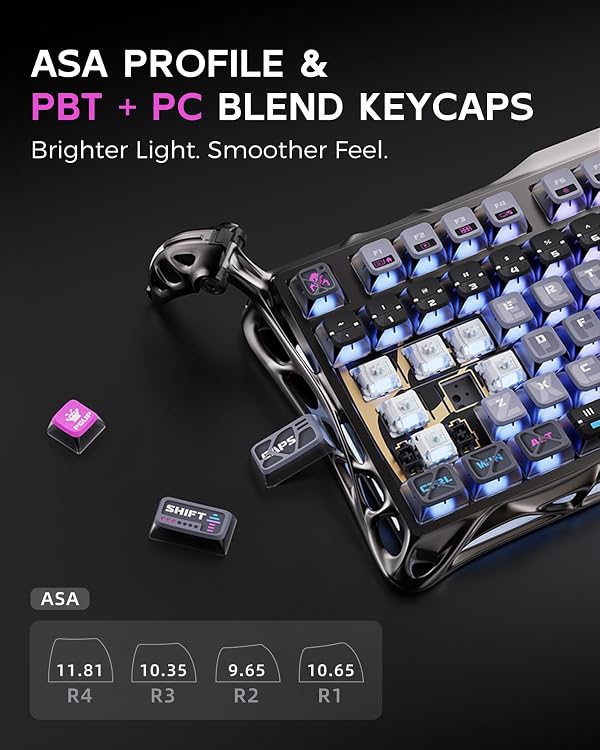
Two independent RGB lighting systems offer a broad palette (up to 16.8 million colors) and multiple modes for personalization. The south-facing backlighting combined with dye-sublimated pudding PBT keycaps adds legibility and a cyberpunk vibe that can complement a themed setup or a minimal desk aesthetic.
Battery and connectivity reality check
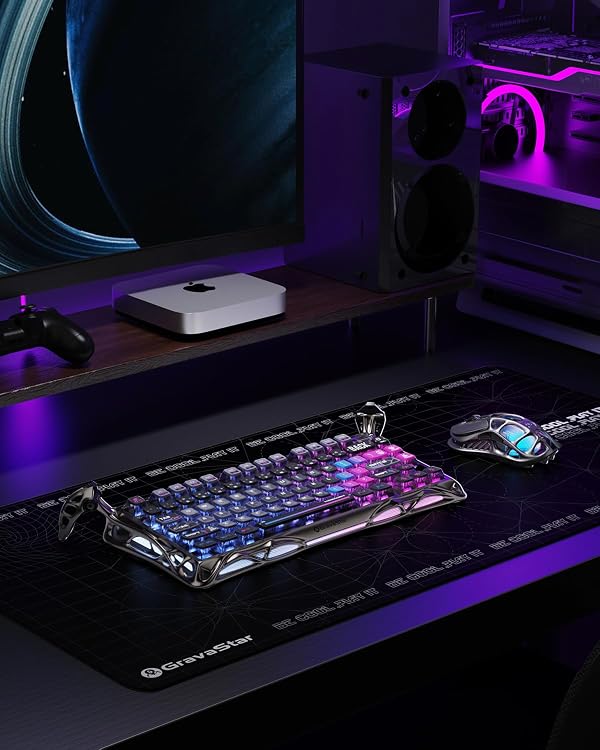
With an 8000mAh battery, this keyboard is designed for extended sessions. It supports tri-mode connectivity—wired, Bluetooth, and 2.4GHz wireless—so you can pair it with a PC, laptop, or compatible devices. In practice, tri-mode setups are convenient for multi-device workflows, but keep in mind that battery life will vary with lighting usage and wireless mode.
Layout, build, and portability notes
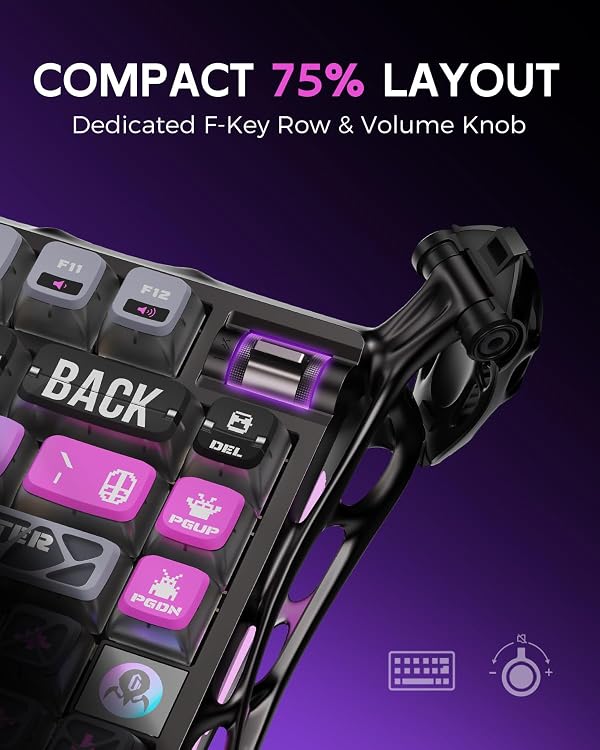
The Mercury K1 Pro uses a 75% layout, keeping 79 keys and a programmable control knob in a compact form factor. The frame’s electroplated glossy finish and overall build quality aim to strike a balance between premium feel and everyday durability. If desk space is a concern, this layout can free up room without sacrificing essential keys or a comfortable typing arc.
What stands out day to day
- Distinctive, cyberpunk-inspired aesthetics paired with practical hardware build.
- Custom linear switches tuned for responsiveness and a smooth keystroke profile without lubing.
- Dual RGB system and PBT keycaps that boost visibility and personality in low-light gaming or streaming setups.
- Robust battery life and flexible connectivity options for mixed work/gaming environments.
Potential trade-offs to consider
It won’t be perfect for everyone. The combination of a compact 75% layout and gasket mounting means some users might miss dedicated media keys or the extended keyboard real estate of a full-size board. The glossy frame, while striking, may show fingerprints more easily than matte finishes. Also, the tri-mode experience depends on battery management and real-world compatibility—some users may notice variability in wireless latency in certain ecosystems.
Who this is best for
- Gamers who value a compact footprint without losing essential controls.
- Typists or programmers who want a premium feel and a distinct aesthetic for a cyberpunk setup.
- Anyone who appreciates a unique frame design and wants flexible device compatibility for desktop and laptop use.
When this might not be the best fit
- If you rely on a full-size keyboard with dedicated function keys or a numpad.
- If you expect category-leading battery life independent of lighting, some users may find the lighting drains battery faster.
- If fingerprint resistance is a top priority, the glossy frame could require more frequent cleaning.
What to check before buying
- Confirm you’re comfortable with a 75% layout and the location of the programmable control knob.
- Consider your primary devices and whether tri-mode wireless fits your setup (and how often you’ll switch between BT, 2.4GHz, and wired).
- Think about your lighting preferences and whether you’ll use the full RGB potential, this can impact battery life.
- Inspect for your preferred keycap texture, the pudding PBT caps are dye-sublimated for durability and print longevity.
How it compares to the broader landscape
If you’re weighing this against larger or fully wired mechanical boards, the Mercury K1 Pro offers a clear space-saving advantage with a strong emphasis on design, build, and a premium typing feel. For users prioritizing battery-powered, multi-device freedom with a distinctive look, it’s a compelling option. If, on the other hand, you want the most understated aesthetics or the longest possible battery life independent of lighting, you may prefer other configurations that optimize for those traits.
Practical usage tip
Imagine gaming with a mid-mentence pause and then a quick switch to a laptop via Bluetooth. The tri-mode approach makes it practical to keep your desk tidy while staying productive across devices. As you get used to the control knob, you can assign macros or media controls—great for multitasking during long sessions.
FAQ snapshot
- What switches does it use? Custom Kailh Speedy Mint Linear switches with 45gf actuation.
- How many colors and modes are available? Up to 16.8 million colors across two RGB systems with multiple modes.
- What is the key layout size? 75% layout with 79 keys and a programmable control knob.
Final verdict
Final verdict: It’s worth considering if you value a unique, premium-looking board that saves desk space without compromising on typing comfort or gaming responsiveness. If you prize a rugged, futuristic aesthetic and the flexibility of tri-mode connectivity, this keyboard can be a strong centerpiece for a cyberpunk or high-tech setup. It might not be the best pick if you need a traditional full-size keyboard, maximal battery life with lighting off, or hassle-free fingerprint resistance.
Is it worth it?
Worth considering if this setup aligns with your space, lighting preferences, and multi-device needs. If those fit, you’ll likely appreciate the balance of build quality, typing feel, and visual appeal in day-to-day use.