

EPOMAKER TH108 V2 PRO Full Size Mechanical Keyboard with Screen & Knob (Blue, Creamy Jade)
Product description
What it is and who it’s for
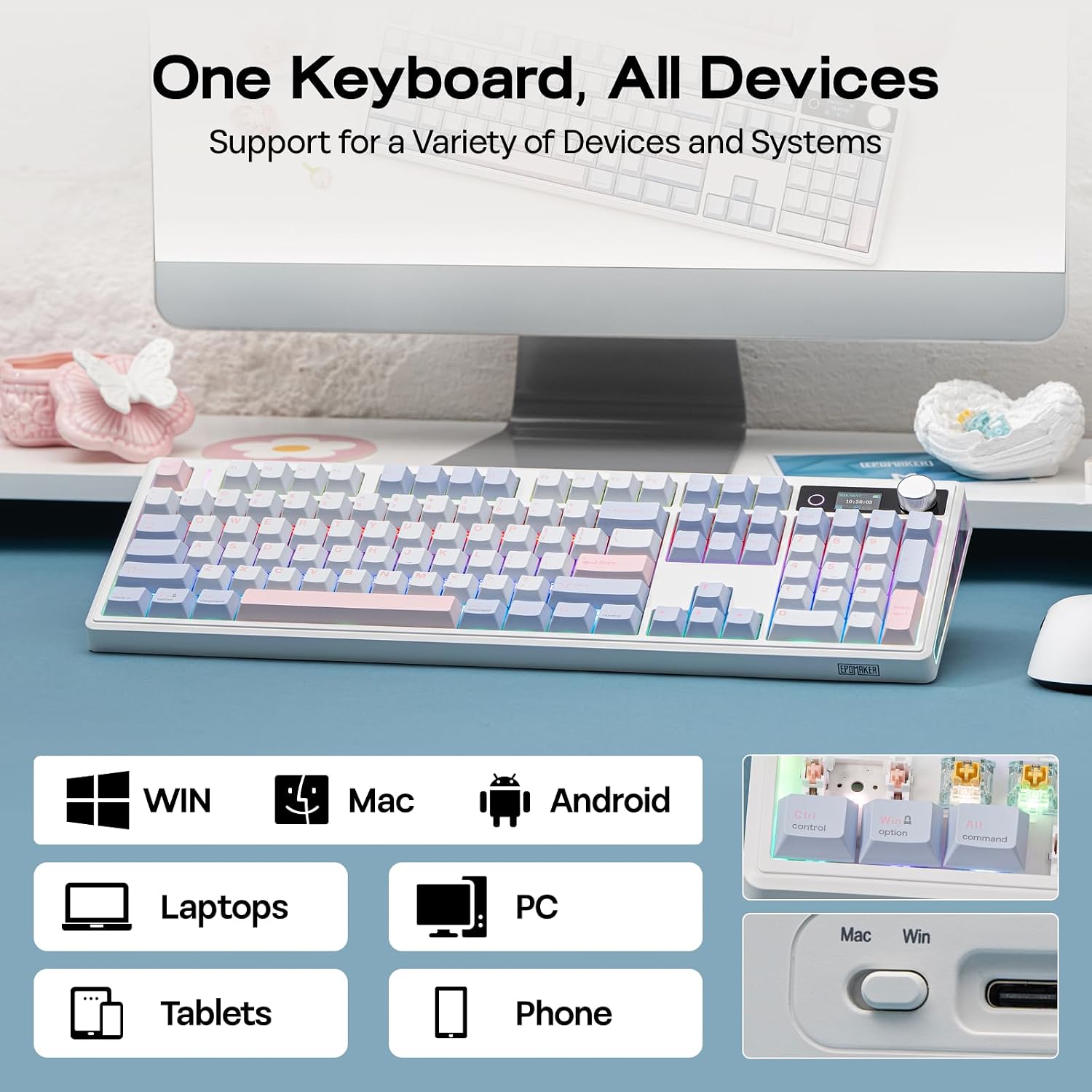
The EPOMAKER TH108 V2 PRO is a full-size mechanical keyboard designed to handle gaming, work, and creative tasks across multiple devices. It supports tri-mode connectivity (Bluetooth, 2.4 GHz, and wired) and includes dedicated Mac modifier letters on sturdy PBT keycaps, making it a practical bridge for users who switch between Mac and PC. If you want a single keyboard that can adapt to a laptop, desktop, or phone, this model aims to cover those scenarios without swapping devices.
How it feels on the desk
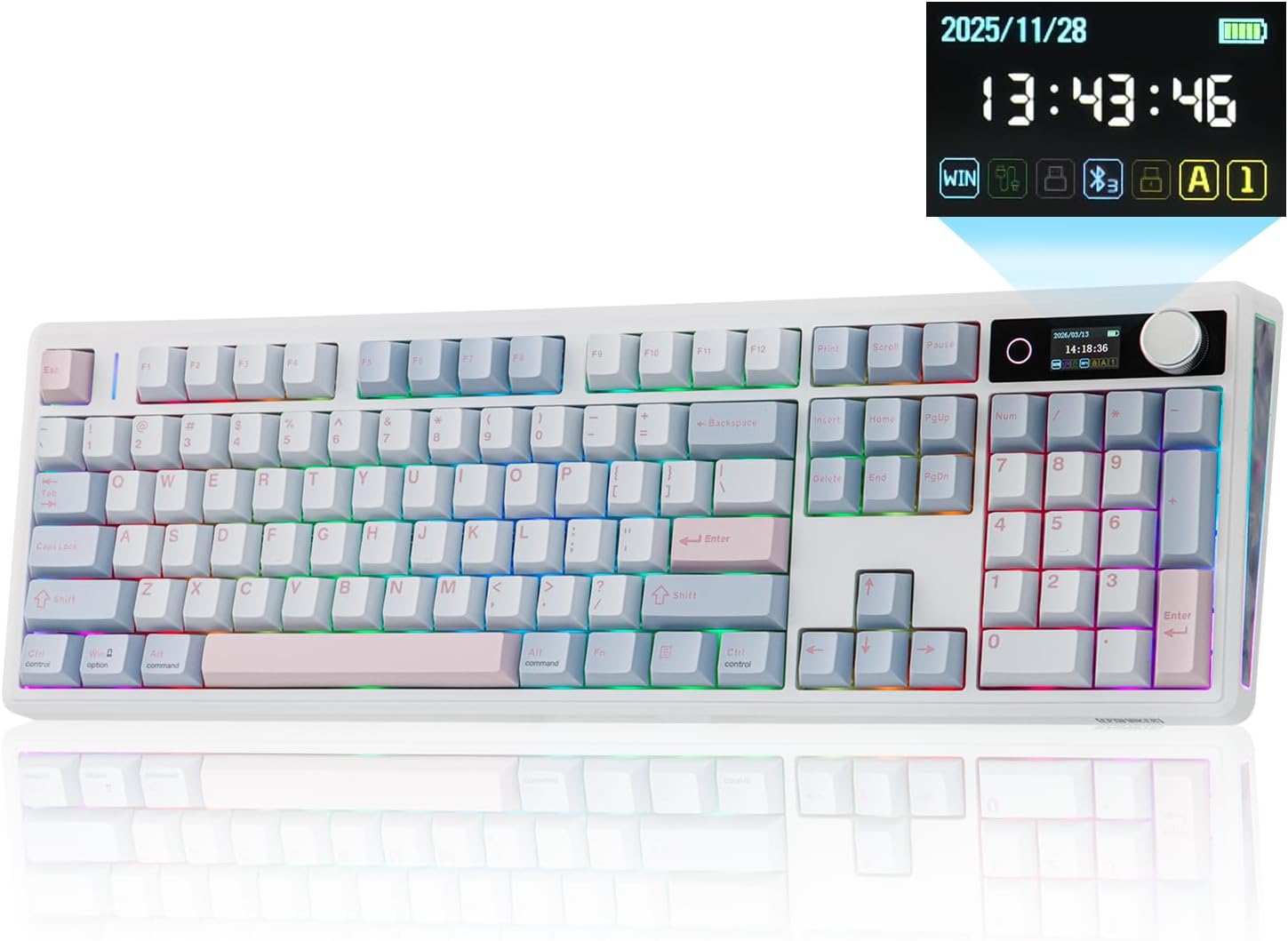
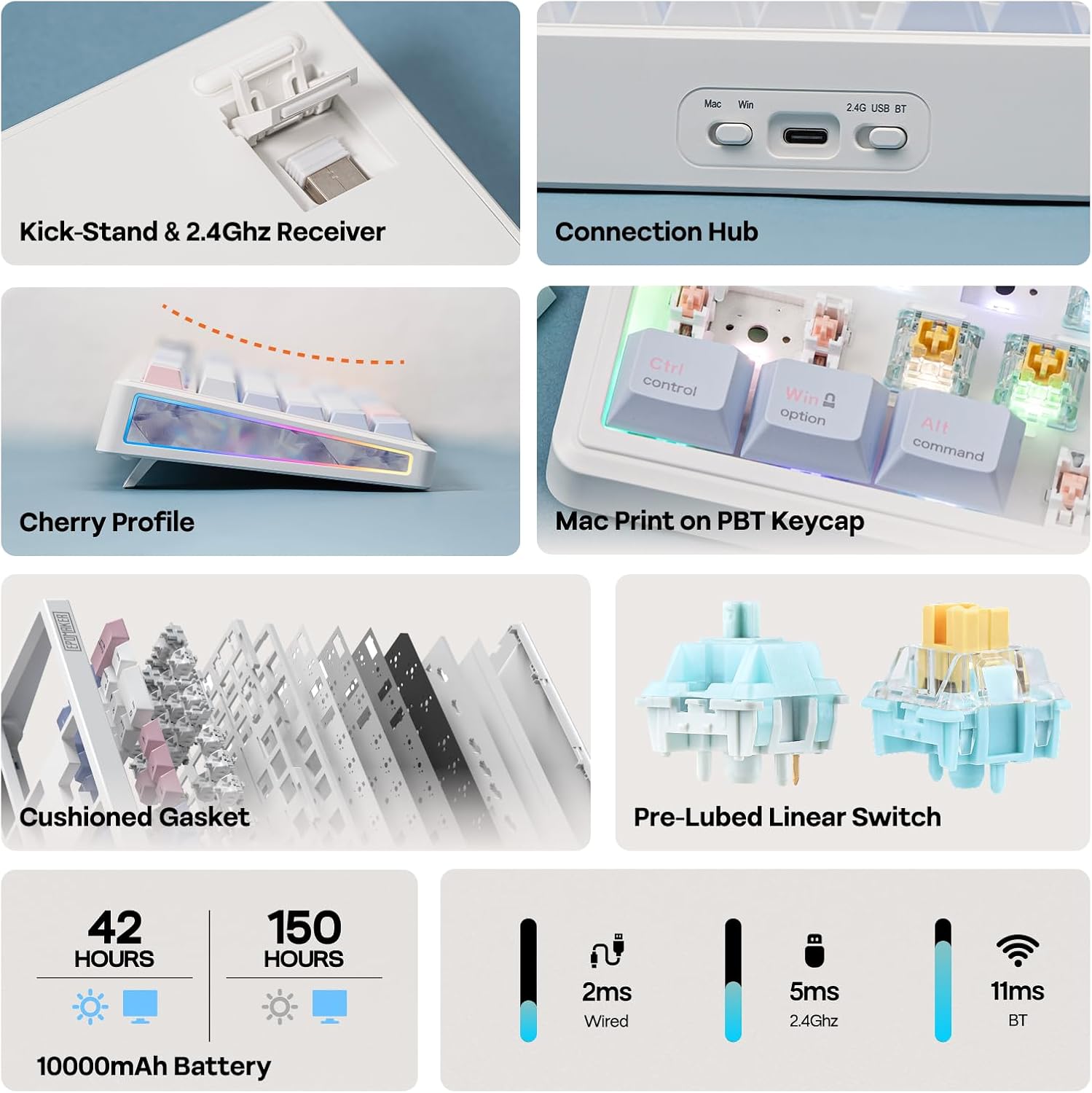
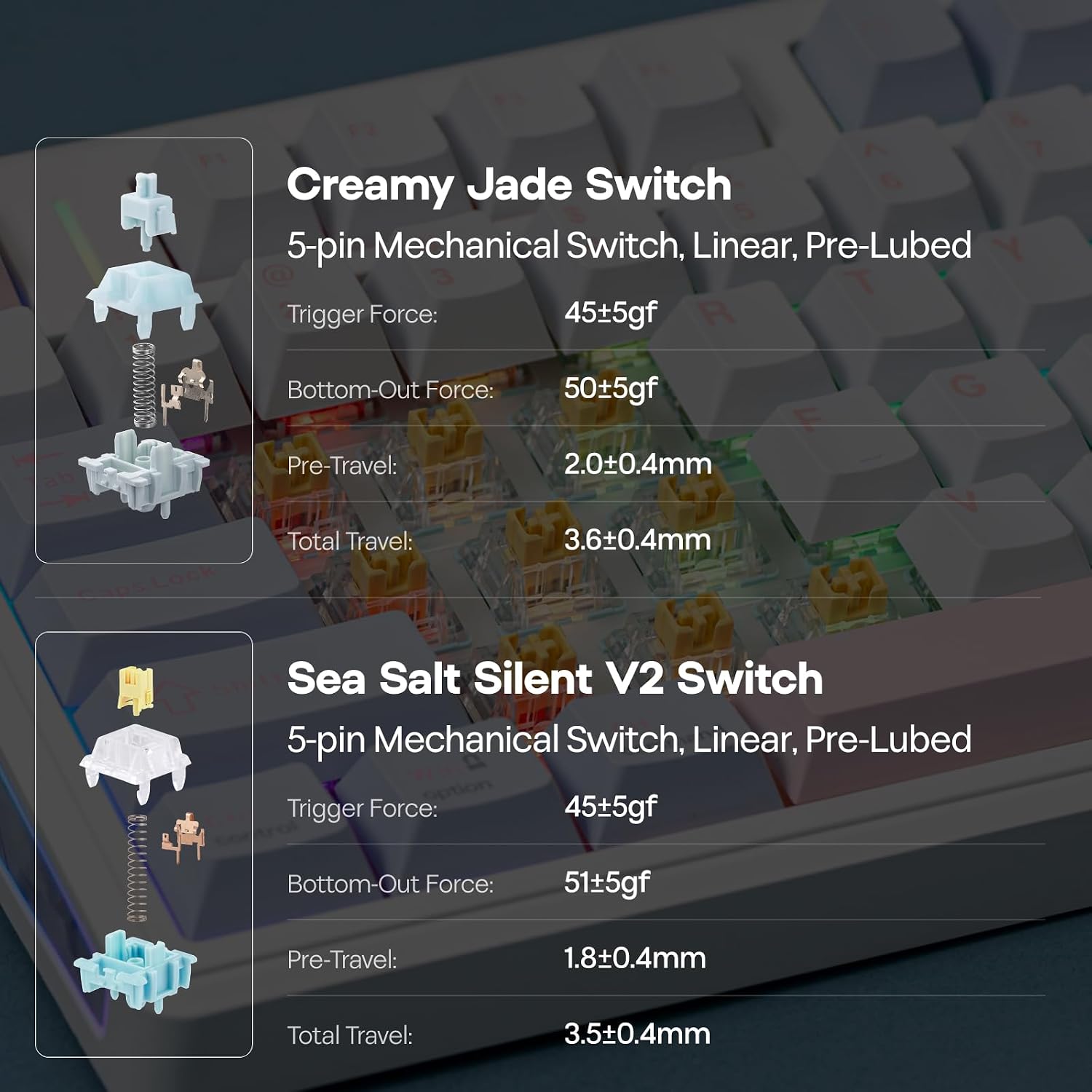
This board is built to stay put during frantic gaming sessions or long typing marathons. It weighs over 1 kg and uses a gasket mounting system for a softer, cushioned typing feel with a distinctive “thock” and reduced harsh vibrations. Factory-lubed switches are intended to deliver smooth, consistent keystrokes from first use.
Power and endurance
The TH108 V2 PRO packs a hefty 10000mAh battery, promoting up to 200 hours of use between charges under typical conditions. That’s a noticeable advantage if you’re away from a desk charger or like to travel light.
Screen, knob, and real-time customization
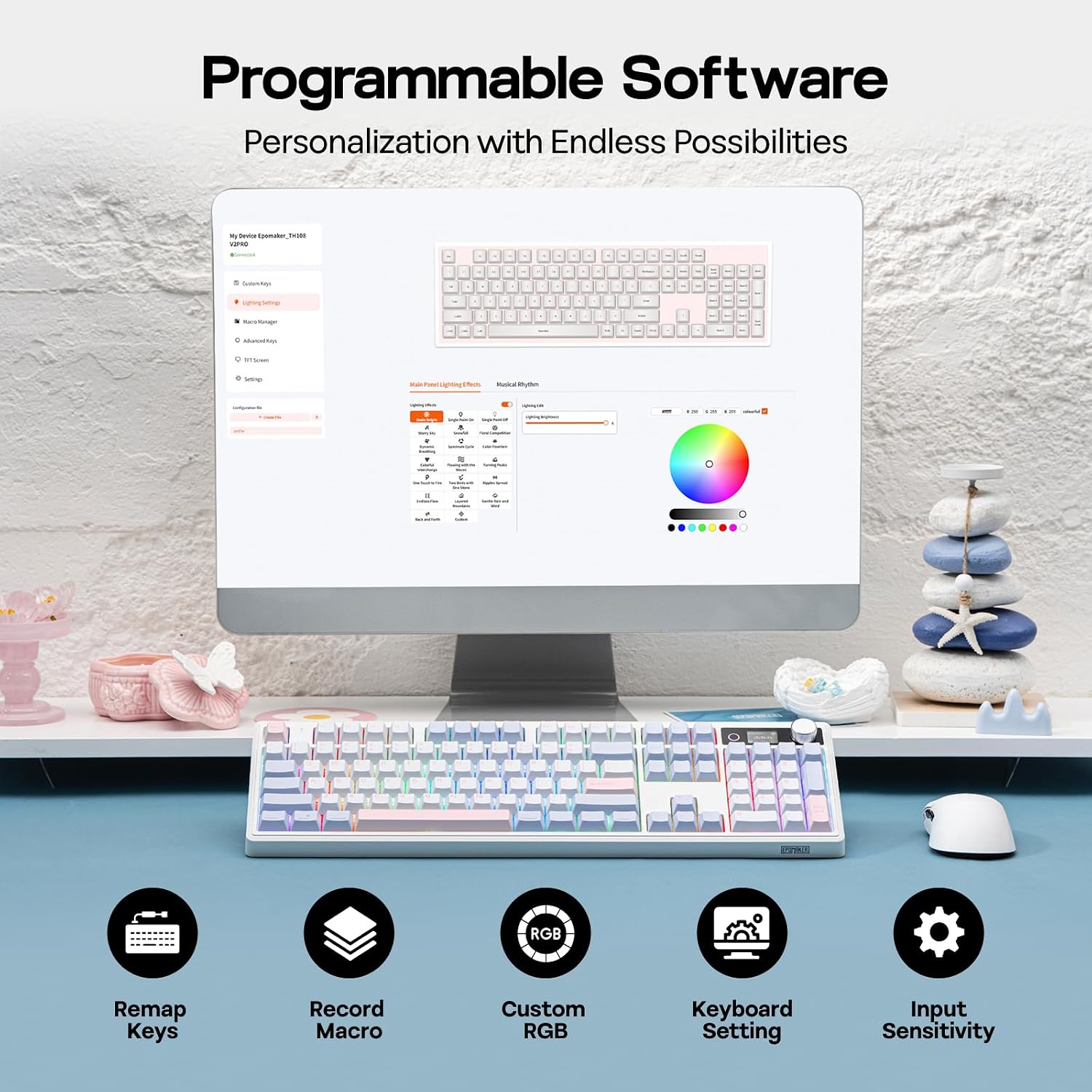
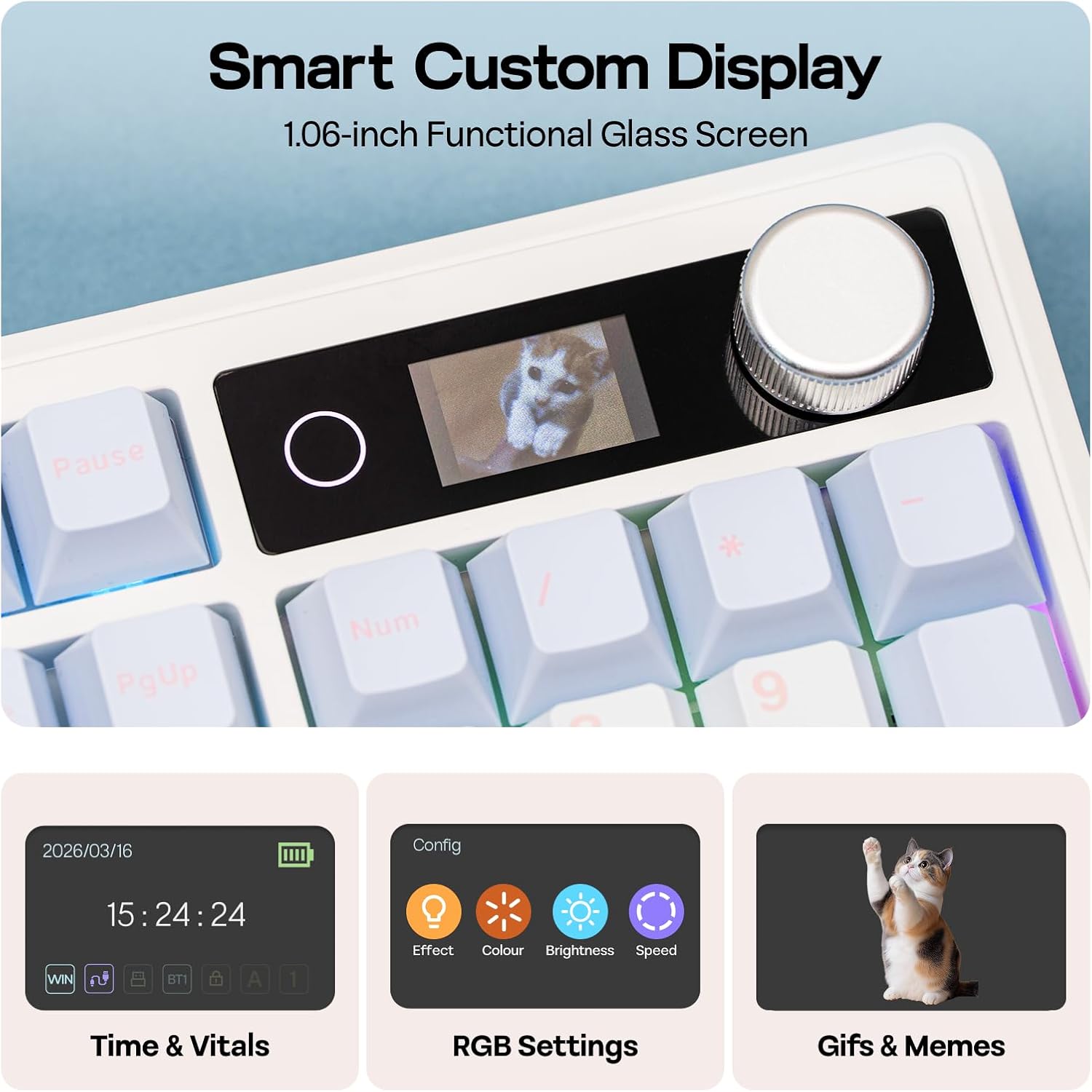
A standout feature is the built-in screen and rotary knob. The screen can display real-time keyboard information, backlight settings, or creative content like gifs, drawings, or photos. The knob adjusts pages on the screen and can be repurposed for volume control or macro triggering. The FN+KNOB combo swaps pages, and the browser-based software enables macro recording and key remapping without heavy installers.
Lighting and aesthetics
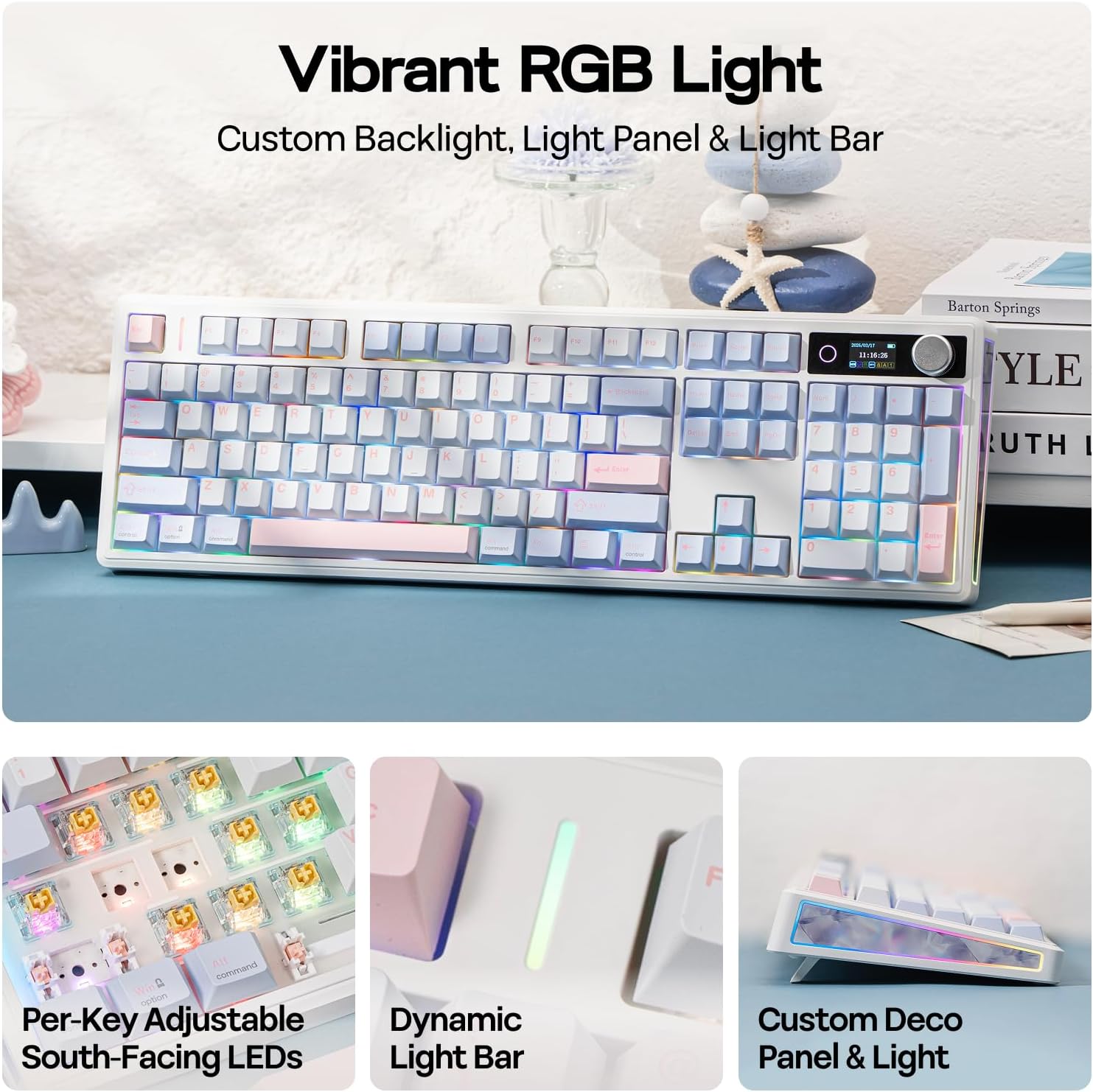
RGB backlighting with a dedicated light bar and a south-facing glow helps you personalize the look of your setup and improve key visibility in low light. For gamers, the WASD keys can glow with sharp contrast, aiding quick recognition during play.
Performance vs. practicality
On paper, the TH108 V2 PRO offers a blend of high responsiveness (up to 1000Hz polling and 2ms latency) and a premium typing feel with a full 104-key layout, including a numeric keypad. The inclusion of hot-swappable switches means you can tailor the feel without soldering, though you should confirm the switch type supported by your preferred replacement options.
What to watch out for
If you prioritize a minimal desk footprint or a lighter keyboard, this unit’s weight and gasket design may not be ideal for everyone. The multi-device experience hinges on software and web-based tools, which may feel lighter than a native Windows/macOS app for some users. Also, the complexity of screen and knob features means you’ll want to spend a moment learning the layout to get the most from it.
Use cases at a glance
- Gaming on PC with fast, consistent keystrokes and reliable wireless performance.
- Creative work or coding on a laptop, benefiting from a large layout and macro capabilities.
- Mixed-device setups where a single keyboard serves desktop, laptop, and mobile workflows.
What to compare it against (alternatives you may consider)
If you’re weighing options, think about a traditional full-size keyboard with robust wireless options, or a gasket-style board without a screen. The TH108 V2 PRO stands out when you want a display, a rotary control, and a longer battery life in a single package. It may feel more feature-rich than a basic wireless board, but you’ll trade off some portability and price.
Practical example of use
Imagine drafting a long report on a laptop, then switching to a ranked match on PC without touching a single cable. The screen shows your current backlight setting, while the knob adjusts volume during a late-night gaming session. If you like sending quick GIFs or timing tasks, the software can support those tweaks directly from the keyboard.
What to review before buying
- Confirm you’re comfortable with tri-mode connectivity and software-based customization.
- Consider whether the full-size layout with a numeric keypad fits your desk and typing style.
- Check if you value the Mac modifier keycaps for cross-platform workflows.
- Think about how important the screen and knob features are for your day-to-day tasks and gaming.
FAQ snapshot
- Does it really work well across Mac and Windows? Yes, it includes dedicated mac modifier letters and a cross-platform software approach, but verify your specific workflow compatibility.
- How durable is the battery in real-world use? The 10000mAh rating targets long sessions, up to about 200 hours under typical conditions, though actual endurance depends on backlight use and connectivity.
- Can I swap switches easily? Yes, it’s hot-swappable, but confirm the switch type supported and the required tooling.
Should you buy it?
Is it worth it? If you want a feature-rich, full-size wireless keyboard with a screen and knob for real-time customization, a strong multi-device workflow, and long battery life, this model offers a compelling package. It may be less appealing if you prefer a lighter, plug-and-play device with a simpler feature set or if you’re not going to use the screen or macro capabilities regularly.