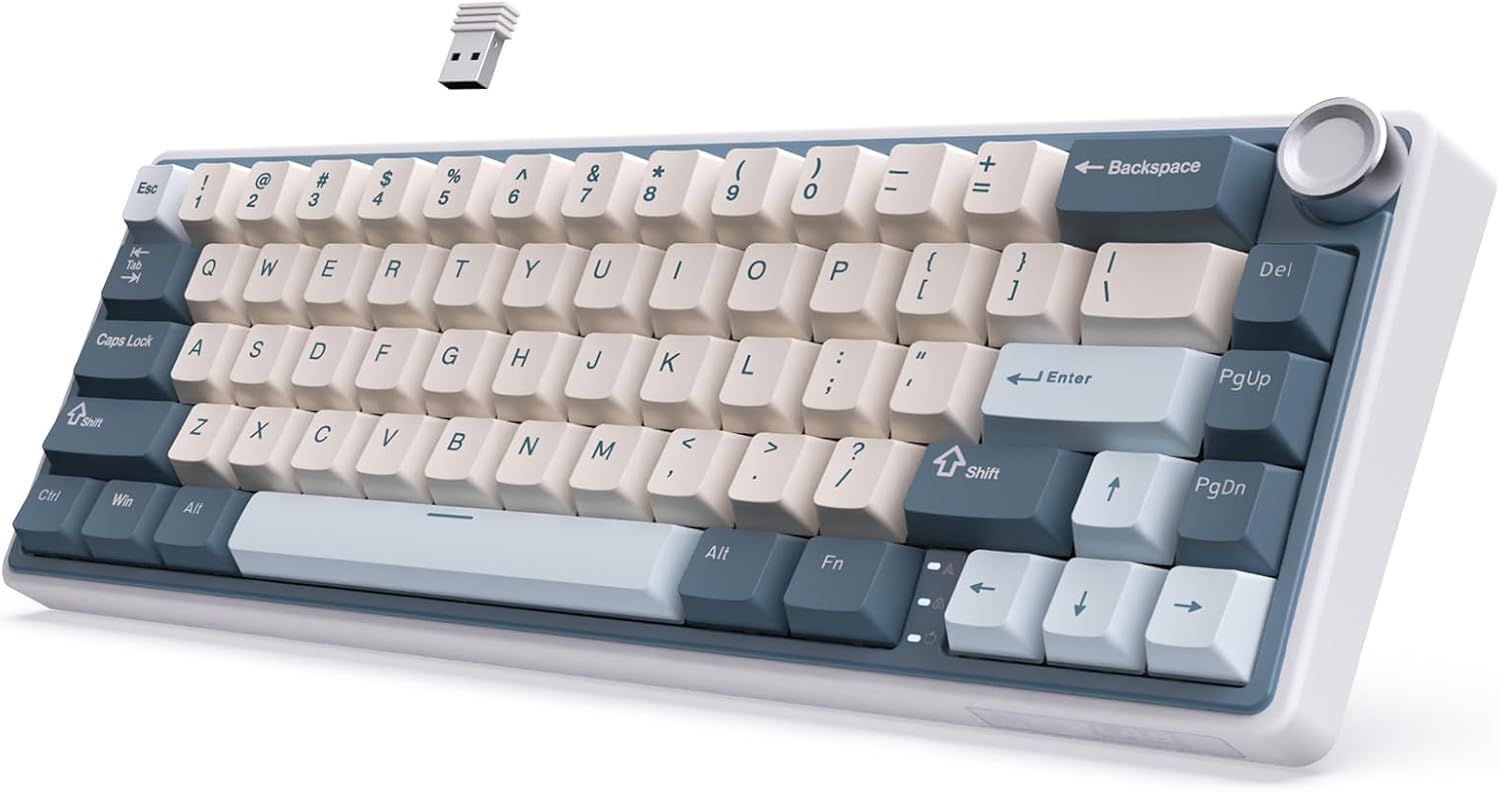
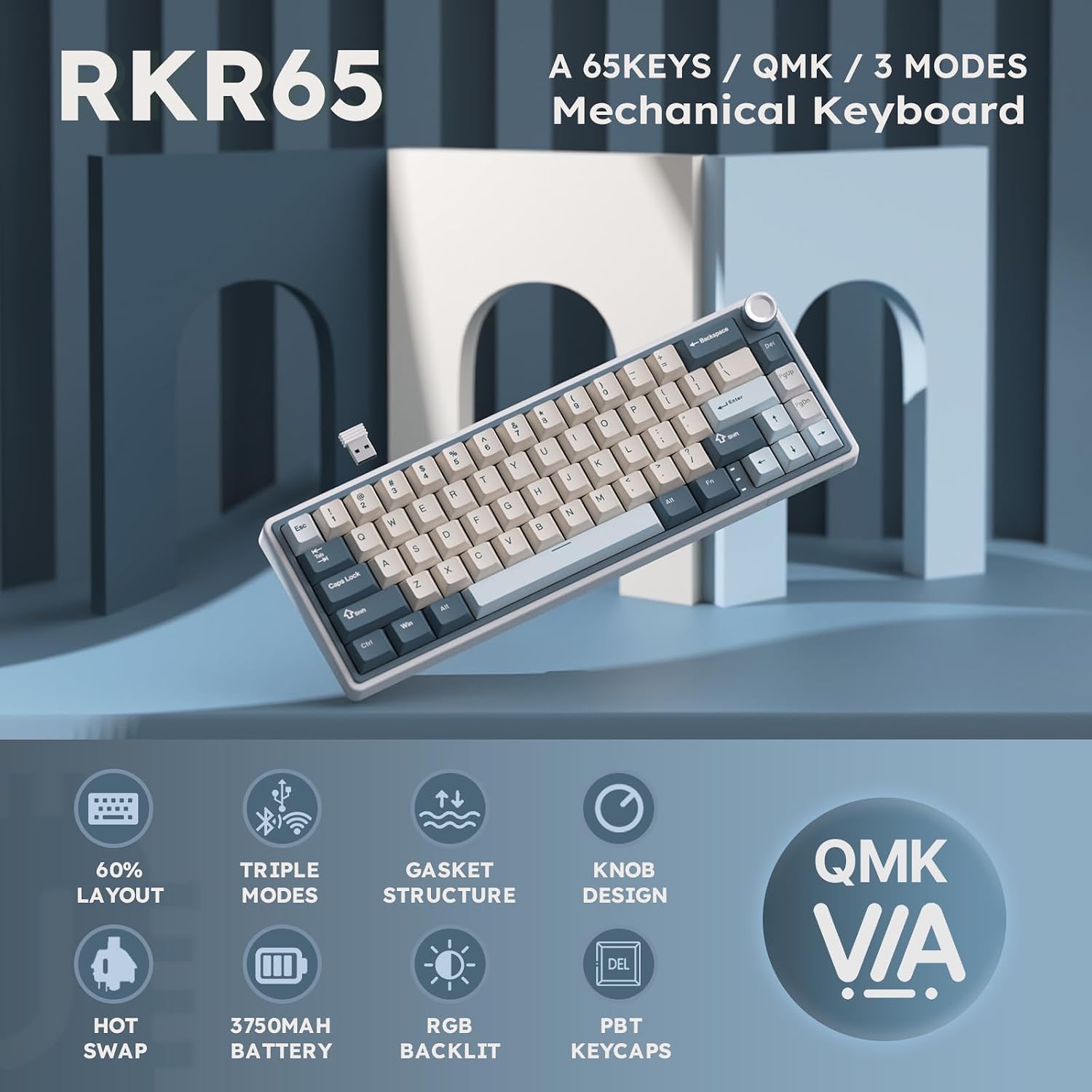
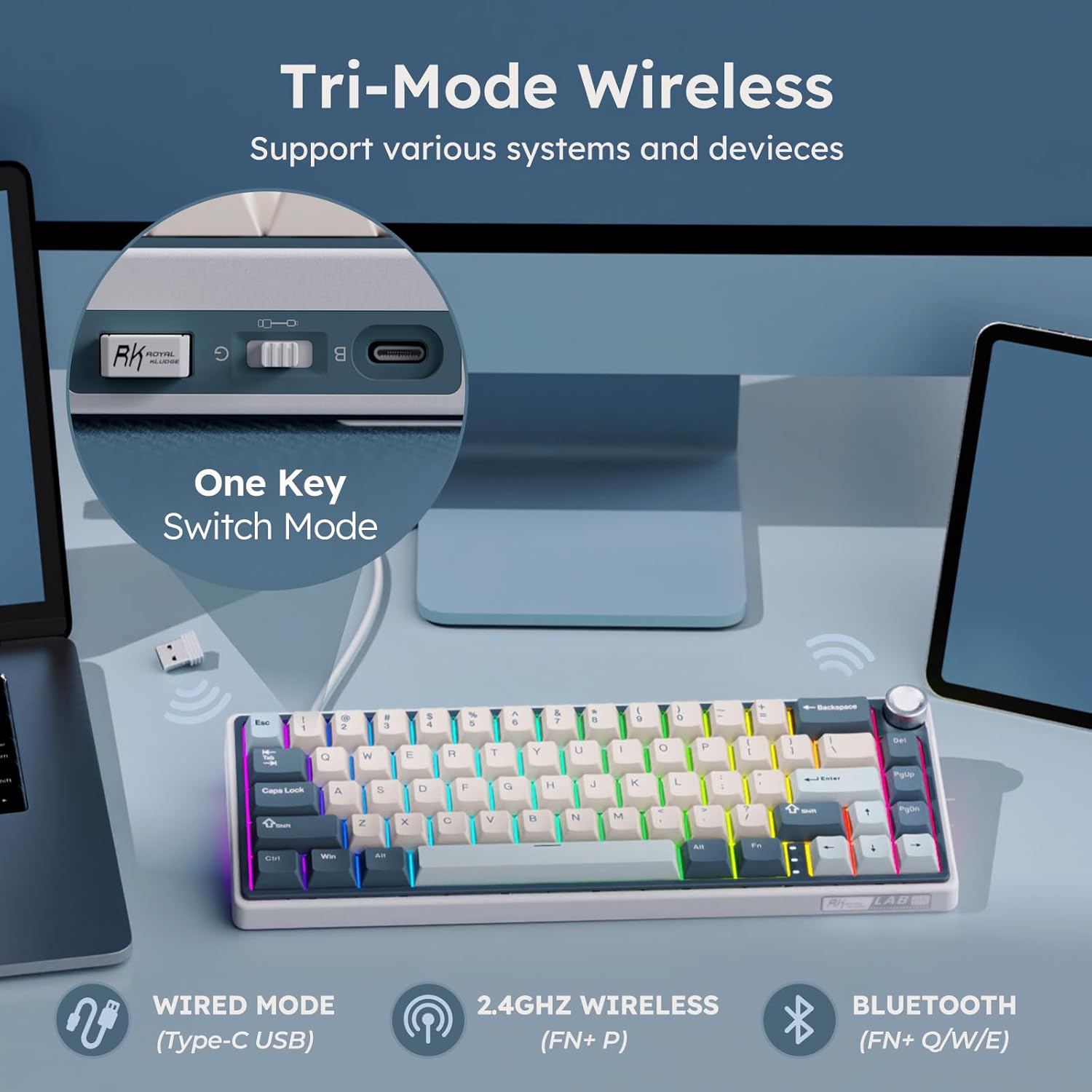
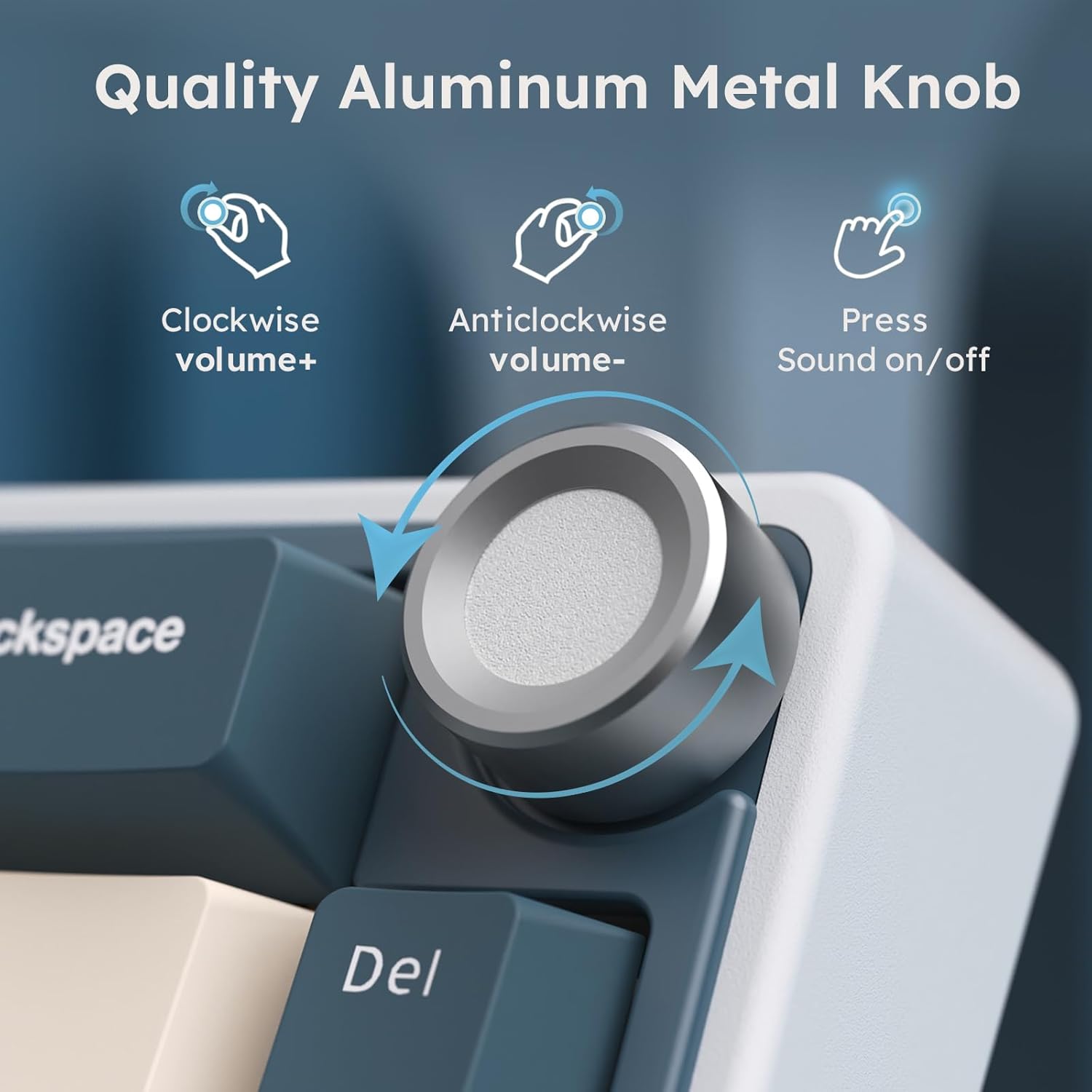
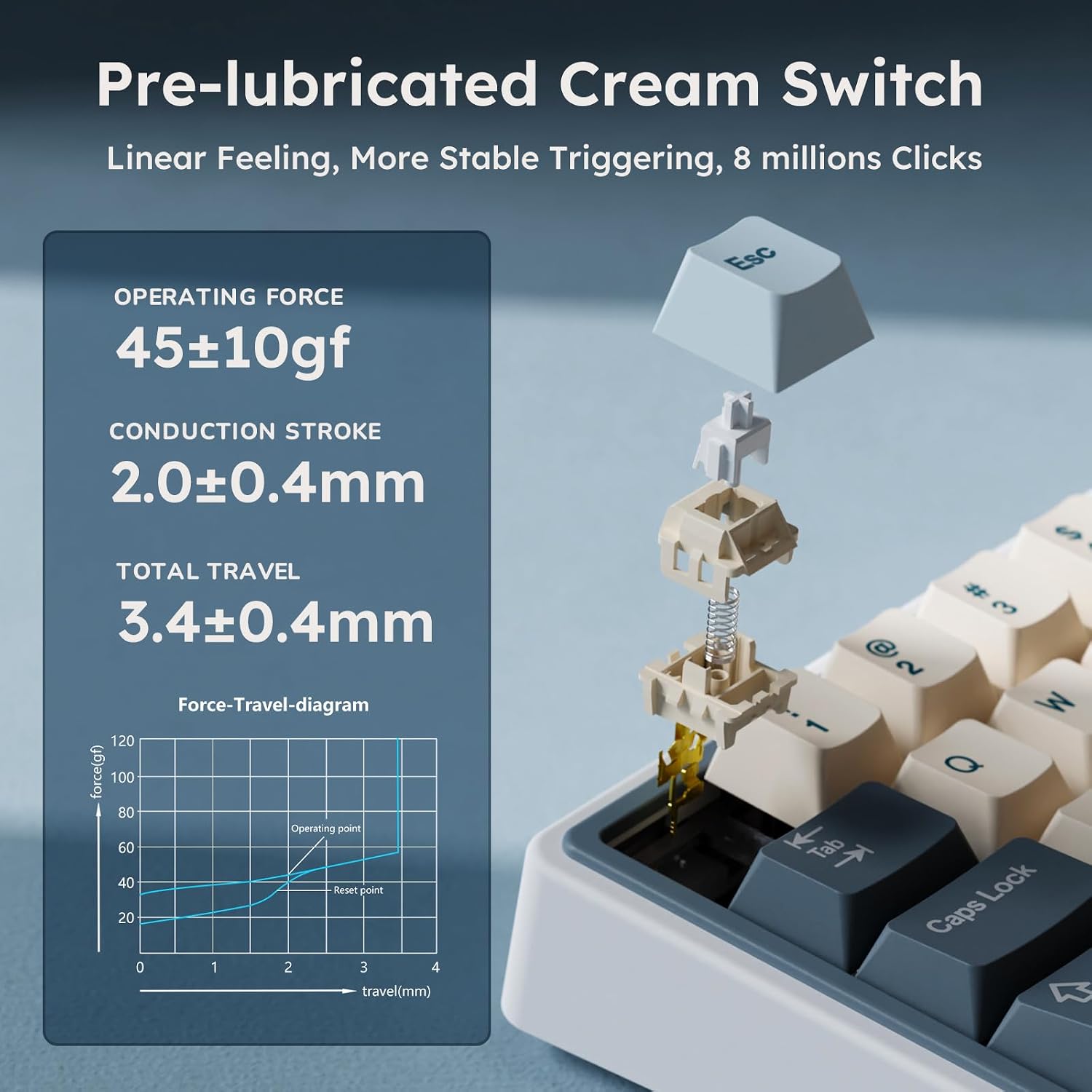
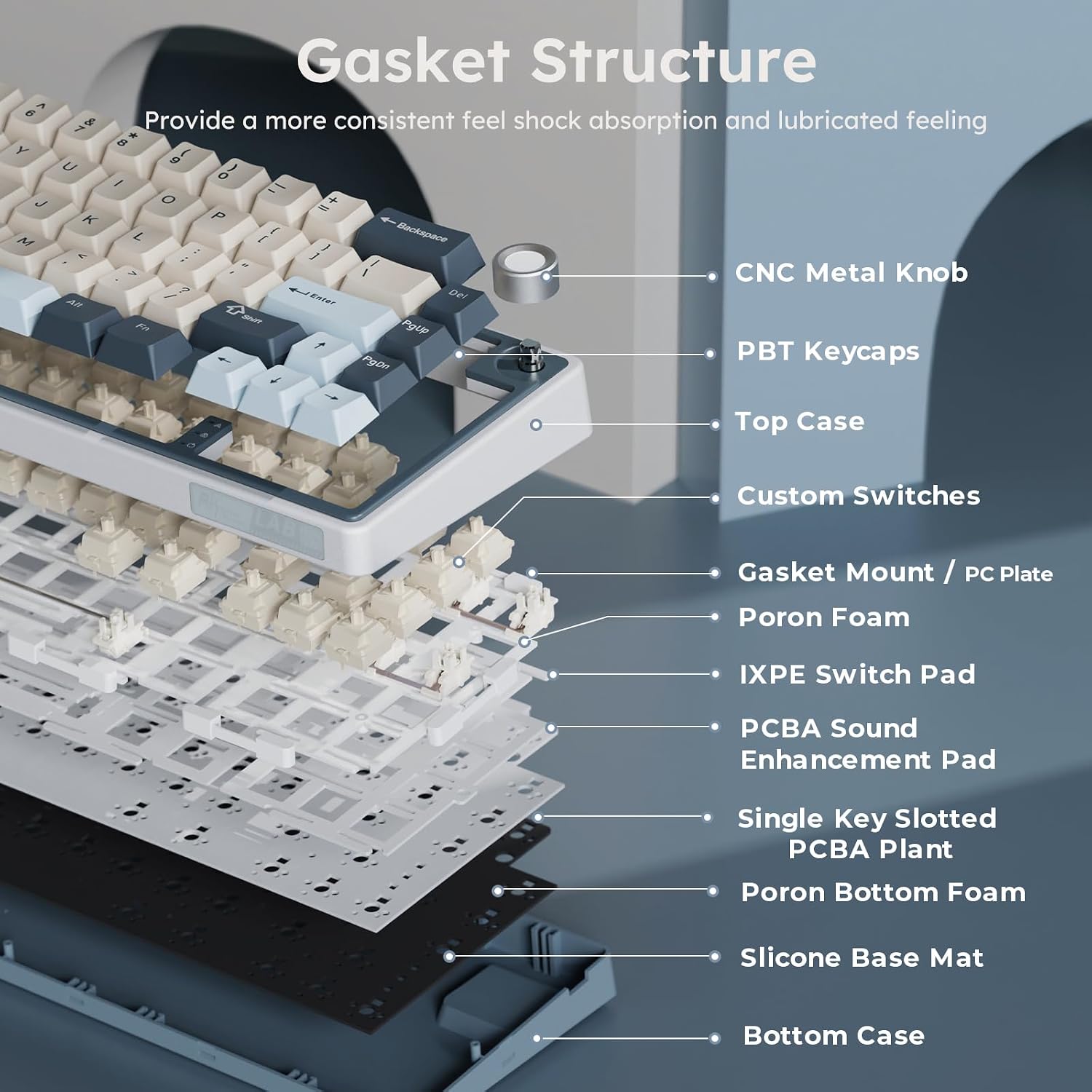
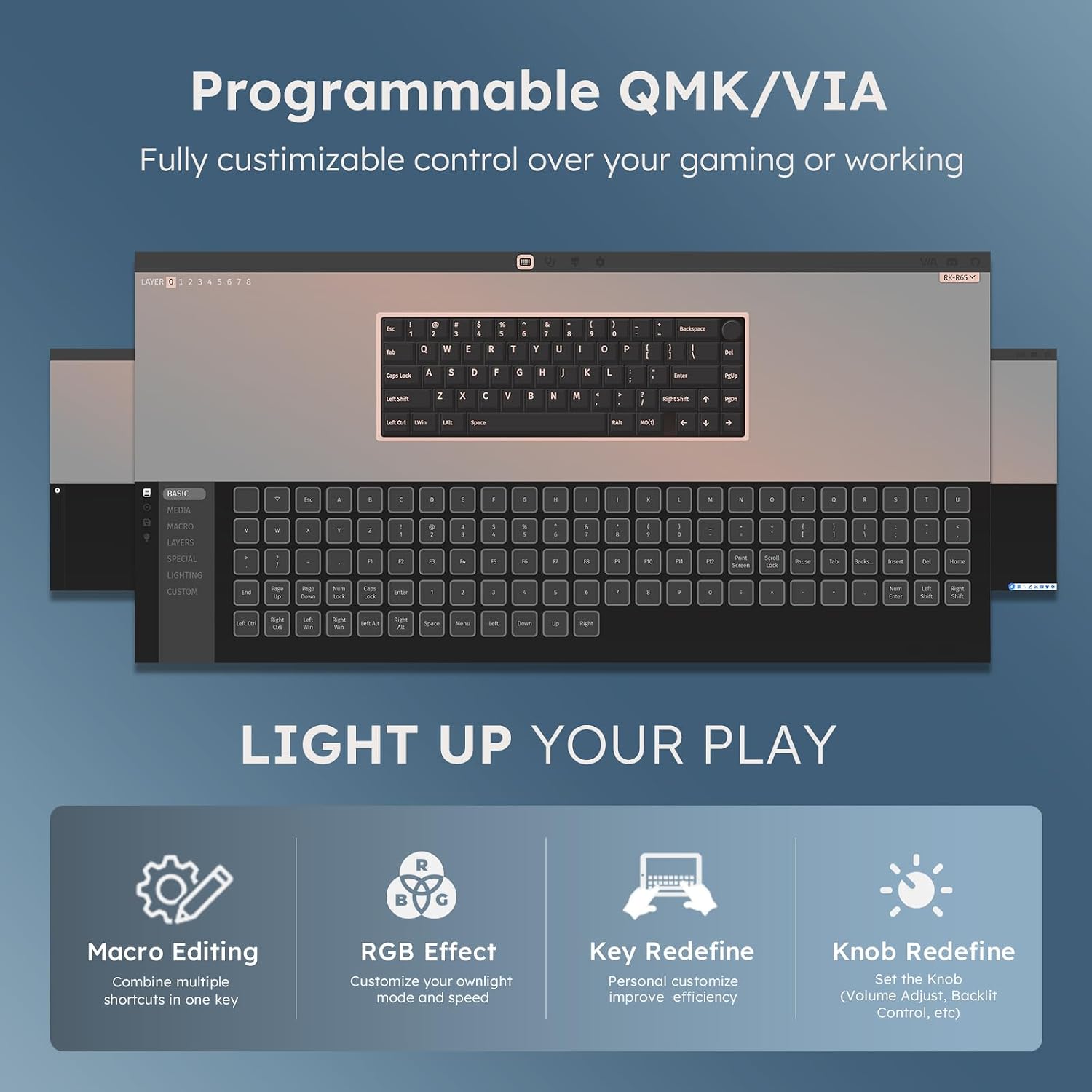
What it is and what it solves\nThe RK ROYAL KLUDGE R65 is a compact 60% wireless mechanical keyboard designed for gamers and productivity users who want to reclaim desk space without sacrificing function. Its gasket-mounted, five-layer sound-damping structure aims to reduce noise and provide a more solid typing experience, which can matter if you share a workspace or stream. The 66-key layout concentrates essential shortcuts and macros into a small footprint, making it easier to maneuver on crowded desks or in small setups. If you value a clean, minimal desktop but don’t want to compromise on typing feel, the R65 checks a lot of those boxes.\n\n## Connectivity that adapts to your setup\nThis board offers three connection modes: 2.4G wireless, USB-C wired, and Bluetooth. You can pair up to three devices and switch between them with a single key, which is convenient for multi-device workflows (PC, laptop, tablet). The triple-mode approach means you aren’t tethered to one host, and you can take calls, presentations, or gaming sessions in a fluid, interruption-free way. However, if you’re prioritizing latency for fast-paced gaming, the wireless option may still introduce a bit more variability than a purely wired setup.\n\n## Built-in control and premium feel\nA standout feature is the CNC machined metal volume knob. Rotating it adjusts volume and pressing it toggles mute. This is a nice tactile shortcut that keeps your hands on the board during focus sessions. The knob adds a premium touch and can streamline audio control during gaming or editing. The keycaps are double-shot PBT, known for durability and a textured feel that helps prevent slip and wear over time. If you’ve had keyboards with shiny ABS caps, you’ll likely notice the difference in texture and longevity.\n\n## Switches and customization\nThe R65 ships with hot-swappable Cream switches, described as linear with a creamy, silky feel and minimal tactile feedback or audible click. That smoothness can be appealing for long typing sessions or rapid keypresses in games. The PCB supports 3-pin and 5-pin switches, enabling flexible customization without soldering. These features make it possible to tailor the feel to your preference, whether you want a softer keystroke or a crisper actuation. That said, if you prefer a tactile bump or an audible click, you’d want to swap to a different switch.\n\n## Lighting, profiles and software\nWith more than 20 built-in RGB backlight modes, users can pick effects that fit their setup, mood, or game. VIA firmware enables intuitive remapping and macro creation, which is useful if you rely on macros for productivity or complex in-game actions. The trade-off is that software customization can add a learning curve and may require occasional updates to stay in sync with the keyboard’s firmware.\n\n## Who it’s for and who it isn’t perfect for\nThis keyboard is well-suited for gamers and desk jockeys who need a small footprint, combined with robust customization options. If desk space isn’t a constraint, or you prefer a larger layout with more dedicated keys, this 60% model may feel limiting. It’s not ideal for users who rely heavily on dedicated media controls in daily workflow unless you’re comfortable using the volume knob and programmable macros to cover those needs.\n\n## What to check before you buy\n- Confirm your preferred connection method and how often you switch devices, if you expect constant wireless performance, test the 2.4G link in your environment.\n- If haptics matter, consider trying different switch types to see whether Cream switches align with your typing style.\n- Review the keycap material and legend durability if you’ll be hard on the board, PBT tends to resist wear better than standard ABS caps.\n- Ensure VIA compatibility aligns with your workflow, some users rely on complex macros which VIA supports but may require periodic updates.\n\n## Practical usage scenario\nImagine a compact setup with a laptop and a desktop. You’re drafting a document on the laptop, switching to a game on the desktop, and quickly adjusting volume during a stream—all without changing keyboards. You’d appreciate the volume knob for audio control and the ability to remap keys for efficiency. The 60% form factor helps keep the desk clean, while the gasket structure keeps noise reasonable in a shared space.\n\n## Comparison and alternatives in context\nIf you need more keys or a larger, more traditional layout, a full-size or 75% keyboard could be a better fit. For those prioritizing ultra-low latency and a purely wired approach, a non-tri-mode option might reduce potential connection hiccups. If you value a highly customizable, software-driven experience, this keyboard’s VIA compatibility is a strong feature, but it also means you’ll want to invest time into setup to get the most out of it.\n\n## What to expect in day-to-day use\n- The gasket design should help with quiet typing and dampened bottom-out sounds, which can be noticeable in tighter rooms or during late-night gaming.\n- The volume knob adds a tactile, on-desk control that can feel more immediate than software sliders.\n- The hot-swappable Cream switches offer a smooth, linear feel that’s easy on long sessions, though they may not satisfy users seeking a tactile bump or click.\n\n## FAQ highlights\n- Can I use this keyboard with multiple devices simultaneously? Yes, up to three via its triple-mode connection.\n- Are the keycaps durable? The provided PBT keycaps are designed for longevity and resist fading.\n- Is it possible to customize keys beyond VIA? VIA support enables extensive remapping and macro creation, but advanced customization may require additional tools or firmware updates.\n\n## Final verdict\nIs it worth it? A solid pick if you want a compact, highly customizable keyboard with a premium knob for quick volume control and flexible connectivity. It may not be the best choice if you need a full-size layout or prioritize a tactile/ clicky switch experience. If you prioritize desk space, multi-device workflow, and macro capabilities, this model deserves serious consideration.\n\n## Quick FAQ (practical answers)\n- What’s the key layout? 66 basic keys in a 60% form factor.\n- Can I change switches without soldering? Yes, hot-swappable 3-pin/5-pin compatibility.\n- Does it support macro programming? Yes, via VIA firmware.\n