

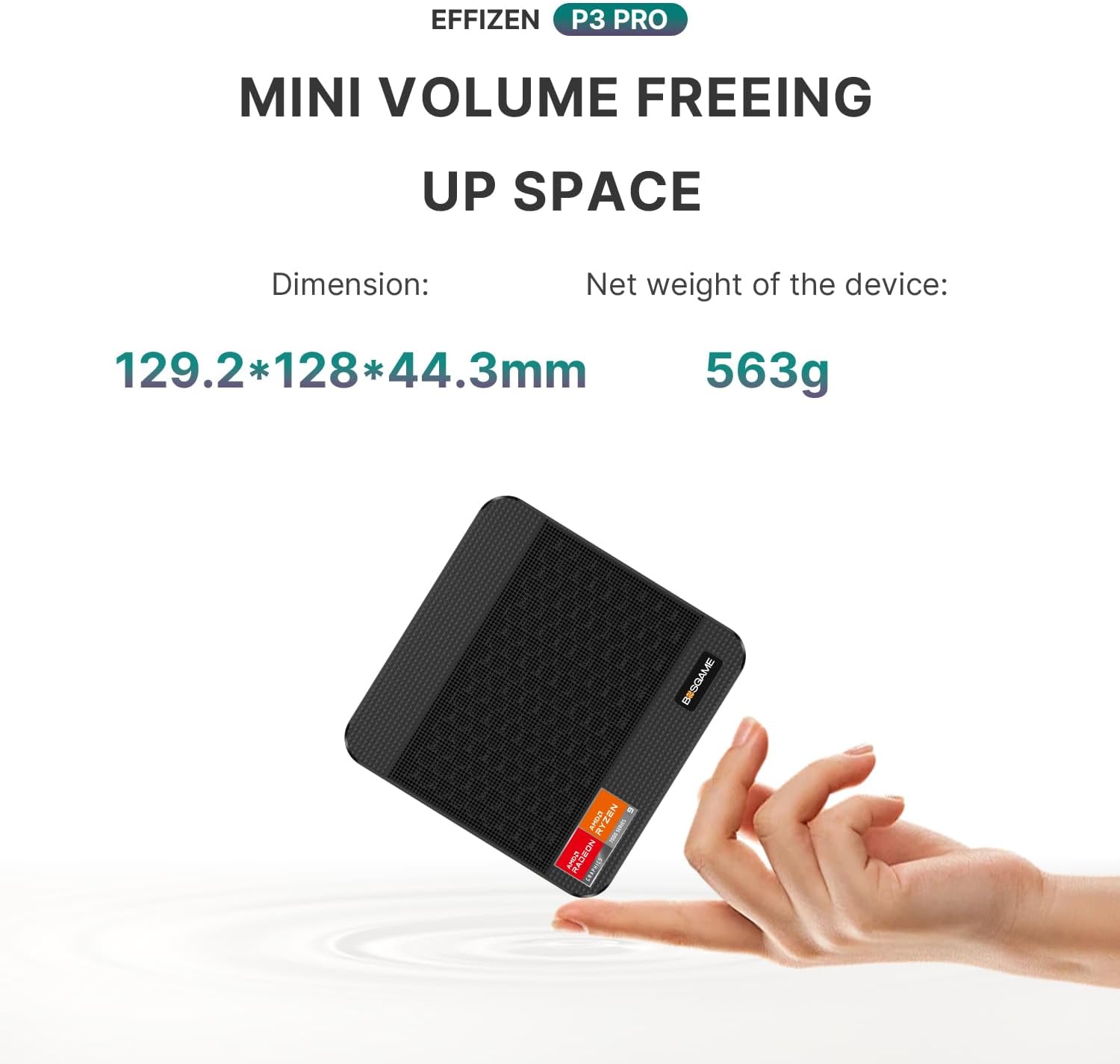
BOSGAME P3 Pro Gaming Mini PC with Ryzen 9 7940HS and Radeon 780M
Product description
What it is and what it solves
The BOSGAME P3 Pro is a compact gaming/minimal desktop that packs a high-end Ryzen 9 7940HS processor and Radeon 780M graphics into a small form factor. It’s designed to handle a wide range of tasks—from office productivity and design work to gaming and multimedia streaming—without occupying a full-sized tower. If your desk space is limited but you still want strong multi‑thread performance and capable integrated GPU acceleration, this mini PC aims to bridge that gap.
Key features
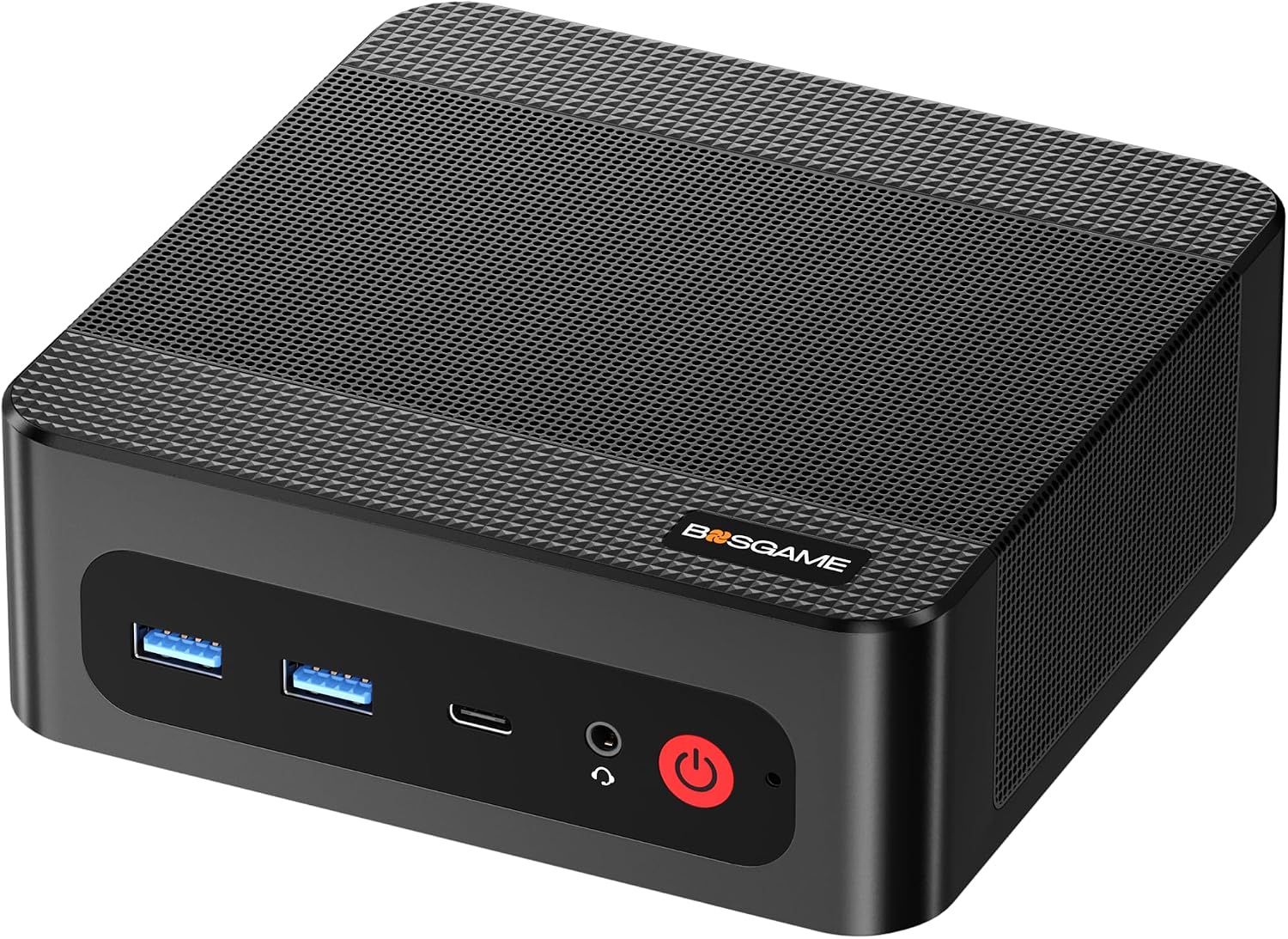
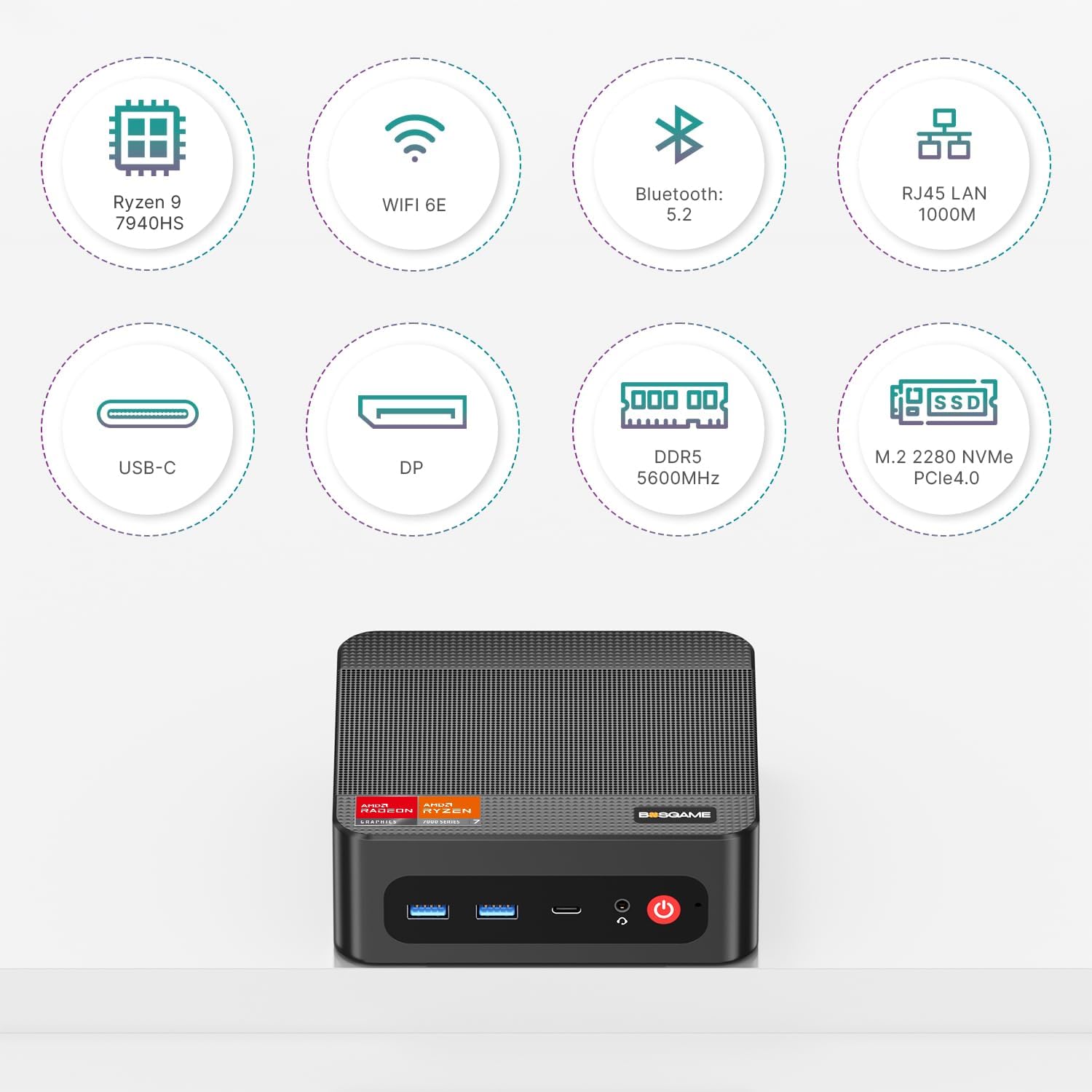
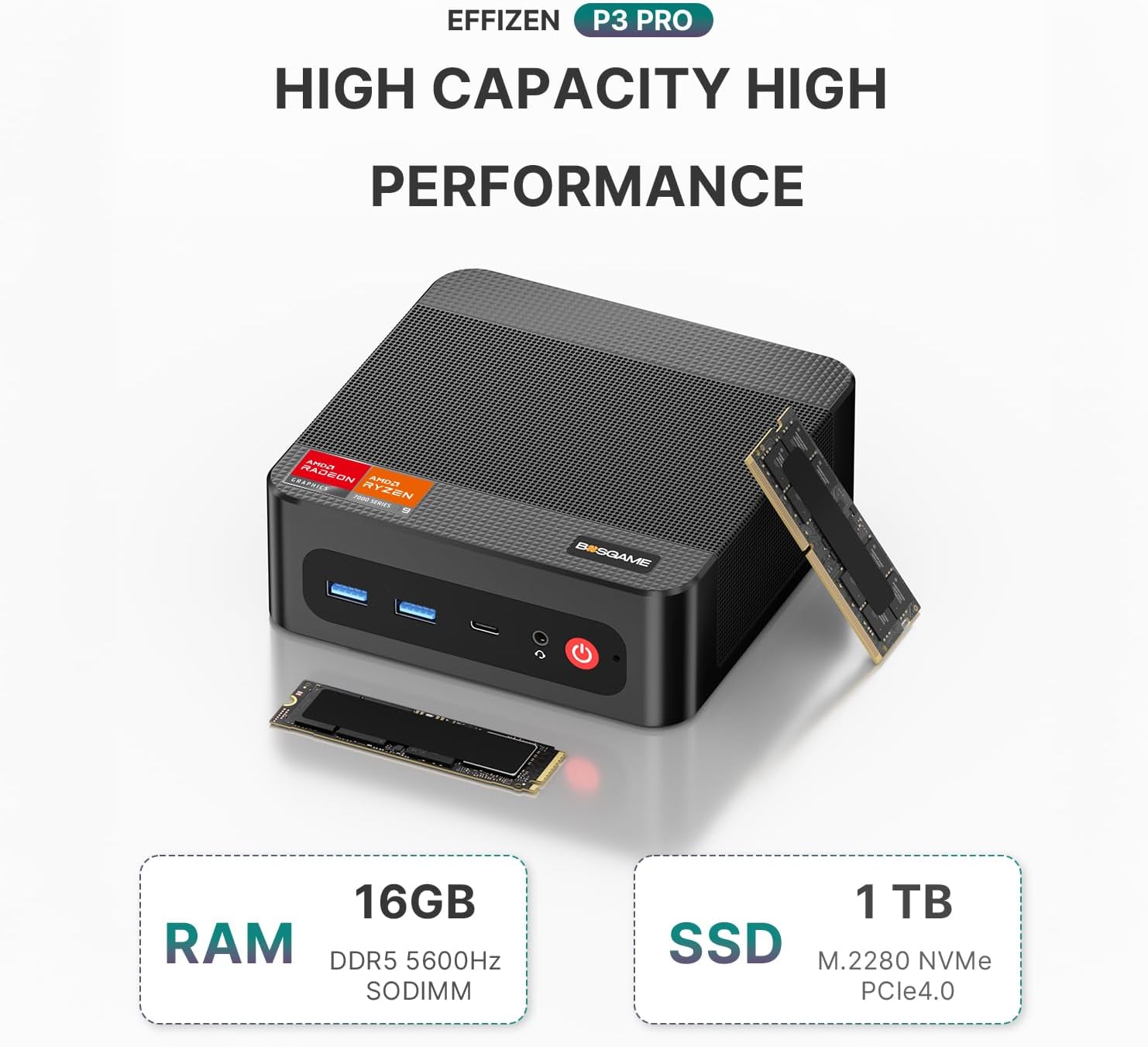
This model ships with 16GB of DDR5 RAM and a 1TB PCIe 4.0 NVMe SSD, offering fast boot times and smooth multitasking out of the box. Notably, the RAM and storage are upgradeable: you can push RAM up to 64GB and add a second SSD later, which matters if you’re building a growing game library or handling larger design files. Dual 2.5G LAN ports and Wi‑Fi 6E with Bluetooth 5.2 provide flexible networking options, which can be a real win in crowded home networks or esports setups that demand stable, low‑latency connectivity. The graphics are powered by Radeon 780M, enabling 4K curiosity with real-time rendering headroom for casual to mid‑range gaming.
Performance and use cases
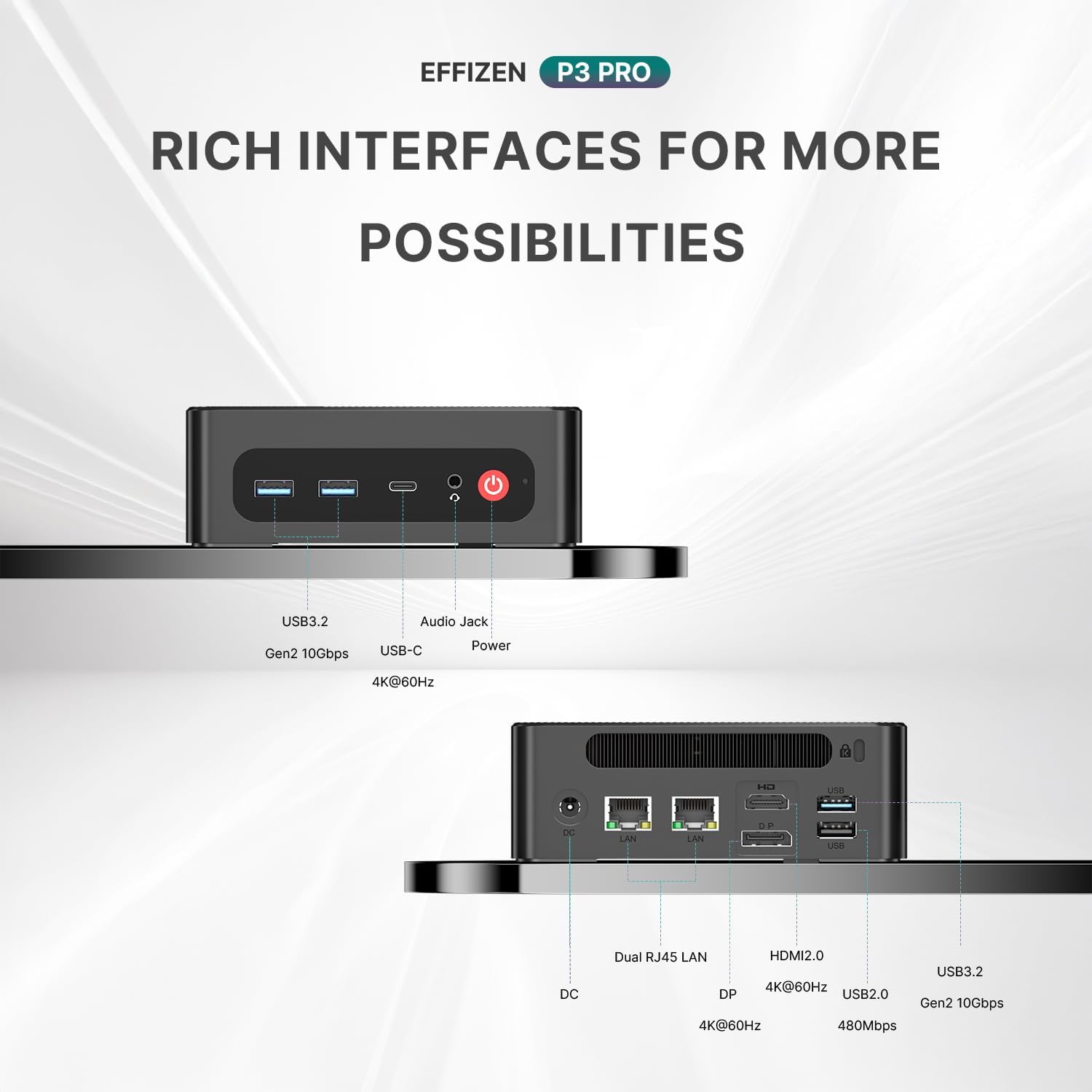
On paper, the Ryzen 9 7940HS offers 8 cores and 16 threads with boost clocks up to around 5.2GHz, paired with Radeon 780M graphics capable of 2700 MHz in this system. That combination is well suited for demanding workloads such as content creation, virtualization light tasks, and gaming at 4K with some settings adjusted. In office tasks or design work, the CPU performance can translate to snappy multitasking and faster project handling, while the GPU brings more responsive visuals for modern titles when you’re in gaming mode. For a compact unit, the P3 Pro aims to deliver respectable frame rates and crisp visuals on a triple‑display setup connected via HDMI, DisplayPort, and USB‑C, which helps in productivity workflows that span multiple monitors.
What you’ll notice day to day
In daily use, you might appreciate quick app launches and smooth window management thanks to the fast RAM and SSD. The triple display capability is convenient for multitasking, video editing previews, or immersive gaming environments. Real‑world limits will depend on your game settings and demanding multitasking—expect crisp 4K output when you tune graphics, but performance scales with the workload.
Strengths and limitations
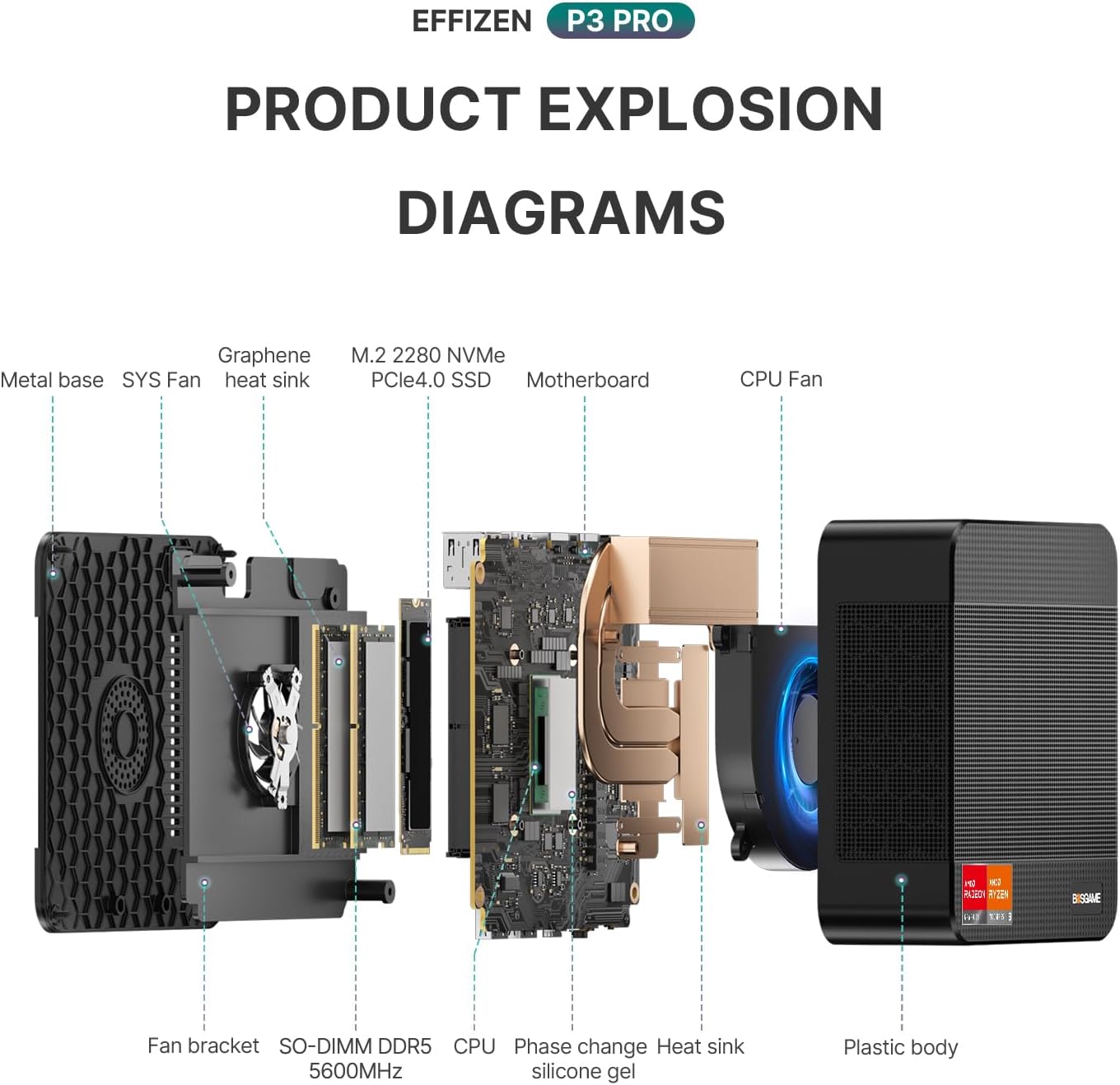
Pros: compact footprint without sacrificing processing power, upgrade paths for RAM and storage, robust networking options, solid display versatility, and a lengthy parts warranty. Cons: as a high‑end mini PC, it may not sustain ultra‑high settings in the most demanding contemporary AAA games at 4K without some concessions, and the cooling behavior under sustained max load is not fully disclosed here.
Who it’s for
This machine suits gamers who want a space‑savvy rig without sacrificing core performance, creative professionals needing a small but capable workstation, or anyone who values fast local storage and robust connectivity in a compact form factor. It’s also appealing to users who anticipate growth—upgrading RAM and adding storage over time—without overhauling their entire setup.
What to check before buying
- Confirm your intended display setup supports triple outputs and ensure your monitors’ inputs align with HDMI/DP/USB‑C on the unit.
- Consider future RAM and SSD expansion plans to maximize long‑term value.
- If your primary goal is peak 4K gaming at max quality, plan for reasonable settings adjustments to maintain frame rates depending on titles.
- Review the warranty terms for both the machine and individual components, especially if you anticipate heavy 24/7 use.
How it compares to similar approaches
If you’re deciding between a mini PC and a traditional desktop, the P3 Pro trades some headroom for a smaller footprint and cleaner desk presence. For users who don’t need top‑tier, ultra‑high‑fidelity 4K gaming at every title, this setup provides a practical balance: strong CPU/GPU pairing, expandable memory, fast storage, and flexible networking. If your priority is absolute flagship gaming performance or workstation‑grade multi‑GPU workflows, a larger form factor with upgraded cooling might be more suitable.
Is it worth it?
It’s worth considering if you value a compact, upgradeable machine with strong all‑around performance and modern connectivity in a small footprint. It makes sense for users who want a versatile system for gaming, work, and media without committing to a full tower. It may not be the best fit if you need the highest possible frame rates at ultra settings in the latest AAA games at 4K, or if you expect plug‑and‑play simplicity with zero planning for upgrades.
Practical use example
Imagine a creator who edits 4K footage and runs a couple of resource‑heavy apps at once. On the P3 Pro, editing software and a background renderer can share the SSD bandwidth while the HDMI/DP outputs power a multi‑monitor editing suite. When a game time hits, the Radeon 780M can handle non‑extreme settings at 4K or clean 1080p with high details, depending on the title and scene complexity. The dual 2.5G LAN ports keep online work and streaming smooth even on busy networks.
FAQ (based on available data)
- Can I upgrade the RAM and storage later? Yes, up to 64GB RAM and additional SSDs are supported.
- Does it support 4K triple display? Yes, via HDMI, DP, and USB‑C ports.
- What’s the warranty? 3‑year parts warranty and 1‑year overall machine warranty are stated.
Final decision
Is it worth it? For users who want a compact, upgradeable gaming/work mini PC with solid connectivity and 4K display capability, the BOSGAME P3 Pro offers a compelling balance of power and practicality. If you need the absolute top performance in every title or a traditional ATX build, you might want to explore larger options.