

EPOMAKER Glyph Wireless Typewriter Retro Mechanical Keyboard (75% hot-swap) with Screen, Knob, Lever, and Round PBT Keycaps
Product description
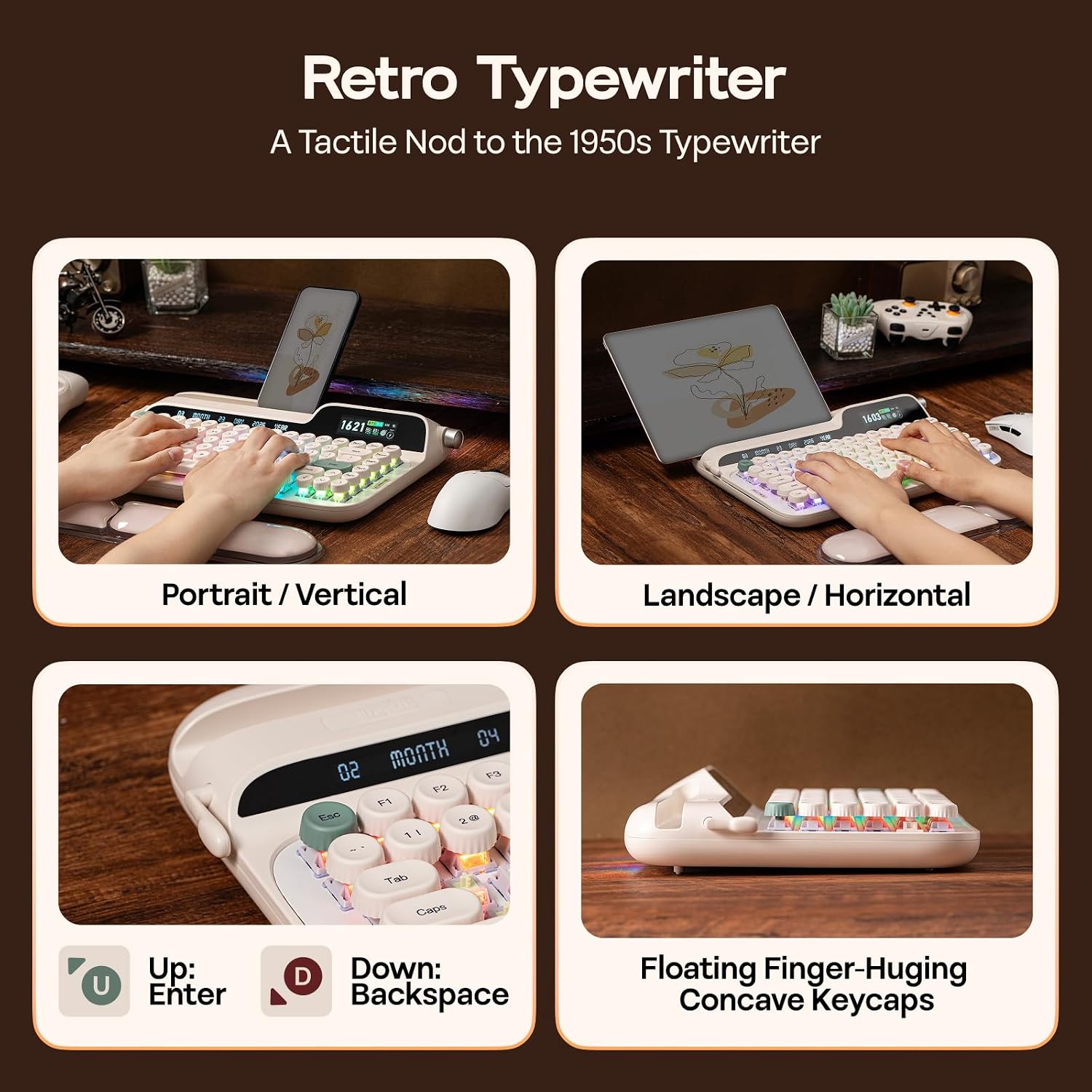
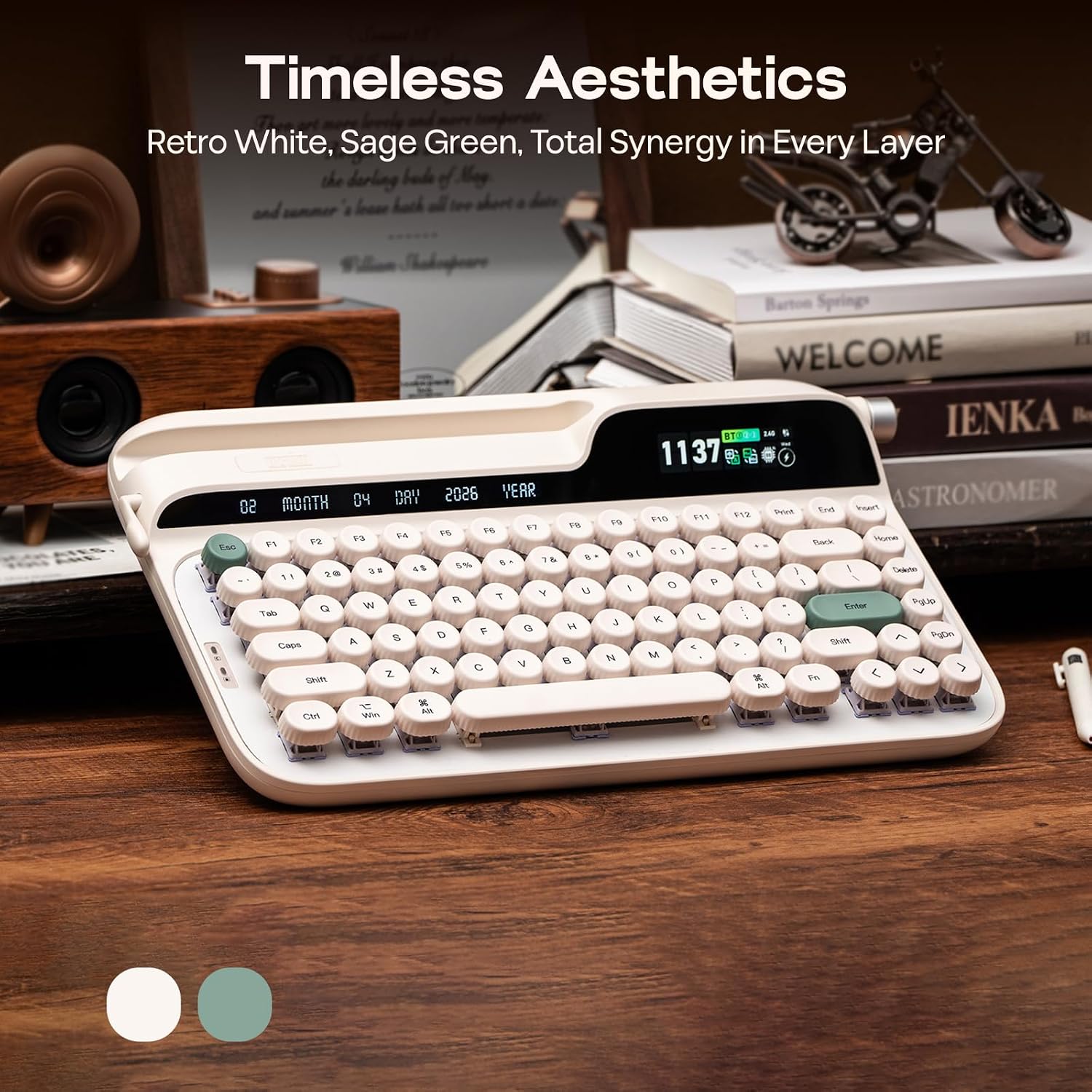
If you like the feel of a typewriter, but still need a modern desk setup, the EPOMAKER Glyph aims straight at that “future-retro” sweet spot. It brings a retro-inspired round keycap look, a built-in return-style lever (that also acts as backspace), plus a screen and a rotary knob for quick status and media-style control.
That sounds fun on paper—and for many people it probably will be. The only catch is that this is a feature-forward, enthusiast-leaning keyboard. If you just want the simplest typing experience with no tweaking, the Glyph may feel like overkill.
The essentials
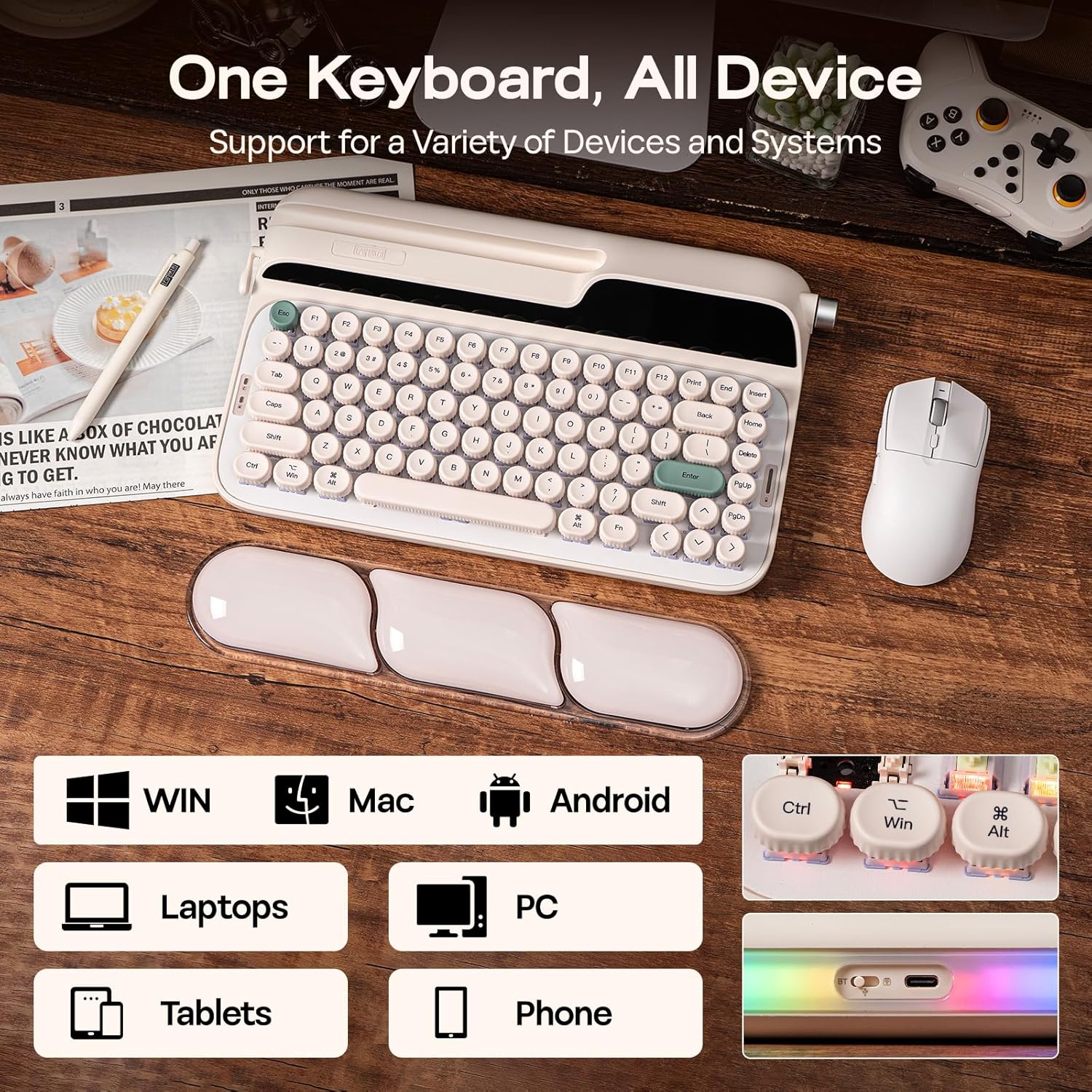
The EPOMAKER Glyph is a 75% wireless mechanical keyboard designed for PC/Mac use, built around a hot-swappable PCB. In normal terms: you can change switches without going through a full, solder-heavy process. It also leans into a richer sound profile with stacked sound-optimizing layers and a tuned “thocky” direction for a deeper, creamy typing feel.
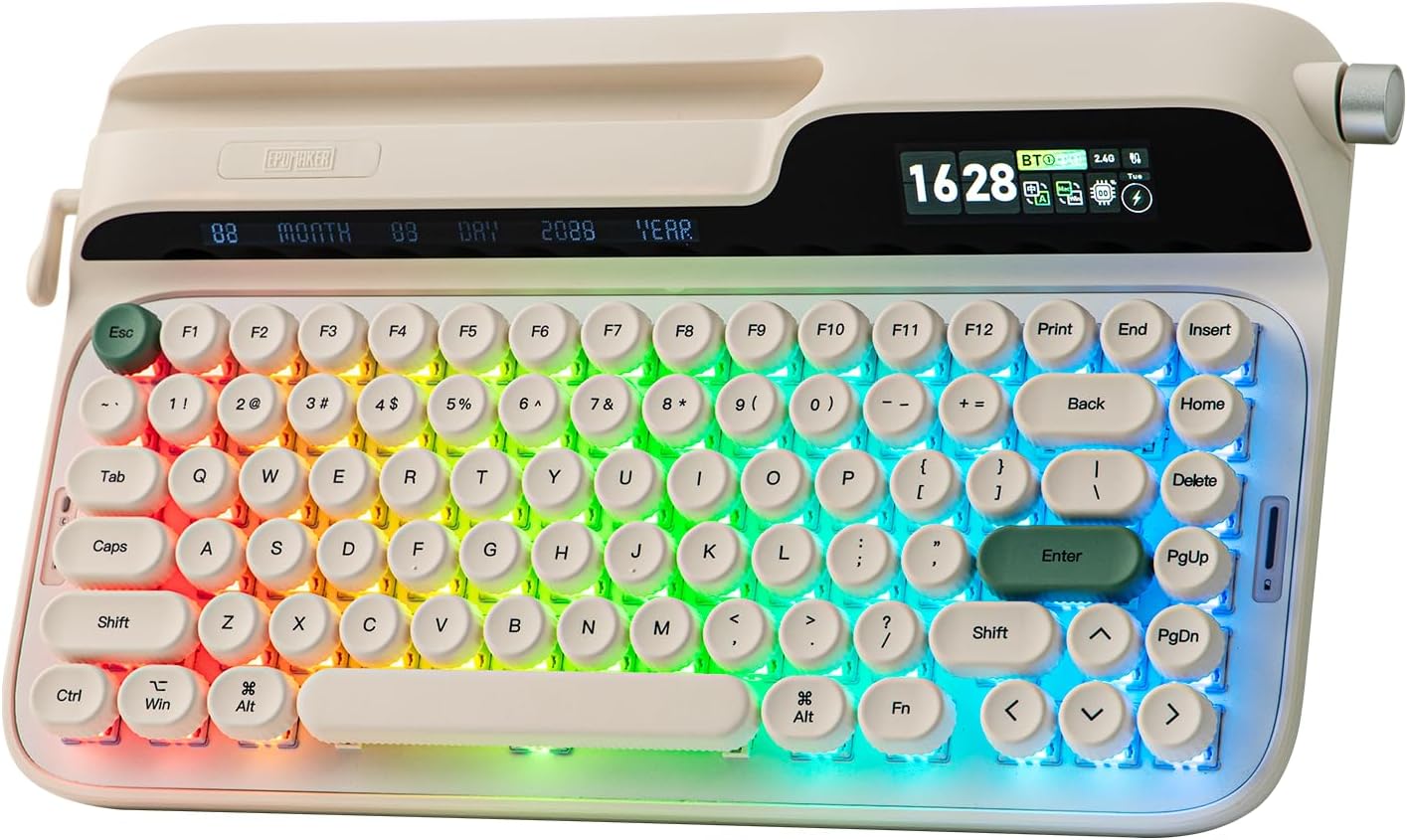
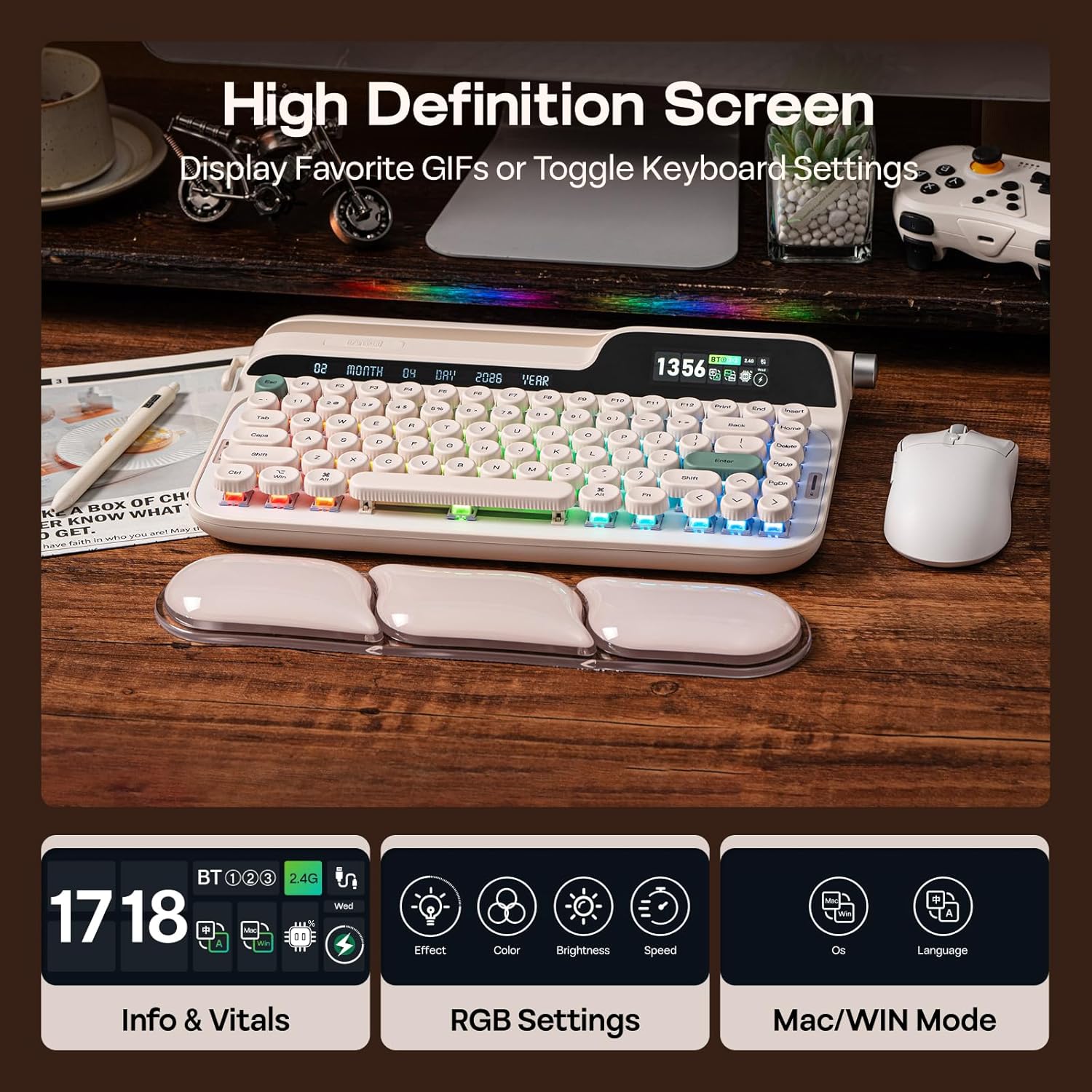
A big part of the appeal is how the keyboard tries to make everyday tasks feel more tactile and immediate. The integrated screen shows keyboard status and time, and it supports intuitive RGB backlight control. The display can also show images or GIFs—so it’s not only functional, it can be a small personality upgrade for your setup.
There’s also a slot built into the design that’s meant to hold a tablet or phone in portrait or landscape orientation. That’s the kind of desk feature that either becomes genuinely useful or stays untouched—so it’s worth thinking about how you work at your computer.
What you’ll notice day to day
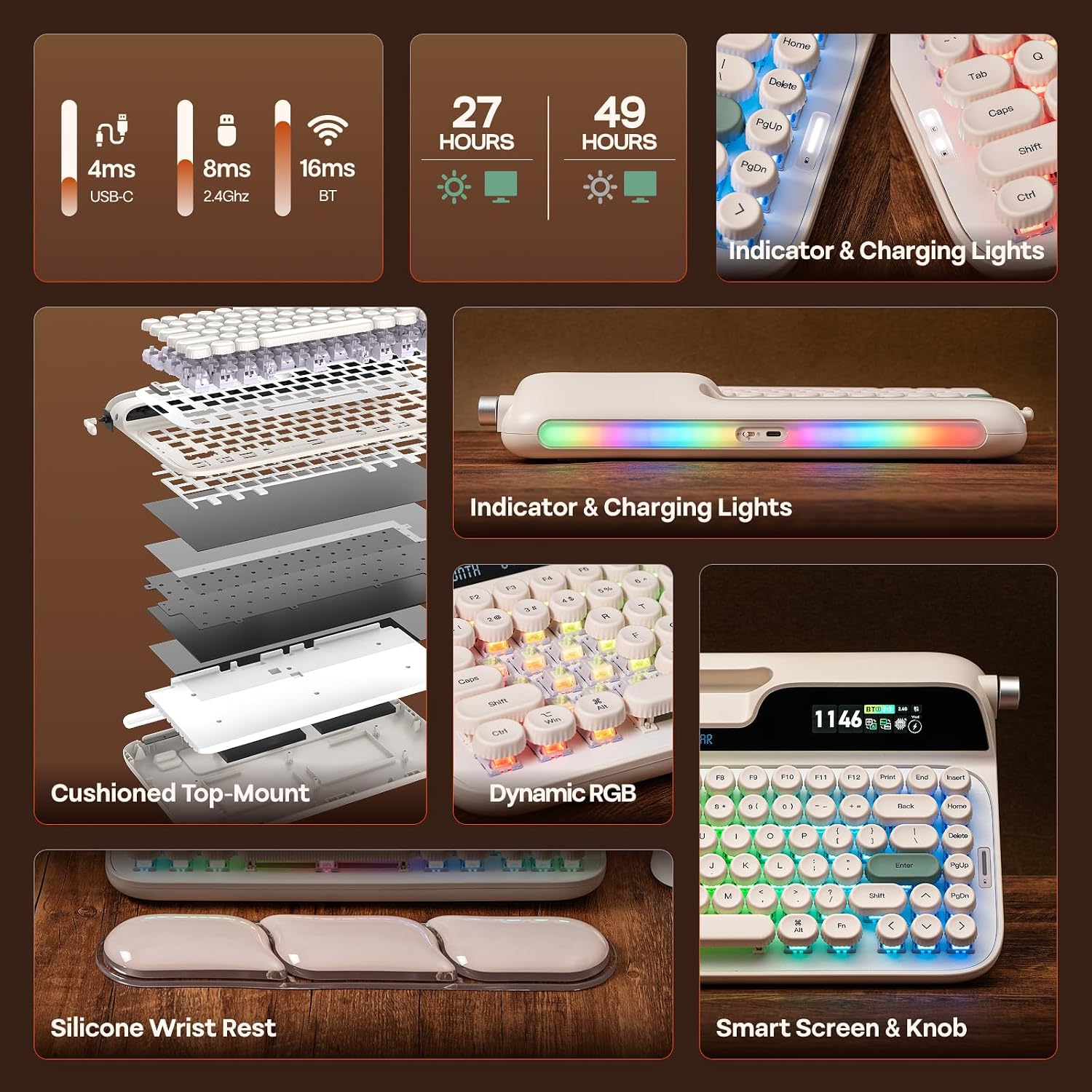
Typing feel is where the Glyph tries to win. The board uses a top-mount design with a firm, crisp, and consistent character—positioned between softer gasket-style flex and stiffer top-mounted approaches. The goal is an even distribution of keystroke pressure through the frame so you get a responsive feel without the “shook” that can come from too much movement.
The keycaps are round PBT, described as durable and resistant, paired with a fingertip-friendly concave shape intended to guide your hands more naturally. That’s the kind of comfort detail you’ll feel most after long writing sessions or coding blocks.
One more tactile gimmick that’s more than decoration: the integrated return lever. It’s framed as a 1950s typewriter nod, and it doubles as backspace with tactile feedback—so it’s not just an accent piece.
And yes, there’s RGB backlighting, but it’s designed to be controlled more directly because of the knob and screen.
Key features that actually affect your workflow
Hot-swapping is the practical flex here. If you’re the type who likes changing switch feel over time, the hot-swap approach can save you a lot of hassle compared with solder-only designs.
The screen and knob push the Glyph beyond “just typing.” The screen displays status and time and supports RGB control, the knob can work in a media-style mode (for volume or remapping actions like skipping tracks) and also has an FN-based mode for extra functions. If you’re constantly tabbing out to control audio or want quick macros, this setup is built for that.
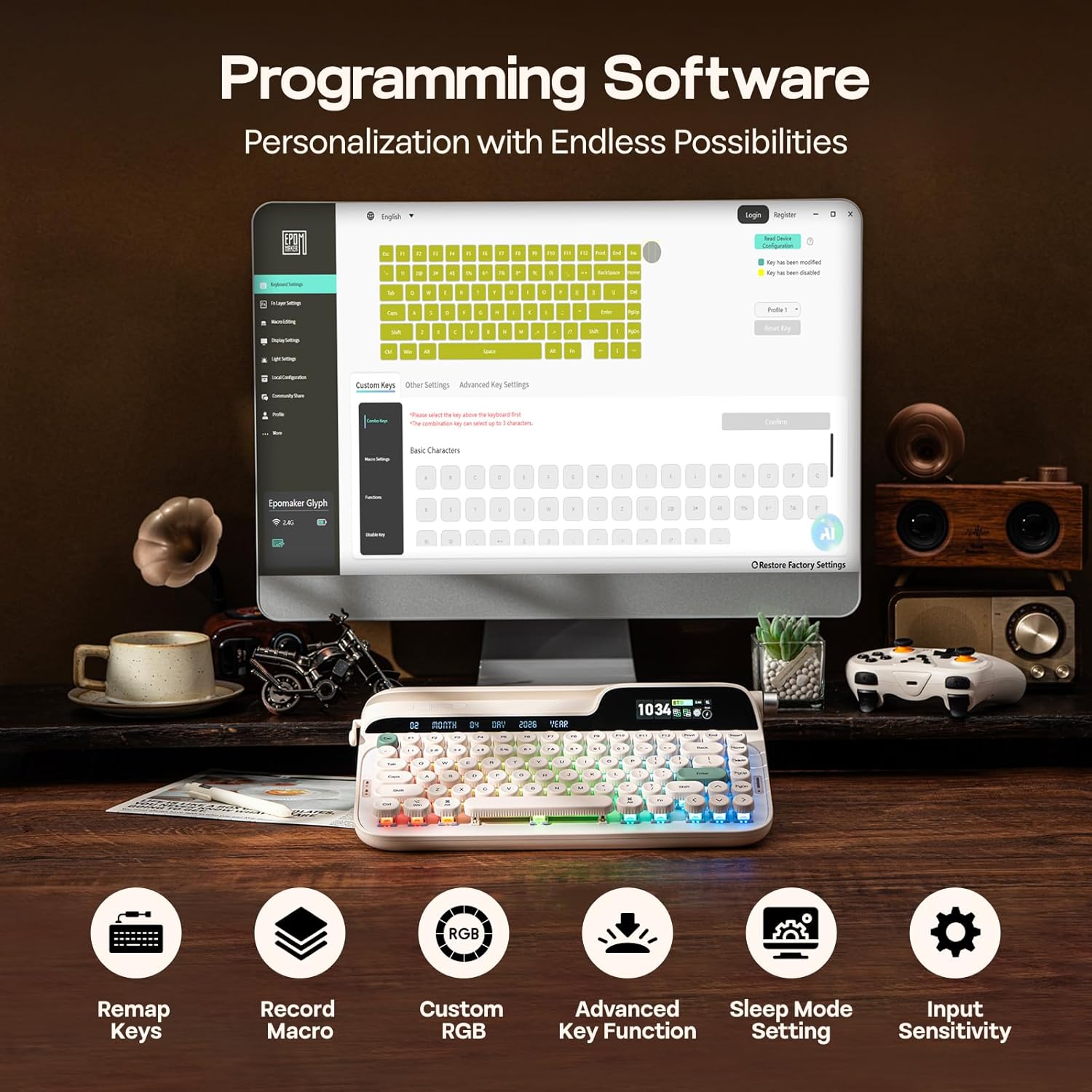
The custom software (EPOMAKER 3.0) is where remapping and macros come together on the PC/Mac side. If you like building shortcuts and tuning behavior, it should feel easier than relying on basic default layers.
Tech specs (from the provided info)
- Type: Wireless retro mechanical keyboard
- Layout: 75%
- Hot swap: Yes (hot-swappable PCB)
- Keycaps: Round PBT keycaps
- Plate/mounting approach: Top-mount
- Sound tuning: 5-layer sound-optimizing stacks
- Features: Screen + rotary knob + lever + wrist rest + RGB backlight
- Software: EPOMAKER 3.0 custom software, mac/win compatible
Note: Some specifics like switch type included, connection method details, battery capacity, and exact dimensions aren’t provided here—so those are worth confirming before you buy if you’re picky.
Where it shines—and where it might fall short
Worth considering if you want a keyboard that blends nostalgia with modern controls. The lever/backspace concept, the screen + knob approach, and the dedicated slot for a tablet/phone could genuinely improve daily use—especially if your desk setup includes a secondary screen.
You may want to skip it if you prefer a super-minimal keyboard experience. This one is packed: wireless, hot-swap, screen, knob, RGB controls, custom software, plus a wrist rest. If your priority is “plug in and forget,” the Glyph could feel like too many moving parts.
Also keep in mind that the “typewriter-inspired” sound and feel direction is intentional. If you’re chasing a very specific feel (for example, extremely quiet operation), you’ll likely need to think about which switches you install through hot-swap.
Getting the most from it (practical tips)
If you’re buying for the typewriter-style vibe, start by deciding what you actually want from the sound and tactility. The hot-swap design means you can tailor the switch character later, but you still benefit from setting your layout and macros early.
A realistic example: say you code for hours and frequently control music. With the screen showing status/time and the knob in media mode for volume or skipping tracks, you can keep your hands more on the board and less on your mouse. And if you remap keys through the custom software, you can set up macros for common actions so you’re not switching contexts constantly.
Final verdict
It’s a strong pick if you want a 75% hot-swap mechanical keyboard with a screen, a rotary knob, and a retro typewriter-inspired lever/backspace concept—and you’ll actually use customization through EPOMAKER 3.0.
It’s not the best choice if you want a straightforward, no-tweaks board or you’re only interested in the basics of typing. The Glyph is built for people who like features, tuning, and a desk setup with personality.
Is it worth it?
Should you buy it? - If you care about typing feel, plan to experiment with switch swaps, and want on-board controls (screen + knob) to reduce tabbing out, the Glyph is the kind of keyboard that fits your routine. - If you don’t want software remapping, you don’t need a screen, and you’d rather spend time typing than tuning, it may be more complicated than necessary.
Before ordering, it’s worth double-checking what’s included with the keyboard (especially switch details) and how you prefer to control media/RGB with the knob and screen—because that’s where the Glyph’s “extra” lives.